
home → Examples → Storyboards
UX Storyboard Examples

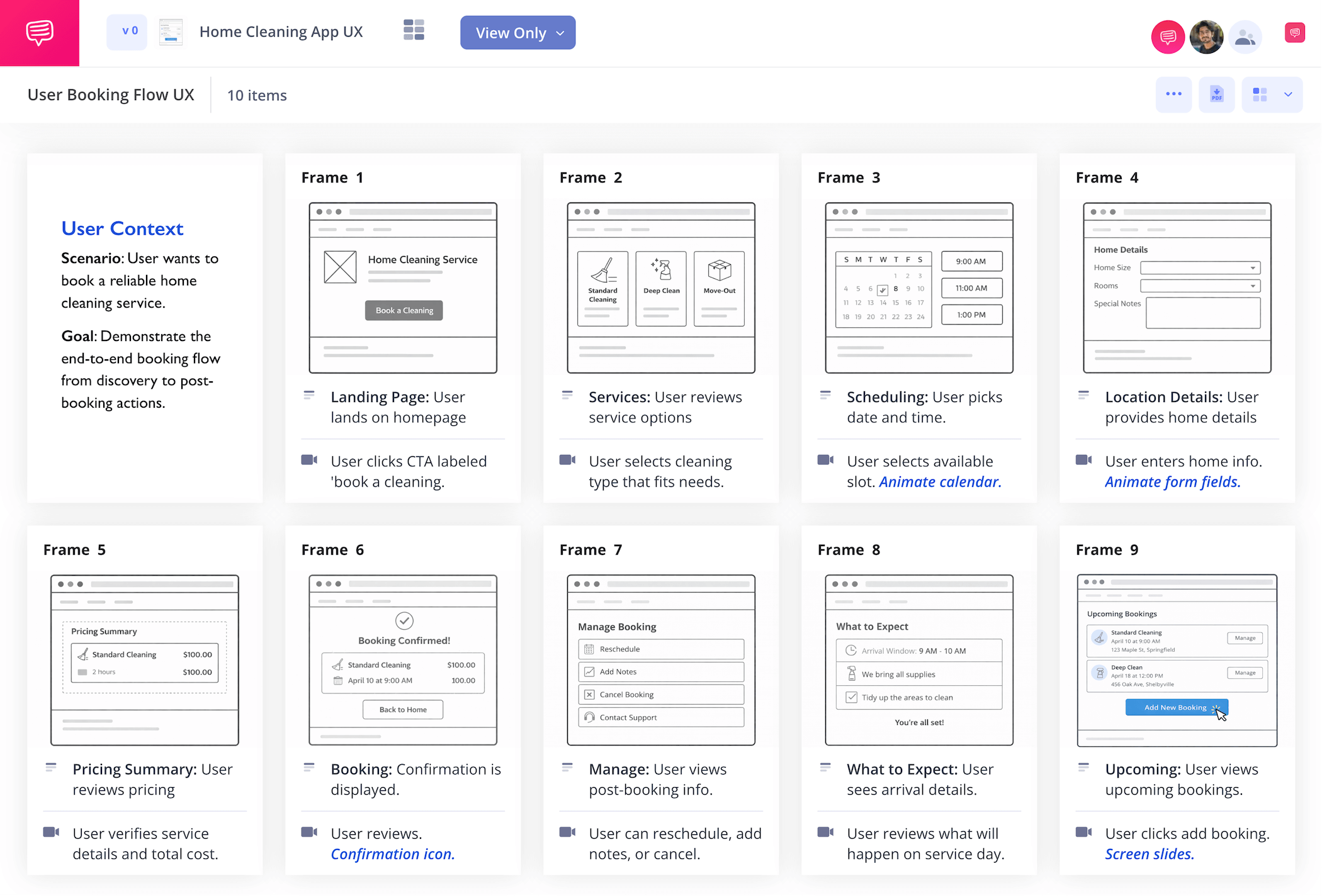
UX storyboard examples
A ux storyboard takes any idea for a web-based product or service and visualizes how the entire user experience will play out, from the customer’s desire to seek out the service, to how the customer navigates the service, and finally how the customer feels overall after using it. If storyboarding in ux design sounds like a tool you can use, then we have some great ux storyboard examples for you to explore. But first, let’s establish the ins and outs of storyboarding and how it can apply to ux design.
UX Storyboarding Definition
What is a UX storyboard?
Storyboards are traditionally used in the film industry to plan, step by step, how a movie will be shot, and how each shot will look on screen. Each square panel on a storyboard represents a sketched frame or moment in a scene, and is read from right to left like a comic book.
So, storyboarding in ux design is used to showcase each major step a customer takes on their journey to using a product or service. A storyboard in ux design can benefit your digital product or service experience because it gives you a unique and empathetic perspective on your customers and their needs.
It also allows you to work out any speed bumps or kinks in your digital ux design that may not have been obvious when you were coming up with the idea. UX storyboard examples come from digital developers who need a visualizer to pitch their ideas to a client, as well as clients who want to pitch their vision for a designer to bring to their app or websites.
Storyboarding Basics
How to storyboad UX ideas
Before we jump into some more specific ux storyboard examples, let’s run through the broad steps you’ll want to take for any kind of storyboarding in ux design. You can use any free online template to build your storyboard ux project, including StudioBinder’s own storyboard creator.
You’ll start with a basic idea of the kind of user experience you’re aiming to create. Maybe your storyboard ideas are written in a script, maybe they’re just in your head. Either way, it’s helpful to start pacing out each moment of your user’s interaction in the description boxes near each panel.
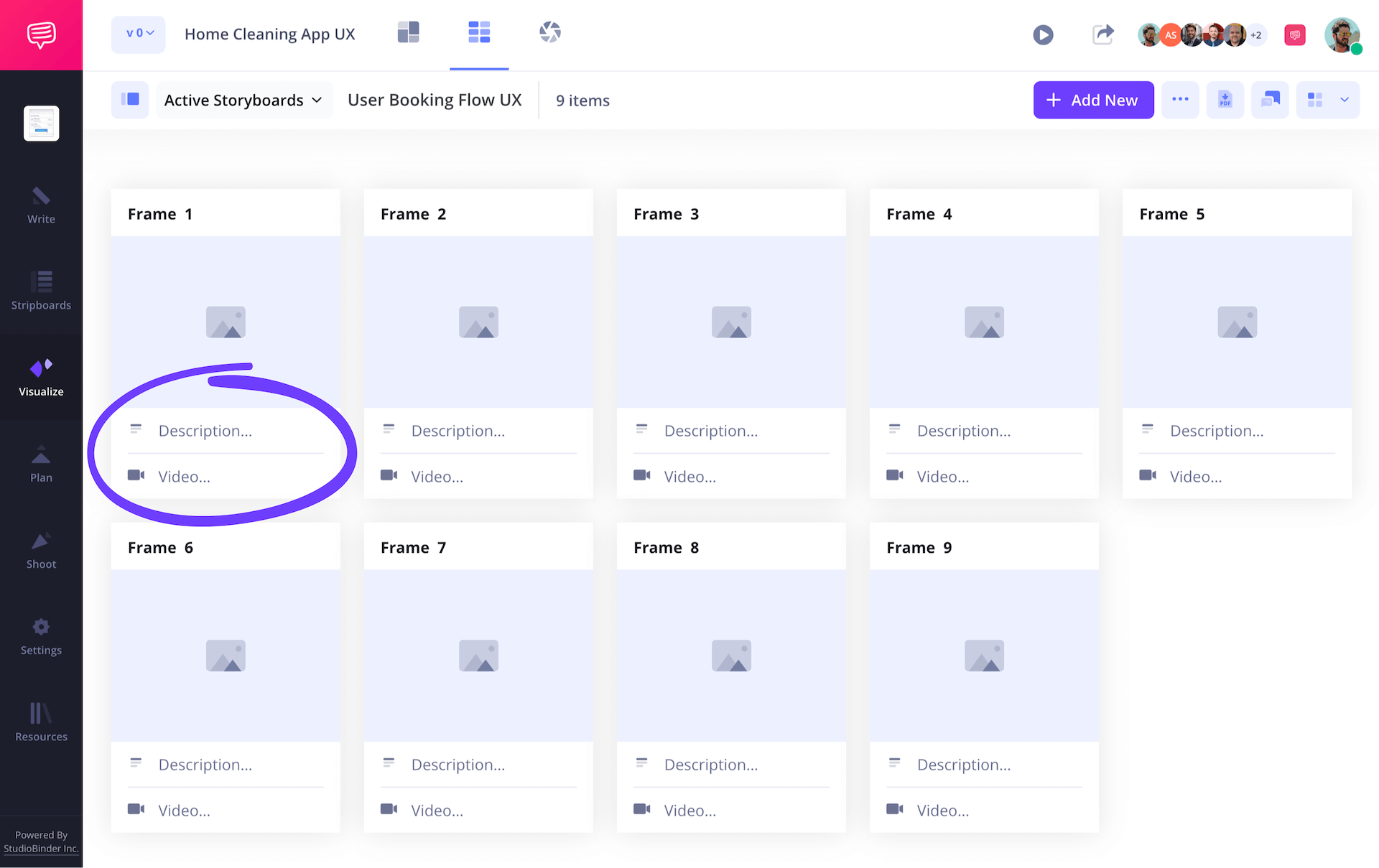
There are countless ux storyboard examples when it comes to applying images. This is because storyboarding in ux design often visualizes app/website imagery, which mostly consists of various shapes on a screen.
You may also need to showcase something like a customer walking to their car, or taking the product from a worker, but images like these can be done simply with stick figures if you’re drawing your storyboard.
The idea is to make the logical connections between each step, so don’t worry about images looking perfect. You can even use reference images found online or screenshots from other ux designs that inspired you.
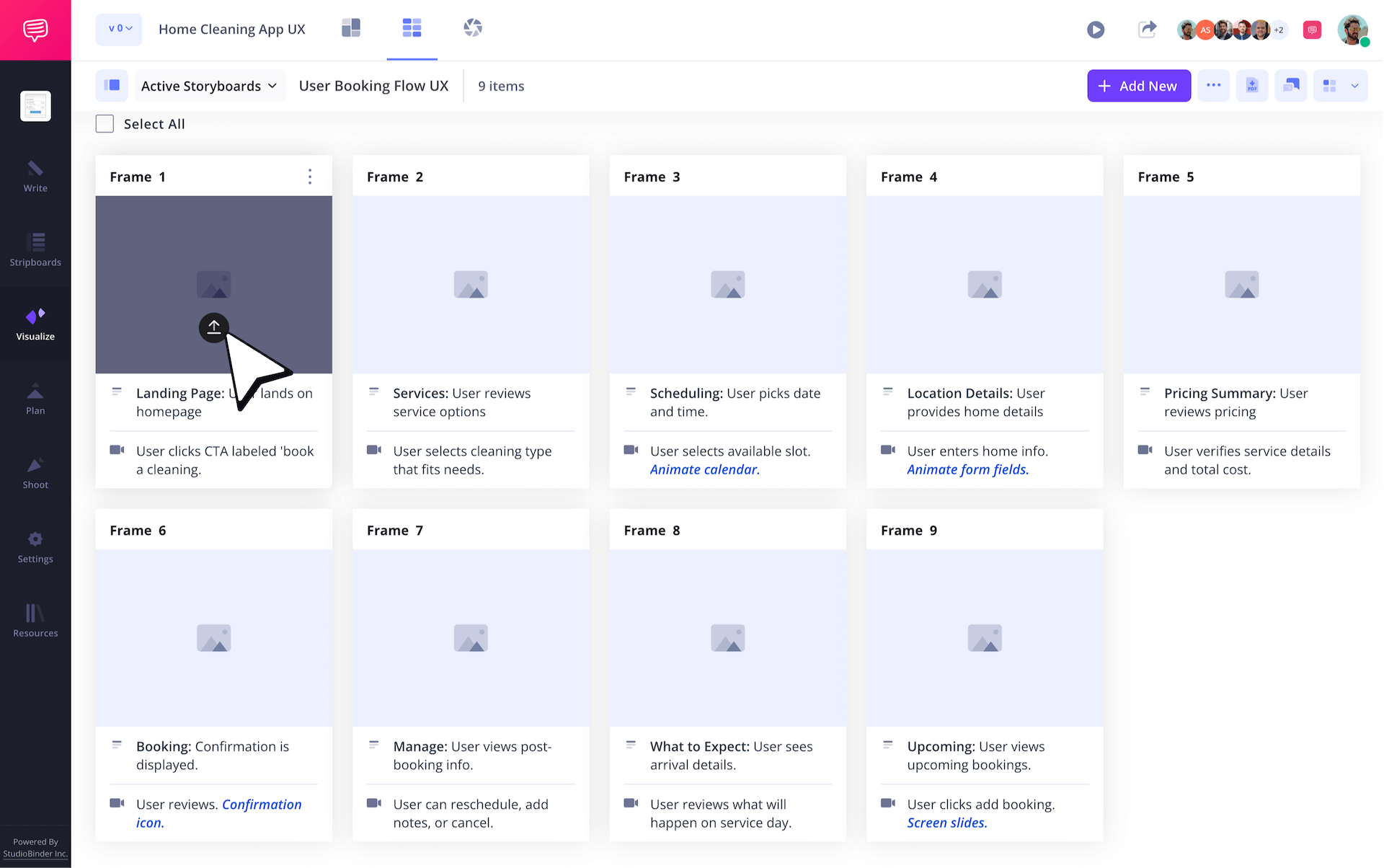
You may find yourself creating many UX storyboard examples that visualize different kinds of customer experiences. This is because one user demographic’s experience may contain slightly different nuances compared to other user demographics, meaning you’ll have a lot of storyboard pages to keep track of, so we recommend keeping them well organized.
One way to do this is with text boxes that give a short summary of the storyboard type right at the beginning, much like this storyboard ux design example:
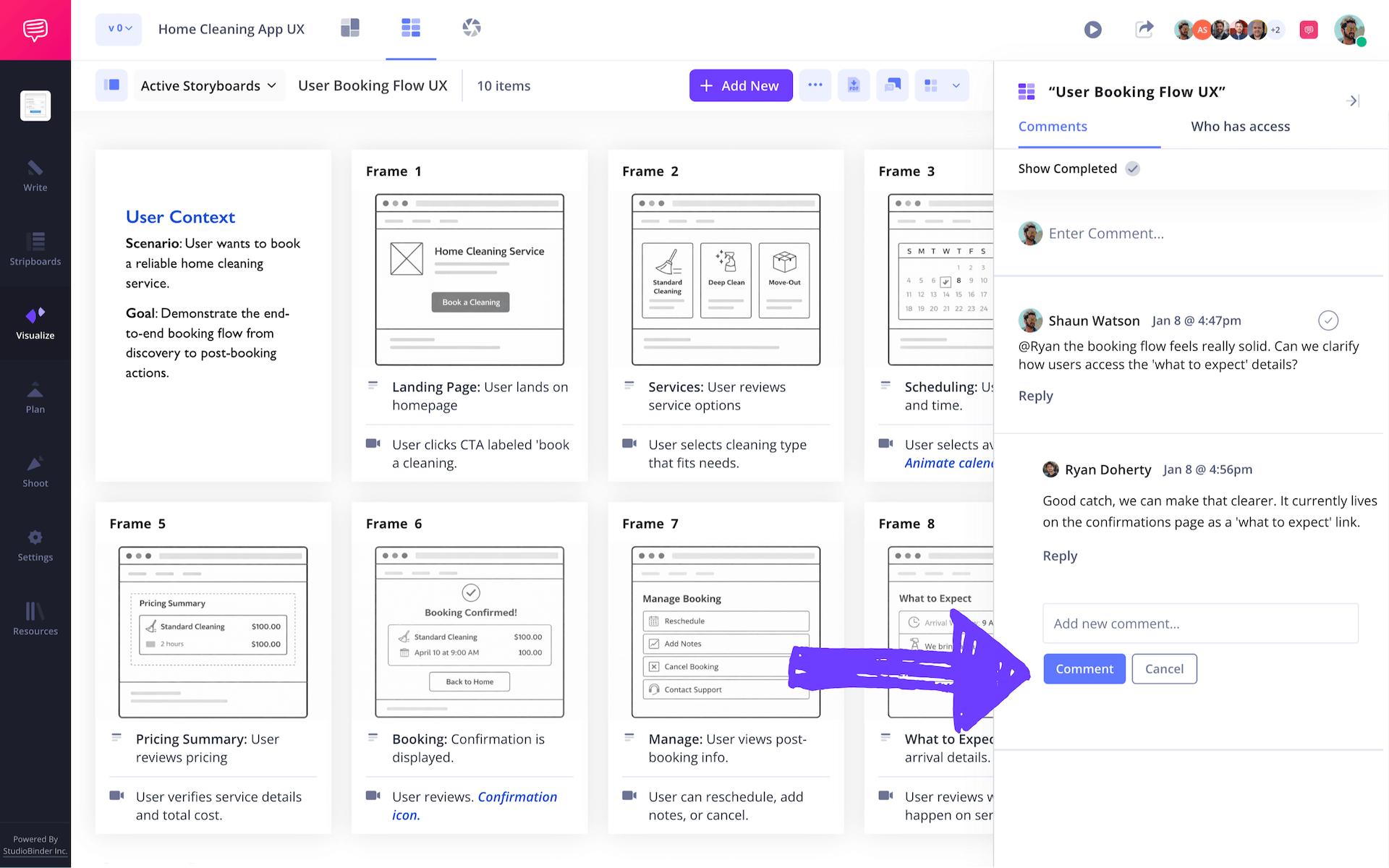
As your ux storyboard takes shape, it’s vital to have coworkers, or even a close friend look over your work and give you feedback. We’ve seen plenty of ux storyboard examples with small mistakes that could have been avoided with a second pair of eyes. With StudioBinder’s storyboard creator, you can invite others to edit and even leave feedback comments on your storyboard ux project.
UX Storyboard Examples
5 UX storyboard examples
Now that we’ve broken down the basic steps to build your ux storyboard, let’s go through some specific ux storyboarding examples. These five storyboard in ux design projects were all created in StudioBinder to give you an idea of the unique perspectives you can gain from different types of app experiences. Let’s jump in.
UX Storyboard Examples
1. Home Cleaning App UX
Our first storyboard ux example is for a home cleaning service. Notice how this ux storyboard begins with establishing the dilemma a specific type of customer would face and where they would come across the answer to their problem.
Think of the beginning of your ux storyboard like it’s the inciting incident for a protagonist in a narrative. Where will they journey to fulfill their need? Will they seek out an answer to their problem, or will the answer find them in the form of an advertisement?
UX Storyboard Examples
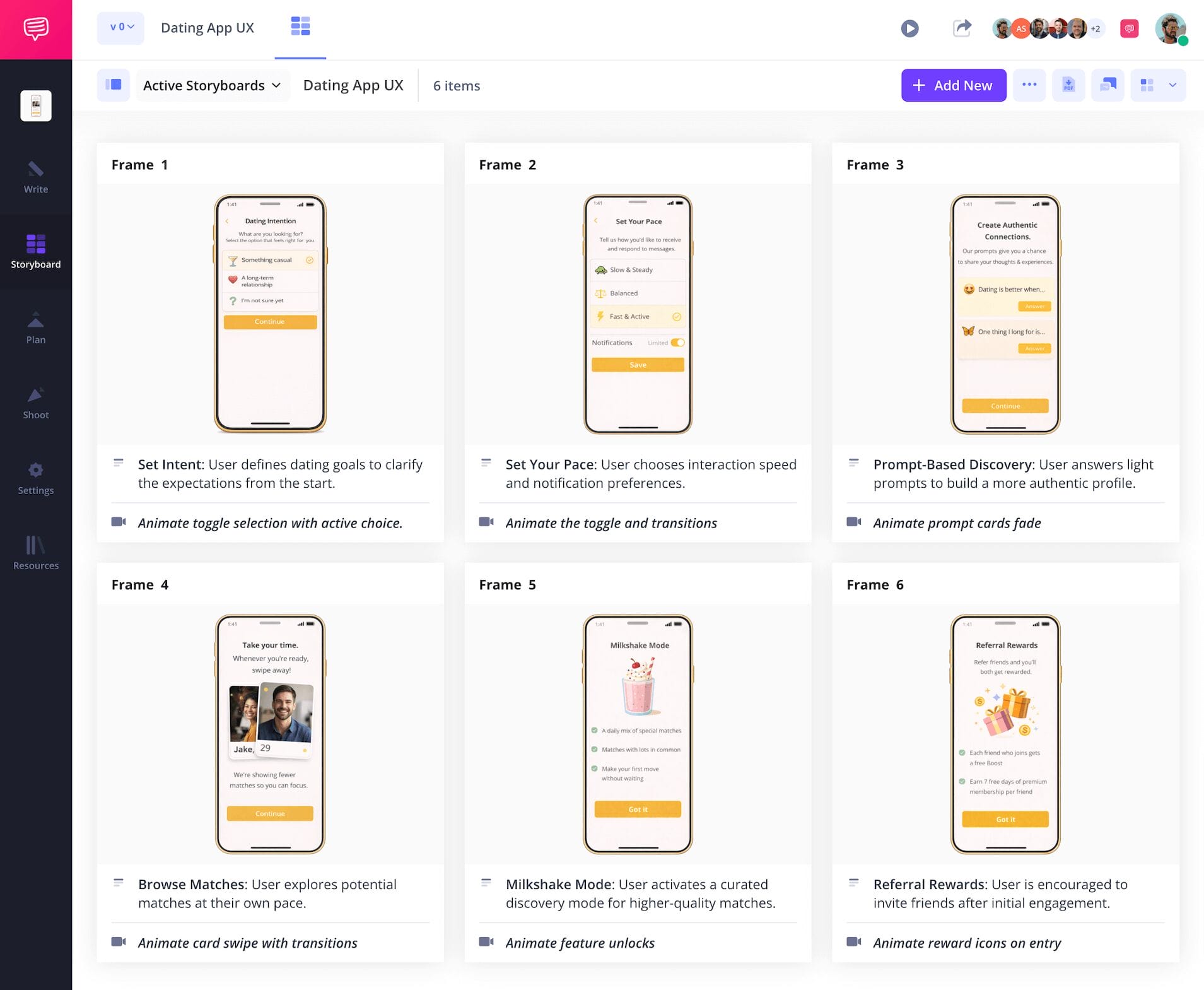
2. Dating App UX
This next storyboard ux design example showcases the ux process for a dating app idea. It creates a sense of empathy for someone anxious about online dating, and walks through how the experience of navigating this app will help calm their anxieties down. Putting yourself in the user’s shoes will really help direct how your app or website is digested by the actual people interacting with it.
UX Storyboard Examples
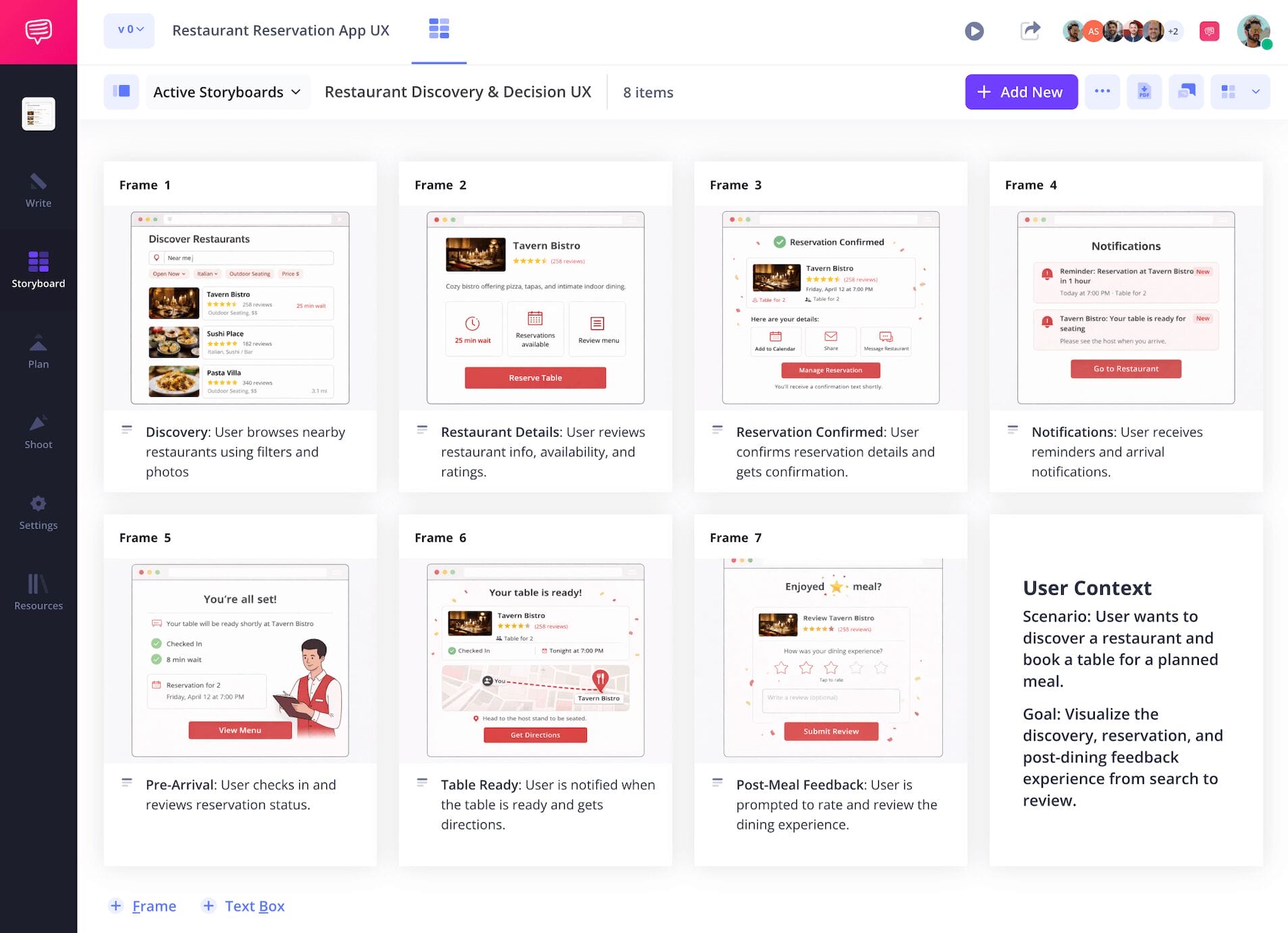
3. Restaurant Booking App UX
Out of all our ux storyboard examples, this one for a restaurant reservation app is the most accommodating for a group of people. It keeps in mind that one person will book the reservation, but also considers the dietary restrictions and planning chaos of gathering friends with unique requests.
Always keep in mind that while one person may navigate a ui, there may also be others to consider and accommodate in their orbit throughout the entire experience.
UX Storyboard Examples
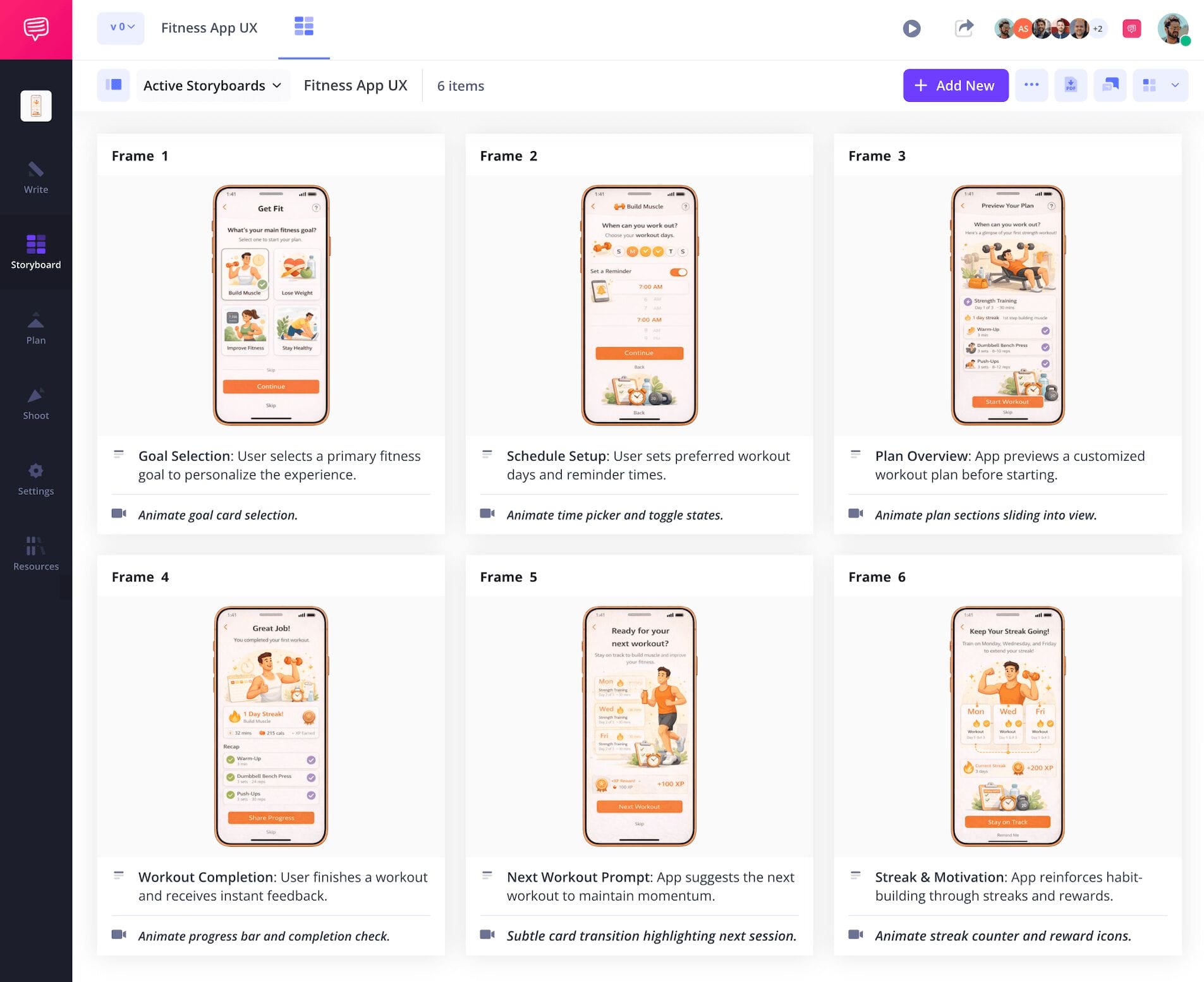
4. Fitness App UX
For this ux storyboard example, we’re tracking the entire ux of a fitness app. The storyboarding process itself helped uncover unique ways to keep our customers engaged compared to similar apps, leading to our idea of sending personalized motivational messages to users as a unique way of standing out.
UX Storyboard Examples
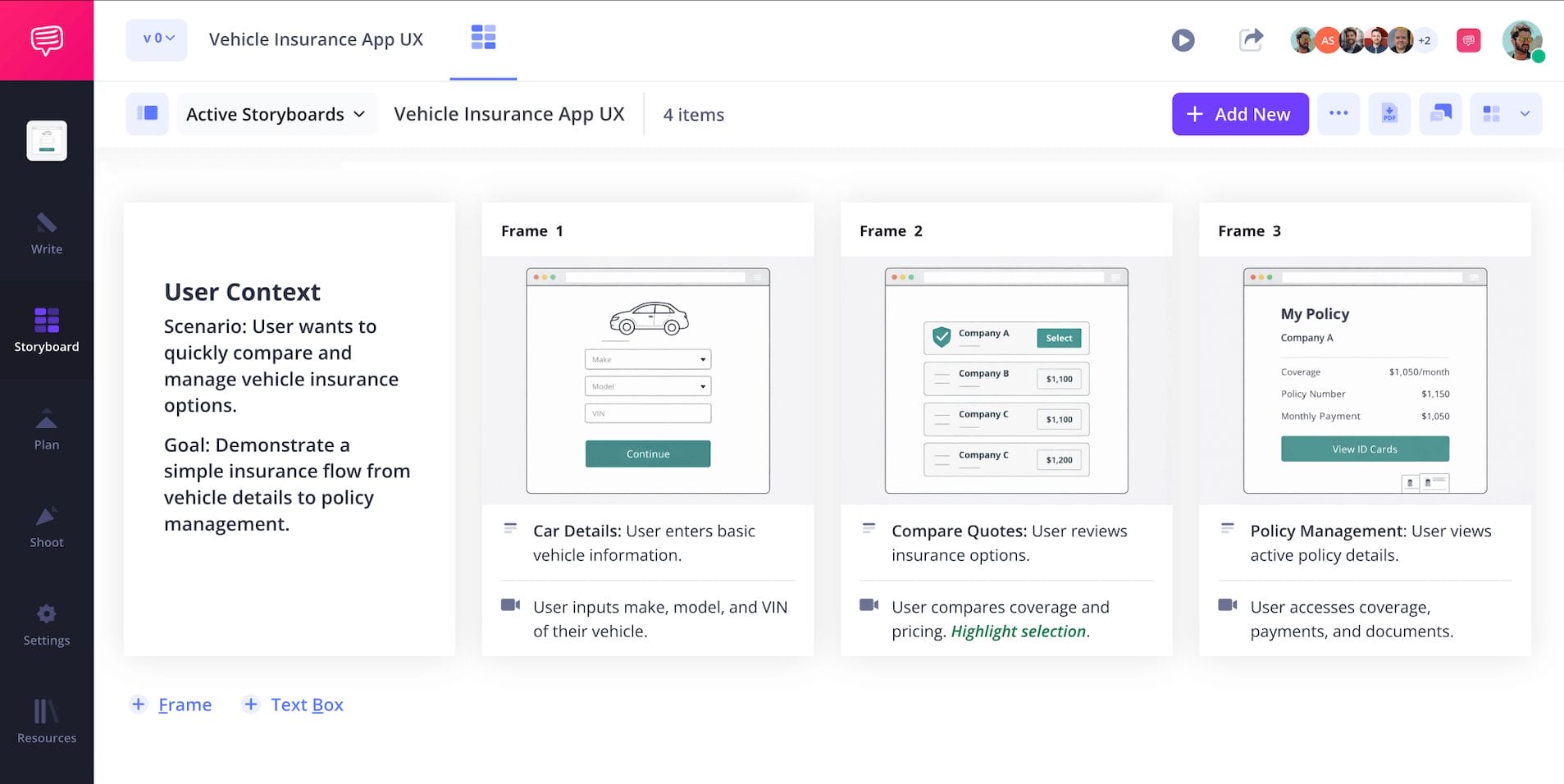
5. Vehicle Insurance App UX
The last of our ux storyboard examples shows the details of a vehicle insurance app experience. With this storyboard ux design example, we’re not only examining what incites our customer to find and download our app, we’re also incorporating how they’ll use it in a specific situation down the line. In this case, a minor traffic accident.
Remember that a customer’s experience doesn’t always end with the initial use of the app, you’re also detailing every situation it could be convenient for them.
Conclusion
All done!
We hope this breakdown of ux storyboard examples, as well as our guide on how to build ux storyboards provides a helpful template for you to bring your own app or website idea to life.
Just remember, storyboarding in ux design is all about building connections with potential customers and meeting their needs, so now get out there and make the world a more convenient place!
Frequently Asked Questions
Your questions, answered
An animation storyboard is a vital step in the film pre-production process when bringing any great animation narrative to life. This is typically the first step in taking the descriptions of settings and characters from the script page to the drawing stage. The action of the script is turned into comic book-like panels that essentially map out what the finished animation will look like and how it will flow visually.
Making a ux storyboard isn’t too unlike making a film storyboard, because you’re essentially visualizing the narrative of a specific user’s experience. When building a ux storyboard, you’re considering the type of person who wants to use the product or service you offer, and what in their life brings them to search for it.
Each important step in this process will be sketched (digitally or physically) on the storyboard’s panels. In the boxes next to each panel, you’ll explain the action occurring, as well as what the developer will need to make it happen on the app or website in question. From there, you will refine and edit your ux storyboard based on feedback.
Storyboards are a perfect way to visualize any narrative before putting it into action, whether you're bringing it to a screen, a presentation, or anything else that might benefit from visual planning. Given that the art of storyboarding extends to many different visual categories, it stands to reason that specific rules can vary from one storyboard to the next. That said, these are the five most important elements of any storyboard:
- Images
- Action descriptions
- Visual descriptions
- Audience positioning
- Timing and pacing
A user’s entire experience is one of the most essential things to understand when marketing a digital product or service, which is why a ux storyboard is such a helpful tool throughout the planning process. Once you make a ux storyboard, you’re seeing your customer and how they use your service from a whole new perspective, providing you insights on what’s occurring in a specific customer’s life that makes them desire your product, how they go about searching and finding your service, and even how they feel after using your product. A ux storyboard basically allows you to jump into your customer’s shoes so you can empathize with them and help make life easier through what you have to offer on an app or website.
Create better UX storyboards today
Create, collaborate and share UX storyboards with your whole team.
