
home → TEMPLATES → Storyboard
Storyboard Book Template

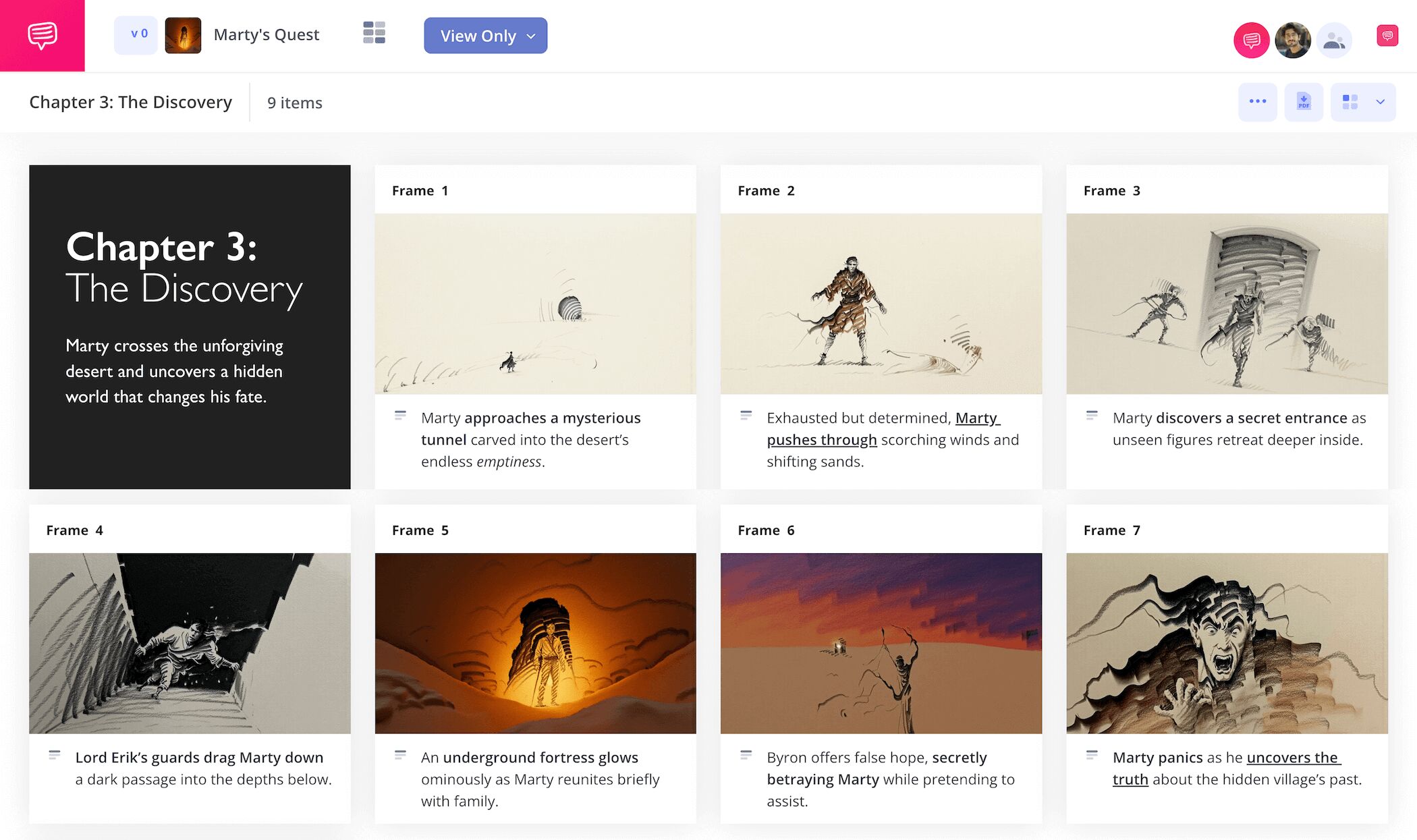
Storyboard book template
If creating a structured plan of action for that short story or novel you’re writing sounds helpful to you, consider using a book storyboard template. With a storyboard novel outline template, you’ll see the chapter you’re writing, or the entire outline of your book, from a unique vantage point that only storyboarding can offer. With each panel representing your notes on everything from the characters to metaphors you plan to incorporate into your story, you’re essentially laying out visual train tracks that will direct you throughout your writing process.
In this guide on how to put together your own storyboard book template, we’ll show you how we planned out the writing of a chapter in our novel using StudioBinder’s storyboard creator. But even if you’re using your own book storyboard template, or plotting out more than just one chapter of your book, this guide is still broad enough to follow along and learn from.
Step 1
1. Ready your template
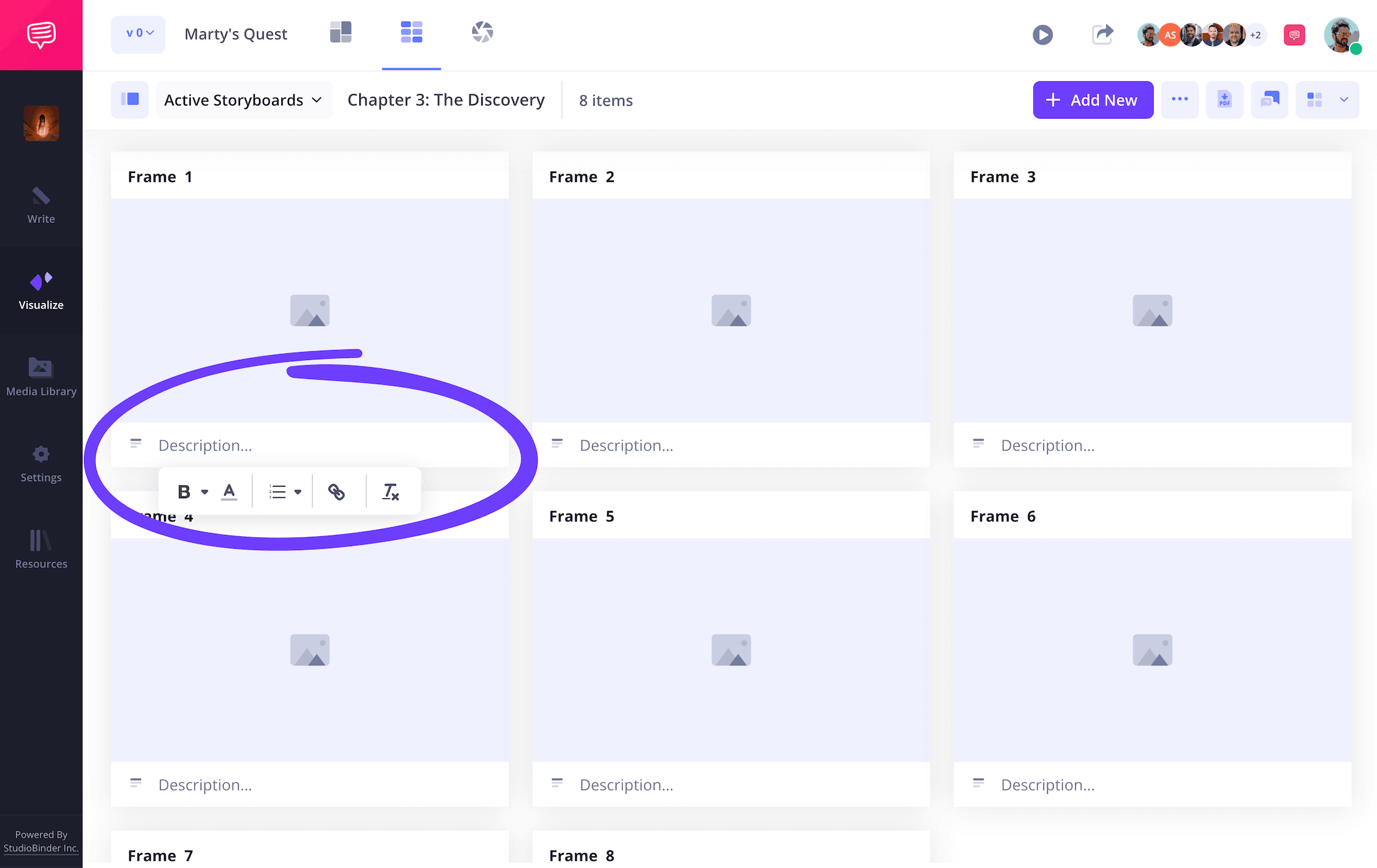
You’ll want to set up your book storyboard template in a visual way that fits your specific project’s needs. For our storyboarding book example, we’re plotting out the key moments in an early chapter of our novel, so we think 3 panels per row and 6 panels all together will showcase our most relevant details.
When you begin a new project in StudioBinder, you’ll be prompted to set up your novel storyboard template layout, which you can also readjust anytime down the line. Once we started writing out the beats of our chapter into our description fields, we found we had a little more space than necessary, so we reduced our description space to just one field.
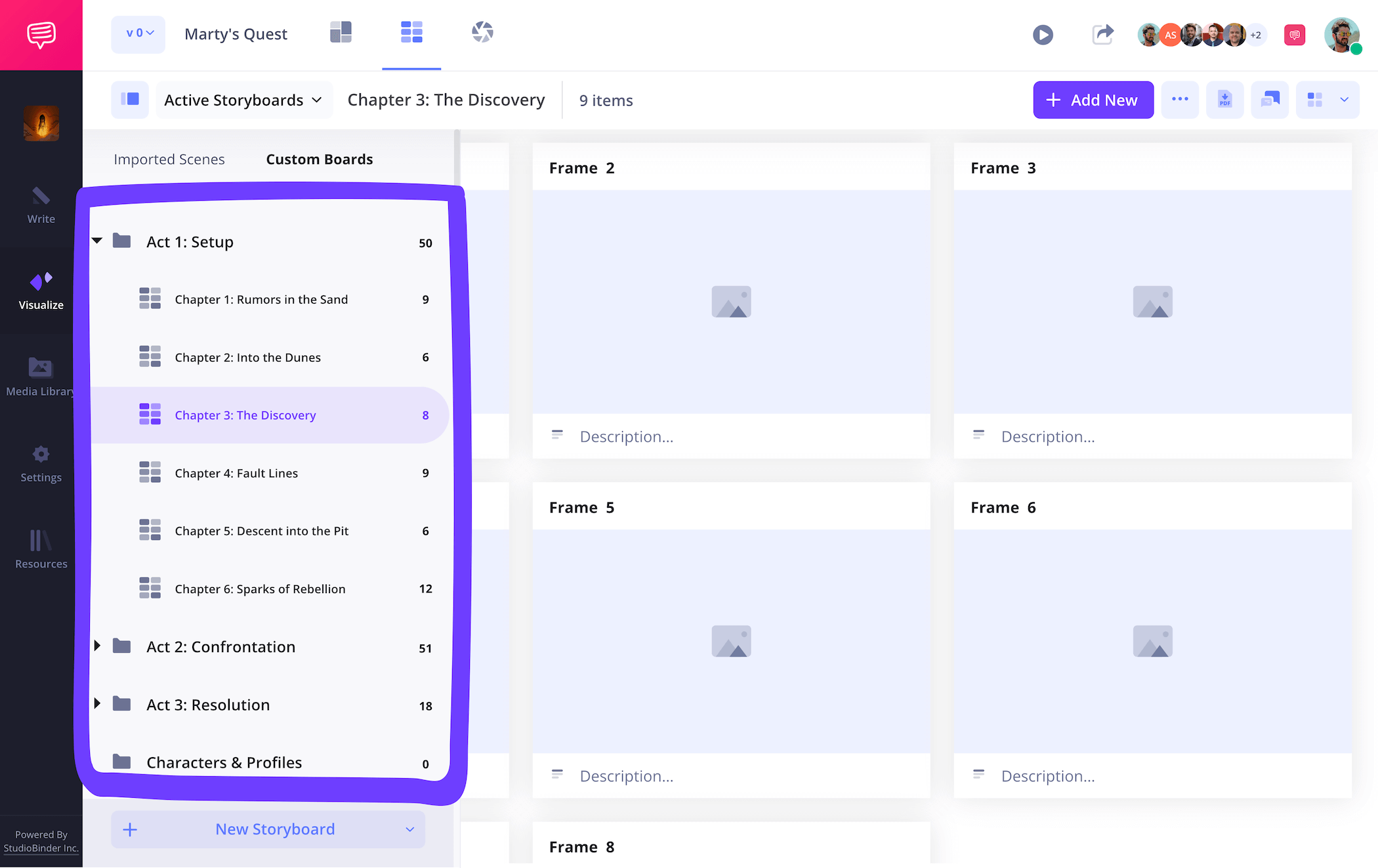
Next up, let's add a little bit of order by grouping our various storyboards based on the 3-act structure in our novel. A convenient approach would be to create storyboards for each chapter, then group them based by the three act structure in your story.
Step 2
2. Upload images
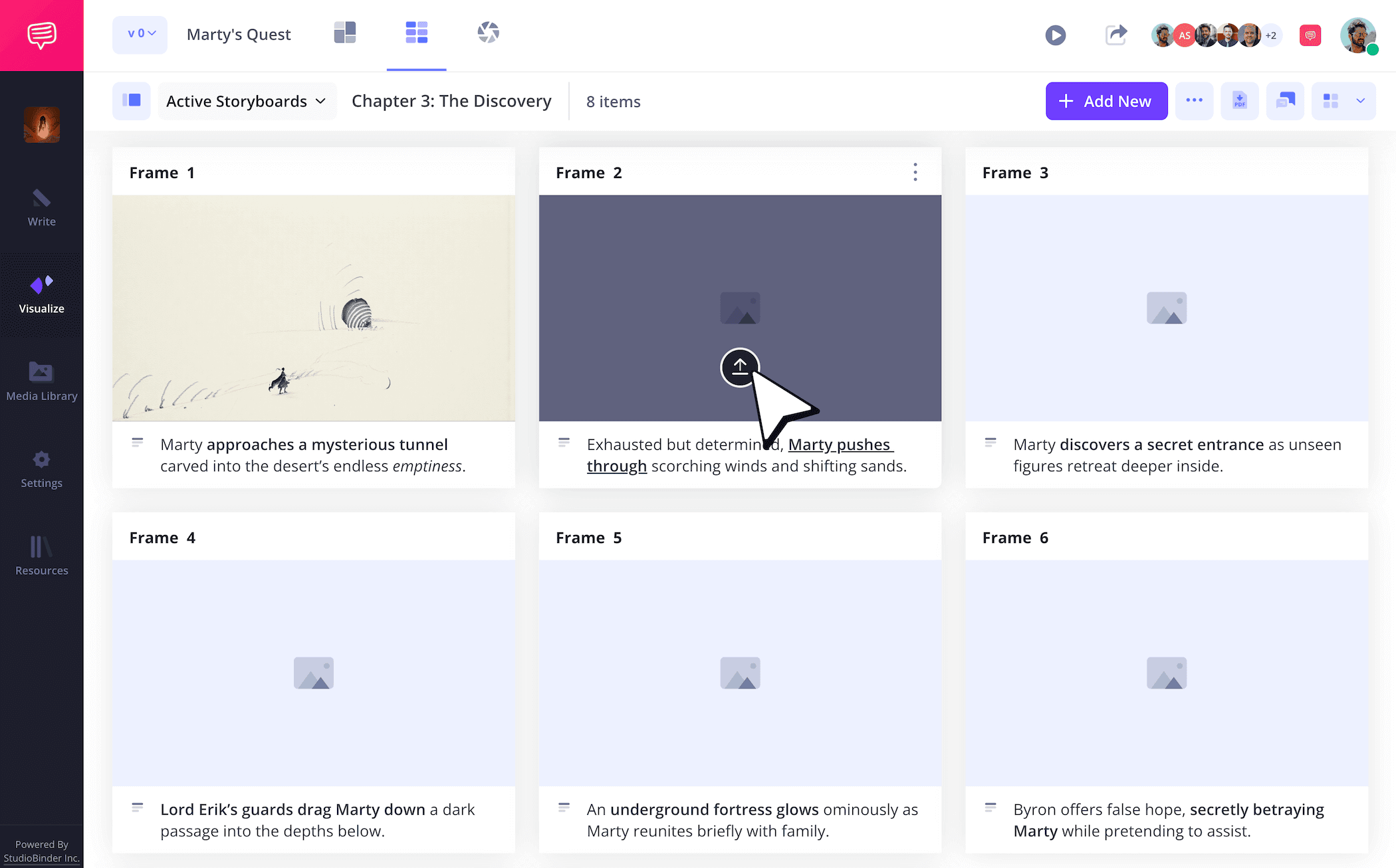
Whether you would prefer sketching your storyboard panels or uploading reference images, this will make your storyboard easier to visualize. Images for a book storyboard can go in several directions. You can even add text with the most relevant scene information into your panel image space can work if you’re less of a visual learner.
Once you have your images ready, just click Upload on any panel to insert them into your storyboard novel outline template.
Step 3
3. Organize story beats
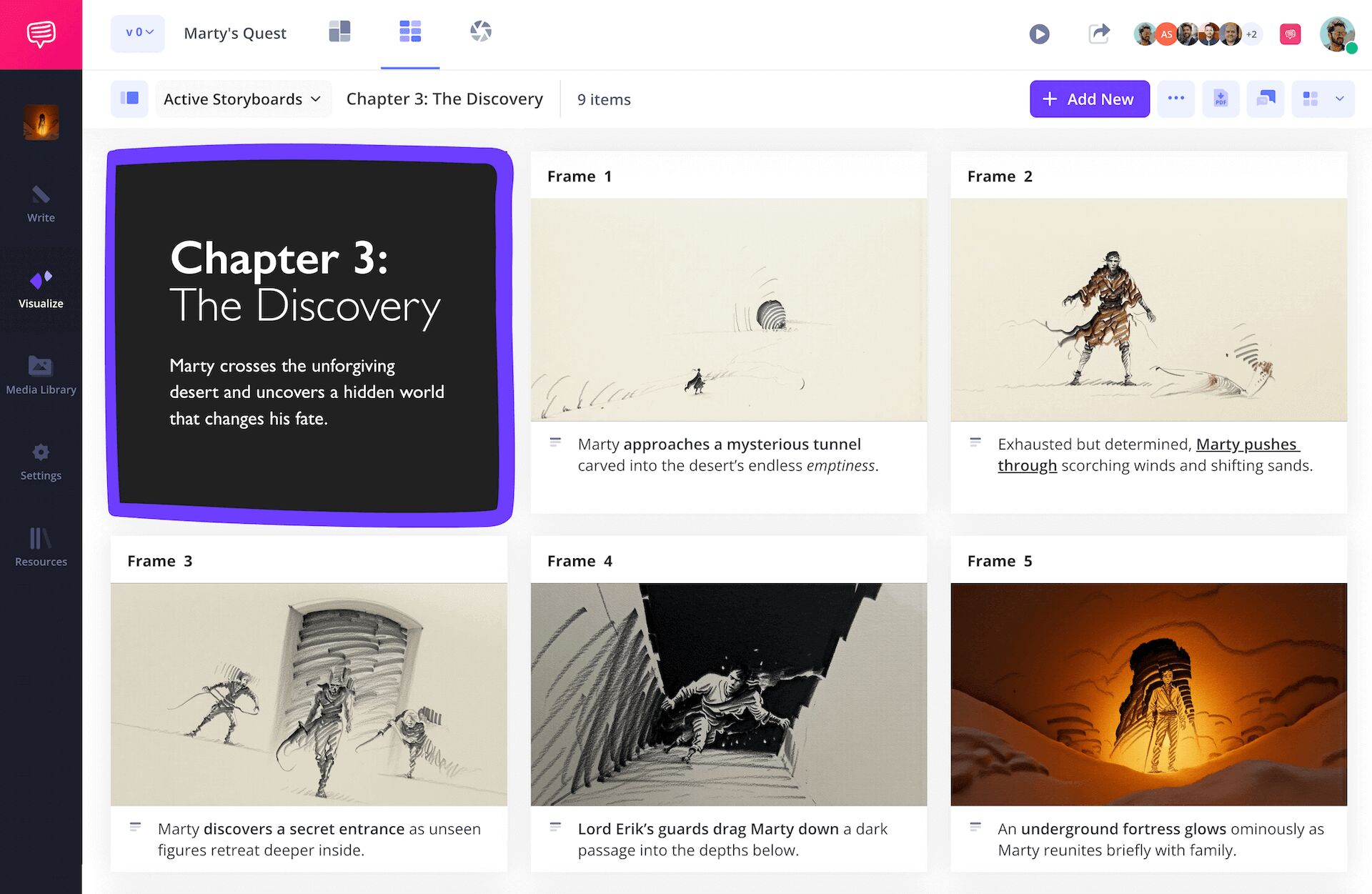
Given that writing a novel can also feel like keeping an endless amount of details bound together in your head, dividing your book storyboard template into color coded sections can make a huge difference. If you’re using your novel storyboard to lay out your entire story, text boxes can help organize your three act structure narrative, from setup, conflict, resolution, and all the relevant turns in between. Or, if you’re building your storyboard book from chapter to chapter like us, a text box can showcase your chapter title and all relevant action that occurs.
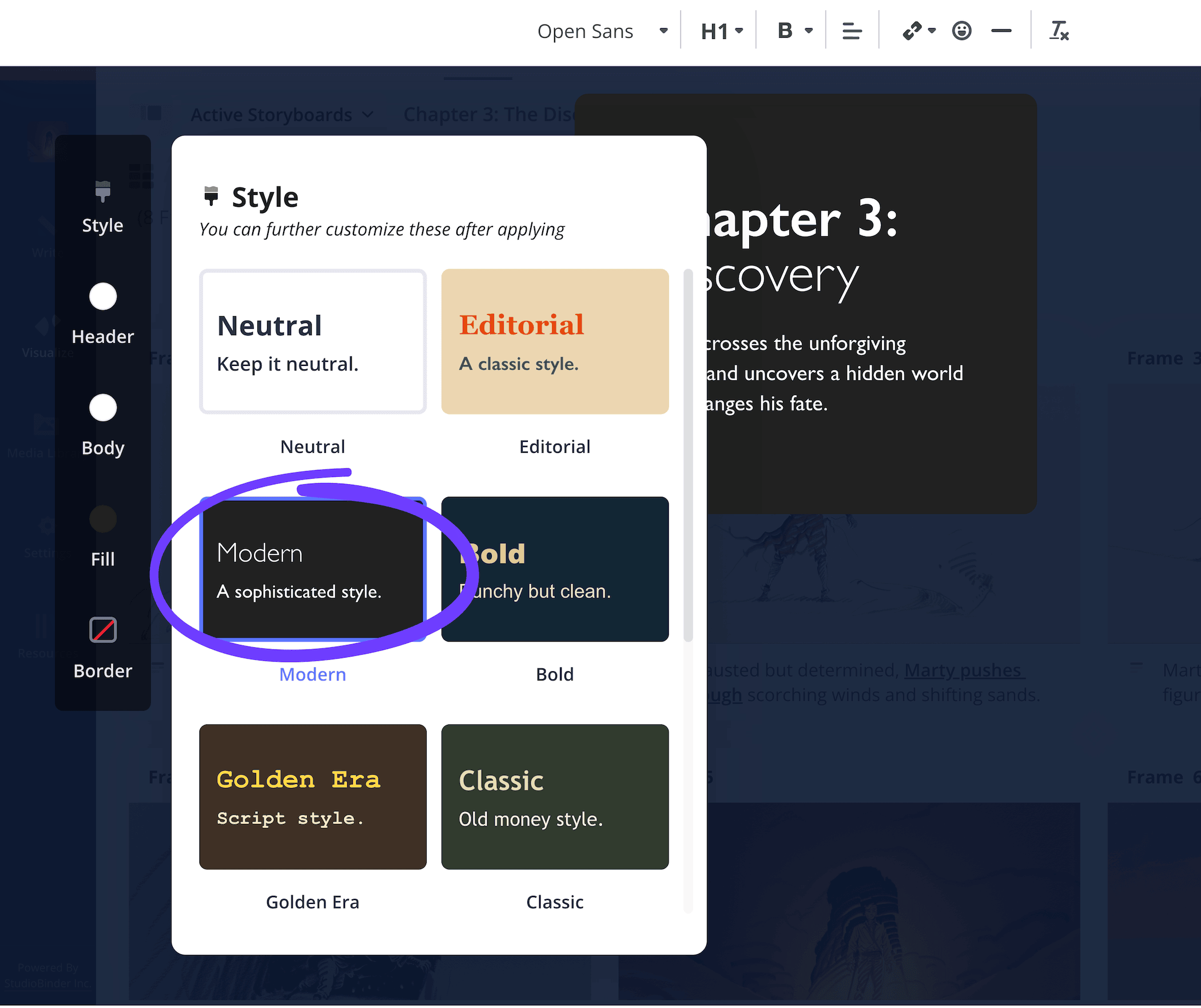
You can also customize your text box in any way that makes sense to you. Choose from an array of border and text styles, as well as background colors. Then you can drag and drop the text box anywhere on your book storyboard.
When you click Save, you'll see exactly what the new text box looks like on your storyboard. The text box becomes a creative tool that allows you to add chapter notes, pacing ideas, character breakdowns, etc. right alongside your storyboard visuals.
Step 4
4. Collaborate and share
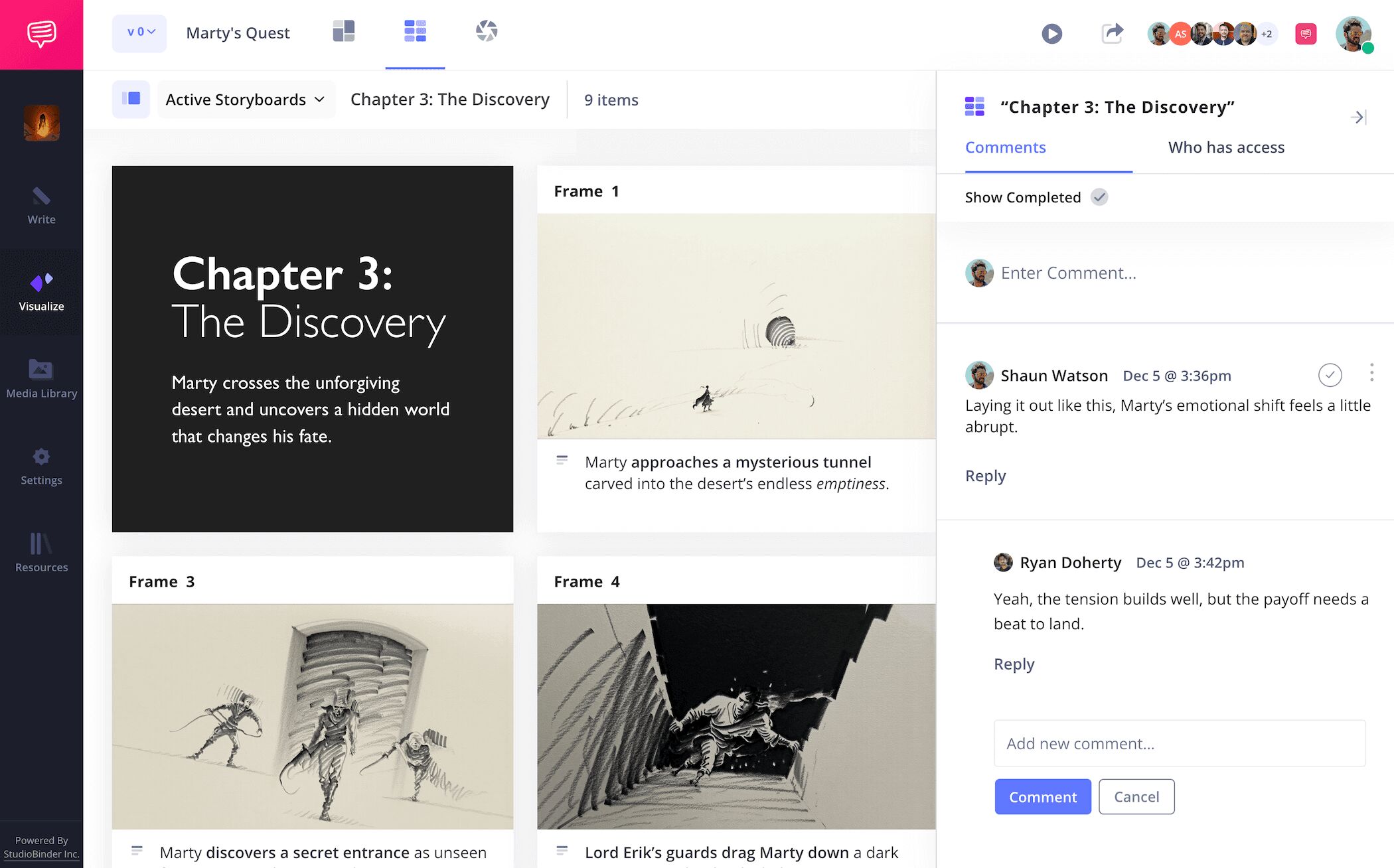
While your storyboarding book project may be for your eyes only, we have a feeling you’d eventually like to publish your hard work once it’s all finished. This is why getting another set of eyes to look at, or even edit your book storyboard template will be greatly beneficial. With StudioBinder, you can invite anyone with a view-only-link, or you can set your invitee’s permissions to either commenter or editor.
Whether it’s a publishing company, your book editor, or your great Aunt Tilly, getting feedback is highly valuable. With commenter or editor permissions enabled on your novel storyboard, your collaborator can take to the comments tab to leave their notes.
Step 5
5. Convert your storyboard
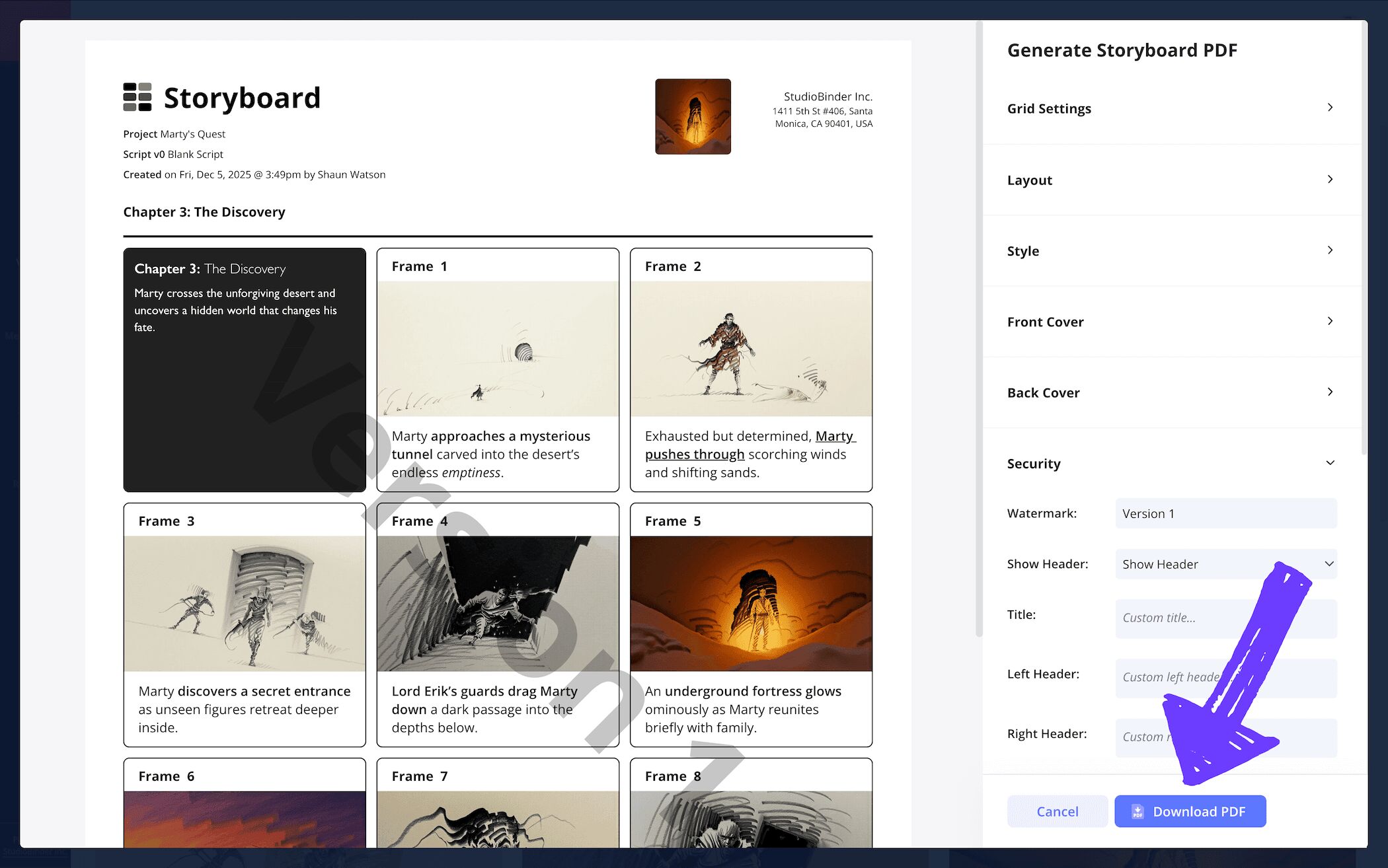
Now that you’ve finished building your book storyboard template, there are more than enough reasons to officially convert it into a PDF download. For one, this cements your storyboard book project as finished and lets you easily share it without worrying about accidental changes. For your own benefit as well, downloading or printing your storyboard as reference can really help you think more clearly as you write your book.
With StudioBinder, you can also customize your PDF before downloading it. Edit an array of details on your PDF such as font size, or even add a front and back cover if you’re sending it to a professional book publisher. For our own storyboarding book example, we found enabling panel borders really helped keep it all visually organized.
Conclusion
Done!
Whether you’re building a book storyboard template for your own creative writing short story, or for the third novel in your highly popular fantasy series, we hope this guide provides you with all the valuable information you need to make your writing dreams come true. But of course, a creative writing storyboard novel outline template is only one of many storyboard templates StudioBinder has to offer, so be sure to browse through all our free storyboard templates!
Frequently Asked Questions
Your questions, answered
A book storyboard is a visual tool that lays out your novel or short story ideas like a comic book. Each panel contains description space where plot, character, and thematic ideas can be written down. The imagery in the panels themselves can showcase an array of different details depending on the storyboarder’s preference, from sketches they drew themselves to temp images from the internet that reflect their story ideas.
To build a storyboard for a book, you’ll first decide if your storyboard will be a broad breakdown of the entire plot of your novel, or if you’ll take it one chapter at a time. For one chapter at a time, start writing the main plot action of your chapter in the description space near each of your panels. For an entire plot breakdown, go even broader and write the broad strokes of your three acts. For images, you can draw your own or use reference images. You also have the choice to use image panels for important scene information if you don’t need any visual references.
Storyboarding a book is far from required, but if you benefit from a well-structured set of notes before writing the first draft of your novel or short story, it’s definitely worth considering. With a book storyboard template to work from, you’ll be able to see how each story beat flows and connects together. A book storyboard is especially useful if you’re writing a plot that is technically complicated, because this way you can ensure each story moment logically connects to the next.
The most important part of a book storyboard template is providing the right amount of storytelling real estate within each frame. Many writers will have to create several drafts of their storyboard as they figure out how much information should be included within each panel beat. This shouldn’t be a reason not to storyboard your book idea however, because getting the abstract tone and flow of your story down before actually writing it is tremendously valuable and worth the time.
Create your free storyboard
Visualize your storyboard book template with our free storyboarding software.
Get started for free
