
Video Script Generator
Make video scripts in a snap
StudioBinder’s video script generator is an online tool for creating professional AV scripts, built into the world’s leading production management software.

Explore Write
Explore all the features in the Write solution


Docs
Draft documents

Story Outline
Story index cards
Audio Video Script at a Glance
The ultimate video script generator
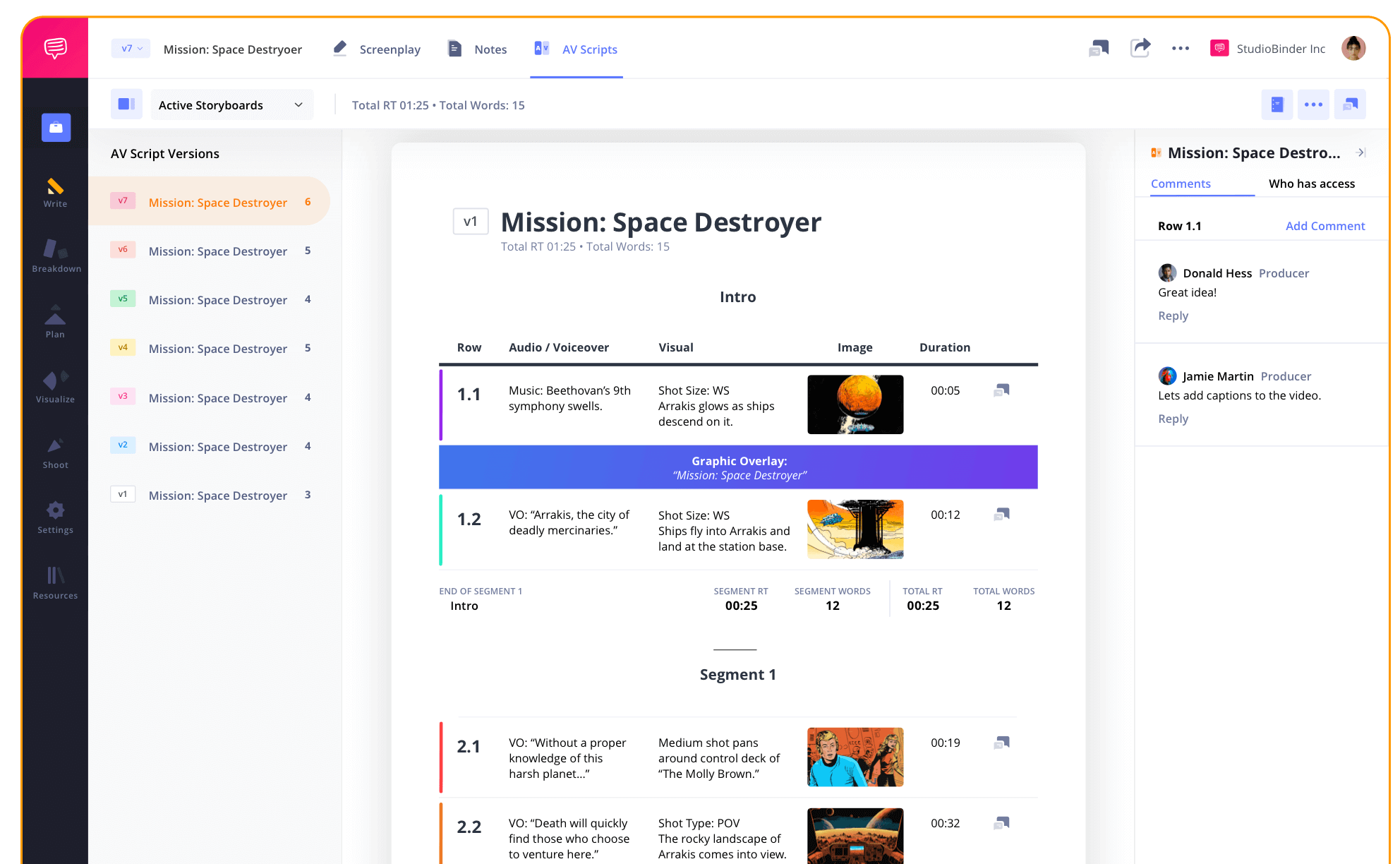
StudioBinder’s free video script generator gives you a platform to write compelling AV scripts. Whether you're making a music video, documentary, YouTube video or commercial, this script maker online has you covered!
AV Script Structure
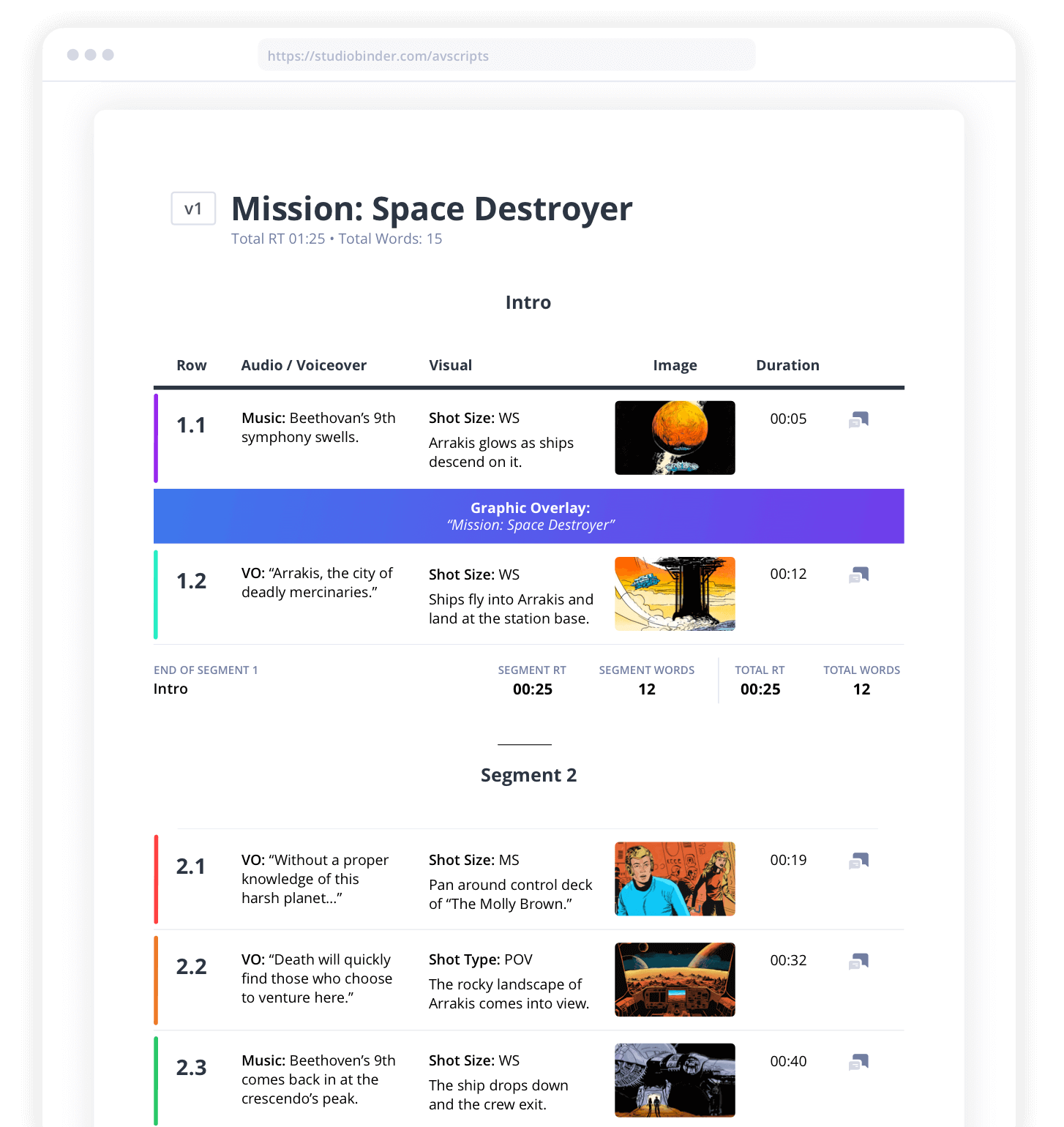
Organize your AV script into segments
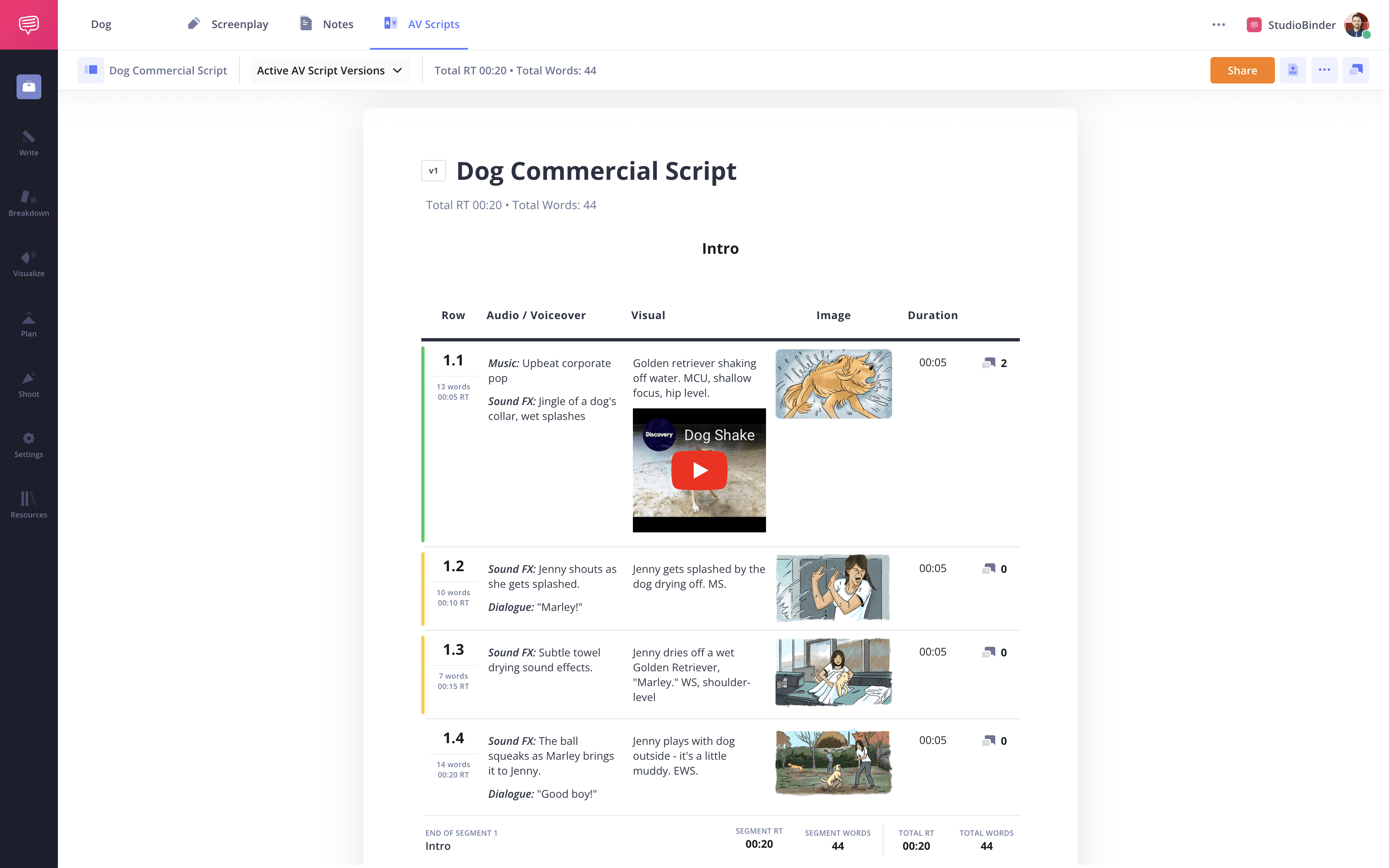
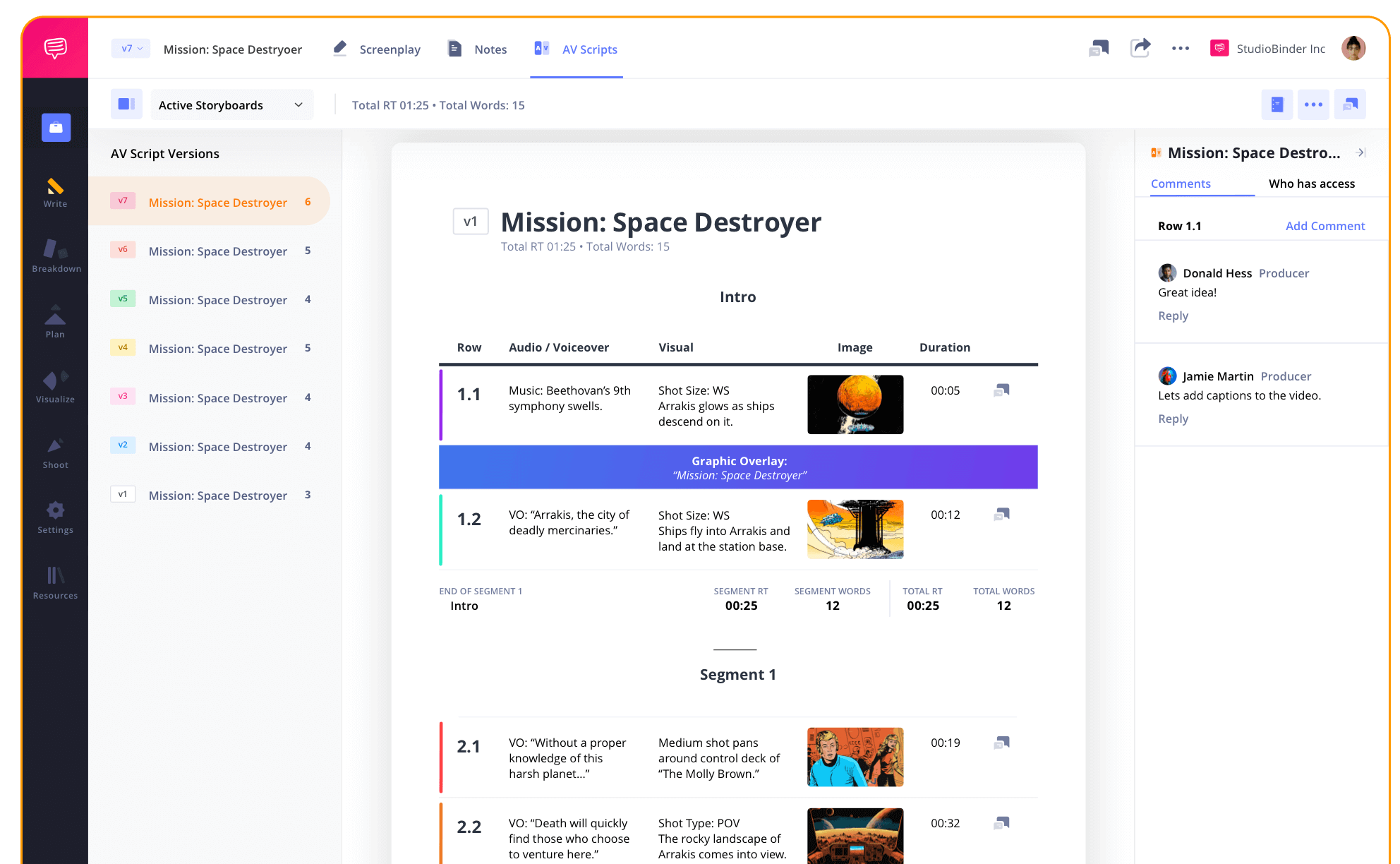
Stay organized with StudioBinder’s video script generator. Divide your project into segments, add banners for graphics or context, and rearrange rows as you see fit.
TIming & Length
Track pacing and runtime
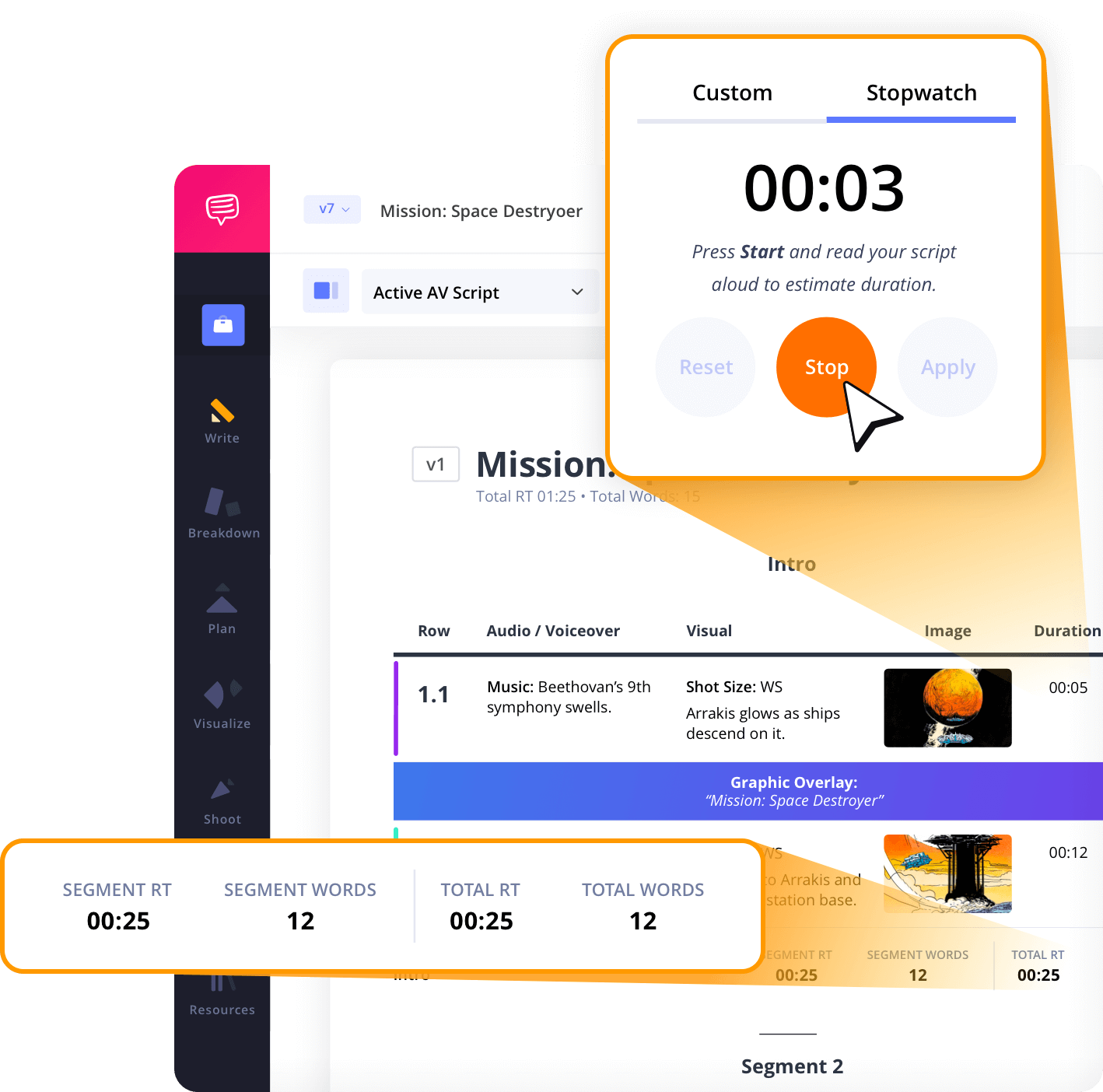
Every professional video has runtime requirements, whether it’s a fast-paced YouTube video, TV commercial or product explainer. The video script generator tracks word counts and runtime so you can finalize your generated scripts down to the second.
Add Images
Enhance the visuals with a built-in editor
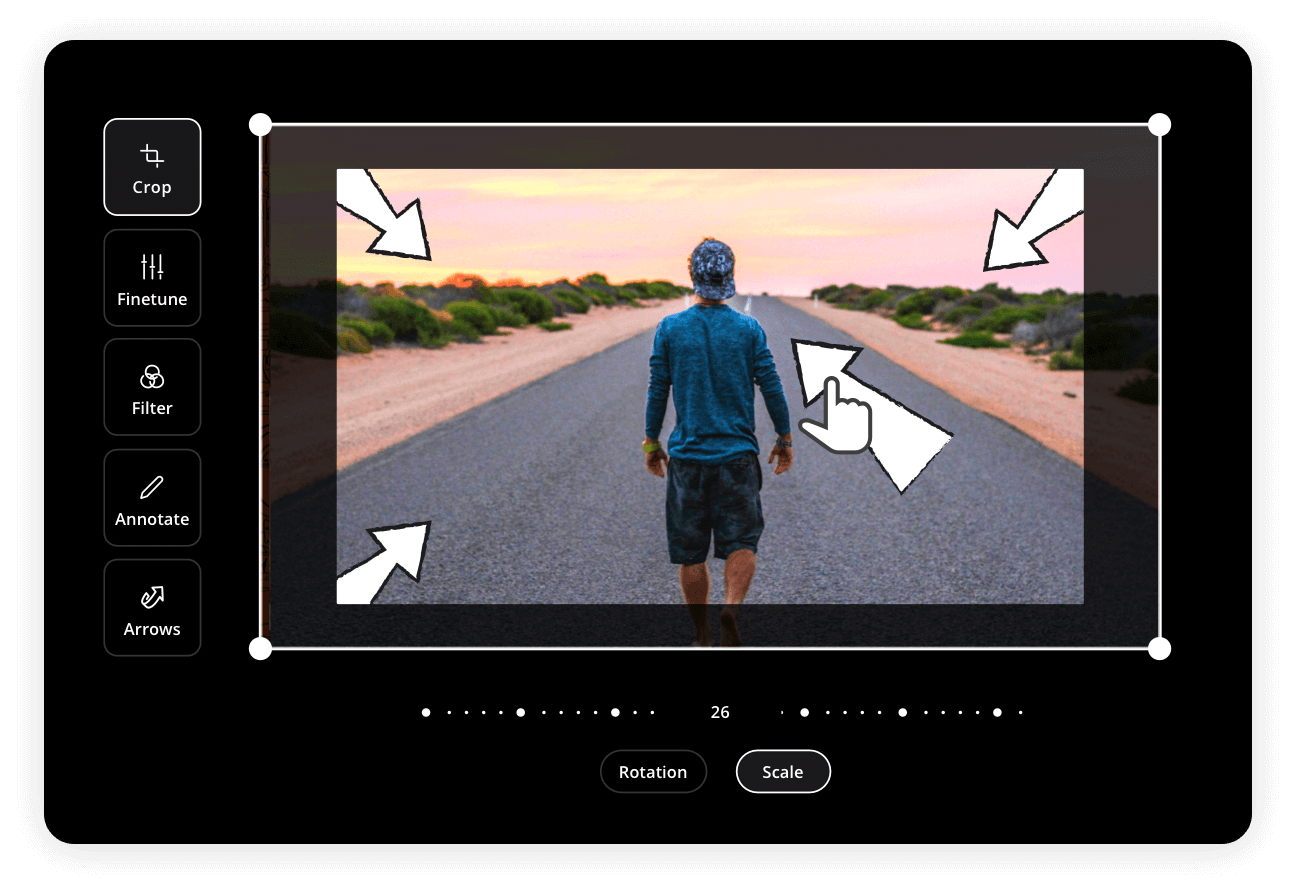
Elevate your visuals with enhanced imagery. Import storyboards from your project folder, or use a webcam to snap reference images, then adjust them with a built-in editor for high quality production planning.
AV Script Colors
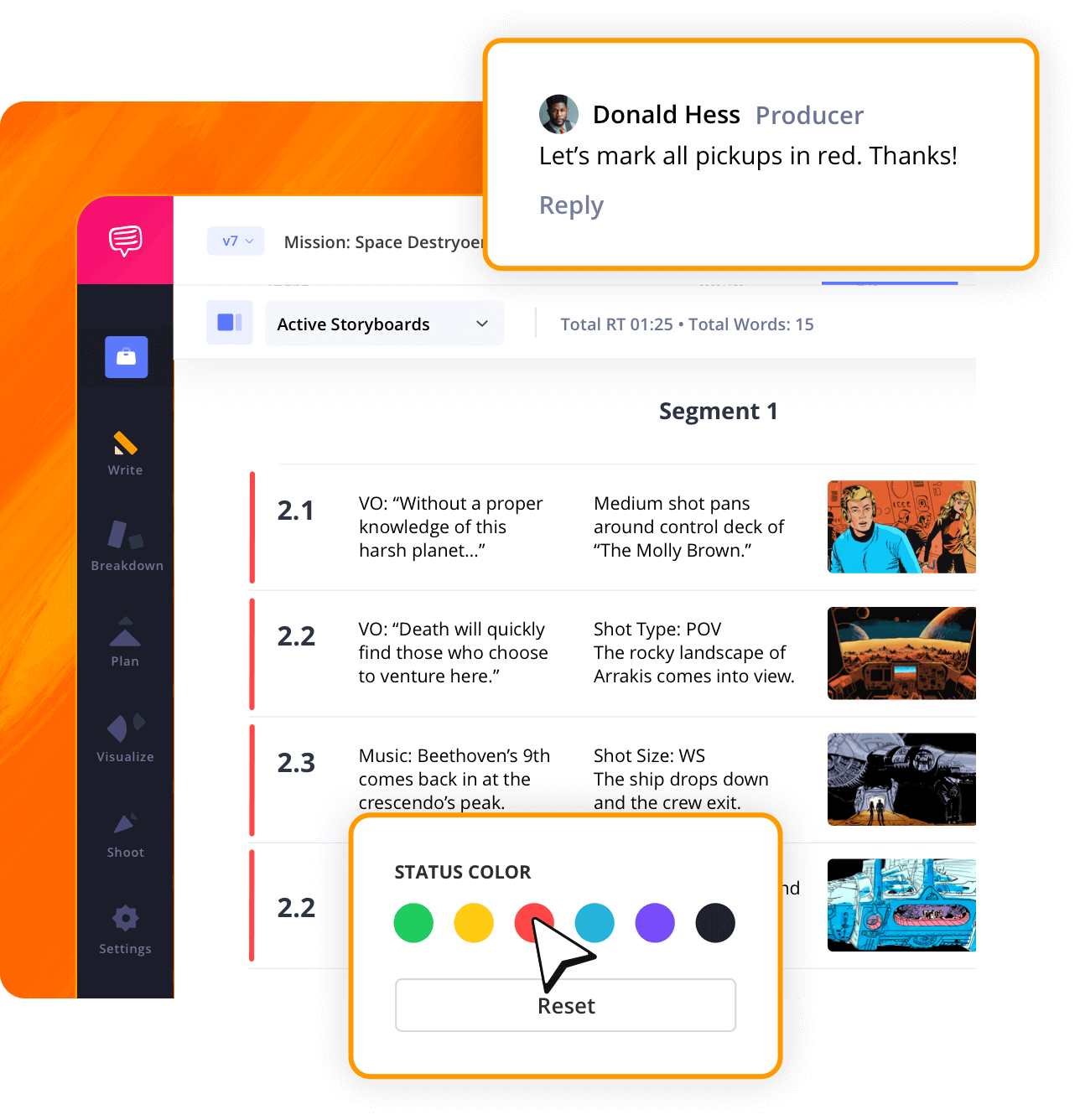
Color coding for smart organization
For an improved review process with your team, each line in your video script can be color-coded. StudioBinder’s video script generator uses visual indicators to mark approval status, rewrites, or notes for team members.
Layout Customization
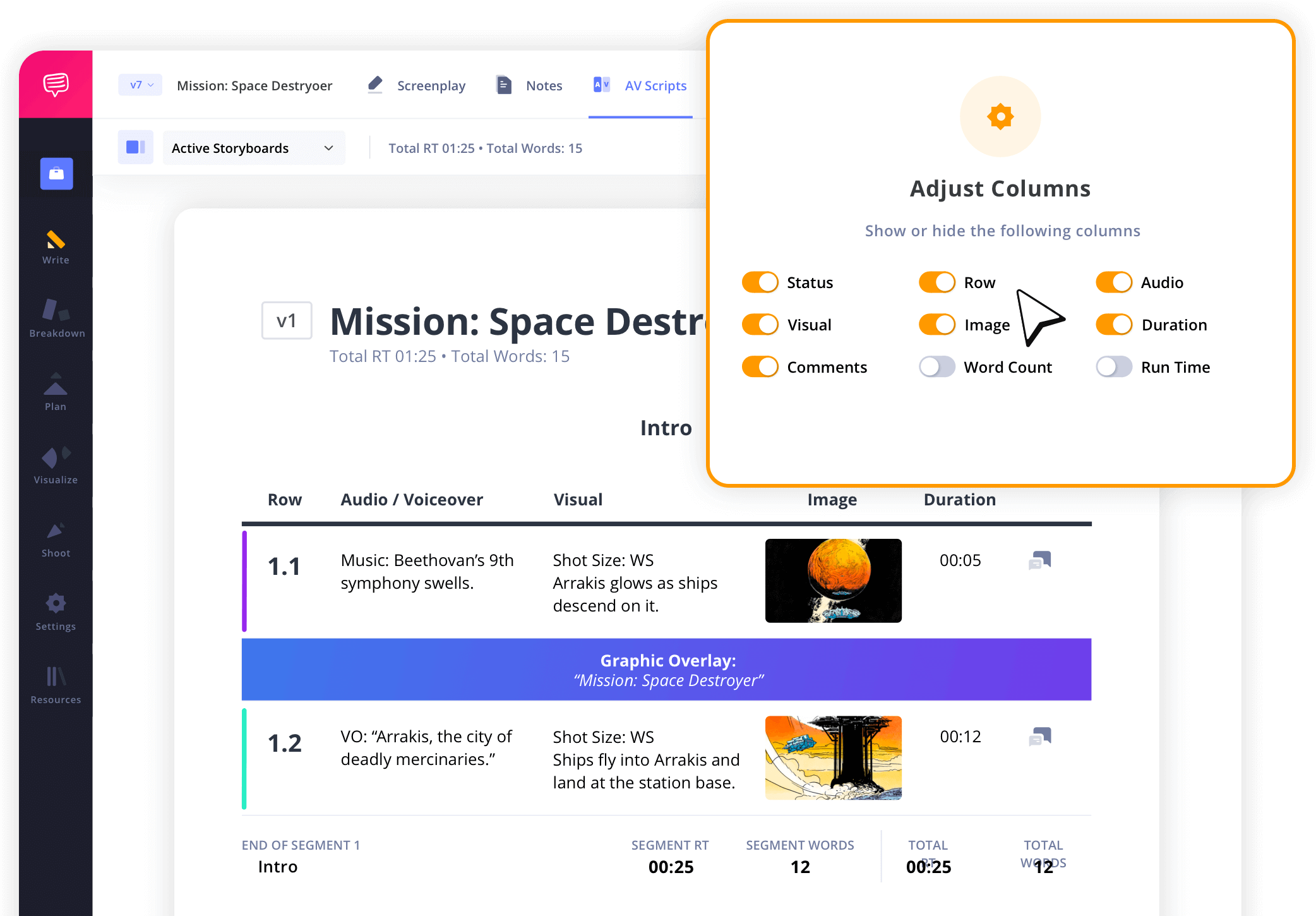
Make the layout fit your needs
Our video script generator layout can be simplified or maximized to show all technical details. The columns can be customized so that the video generator format works for your production team.
AV Script Collaboration
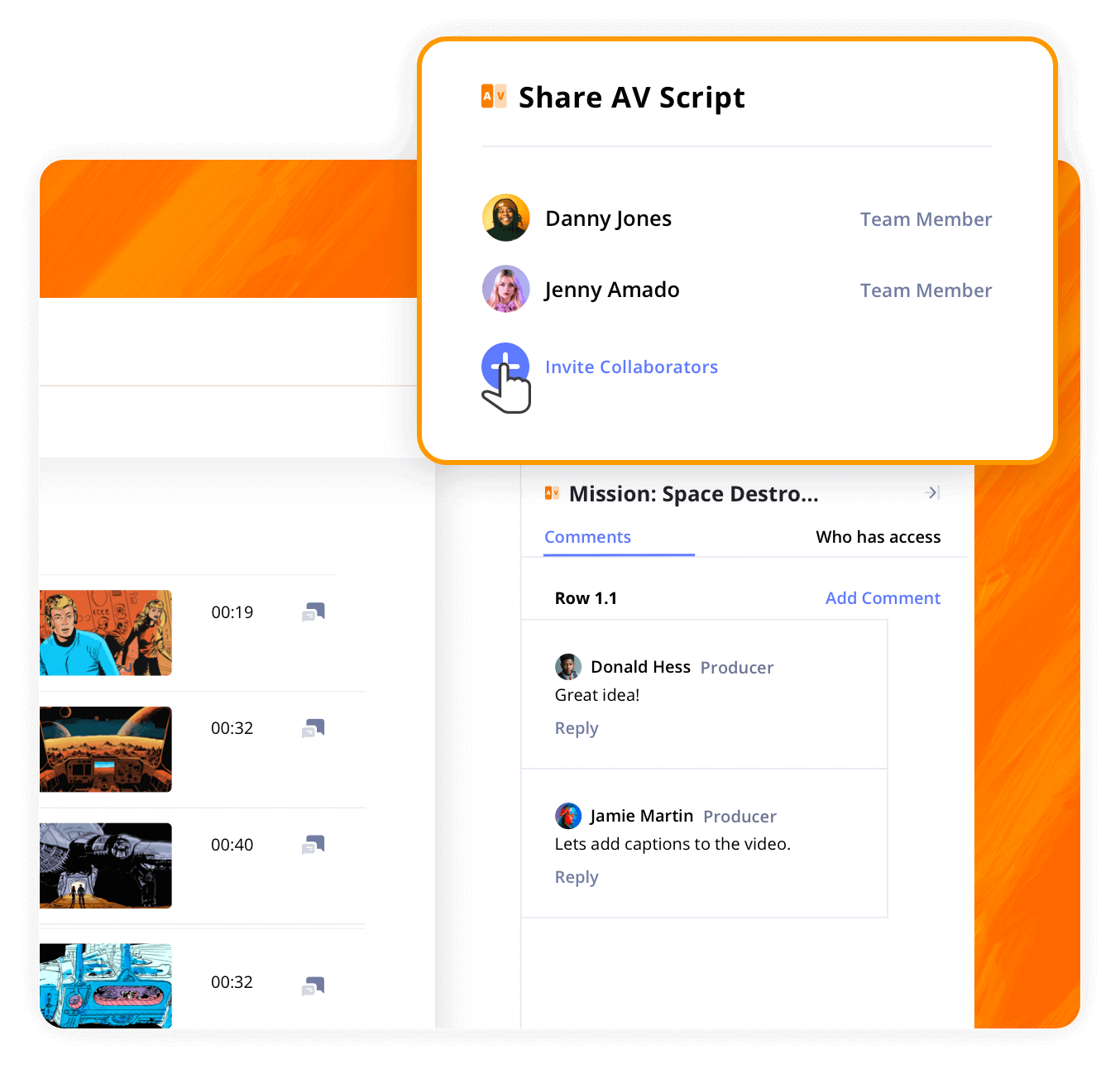
Share and refine your script
Video production is a team sport. You can easily share your AV script with your team members with secure links so they can add comments on your audio video script. Comments are connected to each row and can be marked as resolved when addressed.
AV Script Template
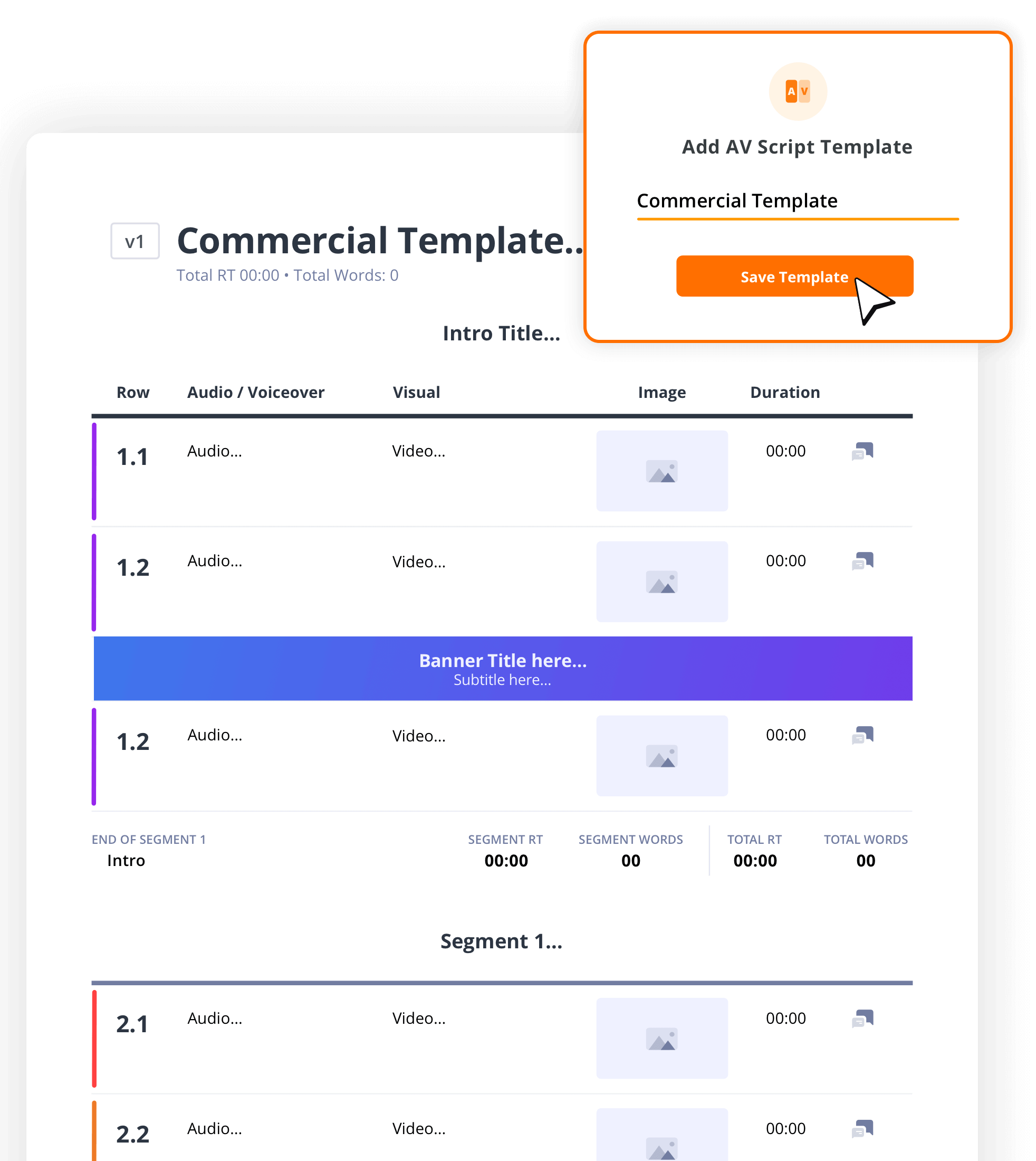
Create future scripts faster with templates
If you’re making an ongoing series, save your work as a template. The video script generator allows you to duplicate or adapt existing scripts, helping you save time and keep your content creation workflow efficient.
Explore Features
More AV script features

Track Timing
Add word counts and run times which are tallied automatically.
Front and Back Covers
Generate covers for your AV script that export with your PDFs.
Autosave Settings
Select autosave frequency between 20 sec. and 10 min.
Scratchpad
A notepad and checklist for your inspirations, ideas & reminders.
Generate PDF
Export PDFs with custom settings like layout, scenes, etc.
Episodic Grouping
Create a series of scripts broken down into seasons.
Header & Footer
Add custom header and/or footer to your exported AV script PDF.
Watermarks
Add watermarks to your exported AV script PDF for extra security.
Archive
Archive old AV scripts and restore them as needed.
AV Script Writing Demo
Take a look inside
Explore the StudioBinder video script generator below and see how easy it is to create scripts for online video.

"StudioBinder places many of the tools you would need when managing a video production into one central place without the need of creating multiple excel, PDF & doc files. Information can be quickly updated, distributed & viewed minimizing any miscommunications."

Editor, NewsShooter
YouTube Script Generator FAQs
YouTube script generator basics
Any of the AI writing tools can help write your video. But if you're looking for software that will help carry the script into production, you should use dedicated AV script generators like StudioBinder where you can integrate the script with storyboards, shooting schedules, call sheets, and more.
If you're using AI to write you video script, here are a couple of tips to help make the process both efficient and creative. In short, the secret is to write prompts with as many details as possible. For example:
- Length (expressed in runtime rather than number of pages)
- Format (explainer, mini-doc, etc.)
- Tone (usually determined by the intended audience)
There are many AI tools out now that can create video from a script. Some are free while others require a subscription and/or credits. When you're ready, paste the script into the video generator with as much detail about how the video should look and feel as possible.
Sometimes, YouTube makes it's own transcript of a video. Otherwise, there are many sites available or AI tools that can create the transcript.
No matter what type of video you're writing, there are some basic steps to use when writing a video script. Always start with a hook, a question, a fascinating statistic, or anything to grab their attention. Then, if it's a hosted, introduce yourself and describe the goal/content of the video making sure to tease something for the end to keep your video retention high.
How to make an AV script in StudioBinder

Open StudioBinder on your browser.

Click on the AV Scripts tab on the project homepage.

Press the "New AV Script" button, give it a title, and add a description.

Select an AV script template or start from scratch.

Populate your script with segment titles, audio/visual descriptions, images, banners, and more.

Add duration for each row manually or by using the stopwatch for more accurate timing.

Share your script digitally to get collaborator feedback or export a custom PDF.
Customers
Trusted by the Best
Modernizing production workflows at renowned studios worldwide.












Explore Solutions
What else can StudioBinder do?
See all the ways we can improve your production workflow.
Write
Industry-standard scriptwriting software and note taking.


Breakdown
Identify all the pre-production details you need to know


Visualize
Visualize the script to get everyone on the same page


Plan
Collaborate with department heads as you prepare for production


Task Boards
Team collaboration

Media Library
Share docs & media



Today’s production teams use StudioBinder to streamline their process, and collaborate on better content together.


"I can be a part of the conversation and see when someone finishes a task."
Watch Testimonial ➜

"StudioBinder makes pre-production that much quicker for out team."
Watch Testimonial ➜

"Call sheet confirmations have instantly made our life that much easier."
Watch Testimonial ➜





