
Wedding Party Photos List

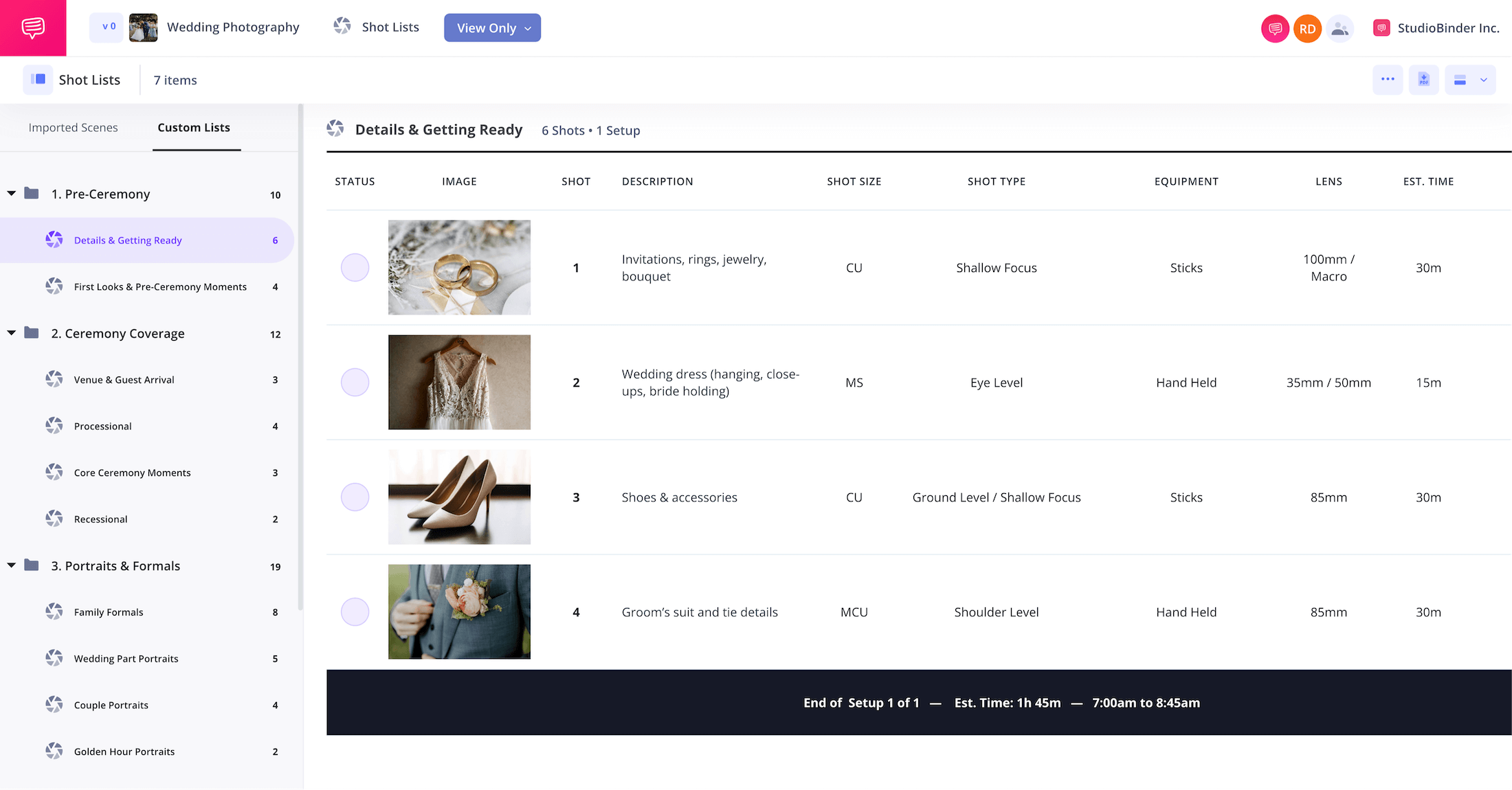
Wedding party photos list
Capturing a wedding means juggling hundreds of moving parts, from getting-ready details to the final send-off. Missing even one shot can mean missing a memory that lasts a lifetime. That’s why a wedding party photos list is essential.
This wedding party photo shot list is structured and outlines every image you need, from portraits of the couple and family photos to candid group photos on the dance floor. With this wedding bridal party photo list, you’ll stay organized, collaborate seamlessly, and walk into the big day with your whole team fully prepared.
Step 1
1. Convey the vision
Every great wedding photo list for wedding photographers starts with inspiration. With StudioBinder's Mood Board Creator, you can make a wedding moodboard with visual references that set the tone, style, and framing for your wedding party photos list.
After you create a project in StudioBinder, navigate to the Mood Boards page, click Add Images, and upload the reference images as inspiration points for your wedding party photos list.
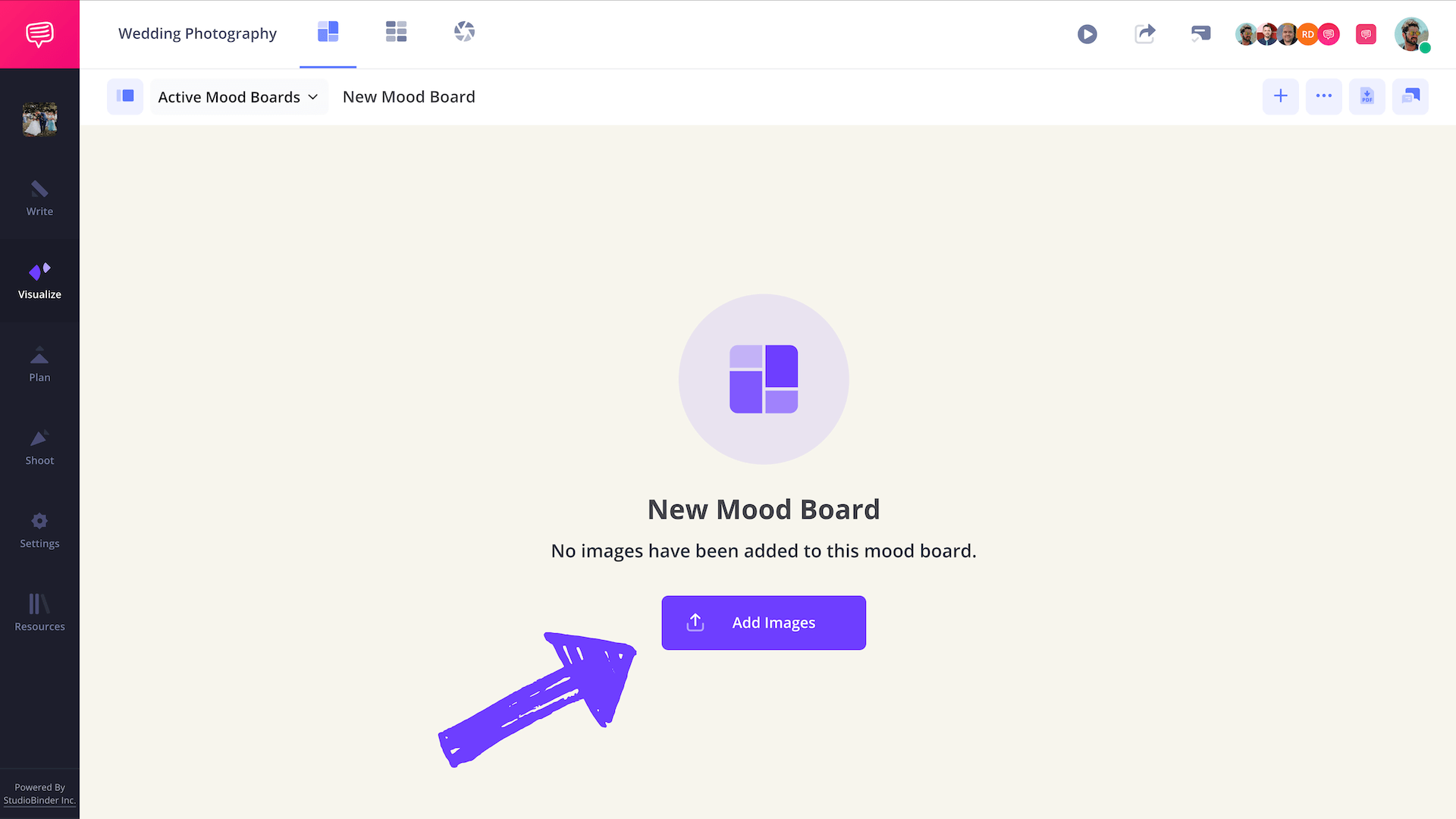
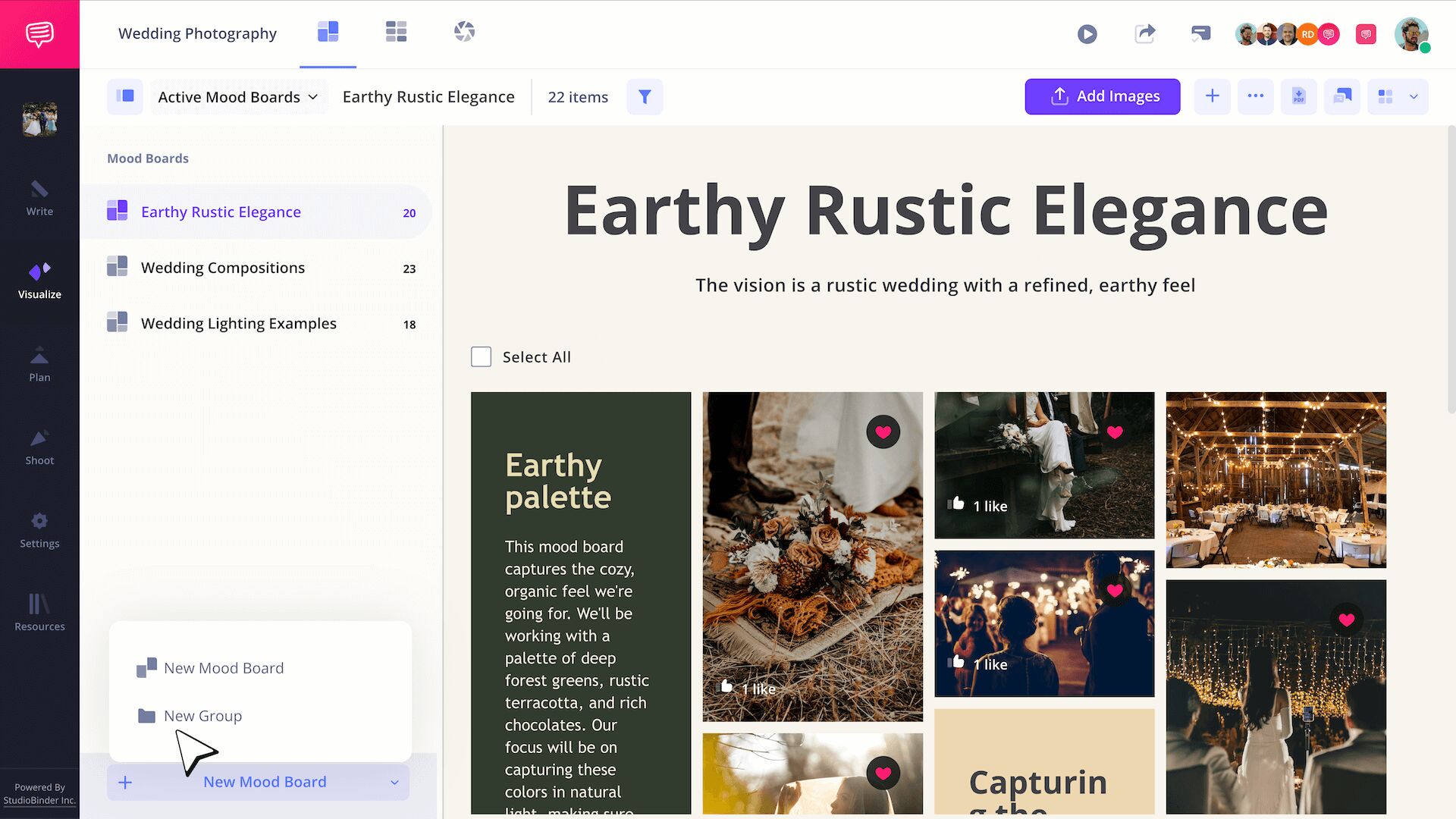
After uploading the images, you can even organize them further by segmenting them into custom Groups. Just click + New Mood Board and click New Group.
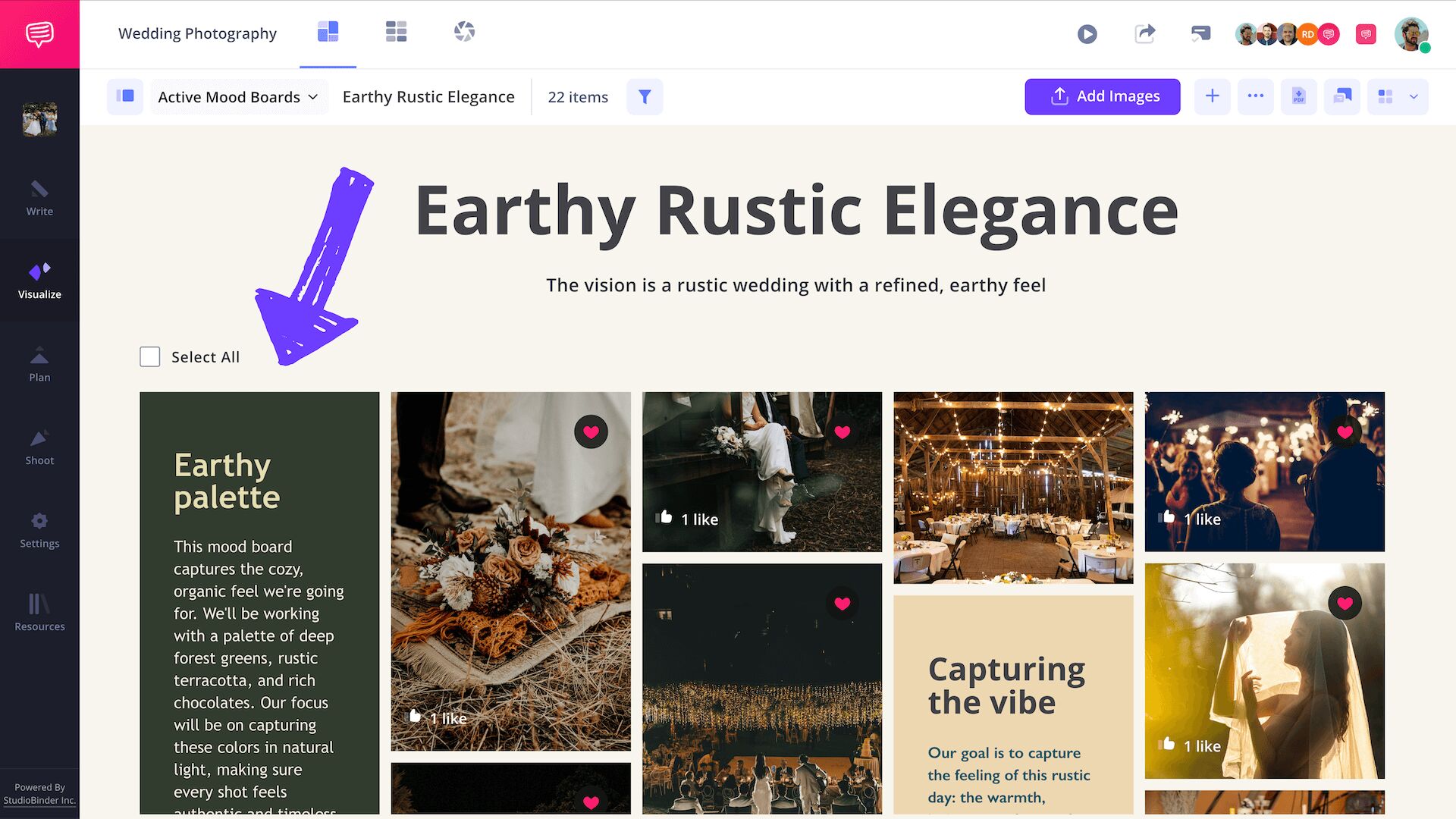
As you send this moodboard to your team, it can be helpful to add some text-based information to reinforce the vision. Just click + and click Text Box. You can organize them further by segmenting into custom groups.
As you send this moodboard to your crew, add text boxes with notes on style, composition, or how to highlight important people in the photos.
After you click Save within the Text Box Editor, the text box should look like this on your mood board page:
Step 2
2. Create shot lists for key phases
Instead of creating one long wedding photo checklist, break it into multiple photo lists.
Generate shot lists for key events such as Getting Ready, First Looks, Venue Guest Arrival, Processional, Wedding Portraits, Family Portraits, Golden Hour Portraits, Reception Events, etc.
To do this, click + New Shot List to create new shot lists like the screenshot below:
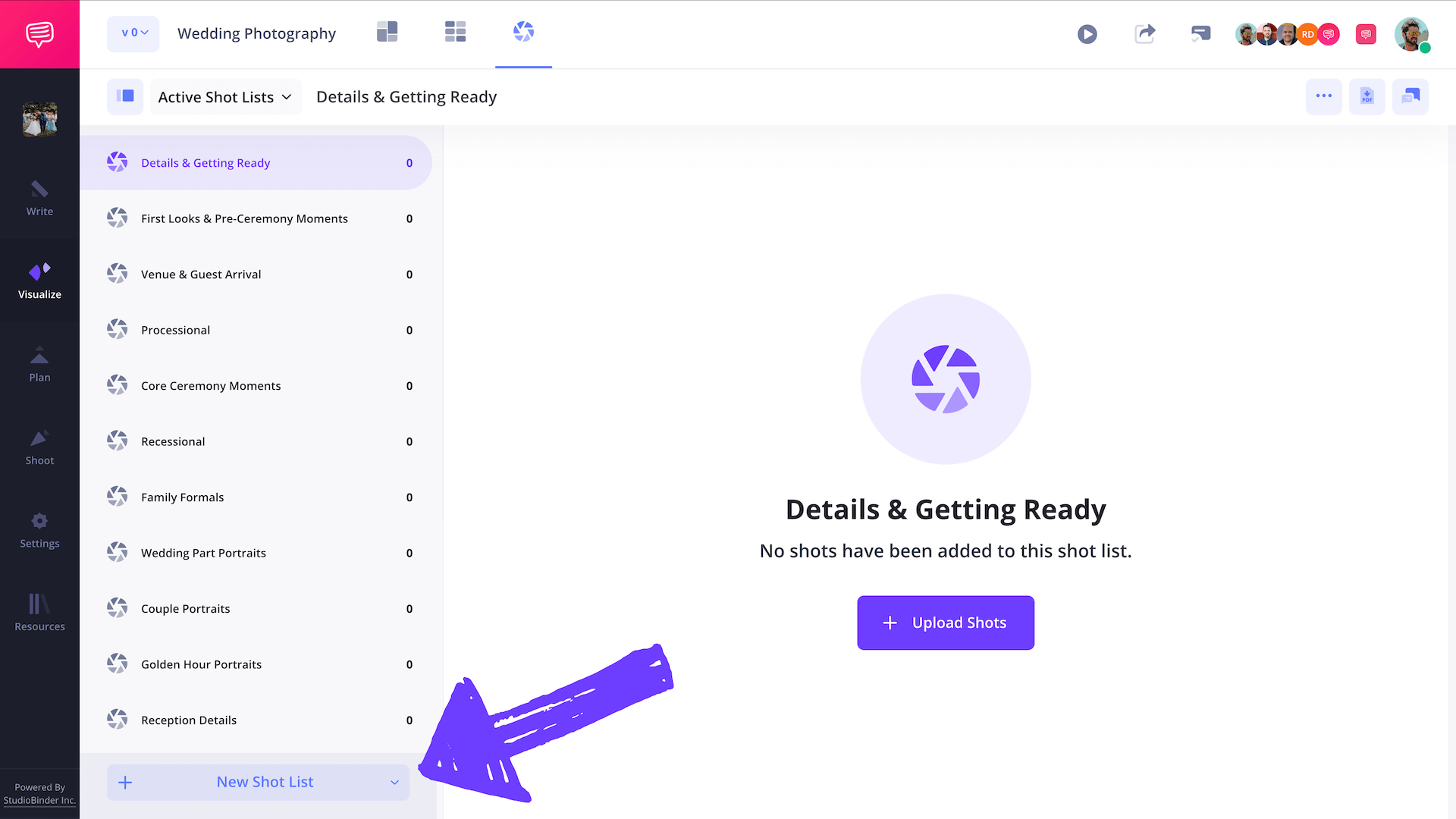
You'll add your individual shots later, but right now it's important to create shot lists around the key moments and locations of the wedding day. This will inform what your wedding shot list template should actually have.
This ensures your wedding party photos list is clear and tied to specific moments and locations.
Step 3
3. Organize your shot lists into Groups
After forming your various shot lists, it's helpful to organize them into Groups. For example, Pre-Ceremony, Ceremony, Portraits, Reception, Traditions & Send-Off. This makes it much easier to wrap your head around what could be a frenetic day.
By grouping the wedding party photos list, you can easily delegate. A second shooter might cover family photos, while another focuses on group photo sessions with the bridal party.
StudioBinder makes grouping shot lists super easy. Just drag your wedding party photos list into custom groups to structure the day.
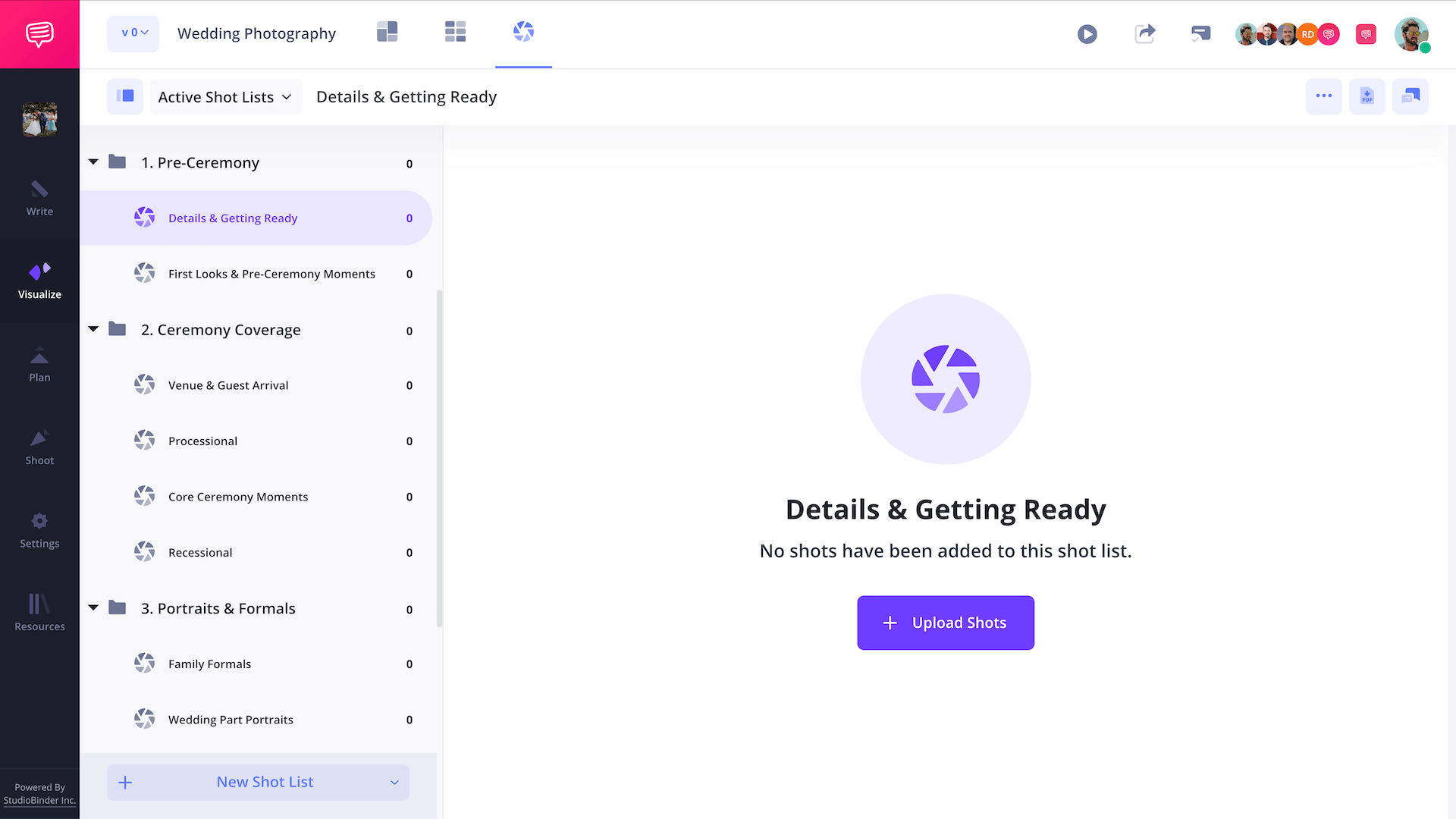
You'll be grabbing tons of shots of the bride and groom, it's critical to prioritizze the wedding bridal party photo list to make sure all important people are captured. You can use our sample wedding photography checklist below as a baseline:
Wedding Shot List Template Ideas
Since you'll be getting plenty of shots of the bride and the groom on the wedding day, it's critical to prioritize the shots to ensure your crew gets essential coverage during the wedding. Use our wedding shot list template example below as a starting point!
Pre-Ceremony
- Details & Getting Ready
- Invitations, rings, bouquet
- Wedding dress (hanging, close-ups, bride holding)
- Shoes & accessories
- Groom’s details (tie, cufflinks)
- Bride getting ready candids
- Groom getting ready candids
- First Looks
- Bride with parents
- Groom with parents
- First look with bridesmaids
- Bride/groom portraits (full length shot)
Ceremony Coverage
- Venue & Processional
- Venue wide shot
- Guests seated
- Processional (wedding party)
- Bride walking aisle
- Core Ceremony
- Exchange of vows
- Exchange of rings
- The kiss
- Recessional
- Couple walking back aisle
- Wide shot of entire space
Portraits & Formals
- Family Formals
- Couple with parents
- Couple with siblings
- Family photos with parents
- Full family group photo
- Wedding Party
- Couple with entire party
- Photo of bride with bridesmaids
- Bridal party group shots
- Groom with groomsmen
- Fun candid group poses
- Couple Portraits
- Classic portraits
- Fun candid wedding party photos list poses
- Romantic candids
- Golden hour shots
- Silhouettes/backlit
Reception Coverage
- Details & Setup
- Venue wide shot
- Table settings & decor
- Cake & desserts
- Reception Events
- Couple’s entrance
- First dance
- Parent dances
- Toasts & speeches
- Cake cutting
- Bouquet & garter toss
- Dance floor candids
- Traditions & Send-Off
- Unity candle or rituals
- Sparkler exit
- Confetti or bubbles
- Couple’s getaway car
Step 4
4. Add shots with reference images
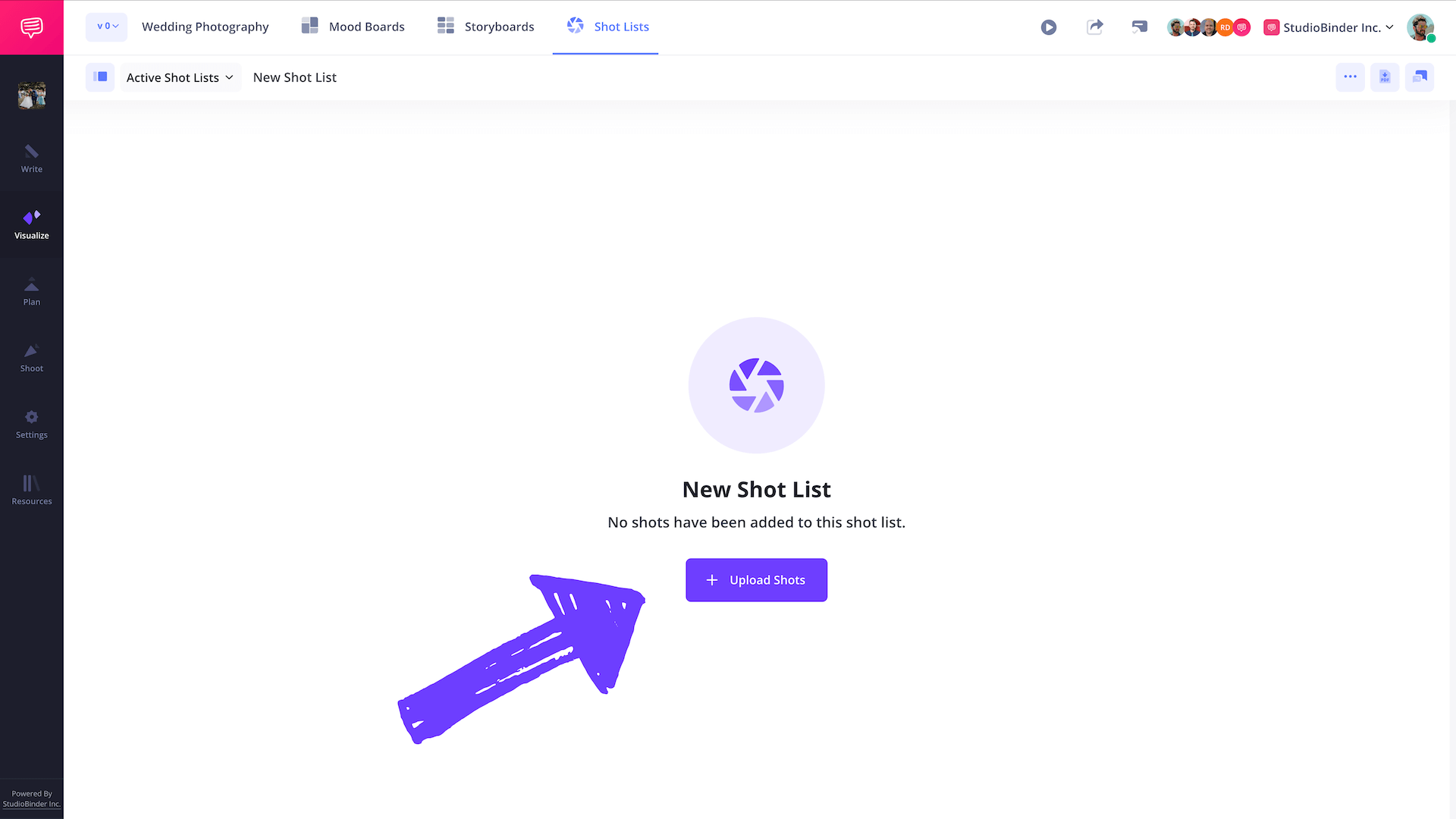
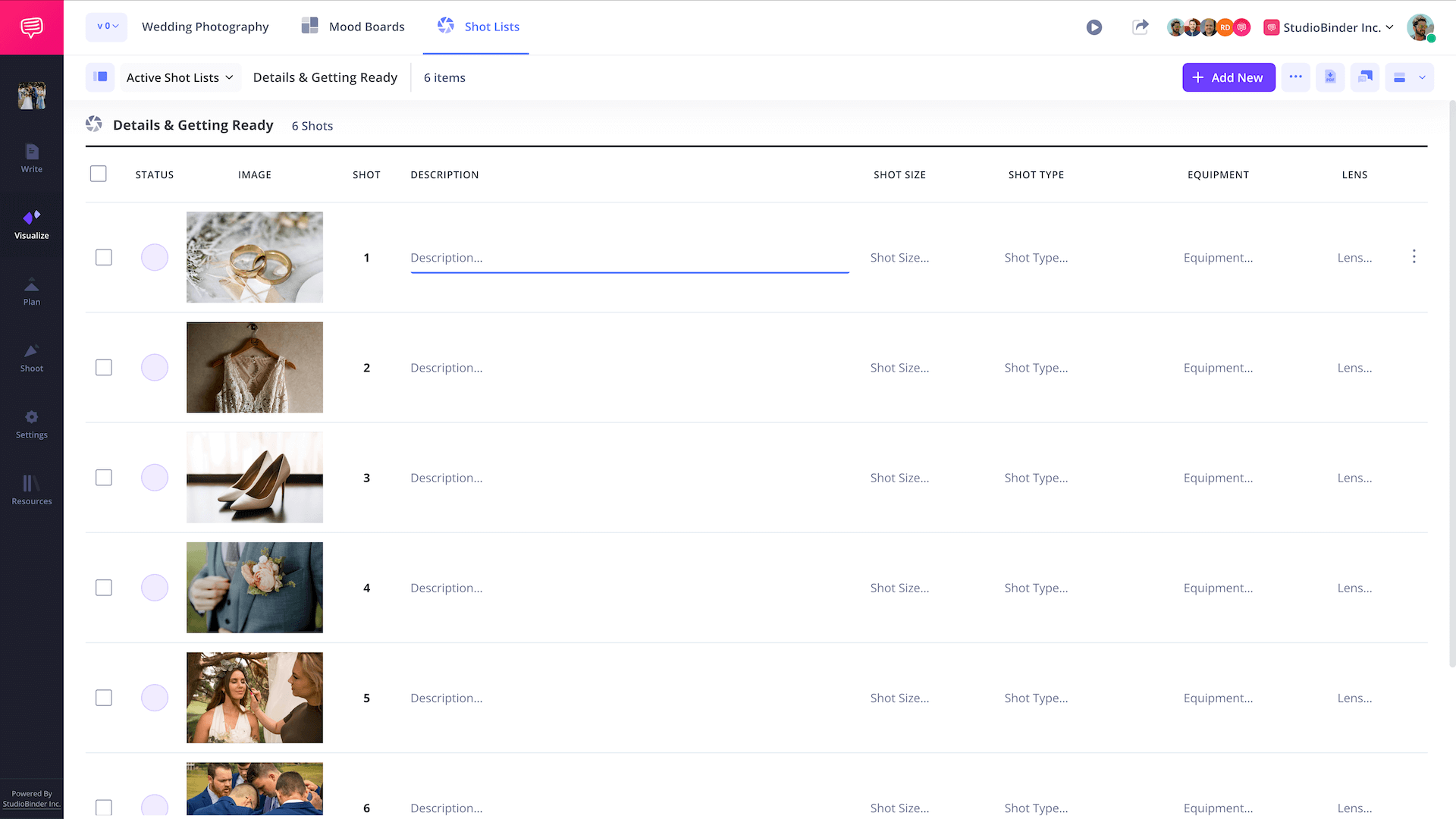
Inside the individual shot list, just click Upload Shots to begin creating your wedding party photos list.
You can add multiple blank rows, or batch upload multiple reference photos to automatically generate shots for each.
In our case, since we've already uploaded photos on the Mood Board page, these are all saved in the Media Library so we can simply re-select the images that were previously uploaded, and click Insert Files.
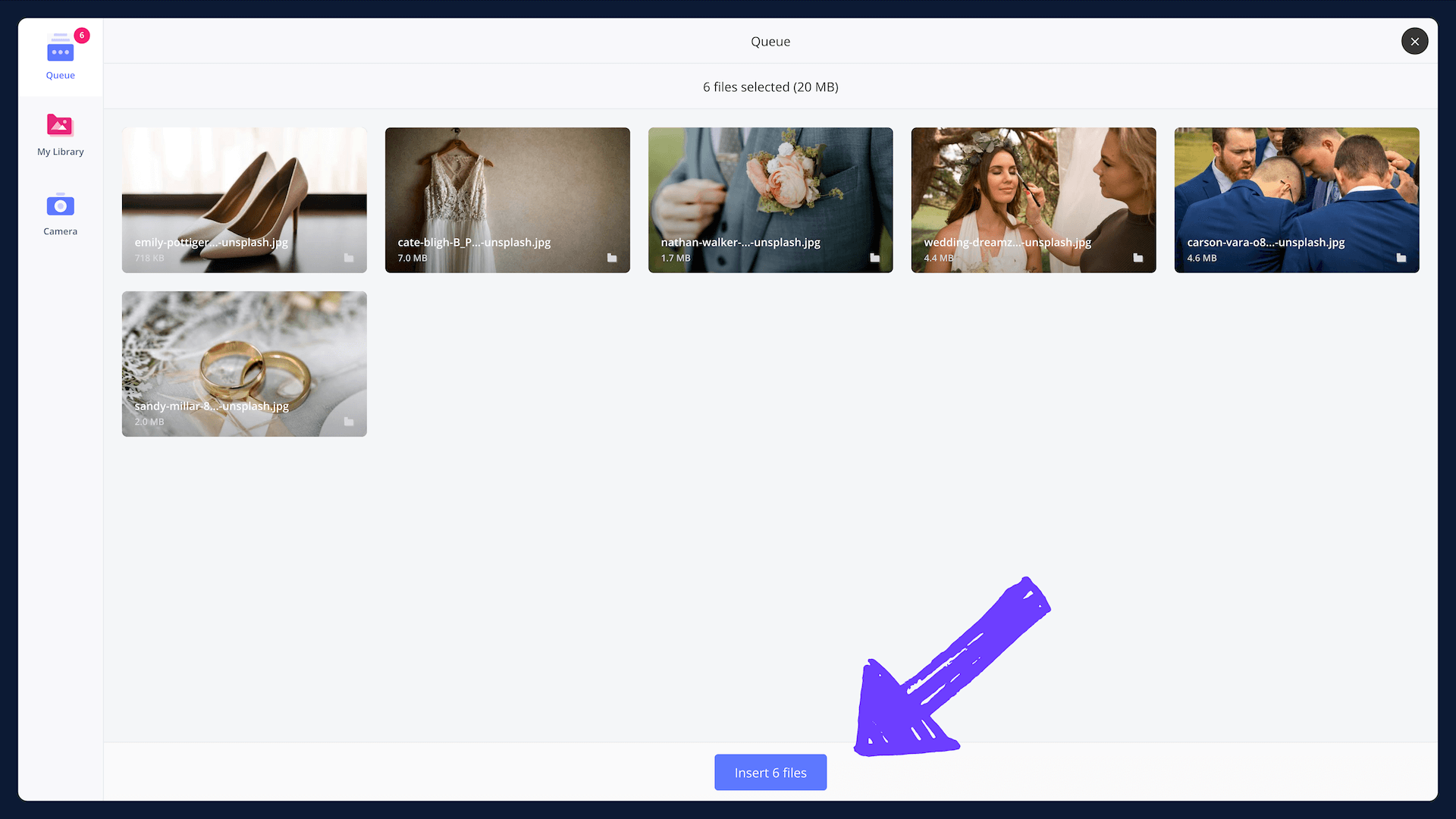
After inserting reference photos, StudioBinder generates blank rows for every shot. Next, you can start adding shot details inside the wedding shot list template.
Step 5
5. Add shot details to your wedding party photos list
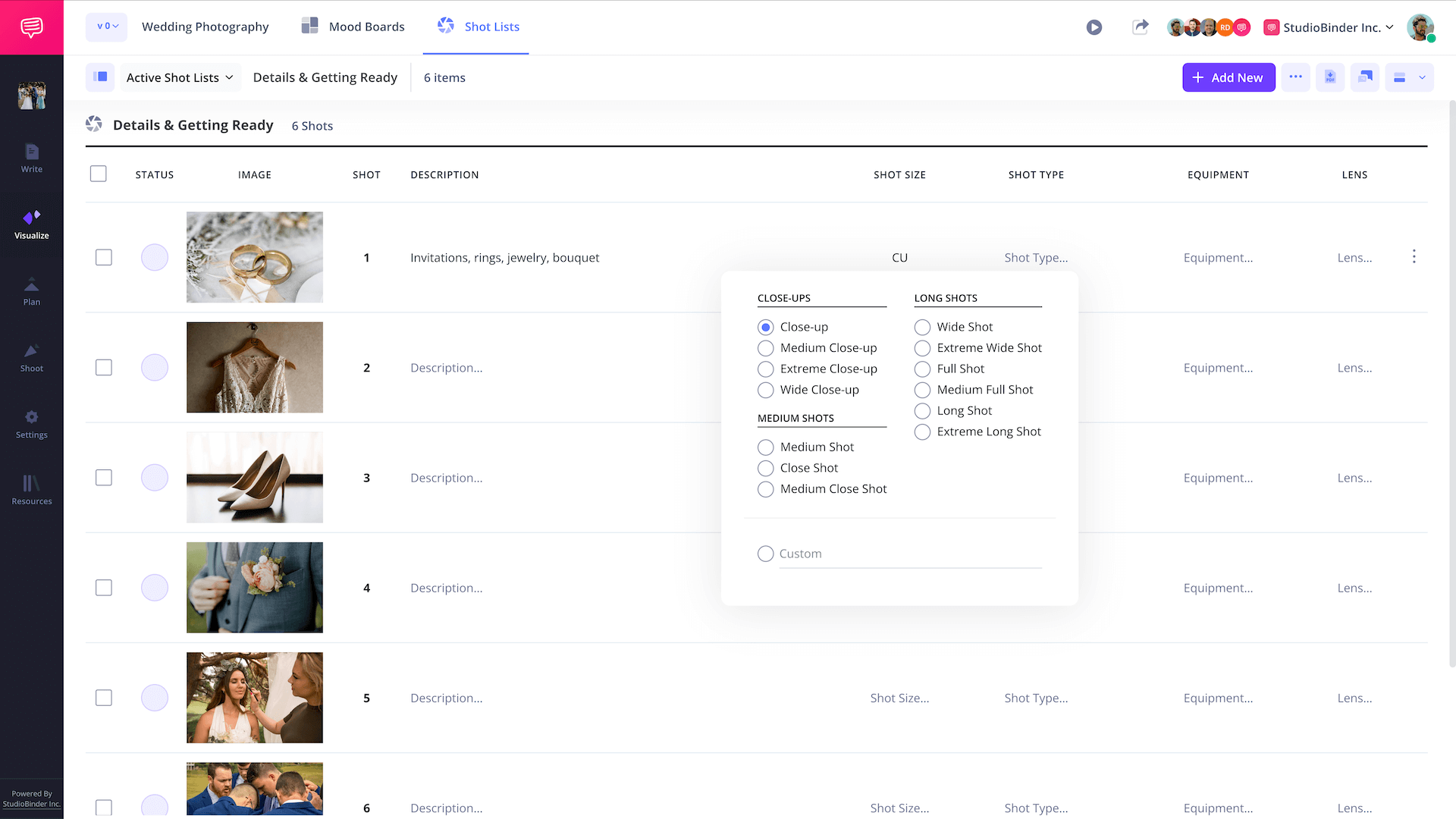
So now you've categorized your shot list lists and added reference images, it's time to fill in all the shot details for your wedding party photos list! This includes important details that will communicate to your crew exactly what gear is needed, description of what will be covered, gear requirements, shot sizes (close-up, wide shot, full length shot, establishing, etc.), required lenses, etc.
This wedding photo shot list template goes beyond just a simple wedding shot checklist. This essentially transforms your wedding party photos list from a checklist into a professional production document.
In StudioBinder, just click on the placeholders and you'll see more options like below:
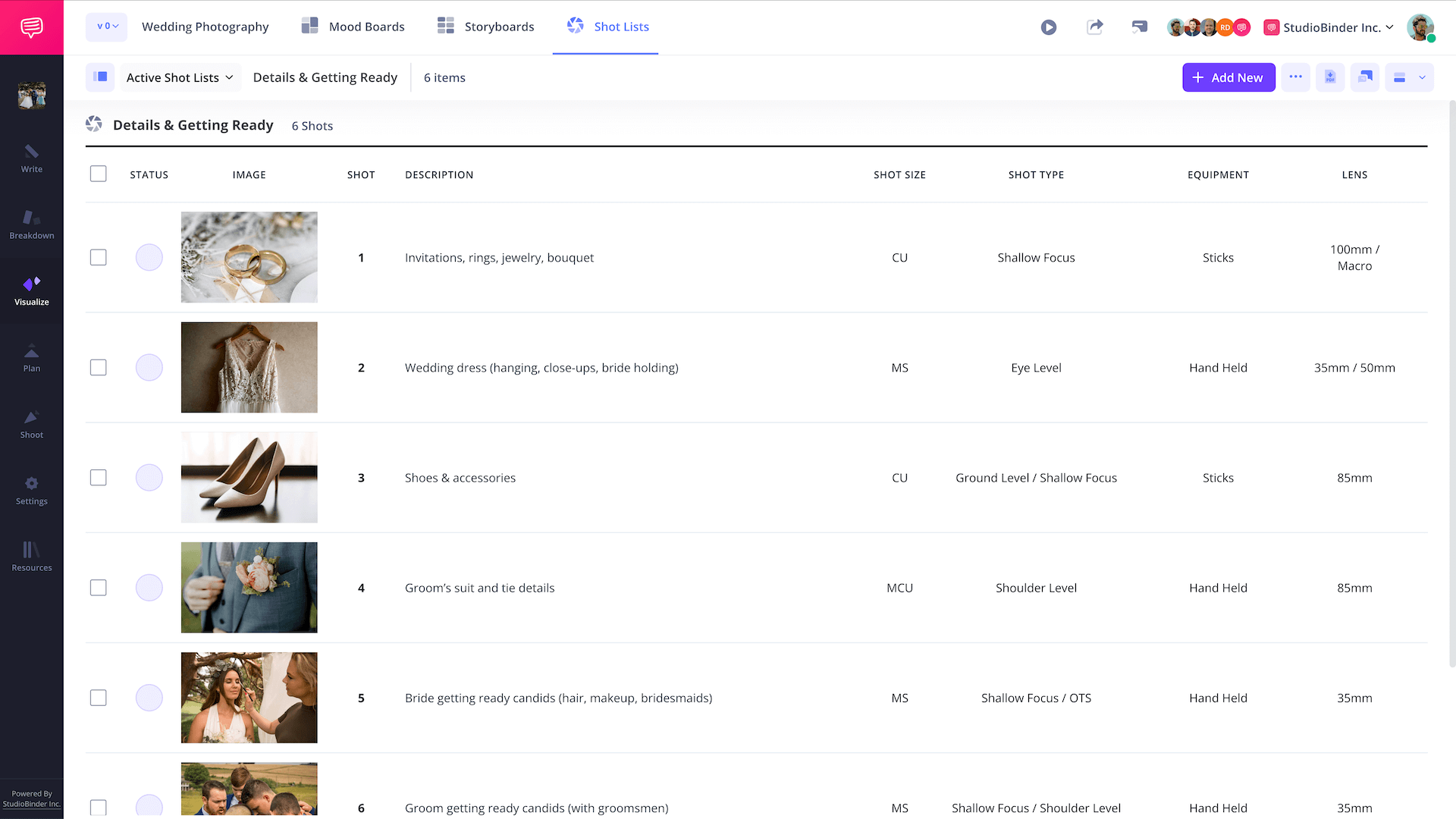
After you've populated your entire photo shot list for the wedding photoshoot, it should look very similar to the example shot list below (view sample):
Step 6
6. Get crew feedback
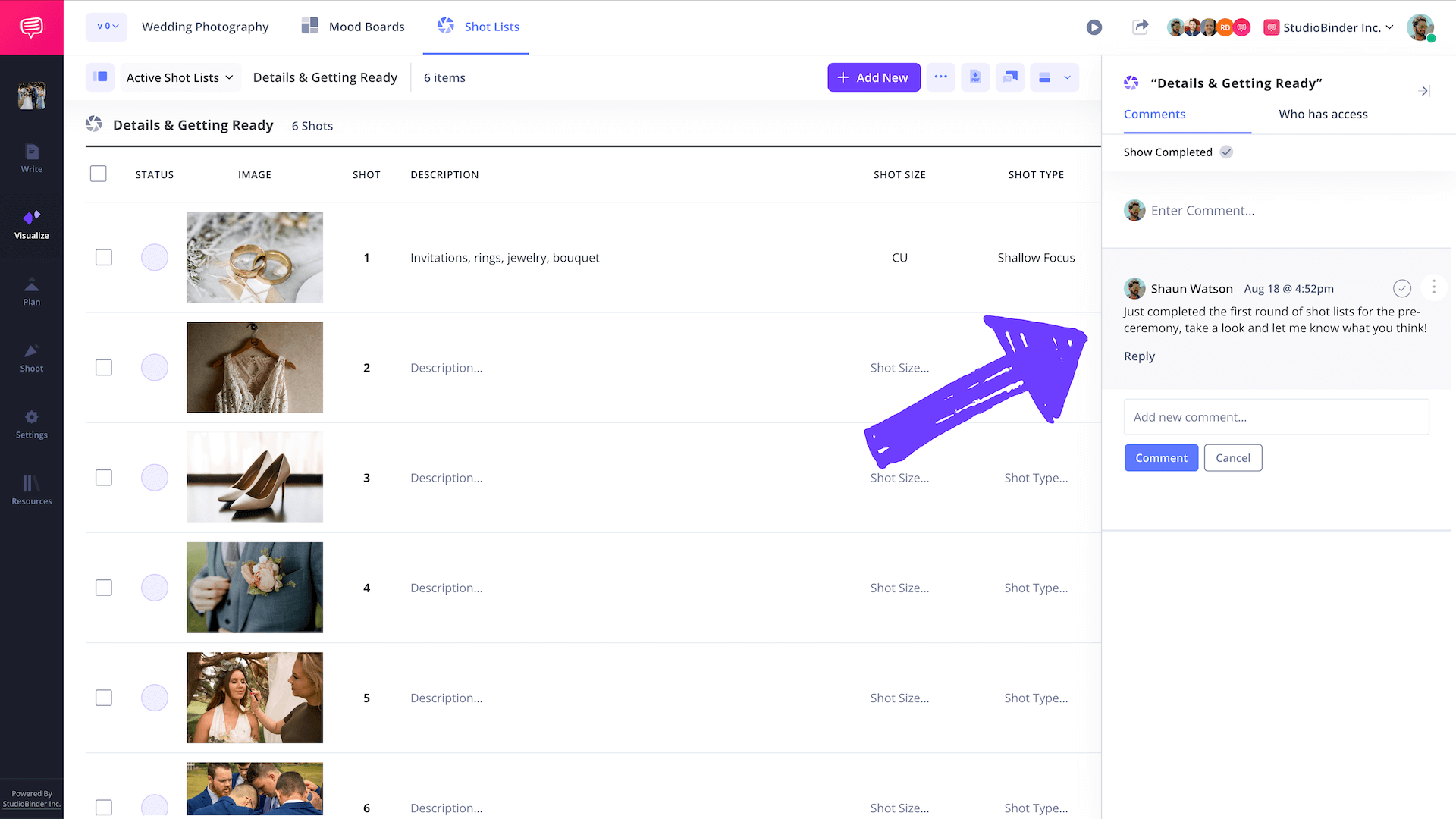
Collaboration matters. Invite other photographers, assistants, or videographers to review your wedding photo lists. The comments will make sure no wedding party member or important family photo is missed.
Step 7
7. Print and share wedding shot list
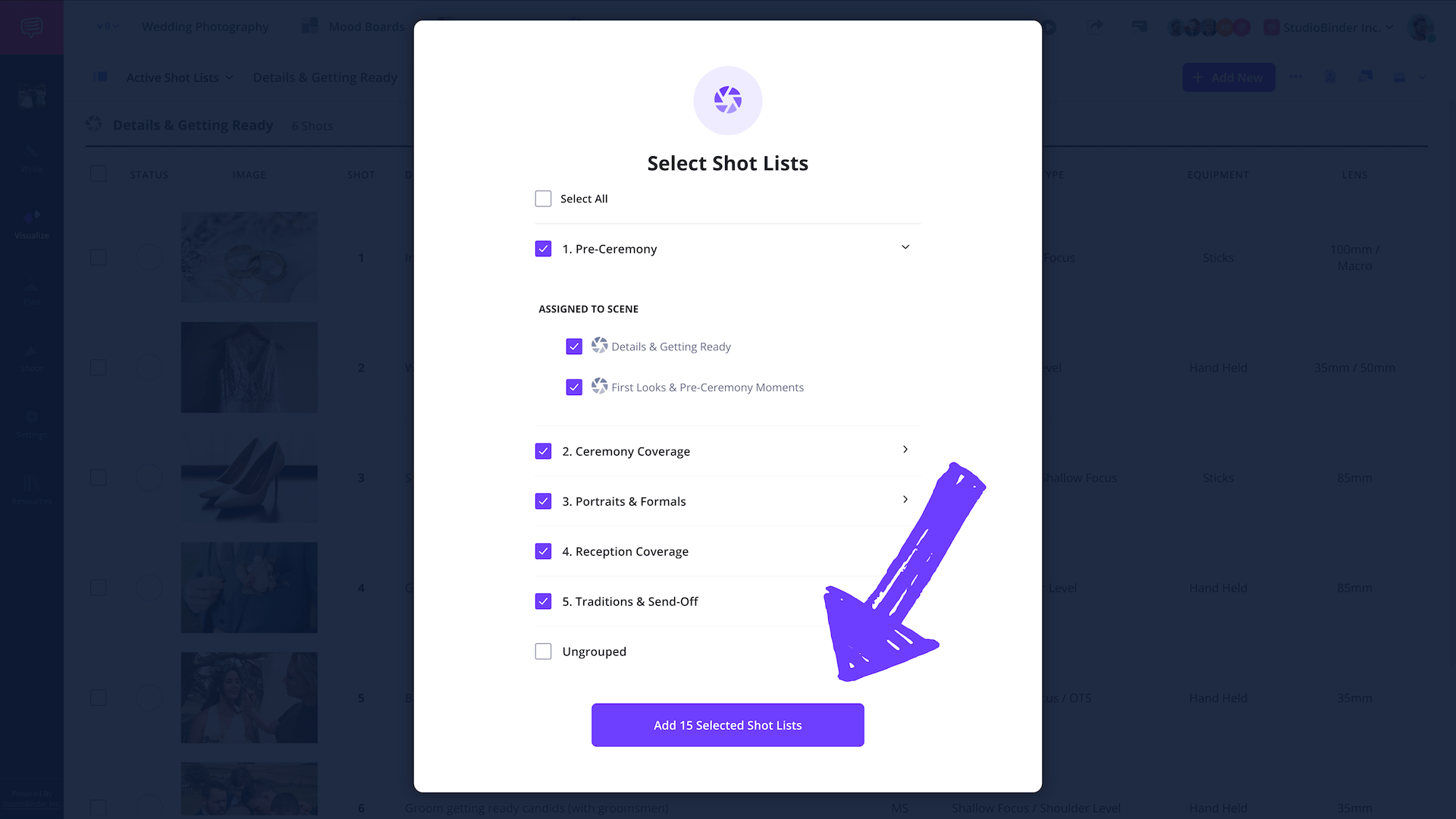
Before the big day, export your wedding party photos list as a PDF. The best part is that you can actually select which shot lists you need to print or export which provides more flexibility.
On the shot list page, click Generate PDF, select the shot lists and/or groups.
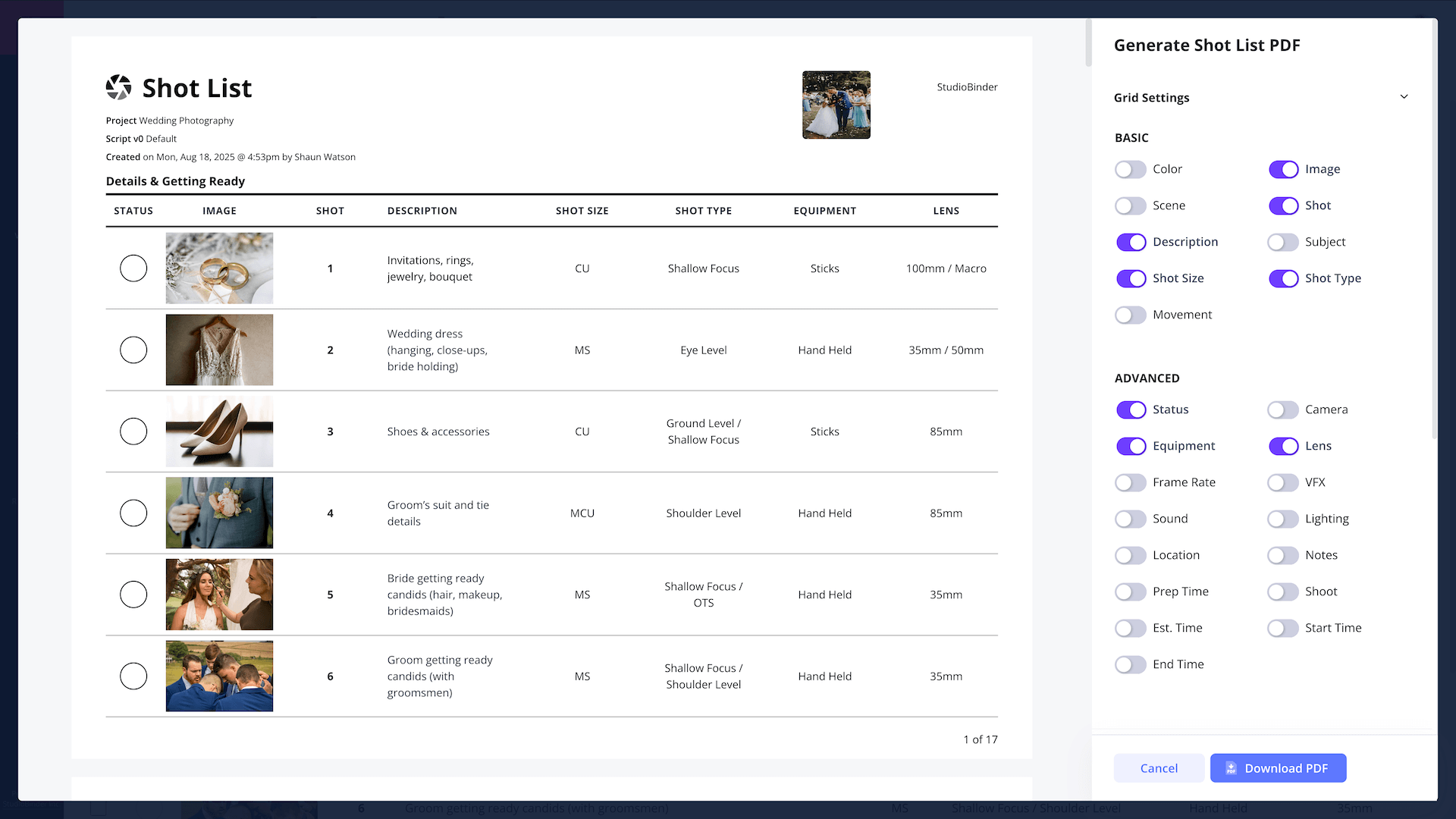
In the PDF creator, you can fully customize what will be displayed on the PDF shot list. You can make your shot list as simple or as in-depth as you'd like.
After you're finished customizing it, simply click Download PDF.
If you generate a share link, you can easily copy-paste links to shots like (like this one), so you, or anyone on your crew, can easily pull up every shot list on their phone and check off shots as you progress through the day.
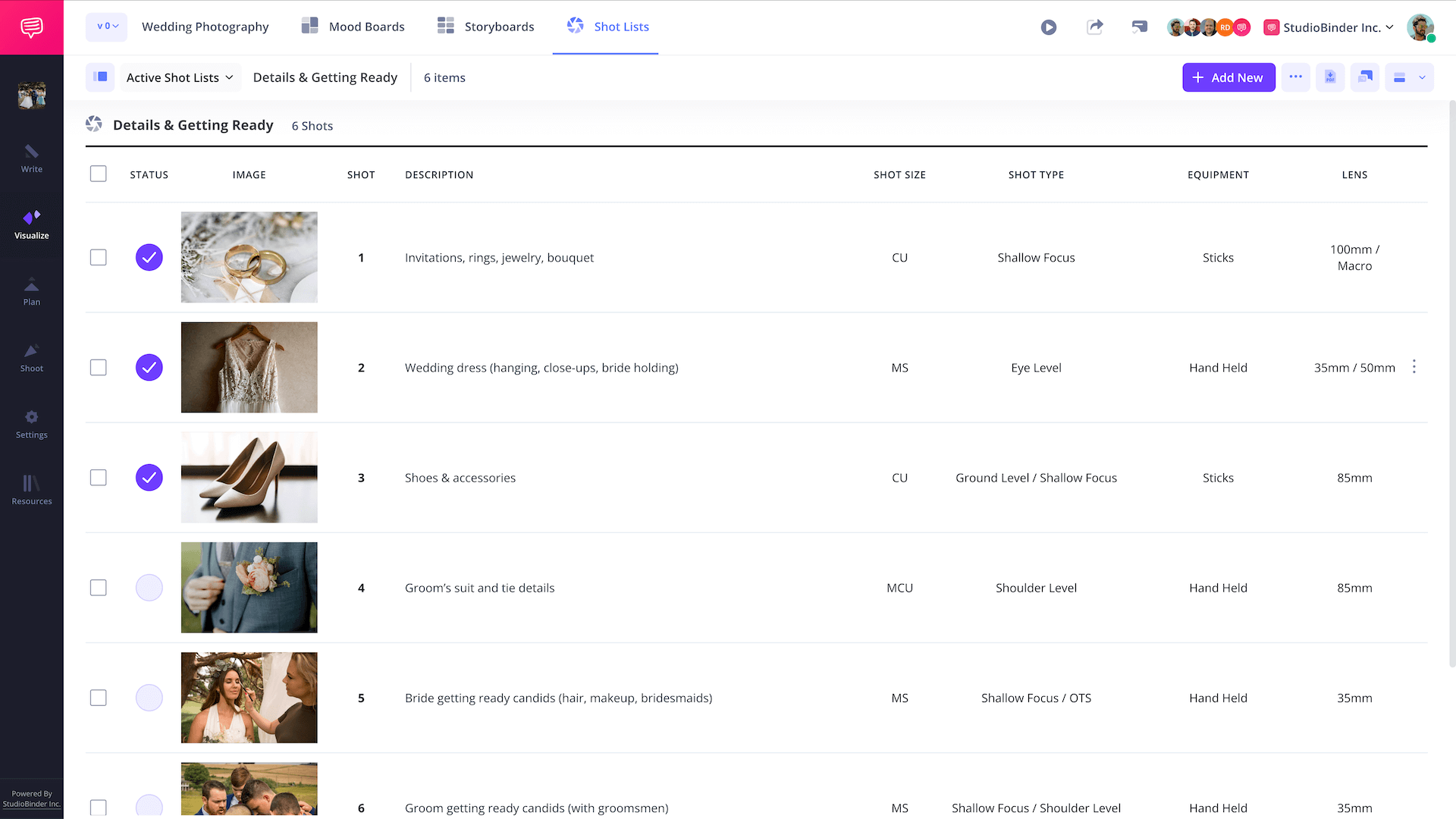
A printed or shareable link helps the team check off shots in real time and ensures all important people are captured without stress.
Wrapping Up
You're finished!
With StudioBinder’s wedding party photo shot list template, you’ll never walk into a wedding unprepared again. From mood boards to the final photo checklist, everything is organized and ready for action.
Whether you’re a seasoned pro or building your first wedding party photo list, StudioBinder ensures every smile, tear, and candid group moment is captured beautifully.
Create your free wedding party photos list
Create, organize and share your wedding party photos list for free.
