
Ad Script Generator
Ad scripts made easy
StudioBinder’s ad script generator helps you write scripts for commercials, radio, and video content. Write high-quality scripts that connect with your target audience.

Explore Write
Explore all the features in the Write solution


Docs
Draft documents

Story Outline
Story index cards
AV Script at a Glance
Complete AV Script Software
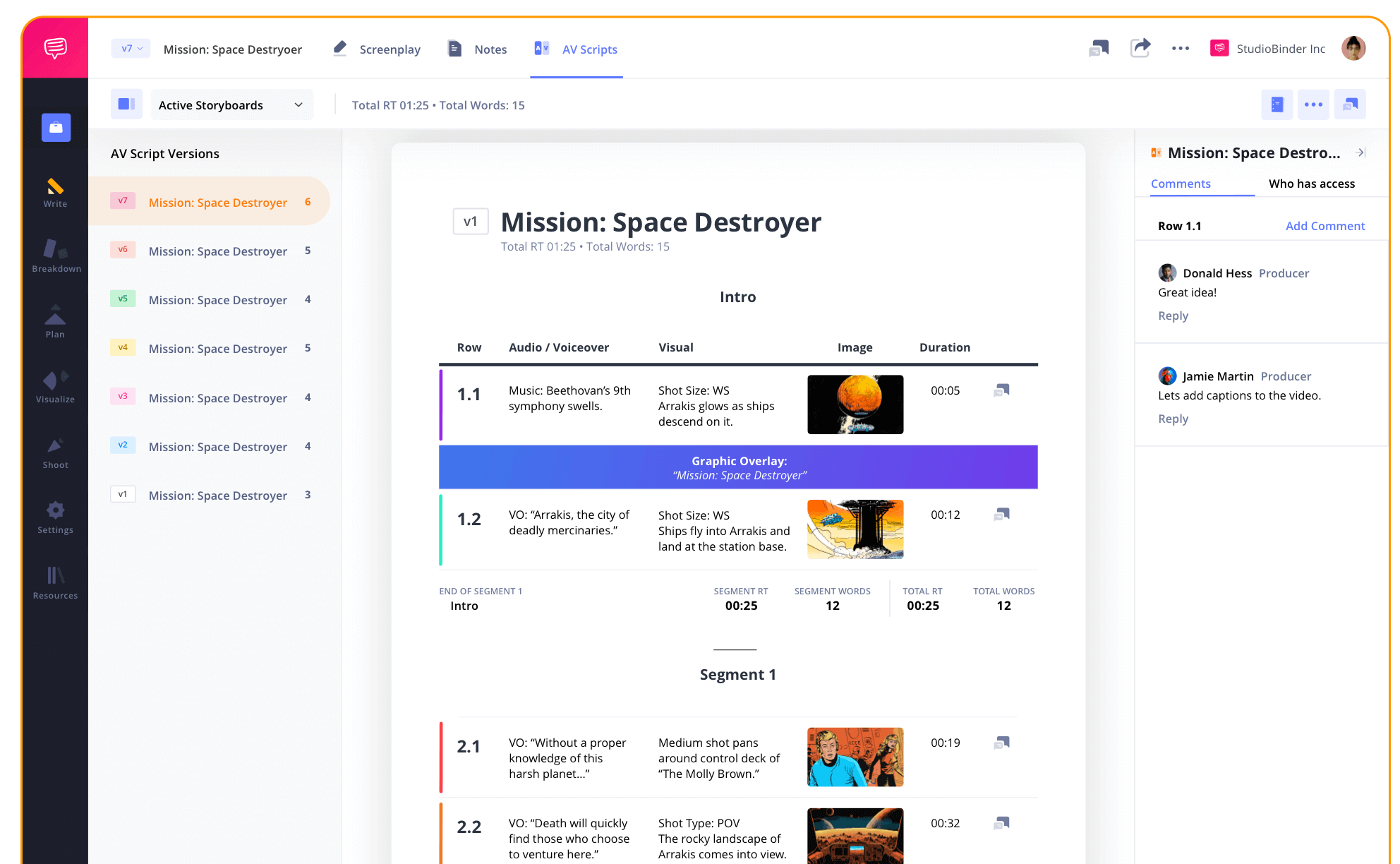
StudioBinder’s advertisement script generator includes everything needed to write and share ad scripts with your entire team. Whether it's a YouTube video ad, radio ad, or a commercial script, our platform streamlines the entire process.
AV Script Structure
Add segments to your ad script
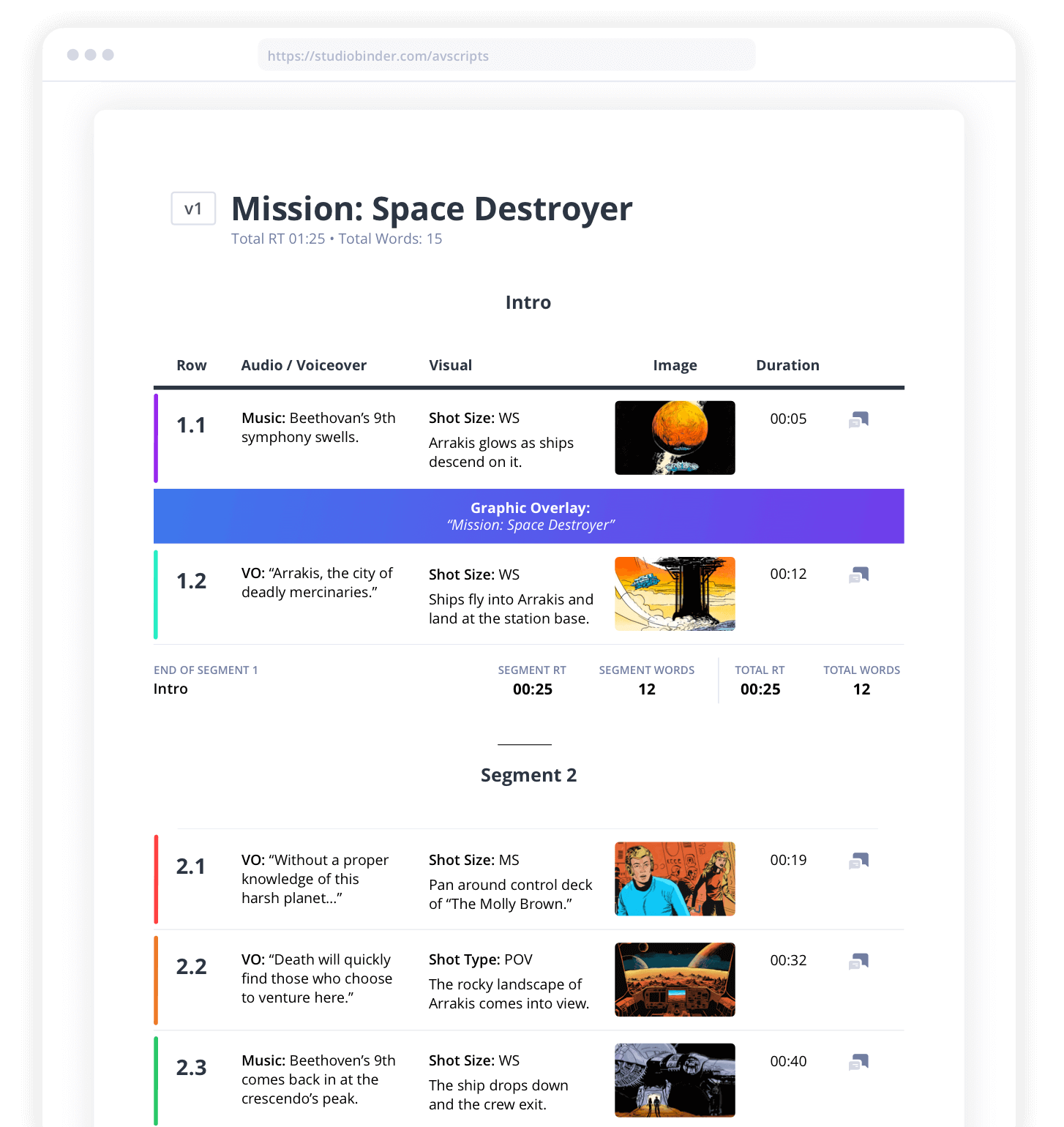
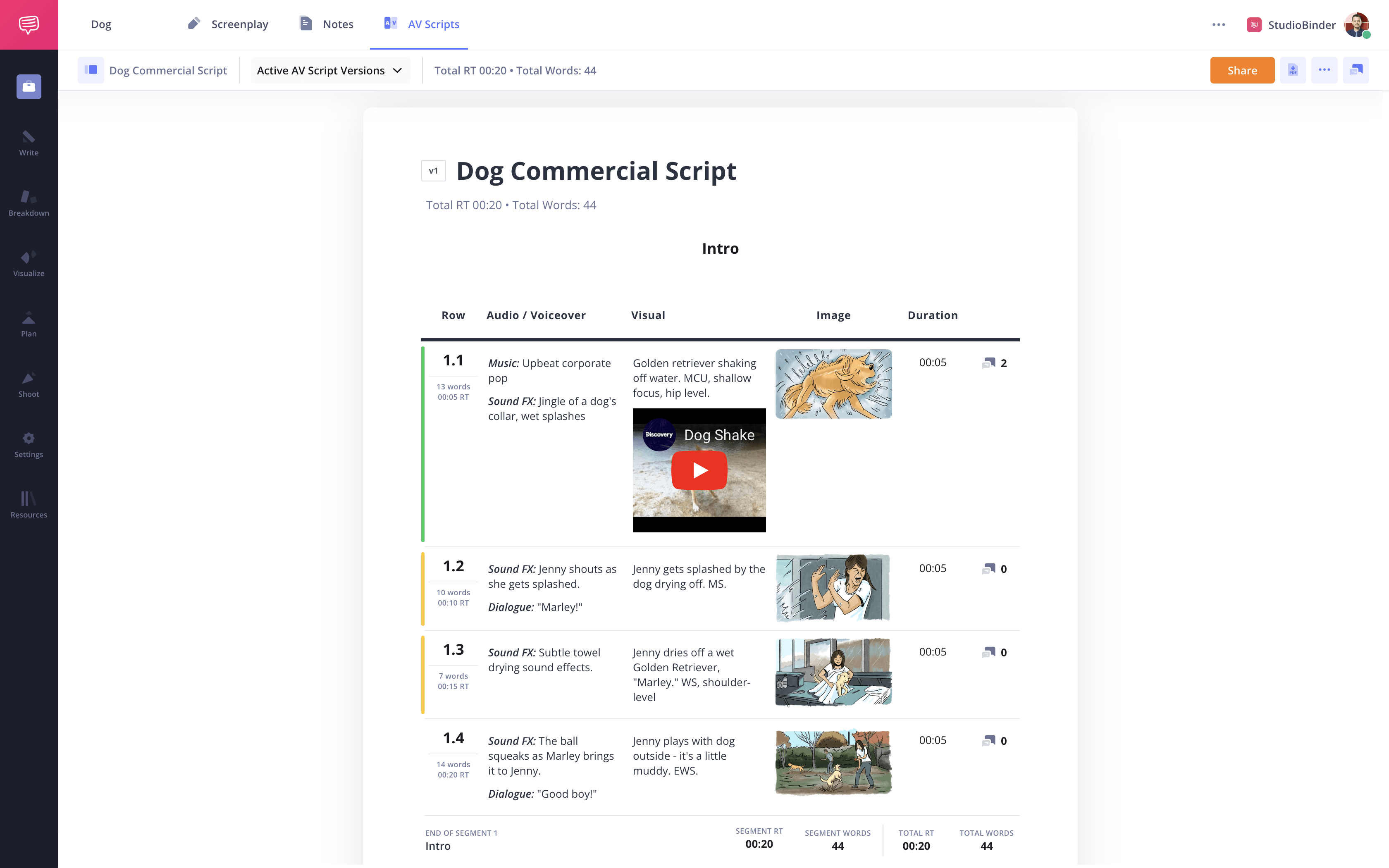
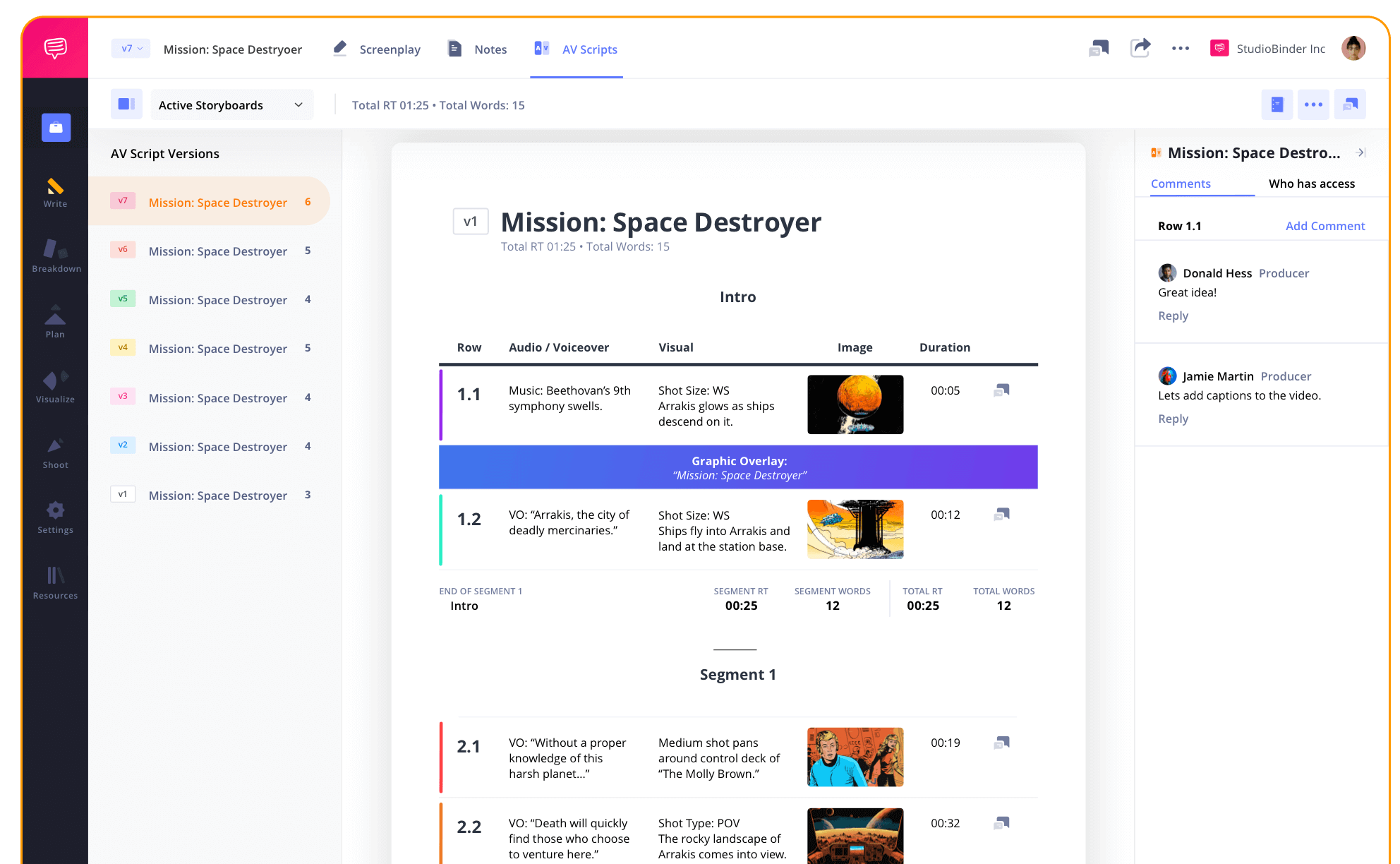
Our ad script generator features a multi-column format that can divide your script into multiple segments for easy reading. You can add dialogue, sound effects, camera setups and craft engaging video scripts or persuasive radio ads.
TIming & Length
Keep ads on pace
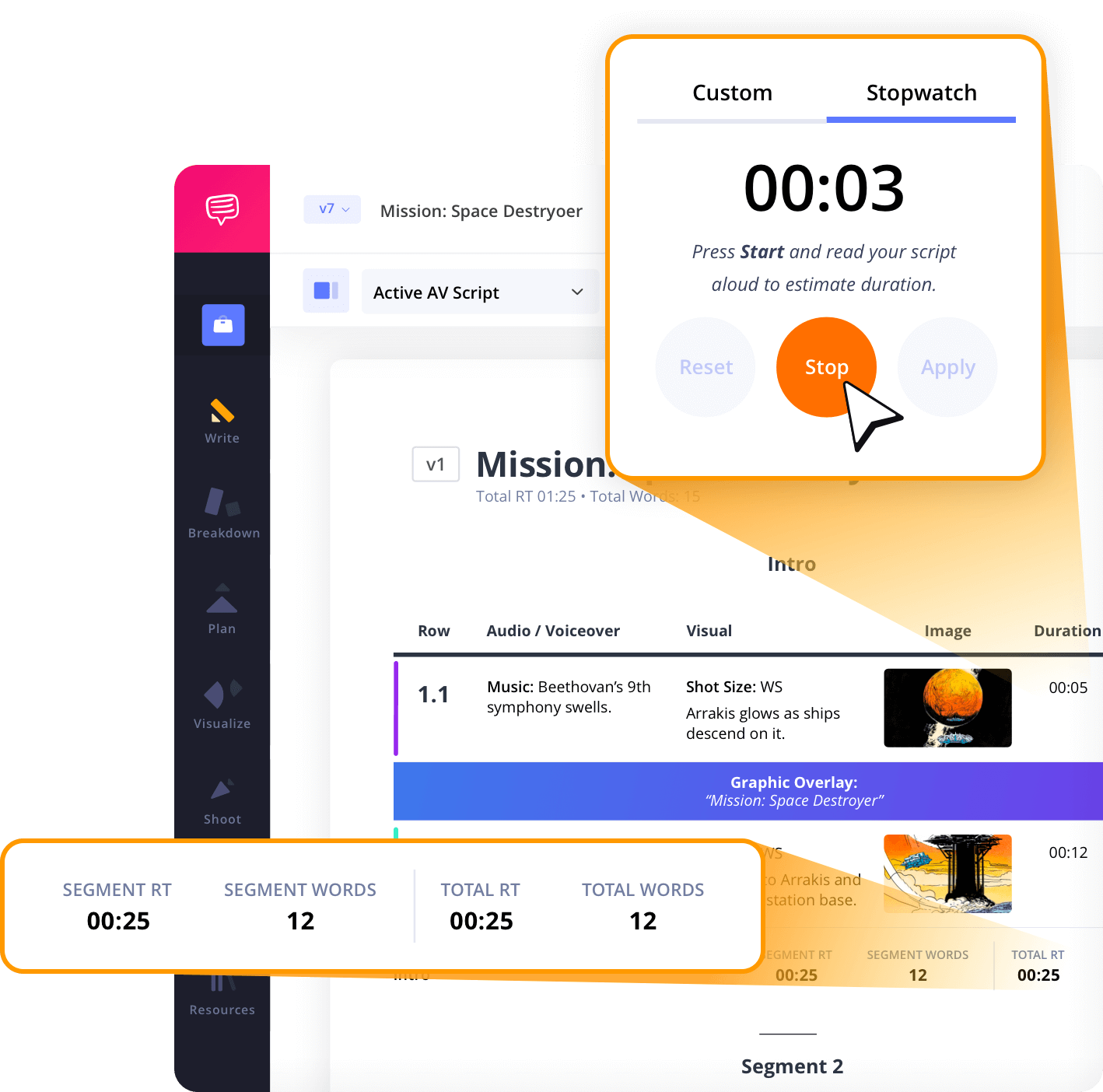
Commercials, music videos and even radio spots have strict time constraints. With StudioBinder’s free ad script generator, you can track word counts to stay within the required runtime.
Add Images
Add imagery to your ad script
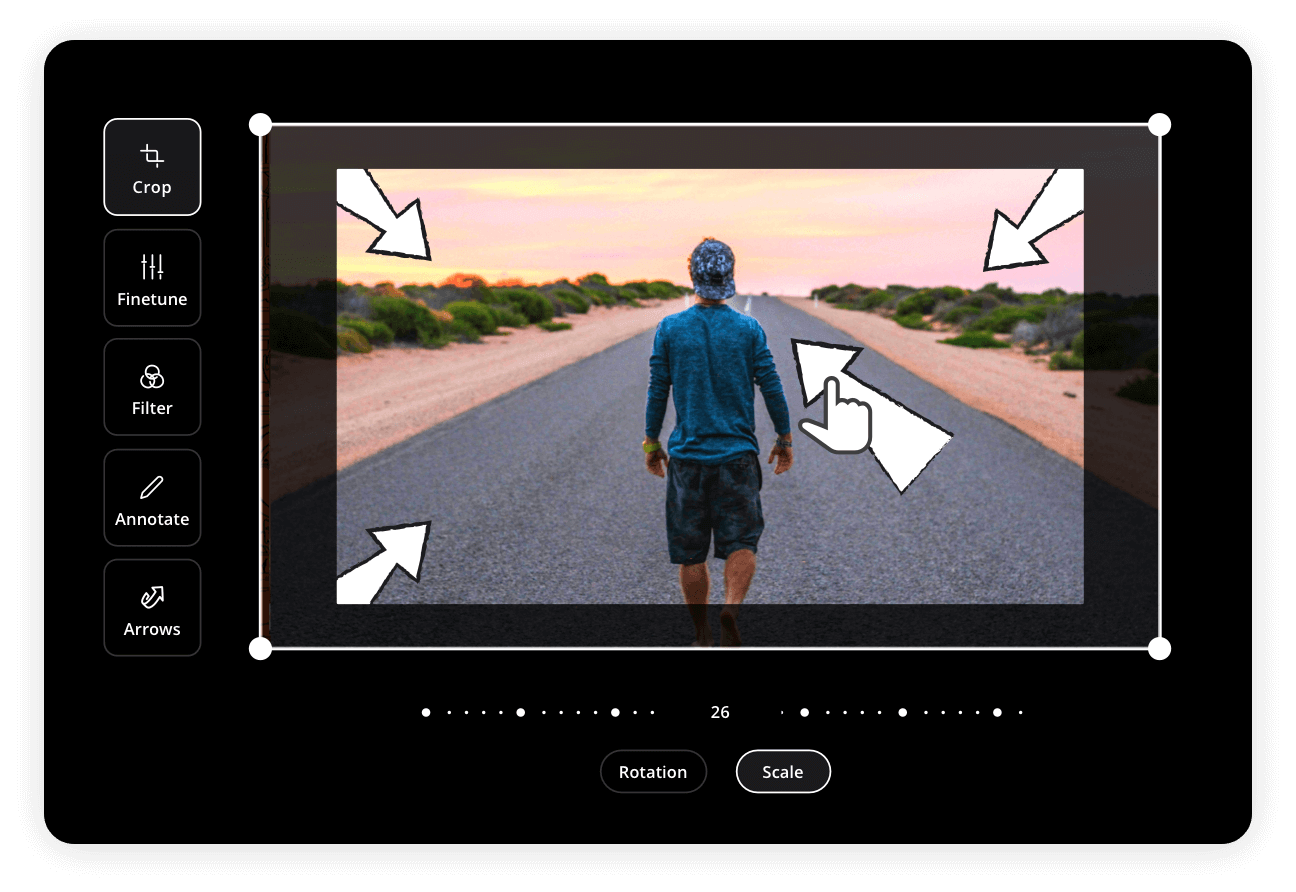
Bring a visual element to your audio video script with images, storyboards or graphics. Our ad script generator allows you to map out the visuals to produce live-action content that resonates.
AV Script Colors
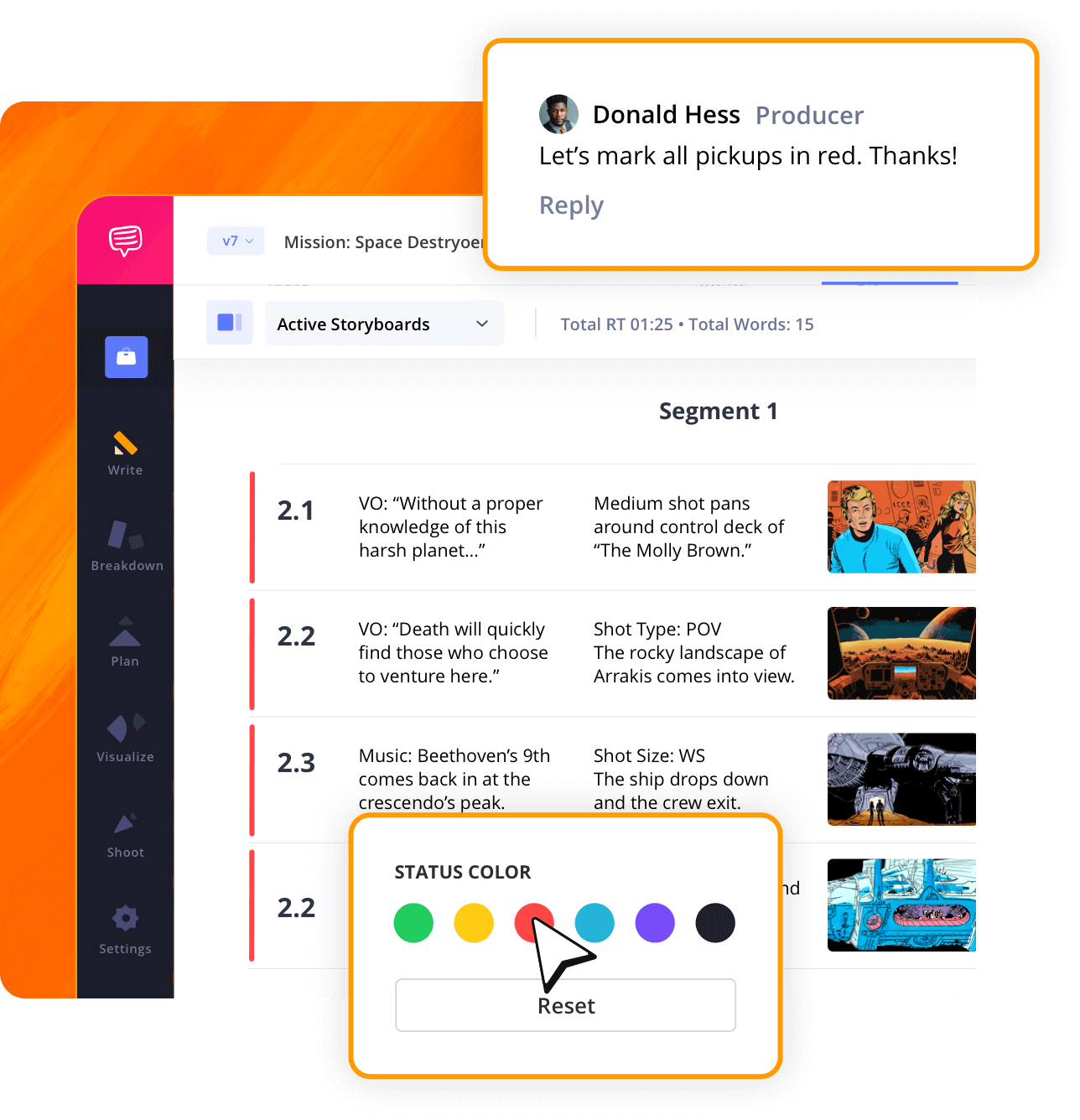
Track progress with color codes
Each row on your AV ad script can be marked with a color to indicate the current status, whether it's been approved, requires a rewrite or put on hold. Our ad scripts generator will make sure your writing process is efficient with your entire team.
Layout Customization
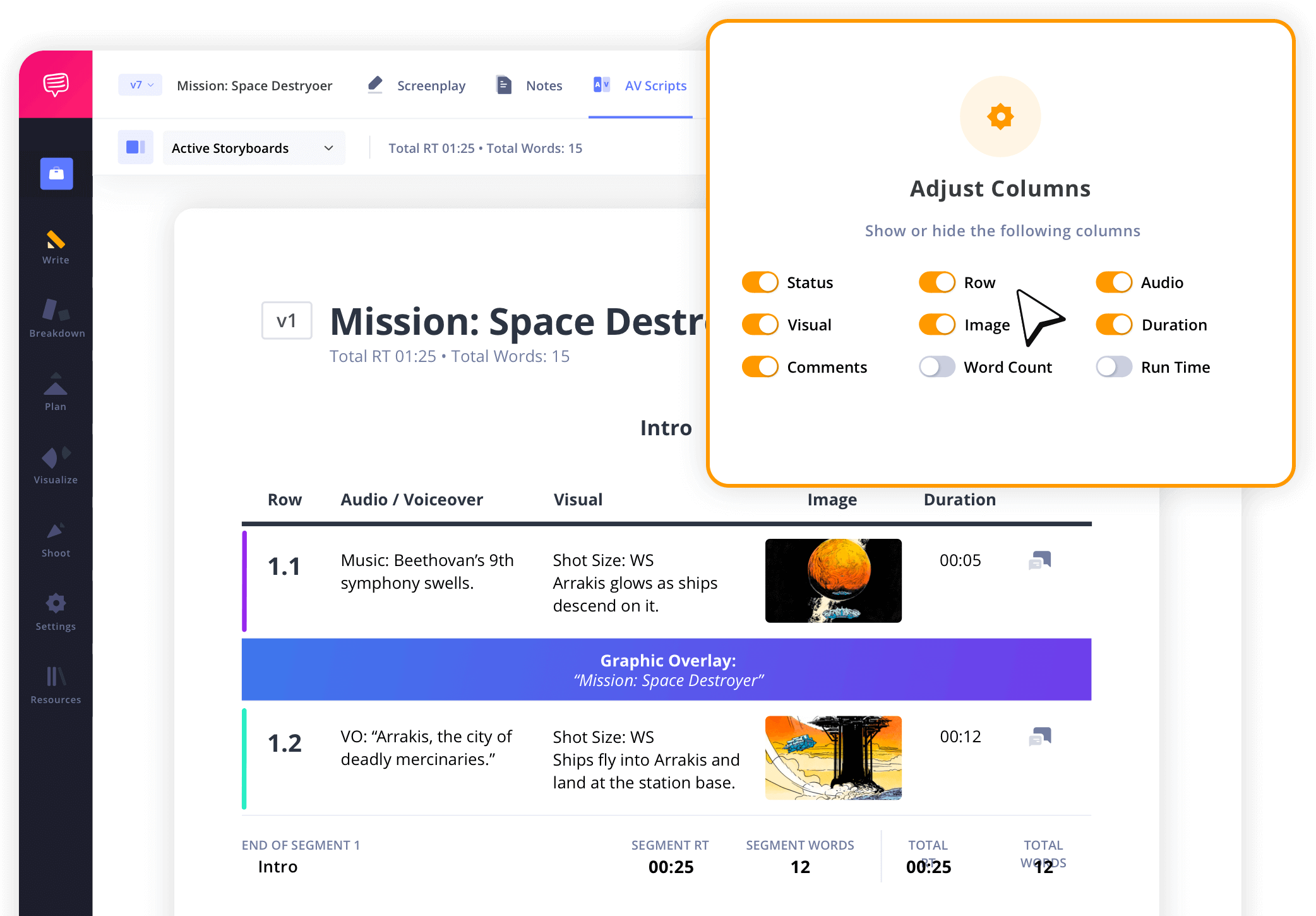
Adapt the format to fit your project
You can customize the layout of the columns to include as little or as much information that's needed. Our ad script generator provides complete flexibility to fit your production needs.
AV Script Collaboration
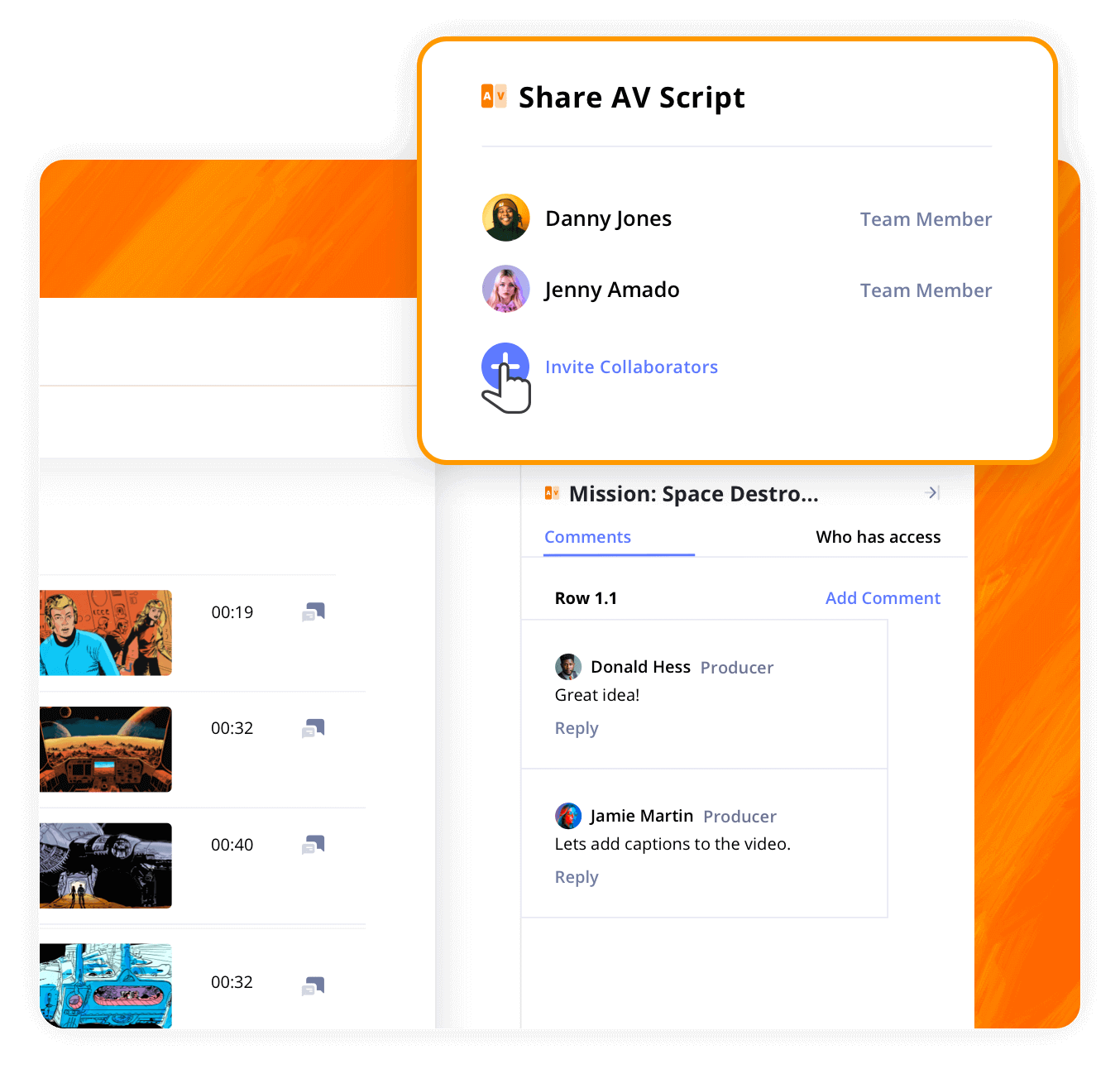
Share and refine your ad script
Collaboration is baked into the ad script creation process. You can securely share your script with your team, receive feedback and mark comments as resolved to finalize your script.
AV Script Template
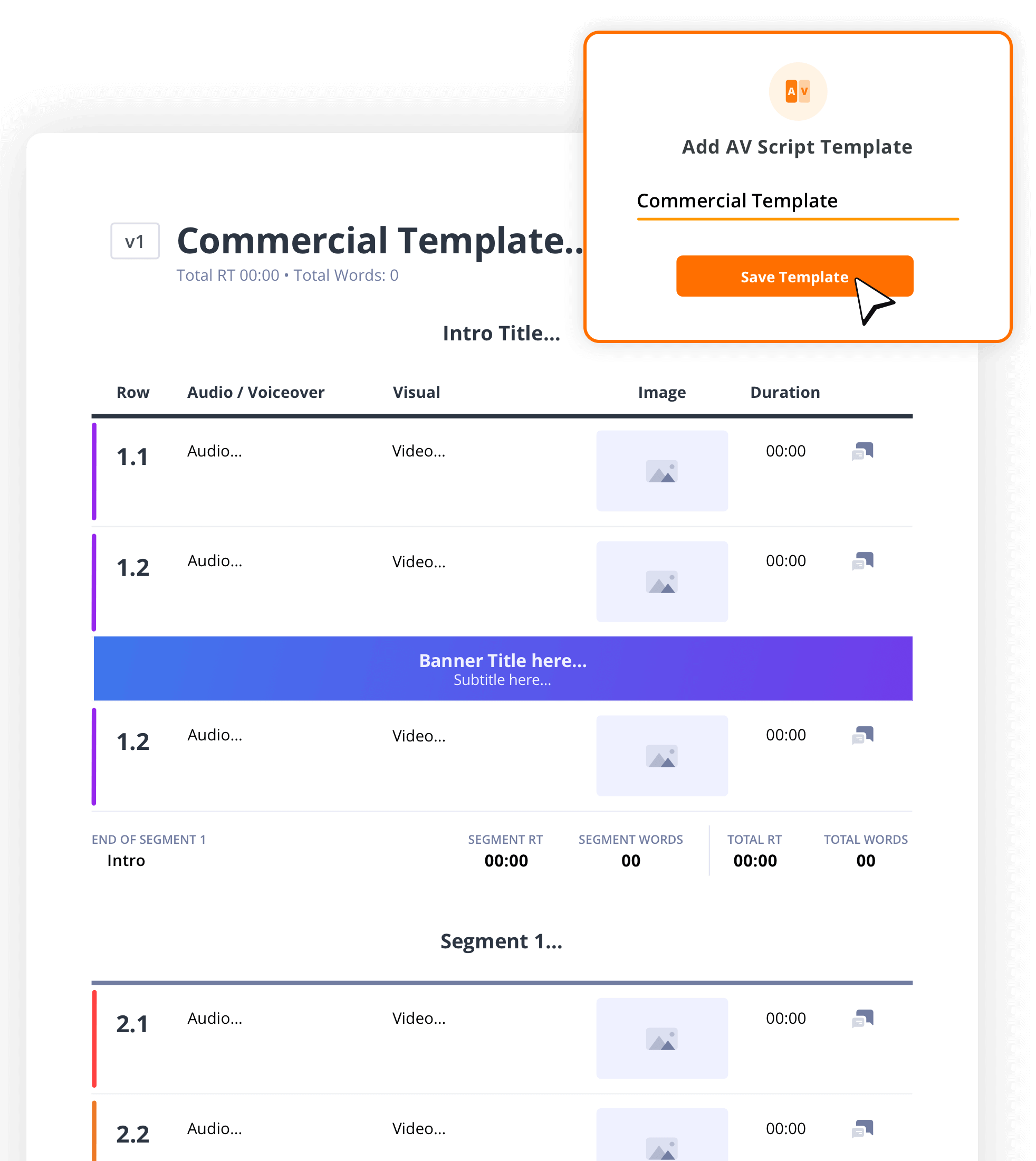
Reuse your work as a template
If you're producing multiple ads that follow a similar structure or format, simply duplicate your script to use it as a template and modify as needed. That way you'll save more time and avoid writing from scratch every time.
Explore Features
More AV script features

Track Timing
Add word counts and run times which are tallied automatically.
Front and Back Covers
Generate covers for your AV script that export with your PDFs.
Autosave Settings
Select the autosave frequency between 20 sec. and 10 min.
Scratchpad
A notepad and checklist for your inspirations, ideas & reminders.
Generate PDF
Export PDFs with custom settings like layout, scenes, etc.
Episodic Grouping
Create a series of scripts broken down into seasons.
Header & Footer
Add custom header and/or footer to your exported AV script PDF.
Watermarks
Add watermarks to your exported AV script PDF for extra security.
Archive
Archive old AV scripts and restore them as needed.
AV Script Writing Demo
Take a peek inside
Explore StudioBinder’s ad script generator and create high-quality ad scripts for video projects.

"StudioBinder places many of the tools you would need when managing a video production into one central place without the need of creating multiple excel, PDF & doc files. Information can be quickly updated, distributed & viewed minimizing any miscommunications."

Editor, NewsShooter
Ad Script Generator FAQs
Ad script generator basics explained
30 seconds is not a lot of time, so you'll need to deliver the required information in a compelling way. Once you've got a concept, it's time to start writing. The most useful format for a 30-second ad script would be what's called an AV script (audio/visual script). Using StudioBinder's AV script template, you can track the word count and runtime to ensure that you won't exceed the 30-second time limit.
Currently, the average salary for an ad script writer is anywhere between $50,000 and $100,000. This depends on your experience, portfolio, the profile of your clients, and whether this is a local, regional, or national campaign.
Yes, even with the introduction of AI, script writers are still needed in every category and medium. Radio, TV, Film, Commercials — consider how much content is being produced every year in just these mediums and you'll understand just how many opportunities there are.
Video ads can be quite different but there are basic questions you can answer to help write any video ad script.
- What are you selling? Familiarize yourself with the product so that you can come up with interesting ways to frame the ad.
- Who is your audience? Will this be an online ad, will it air on TV, etc.? Knowing your target demographic will inform the content and shape of your ad.
Generating script to video is much easier these days with the proliferation of AI image/video generators. All you need to do is prompt the AI with details and parameters of what the video should look like. Then copy/paste the script in and that's it. You may have to refine with more specific language to get exactly what you're after.
If you're writing a screenplay, the average 1-minute script should be about one page. If you're using an AV script template like StudioBinder's, the word count and runtime can be auto-calculated to ensure that you hit your goal.
A script for a 30-second video could be anywhere between a half page to a single page, depending on how much dialogue and/or action is included. Dialogue runs faster than action, typically, but you can use StudioBinder's AV script software to time out your script down to the second.
How to make an AV script in StudioBinder

Open StudioBinder on your browser.

Click on the AV Scripts tab on the project homepage.

Press the "New AV Script" button, give it a title, and add a description.

Select an AV script template or start from scratch.

Populate your script with segment titles, audio/visual descriptions, images, banners, and more.

Add duration for each row manually or by using the stopwatch for more accurate timing.

Share your script digitally to get collaborator feedback or export a custom PDF.
Customers
Trusted by the Best
Modernizing production workflows at renowned studios worldwide.












Explore Solutions
What else can StudioBinder do?
See all the ways we can improve your production workflow.
Write
Industry-standard scriptwriting software and note taking.


Breakdown
Identify all the pre-production details you need to know


Visualize
Visualize the script to get everyone on the same page


Plan
Collaborate with department heads as you prepare for production


Task Boards
Team collaboration

Media Library
Share docs & media



Today’s productions use StudioBinder to streamline their process, and collaborate on better content together.


"I can be a part of the conversation and see when someone finishes a task."
Watch Testimonial ➜

"StudioBinder makes pre-production that much quicker for out team."
Watch Testimonial ➜

"Call sheet confirmations have instantly made our life that much easier."
Watch Testimonial ➜


