
Script Creator Software
Start writing today
With StudioBinder’s script creator software, you can write, share and collaborate on screenplays online.

Explore Write
Explore all the features in the Write solution


Docs
Draft documents

Story Outline
Story index cards
Path to Production
Development to production
StudioBinder’s screenwriting software online helps you go from your final draft to pre-production seamlessly. As you're writing, connect your projects to script breakdowns, shooting schedules, storyboards, call sheets, shot lists and more.
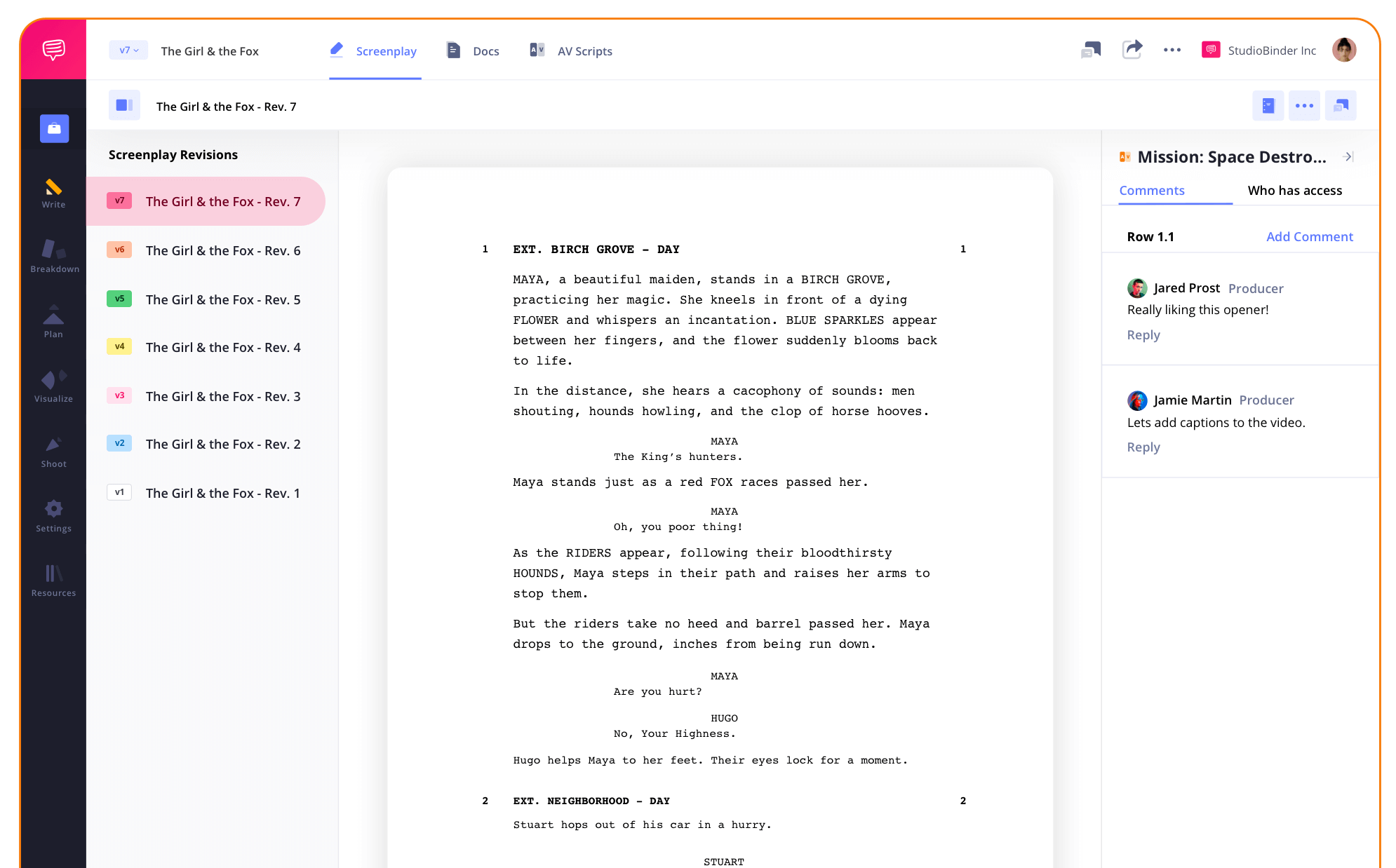
Screenplay Format Software
Industry standard formatting
Our free screenplay software features industry-standard formatting with margins, font size, dialogue, scene headings and action lines. You can also make progress faster with efficiency tools like hotkeys, auto-completes and auto-saving functionality all inside our script creator software.

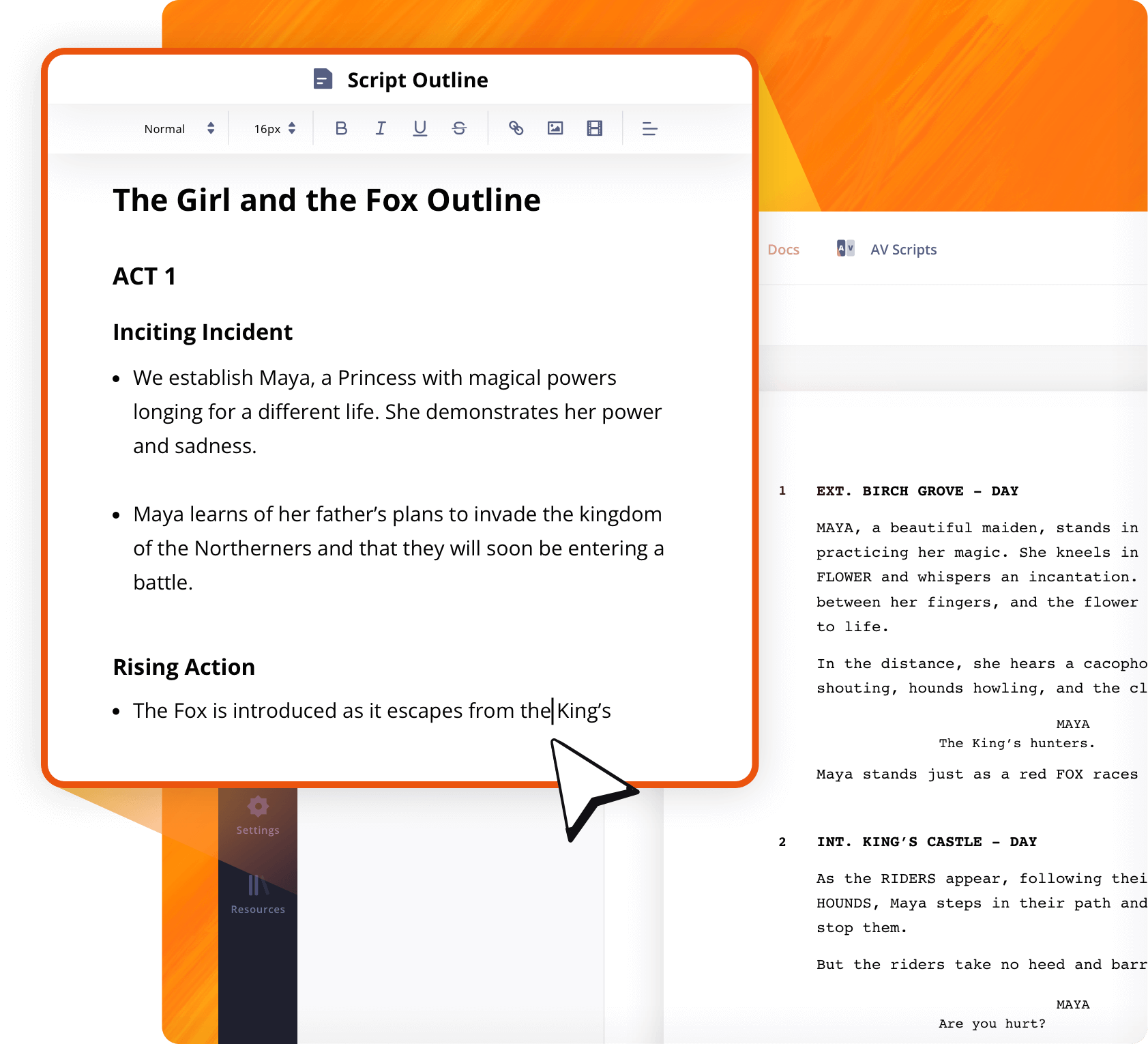
Script Outline
Organize story beats better
StudioBinder’s online screenplay software allows you to create script outlines alongside your screenplay module. This is the ideal spot to brainstorm and plot out your story with rich formatting, bullets, and even embed video or photo references all inside your script creator software.
Script Imports
Upload and keep writing
Easily upload your screenplays that are made from Final Draft, Celtx, Fountain, Word, Text or PDF files. Just drag and drop into StudioBinder script creator software and we'll make sure the formatting is retained.
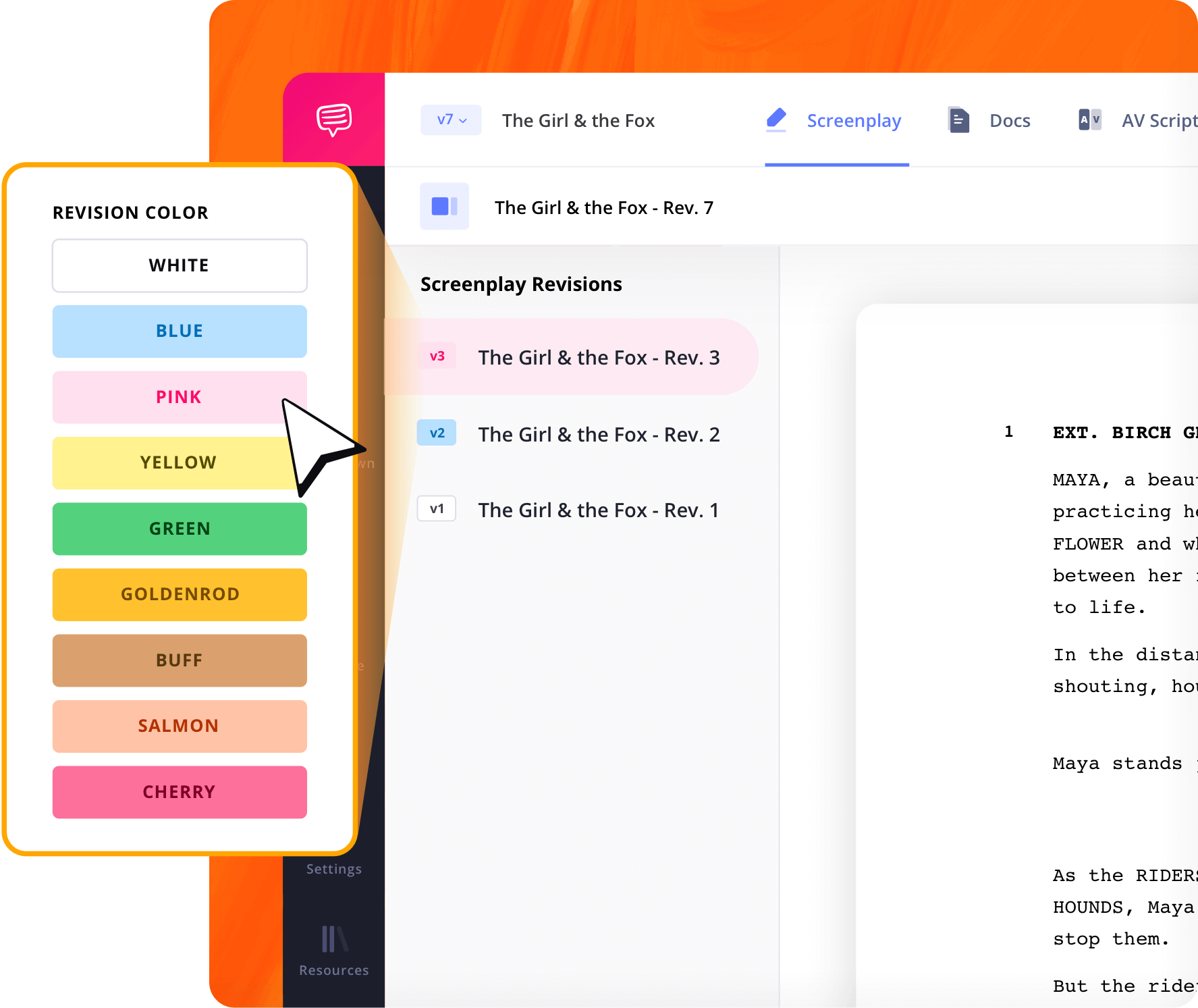
Script Versioning
Create multiple script versions
StudioBinder’s script creator software allows unlimited script versions with WGA-standard color-coding with complete revision history securely stored. Easily reference past versions without losing any progress.
Script Collaboration
Write better together
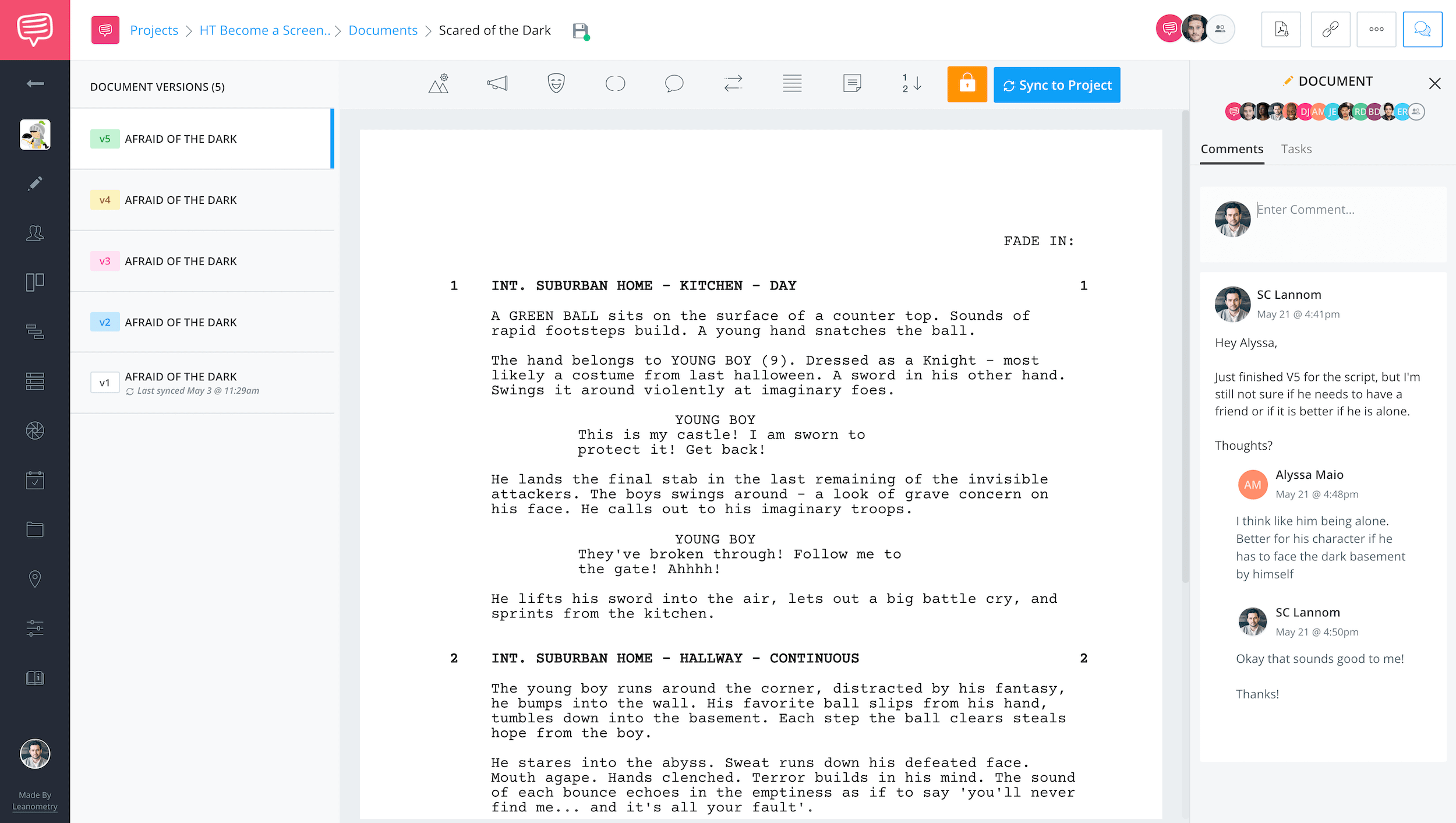
You can easily share, receive script notes and resolve feedback all within StudioBinder’s screenwriting online software. We've made collaboration seamless for your entire team.
Script Syncing
Begin pre-production
When your screenplay is finalized, simply re-sync to your project and begin building out your script breakdown, shooting schedule, storyboards, shot lists, call sheets and more.
Explore Features
More screenwriting features

Import Scripts
Import existing scripts from Final Draft, Fountain, PDF, etc.
Title Page
Generate a title page for your script that exports with PDFs.
Autosave Settings
Adjust auto-save settings, from 20 sec to 10 min.
Script Outline
A scratchpad for all your ideas, inspirations, and reminders.
Scene Numbering
Choose between digits, letters, or custom scene numbers.
Revision History
View and restore auto-saved changes from the past.
Lock Screenplay
Lock your script to prep it for the remaining pre-production steps.
Generate PDF
Export PDFs with customizations like layout, color, scenes, etc.
Export SBX
Export a .SBX file to import into other StudioBinder accounts.
Header & Footer
Include a custom header and/or footer with your script PDF.
Watermarks
Add watermarks to your exported script PDF for extra security.
Renumber Scenes
For a clean slate after locking a script, reset scene numbers.
Screenplay Example
Take a close look
Explore StudioBinder’s script creator software with its professional screenplay formatting.


"StudioBinder’s screenwriting program is intuitively designed for film and video professionals heading into pre-production."


Jourdan Aldredge, PremiumBeat
Script Creator Software FAQs
Script writing basics explained
If you're going to write a script, do yourself a favor and use screenwriting software. Word processors like Microsoft Word an Google Docs are readily available but they actually lack the function and tools that writers need to sustain their creative momentum. StudioBinder, for example, allows writers to write effortlessly in industry-standard format, in addition to the outline tool, a complete revision history, and more.
There are a couple of very basic steps that all writers can use to create their own scripts. The first phase is brainstorming and research, where all ideas are welcome. Then comes outlining where you take those ideas and start to shape them into a story. Finally, you begin writing one scene at a time and you'll have a finished script in no time.
The 3 C's of screenwriting apply to any script of any length in any genre in any medium. They are Concept, Character, and Conflict. With a solid concept, compelling characters, and formidable conflict, you are well on your way to a solid screenplay.
Every writer has their own specific nuances to their process. Some writers like Quentin Tarantino prefer to write their scripts in longhand on legal pads whereas most writers use a computer. Many writers also use index cards as a way to compartmentalize their ideas (one scene per card). This means they can gather all of their thoughts, arrange and rearrange them easily, and only then begin to actually write.
While there are word processing programs out there, most writers use dedicated script creator software. This allows them to write natively using industry-standard format. Otherwise, manually formatting in Microsoft Word or Google Docs will drain a lot of your creative momentum as you write.
It's not absolutely necessary but it is highly encouraged to copyright your script, especially if it's ready to start sending out to people. In the filmmaking game, ideas are the most valuable commodity so they are to be protected at all costs.
How to write a screenplay in StudioBinder

Open StudioBinder on your browser.

Click the Screenwriting tab on the project homepage.

Press the "New Screenplay" button and give it a title.

Open the Script Outline to organize your notes and plan out the structure.

Start writing your initial draft. Create a revision draft for each subsequent rewrite.

Press the "Sync to Project" button so that the script will integrate with other StudioBinder features.

When you're done writing and ready to start pre-production, click the "lock script" button.

Share your script with view-only links, invite collaborators or team members to get feedback.

Customers
Trusted by the Best
Modernizing production workflows at renowned studios worldwide.












Explore Solutions
What else can StudioBinder do?
See all the ways we can improve your production workflow.
Write
Industry-standard scriptwriting software and note taking.


Breakdown
Identify all the pre-production details you need to know


Visualize
Visualize the script to get everyone on the same page


Plan
Collaborate with department heads as you prepare for production


Task Boards
Team collaboration

Media Library
Share docs & media



Today’s productions use StudioBinder to streamline their process, and collaborate on better content together.


"I can be a part of the conversation and see when someone finishes a task."
Watch Testimonial ➜

"StudioBinder makes pre-production that much quicker for out team."
Watch Testimonial ➜

"Call sheet confirmations have instantly made our life that much easier."
Watch Testimonial ➜


