
Storyboards Programs
Plan your visuals
Use StudioBinder's storyboarding program designed for filmmakers, and content creators

Explore Visualize
Explore all the features in the Visualize solution


Storyboard Program
Generate storyboards in a flash
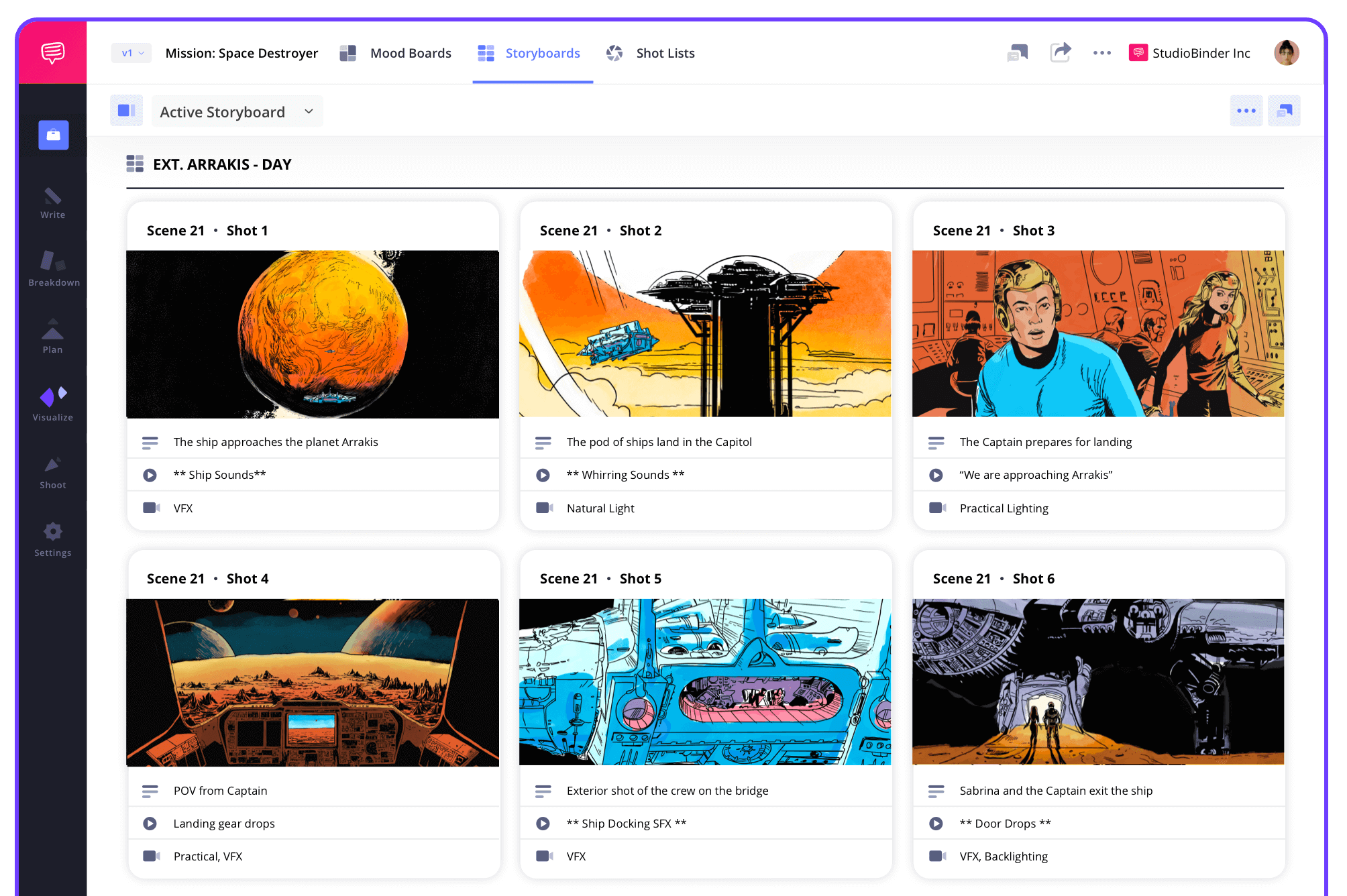
Our storyboard programs let you build professional boards, connect them to your script, and organize every shot.
Script to Storyboard
Generate scenes into storyboards
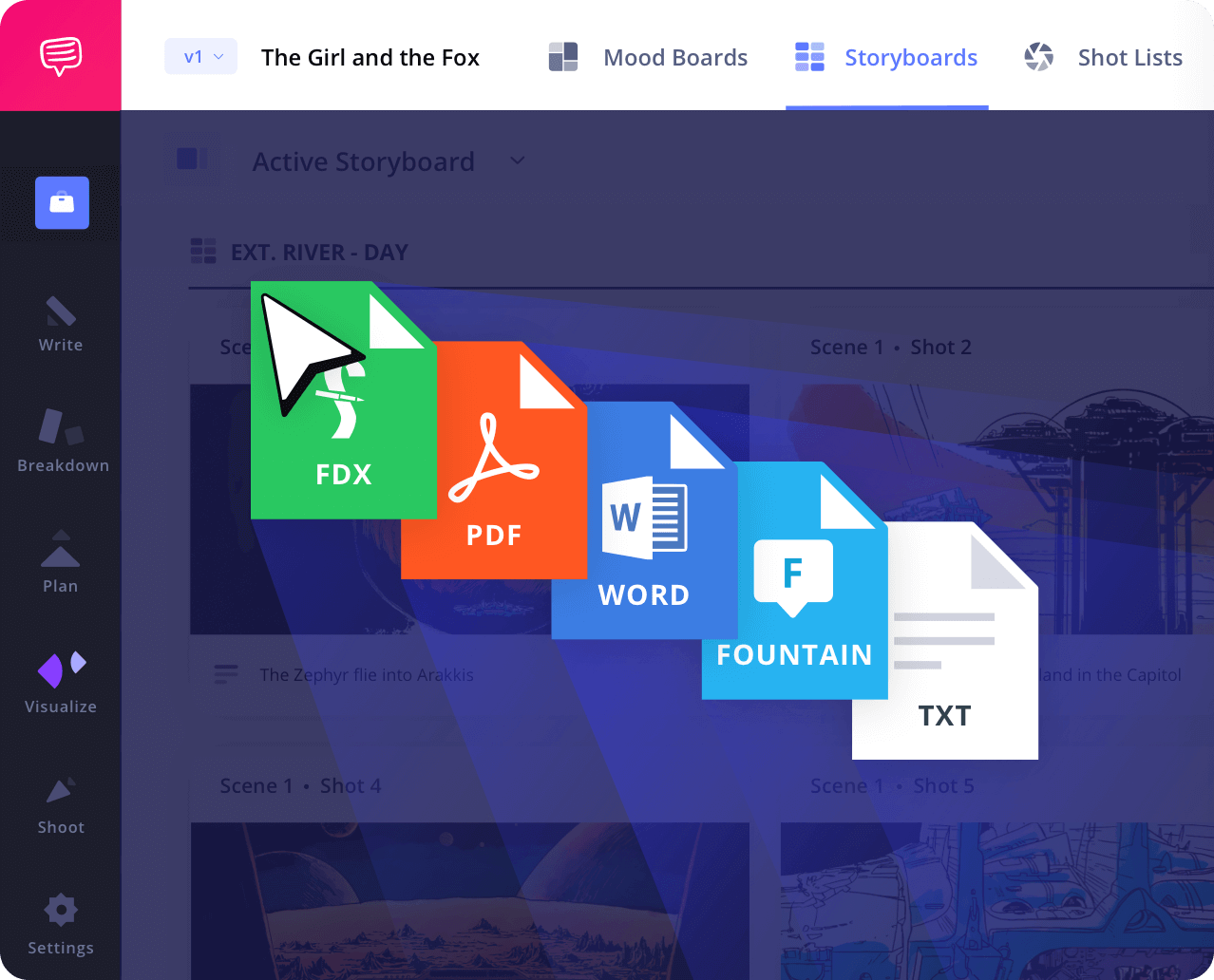
Import a script or write one directly in the app. The storyboarding program links your text to visuals so you can visualize the story before filming begins.
Shot Tagger
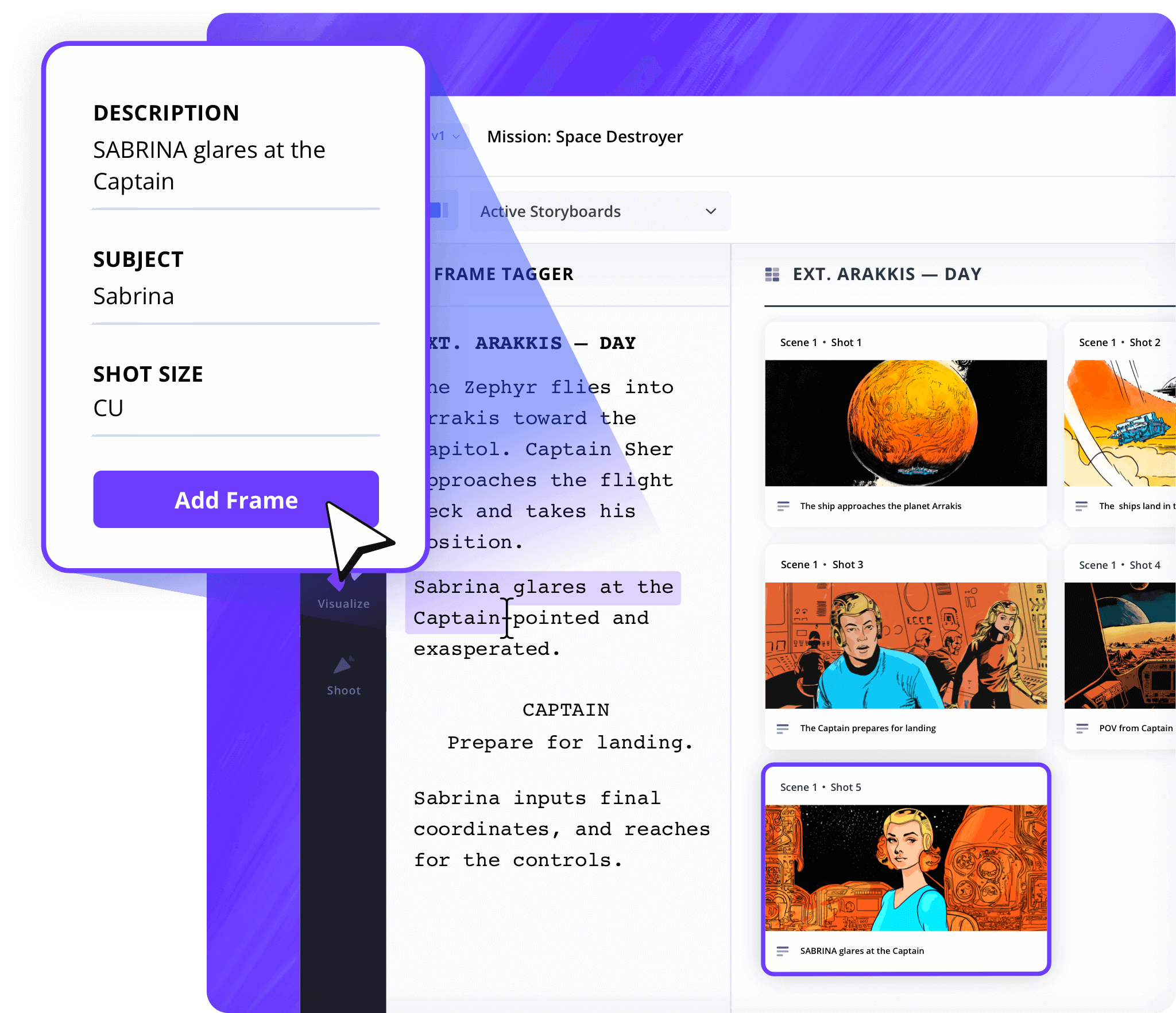
Create shots from your screenplay
Highlight any action or dialogue to create a storyboard panel instantly. This makes programs for storyboarding faster, more organized, and more connected to your process.
Shot Specs
Personalized layout
Choose from preloaded shot types, camera angles, and framing guides. Our free storyboarding programs help you plan efficiently.
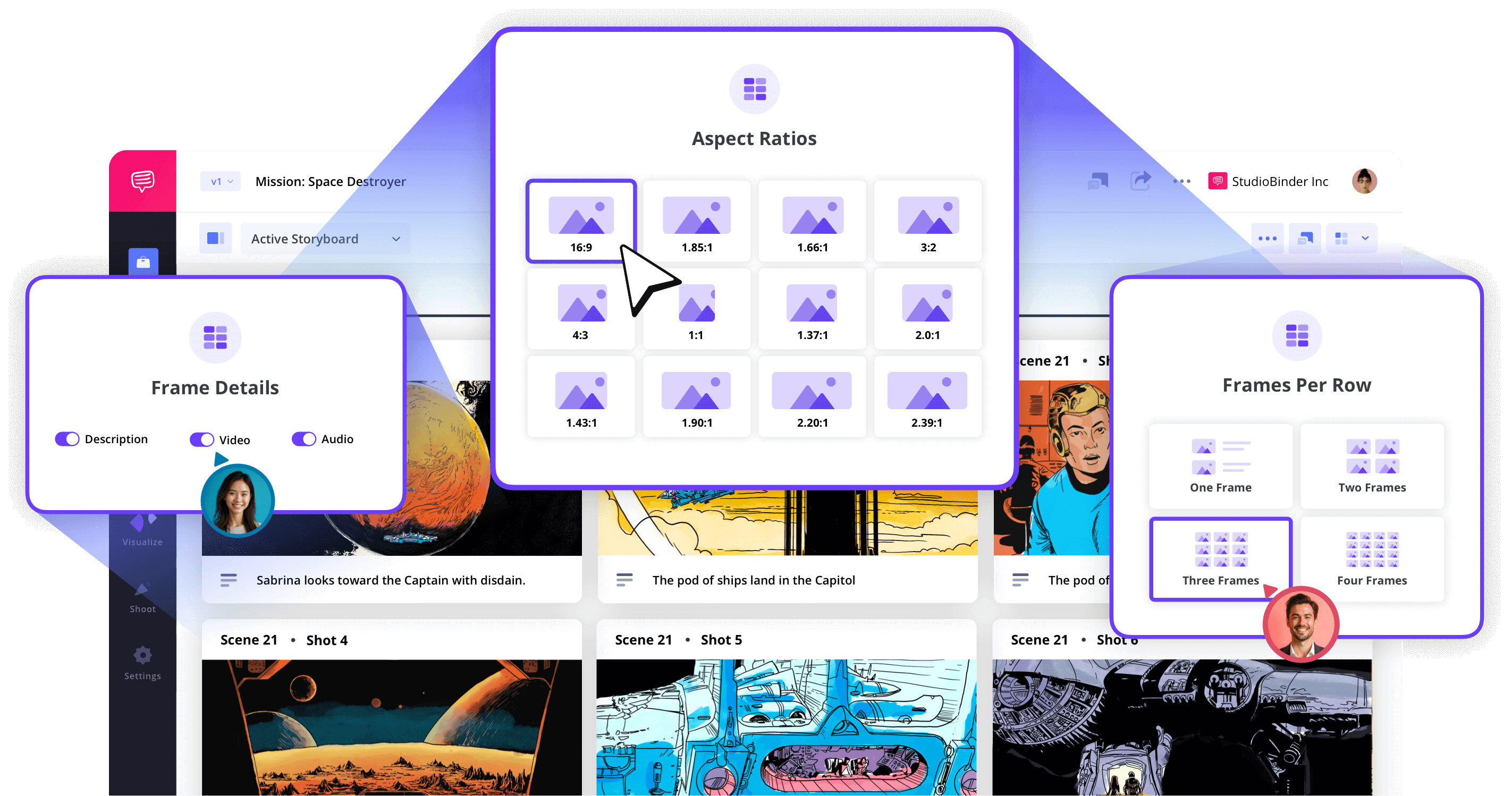
Image Editor
Enhance and annotate your storyboards
Upload sketches or reference images, then edit them with filters, overlays, text, and arrows. It’s software for storyboarding that also gives you complete visual control.
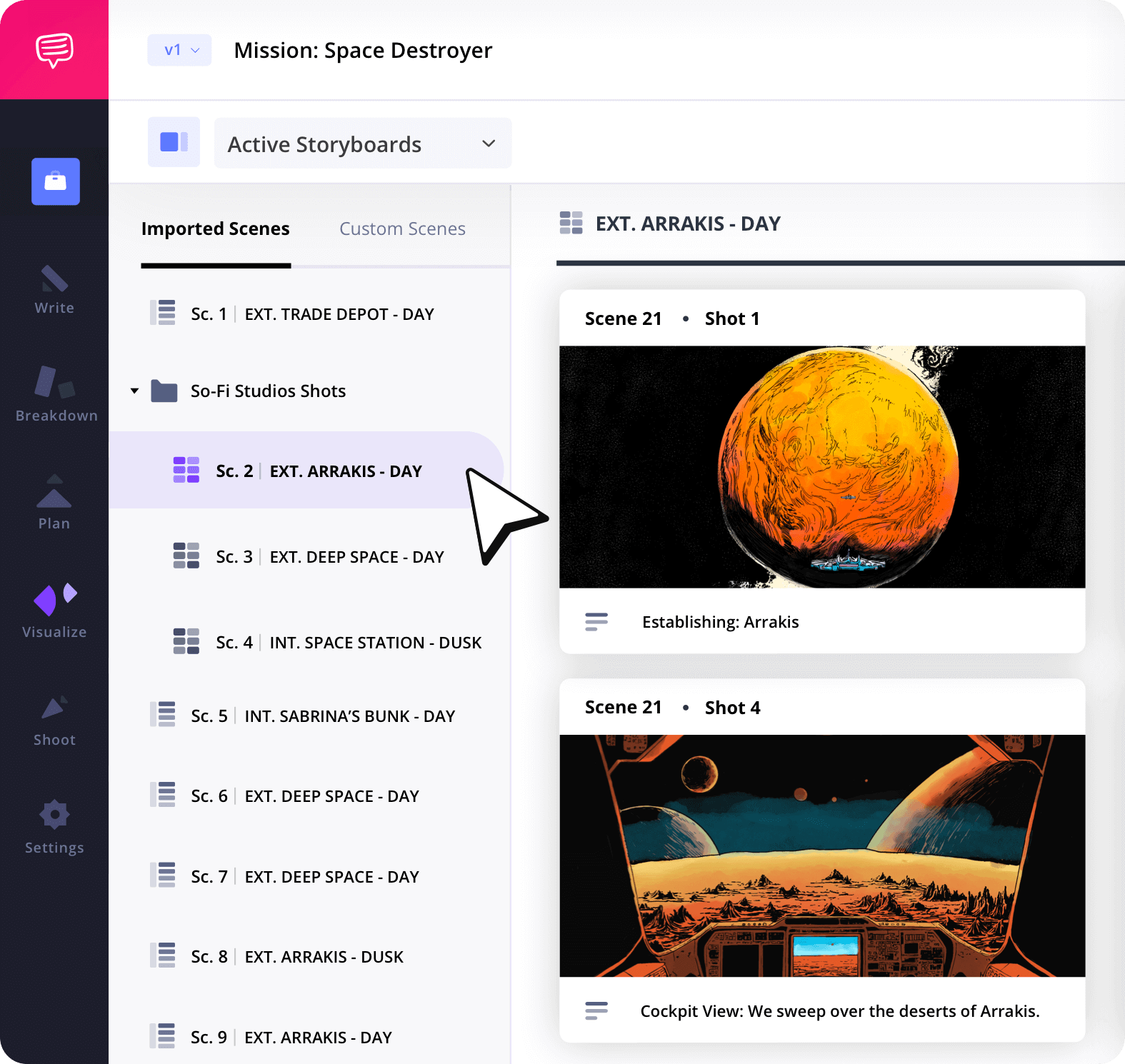
Storyboard Groups
Organize your storyboards for production
Sort your boards by location, shooting day, or status. The best storyboarding programs keep your visual assets structured and manageable.
Collaborate
Collab on storyboards
Invite collaborators to add panels, leave feedback, and make changes in real time. Storyboard programs built for production teams help everyone stay aligned.
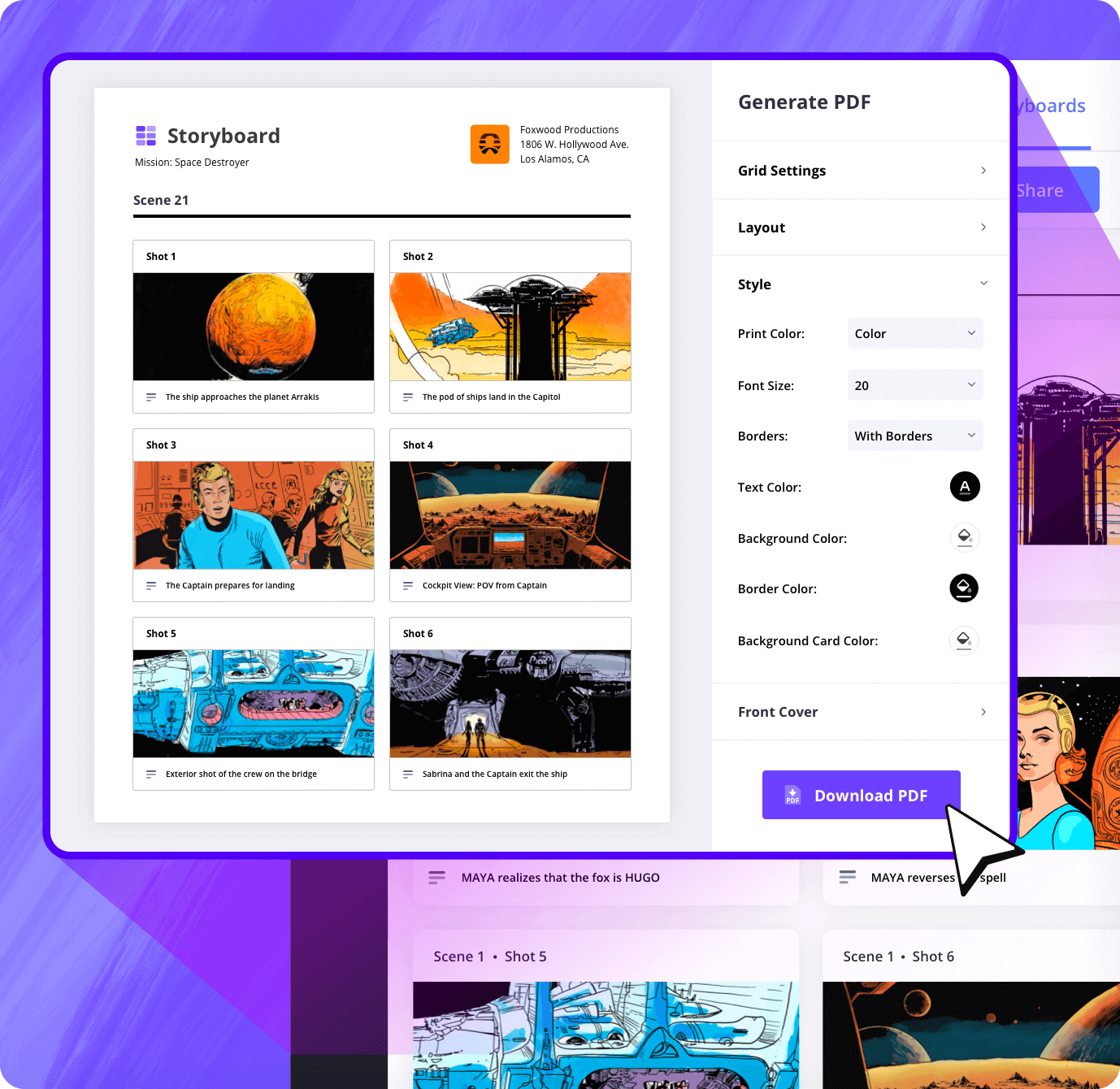
Customization
Export and present your storyboards
Export PDFs with custom layouts, branding, and headers. The best programs for storyboarding are built to facilitate client presentations or internal reviews.
Sharing
Share storyboards instantly
Send view-only links or invite team members to comment and edit. These storyboarding programs are fully online, so there’s no need to download files.
Explore Features
More storyboard features

Aspect Ratios
Choose an aspect ratio that best suits your project.
Column Layouts
Adjust how many columns your storyboard will have.
Image Library
Reuse storyboard panels from previous projects.
Shot Numbering
Choose between digits, letters, or a custom shot numbering.
Storyboard Archive
Archive old storyboards to keep an accessible history.
Color-Code Shots
Label or call out specialty shots with colors.
Storyboard Sample
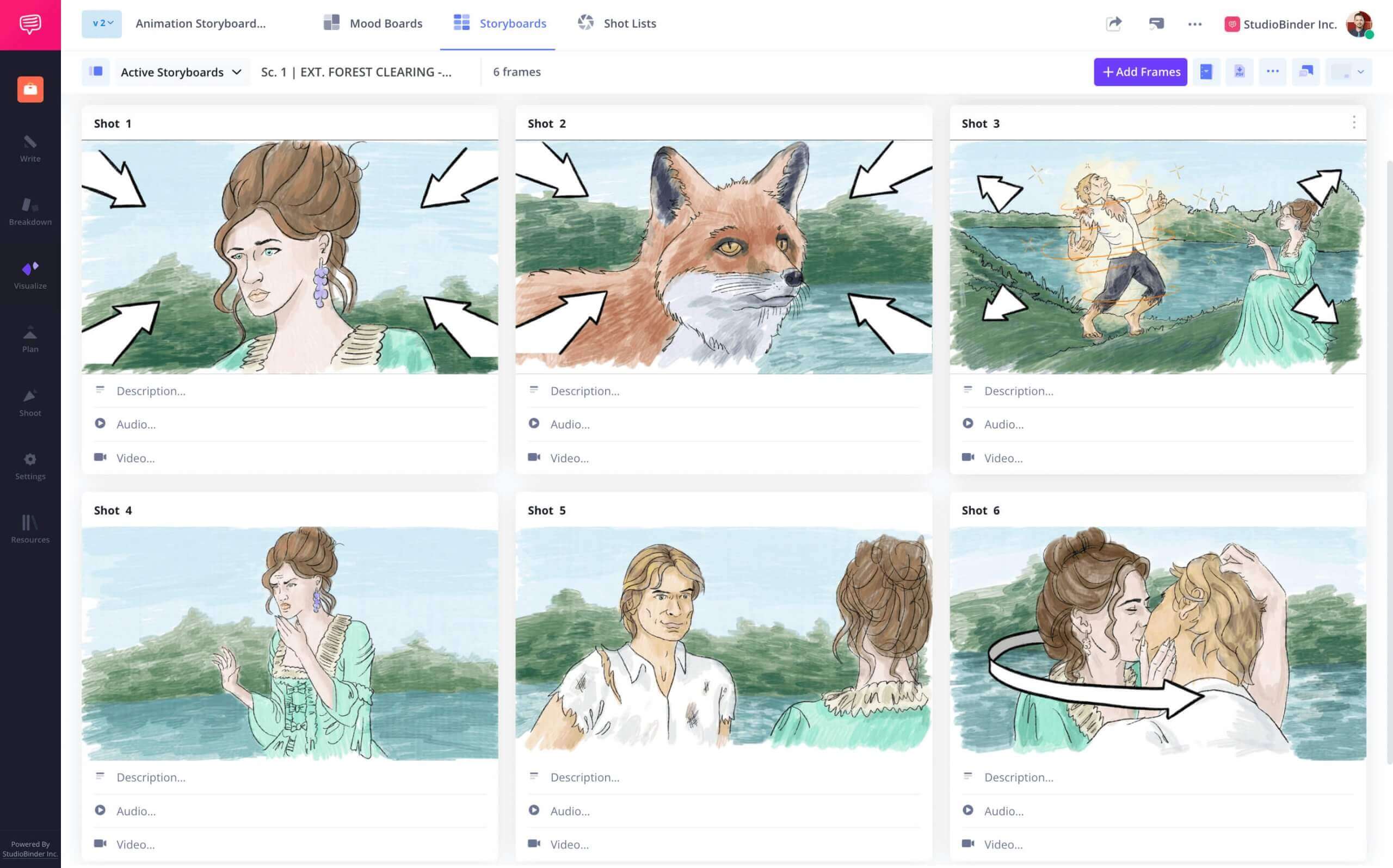
See it for yourself
Check out a sample created in our storyboarding program to see the layout, features, and customization.

Film Storyboard Example

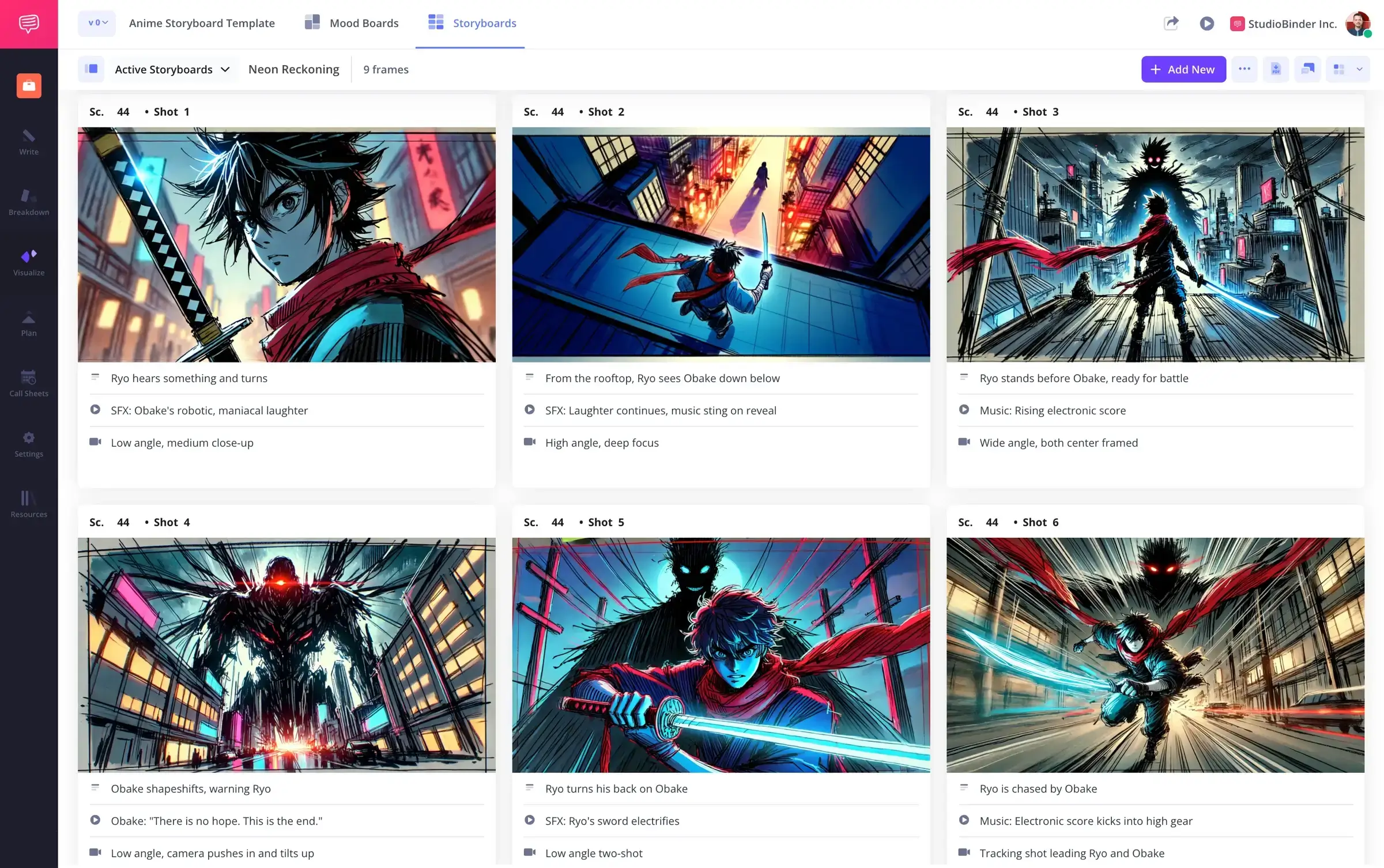
Animation Storyboard Example
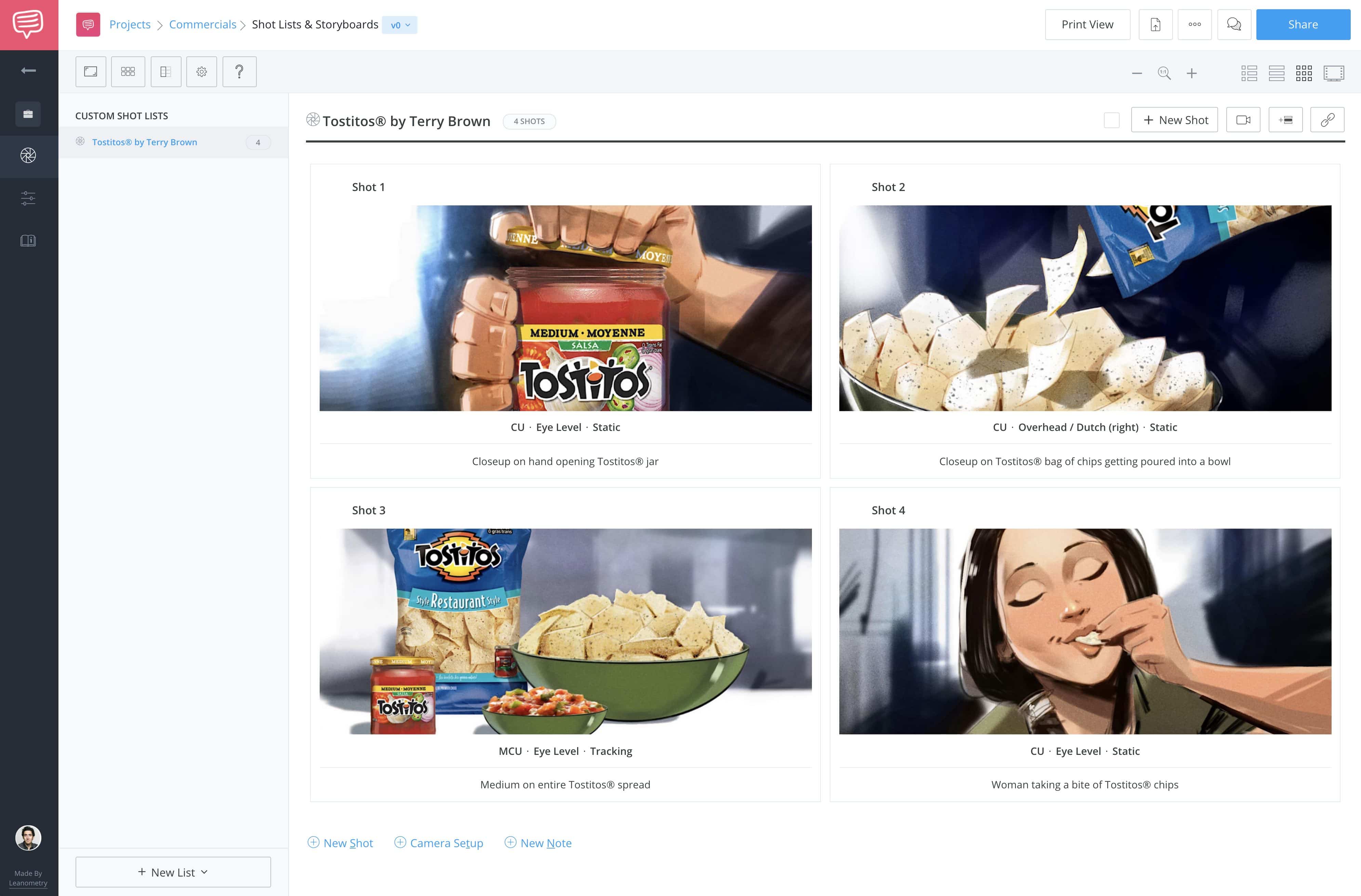
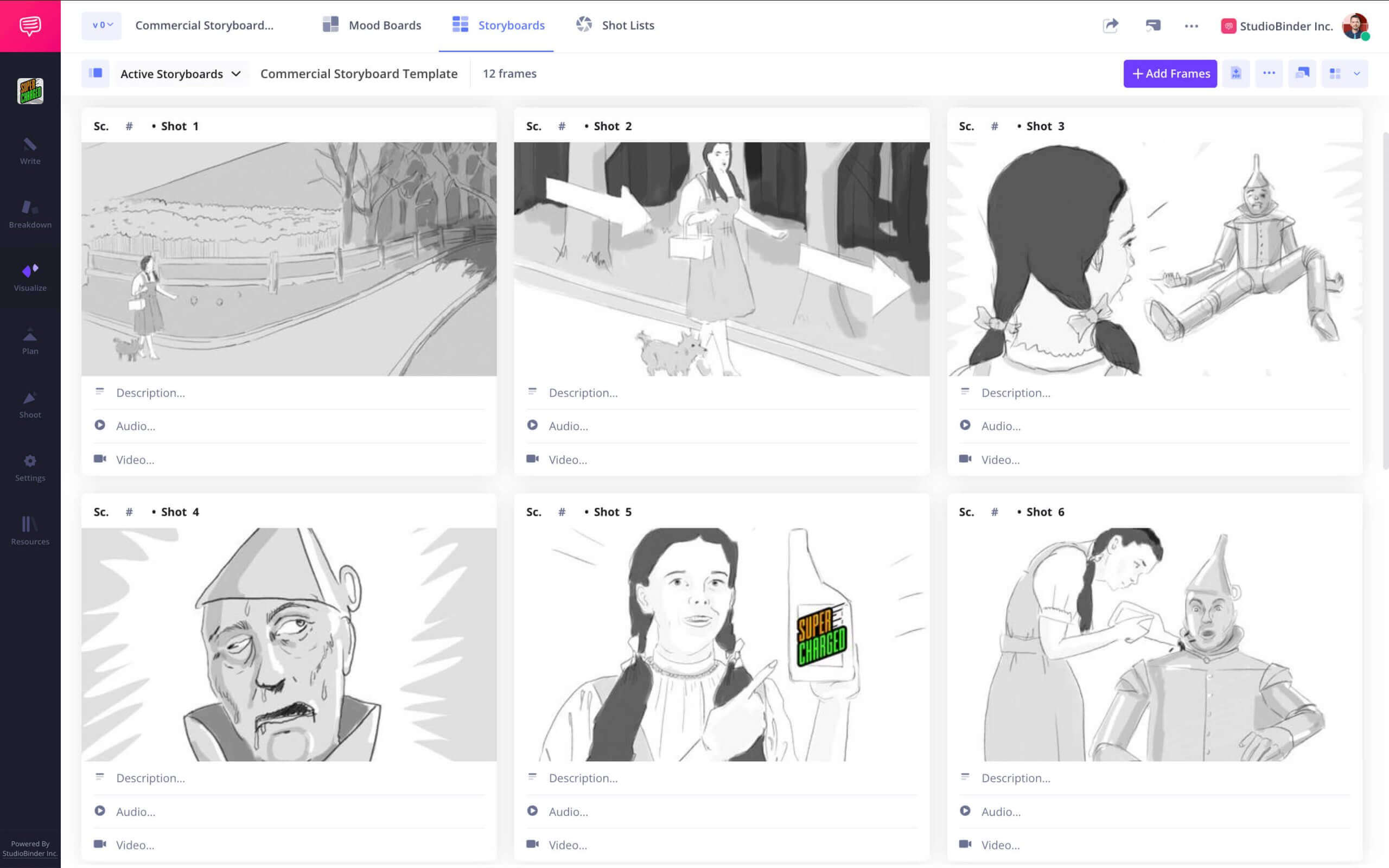
TV Commercial Storyboard

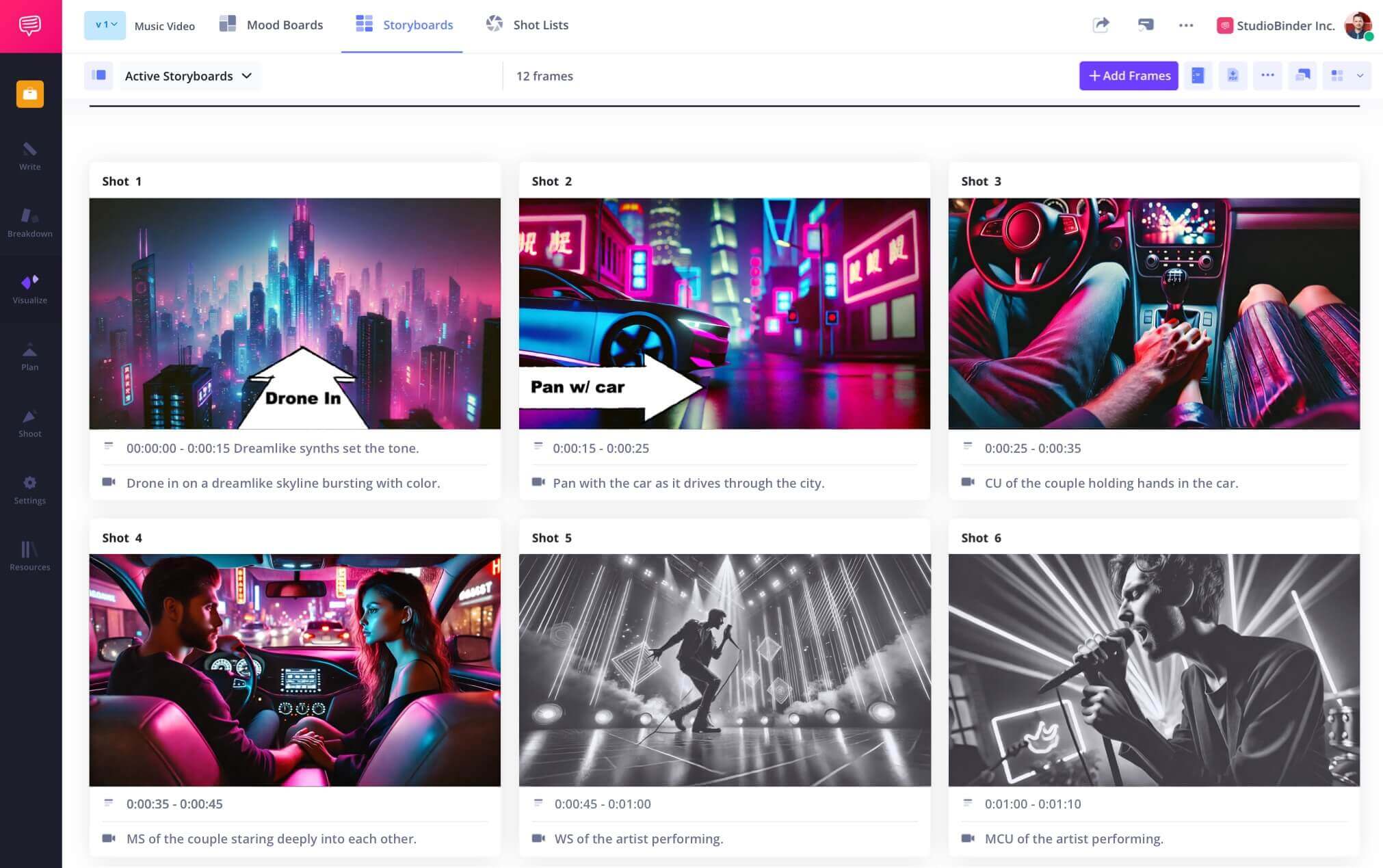
Music Video Storyboard


Frequently Asked Questions
Your questions, answered
StudioBinder's storyboarding program gives you full control over the creation and management of your storyboards. It is also fully integrated with other features within the platform, such as the screenplay, so that the entire pre-production process is self-contained and connected.
Other than StudioBinder's storyboard program, Storyboard Artists might use options like Boords, Storyboarder, or Canva.
Each storyboarding program out there has its advantages and disadvantages. Some are free but have limited functionality, while others excel at functionality but are standalone products. StudioBinder has solutions for the entire pre-production process so you can complete all necessary tasks without leaving the software.
These days, creating a storyboard online only takes a few simple steps.
- Use one of the many storyboarding programs available.
- Choose a storyboard template.
- Upload your images and add them to your frames.
- Add descriptions, annotations, and notes.
- Print a PDF or email your digital storyboards.
Customers
Trusted by the Best
Modernizing production workflows at renowned studios worldwide.












Explore Solutions
What else can StudioBinder do?
See all the ways we can improve your production workflow.
Write
Industry-standard scriptwriting software and note taking.


Breakdown
Identify all the pre-production details you need to know


Visualize
Visualize the script to get everyone on the same page
Plan
Collaborate with department heads as you prepare for production


Task Boards
Team collaboration

Media Library
Share docs & media



Today’s productions use StudioBinder to streamline their process, and collaborate on better content together.


"I can be a part of the conversation and see when someone finishes a task."
Watch Testimonial ➜

"StudioBinder makes pre-production that much quicker for out team."
Watch Testimonial ➜

"Call sheet confirmations have instantly made our life that much easier."
Watch Testimonial ➜


