
home → TEMPLATES → Storyboard
Marketing Video Storyboard Template

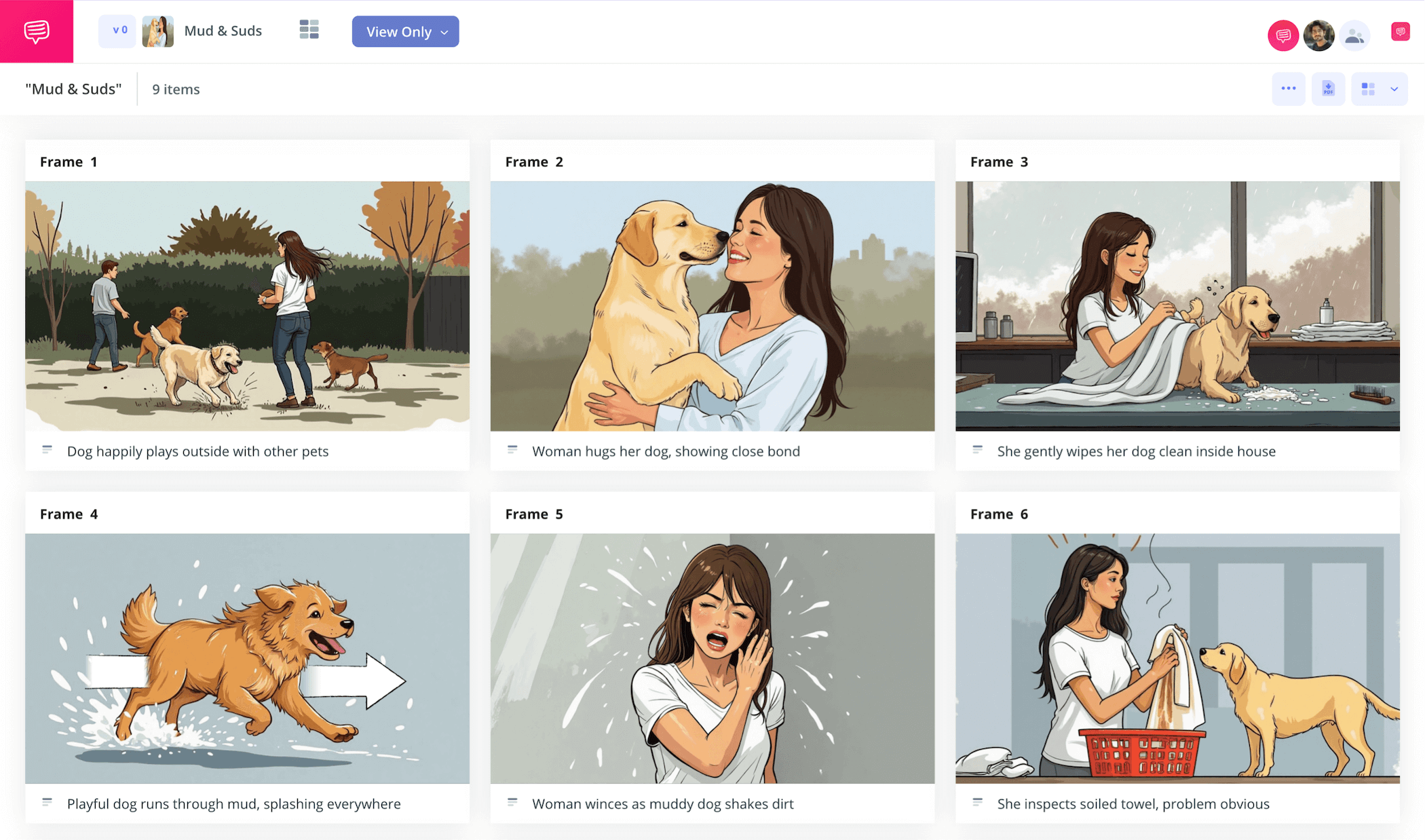
Marketing video storyboard template
Creating a marketing video comes with countless factors to consider regarding your brand, product and audience, so why not use a marketing video storyboard template to make the process run smoothly? With a marketing video storyboard, you’ll lay out your visual advertising plan like a comic book, displaying your digital or television ad frame by frame.
This way you’ll be able to see what’s narratively working, what loses focus group attention, and how much the overall budget will run your team. With these kinds of advertising insights, you have nothing to lose.
In this guide on how to best take advantage of a marketing video storyboard template, we’ll walk you through the entire storyboarding process using StudioBinder’s storyboard creator as our example. But feel free to use any kind of storyboard template you’d like since these steps are broad enough.
Step 1
1. Format your template
If you’re planning a digital marketing campaign and your video advertisement will be in the form of a social media reel, then using a marketing video storyboard with 9:16 panels will reflect the proper aspect ratio of your reel. For just about any other kind of video advertisement though, 16:9 is a pretty universal standard. If you’re working in StudioBinder, you’ll be prompted to answer some of these basic setup questions before arriving at your blank template, which will look something like this:
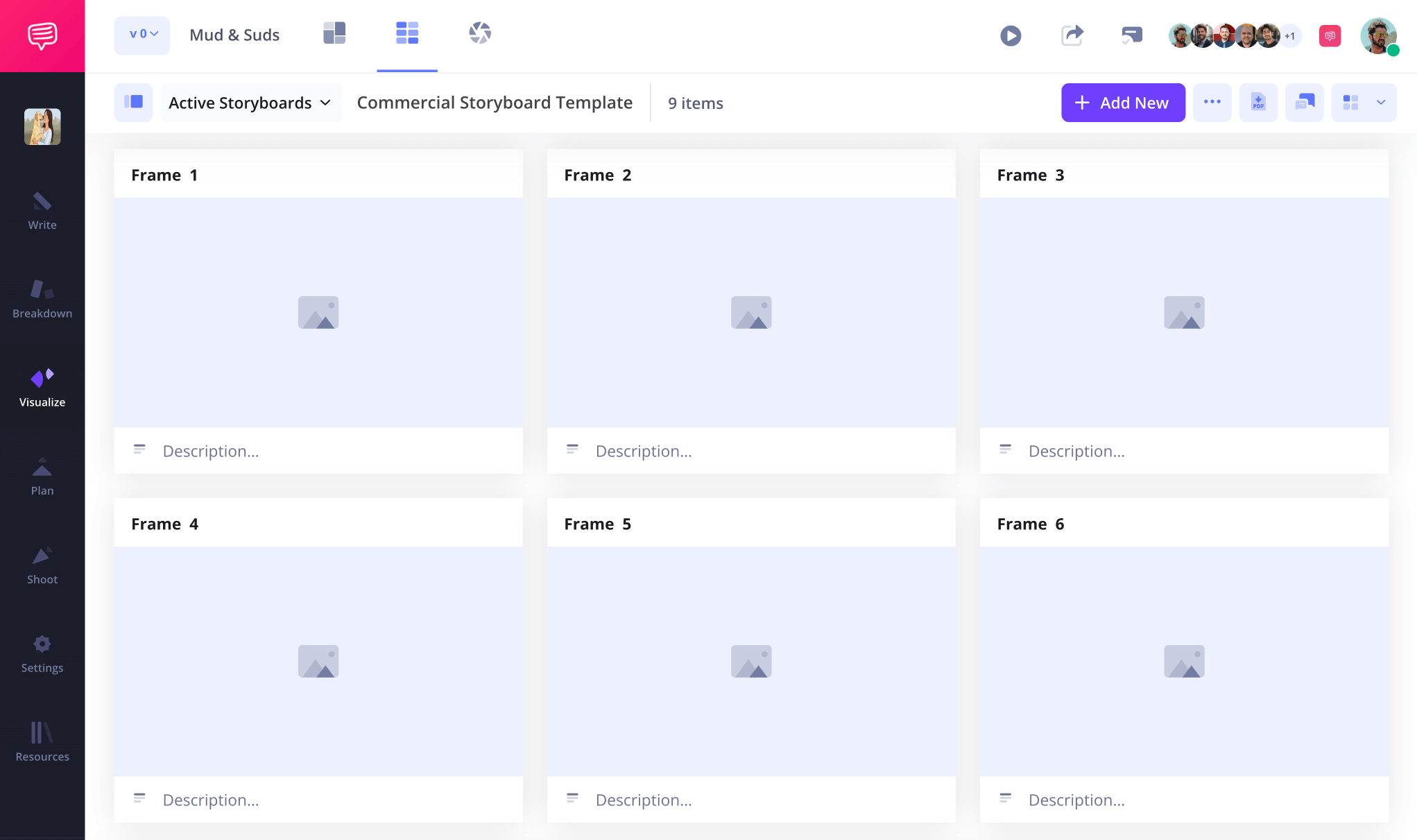
With your blank marketing video storyboard template set up now, you can start writing your ad’s narrative beats into the description panels below each frame. Be sure to also start adding in any technical filmmaking notes you have in mind for each frame in the description fields as well.
Step 2
2. Upload images
Now that you have a solid structure for your marketing video storyboard template, as well as each of your ad’s story beats plotted out in the description, you’re ready to start adding images. For a marketing video storyboard, images can be illustrated, outsourced to professional storyboard artists, or even found online through image database websites.
The key here is really organizing your storyboard to put your brand, or your client’s brand front and center. What need does the product fulfill and how fast is that need addressed visually in the advertisement?
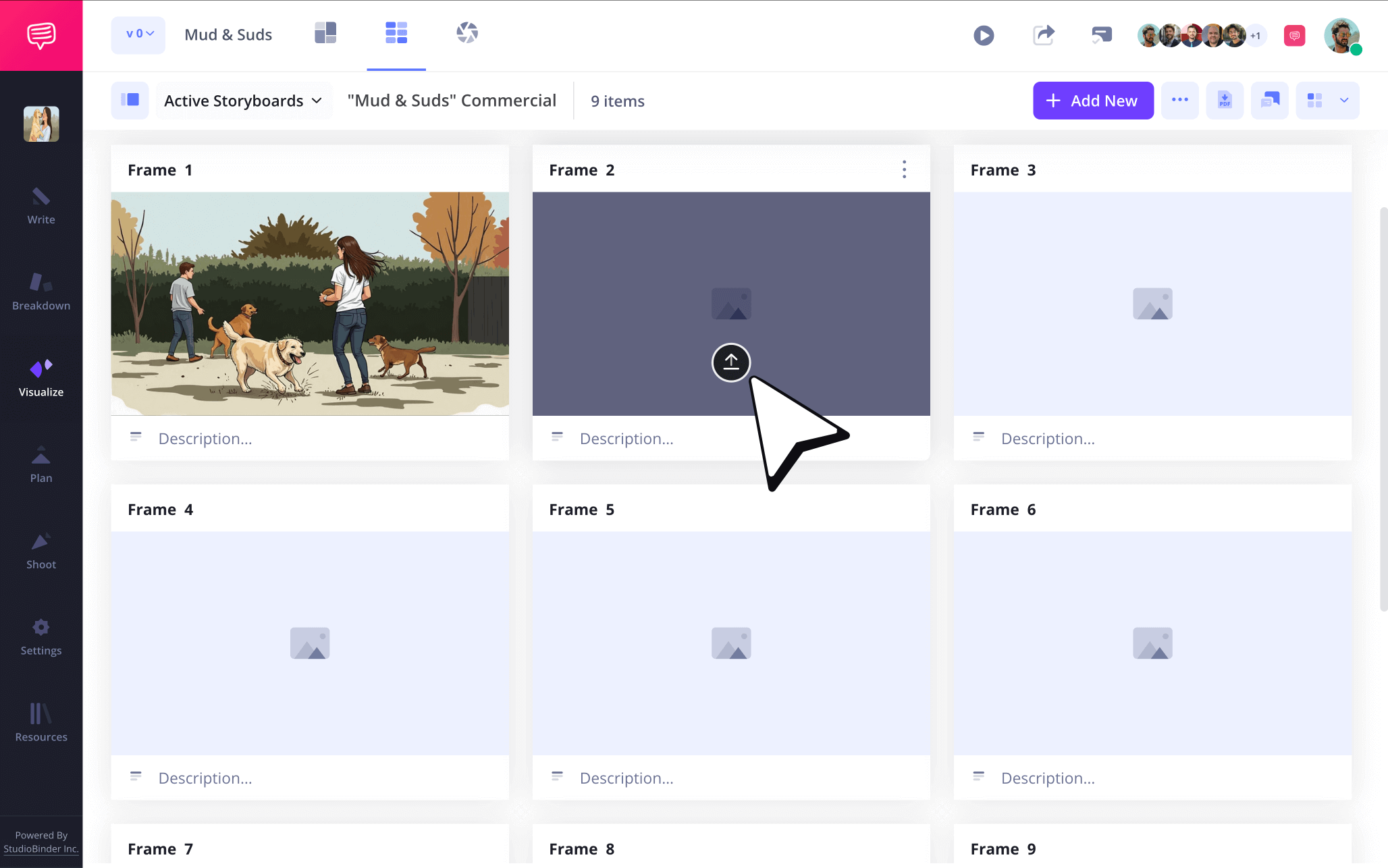
Within StudioBinder, just click Upload on any frame to add your images.
Step 3
3. Use storyboard arrows
In the film industry, storyboard arrows are used to showcase character or camera movement, and in the marketing industry they’re used in the same way, with some additional advantages as well. Maybe you’re giving a client presentation on your marketing video storyboard and you want to draw extra attention to the placement of their product, or a unique movement of their merchandise that will command audience attention in the final TV spot.
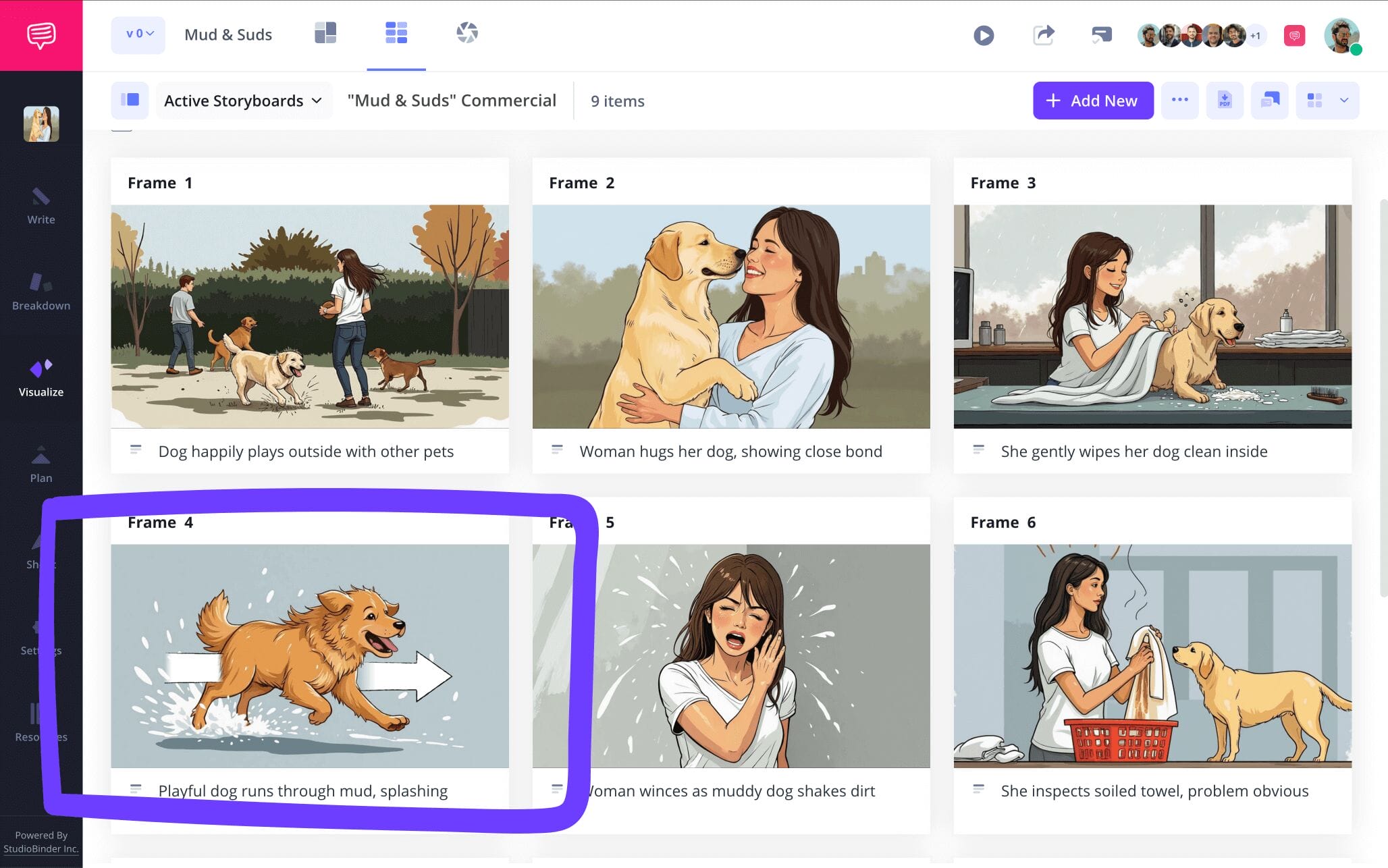
For this and many more marketing storyboard indicators, storyboard arrows will be your best friend. For our marketing video storyboard template example, our brand client asked that we make sure the star dog of our digital ad runs at breakneck speed to really emphasize the need for their product. So, we went into StudioBinder’s image editor to find the right arrow for the job.
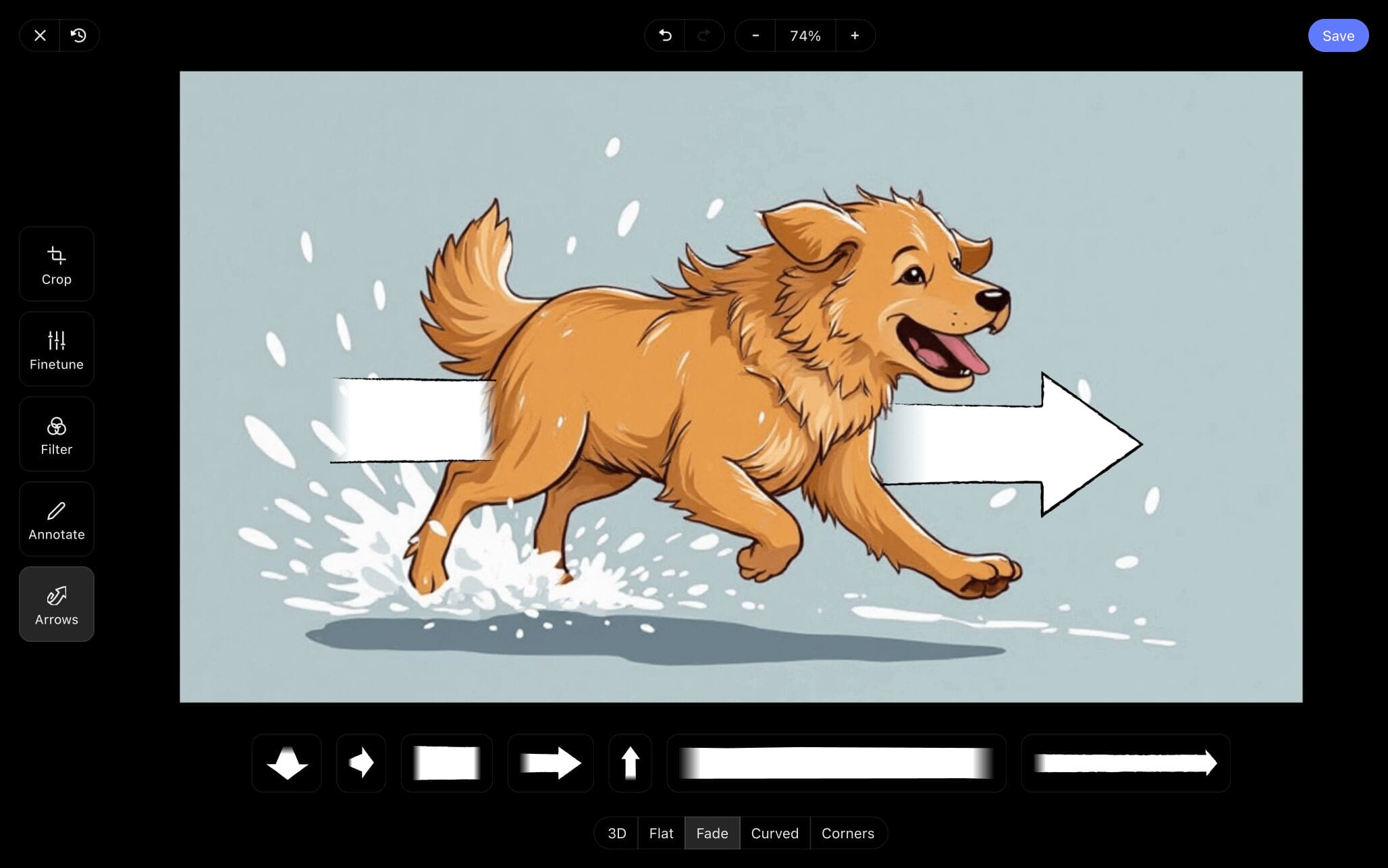
Once we found, resized, and applied a fade arrow, we knew our golden good boy’s speed would no longer go unnoticed. Now we’ll just click Save and our freshly edited image has been added into our marketing video storyboard.
Step 4
4. Collaboration and feedback
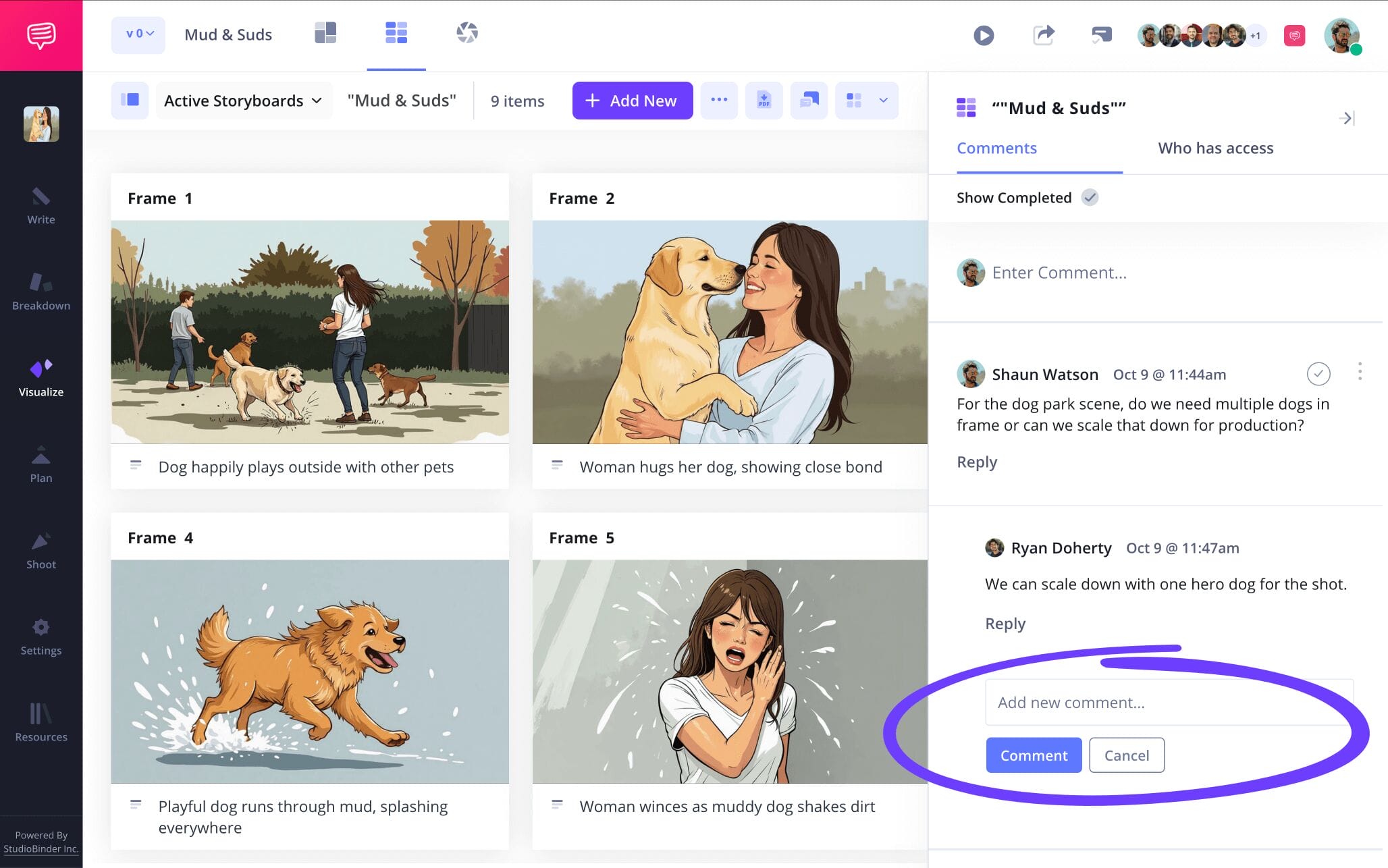
When it comes to building a marketing video storyboard template, there are all kinds of business colleagues, clients, and consultants that will want to keep an eye on your progress and add in their two cents. So, instead of communicating with all these collaborators on separate platforms, why not establish your storyboard itself as your one-stop communications hub?
With StudioBinder, you can set individual permissions for each person you invite to take a look at your marketing video storyboard. If communication is key for your advertising project, be sure to enable commenter or editor permissions for your invitees. This way they can take to the comments section to leave notes and discuss feedback with you.
Step 5
5. Convert to PDF
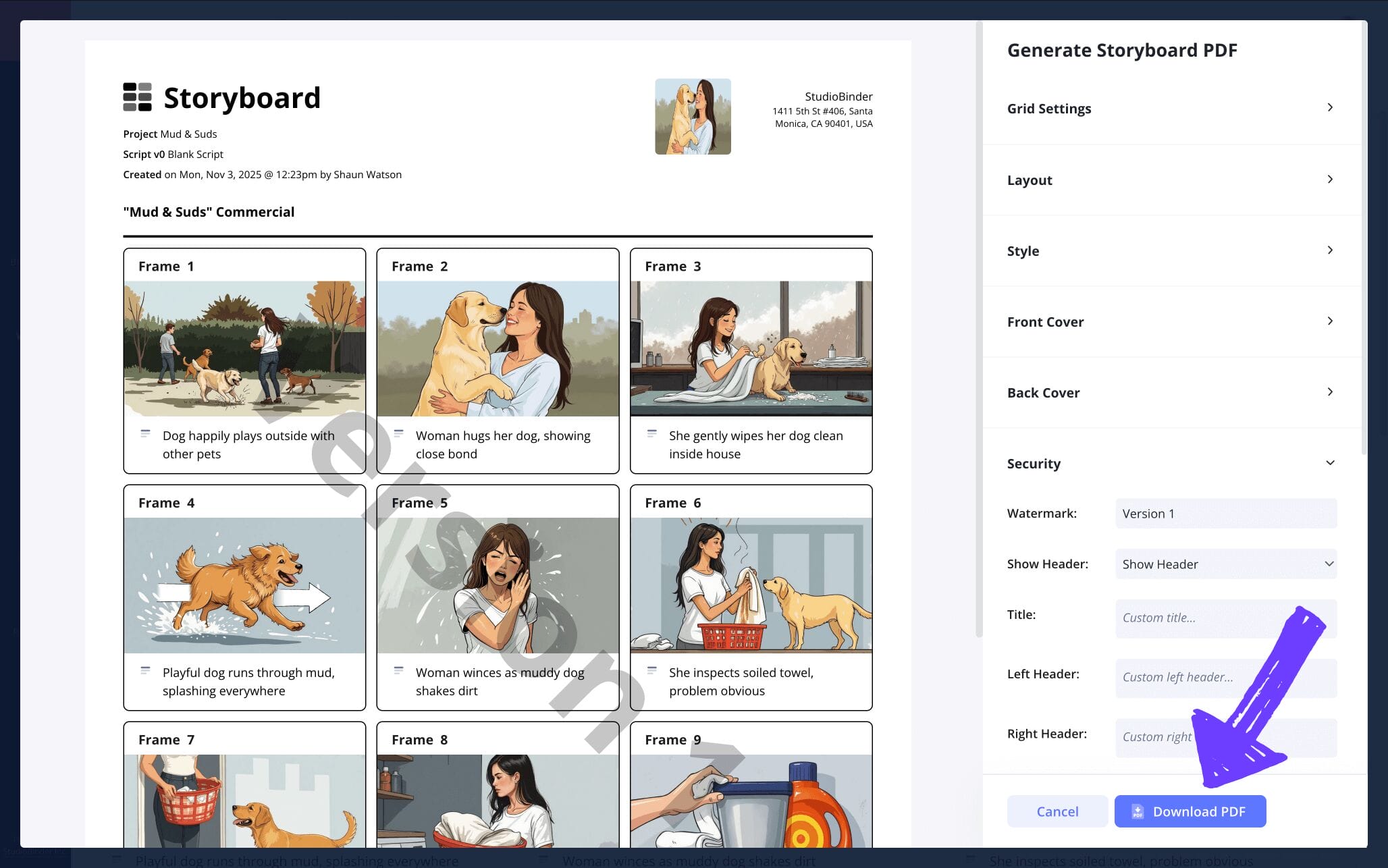
We can talk all day about the advantages of a marketing video storyboard, but if you don’t properly save your storyboard, then none of those tips will really matter. Which is why consistently converting your marketing video storyboard template to a PDF document is one of the most important steps of all. But beyond just saving your work, converting to a PDF is a great way to send or print your storyboard for all your advertising agency partners who need to work with it.
With StudioBinder’s PDF editor, you can even customize your storyboard PDF based on any requests. We’ll be presenting our storyboard to our client soon, so we’ll add a front and back cover for everyone’s copy at the meeting to keep it professional. Then we’ll add a watermark to show confidentiality is our top priority, and just like that, we’re ready for our big pitch meeting!
Conclusion
Finished!
With a marketing video storyboard template by your side, as well as a helpful guide on how to use it to your whole advertising team’s advantage, you’re sure to blow any competition out of the water with your next client pitch. And if you have an itch to explore any more storyboard templates, be sure to check out all of StudioBinder's free storyboard templates.
Frequently Asked Questions
Your questions, answered
A storyboard for marketing is a visual tool used in the planning process of a marketing campaign. While a marketing storyboard can be used to plan anything from a presentation to a product initiative, they’re most typically used to visually showcase a digital or television ad. The storyboard lays out the entire advertisement narrative like a comic book from one frame to the next. The images are often sketched by a storyboard artist. This is ultimately a helpful way for marketing directors to show their clients how they plan to represent their brand or product through a planned commercial that hasn’t been shot yet.
To create a video marketing storyboard, start by really considering the product or brand you’re advertising. What is its core function? If I’m someone who needs this product, what is life like for me, what does the product offer that I don’t have? Once you’ve pinned down the heart of what you’re advertising, condense the idea into a narrative that’s about two minutes long or less. Write out the action into your storyboard’s description fields, then start visualizing with images you illustrate or find online.
Using a marketing video storyboard really comes down to taking advantage of the best planning tools available to you. If you have to pitch a digital marketing campaign to a business client for example, you can bet that all your competitors are using storyboards to plan out the tightest, most on-point digital ads for the client. In this case, you also want to be prepared, because storyboards allow you to see your narrative ideas from a unique perspective that allows you to cut out any excess information and keep the budget manageable.
When it comes to building a marketing video storyboard, whether for your own company or business clients, one of the most common mistakes is to focus on visual style over the brand or product message. In today’s day and age, it’s easy to get lost in all the digital bells and whistles that you can add to an advertising video. Oftentimes this distracts from the very simple idea you’re trying to pinpoint through the ad: What is the product and why does the customer need it? So, go to town with all the cool effects and tricks you can add into that TV commercial you’re planning, just make sure you don’t lose the central question at the heart of what you’re doing!
Create your free storyboard
Visualize your storyboard with our free template.
Get started for free
