
home → TEMPLATES → Storyboard
Storyboard Fillable Template


Storyboard fillable template
If you’re on the prowl for a reliable storyboard and guide on how to storyboard, our storyboard fillable template might be just what you need. Whether you’re looking to plan out a tv show, tv commercial or film while in the pre-production phase, a blank and fillable storyboard template that’s constructed to work for you and your production team is one of the most essential tools you can apply to your workflow. Even if you’re not working with a showrunner or creative director, planning out your visual narrative before actually crafting it can only increase your creative wisdom.
Below, we’ll take you on a step-by-step tour on how to approach putting together a storyboard fillable template using StudioBinder’s storyboard creator. You can follow along on StudioBinder, or you can use your own storyboard of choice since these steps are broad enough to apply to any kind of template. And now, without further ado…
Step 1
1. Ready your template
Start by focusing on the overall format and structure of your storyboard fillable template. If you’re working with a fillable tv storyboard template, then the typical standard is the same as the film industry, 16:9 panels and 3 to 6 panels per page. Of course, just because these are the most often used storyboard presets, doesn’t mean you necessarily need to abide by them, this is a creative process afterall.
When you start a storyboard project in StudioBinder, you’re prompted to answer some of these basic structural questions. After you’re through with the setup, this is roughly how your storyboard will look:
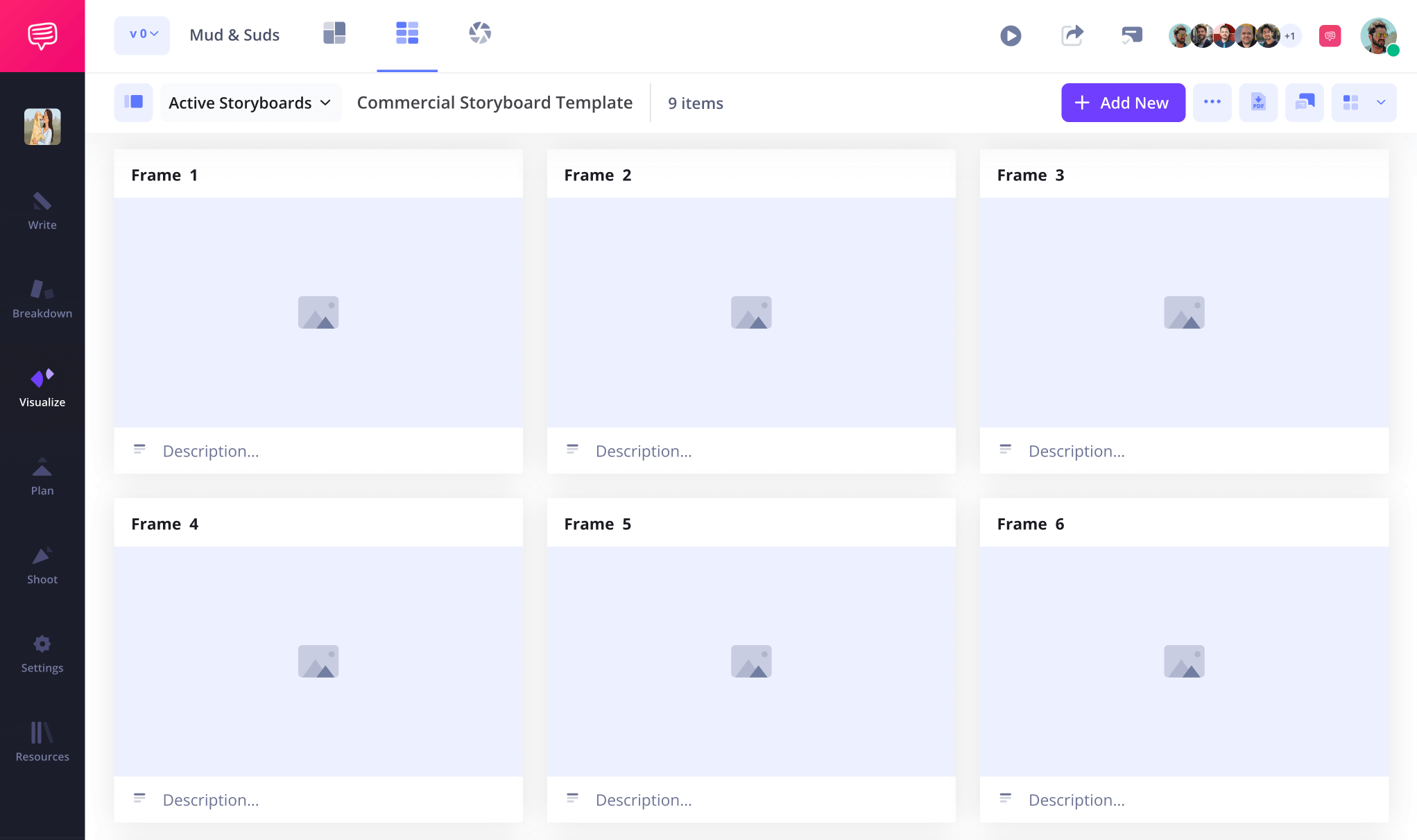
If you have a script on the ready, then feel free to upload it into StudioBinder so you can turn your script lines into descriptions with a quick click. Or, you can start typing out your descriptions and shot information as you go.

Step 2
2. Upload images
If you’re working with a fillable tv storyboard template, then you probably have a team of storyboard artists who have already started sketching out panel images. Heck, maybe you’re a storyboard artist yourself. If you’re not, don’t fret. Even the simplest stick figure drawing is useful on a storyboard as long as it’s communicating all the key information you need: camera shot setup and the characters/environment that will be visible in the shot.
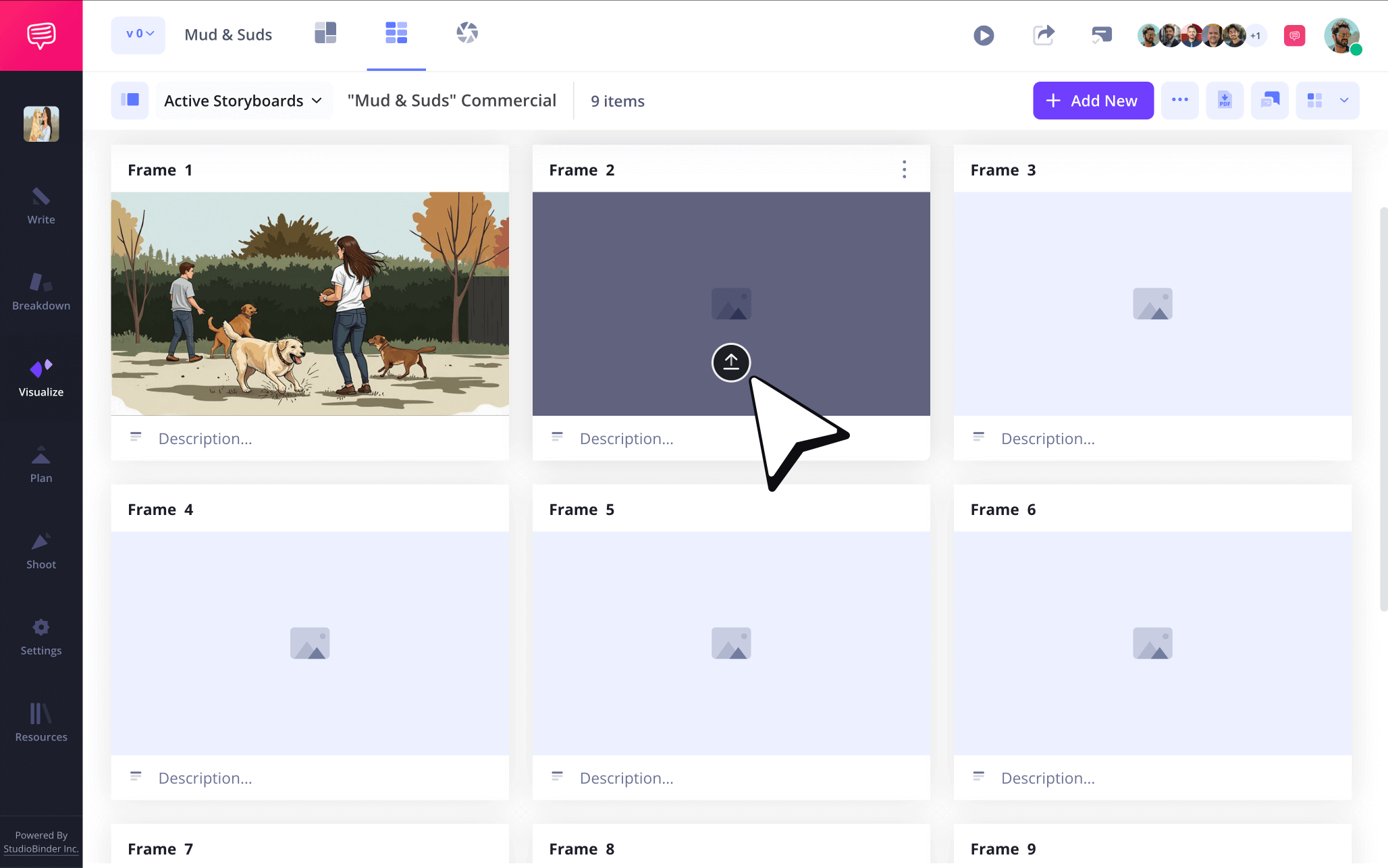
Uploading images into your storyboard fillable template in StudioBinder can be done by simply clicking the upload button on any panel.
Step 3
3. Show action with arrows
Imagine this. You’re looking at your fillable storyboard template, all the images are there and they flow together well. But then your showrunner points out that Margery’s entrance in the fourth panel is supposed to feel daunting and claustrophobic. You look at the fourth panel and there’s Margery, looking small and not daunting at all. So, you come up with a solution: a storyboard arrow that indicates a crash zoom in on Margery. Now the image doesn’t need to be redrawn and Margery’s entrance is even more daunting and staggering than before with this new idea.
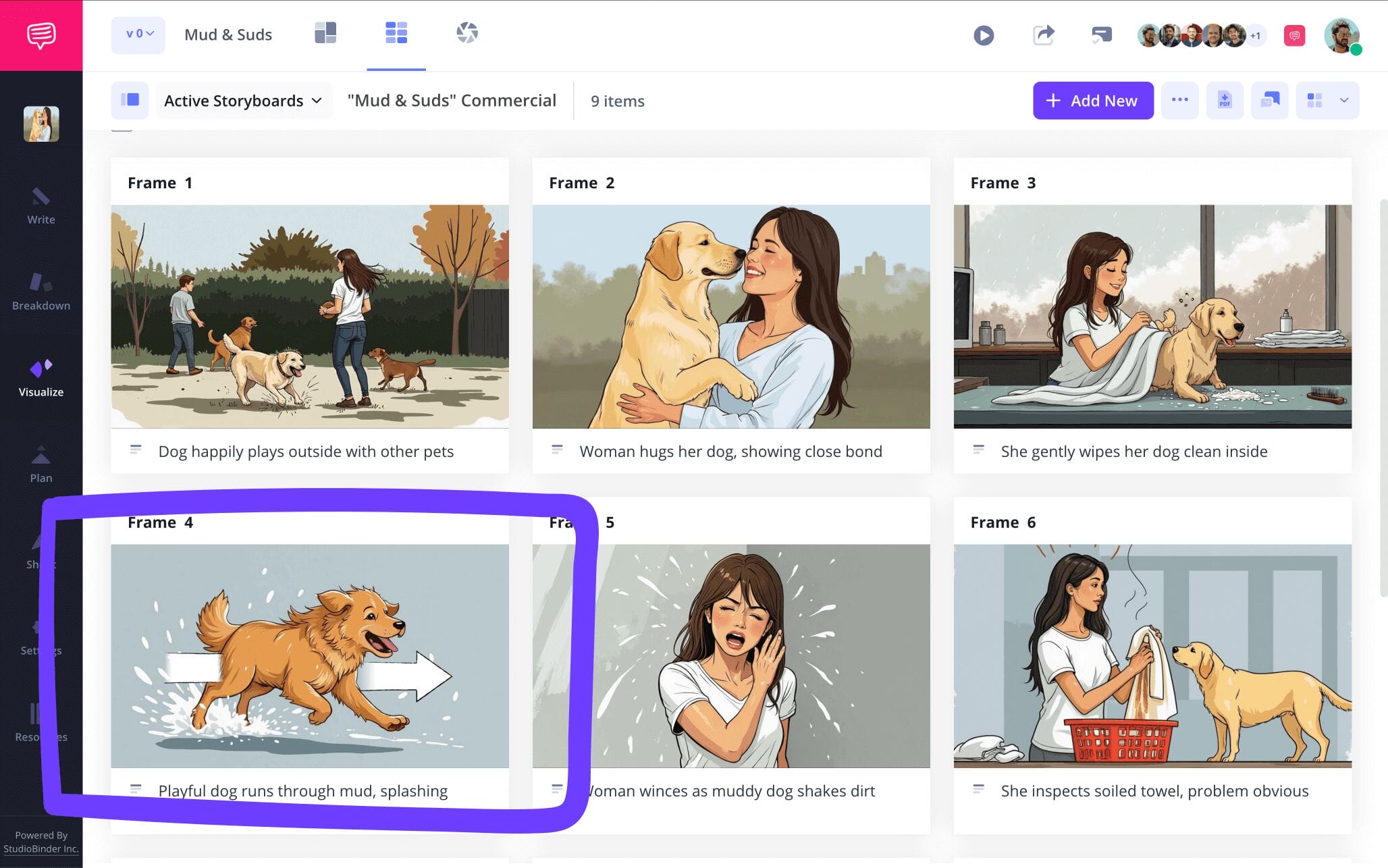
For our own TV commercial storyboard fillable template example, we used StudioBinder’s image editor and selected from a long list of customizable arrows to indicate a more swift camera action.

After we were finished resizing our arrow and making it look as seamless and organic to our image as possible, we clicked save and our arrow edit was added into our fillable tv storyboard template.
Step 4
4. Collaborate on your storyboard
Storyboards require perspective. So, if you want your storyboard fillable template to be the best it can be, you’ll want to reach out to everyone on your team for feedback. But since doing this all in a text group chat can get confusing, it’s good to have a one stop shop for all pre-production communication. With StudioBinder, your fillable storyboard template itself can be used for both team communication and team edits.
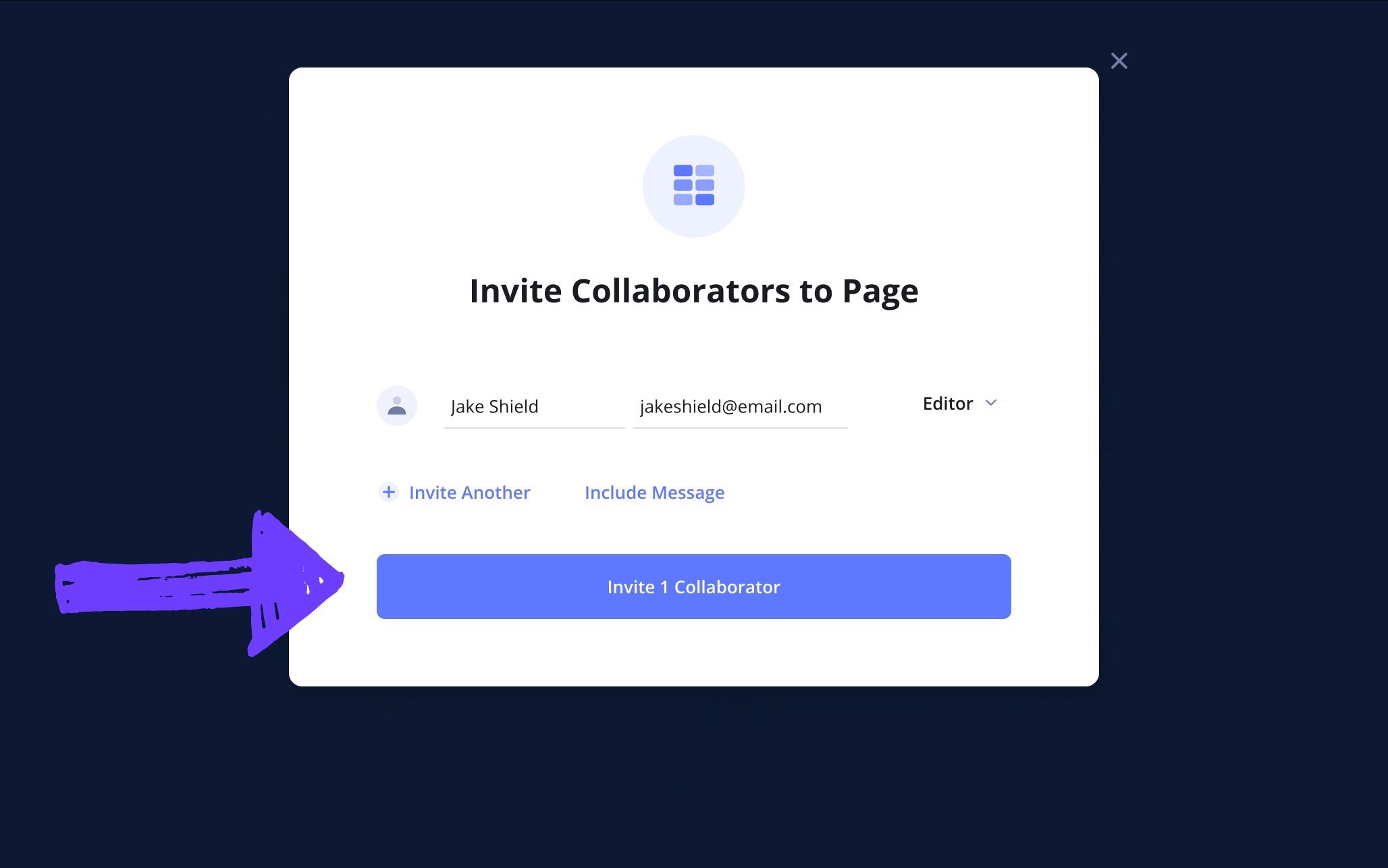
When sending an individual invite, you have the option to set your collaborator’s permissions to either viewer, commenter, or editor.
If you’re most eager to get some thoughts and feedback on your fillable tv storyboard template, those with commenter or editor permissions enabled can take to the comments tab to layout their notes for you.

Step 5
5. Convert to storyboard PDF
When you reach the end of your work and your storyboard is looking in tip top shape, you’ll want to put a pin in it all by officially converting your storyboard fillable template to a PDF document. If you’re working with a fillable tv storyboard template, then you know how valuable an unchangeable copy of a storyboard is. Not only that, you also know the value of being able to customize your storyboard PDF for each production department’s needs. Even if you’re solo storyboarding, you’ll of course want a finished and formatted document to work with.
For our fillable storyboard template example, we used StudioBinder’s PDF editor to add a front and back cover, before finalizing all our edits with a custom title and watermark, just in case our project winds up in the wrong hands.

Conclusion
That's a wrap!
Now that you’re done taking a stroll with us through the valley of ‘how to build your own storyboard fillable template,’ we’re as proud as we are sad to see you go. But hey, the tears don’t have to start rolling just yet, stick around and check out our long list of free storyboard templates if you’d like!
Frequently Asked Questions
Your questions, answered
There are plenty of pre-made Word templates to choose from online when you search for them on google. Whether it’s for film, animation, television, or even personal projects, Word is one of the most reliable sources when it comes to blank storyboard templates. Just think about the type of structure and dimensions you’ll prefer for your storyboard and start searching!
The 180 degree rule in storyboarding refers to a rule of visual continuity when creating sketches for storyboard frames. The idea is that there should always be a line connecting the characters displayed in a frame, and that the camera angle should never cross that line from drawing to drawing or some serious viewer disorientation will start occurring. This is one of the most essential rules any tried and true storyboard artist will be instinctively familiar with.
While television storyboards and film storyboards may differ in the amount of storyboard pages they each require, the general structure and dimensions of the storyboard itself tends to be the same. In most professional environments, both film and television pre-productions go with 16:9 aspect ratio frames, and either 3 or 6 frames per page. This is mainly to make sure that the images and the image information are as clearly displayed as possible.
Searching for a storyboard template online that can help display whatever visual narrative project you’re working on is like creating a rough draft of work. And just as any great writer would agree, you have to get through those mediocre early drafts before you can create the brilliant final draft. It may seem tedious at first, but when you look at a visual version of your project, displayed panel by panel like a comic book, you’ll start to see what’s tonally fitting and what could be cut out. This will then save you endless amounts of time and even money when you start shooting or animating your project. So, why not use a storyboard fillable template? It can only help your process!
Create your storyboard fillable template
Visualize your storyboard fillable template with our free filmmaking software.
Get started for free
