
home → TEMPLATES → Storyboard
Storyboard Presentation Template

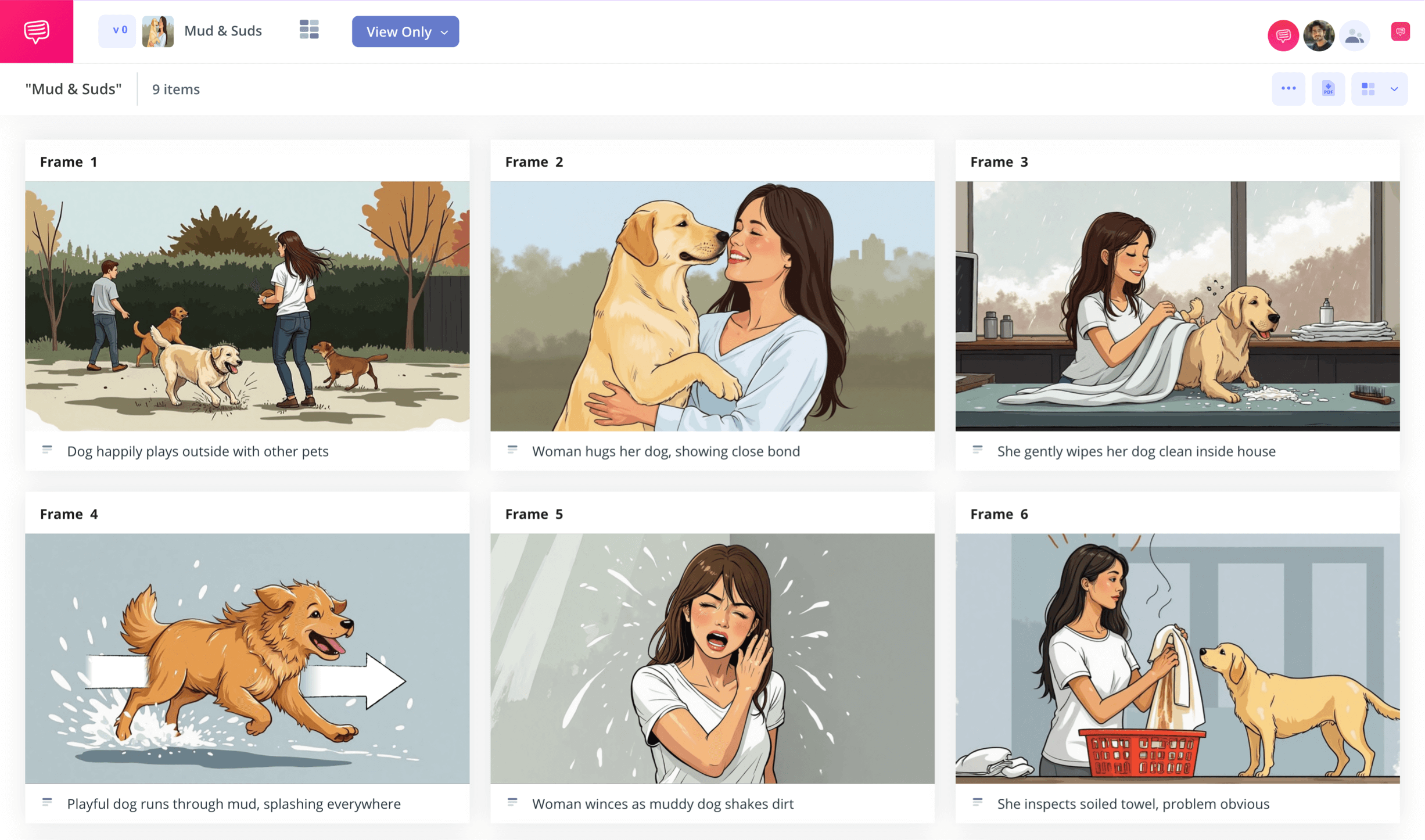
Storyboard presentation template
If you’re planning out and practicing for an important presentation, you may want to consider using a storyboard presentation template. Whether you’re presenting for a large audience or a small crowd, visualizing every important beat through a presentation storyboard will place you in the shoes of your audience and give you a valuable perspective on what flows well and what just isn’t working. Just as well, if you’re literally presenting a storyboard to an audience, you’ll want to make sure you know the ins and outs of the storyboarding process, as well as how to create the best storyboard for visual display.
By following along with our below guide on how to build the best storyboard presentation template, we’ll provide you with the broadest and most valuable steps. For our guiding example, we’ll be using StudioBinder’s storyboard creator, but you follow along with any presentation storyboard tool you have available.
Step 1
1. Prep your template
Maybe you’re creating a storyboard presentation template that you want to present within a powerpoint to your class, corporate coworkers, or sharing a video concept with a business client. In this case, you’ll want to make sure you customize your storyboard dimensions to fit comfortably within your powerpoint slides. But if you’re using your storyboard to prepare for a presentation, you’ll customize based on your own visual preferences.
After setting up your storyboard through StudioBinder’s starting customization prompts, it will look something like this:
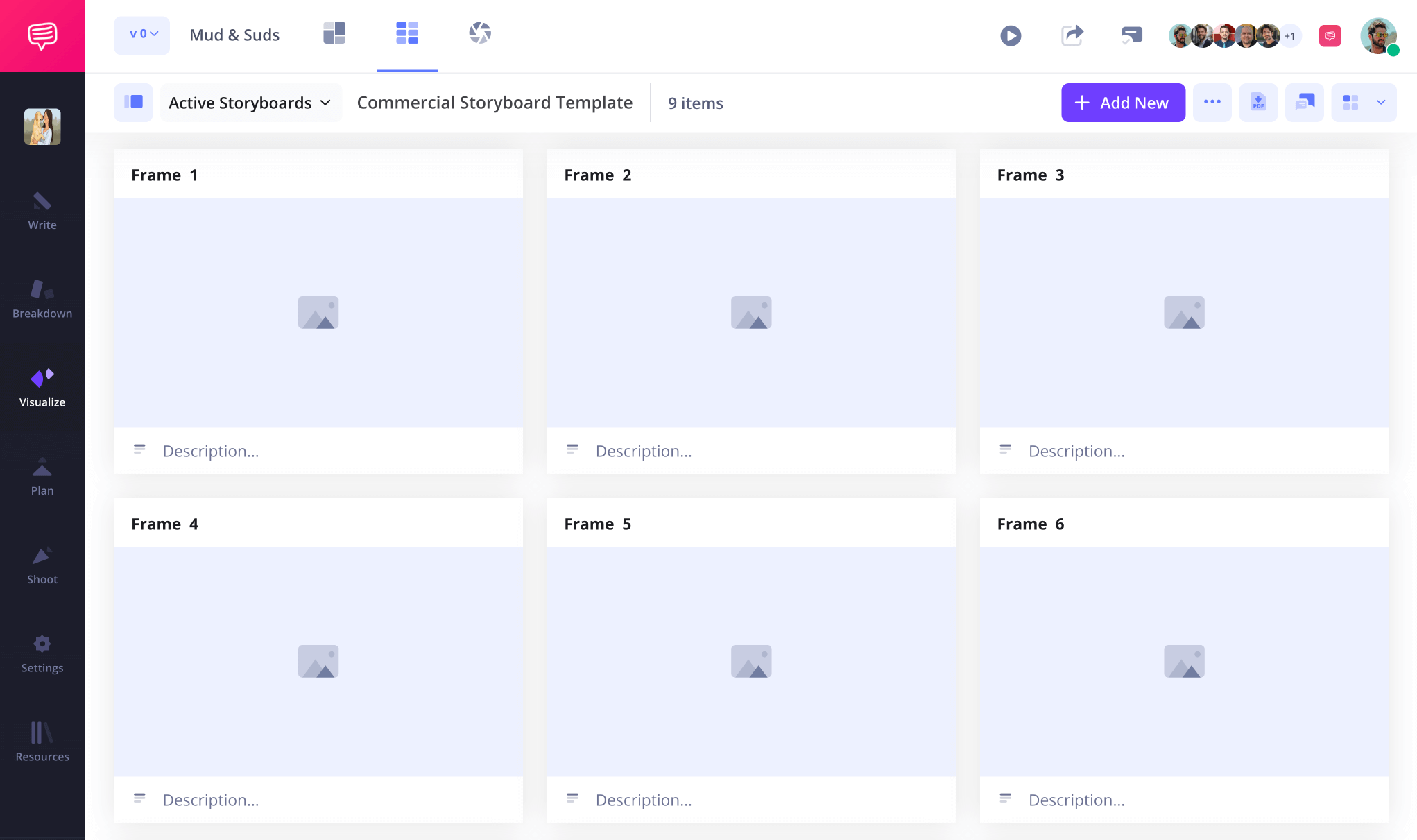
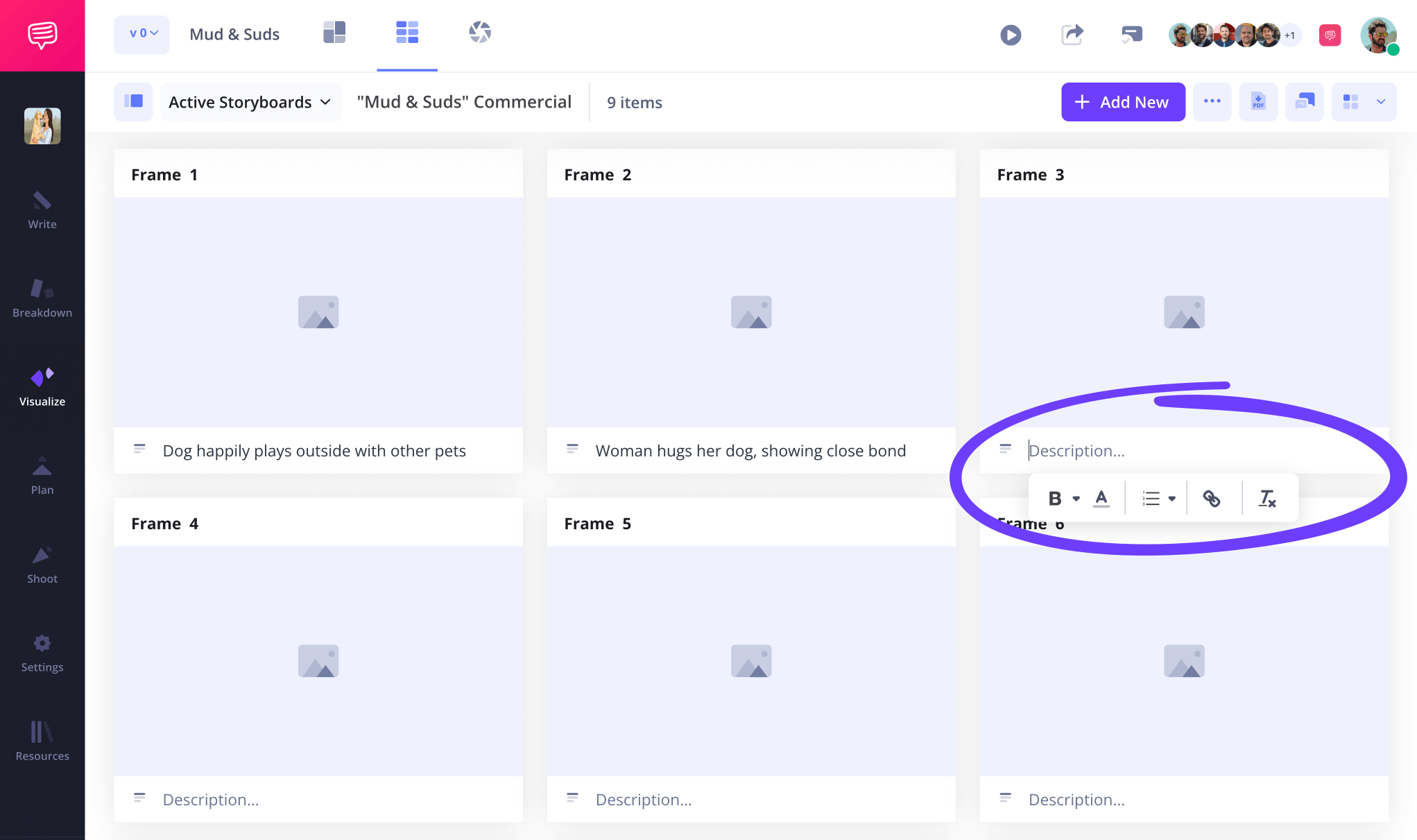
At this point, it’s likely that you have your presentation, or at least the broad idea of your presentation written and ready. So, go ahead and pace out and write the most important beats in the panel description fields on your storyboard ppt presentation.
Step 2
2. Upload images
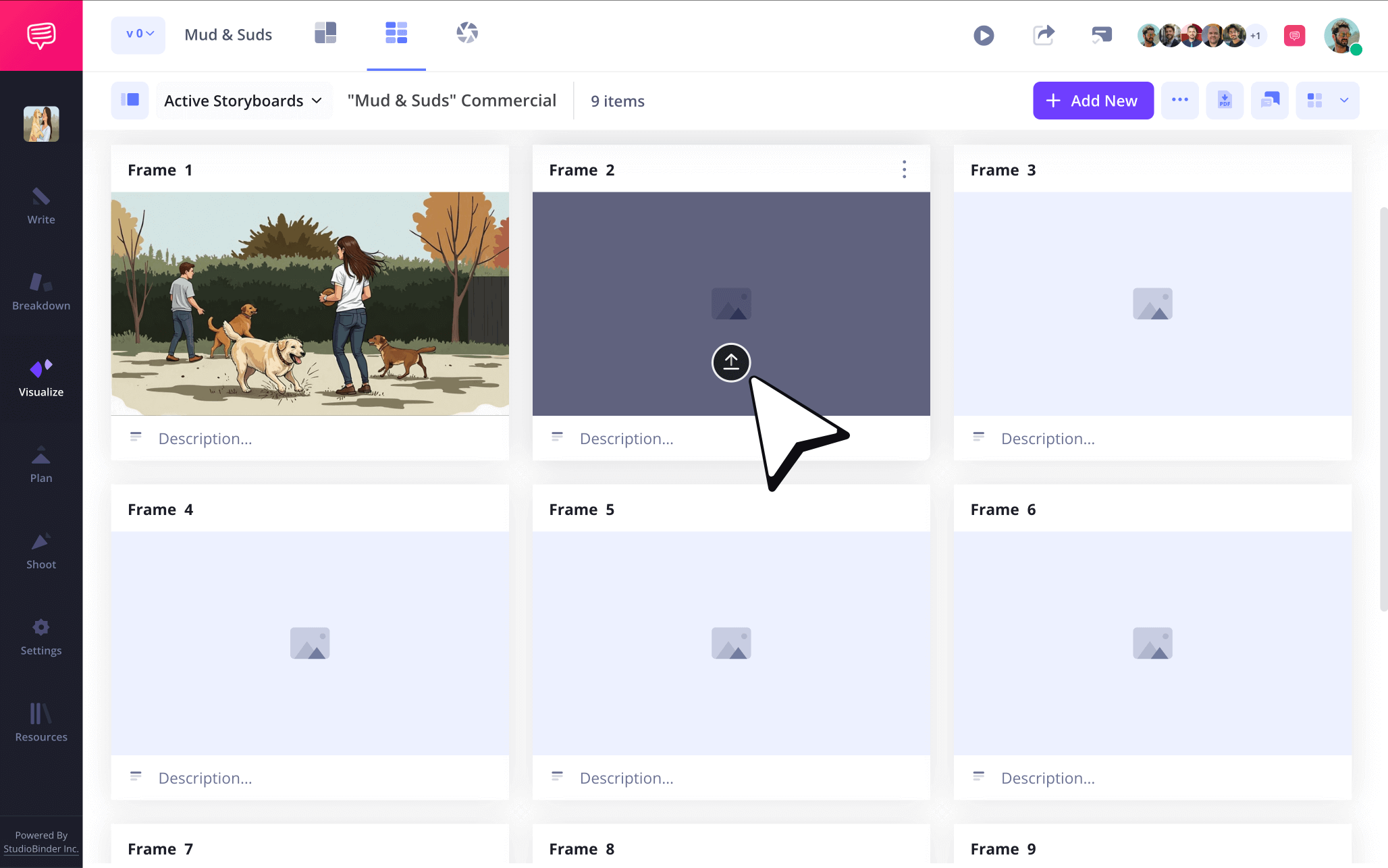
Let’s say you’re prepping for a powerpoint storyboard presentation and the goal is to pitch your clients on several commercial advertising ideas through several commercial storyboard concepts in your powerpoint slides. In this case, you’ll really get to flex your creative muscles when it comes to the many images you can use for all these storyboard ideas. You of course have the option to draw original sketches, or you can use reference images from other campaigns to peak your client’s interest.
Adding images in StudioBinder can be done by simply clicking the upload button on any of your storyboard powerpoint presentation panels.
Step 3
3. Add arrows
Storyboard arrows are an age-old storyboarding tradition. In the film industry they’re known for bringing some extra attention to camera, character, or environment movements. But when it comes to your storyboard presentation template, you might use some storyboard arrows to highlight company stock growth, brand logo adjustments, or whatever you feel will really capture your audience’s attention.
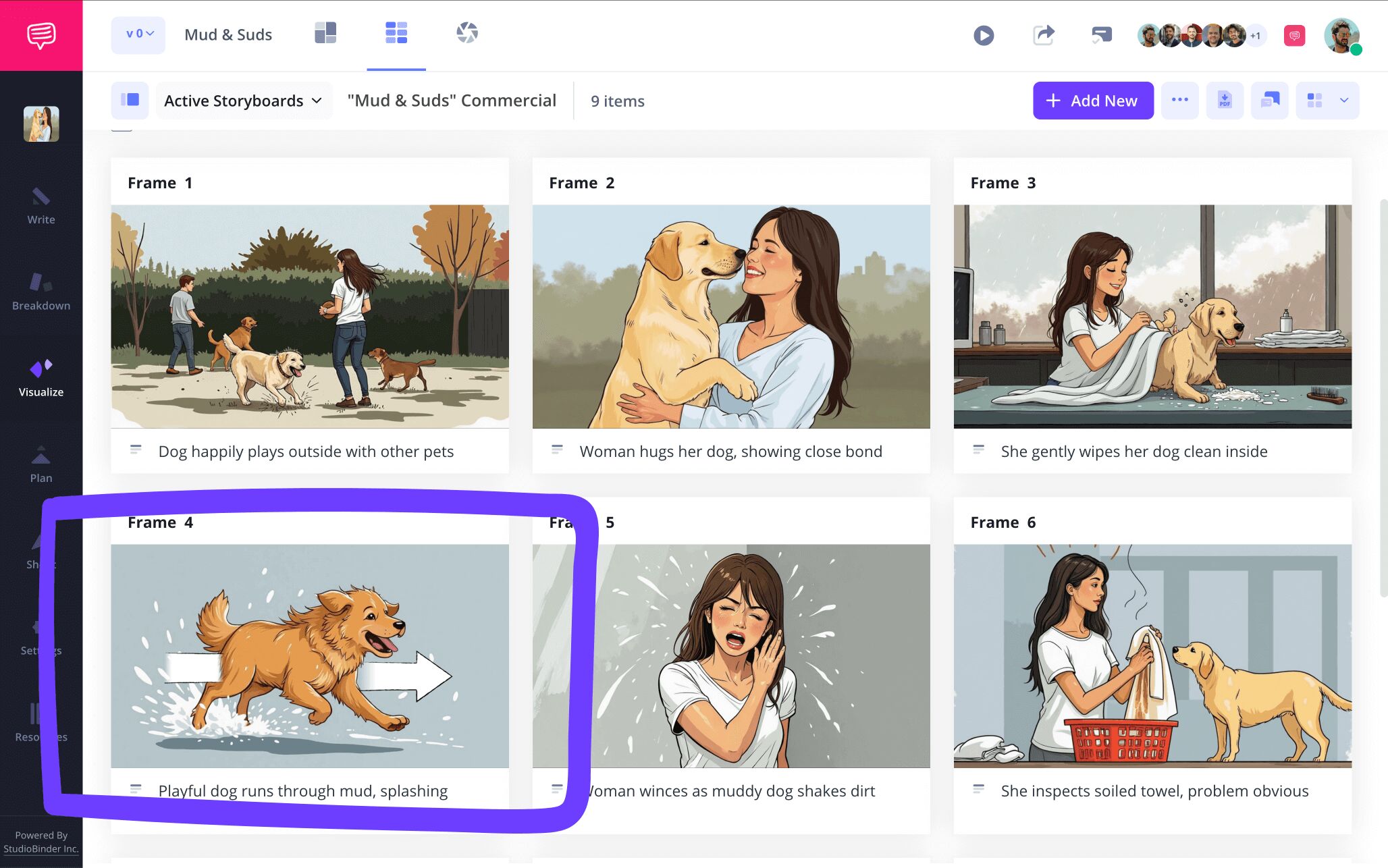
With StudioBinder’s image editor, you can add an array of customizable arrows to your storyboard powerpoint presentation images.

If your image needs a little extra color of cropping fixes, you can make those adjustments in the image editor as well. Once your edited image is ready to be posted into your presentation storyboard, just click save.
Step 4
4. Share and receive notes
Presenting a storyboard concept or any kind of idea that requires capturing and holding all the attention in the room can be challenging enough, which is why sharing your storyboard presentation template and getting as much feedback as possible will be extremely beneficial. Likewise, if you’re powerpoint storyboarding alongside a group of corporate colleagues, you’ll also want all the collaboration and feedback you can get before the big powerpoint storyboard presentation day.
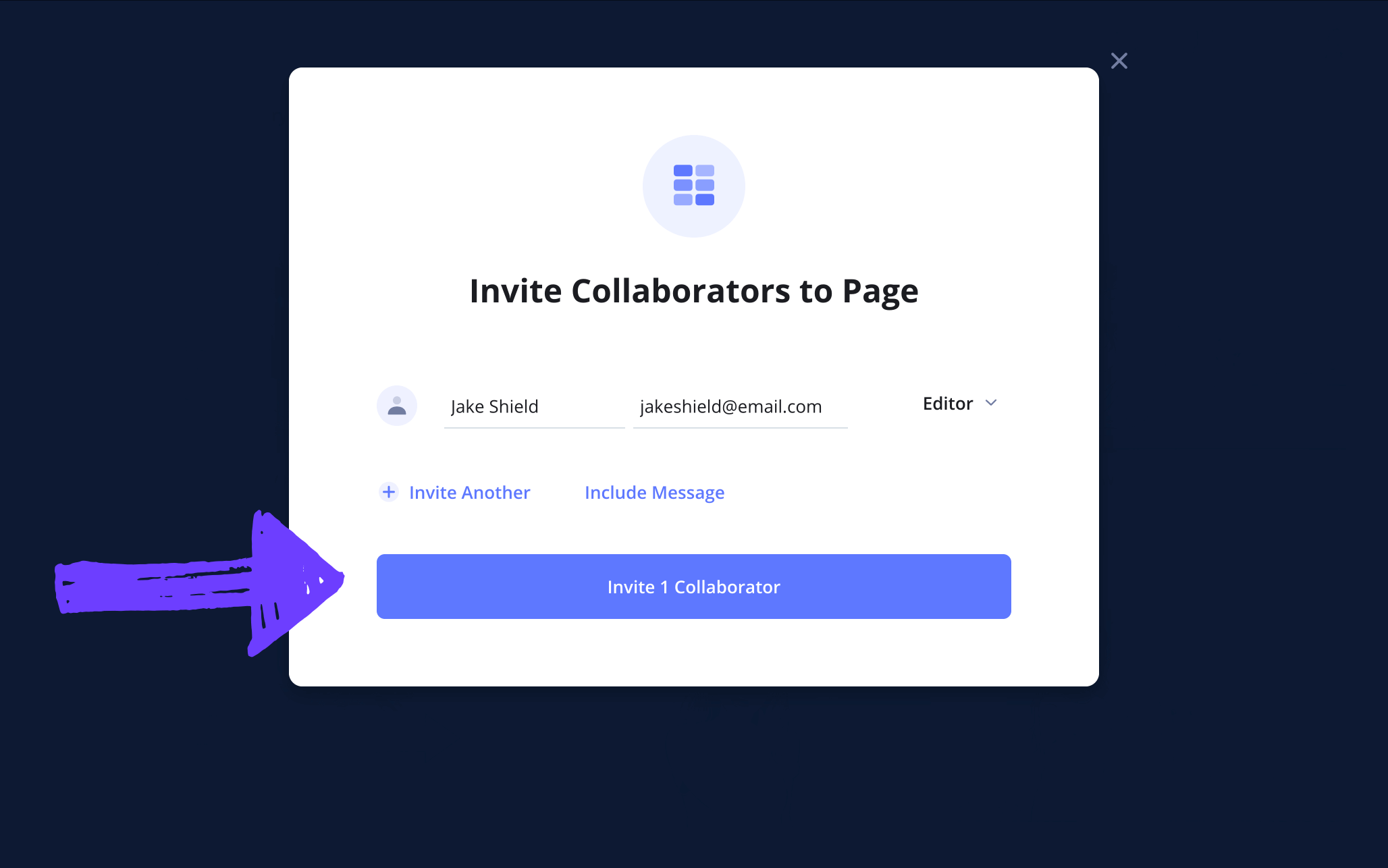
Send a view-only-link for those taking quick peaks, or set your invitee’s permissions to commenter or editor to really optimize your collaboration game.
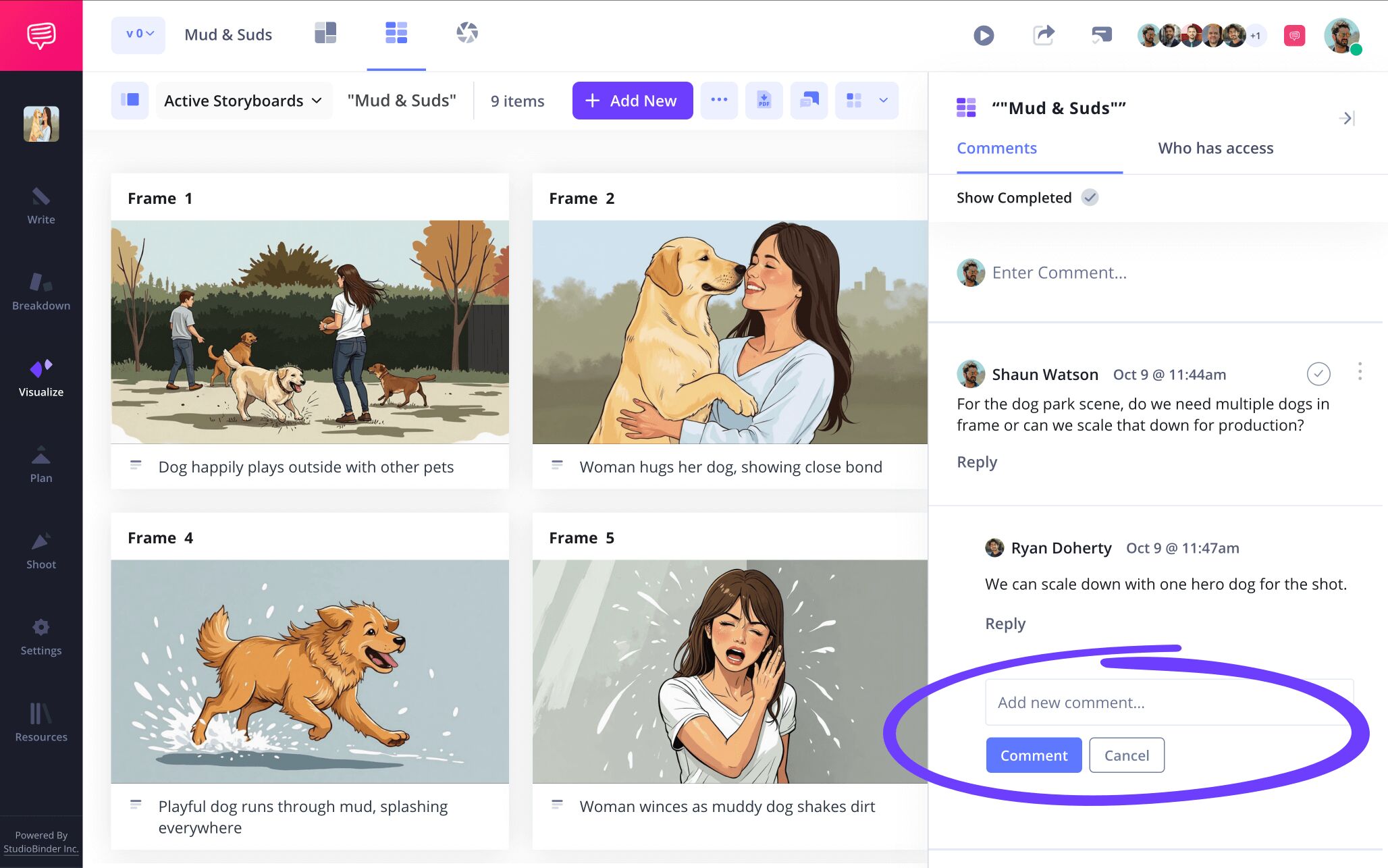
StudioBinder also acts as a hub where you can gather your whole project team and communicate efficiently. With the commenter and editor permissions enabled, you and your team can take to the comments tab in your powerpoint storyboarding project and really get to the bottom of what’s working and not working.
Step 5
5. Create a storyboard PDF
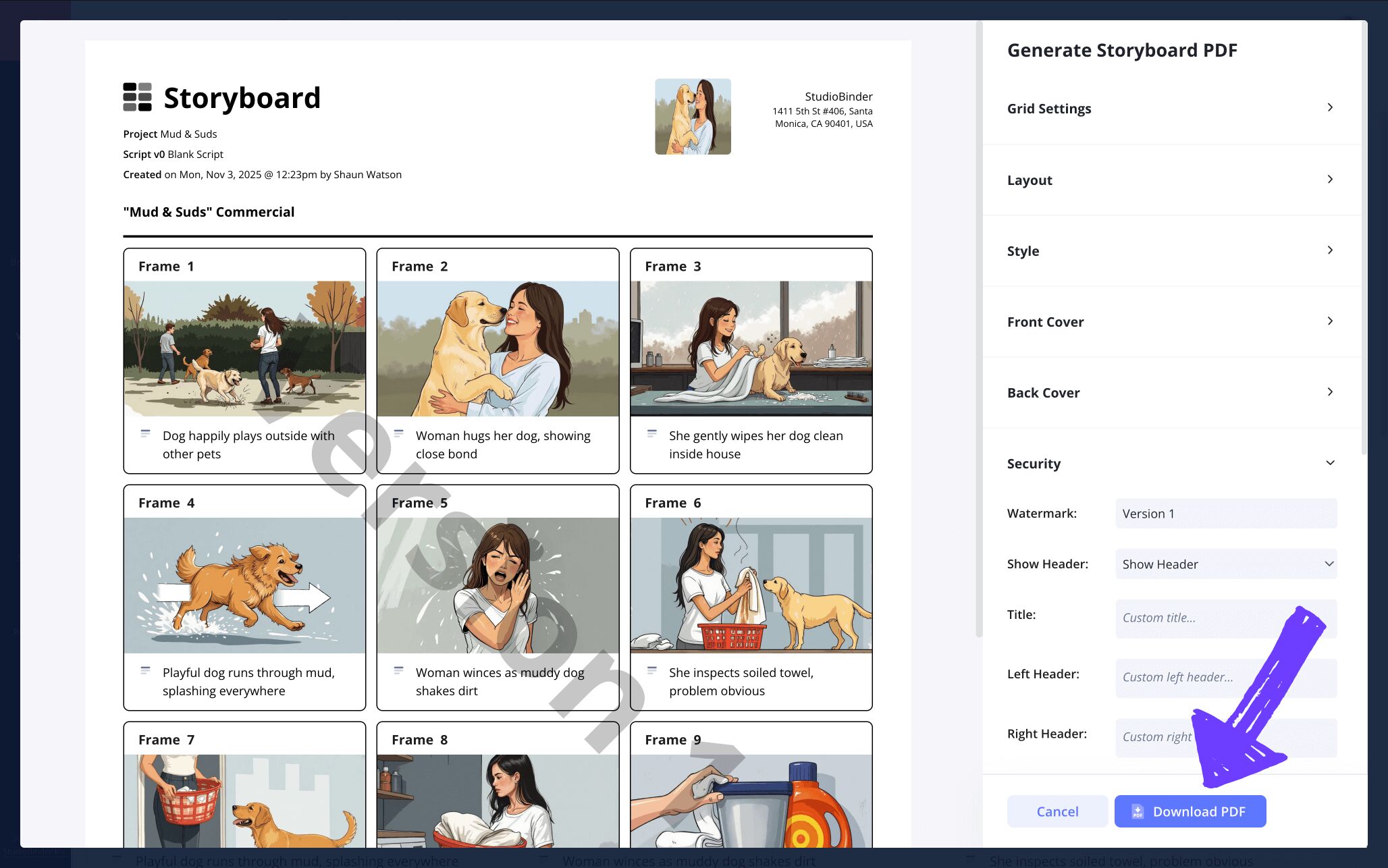
After you and your team have gone over your storyboard presentation template to make sure it meets the highest company standards, the final step before presenting will be converting your storyboard into a PDF document. Even if you’re crafting your storyboard ppt presentation solo, you’ll find having a final, unchangeable document of your storyboard helpful.
If you want to keep your storyboard PDF download business professional, then you can use StudioBinder’s PDF editor to create a front and back cover. And if keeping your powerpoint storyboarding project as secret as possible before client presentation day is a concern, you can add a custom title and watermark to prevent any leaks.
Step 6
6. Present your storyboard
Presentation day has arrived and you’re as prepared as ever after having made sure your storyboard presentation template is the best it can be! Presenting a storyboard can be done with a view-only-link, a PDF of your storyboard, or through a powerpoint slide.
But if you were using your storyboard as a way to prepare for your storyboard powerpoint presentation, then you can use your storyboard PDF document as a visual guide before or even during the presentation itself. Best of luck!
Conclusion
Finished!
Now that you’ve taken all the necessary steps to making your storyboard presentation template a reality, even the largest audience with all eyes on you can’t phase how prepared you are. And if you’re looking to take the next creative storyboarding leap, be sure to check out all of StudioBinder’s free storyboard templates.
Frequently Asked Questions
Your questions, answered
Creating a storyboard for a presentation can be done by first thinking of each panel in the storyboard as representative of one important detail or idea in your presentation. Once you have the most important ideas of your presentation thought out, write them in the description boxes under each panel. Rather than adding images into the panels, consider placing graph charts, information slides, or pacing prompts in there instead since illustrating how you’ll look in the presentation probably won’t be helpful.
Presenting a storyboard is similar to presenting a pitch to a business client, you really want to sell your audience on the core emotional idea. You can do this with a powerpoint presentation or even just a physical display board. Start with a hook. What is the one sentence selling point for this scene or sequence? From here, you’re going from panel to panel and not just sharing your knowledge of the scene, but your own emotional connection to it as well. Consider timing and pacing as you let your audience absorb what you're saying in conjunction with what each panel is illustrating. When you’re done, restate the purpose and then ask if they have any questions.
A storyboard presentation can refer to a few things. It can mean a presentation of a storyboard by storyboard artists to the director or any other filmmakers. It can also refer to a presentation with a powerpoint, where the storyboard is in the powerpoint slides and acts as a pitch to clients interested in hearing out advertising campaign ideas. Or, a storyboard presentation can also refer to a storyboard that is being used by an individual to prepare for a presentation, each panel in the storyboard representing a specific idea or beat in their planned presentation.
A storyboard presentation template has many potential uses. If you’re planning a class or work presentation, a storyboard can be used as a rough draft of your presentation, highlighting key moments and prompts for you to memorize as you practice. Or you can use a storyboard presentation template to help you assemble and prepare a storyboard within your presentation, like in a powerpoint slide for example. As you present the powerpoint to your audience, a storyboard pitch will be within one of the slides you’re presenting. This is particularly useful if the storyboard itself is just one component within your larger presentation.
Create your free storyboard
Visualize your storyboard presentation template with our free software today.
Get started for free
