
home → TEMPLATES → Storyboard
Free Storyboard Template

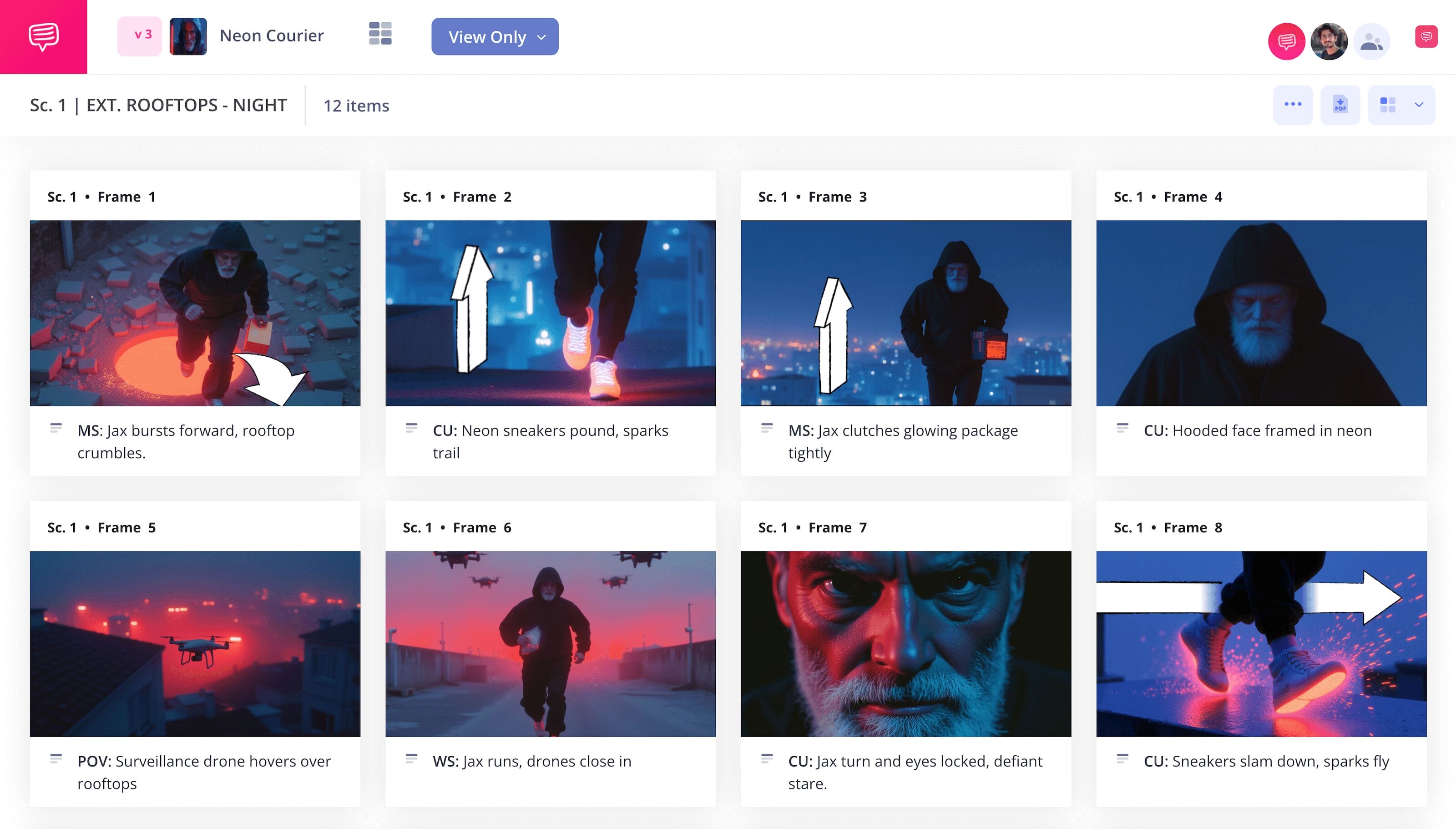
Free storyboard template
If you’re planning to bring your narrative vision to life on screen, a storyboard template is exactly what you need to help you feel confident throughout the entire pre-production process. Whether you’re storyboarding for a physical shoot or for animation, a story board template will help you better understand the more abstract qualities of your story and how they will translate into film language. With your scene or sequence laid out like a comic book, each panel will represent a shot, allowing you to consider shot setups and story beats from a unique and highly valuable vantage point.
With this storyboard template example guide, we’ll lead you through the process of creating your own storyboard using StudioBinder’s storyboard creator. However, whether you’re using our software or just a pen and note paper, the below steps will still provide you with useful knowledge around any storyboard templates.
Step 1
1. Ready your template
Before any kind of visual style can be established, it’s helpful to format your storyboard template in a way that makes the process run smoothly for you. You’ll start by opening up a new storyboard project in StudioBinder. Next, you’ll be taken through a series of customization steps that can also be adjusted at any time in the settings. Once you’re done setting up your story board template, it will look similar to this storyboard template example:
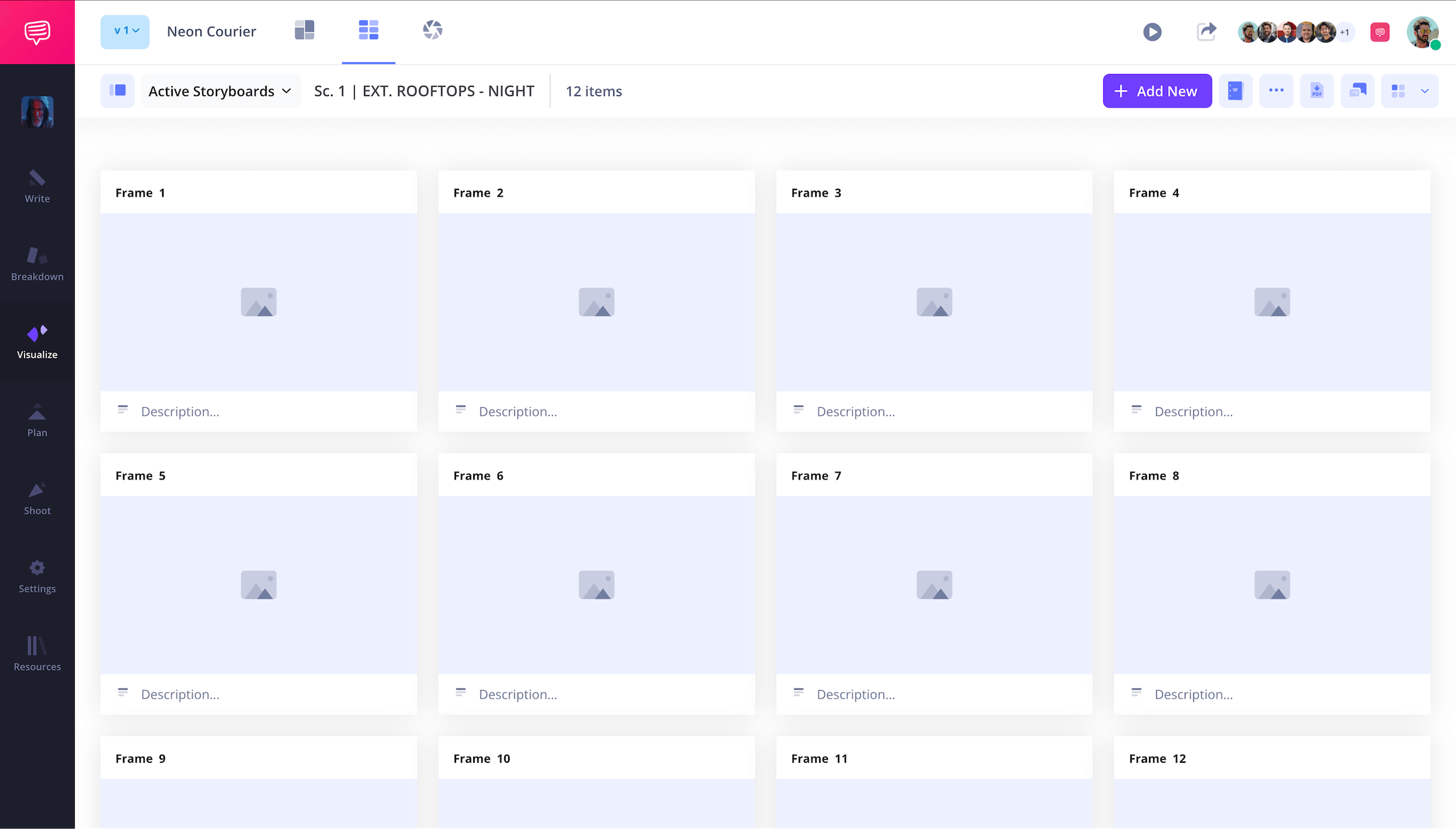
You also have the option to import a script at any point in the process by just dragging and dropping it into your project. With your script applied, you can view and import script lines directly into the description fields.
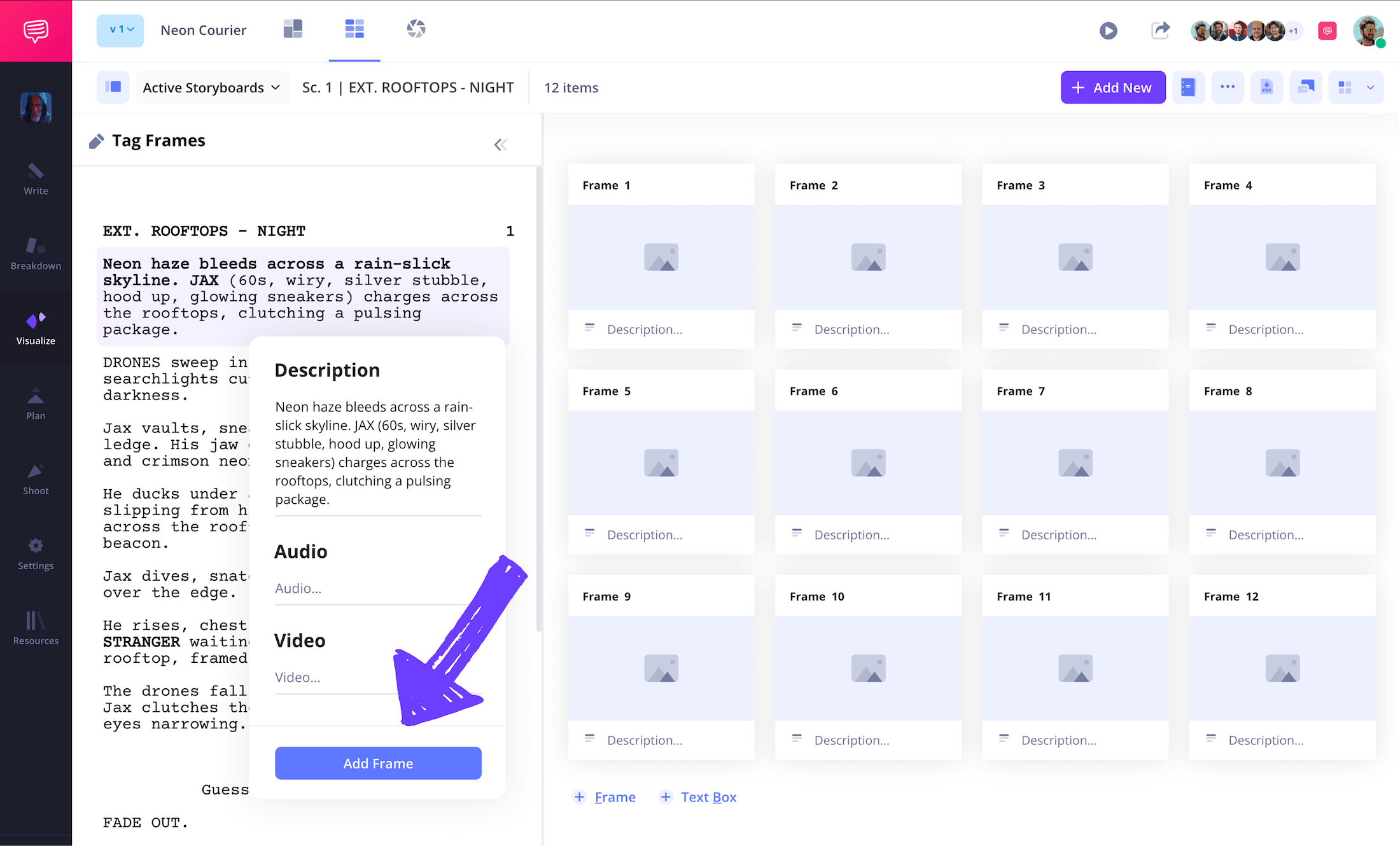
Step 2
2. Add images
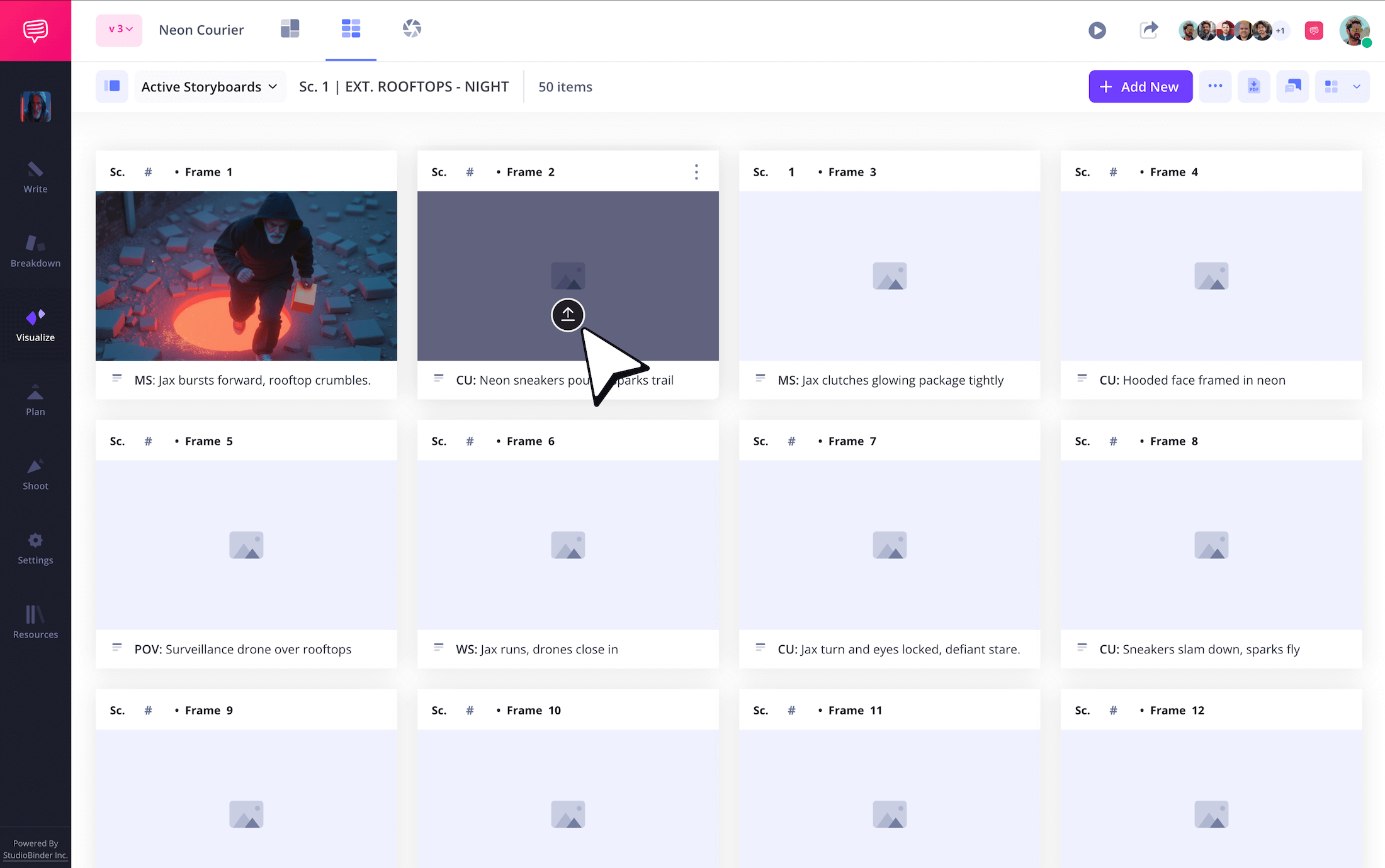
Now that you have your screenplay imported and a general understanding of what you want your frames to communicate, it’s time to let your imagination run wild. Depending on your production resources, you may be sketching visuals yourself, working with professional storyboard artists, or simply uploading images from the internet that convey the general style you’re aiming for.
No matter your approach, you can upload images into your StudioBinder project by clicking the upload button on any empty frame.
Step 3
3. Customize storyboard arrows
As you go through the process of filling your story board template with visuals, you may look over your story beats and realize that one or some of your images don’t quite accurately capture the camera or character movement that’s meant to be conveyed. Don’t worry, this is a pretty standard dilemma while working with storyboard templates. Instead of returning to the drawing board, you can use the perfect tool in your storyboard tool box: storyboard arrows.
StudioBinder offers unique image editing tools that make adding arrows for action a breeze. You can even use a variety of customizable options for your arrows, from text to size adjustment.
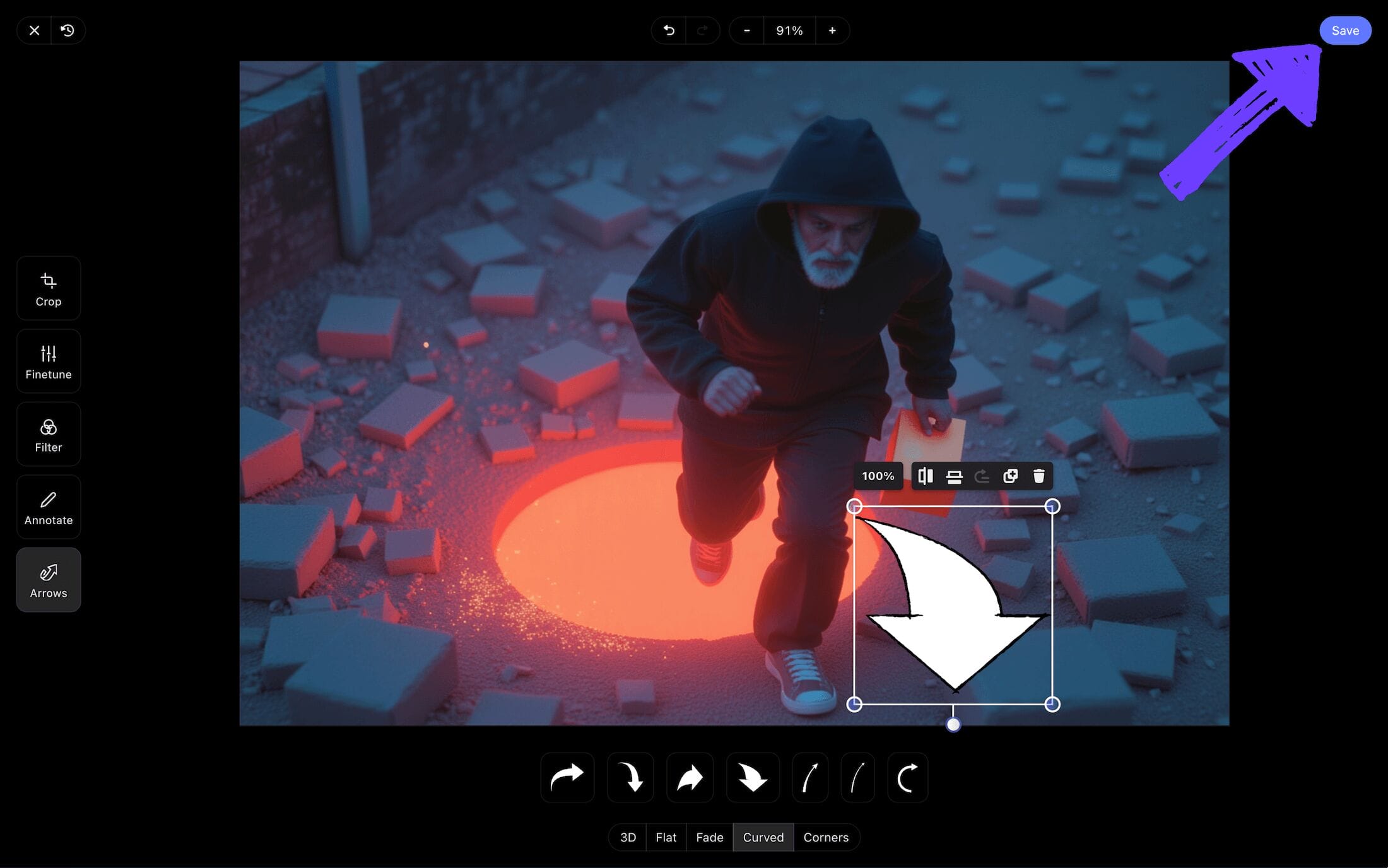
Once you’ve used all the image editing options available to you, and you feel the action that was missing has been better established with the addition of arrows, click save and you’ll see your newly customized image has been included in your storyboard free template.
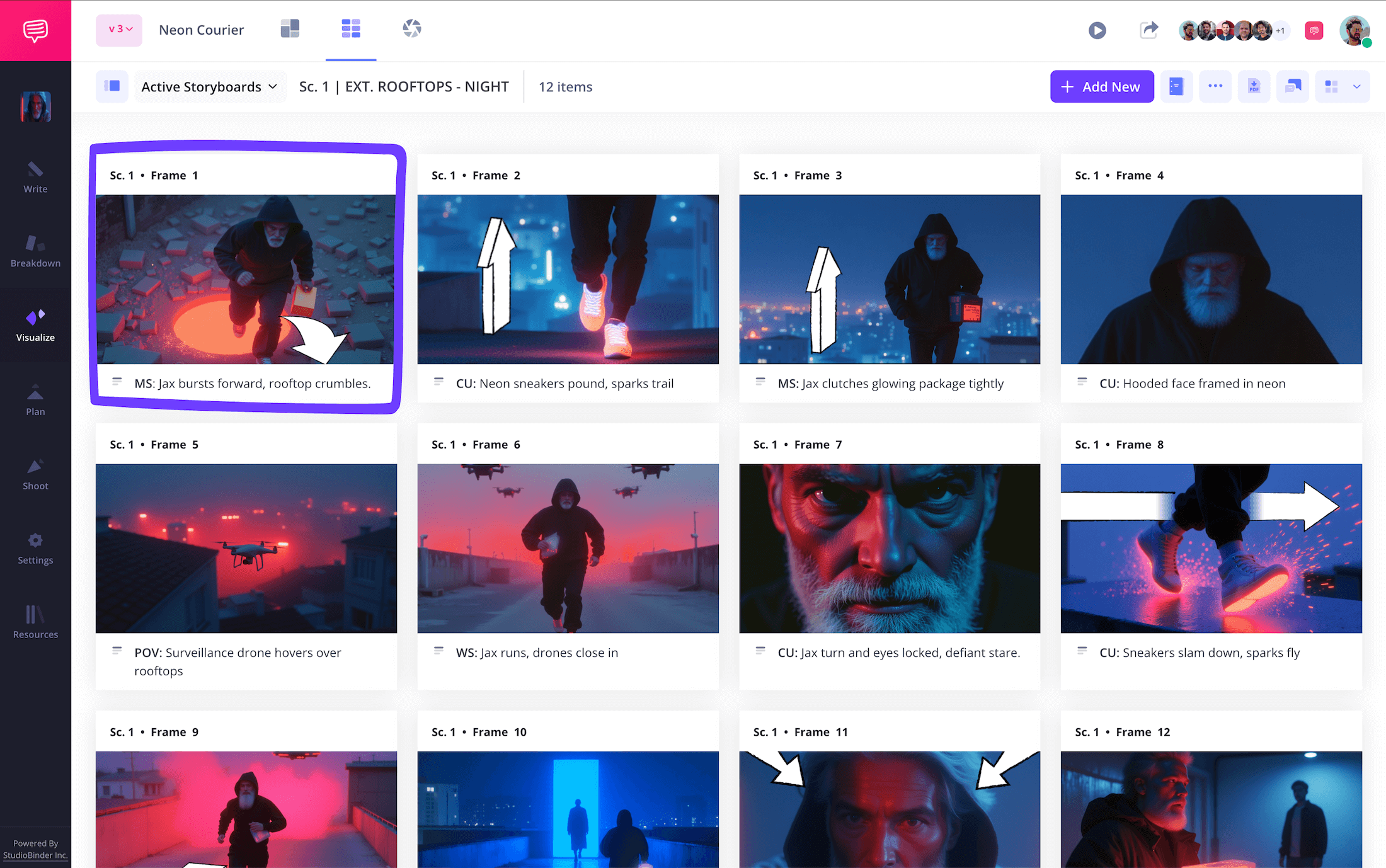
Step 4
4. Collaborate and share
As you know well, any film narrative vision is only as great as the talented production team that collaborates to bring it to life. Whether you spotted some potential creative direction issues while building your storyboard template, or simply want to make sure every production department has provided their own perspective before the storyboard is finalized, you should be ready to communicate with your team around this step.
With StudioBinder, you can easily curate your invites based on the needs of your invitee. A view only link is perfect for those you just want to give a visual taste to without any interactive options.
But let’s say you want to invite your production manager to send some notes and edits your way. Just choose whichever option fits best between viewer, commenter, or editor and send them an invite.
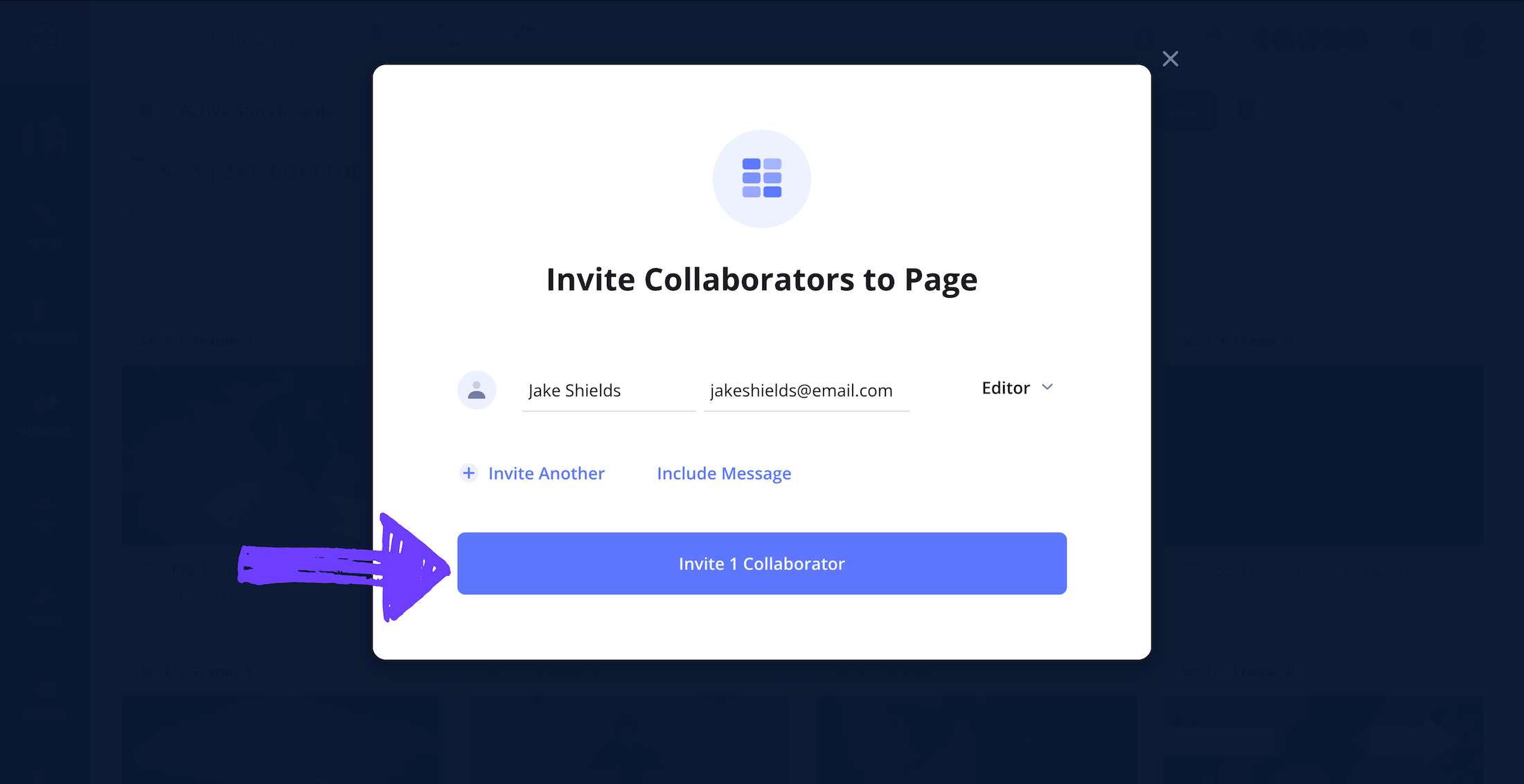
With the commenter or editor permissions enabled for your invitee, they’re free to send all their notes through the comments tab on the right of your storyboard project. Reply back and start a back and forth with as much detail as you need.
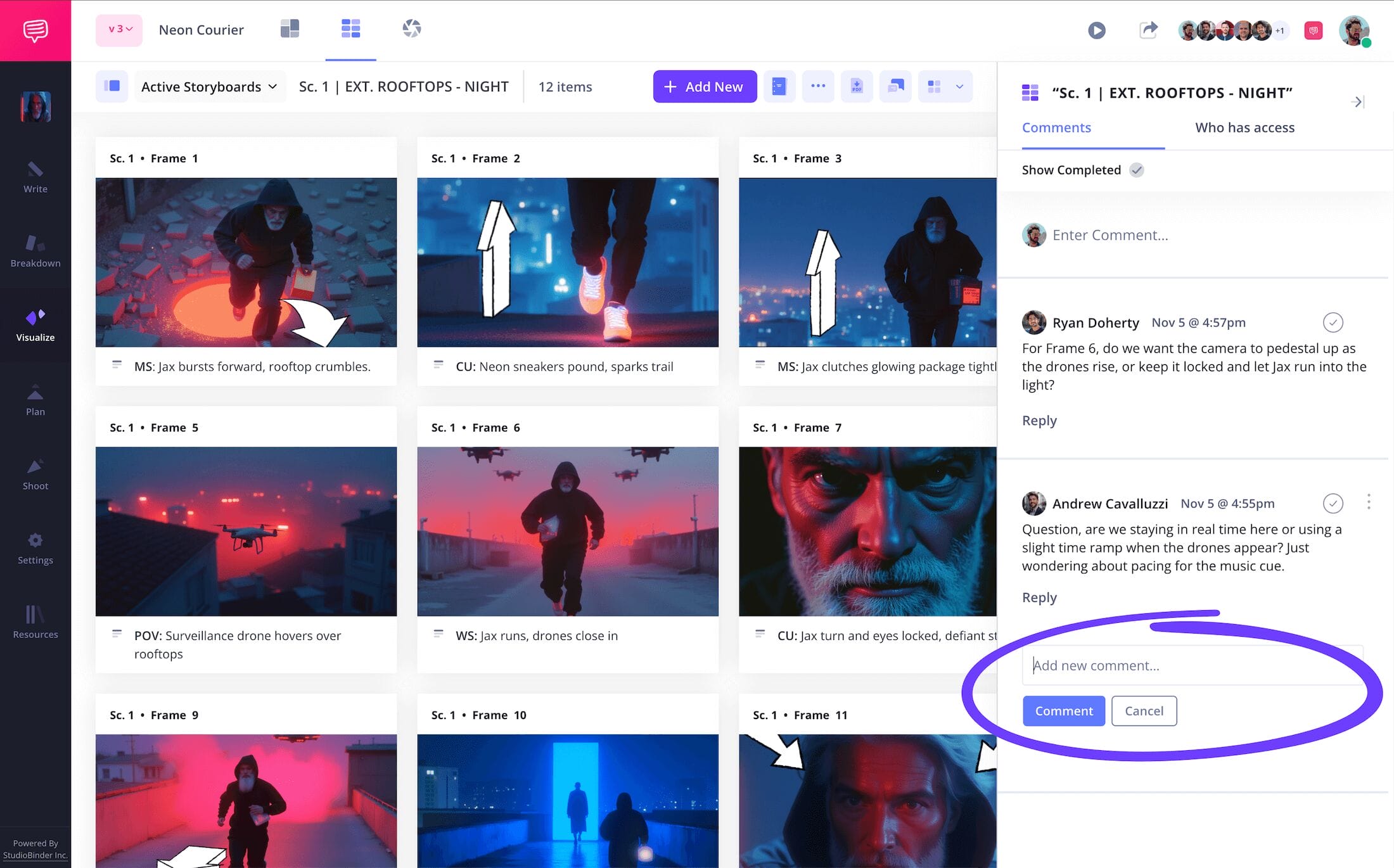
Step 5
5. Download your storyboard PDF
Now that you’ve gathered your production team and enhanced your storyboard through efficient communication, you’re likely reaching an endpoint. Of course, now there’s the task of making sure every production department, from editors to set designers, receive a finalized copy of your storyboard that meets their unique needs.
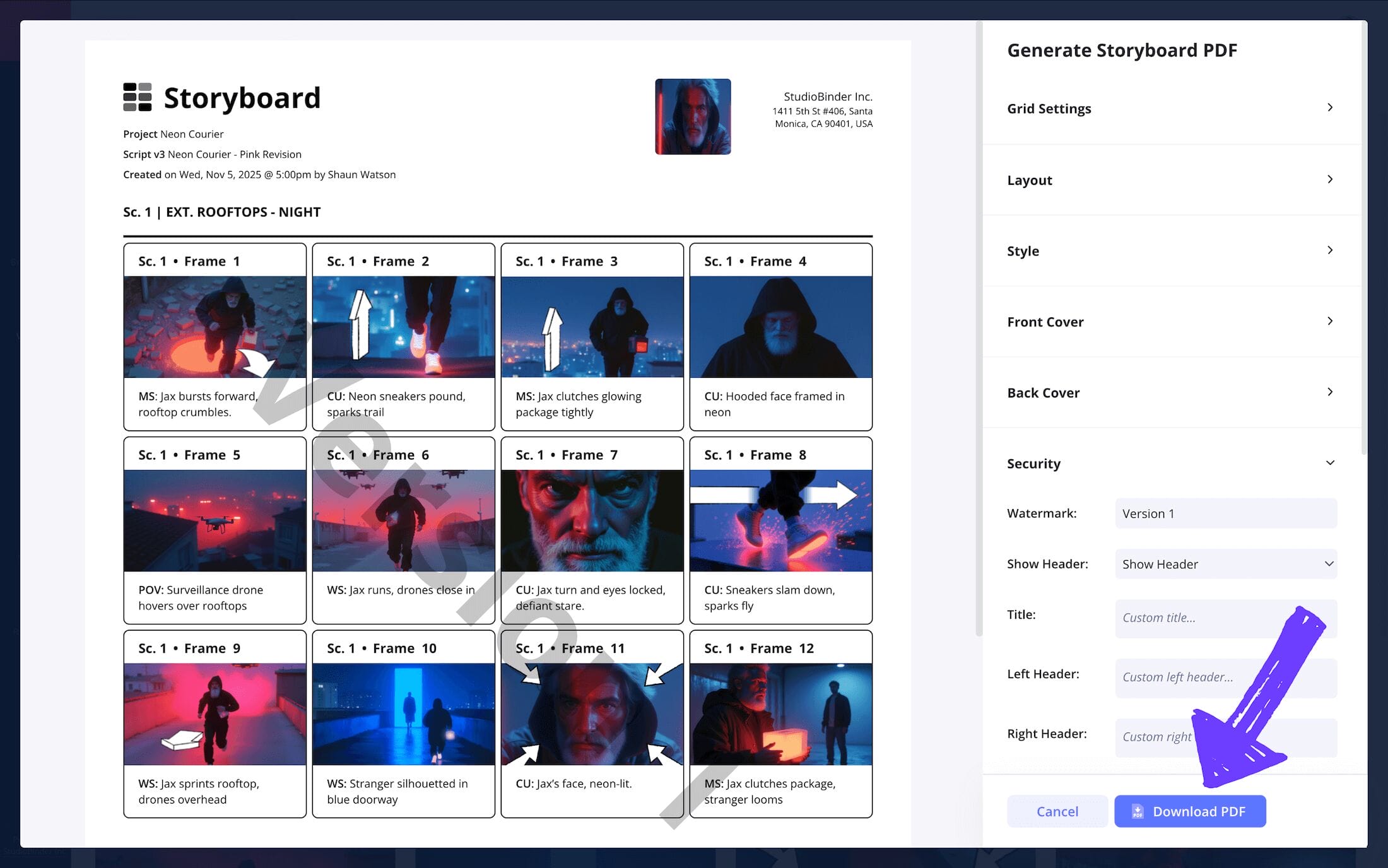
On StudioBinder’s generate PDF page, you have a variety of customization options to help you easily manage all those department preferences. Take for example the grid settings tab, where you can add or remove descriptions from your PDF download.
If your storyboard document ending up in the wrong hands is a concern, you can take advantage of the security tab and add a watermark and custom title to remove any confusion when sending your storyboard templates out.
Conclusion
That's a wrap!
With a storyboard template designed to make the pre-production process run as smoothly as possible, and a guide broad enough to lead you through any storyboarding template journey, you’ll have the confidence to see your film vision through to the end.
But of course, this storyboarding template isn’t the be-all and end-all of creative storyboard projects. So, if you’re looking to take the next step in template building, be sure to check out all of StudioBinder’s free storyboard templates.
Frequently Asked Questions
Your questions, answered
A storyboard written template refers to your most basic storyboard template, which is essentially how storyboards were created before the digital age. By putting together a storyboard written template, you’re simply creating all the square panels and description fields using a pen, ruler and paper. Some film storyboard artists are traditionalists and prefer this classic method. However, this approach remains a personal preference, as useful template for storyboard examples can be discovered online to fit any storyboarding artist’s personal needs.
A storyboard template is a blank storyboard that has the general structure of a storyboard without any images or descriptions filled in yet. Visual artists will often use a storyboard template with the dimensions and rows that work best for them. However, being a storyboard artist also means being able to meet the needs of the film directors and creatives they’re working with, so flexibility with storyboard design is also important.
If you’re looking for a storyboard example template to create from, you’ll find plenty of options on the internet, from StudioBinder’s storyboard creator software to any kind of pre-formatted word document. However, you’ll first want to assess your storyboard template needs. For example, if you’re a sketch artist, you may work best with a pen and paper. But if you’re a production manager looking for the best options for your storyboard department, digital software storyboards will have collaborative features that you’ll likely want to take advantage of.
For beginner visual artists, a common mistake is subconsciously catering to their own creative artistry rather than the film’s narrative. This is why it’s most important to keep focused on just bringing the script narrative to life. Of course, this is only a common mistake because storyboard artists tend to be very talented and are prone to expressing themselves personally through their illustrations. But if you’re hired on a film production as a storyboard artist, remember you’re there to bring the director’s vision to life, no matter how beautiful your own vision may be.
Create your free storyboard
Visualize your film story ideas with our free storyboard template.
Get started for free
