
home → TEMPLATES → CALL SHEETS
Music Video Call Sheet Template
What is a music video call sheet?
Music video productions are fast paced, which is why a well-organized music video call sheet template can only benefit your workflow. Whether you’re an assistant director, a production manager, or anyone curious about the music video production process, this guide is here to help.
Below, we’ll take you through each essential step to build your call sheet template music video project. We’ll be using StudioBinder’s call sheet software, but follow along however you’d like!
1. Set your header details
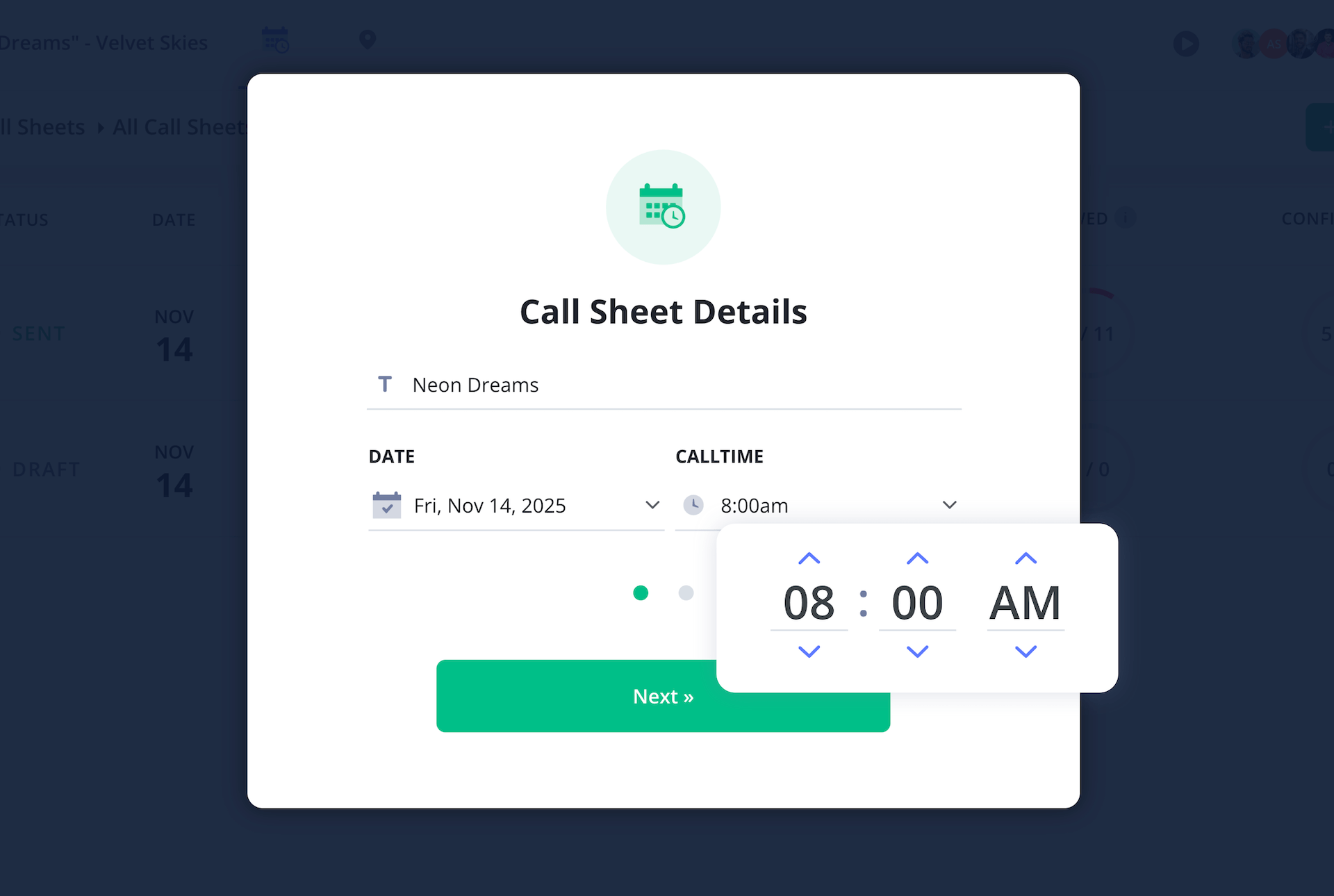
Making sure your shoot day’s date and time are up front and specified is the first part of setting up your music video call sheet template. As you start a new project in StudioBinder, this will be the first information you’re prompted to add to your document. Your template will then look something like this:
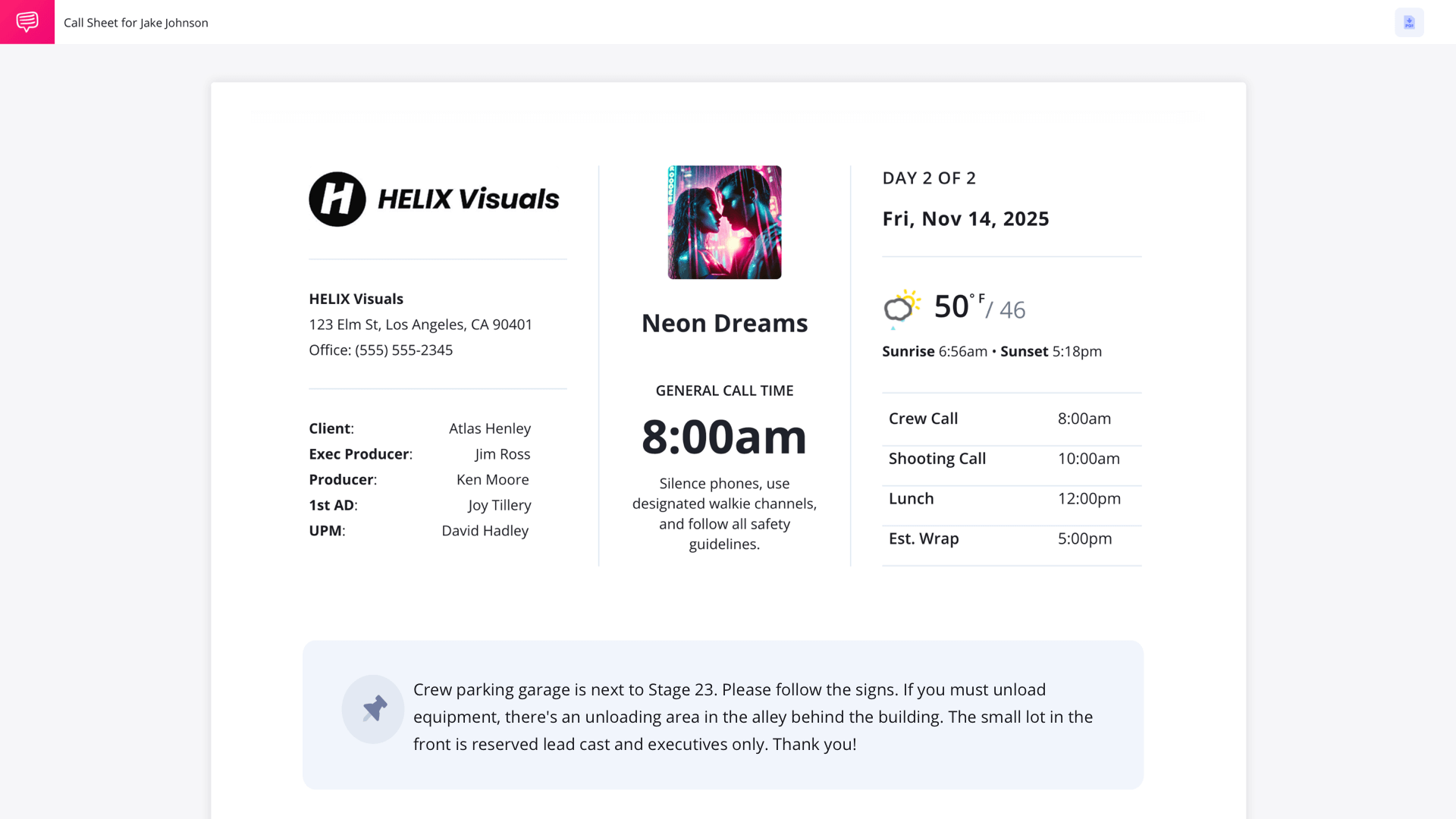
Now let’s get all the rest of the important header information established on your music video call sheet template. For a music video production, you’ll want the artist and song title front and center, as well as the production company, director and any other managing producers listed.
After entering your shooting location, the day’s weather forecast will be added to the top right of your music video call sheet as well. This way your cast and crew can arrive prepared for whatever the elements bring.

2. Add locations
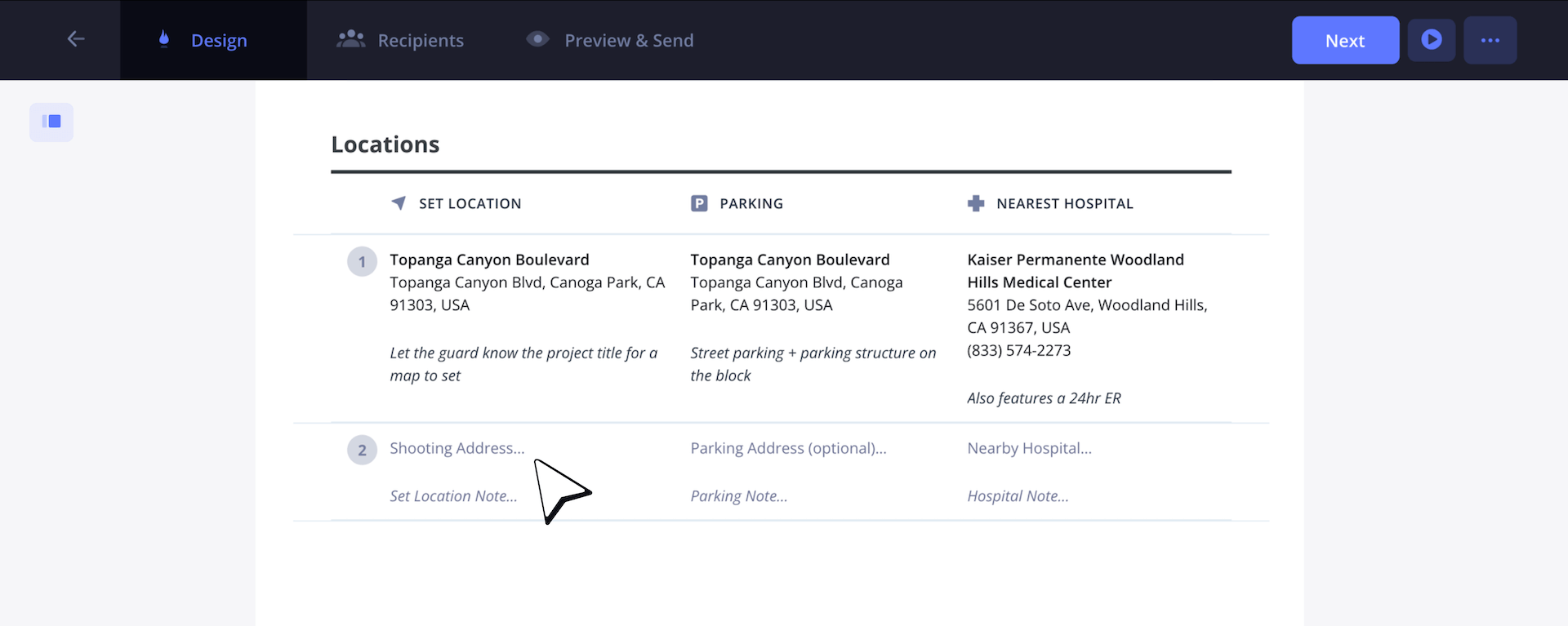
The location section of your music video call sheet template is vital for everyone involved in the music video shoot. You’ll specify the set location, parking instructions, and the nearest hospital for optimal on-set safety.
As you write your location notes, consider details like load-in/load-out locations for the crew, basecamp for backup dancers, and where the artist’s trailer is and how production assistants can get there.
3. Set the shooting schedule
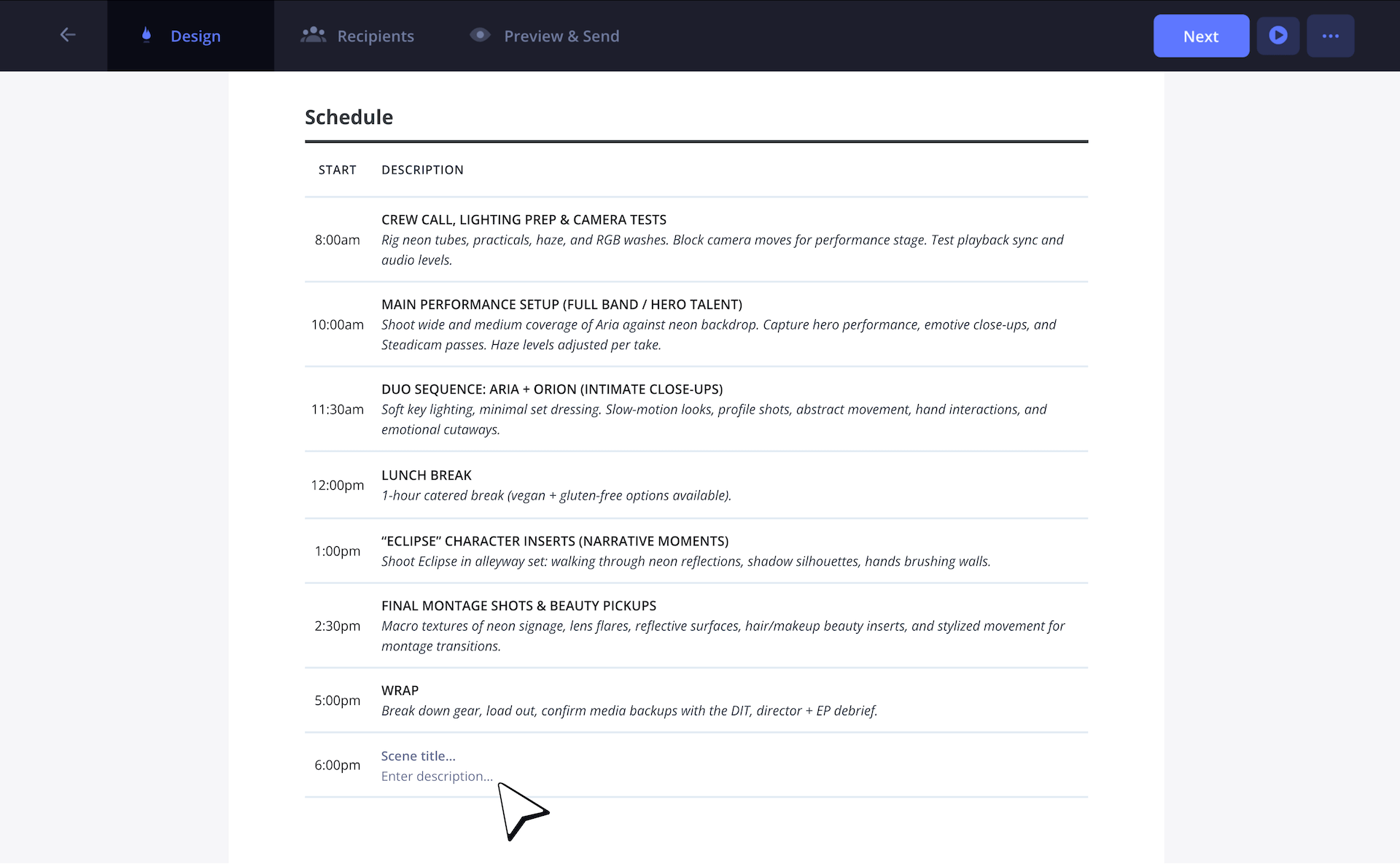
Now you’re ready to create one of the most important aspects of your music video call sheet template: the shooting schedule. Music video sets tend to feature elaborate lighting and set design, so you’ll want to make sure you factor in appropriate setup and breakdown times for your production crew.
For our music video call sheet, we just received word that our dance coordinator wants to have a quick 30 minute review with a few of the backup dancers after wrap. So, we’ll add one last column to update our schedule with that new information.
4. Add cast & crew
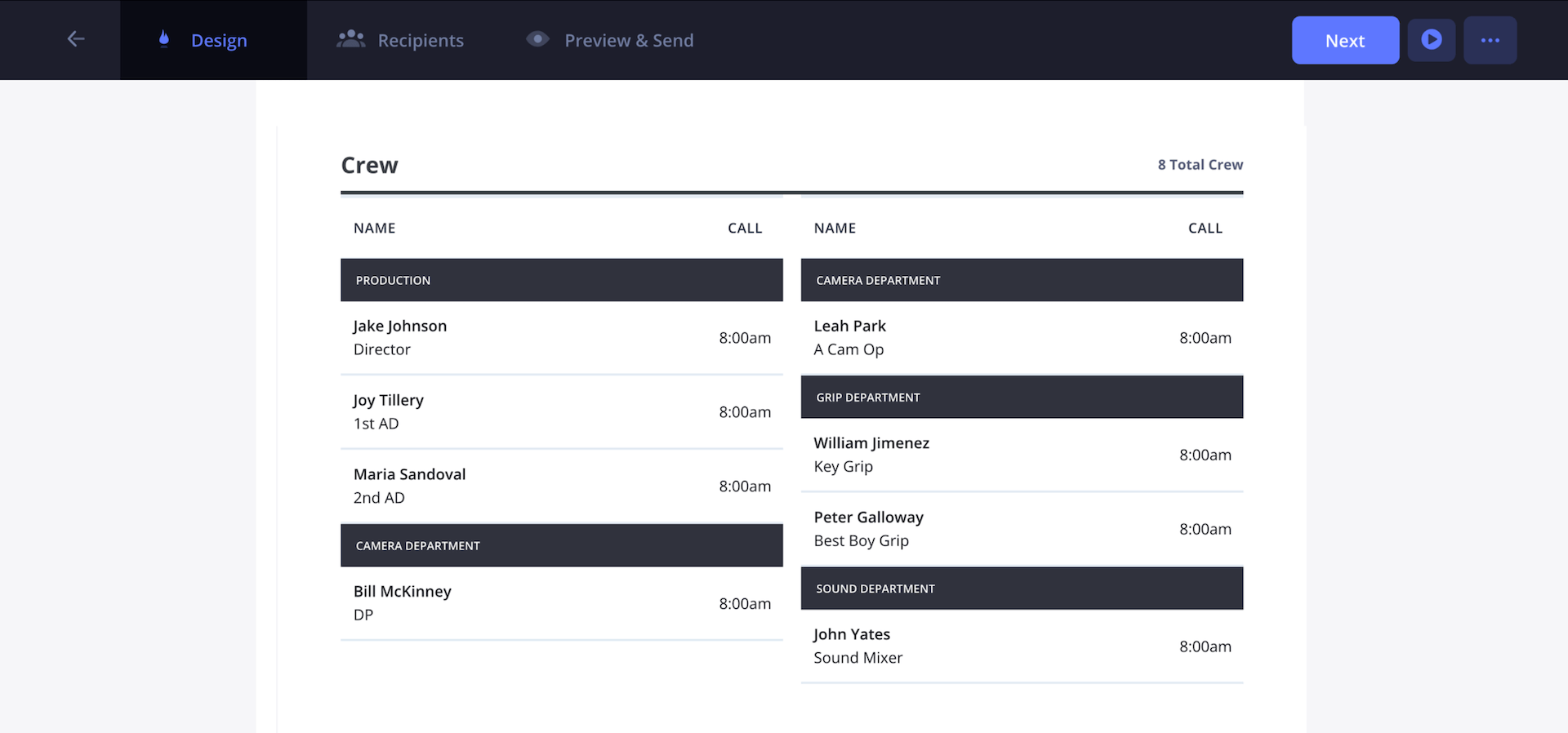
The cast and crew are the beating heart of any music video set, so let’s make sure they’re well-organized on your music video call sheet template. Size of productions for music videos can vary, sometimes they’re huge, sometimes they’re small. Either way, it’s typical to list the cast first and then the crew second on a music video call sheet.
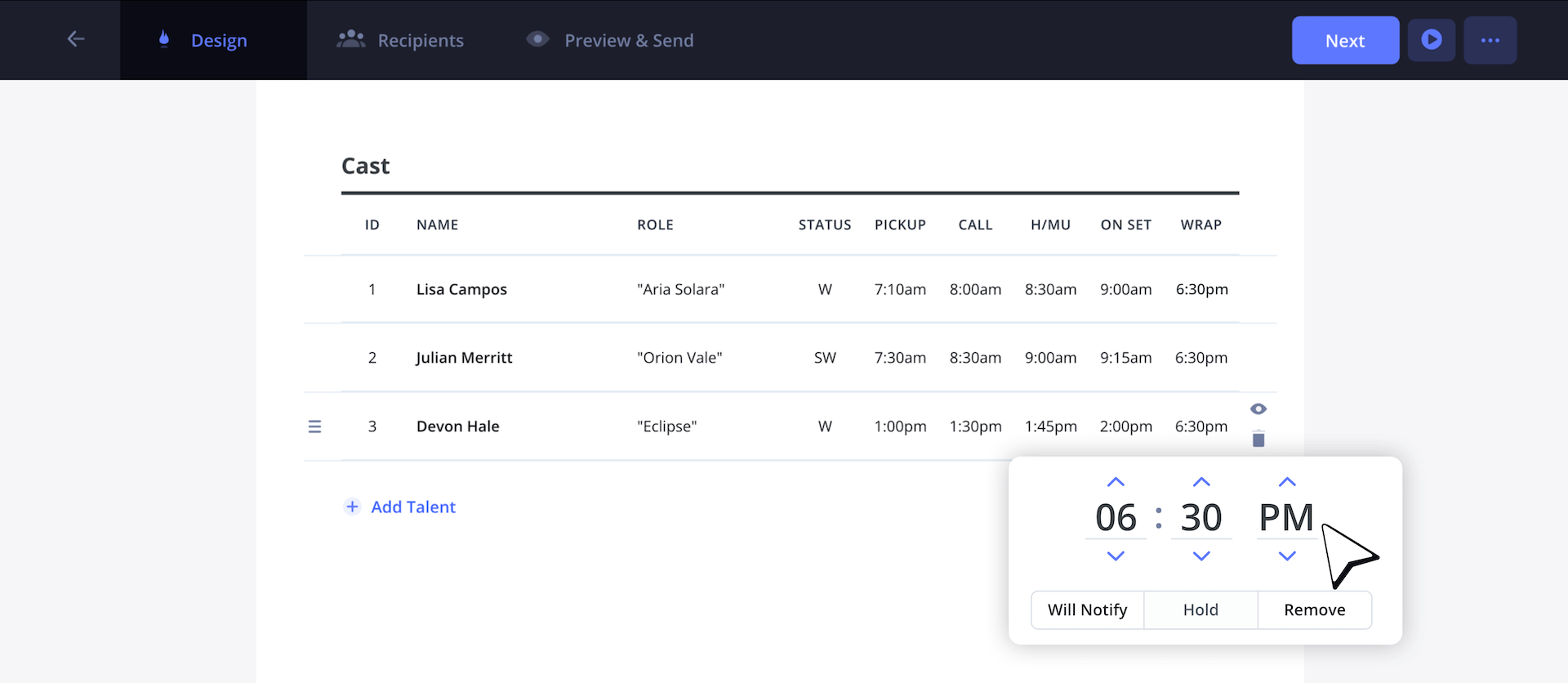
For our crew section, we’re making it a 2-column layout to save some space. It’s also not uncommon for call times to shift and availability to change, especially for busy singers. So, all you have to do to change any cast or crew information on a dime is click on any name or time and readjust their label.
5. Add department notes
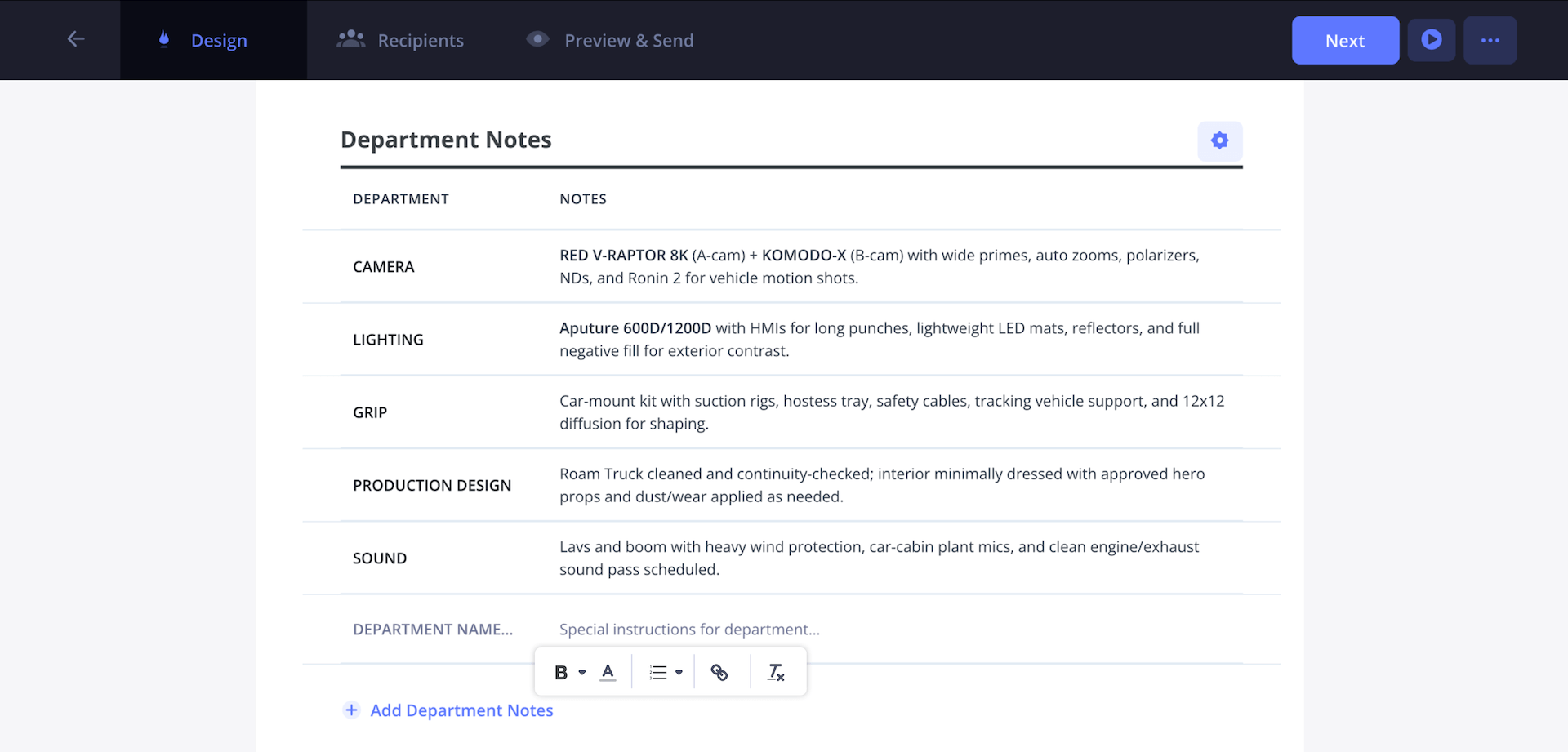
You’ll want to make sure your music video call sheet template has some room for any specific department notes that come your way. Maybe your director of photography has a request for a specific lighting mount they prefer, or maybe the art department has a prop specification.
No matter the note, you can cleanly and professionally organize them in the department notes column of your call sheet template music video document.
6. Write private messages
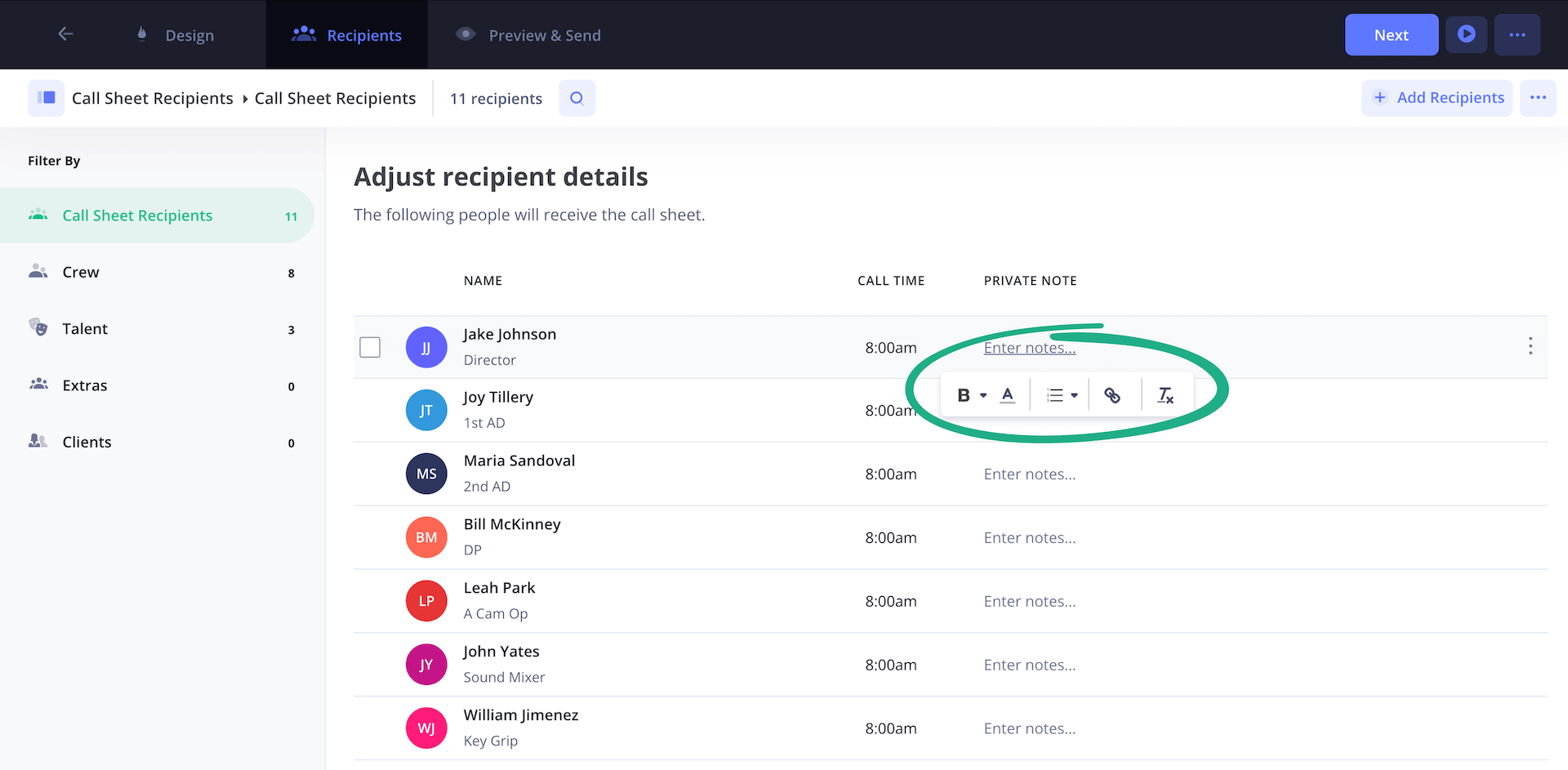
Now that you’ve finished building your music video call sheet template, it’s time to send it out to the entire production team! But first, you’ll have the option to include private messages to any actors, singers, dancers, or crew members receiving your call sheet.
You can select one person or a bulk of people to send a note to. Then you can just click the Private Note column next to the cast or crew member’s name and type out your note.
7. Send and track call sheets
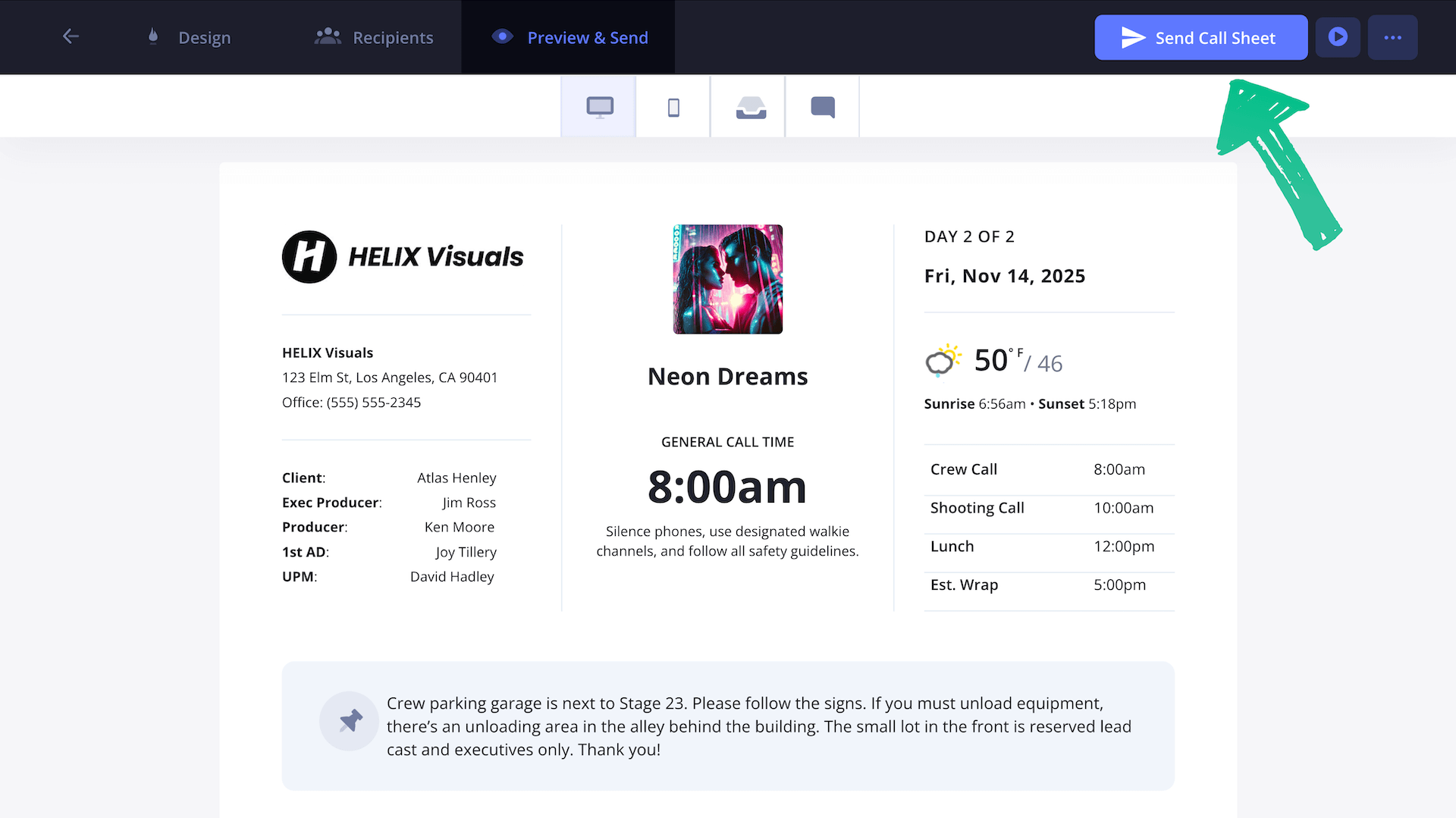
Now that your music video call sheet template is finished and equipped with private messages for select individuals, all you have to do is click Send Call Sheet and your call sheet has been sent out to everyone.
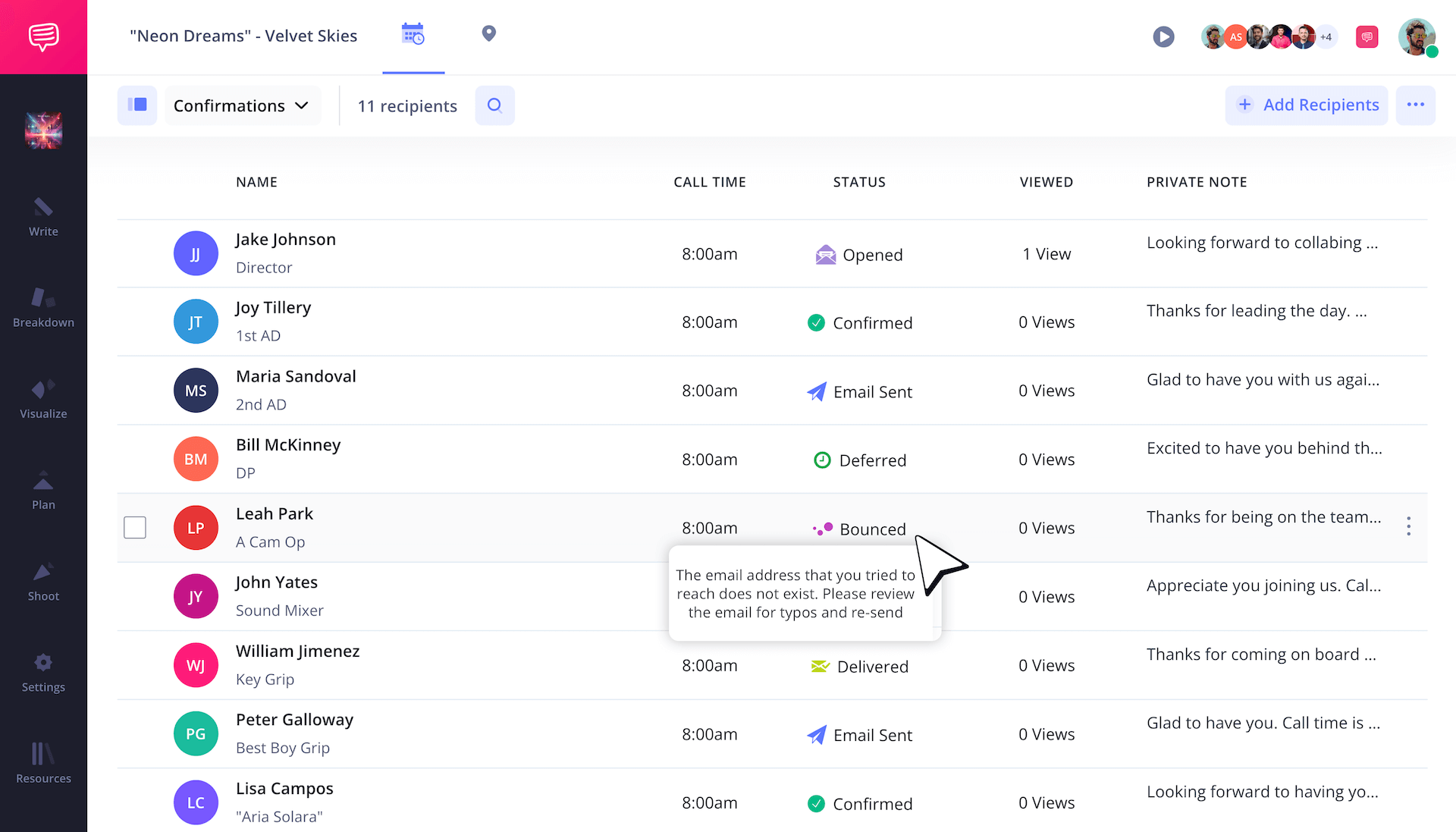
Now you’ll be able to track the status of who received the email, who hasn’t opened it yet, and if the email was bounced back. If an email is bounced or blocked for anyone, you can update the email address and resend it directly to that individual.
Finished!
You came, you saw, you overcame the hurdle of building your own music video call sheet template! Now it’s time to watch as all those musicians, bands, performers & professionals all across the music video creation spectrum do their jobs on a set you helped organize.
If you’re looking for more than just music video call sheets to work with, you can create any free call sheet with StudioBinder now.
Frequently asked questions
To create a call sheet for any kind of production, start with establishing your header information, including the production studio, the head producers and the start date and time. From there, go down the list and make sure all these sections are created if they relate to your production set:
- Shooting schedule
- Cast and crew list
- Department notes
- Individual messages
- Send it out
No, a call sheet is not a legal document. Most cast and crew are required to sign a non-disclosure agreement when first hired, which is a legal document, but the call sheet is not related to that document. However, a call sheet does list essential work hour information, which could be used as an official record of evidence in a court of law.
If you are #1 on a call sheet, that means you’re the lead actor on the production and playing the main character of the narrative. This means you get top billing and you’re often noted as the star that the production is built around. For example, if Kevin Hart stars in a movie, he’s #1 on the call sheet and everything from the film’s story, the poster, the press interviews, it all orbits around him.
Call sheet templates can be found anywhere on the internet with a quick search. Typical formats include Word, Excel, Google Sheets, and PDFs. You can also find them on professional production software sites like StudioBinder, Celtx, and Wrapbook. If you’re looking for a more specifically tailored call sheet template, it’s worth looking on Etsy.
Key steps
Schedule your music video today
A music video call sheet keeps your entire production day organized and on schedule so your performers and crew can work efficiently and in sync.
Get started for free
