
home → Guides → StoryboaRD
How to Create a Storyboard for a Short Film

How to create a storyboard for a short film
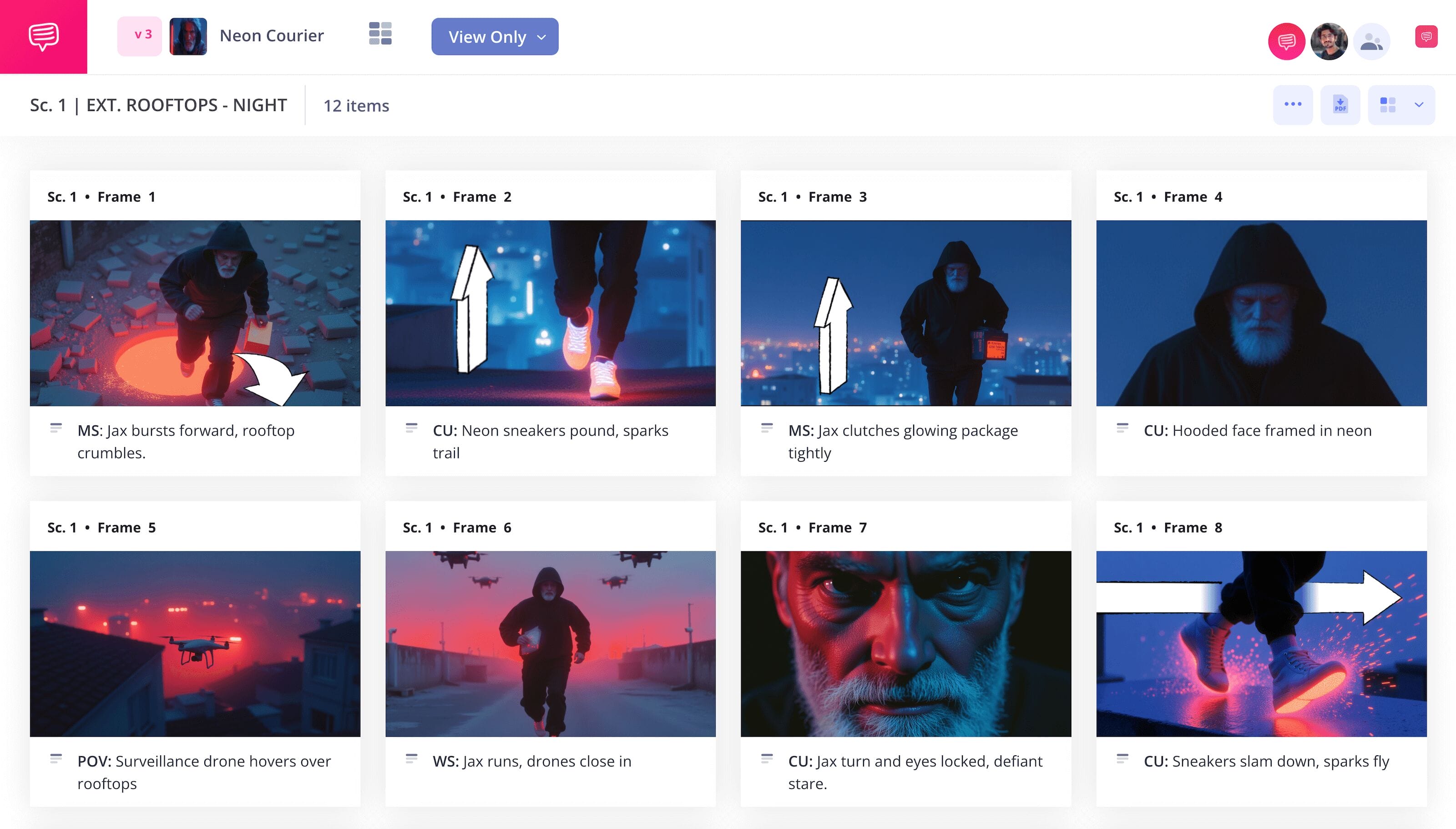
Scripting, shooting and editing a short film is no simple task, which is why it’ll benefit your pre-production process to learn how to create a storyboard for a short film. Making a filmmaking storyboard is like crafting a comic book version of your story in between the scripting and shooting stage. Once you see how it all looks visually, you’ll have a better idea around what can be edited or scrapped from your story so both your narrative and budget are as tight as possible.
In this guide, we’ll take you through the broadest and most essential steps on how to storyboard a short film. We’ll be using StudioBinder’s storyboard creator as our guiding example, but feel free to use whichever kind of storyboard you have available!
Step 1
1. Setup your template
Understanding how to create a storyboard for a short film starts with formatting a template that works for you. There are plenty of options when it comes to storyboard templates. You can go the old fashioned route and use pencil and paper, or you can find a near endless amount of free templates online. We recommend using 16:9 frames on your filmmaking storyboard (a modern aspect ratio standard for basic widescreen format), and no more than 3 to 6 frames per page so your visuals and descriptions don’t get overly crowded.
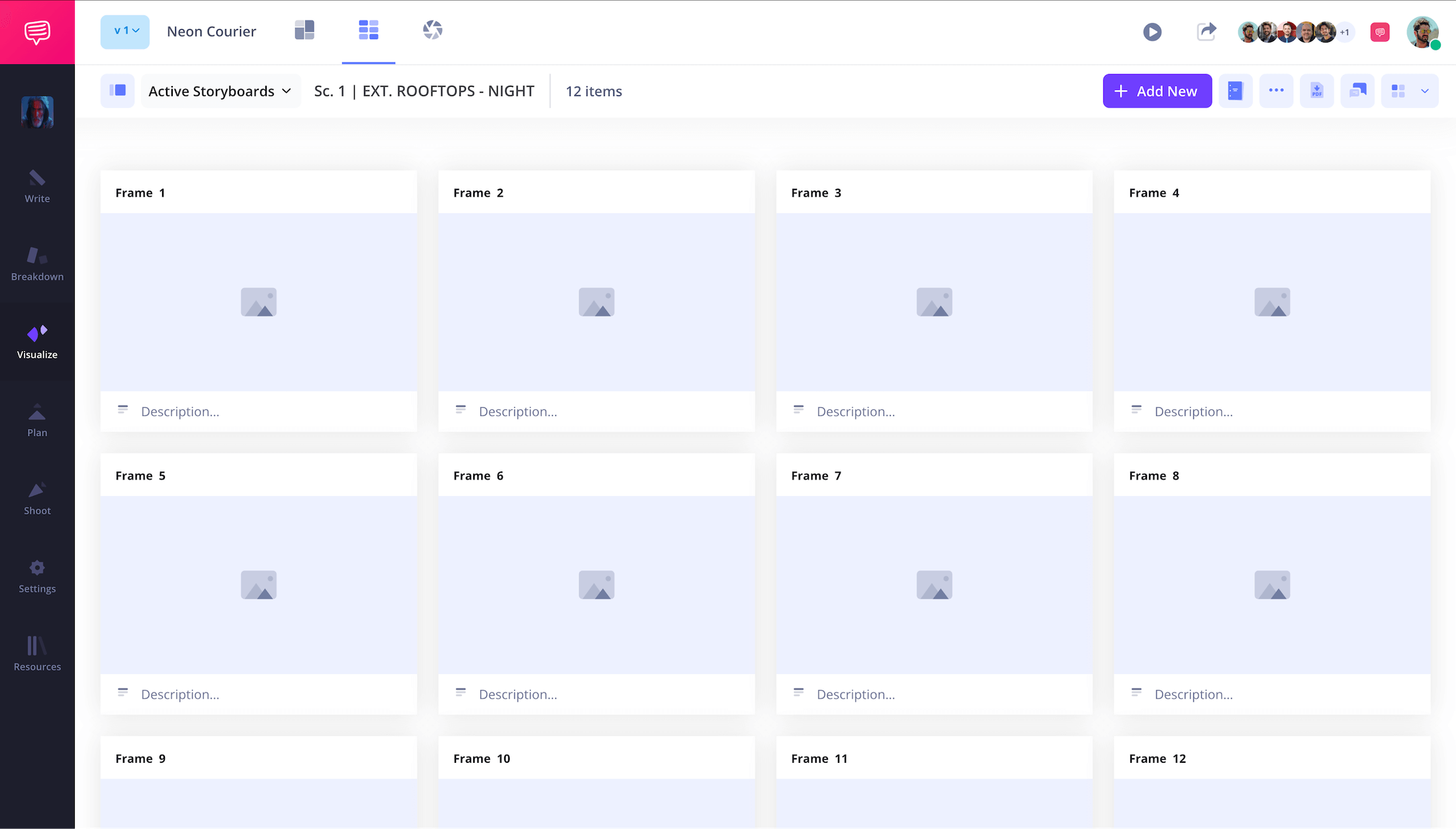
With your template set up, you’re now ready to start numbering your shots and writing out your descriptions. If you’re working in StudioBinder, you can upload your script into your project and use the shot tagging feature to quickly transfer script lines into descriptions. If you’re writing manually, keep focused on finding a sense of narrative pacing. Think of each shot that comes to mind and write the amount of information/dialogue that will fit comfortably within that shot.
Step 2
2. Add images
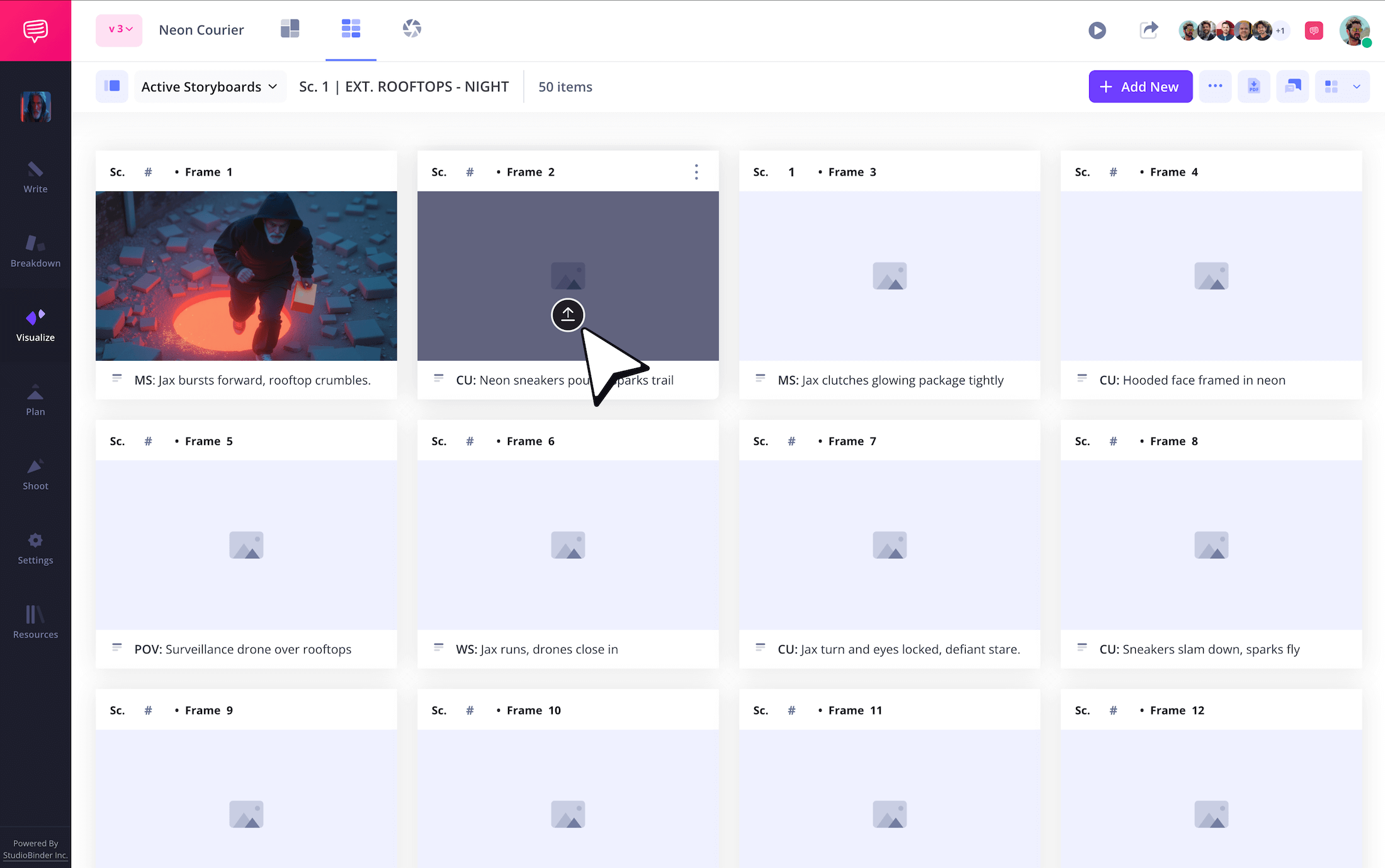
As you learn more about how to create a storyboard for a short film, you’ll find that your images are only as good as the essential information they communicate. In other words, a storyboard image can have stick figure characters and still be highly useful, as long as it clearly communicates what’s happening in the shot. Not to mention that it’s your storyboard, so use whichever style you’d like. If you think an image you found online conveys the mood and idea you’re aiming for, then go ahead and use it.
To upload images in StudioBinder, just click the Upload icon in any panel.
Step 3
3. Use storyboard arrows
The more you learn the ins and outs of how to storyboard a short film, the more intuition you’ll gain around your storyboard’s images. Take big moments of action in your illustrations for example. Camera or character movements can oftentimes just be written in your descriptions, but sometimes they’re so essential to the scene that you want the image itself to convey the action.
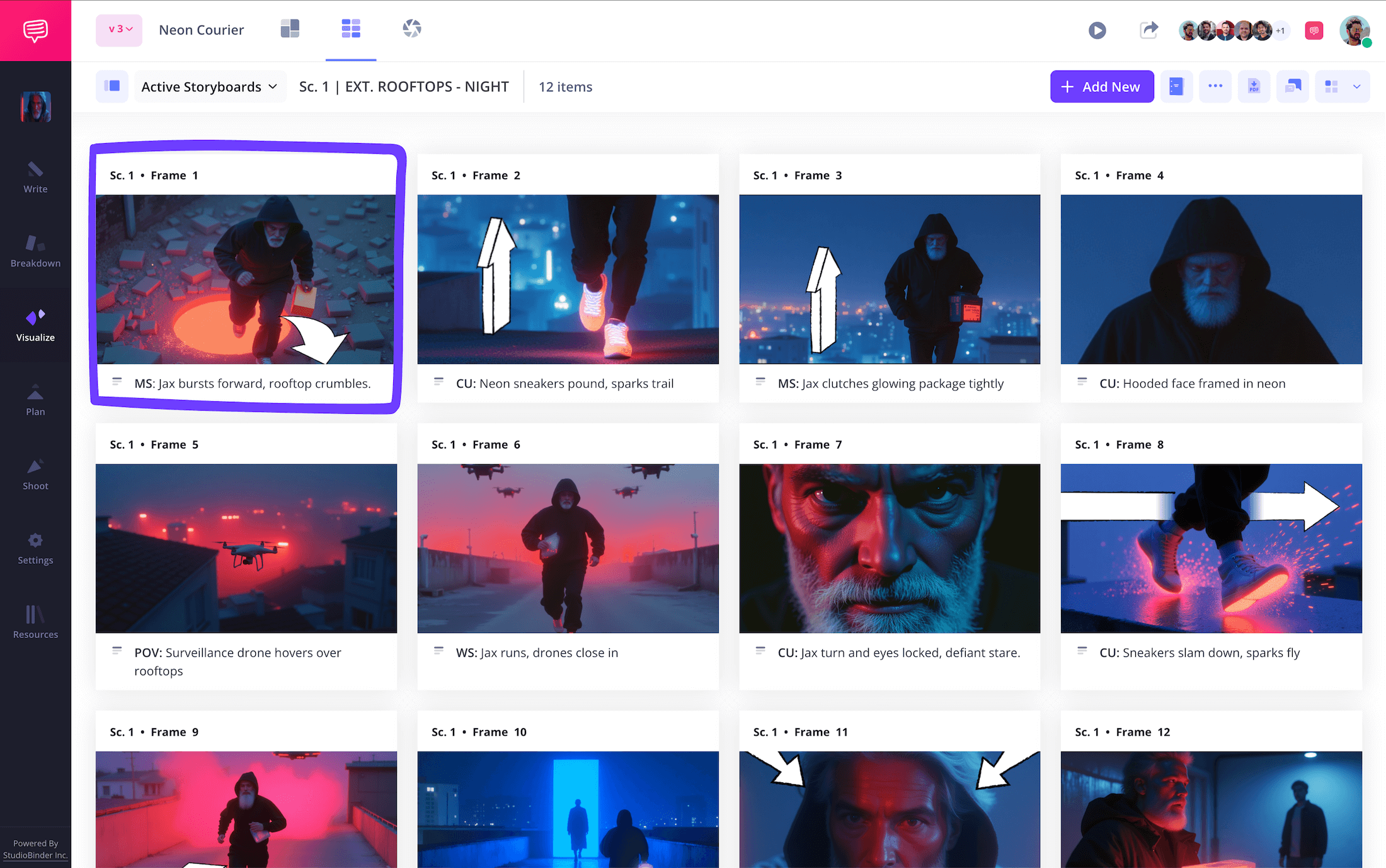
This is where storyboard arrows become a big help. Knowing how to create a storyboard for a short film doesn’t mean you need to know how to draw the perfect arrow. You can use StudioBinder’s image editor to find an arrow type, crop it, and insert it right into your image.
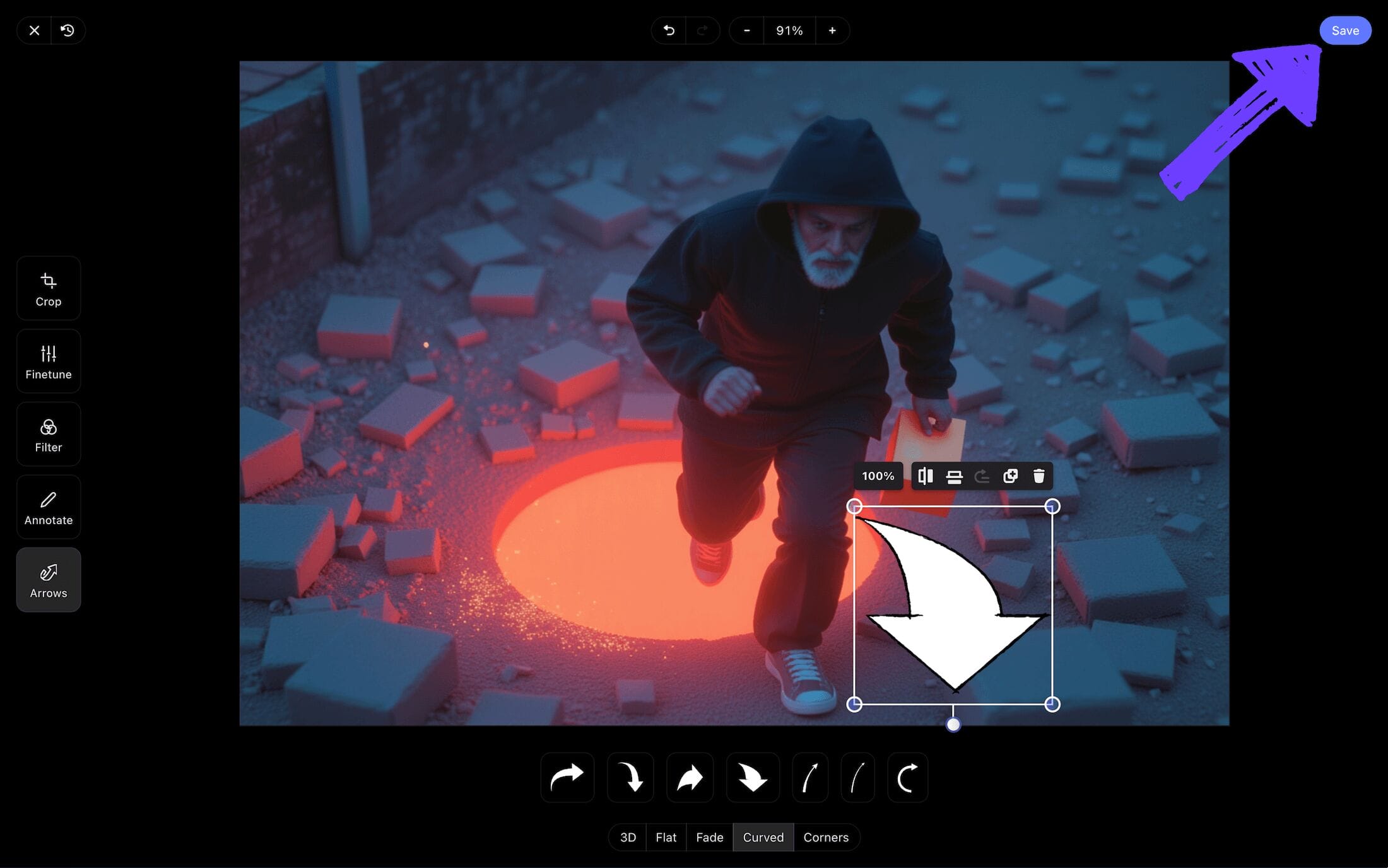
In our filmmaking storyboard example, we found, resized and placed the perfect arrow for a zoom shot that was too essential to leave out. Now we’ll just click Save and our freshly edited image is immediately applied to our storyboard project.
Step 4
4. Collaborate and get feedback
Whether it’s just you and a few friends or an exceptionally large film production crew, knowing how to process and incorporate feedback is every bit as important as knowing how to create a storyboard for a short film.
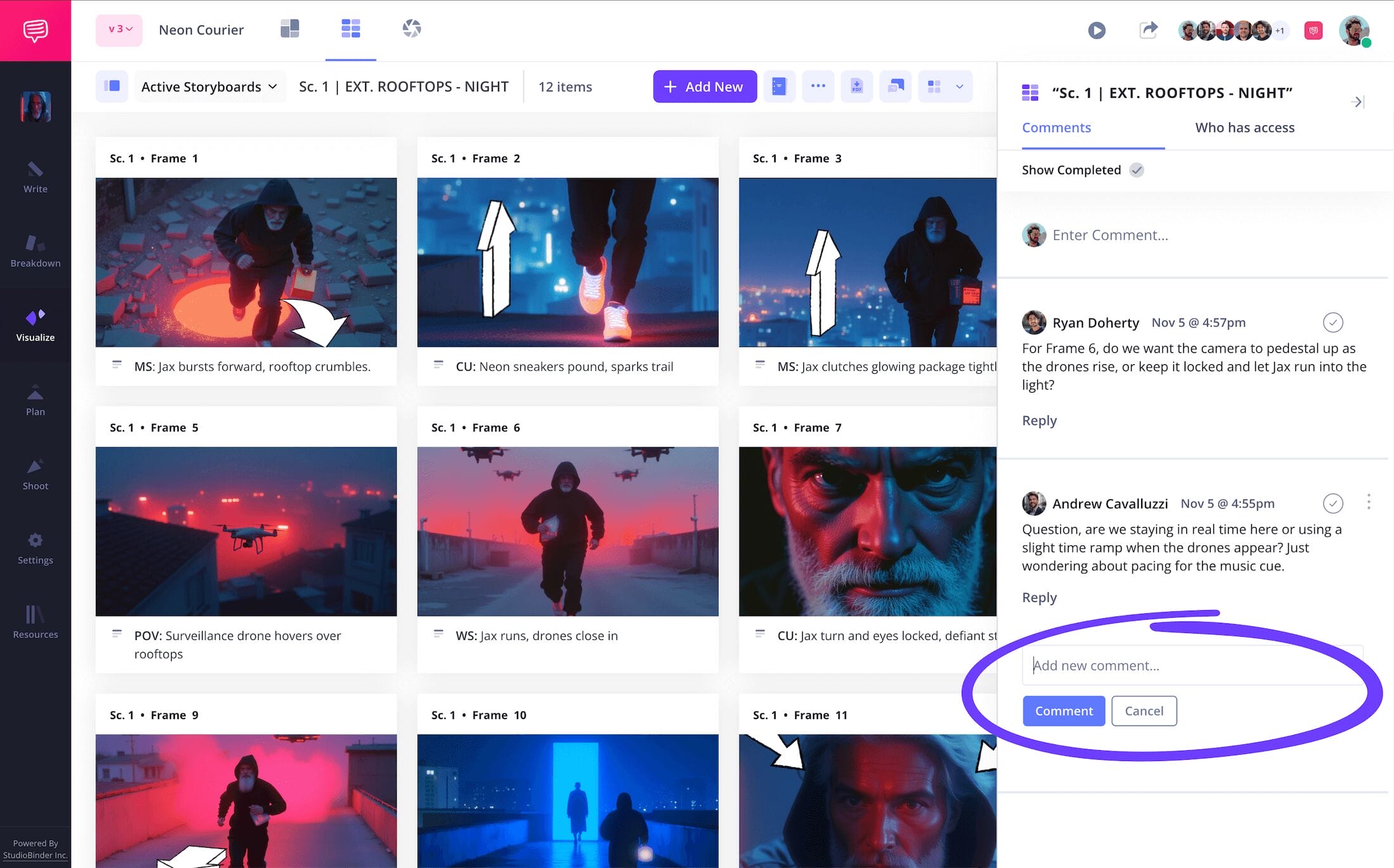
With StudioBinder, you can bring anyone and everyone you’re working with, or just plain value the opinion of, onto your storyboard on your terms. When you send an invite, set your permissions to either viewer, commenter or editor. Those with commenter or editor permissions enabled can jump into the comments tab of your project to start discussing their notes with you.
Step 5
5. Convert to storyboard PDF
By now you essentially know how to storyboard a short film, so it would be quite tragic for all your applied knowledge to get accidentally edited or deleted. This is why consistently saving your project as a PDF is a highly valuable step. It’s also a great way to send or print copies of your storyboard to production departments and/or coworkers who need to work from it.
StudioBinder’s PDF editor lets you make any and all necessary edits to your PDF downloads. Let’s say your film editors are requesting a copy of your storyboard as they start assembling dailies, but they want the font double sized so they don’t miss any important details. Just hop into the style tab to easily meet their request. And if you’re worried about your project leaking early, be sure to also customize your own watermark. You can never be too careful!

Conclusion
That's a wrap!
Now that you know how to create a storyboard for a short film, what are you waiting for? Start pre-planning your vision so the world can experience your story! And if a filmmaking storyboard isn't the only kind of storyboard you’re interested in learning about, be sure to check out all of StudioBinder's free storyboard templates.
Frequently Asked Questions
Your questions, answered
To create your own storyboard, you’ll have to start by either drawing your own storyboard template, or finding a pre-made template online. Once you have the storyboard dimensions that fit you and your visual project set, start with writing out your descriptions. If you have a finished script, you can transfer each relevant line into your storyboard.
But even without a finished script, you can start pacing out and writing your descriptions near each blank panel. Now you’re ready to illustrate images that bring each of those descriptions to life. Be sure to slowly incorporate all the relevant shot information you’ll need to be prepared with for shooting day.
If you’re building a storyboard for a short animated film, you’ll want to focus extra attention on movement. So much is expressed through motion in animation, not to mention that this helps lay the groundwork for the following animatics stage, where the storyboard will essentially be put into motion.
Character expressions also tend to be more detailed than a regular storyboard, because you’re really starting to cement character design here. Showing rather than telling is a highly important component, so be sure to cut out any and all dialogue that explains what can be demonstrated visually.
When developing your short film’s storyline, the age old expression ‘write what you know’ is useful, but don’t take it too literally. Yes, at the heart of your storyline will be an idea, concept, or question that means a lot to you and compels you to keep exploring through writing, but most great writers use a mode of expression.
For example, you may not know what it’s like to rob a bank, but maybe you know what it’s like to be betrayed. So, you might explore betrayal and what it means to you through the prism of a story about a bank robber who is betrayed by their partner during a heist. This way you’re making a short film that has all the action and stunts you can deliver, while also communicating a truth at the core that you have something honest to say about.
When it comes to illustrating your film storyboard, the modern digital age offers plenty of options. You can of course go the traditional route and sketch your images on paper with pen or pencil, but we know not everyone’s a professional storyboard artist, so finding a free or subscription based image site is also an option.
Oftentimes a storyboard is about capturing a tone and mood, so don’t feel bad about using outsourced images online, you’re just assembling a sense of style to inspire the real art you’ll be shooting. And on that note, AI image sites are also useful. You can simply type in the kind of image you want and it will be generated in seconds. It’s worth a try at least!
Create your free storyboard
Visualize your storyboard with our free template.
Get started for free
