
home → Guides → StoryboaRD
How to Draw a Storyboard

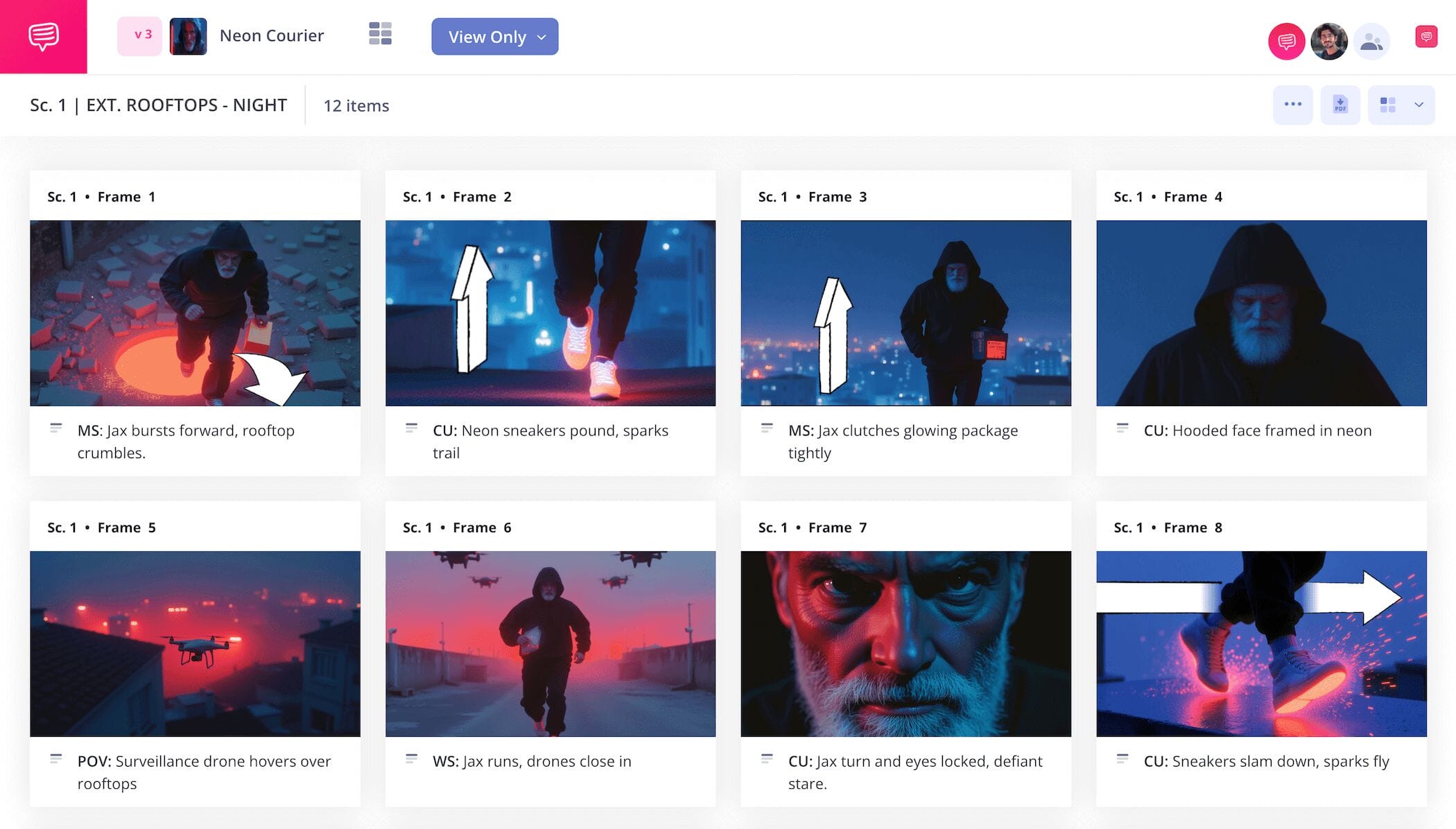
How to draw a storyboard
If you want to learn how to draw a storyboard, you’ll also want to know all the essential steps to building a storyboard. While the digital age has opened up a lot of new ways for people to find or generate images online, nothing beats a classic handdrawn storyboard.
Best of all, you don’t even need to be a professional storyboard artist to illustrate acceptable storyboard images, because it’s mostly about communicating character and environment placement above all else. Whether you want to learn how to draw a storyboard for an animation, how to draw a storyboard for a short film, or how to draw storyboards for a movie, we got you covered with the below guide.
We’ll walk you through each step using StudioBinder’s storyboard creator, but feel free to use any storyboard template you have available.
Step 1
1. Format your template
Learning how to draw a storyboard starts with first setting up the overall structure of your storyboard. Keeping your panels at the standard 16:9 will ensure you have a comfortable amount of drawing space. We also recommend not exceeding more than six panels per storyboard page, this way the visuals and written information won’t get too jumbled together.
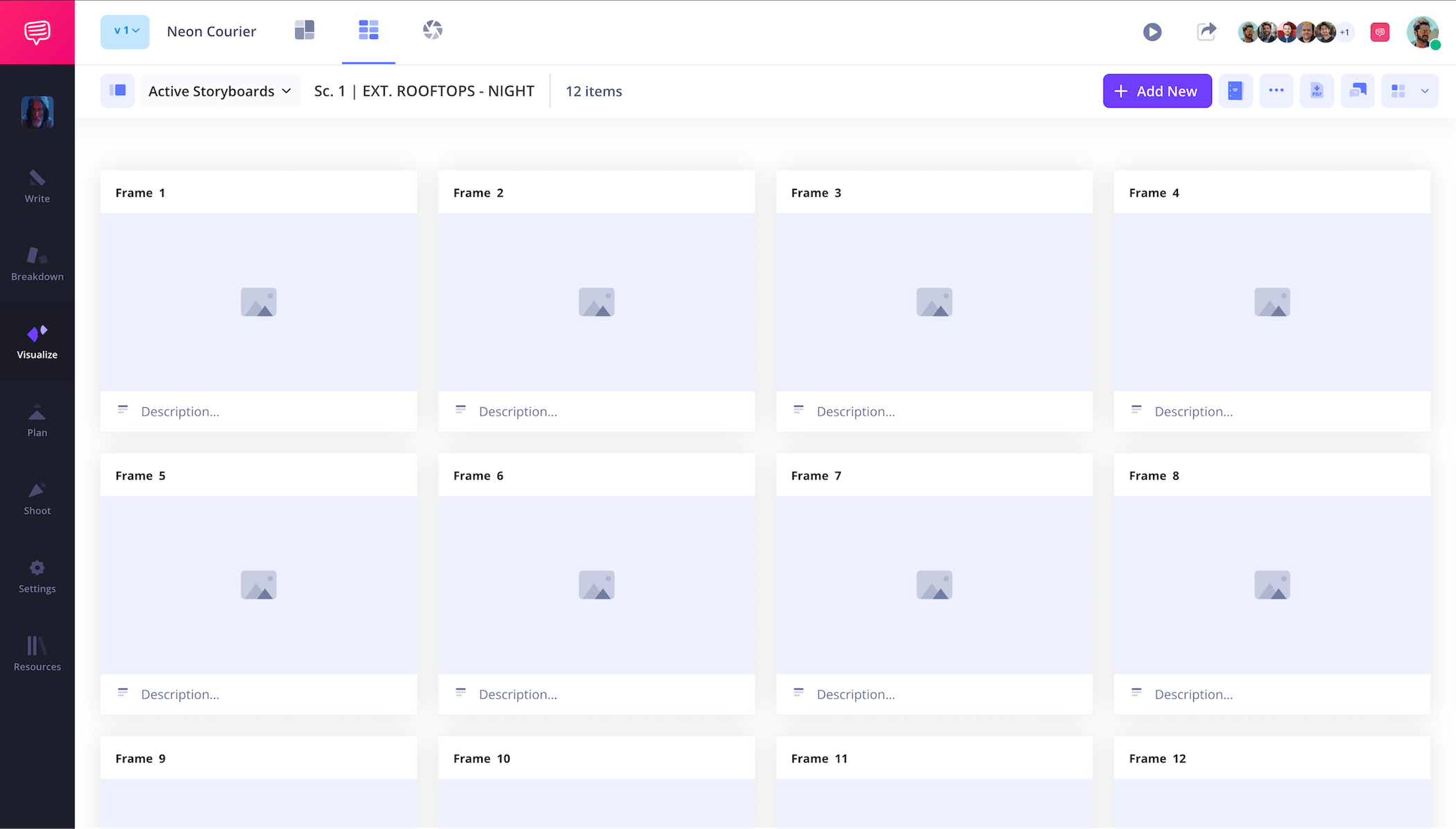
If you’re starting a new project in StudioBinder, you’ll be automatically prompted to set up some of these basic elements for your storyboard template. From here, you can start typing each of your story beats into the description fields below each panel. This is an important step in how to draw storyboards because you’re starting to construct what your illustrated images will look like as you enter in each panel description.
Step 2
2. Draw images
How to draw a storyboard may not be as difficult as you think. Even some of the most notable Hollywood film directors use stick figures and squiggly lines for their illustrations. And this is really because you don’t have to know how to draw for storyboarding, or at least you don’t need to know how to draw fancy, you just need to understand what you want out of a certain camera angle and what you want to see within the frame of that angle.
You can write in character names to differentiate if needed, but it’s mostly about knowing where everything will stand within the environment when you’re ready to shoot it. Storyboard illustrating is a guideline for how the art of the film shot will look, so don’t treat it like you’re competing in an art show. If you understand film language, then you essentially already understand storyboarding language.
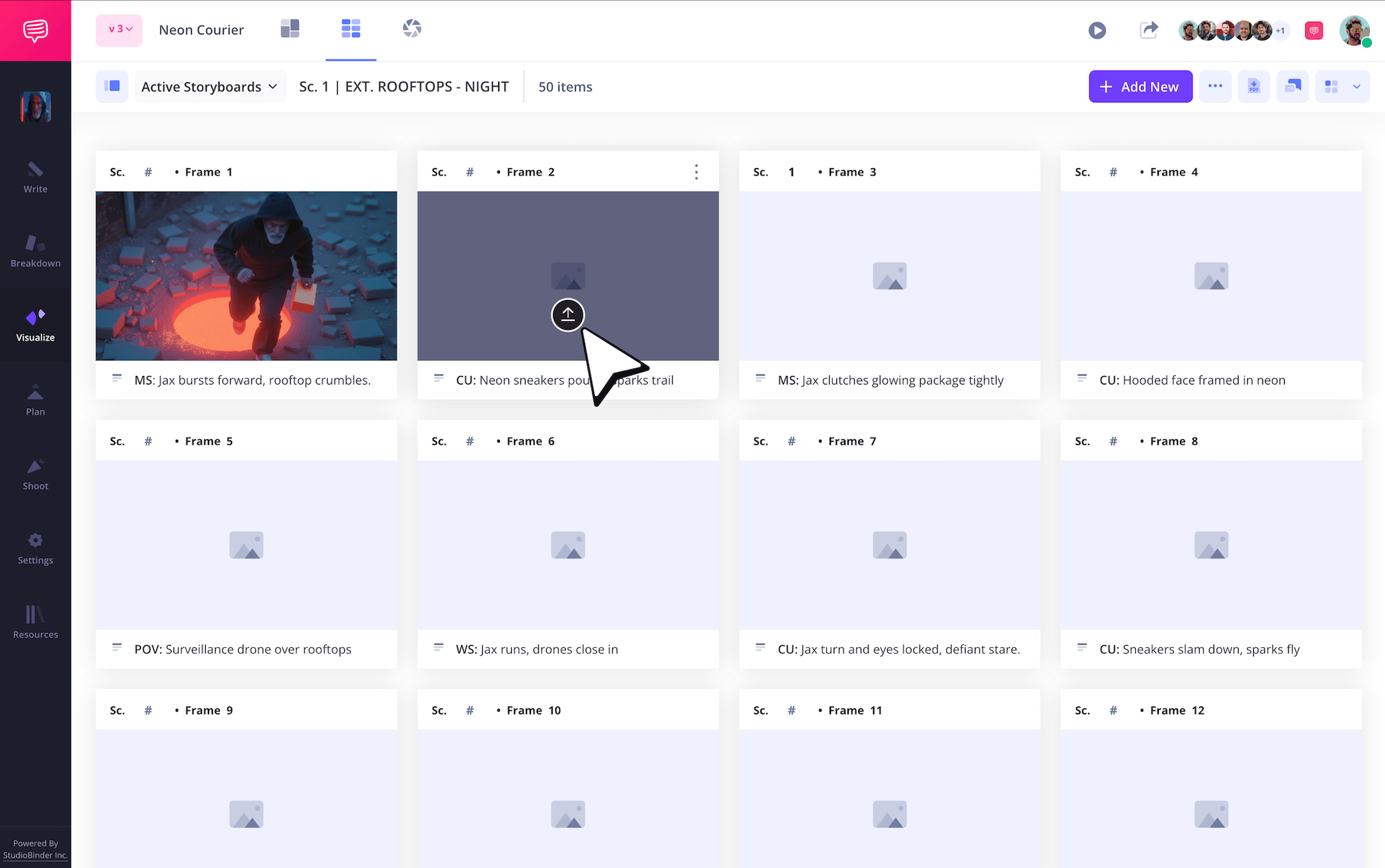
If you’re following our ‘how to make storyboard’ guidelines in StudioBinder, just click Upload on any frame when you’re ready to add your images.
Step 3
3. Include arrows
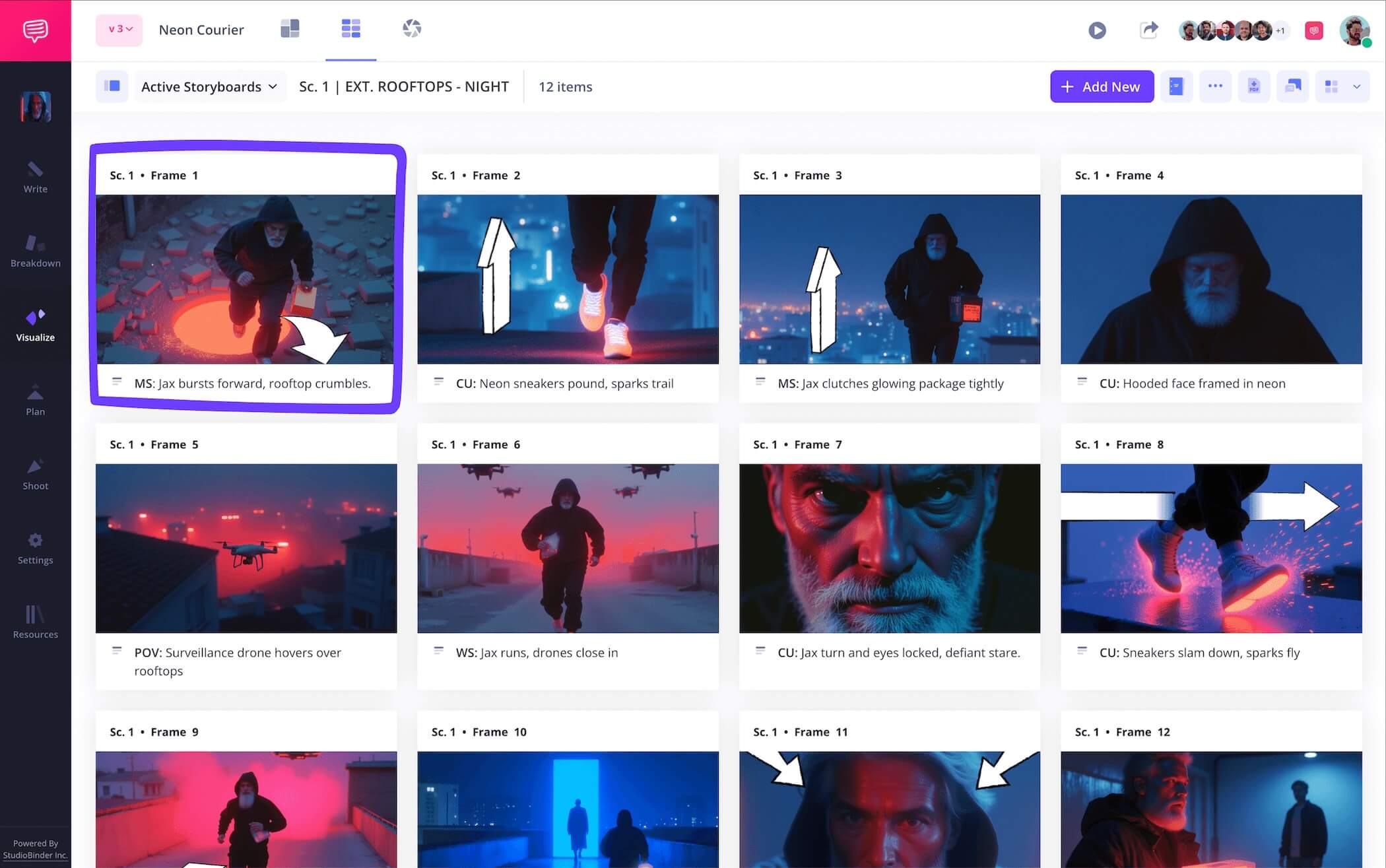
As you get better and better with how to draw a storyboard image, you may find yourself really loving how an image looks, but then realize it doesn’t quite communicate the camera or character action that it’s supposed to. This is where storyboard arrows can become really useful. Rather than discard your lovely image, maybe the image just needs a quick addition to indicate the right action.
So, how do you make a storyboard arrow you ask? Well, you can draw one into your image (luckily arrows are pretty easy to sketch), or you can digitally insert one. For our example on how to make storyboard arrows, we went into StudioBinder’s image editor to choose from an array of different arrow types.
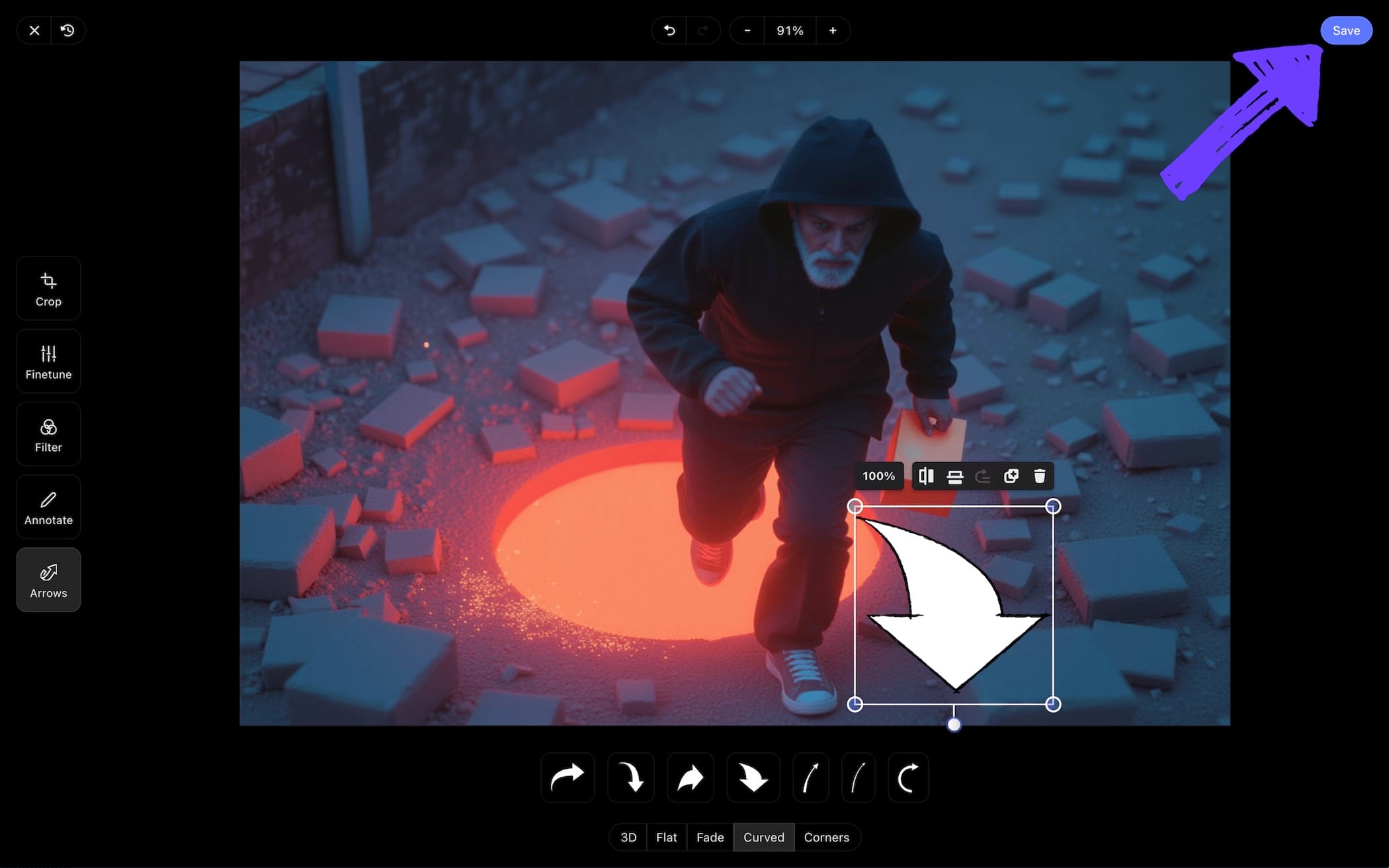
We then customized our arrow to get it to just the right proportions for a natural fit. Once we were satisfied with all our edits, we clicked Save and our newly customized image was added into our project.
Step 4
4. Edit your illustrations
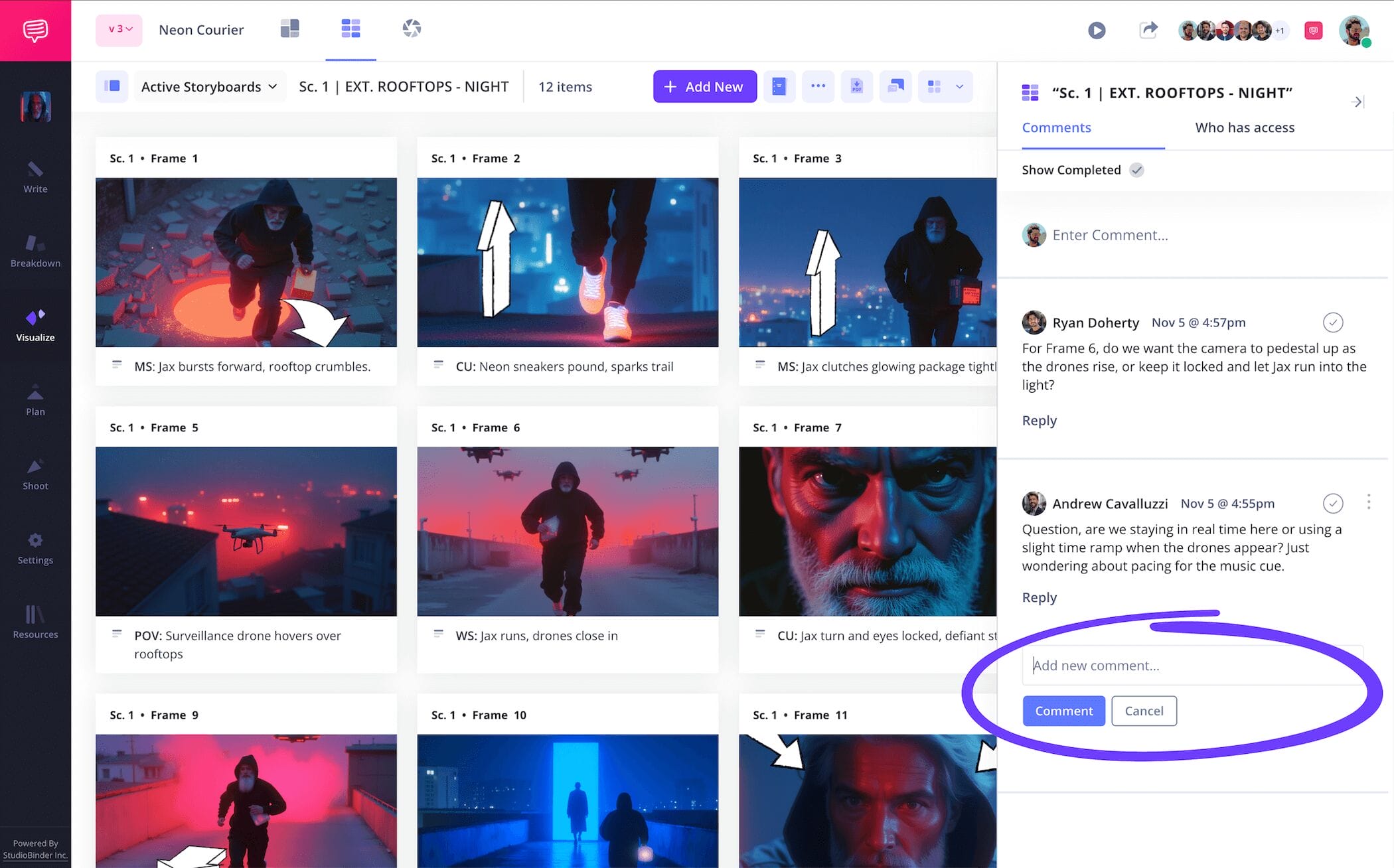
How do you make a storyboard the best it can be? Working together of course! As you learn more and more about how to draw a storyboard through experience, you’ll find that creative tunnel vision is a real phenomena. Your friends or coworkers may not know how to draw storyboards like you, but their fresh eyes might notice mistakes that get past you while drawing your images. For this reason, it’s always good to have others available to review your work and give you honest feedback.
With StudioBinder, you can use your storyboard itself as a one-stop platform for all your collaborative needs. Enable commenter or editor permissions within your invites and your collaborators can then use the comments section to provide notes or strike up a dialogue with you.
Step 5
5. Download storyboard PDF
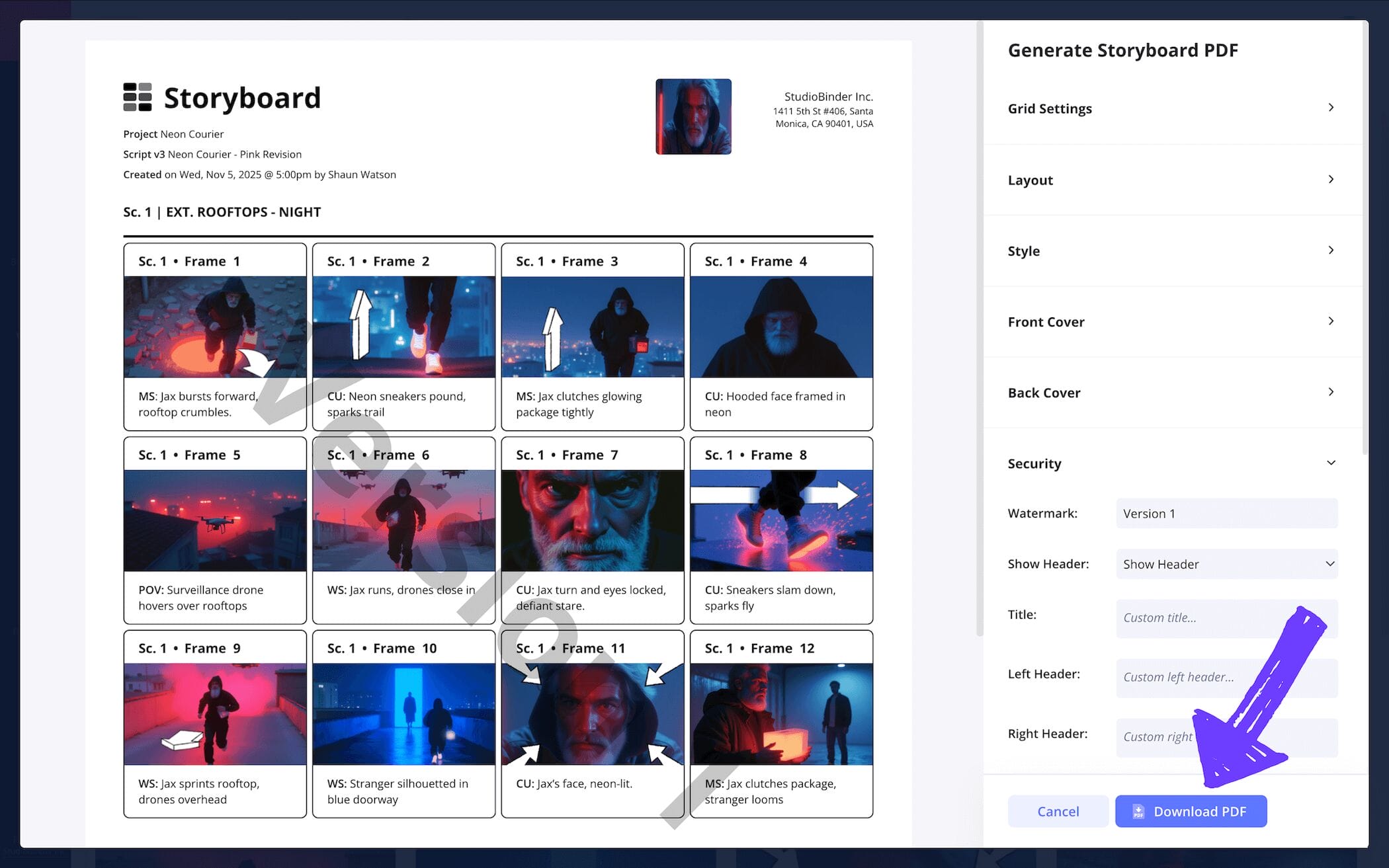
Now that you know how to draw a storyboard, let’s also make sure you don’t accidentally change or delete your storyboard after you’re finished (If you do, you’ll be looking up ‘how do you make a storyboard without going crazy’ next!). Converting your storyboard to a PDF is a great habit to get into, this way you can save several hard copy drafts for yourself, and also tailor specific copies for anyone in your production requesting a look.
StudioBinder has its very own PDF editor with plenty of useful customization options. Increase the font size for those who need a copy but don’t have the best eyes, or create a front and back cover for your executive producer’s copy. For our example on how to make storyboard PDF copies, adding a custom watermark is the first edit we’re making because we’ll want to know who’s responsible if our work ends up getting leaked!
Conclusion
You're done!
And that, friends, is how to draw a storyboard. But not so fast, because how to draw a good storyboard is only one of many different kinds of storyboarding approaches, so be sure to browse through all of StudioBinder’s free storyboard templates when you get a chance. Happy storyboarding!
Frequently Asked Questions
Your questions, answered
If you need to draw a group of people in a storyboard, you don’t want to waste too much time on details, so here are a handful of helpful tips to consider as you start illustrating:
- Begin drawing the group like it’s a singular mass, then start shaping individuals from there
- The further back, the less detail the group needs. Use silhouettes
- If the main character of the scene is in there, only focus on their details, the rest can be vague
- Repeat figures in the crowd. Copy and paste if you’re building digitally
- Use storyboard arrows if the crowd is moving as a whole
- Split the crowd into separate panels if needed
Illustrating tacking shots may sound tricky at first, but it’s actually pretty straightforward. We first recommend drawing the start and end panels, this way you’ll avoid creating a panel for every last detail, because you just want to draw the most important beats of the tracking shot. Use arrows to indicate the direction your character is going, this will do most of the motion work for you. You can also write ‘tracking shot’ into the arrows themselves to clarify. Make sure your character stays centered and generally unchanging, and you can copy and paste the character if you’re working digitally.
Drawing a storyboard can be a beautiful work of art, or it can be a bunch of stick figures and squiggly lines. The best part is that both these kinds of storyboards can be successful, as long as they focus on clearly communicating camera shot placement and where characters/objects are within the frame. If you understand film language, then you’re already more than halfway to understanding storyboarding language. If your stick figures are hard to distinguish and differentiate, don’t be afraid to label them. Again, drawing a storyboard is all about communicating who’s in the frame, what’s in the frame, and where they’re all positioned. You got this.
While the traditional method of using pencil, ruler and paper to draw storyboards still holds tremendous value in this day and age, the truth is that there are also plenty of other useful options available if you’re not a skilled artist. For example, stock image sites have a near endless amount of images. From environments to human emotions, you’re likely to find what you’re looking for, or at least something close enough as a substitute. Then there’s the brand new world of AI, which can generate images through practically any kind of prompt you can imagine. So, if you’re worried about your drawing skills while building your storyboard, why not give some of these more modern options a try?
Create your free storyboard
Draw or upload sketches to our free storyboard software.
Get started for free
