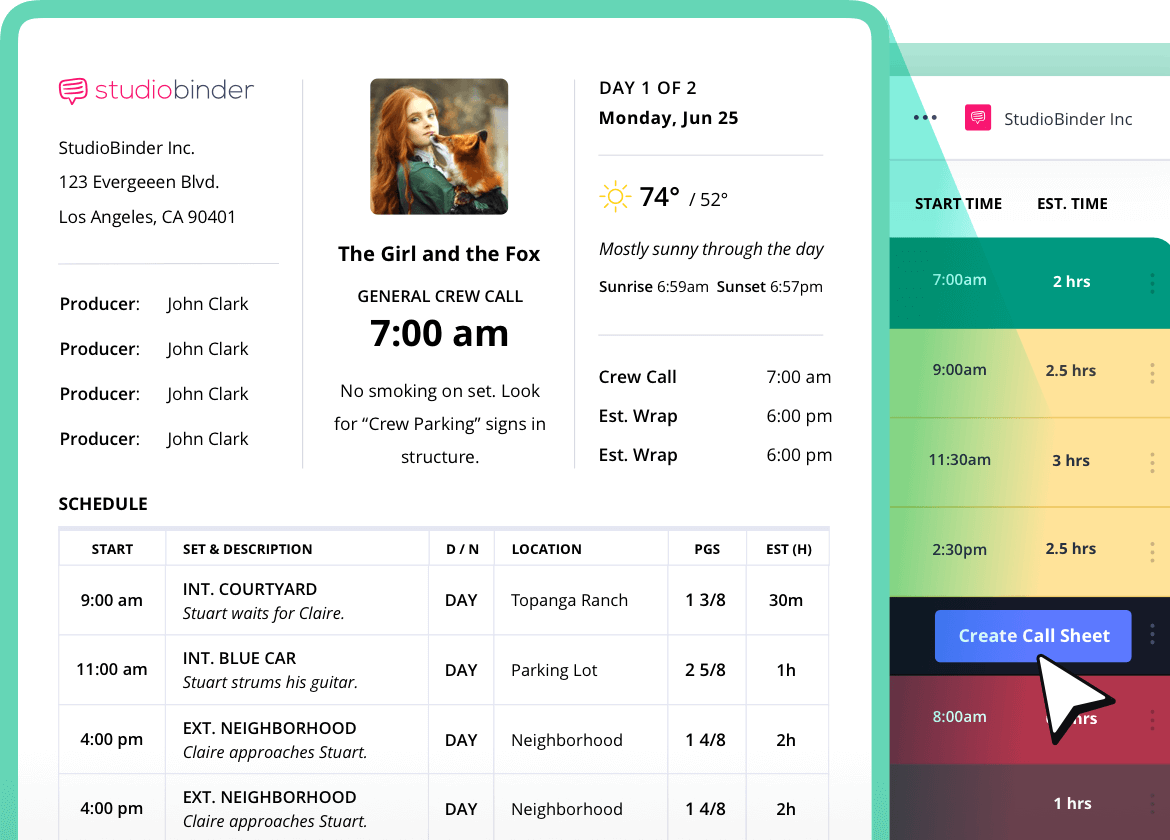
Photography Call Sheets
Organize photo shoots
From fashion photoshoots to weddings, StudioBinder’s photography call sheet template makes the entire production workflow seamless.
Photo shoot call sheet online
Leave the logistics to us
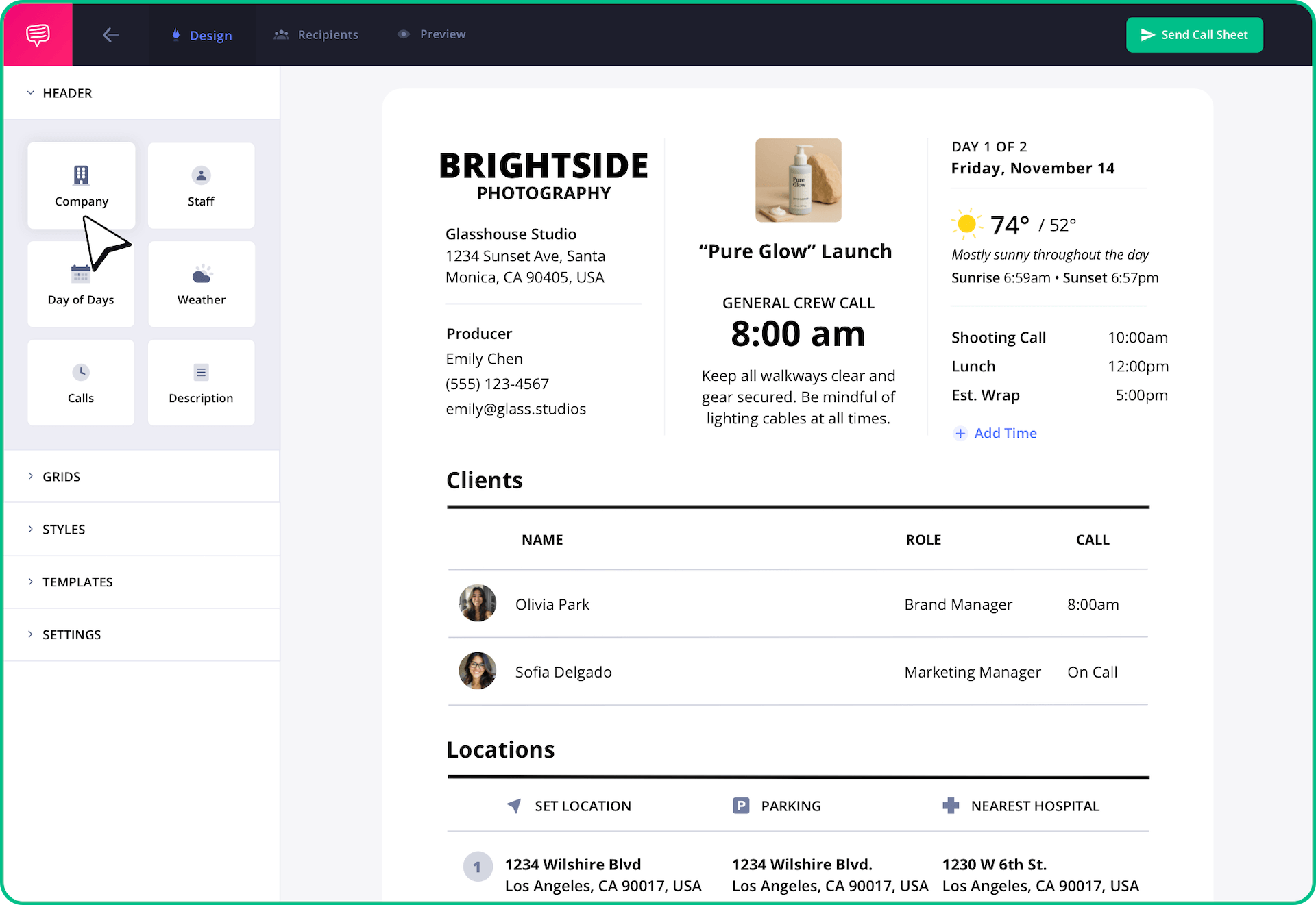
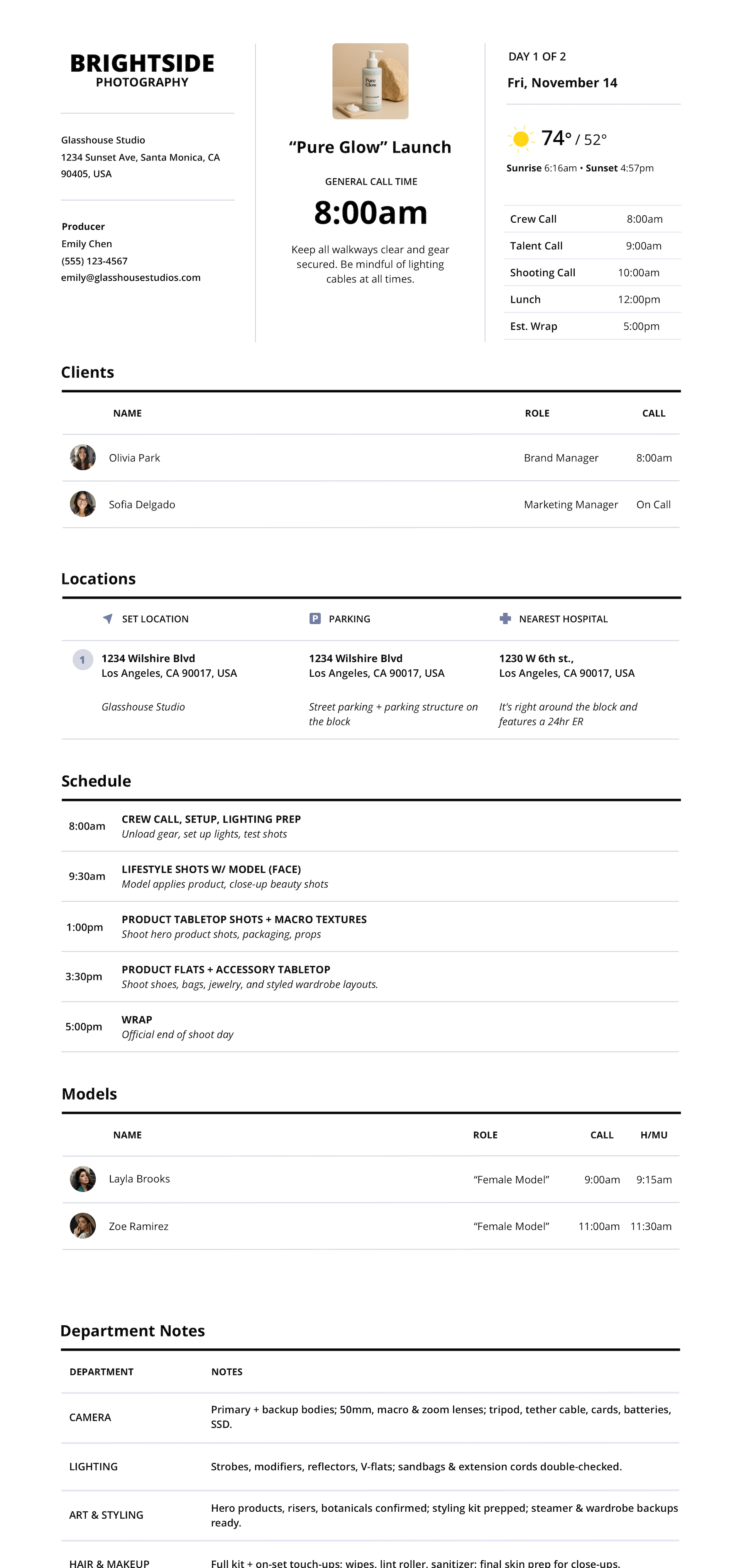
StudioBinder’s photography call sheet template makes it easy to manage every photo shoot call sheet online. Every photo call sheet includes call times, crew names with contact info, shoot locations all inside our production planning software for photographers.
Photography call sheet template
Your photo shoot command center
StudioBinder’s photo shoot call sheet turns production chaos into clarity. Identify shoot times for your models, photo crew, and key members on your photoshoot. Department notes on your photo call sheet can be used to mark down lighting needs, wardrobe, makeup and hair and more. Make your production schedule crystal clear with location address, shoot times and crew contact info to keep everyone on the same page.
"StudioBinder's call sheet builder saves our team a lot of time. We had issues with freelancers using different operating systems with our previously used call sheet templates. This makes everything easy for the crew."


Amy Skerkoski, Production Lead at Spotify
Photography Call Sheet Template
View photo call sheet sample online
StudioBinder’s photo call sheet example is used by photographers worldwide. View our free photography call sheet online.

Automated Photo call sheet
Less input, more output
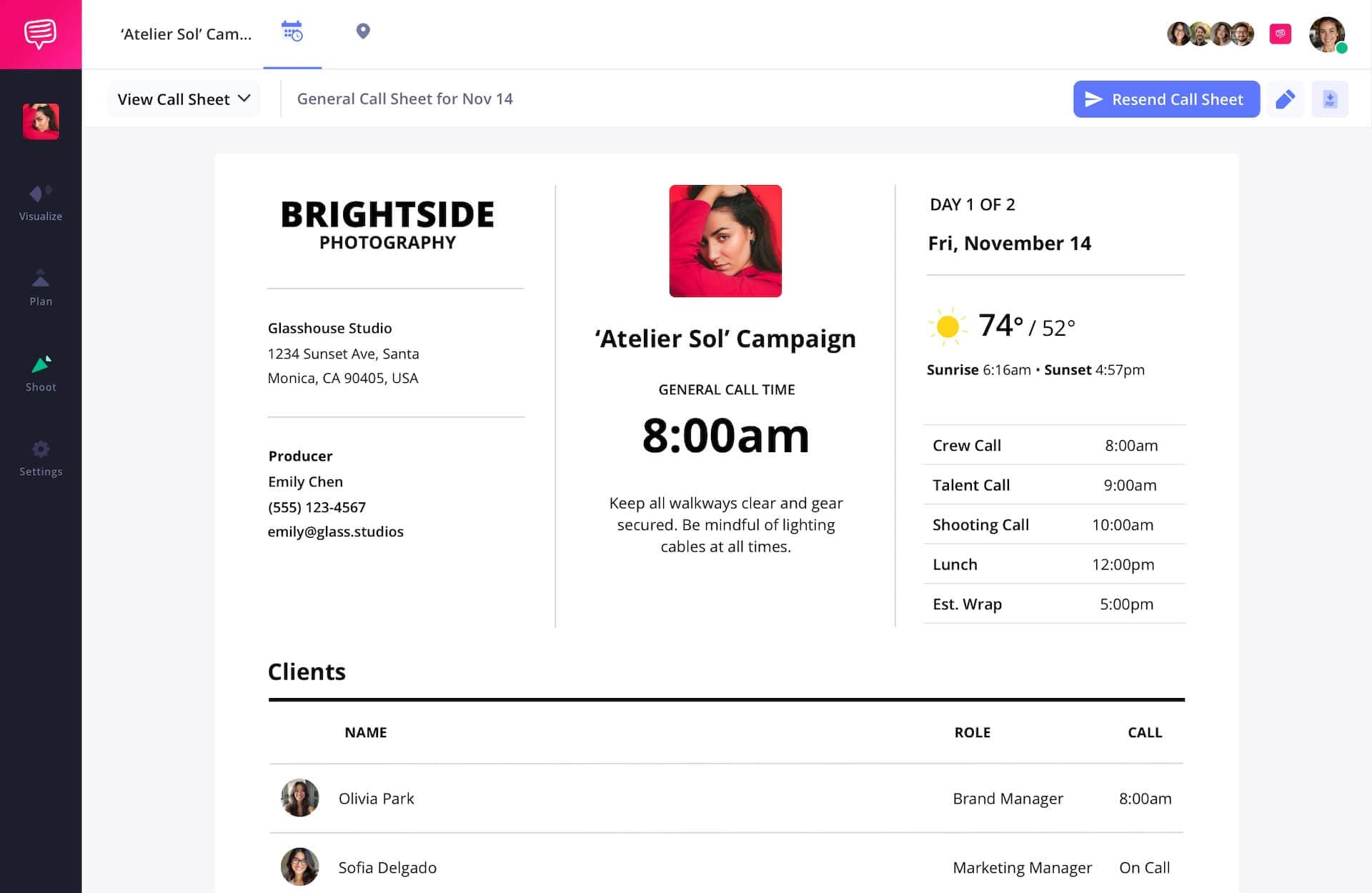
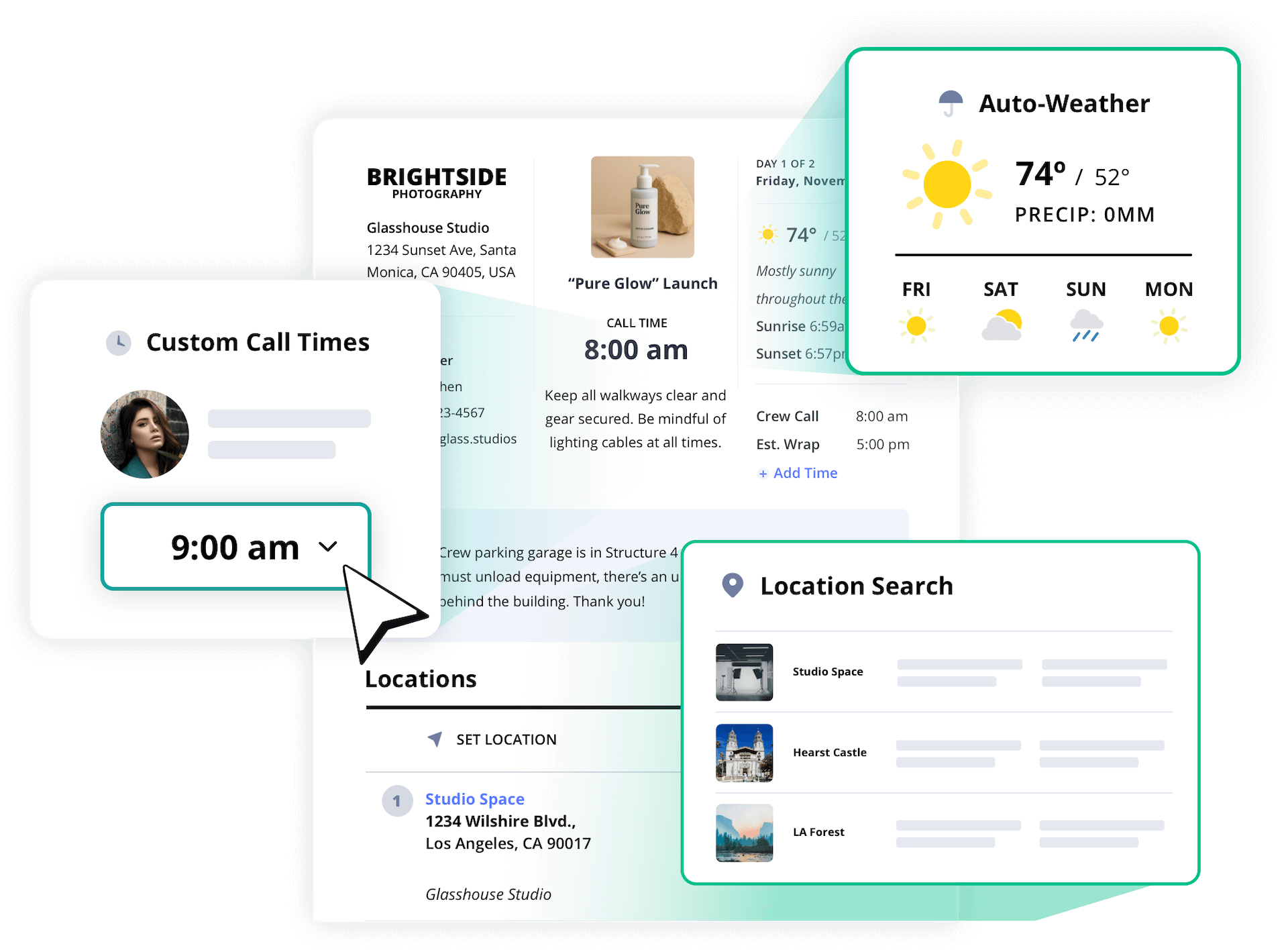
StudioBinder auto-fills your photography call sheet with details including photoshoot locations, weather info, map links, photo crew contact details and more. Just pick the shoot date and we’ll handle the rest to simplify your production process for your entire photo team.
Photography call sheet builder
Call sheets that adapt
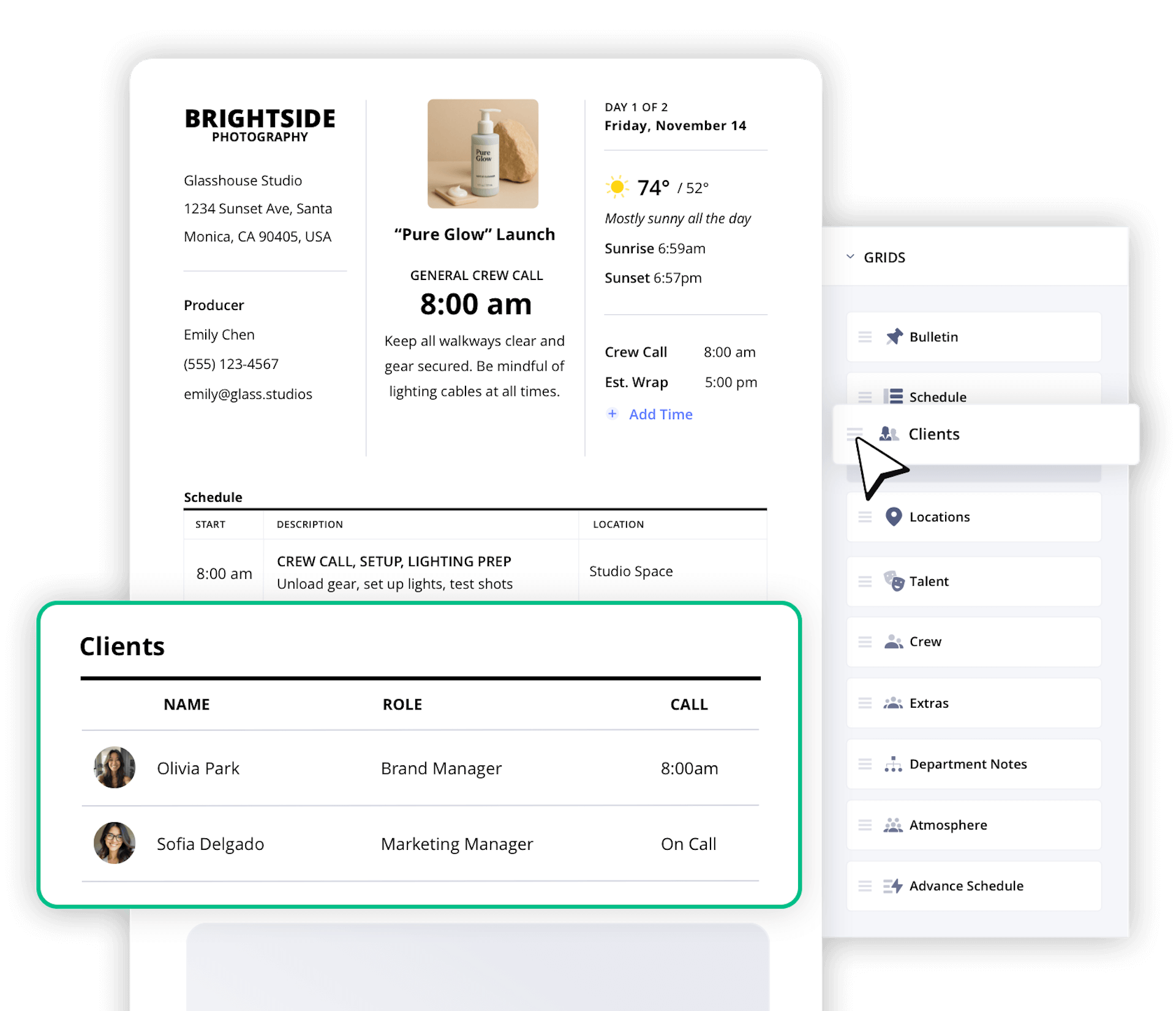
StudioBinder’s photography call sheet template is built to evolve with your photography workflow. Whether you’re planning a wedding photoshoot or editorial assignment, you can customize and re-order sections on your photo call sheet online to fit your creative workflow.
Call Sheet Templates
Create your call sheet template
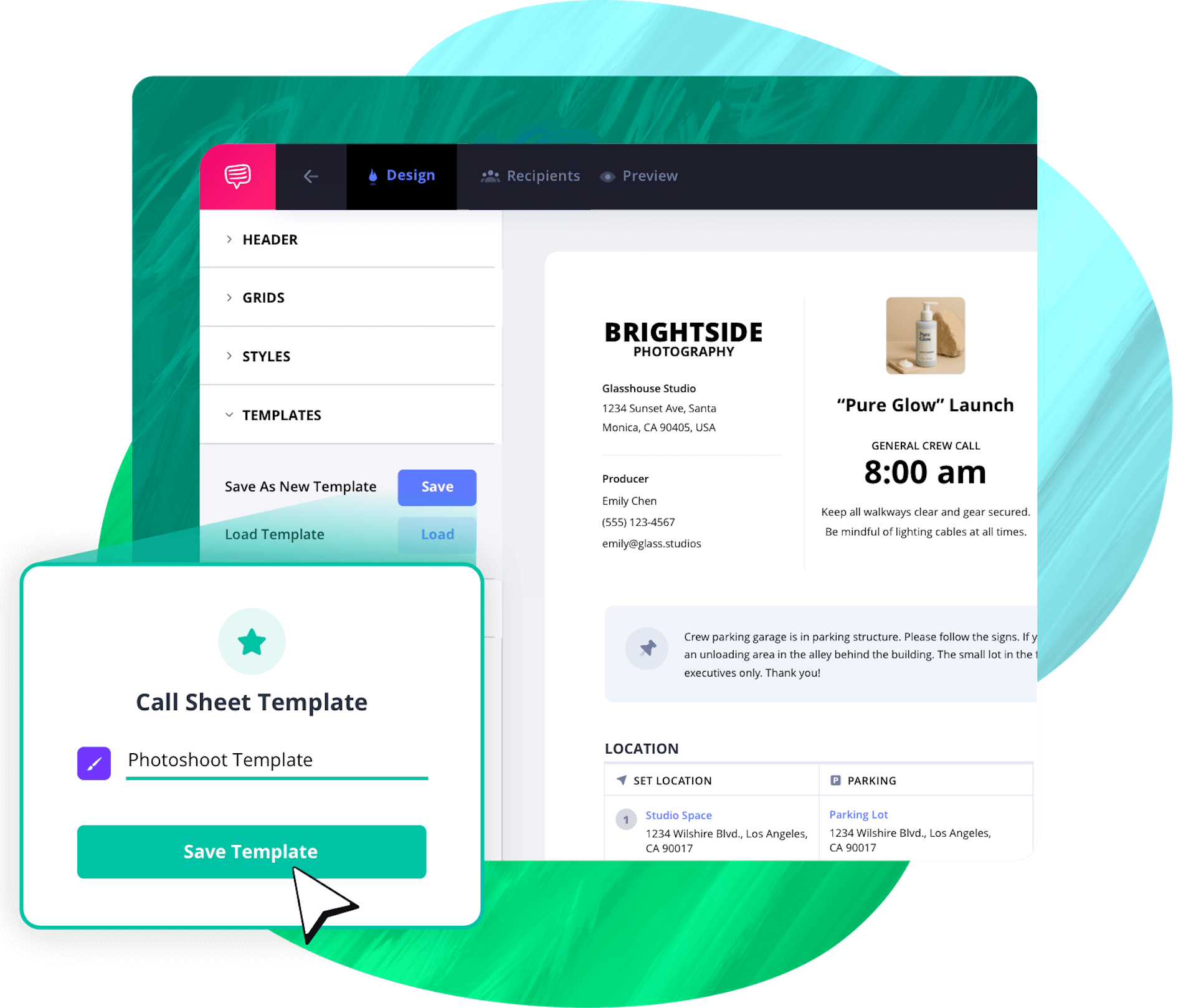
With your callsheet fully customized, you can save it as a template to get a head start on future shoot days or projects down the line.
Personalized Callsheets
Call sheet delivery options
Call sheets are sent through SMS text message and email, and since they are optimized for all devices, recipients can confirm from anywhere.

Photography production callsheets
No guessing, just signal
After sending photography call sheets, StudioBinder tracks your call sheet online with real-time updates including opens, confirmations, and email bounces. Keep your entire photo team aligned on the schedule and individual call times.

Photo shoot call sheet features
Call sheets made for busy photographers
StudioBinder turns a basic photo call sheet into a command center for your photo shoots. Add key details including hospital info, maps, and attach parking details and more. Each feature makes it easy to plan the perfect photoshoot.

Parking Details
Include parking instructions for all locations
Hospital Information
Add nearest hospital or emergency info
Weather Auto-Updates
Get automatic, real-time weather updates
Daily Agenda
Specify call times for your models, photo crew, etc.
Call Sheet Type
Pick the type of photo shoot call sheet you need
Notes and Bulletins
Write department notes for your photo crew
Google Maps Locations
Location services powered by Google Maps
Schedule
Modify days by adding scenes, banners, company moves, etc.
PDF Page Breaks
Insert page breaks to ensure a clean and legible PDF.
Footer Notes
Notes for on-set instructions, key photo crew contacts, photoshoot info, etc. on every page
Attach Files
Include photography lookbooks, camera shot lists, lighting examples, mood boards, etc.
Call Sheet PDFs
Print your photography call sheets or attach them to emails with an online link.
Atmosphere & Location Prep
Identify any background talent for the photoshoot
Department Notes
Add department notes for your photo crew on your call sheet
Advanced Schedule
Useful for multi-day photoshoots to see the next day's schedule
Department Layout
Re-arrange photo crew members and models how you see fit
Time Display
Toggle between a 12-hour clock and a 24-hour clock
Temperature Display
Switch between Fahrenheit and Celsius based on your location

"StudioBinder makes creating call sheets easy through a sleek and minimal interface.
The service allows you to easily create projects and assign contacts to various roles in the production."

Caleb Ward, PremiumBeat
Frequently Asked Questions
Get answers before your next shoot
Yes, StudioBinder is free. You can make photography call sheets online and premium plans unlock additional collaboration features for video teams.
You can create photo call sheets for any type of photography project within StudioBinder. From fashion photography, commercial photoshoots, portrait photography, wedding photography or even event coverage. Regardless of the scale of your photo production, everyone will arrive on their call time with clear details for parking, the daily photo agenda, etc.
StudioBinder’s free photography call sheet template features what you need, including a place to add the photoshoot day details, photo crew and model call times, shooting locations and even map links, attached files and more. Customize the layout as needed and variant photo callsheets can be sent to select photo crew members.
Not quite. All of your photography project details, photo crew list, photo shooting schedule details can be auto-populated from your account. There may be some minor adjustments needed, but for the most part, when you generate a photography callsheet, most information is pulled by default automatically.
Yes you can! When you have your ideal photoshoot call sheet design, simply save it as a custom photography call sheet template and re-use it for future photo shoots. This varies from the tradition and basic callsheet templates for photography.
All your photo call sheets are sent via email and SMS text (which can be toggled off). This makes it easy for all recipients to confirm from anywhere. You can also export PDF call sheets for your photoshoot as needed, then just deliver it manually.
Yep, every single photo call sheet can be tracked from your callsheet dashboard. You can effortlessly tell whether a call sheet was delivered, opened or confirmed in real-time.
Photography call sheet template uses
One template, endless shoots
A call sheet for every kind of photographer
A photography call sheet is the ultimate way to organize a photoshoot. Whether it’s a fashion photoshoot, photographing the wedding day, commercial product photoshoot, a photo call sheet will keep your entire photo team aligned. Photography call sheets are perfect for:
- Fashion Photography: Include call times and styling notes for models and even link your photography lookbook for inspiration.
- Wedding Photography: Share key vendor contacts on your photography CRM, set up the ceremony shooting schedule, and map out the weather forecast for the big day.
- Commercial Photography: Easily attach ancillary documents such as shot lists, brand-approved references and more.
- Product Photography: Include light setups, camera angle examples, product lookbooks, and more.
- Portrait Photography: Add shooting location information, wardrobe notes, hair and make-up details, shot lists and more.
- Event Photography: Create alternate call sheets for photo crew members with floor plans and walkie channels.
Photography call sheets
Smarter photo call sheets for photographers
StudioBinder’s photography call sheet templates are made for how you actually work: fast, visual and mobile. Whether you’re planning a fashion shoot, commercial photoshoot, or wedding photography, we’ve got your covered. The platform automates the most tedious parts of production so you can focus on the photoshoot, not trying to wrangle everyone on set. Why photographers love our call sheets:

Built for all devices
Your contacts can receive any photography call sheet from a tablet, phone or laptop

Auto-filled from your project
The photography call sheet builder pulls in schedules, photo crew, and the shooting info automatically

Save call sheet templates
Build, edit and re-use custom photography call sheet templates for free without extra work.

Flexible layouts
Customize the call sheet design to fit your brand, hide or re-order sections, and add your own logo.

Send and track easier
Track all of your photo call sheet analytics, including who has viewed or confirmed a photo call sheet

Built-in smart tools
Real-time weather forecast updates, shooting locations with Google Maps integration, and attach files
How to make a photography call sheet in StudioBinder
Creating your photo call sheet takes just a few minutes within StudioBinder’s photography call sheet app:

Open StudioBinder on your browser.

Click on the Call Sheets tab on the project homepage.

Click "New call sheet" and give it a title, choose the date and call time, import a shooting schedule, and select your scenes.

Choose between a standard or simplified layout, or from one of your saved call sheet templates.

Add details like notes, bulletins, additional call times, an advanced schedule, and upload file attachments as needed.

Select recipients and add any individualized notes.

Preview your call sheet, including the desktop, mobile, email, and text versions.

Send your call sheets and track their status to ensure they are successfully delivered and confirmed.
Customers
Trusted by the Best
Modernizing production workflows at renowned studios worldwide.












Explore Solutions
What else can StudioBinder do?
See all the ways we can improve your production workflow.
Write
Industry-standard scriptwriting software and note taking.


Breakdown
Identify all the pre-production details you need to know.


Visualize
Visualize the script to get everyone on the same page.


Plan
Collaborate with department heads as you prepare for production.


Task Boards
Team collaboration

Media Library
Share docs & media



Today’s production teams use StudioBinder to streamline their process, and collaborate on better content together.


"I can be a part of the conversation and see when someone finishes a task."
Watch Testimonial ➜

"StudioBinder makes pre-production that much quicker for out team."
Watch Testimonial ➜

"Call sheet confirmations have instantly made our life that much easier."
Watch Testimonial ➜