
home → TEMPLATES → CALL SHEETS
Call Sheet Photography Template
Call Sheet Photography Template
Any photography shoot benefits from a well-organized schedule, which is where the importance of using a call sheet photography template comes in. This document essentially plans out an entire shoot day, from where and when the shoot will occur, to the models or objects that will be front and center.
In this photography call sheet template free guide, we’ll take you through the most important steps to building any call sheet for photography. We’ll use StudioBinder’s call sheet software for our examples, but you can follow along with any kind of template. Let’s get started!
1. Fill out header details
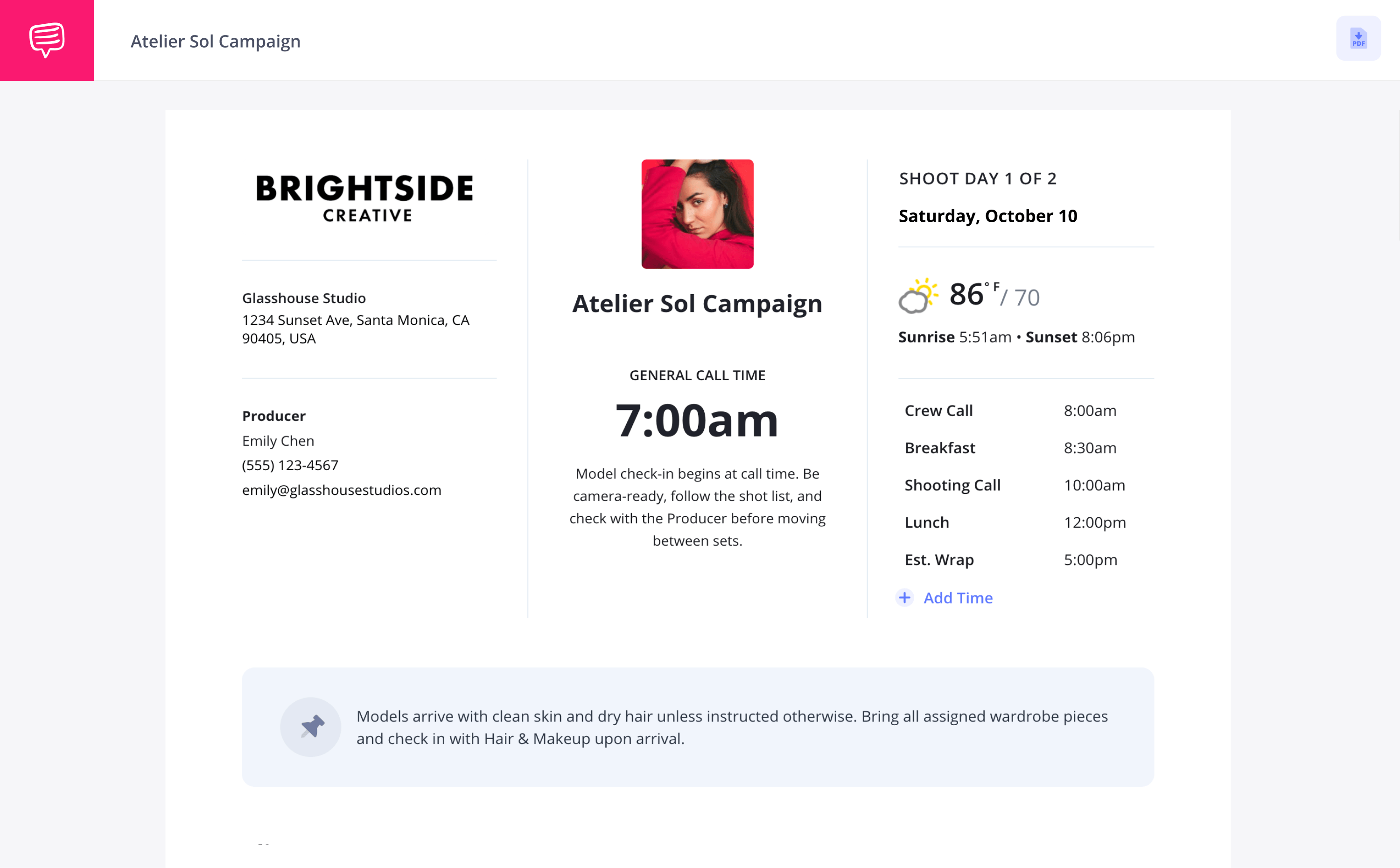
There would be no call sheet photography template to fill out if there wasn’t a date and call time for your production, so that information will go front and center. When you open a new call sheet project, you’ll be prompted to first set the date and time.
On the right of your photography call sheet template, you can start inputting the main time slots of the day, such as crew call, shooting call, and estimated wrap time.
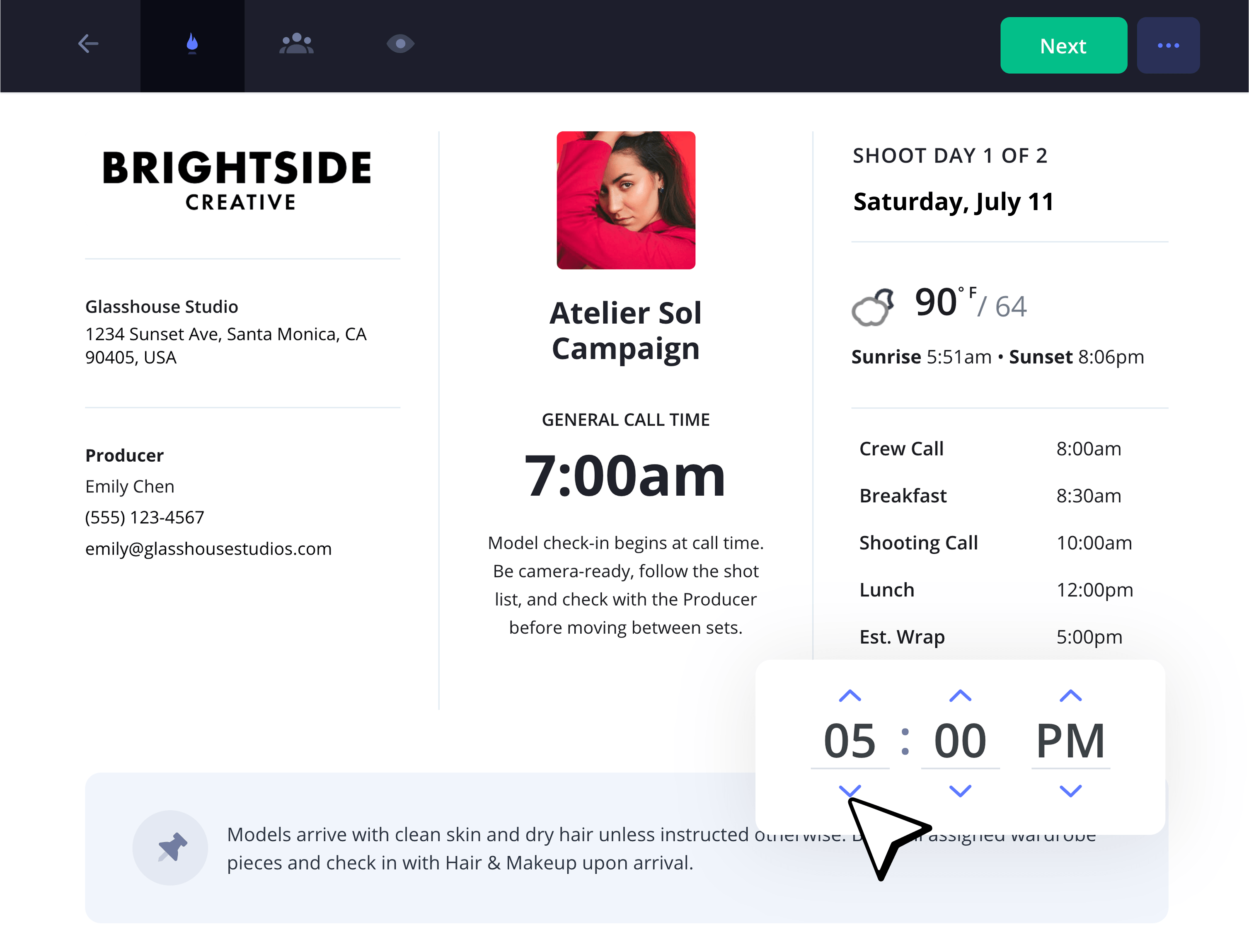
By inputting the date and location of the shoot, the day’s weather forecast will automatically be added as well.
Other information to add to your header includes producer information, any creative studio involved, and which shoot day you’re currently on in the top right.
2. Add clients and talent
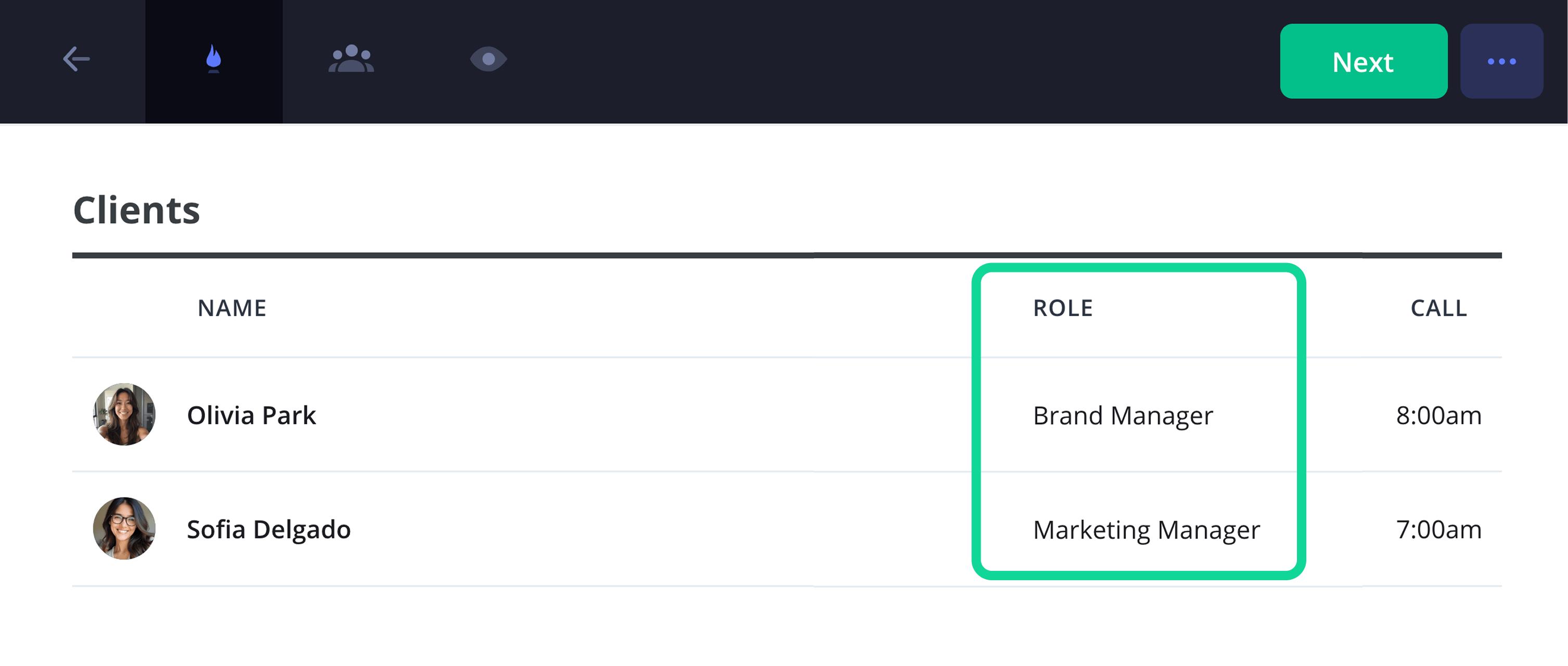
It’s common for a call sheet photography template to list the clients near the top if any are involved.
Start from left to right with their name, role and call time. In our case, we’re listing the brand manager and marketing manager for our commercial photography shoot. We're also keeping their email contacts visible since we have a small and discrete crew.
Then we’re creating the talent column right below our clients. Here we’re listing out our two models for the day and specifying their call times.
But we just received word that our hand model's call time needs to be pushed, so we’ll just click his set time and readjust that part of our call sheet photography template.
3. Add locations & directions
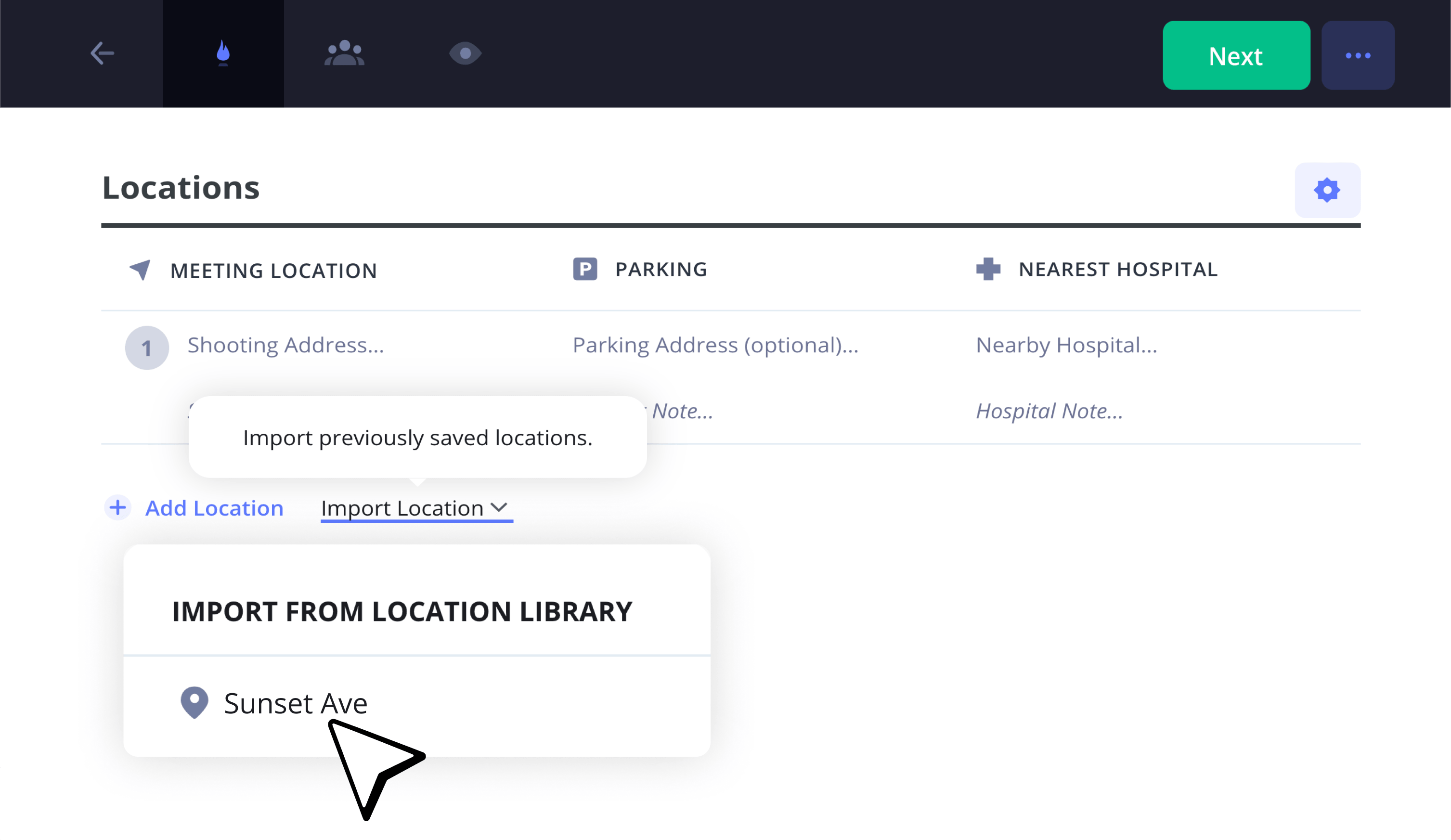
Now let’s set up the shooting location details on our photography call sheet template. Add in the address where the shoot will take place, as well as a parking location with directions if necessary. Maybe you have multiple backdrop locations you want to shoot, so add in as many location columns as necessary.
As you can see in our call sheet example, we already have a handful of locations saved in our StudioBinder app, so we’ll just click Import Location so we don’t have to write this information over again.
4. Add shooting schedule
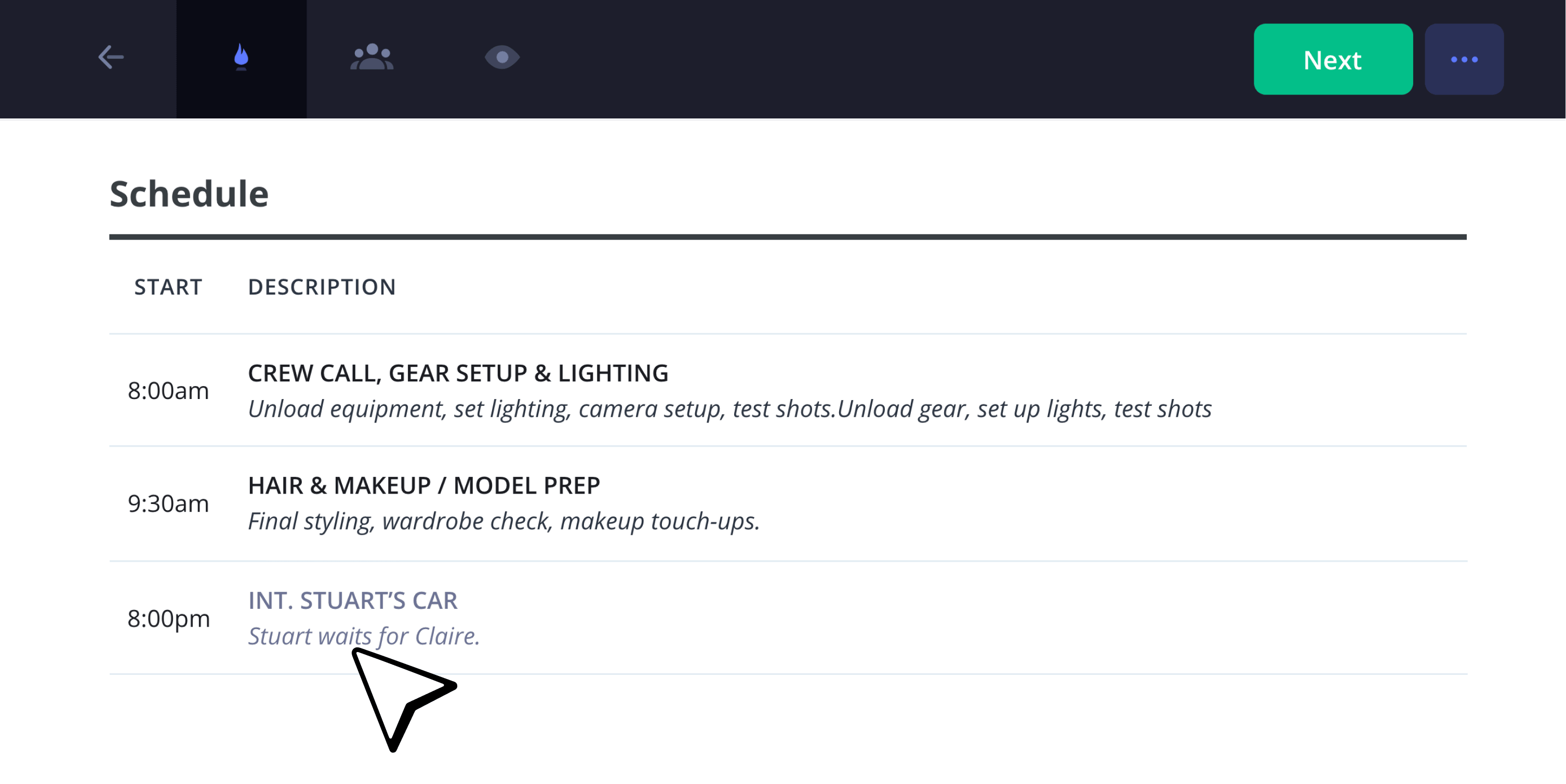
The shooting schedule on your call sheet photography template will provide even more detail around what will occur in each time window. Hair, makeup, gear, lighting, these are the actions the camera crew will need to know the required time for to a T, so make sure they’re well established and readjust times accordingly on your call sheet photography template.
5. Include photoshoot notes
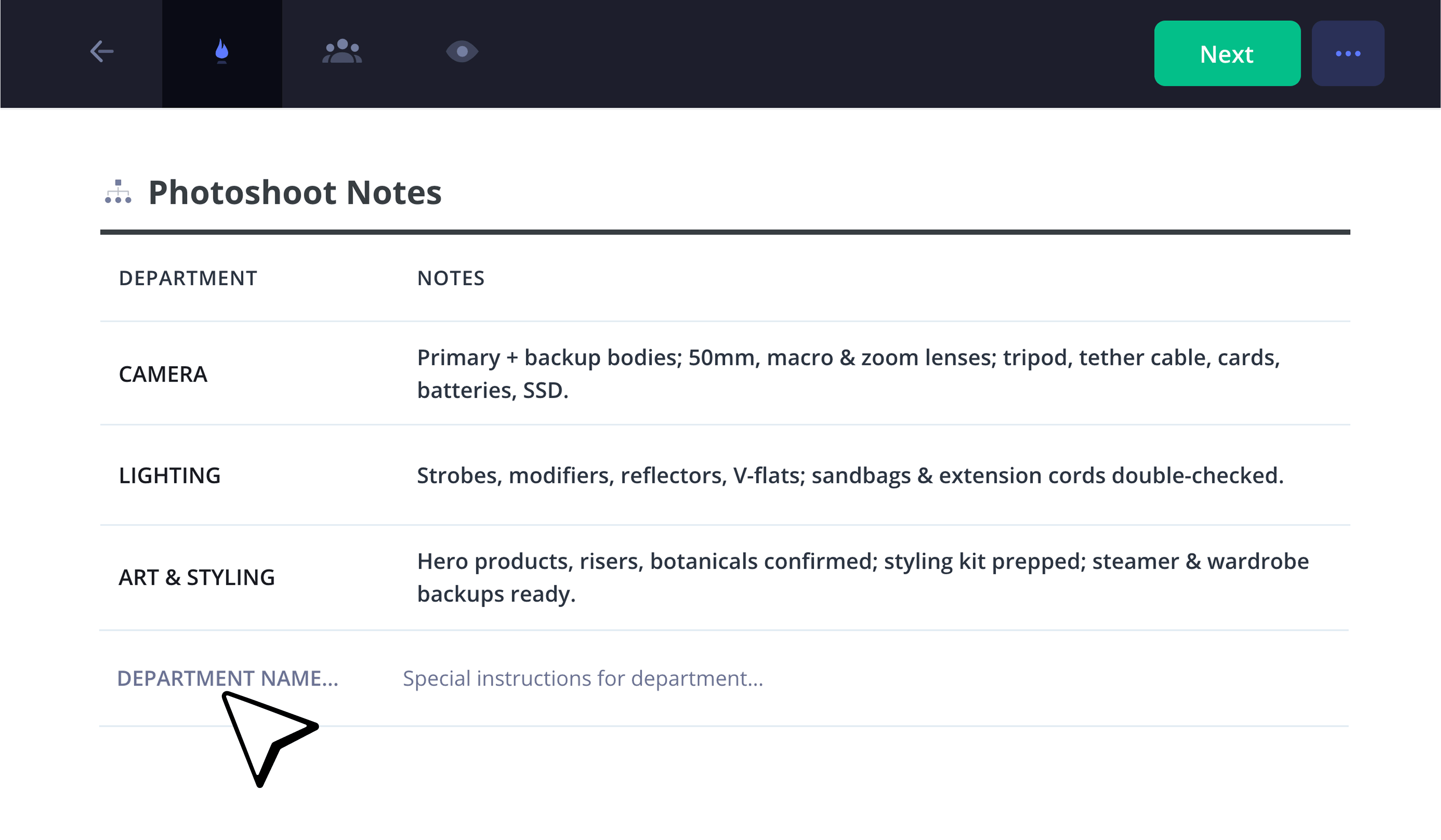
It’s always helpful to set up a list on your photography call sheet template that’s related to any need-to-know photoshoot notes for the day. This is where important information around things like brand product details and lighting equipment needs can be communicated to everyone.
For our call sheet template photography example, we’re adding an extra note that was just requested by our hair and makeup crew. This will ensure our models are set with all the right tools to capture the best photos for our client.
6. Add attachments
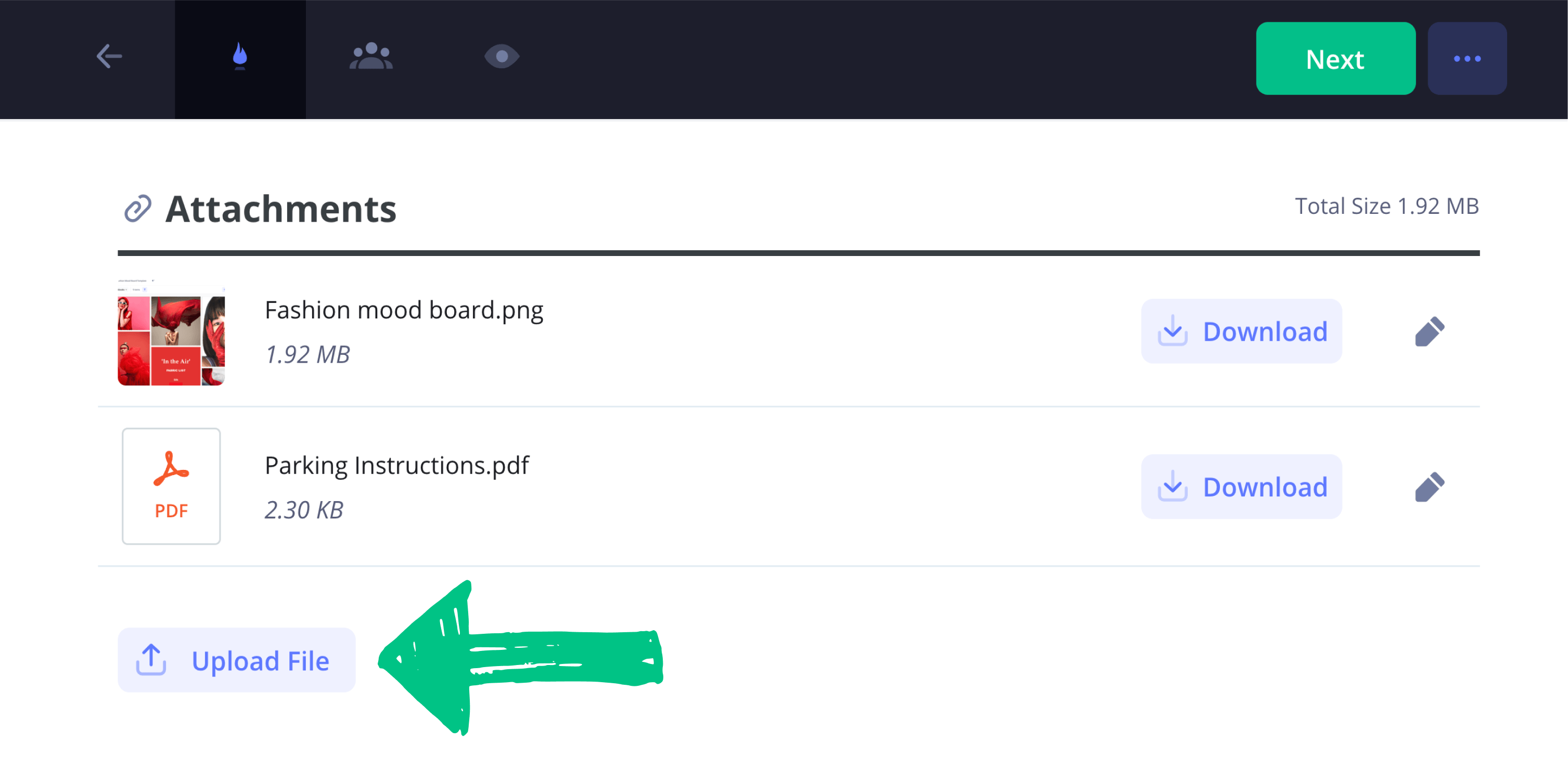
It’ll be helpful to let not just your photographers, but all your clients, fashion models and crew know the kind of mood you aim to capture for this day’s photoshoot. This is where attaching documents to your photography call sheet template becomes crucial.
For our template example, we clicked Attachments and added a PDF of a fashion mood board we created in the StudioBinder app. We’re also attaching a parking instructions map to clarify any confusion around where to park and how to get to set.
Now our entire photography production knows the style we want for this shoot and how to navigate that confusing parking garage on site!
7. Write private messages
Your call sheet photography template is built up well at this point and you’re ready to send it out to the clients, talent and crew. But maybe before you do, you decide you want to include an attached note with some individuals’ copy of the call sheet.
Our brand manager went above and beyond by helping us coordinate some difficult logistics for this shoot.
So, we’ll find her name in the recipients column and send her a personalized thank you note along with her call sheet copy.
8. Send and track call sheets
Now it’s time to send out that beautifully built call sheet photography template by clicking Send Call Sheet.
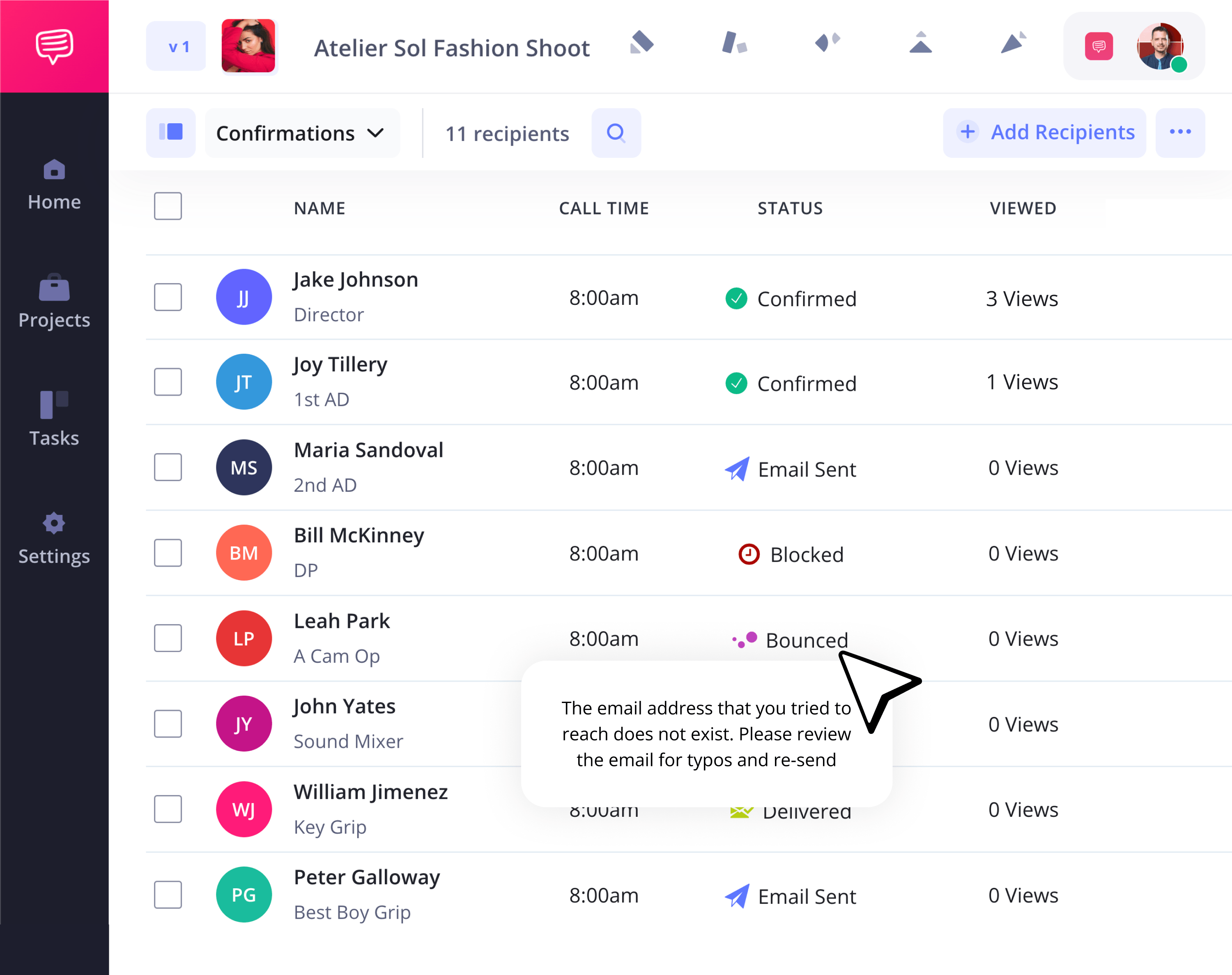
As soon as your call sheet is sent out, you’ll be able to observe who in your photoshoot production has viewed it and received it.
Don’t worry about any email typos keeping your call sheet from getting sent. If an email address doesn’t exist, it will be marked as bounced, allowing you to reenter the correct email once you have it.
And there you have it, your call sheet photography template is all set.
Done!
Now that you’ve constructed your call sheet photography template to a T, and you're familiar with all the essential steps to take while building it, what will you do next? Our suggestion is to first enjoy the immaculate photoshoot you helped coordinate, then come back to StudioBinder for more free call sheet tutorials!
Frequently asked questions
To create a call sheet for any type of production, start by setting the date and time right at the top of your document. Then fill out the rest of the important header information for your production, such as project title, production company, producer names, and the day’s weather forecast. From there you’ll enter all the location logistics, from the set address to parking instructions and the nearest hospital. Now you’re ready to build the shooting schedule, including start time, meal breaks, and equipment breakdown. The last most important section will be the cast and crew list, which will detail everyone working in production that day, their title, and any important notes or information that should be known for each individual.
Yes, a call sheet can be considered a legal document. This is because it lists out important work hours and coordination details that can technically be used in a court of law. However, details of a call sheet can also be disputed since it’s not considered a signable contract in and of itself, it’s more a document that can be used as evidence when building a case.
You can download a call sheet template for any kind of production by searching the web and using any free or subscription based template that comes up. Free templates are offered through websites and apps such as Excel, Word, PDF and Google Sheets. Production software sites like StudioBinder or Celtx are also available with more detailed options.
If you’re #1 on the call sheet, it means that you’re the first actor listed in the cast. The #1 title also symbolically tells the production that you’re the face of the project and that you have top billing. This is particularly important to establish on a call sheet because it helps communicate scheduling priority.
Key steps
Schedule your music video today
A music video call sheet keeps your entire production day organized and on schedule so your performers and crew can work efficiently and in sync.
Get started for free
