home → TEMPLATES → CALL SHEETS
Filming Call Sheet Template
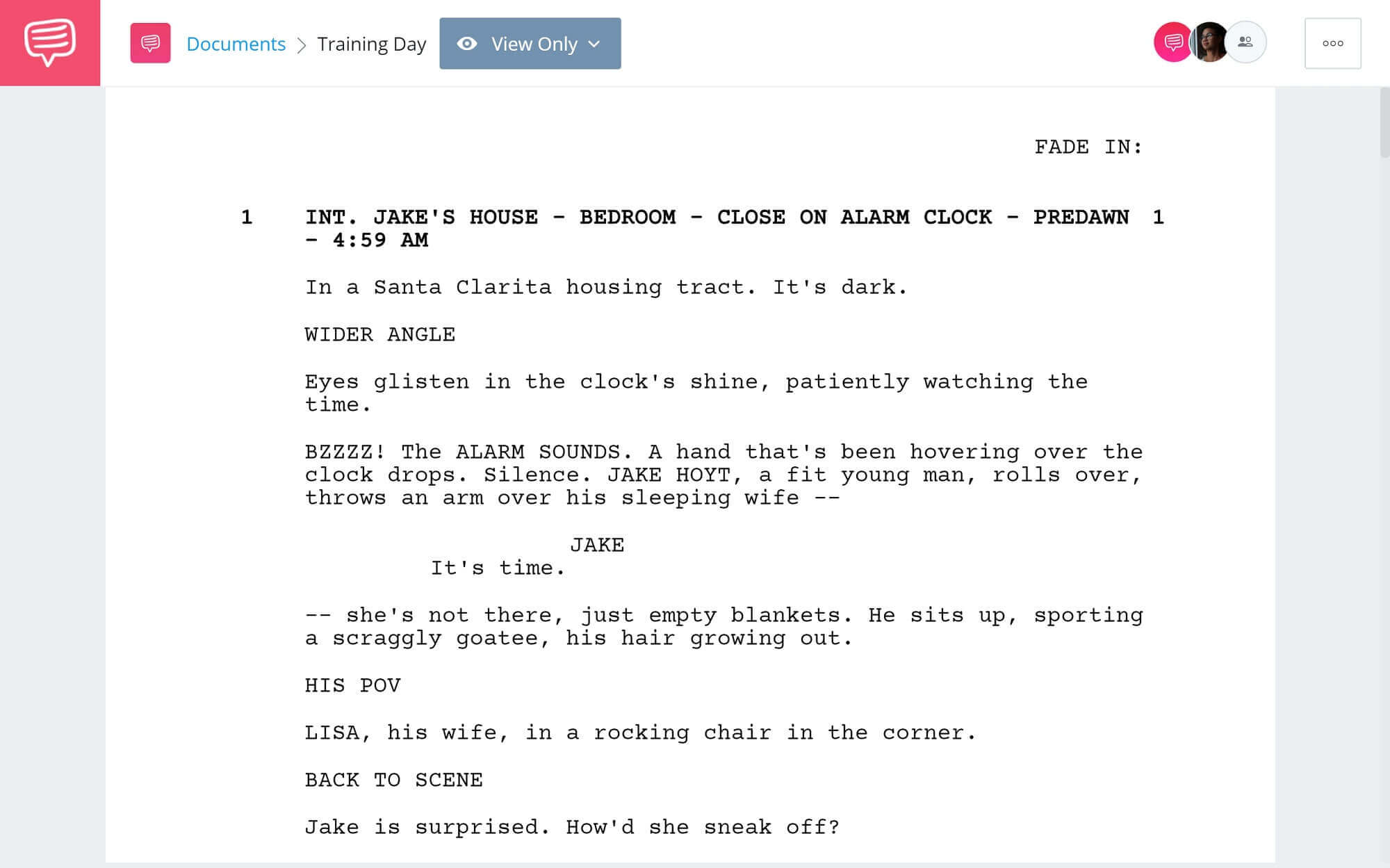
What is a filming call sheet?
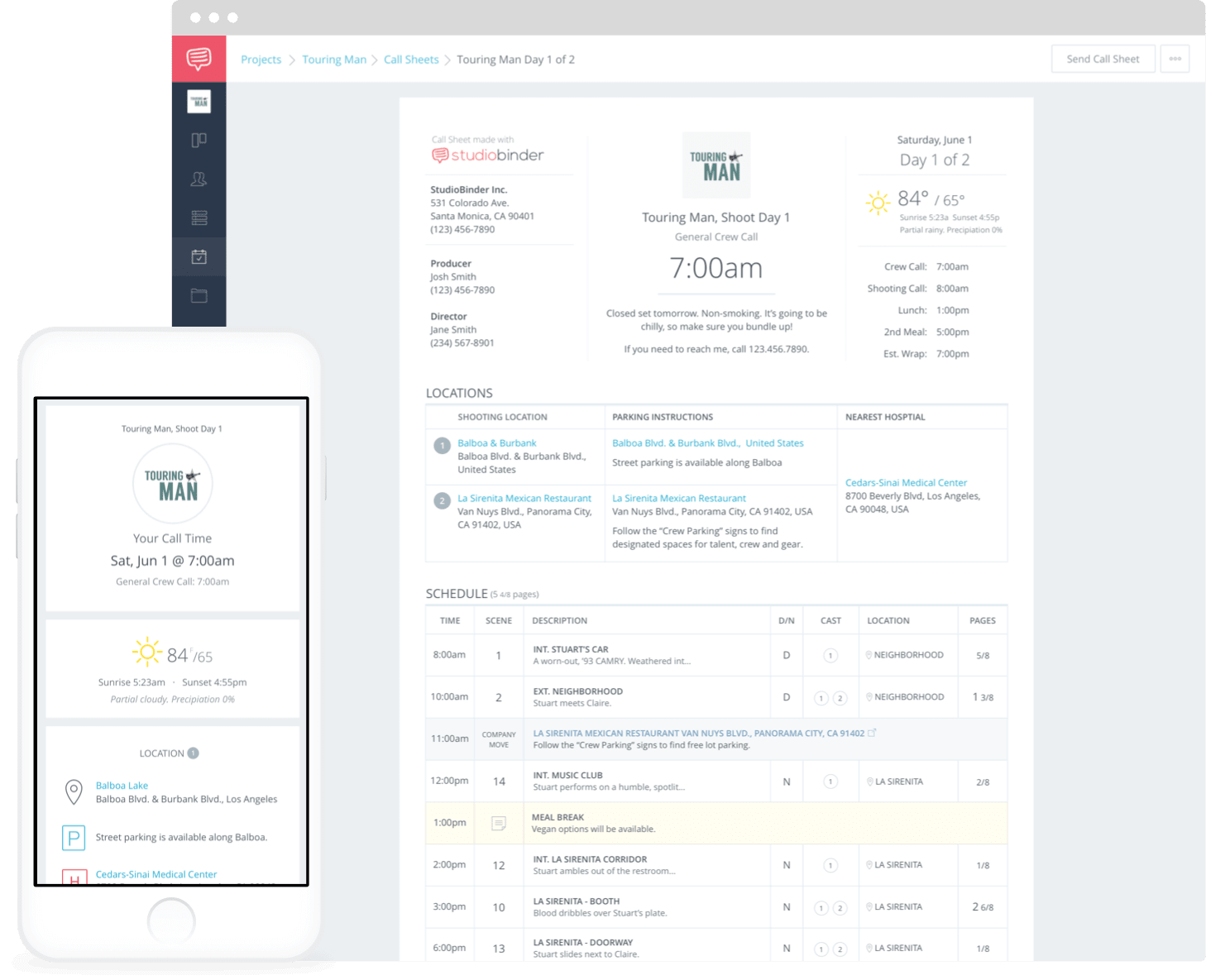
For reliable film shooting scheduling that you can use to plan every production day, a filming call sheet template is exactly what you need. A call sheet is typically put together by the 1st assistant director the evening before a shoot day, and details the entire schedule, each individual’s job on set, and which scenes are planned to be filmed.
In this guide, we’ll take you through each step to fill out your movie call sheet template simply and efficiently. We’ll be using StudioBinder’s call sheet software to show you an example for each section, so follow along if you’d like!
1. Start with header details
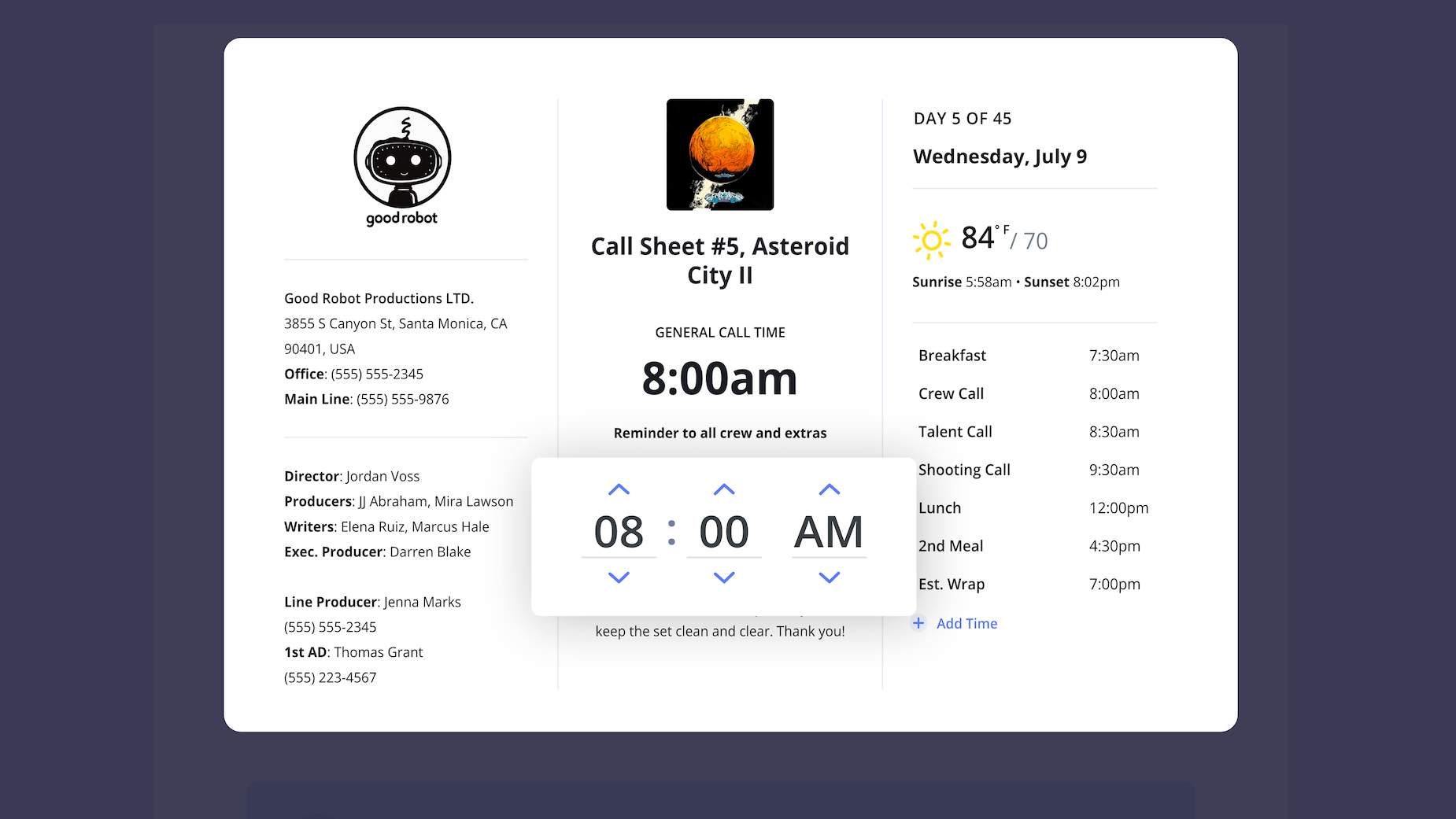
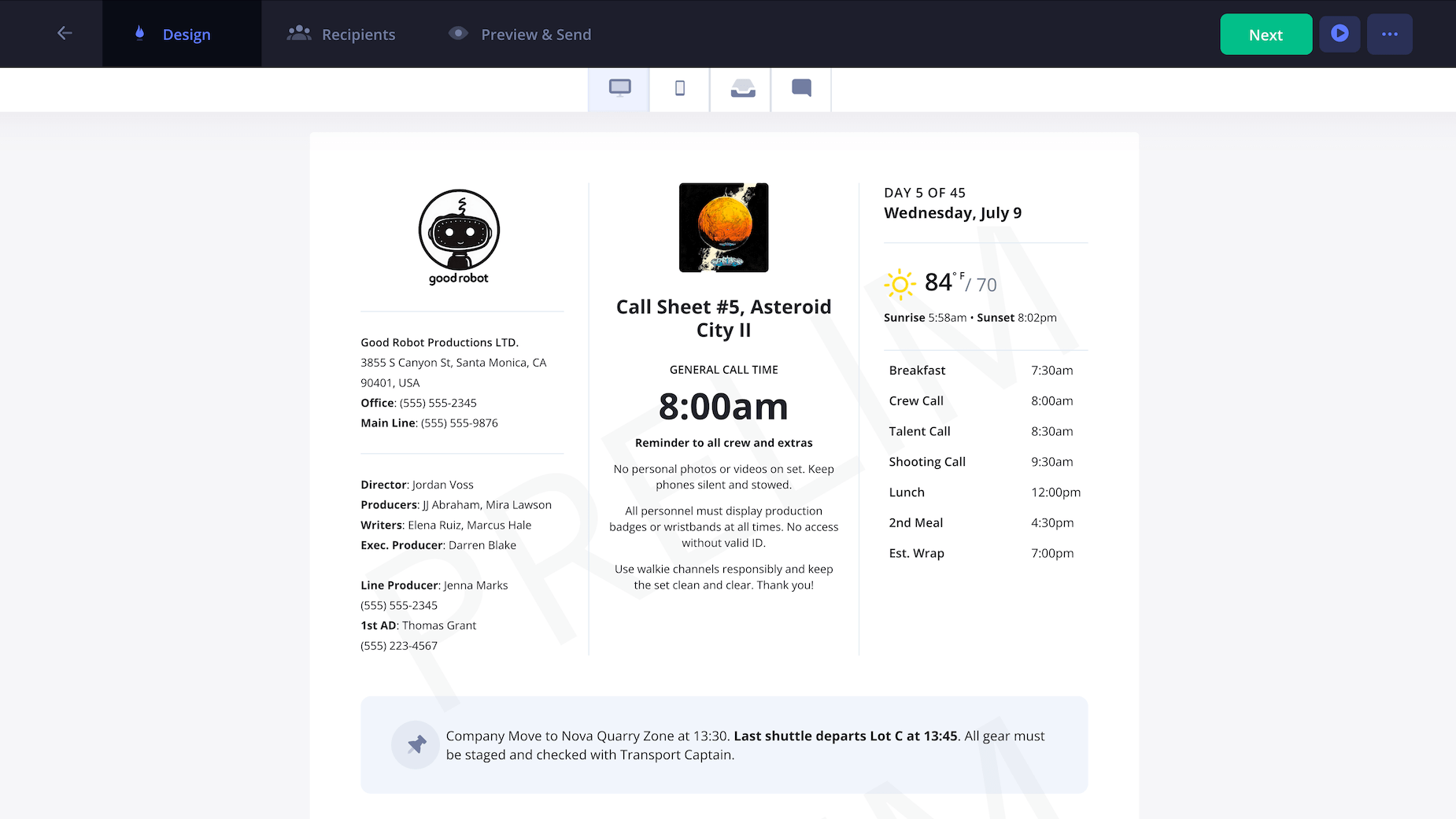
Always start with the header details since this is the first place everyone will look on your filming call sheet template. Once you create a call sheet project, a pop-up will prompt you to fill out the date and general call time:
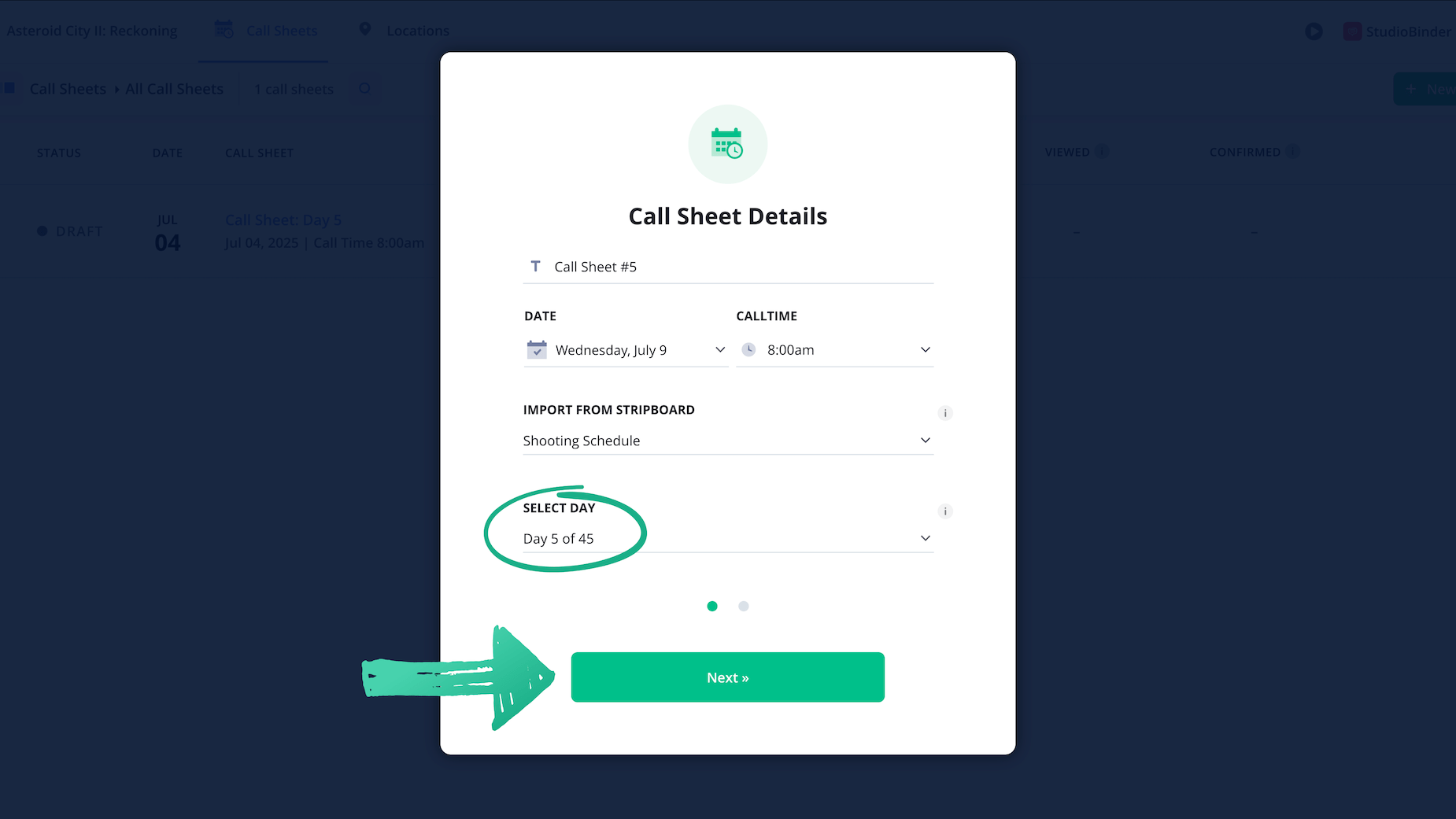
Now let's populate the rest of the important header information filled in on your filming call sheet template.
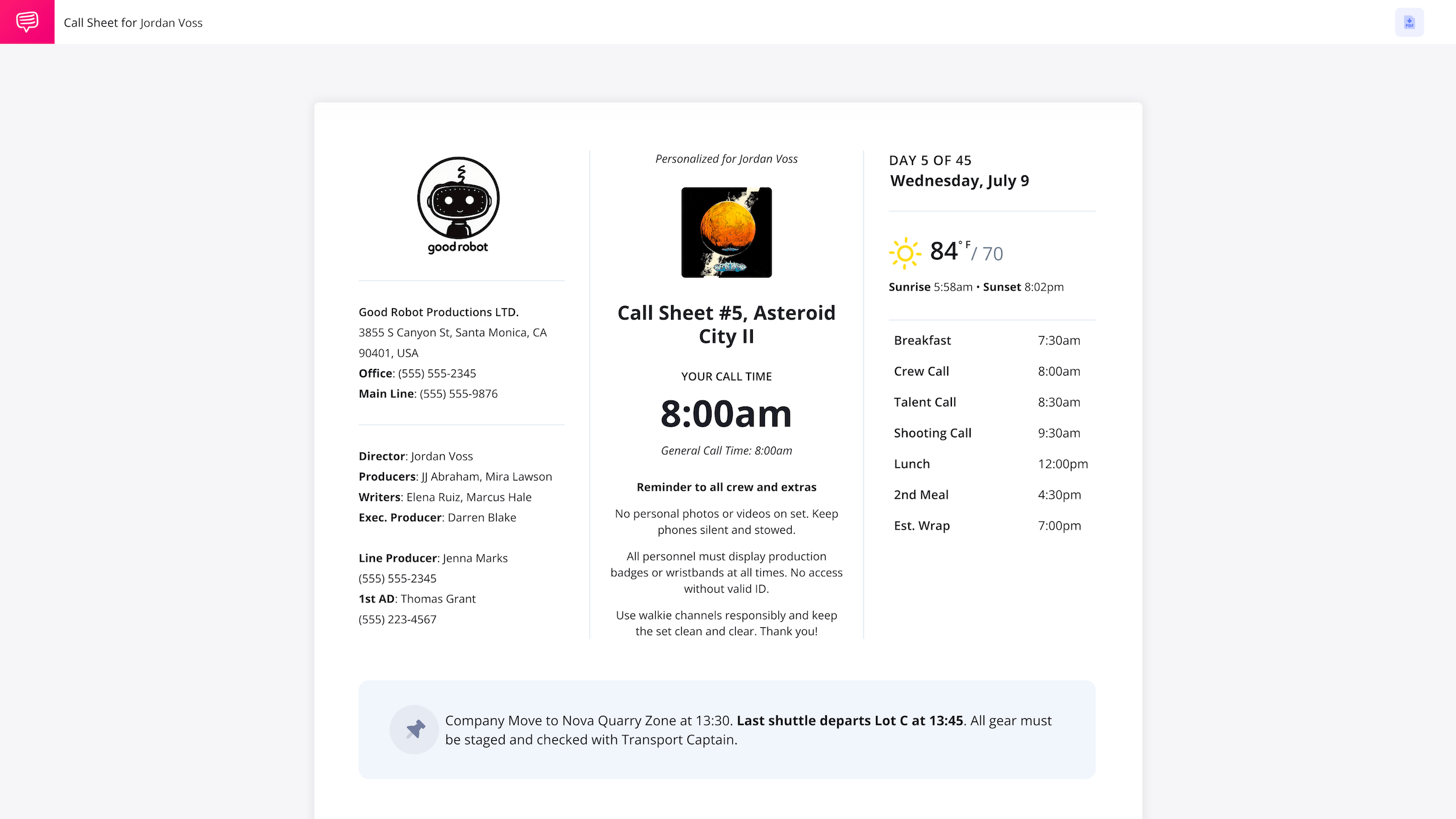
This should include details that everyone on set should know, including producer and 1st AD names, the address and contact information for the production studio, which shooting day you’re on, and of course, the title of the project.
2. Add locations
The locations grid usually comes next after the header details on your filming call sheet template. It’s good practice to not only include the addresses for each filming location, but also any nearby crew parking structures for a timely crew call arrival, and the nearest hospital to each set.
If you have a specific location you want your crew to meet at when they arrive, this is often labeled as ‘basecamp’ or ‘crew check-in.’
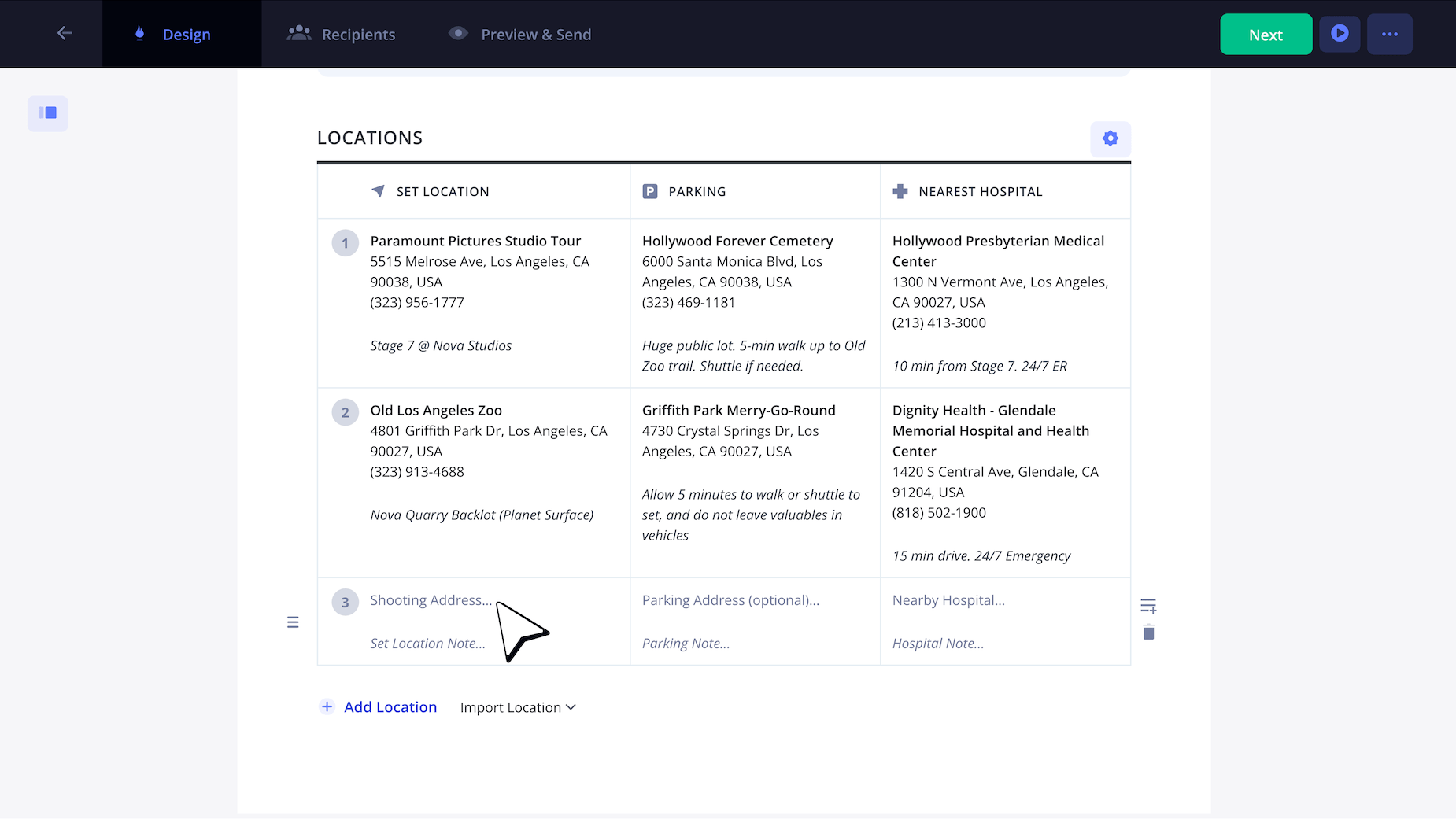
With a call sheet template simple enough to read and identify when it comes to location, your production day is already off to a good start!
3. Apply the schedule
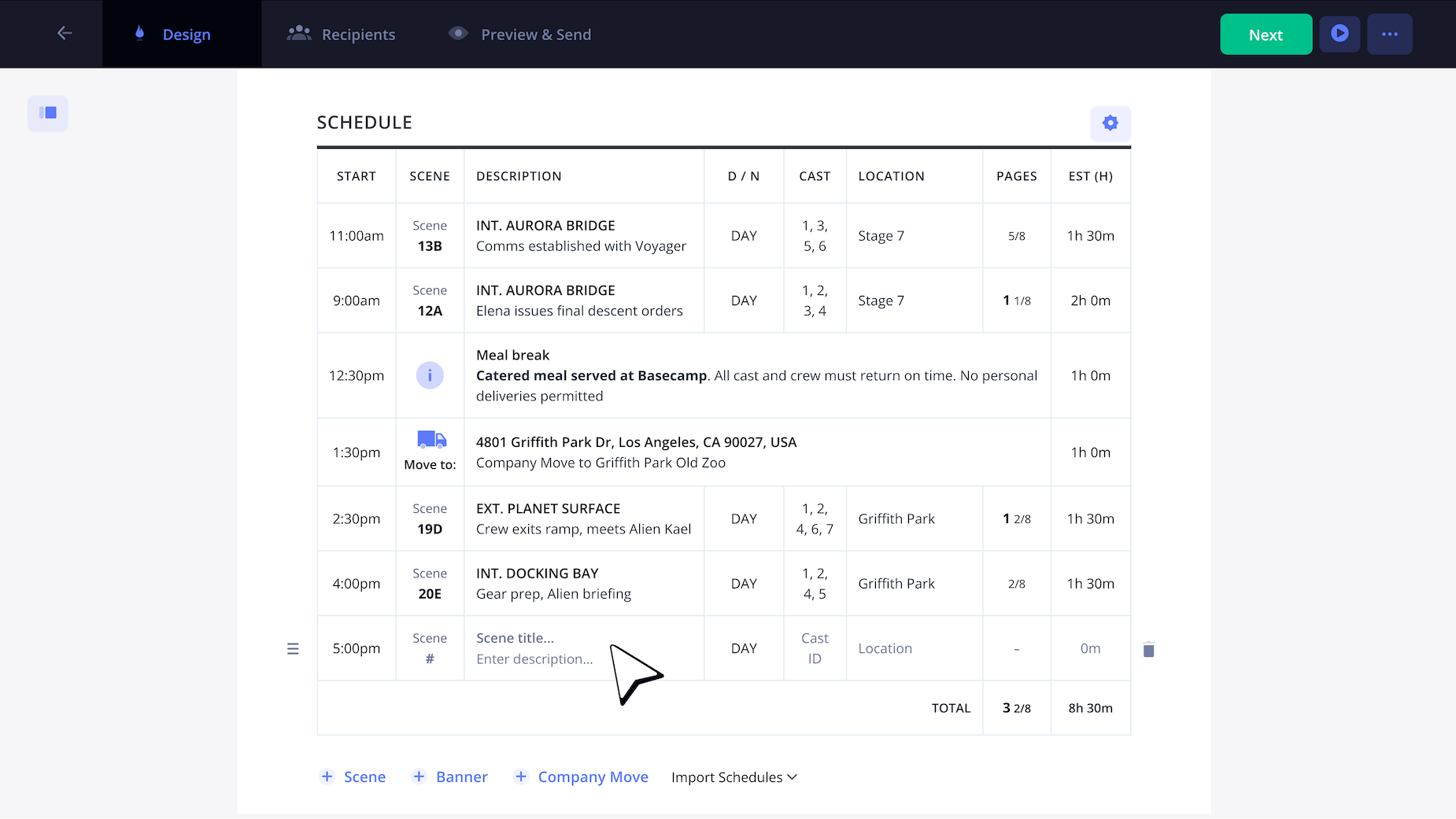
Now it’s time to lay out the day’s shooting schedule in clear, chronological order. Here is the place where you’re really just structuring the day in a direct and orderly manner.
If you’re working with a new production crew, it may take some time to nail down set breakdown times on your filming call sheet template. But with each new daily call sheet, you’ll get better at predicting crew and equipment needs.
For time blocks that don’t involve shooting a scene, like camera equipment load outs or meal breaks, click +Banner at the bottom of your schedule grid for a much more cut and dry column.
4. Show cast, crew & extras
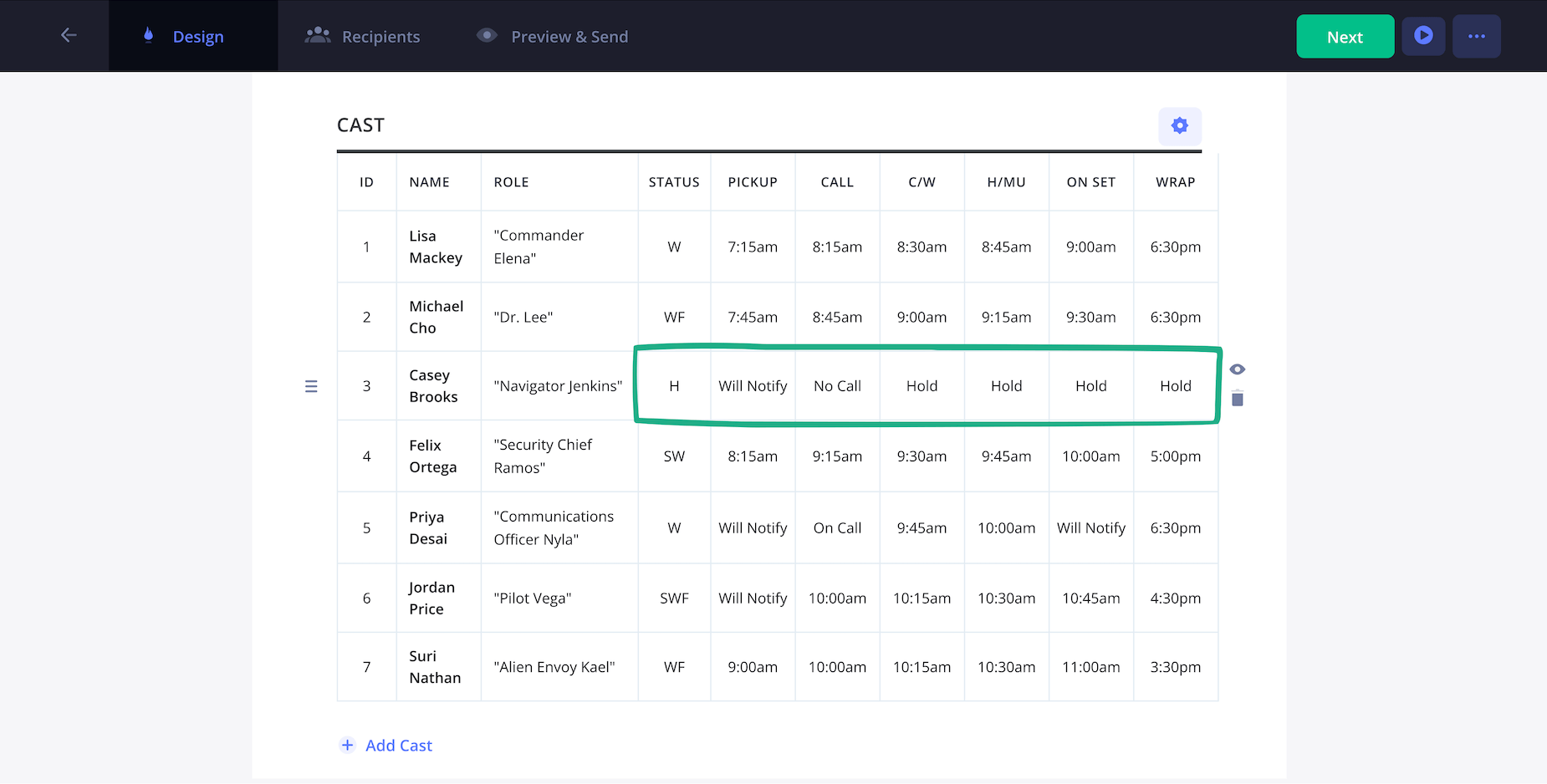
Next you’ll list out the cast members, crew members and extras on your film production call sheet template, with the cast grid displayed first. Cast timing between hair/makeup and pickup can get tricky, so be sure to reach out to actor assistants or agents to help with coordinating.
Crew grids will always require less detail per person on a call sheet for film template. Just be sure to set about 3 or 4 columns so you can get their name, job title, and general call and wrap time all in there.
If you have extras that need to be on set that day, make sure you set a general time window for hair and makeup between their individual call times and on set time, but these time slots won’t need to be as detailed as your main cast section.
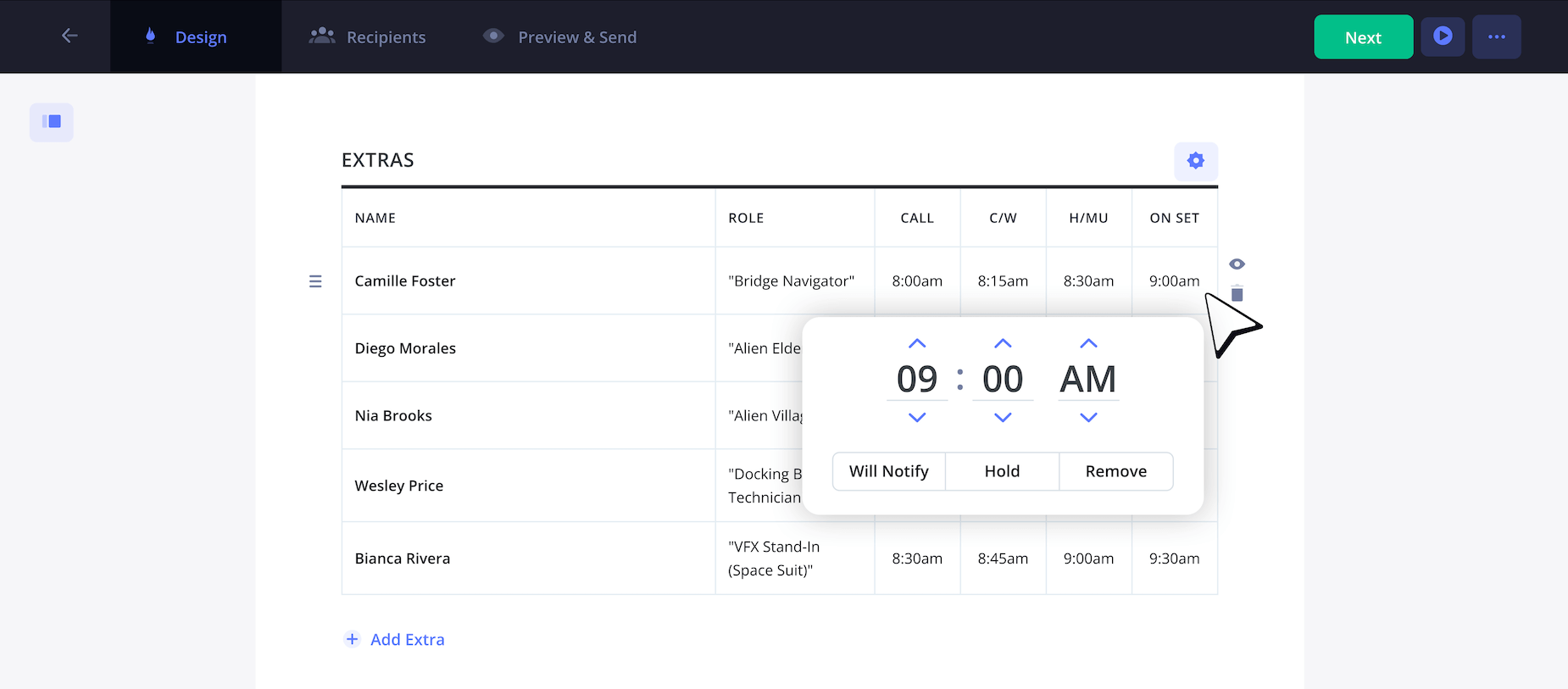
If you’ve ever wondered, “what does swf mean on a call sheet?” after seeing it next to an actor’s name, this is simply an abbreviation for ‘start work finish’ term.
It essentially indicates that the actor will only work with the production on this one day. So, now you can use this abbreviation on your call sheet whenever necessary.
5. Include department notes
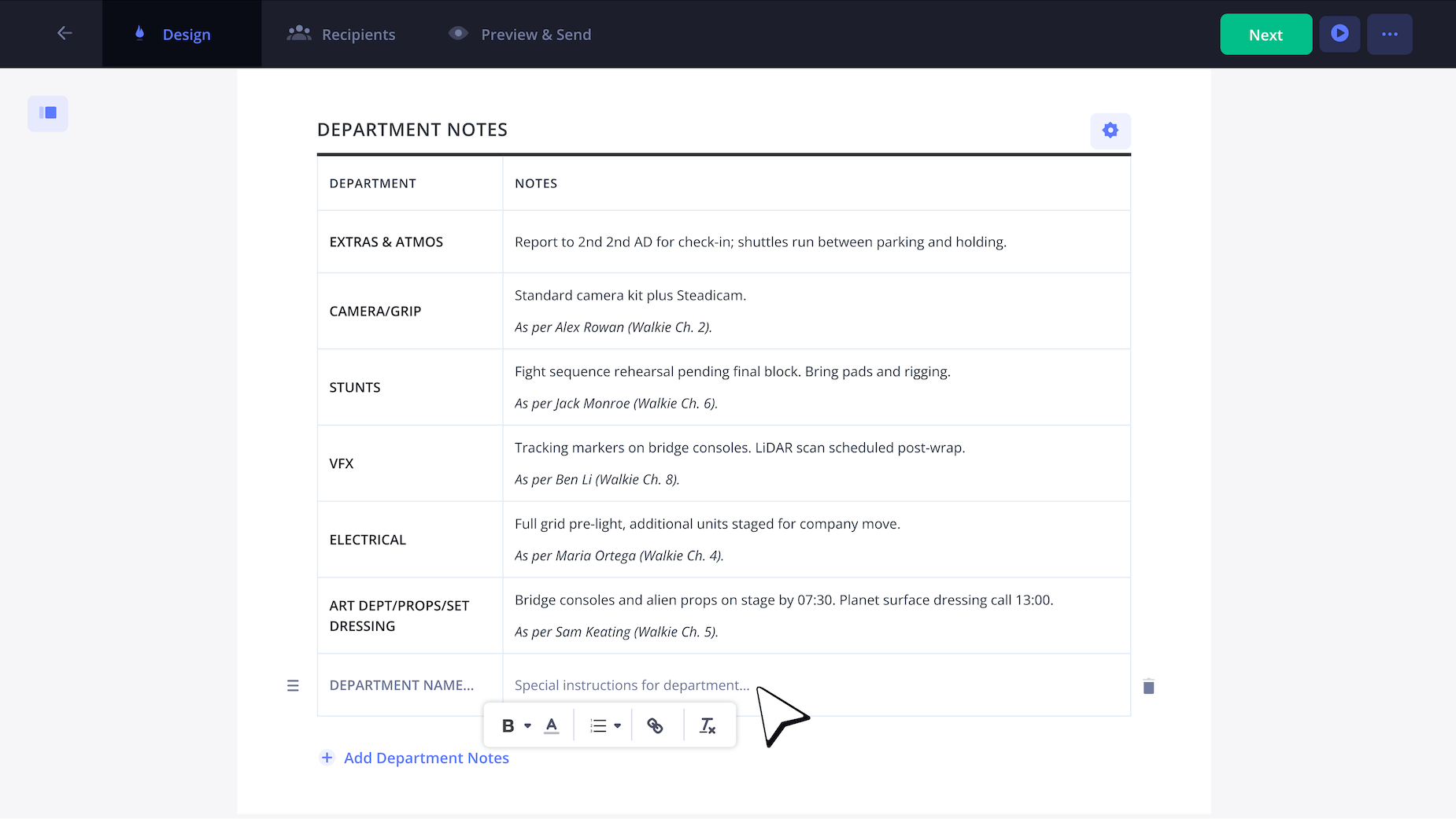
A filming call sheet template won’t feel quite ready to send until a list of important production notes is included towards the bottom. These are notes that will typically get dropped or emailed to you in the days and weeks leading up to that day’s shoot.
So, your job is to essentially organize and condense these different notes on your movie call sheet template.
As you can see on our own film call sheet template example below, we’ll label this section ‘department notes’ and create two columns. One will be used to organize the department, and another for the notes we received from them.
6. Attach private messages
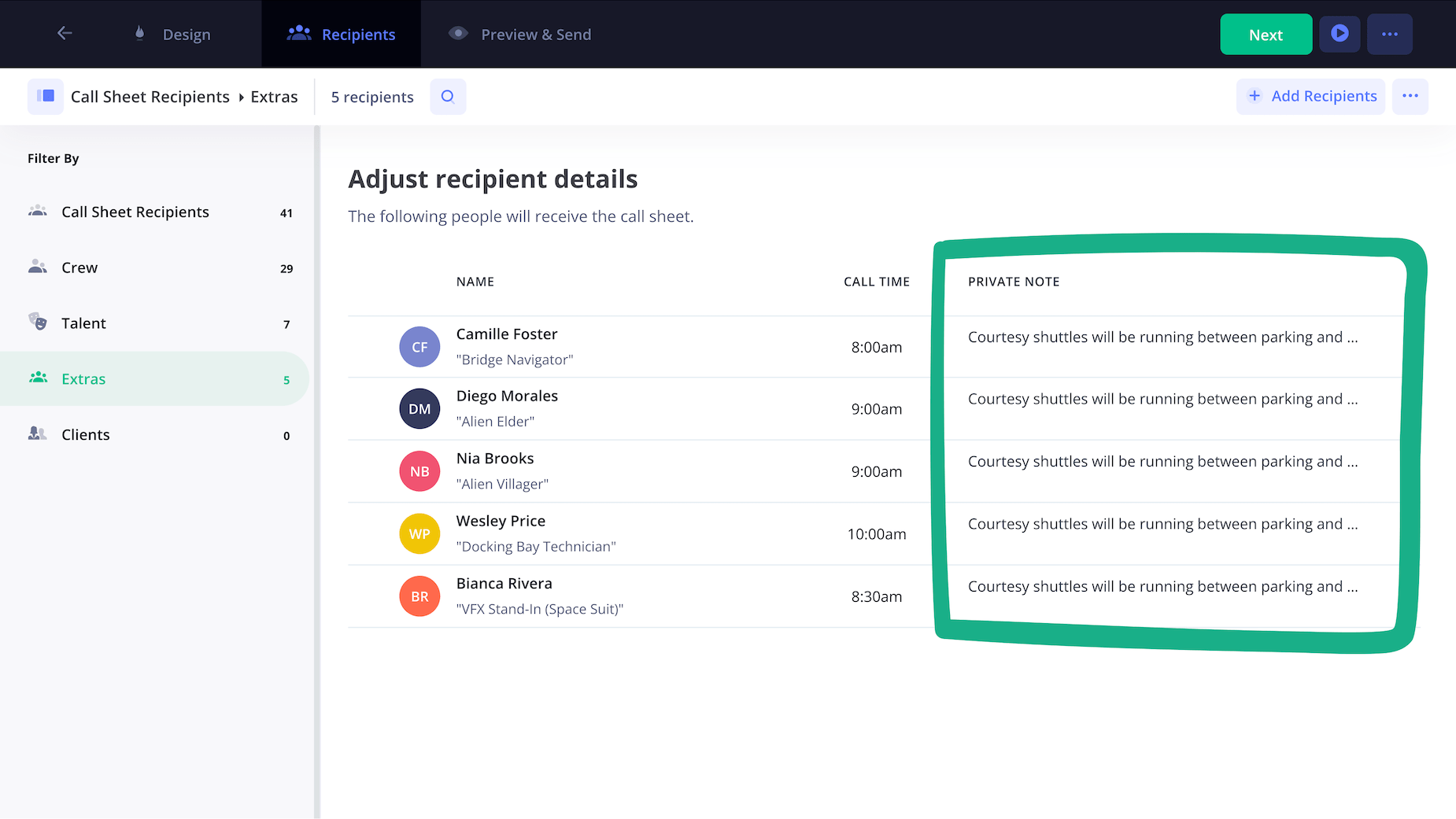
As you wrap up all the last details and prepare to send out your filming call sheet template, you’ll have the option to include a private message with anyone’s copy.
All you have to do once you get to the ‘adjust recipient details’ page is check one or multiple names that you’d like to attach a specific message with.
Then you’ll simply type out the message in the private note field, and your recipient will see the message as soon as they receive your free call sheet template for filming.
7. Send and track call sheet
Now it’s time to give your filming call sheet template one last proofread before clicking Send Call Sheet.
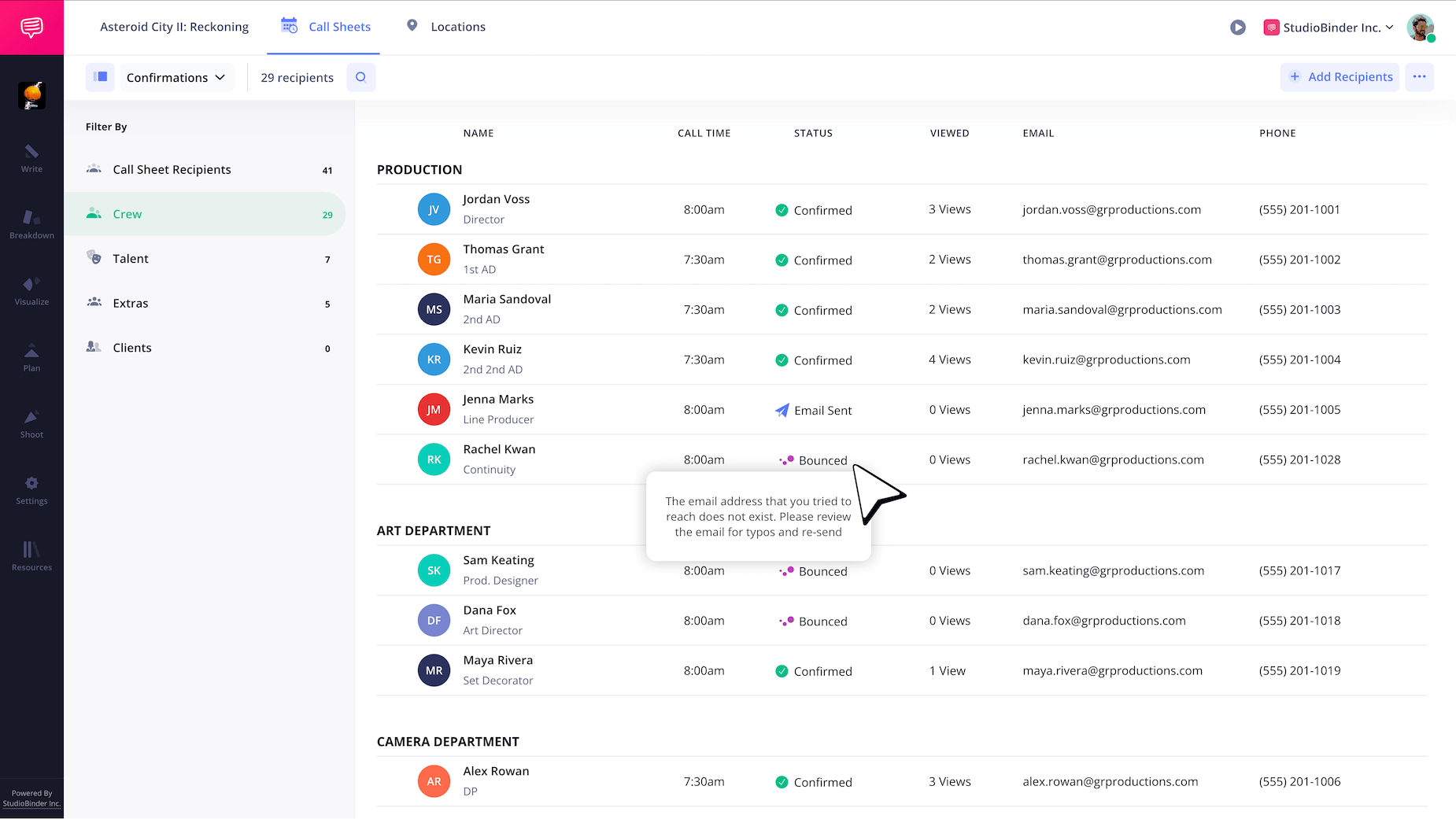
But wait, how will you know who has or hasn’t received your call sheet? After sending it out, your full list of contacts will be on display with a status that tells you if they received the call sheet email.
If the status of your call sheet reads as ‘bounced,’ this means the email doesn’t exist or was entered incorrectly.
That’s a wrap!
Now that you know all the ins and outs of putting together a filming call sheet template, your production can be expected to run as smoothly as possible!
Whether you followed along with StudioBinder, or with your own unique film call sheet template word document, these steps should get you through any production challenge you encounter. And if you’d like to browse more types of call sheets, check out all of StudioBinder’s free call sheet templates.
Frequently asked questions
To make a call sheet for any kind of production, begin by writing the most important production information that everyone on set will need to know in the top header section. From there, most call sheets will list the day’s shooting locations, the full schedule, then cast/crew/extras, followed by an area for any important production notes. Be sure to also attach any important documents with the call sheet, like directions for parking, or on-set rules.
A call sheet in film is a daily production schedule that details all the need-to-know information for a shooting day. This includes the day’s full schedule, set locations, and a full listing of cast, crew, and extras. A production day’s call sheet is usually made and sent out by the 1st assistant director the night before.
SWHF on a call sheet is an abbreviation for ‘Start Work Hold Finish.’ This is typically shown near an actor’s name and it essentially helps indicate their on-set schedule. It tells the production team when a performer is beginning work on set, when they’re being held between scenes, or when they’re done for the day.
To use a filming call sheet template, start by identifying all the broad and essential information in the header section. This should include the title of the project, the producer names, a general call time, and the address of the studio. Below that you should be able to find the filming locations for the day, followed by the full schedule, and finally a listing of all the cast, crew and extras working for the day.
A filming call sheet template should include crew call times, cast details, shooting locations, scene numbers, weather, contact information, and the production schedule. These details help keep the shoot organized and on time.
A filming call sheet template improves communication between cast and crew by outlining the day’s schedule and logistics in one document. It helps reduce confusion and production delays on set.
Yes, a filming call sheet template can be customized for commercials, short films, feature films, or photo shoots. Most templates allow you to adjust sections based on your production needs.
Key steps