
home → TEMPLATES → CALL SHEETS
TV Show Call Sheet Template
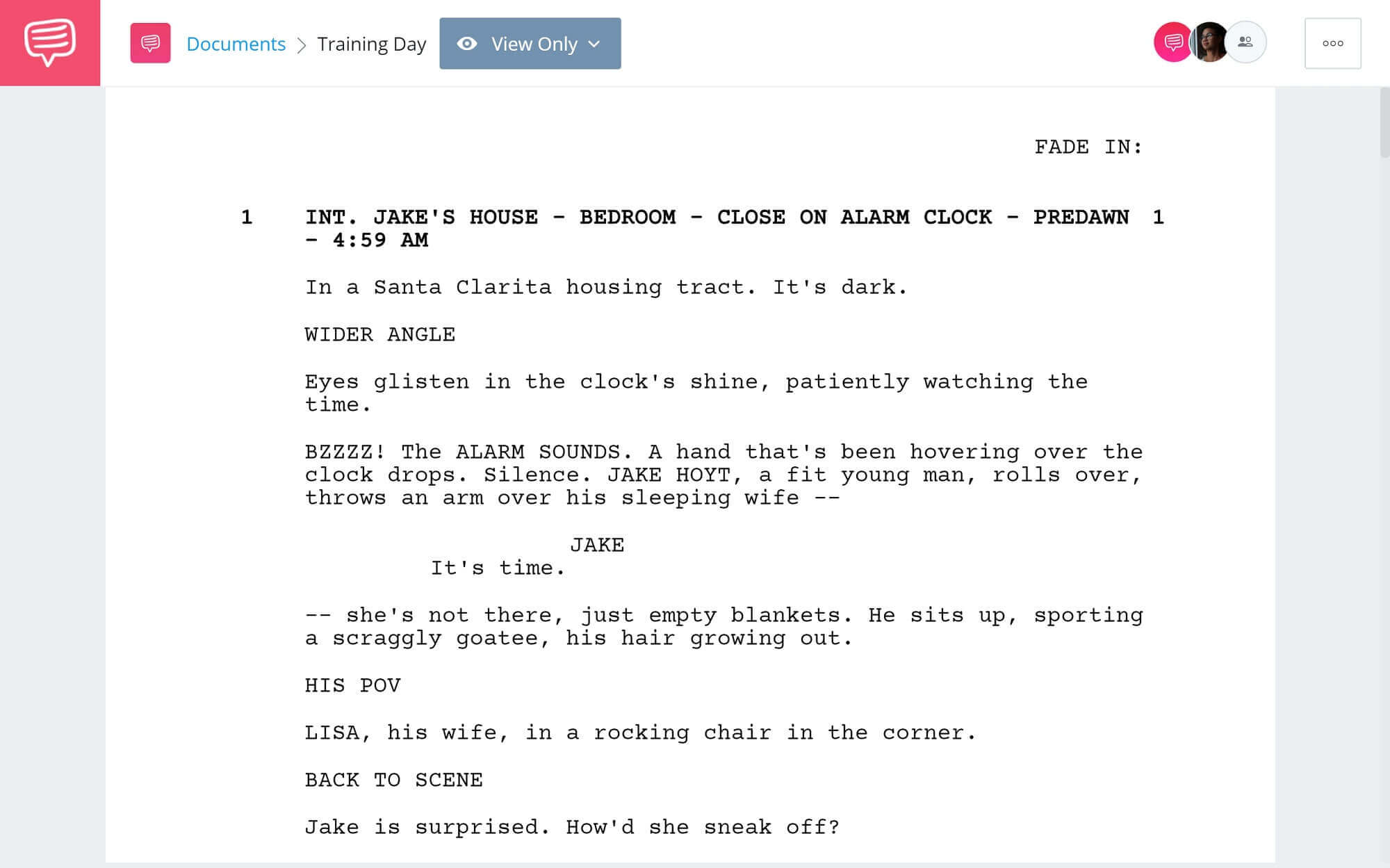
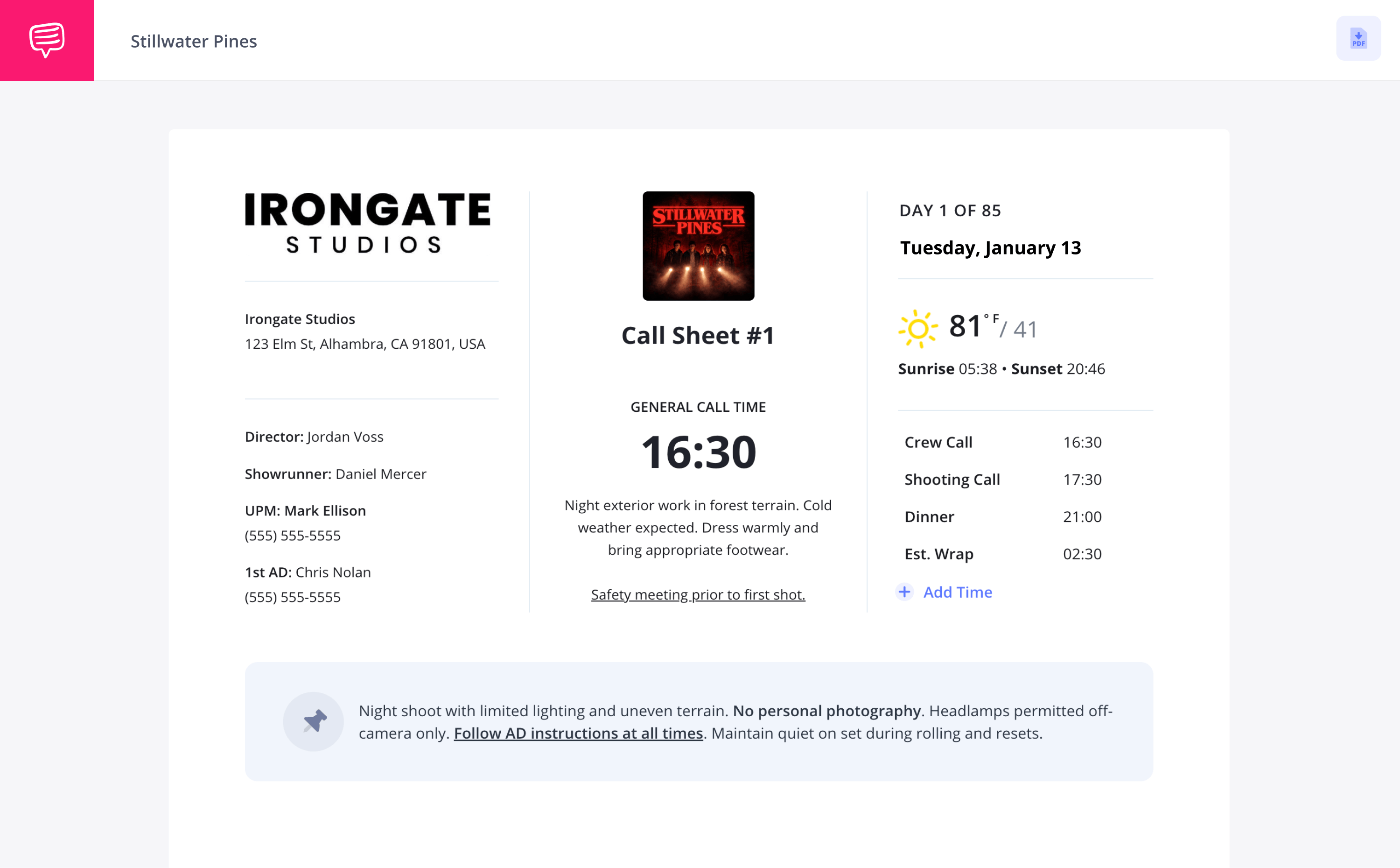
TV Show Call Sheet Template
A TV show call sheet template is the perfect scheduling document for any kind of television based production. With the rigid scheduling a tv show or series needs to stick to, a call sheet is typically sent out by the assistant director to all cast and crew the night before to detail the next day’s agenda, from where and when everyone needs to be on set, to directions on where to park when they arrive.
In this guide on how to build your own tv production call sheet template, we’ll use StudioBinder’s call sheet software to take you through each important step. Let’s dive in!
1. Establish header details
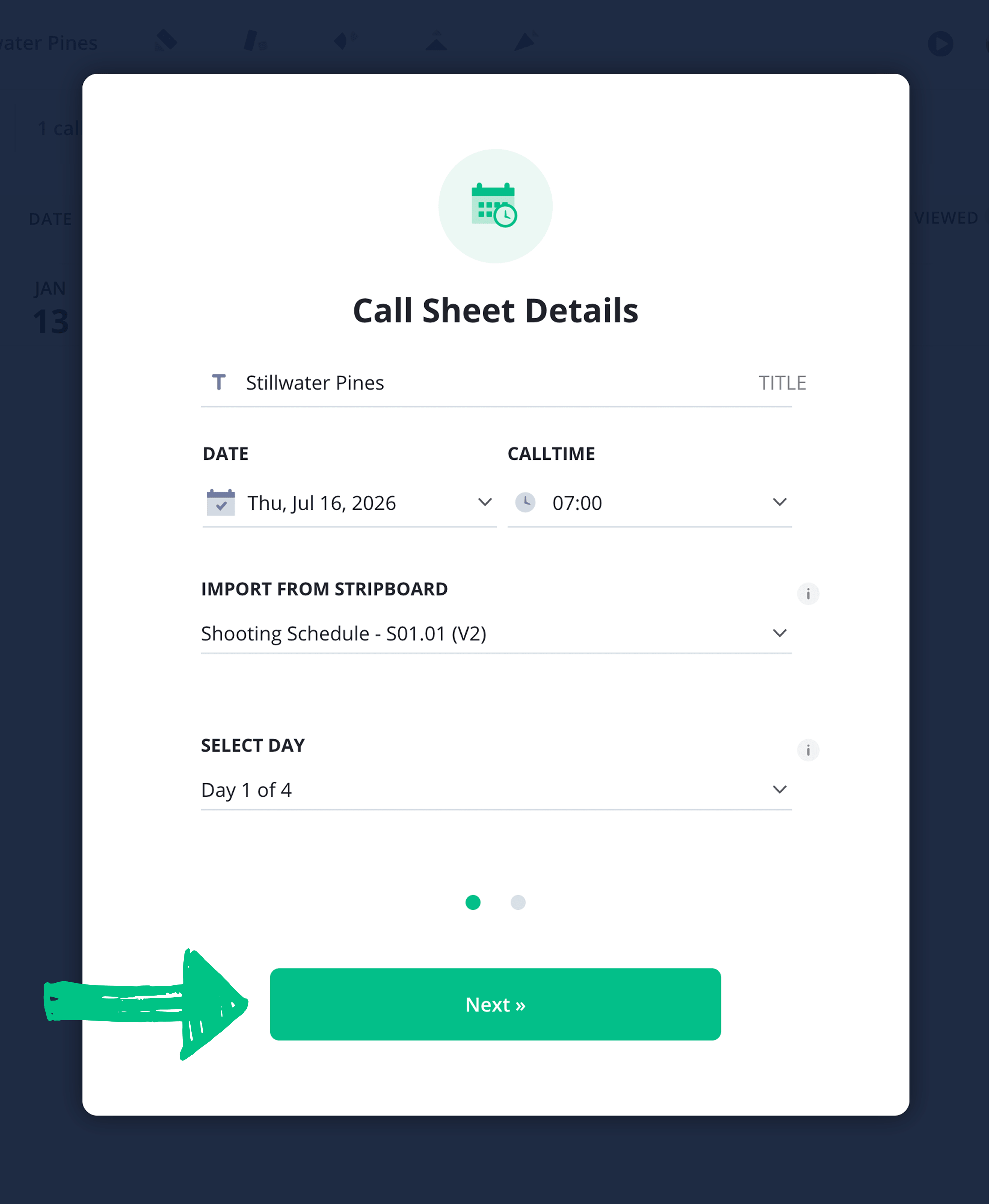
Starting a new call sheet project in StudioBinder begins with setting the date and time for your TV show call sheet template. Once you input your call sheet’s shoot date and crew call time, your document is ready to be filled with your TV shooting schedule information and will look something like this:
You can then start adding all the relevant time slots in your mini call sheet schedule on the top-right of your call sheet, from meal breaks to an estimated wrap time. Just click Add Time to the right to start adding in your time slots.
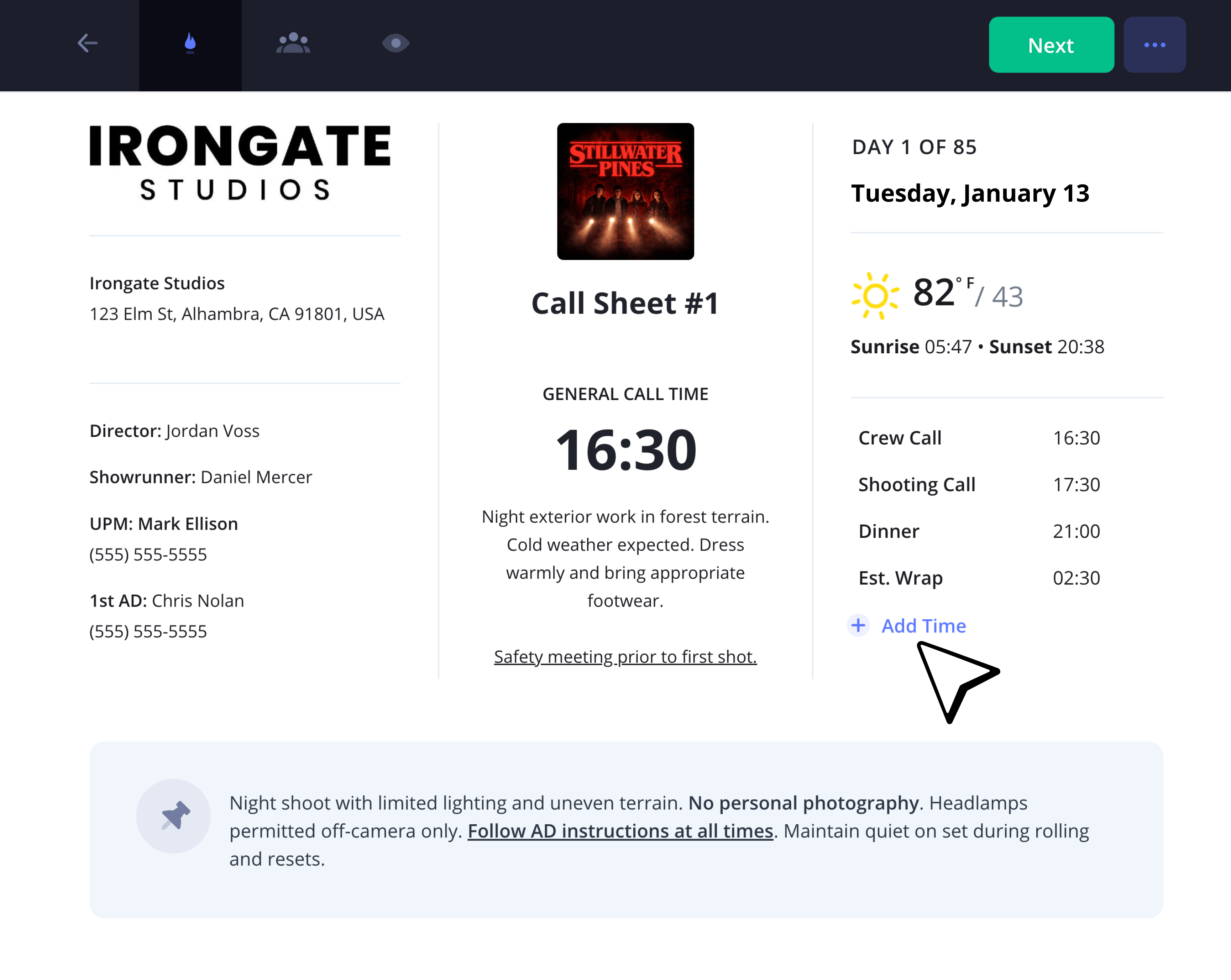
Now you’re ready to fill in the rest of your essential production details into the header of your TV show call sheet template.
A well-formatted TV show call sheet template displays the project title front and center, as well as contact information for managing production members, the episode number, showrunner, and the network or studio.
Once you enter your shooting location, weather details will be automatically posted to the right of your document so actors, camera operators and everyone else receiving your tv show call sheet can arrive prepared.
2. Add locations
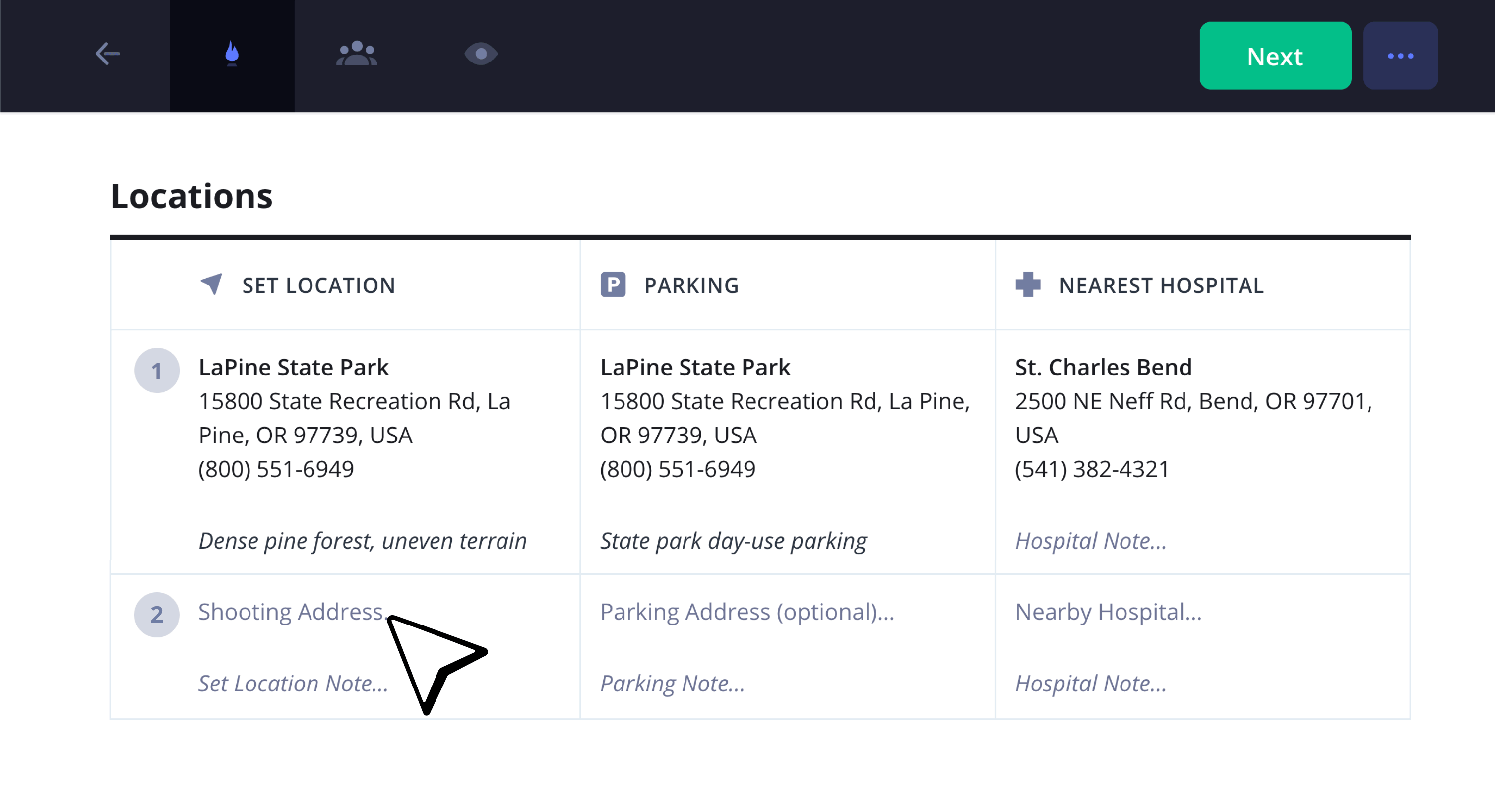
The filming location is one of the most important sections on your TV show call sheet template because your cast and crew will need to know where the base camp is, where parking is located, what stage number they need to be in, or if they’ll need to catch a shuttle to set once they’re parked.
These details may seem obvious at first, but any mistake can mean a late arrival, which can in turn mess with the day’s shooting schedule. Just as well, safety always comes first on set, so be sure to input the nearest hospital details. Most importantly, how far it is from the set.
3. Create a shooting schedule
Next you’ll fill out one of the core features of your TV show call sheet template: the day’s shooting schedule.
Here you’ll set all the key information for your production’s daily agenda, including the start time, scene number, day/night, cast members, shooting location, # of pages and estimated time.
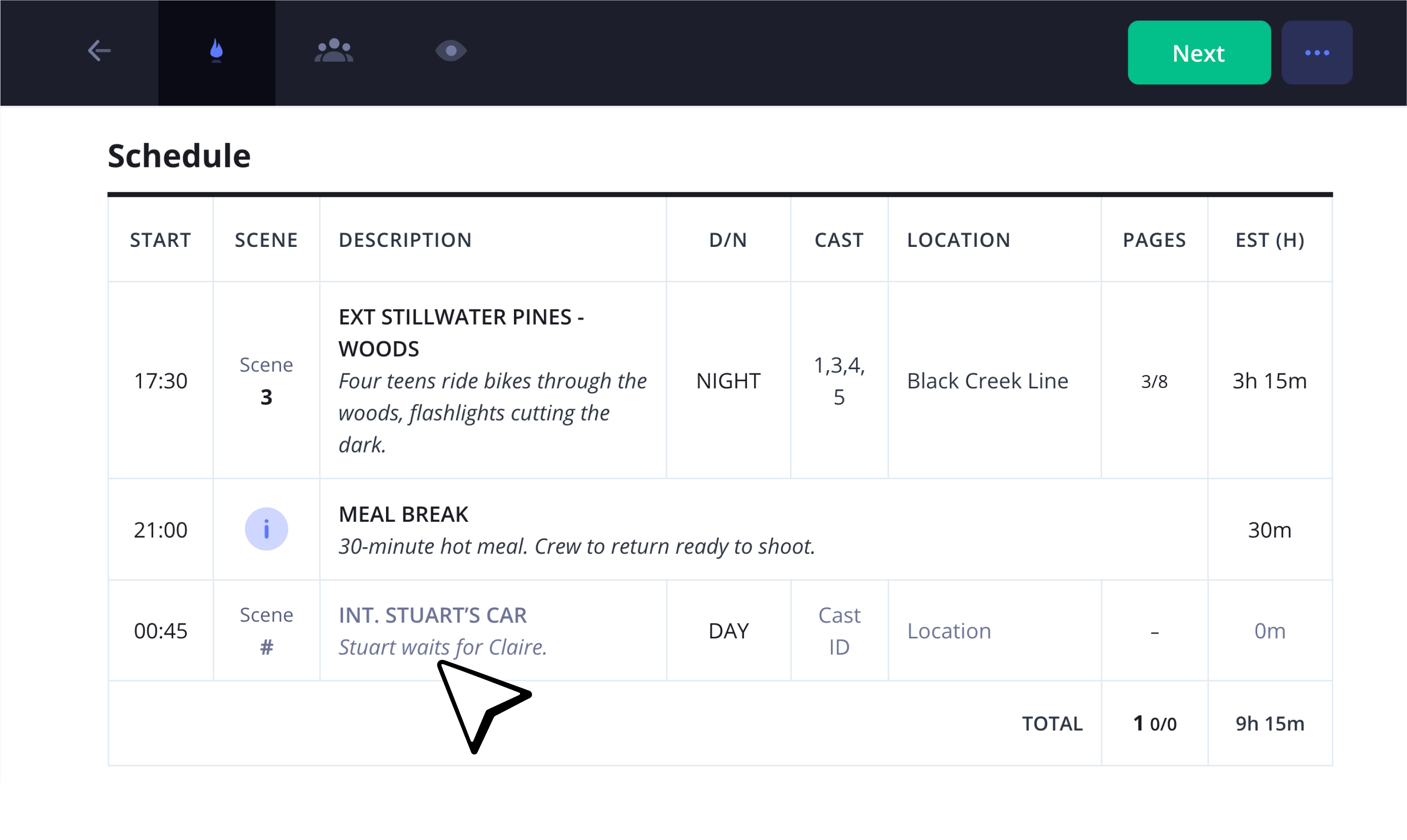
To customize the columns on display, you can go into your schedule’s grid settings and toggle any column on or off.
For example, you may want to toggle the synopsis column on since the amount of episodes on a television production tend to blur together after so many shooting days.
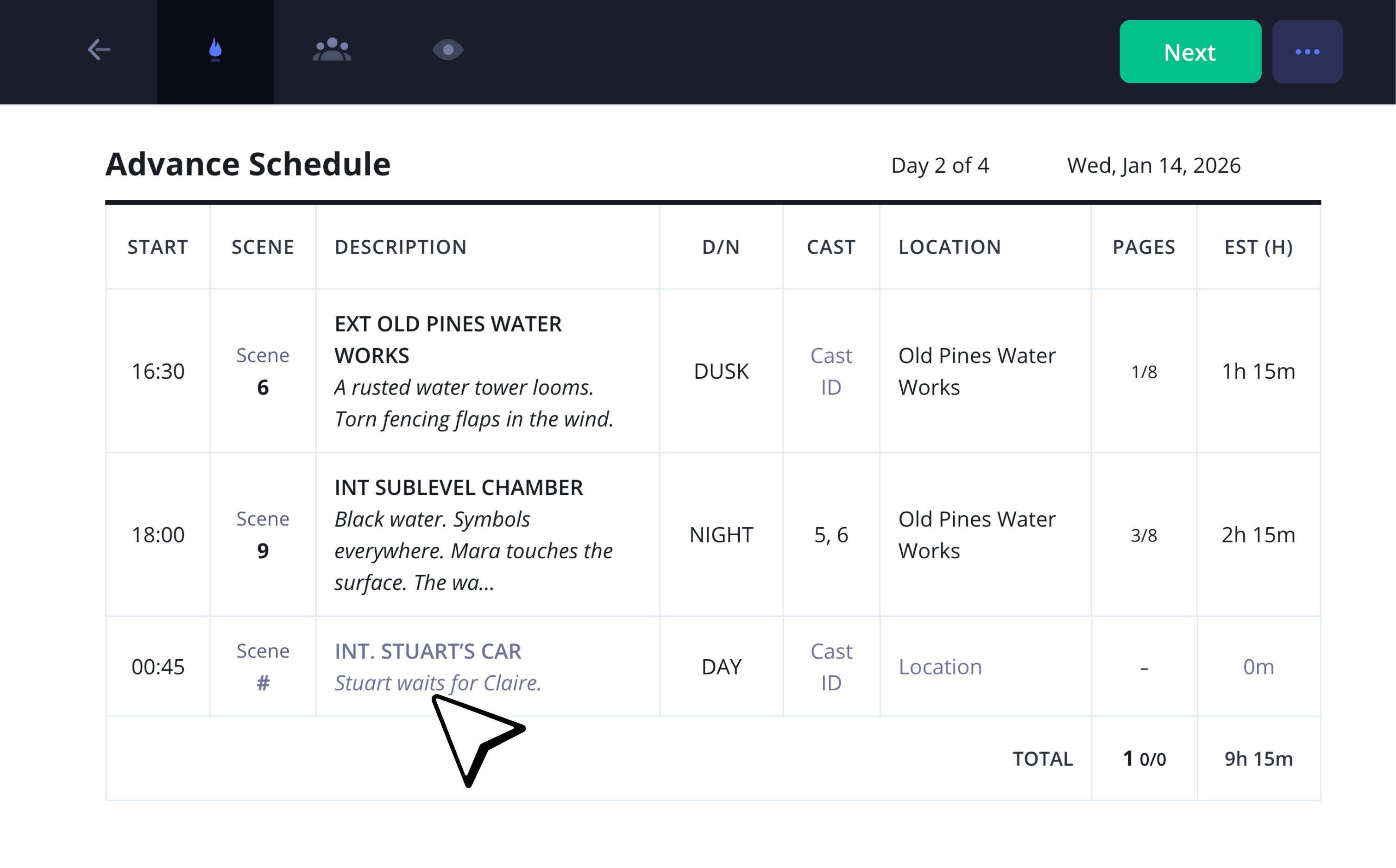
You also may want to set the next day’s shooting schedule in advance if you’ve already written it elsewhere.
In that case, you can click Import Schedules just beneath your schedule grid and select which day you’d like to set in advance.
We recommend separating the Advance Schedule by moving it to the bottom of your television call sheet template, this way the cast and crew positions will be prepped with any unforeseen changes before that shoot day.
4. Add cast, crew and extras
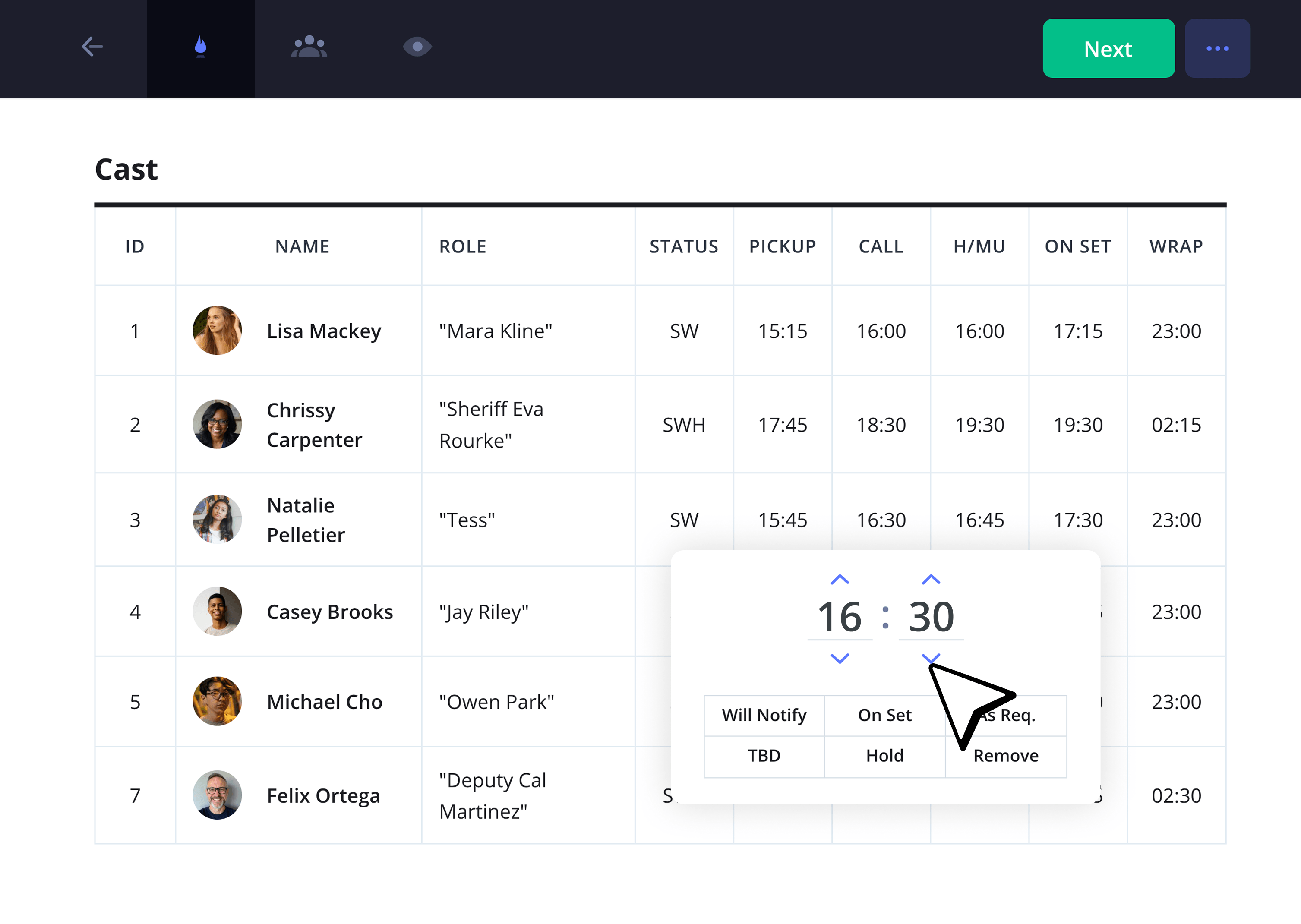
Any great show or series production is made up of the talented actors and crew members that bring it to life, so let’s make sure their schedule is well displayed and organized. You’ll start by showcasing the cast first on your TV show call sheet template since this usually contains the smallest list of names.
Again, you can toggle certain columns on or off in the grid settings of your tv show call sheet template. And since status and call times tend to shift around a lot, just click the time on any column to change it.
You can even add status updates such as ‘on set,’ ‘hold,’ and ‘TBD.’ TV show casts tend to be all over the place on set, so this is particularly helpful. Not to mention that series regular actors and new actors will probably have separate needs and schedules.
As you move on to filling out your extras and crew columns next, you’ll find that a lot of these roles have similar call time schedules, making the larger group of names a bit easier to list. But for any individual call times that need to be adjusted, you can still easily update their time and status.
5. Add department notes
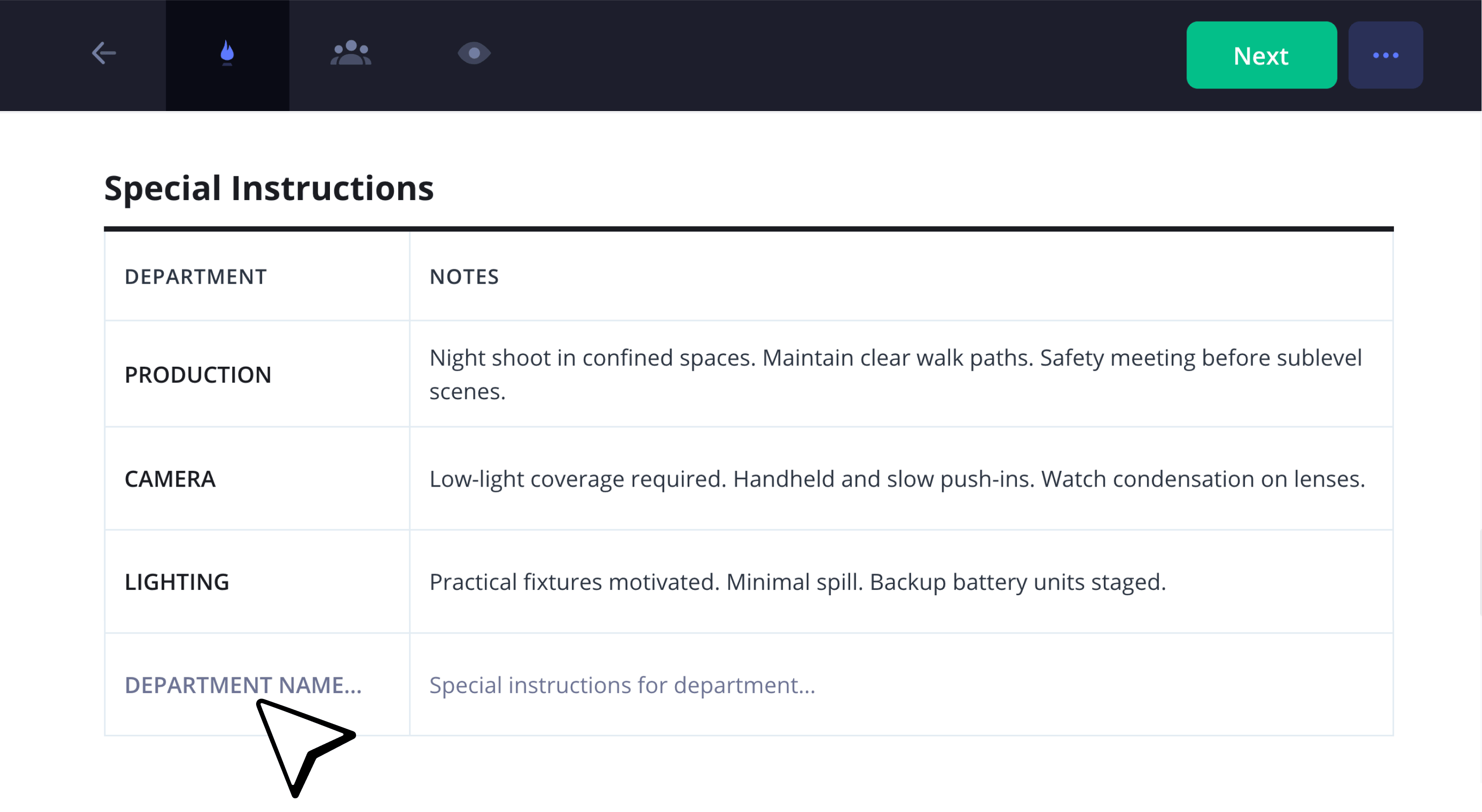
With the amount of people it takes to run a show, having a section for production information that comes in on the fly will be super helpful. Just enter the specific department or role in the left column of your TV show call sheet template, and then add their notes on the right.
These can be anything from a safety bulletin to special instructions for the day, or even a night shooting hazard notice.
6. Add private messages
As you finish building your tv show call sheet template, you’ll be able to write individual or bulk messages to the cast and crew before sending the document out to the entire television production. Just check any individual, or set of individuals’ names, and then click Edit Private Note on the top of your tv call sheet template.
Both our executive producer and showrunner wanted to thank our lead series regular actor for the extra hours she put in on set this week, so we’ll relay a note to her privately on our tv show call sheet.
7. Send and track
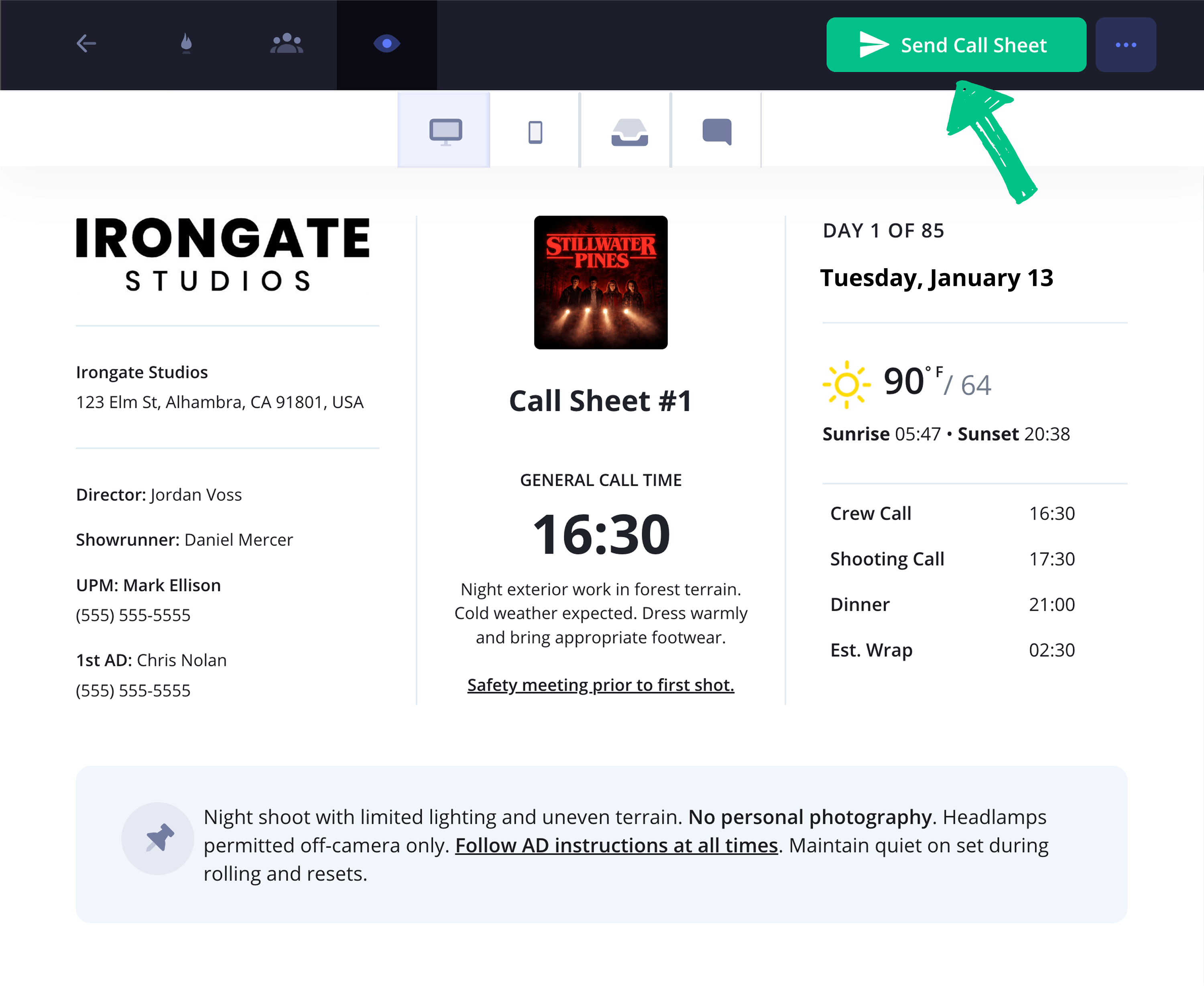
After clicking Send Call Sheet, everyone will receive an email with the tv show call sheet attached as a PDF document.
On your end, you can then track every email that goes out, along with a received confirmation from each individual. If an email is bounced or blocked, you’ll be able to update the email address and resend it directly.
After sending your call sheet, you can easily track when they have been received, seen, confirmed or even bounced. If a call sheet email ever bounces, simply update the email address and re-send it.
That’s a wrap!
And there you have it, your tv show call sheet template has been professionally built and sent out to your show’s entire film crew!
And if you’re looking for more than just a tv production call sheet template to work with, you can create any free call sheet with StudioBinder now.
Frequently asked questions
A tv show call sheet is a document that contains a daily production schedule, usually sent out by the assistant director the evening before. This document details scene breakdowns, arrival and departure times for each department, safety information, and any other relevant information that the crew needs to know for the day. These documents are vital for television show productions, which tend to overlap on episode shoots, so a well-organized schedule is essential.
Reading a tv show call sheet is like reading any document, you start at the top and make your way to the bottom. The top typically contains information like the production studio name, producer and executive producer information, a general call time, and the weather forecast. From there, the location is usually shown next, followed by the day’s schedule, then cast and crew listings.
TV episode "spec sheets" are usually referred to as TV spec scripts. These are typically sample episodes of a specific television show written by an aspiring writer who would like to join the series’ writing room. This essentially demonstrates the writer’s ability to write the show’s tone and characters well. Some spec scripts are so good that they even end up being used as an episode of the show, so dream big!
TV shows require call sheets because there needs to be a daily schedule that manages the army of production workers and actors it takes to bring any television series or show to life. The assistant director will usually put the call sheet together and send it out the night before. This way, the actors and the crew know exactly where to be, how to get there, and what kind of time schedule they’ll need to follow throughout the shooting day.
Key steps
Schedule your music video today
A music video call sheet keeps your entire production day organized and on schedule so your performers and crew can work efficiently and in sync.
Get started for free
