
home → TEMPLATES → Storyboard
Comic Storyboard Template

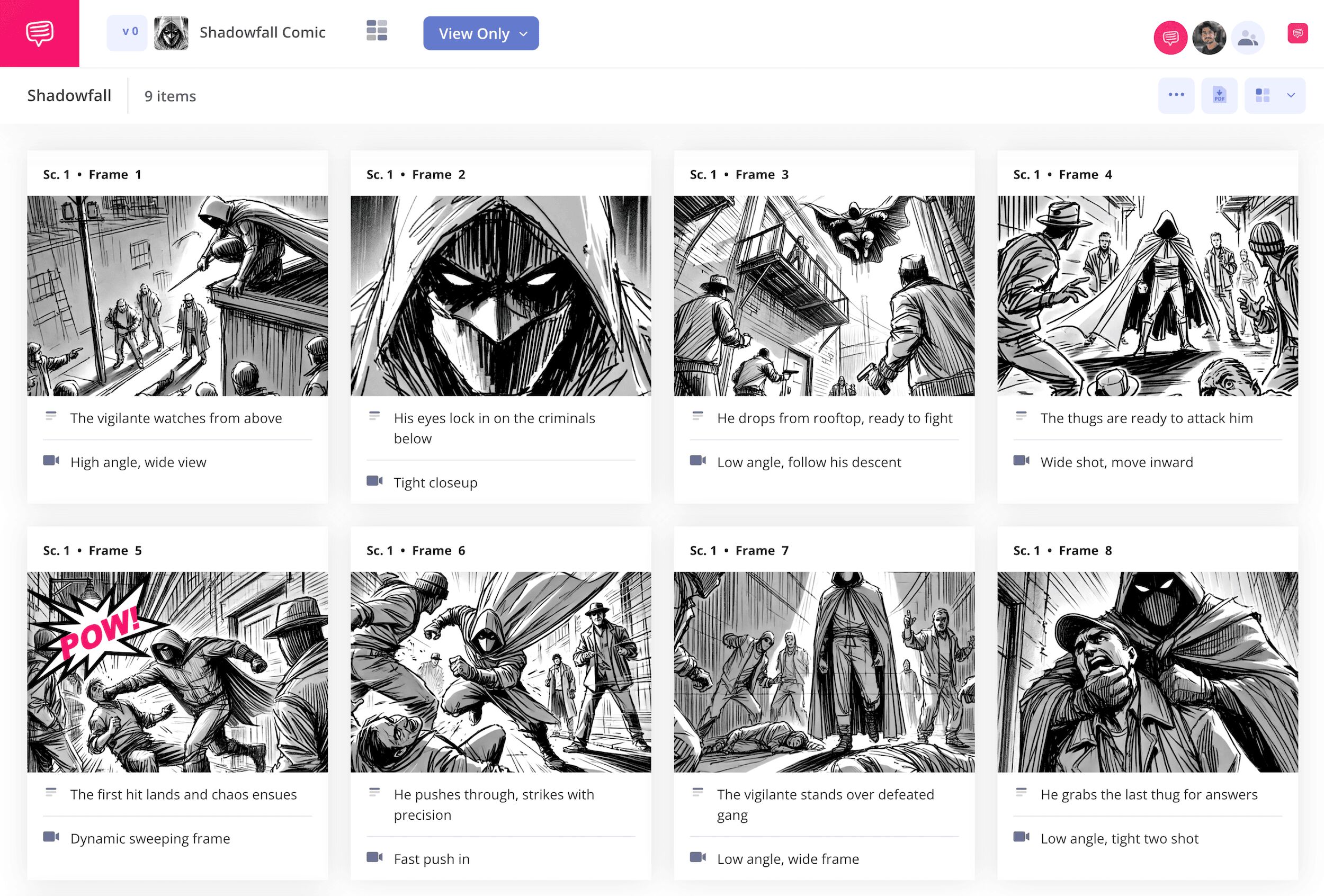
Comic storyboard template
If you want to bring your comic book or graphic novel vision from imagination to the funny pages, consider using a comic storyboard template. Whether you’re a comic book writer or a comic book artist, a comic book storyboard is useful for getting a rough idea of the visual flow and style of your narrative. With a storyboard comic as your tool, you can test out the composition of your panels, how readers will track your story from panel to panel, and get a better sense of pacing, all before starting work on the final print version of your comic. It doesn’t matter if you’re working on a big Marvel and DC inspired superhero comic, or a smaller Image inspired indie comic, this part of the comic book creation process is essential for both writers and artists.
We’ll take you through all the steps on exactly how to make your own comic storyboard template using StudioBinder’s storyboard creator. But even if you want to channel the spirit of Stan Lee and Jack Kirby and only use a pencil and paper, this guide is broad enough for any kind of comic book storyboard approach.
Step 1
1. Format your template
With your comic book vision in mind, first consider how many panels you want on your storyboard page layout, and how big or small each of those panels needs to be to fit all your illustrations and word balloons within. By starting a new storyboard project in StudioBinder, you’ll automatically be prompted to set up your basic comic storyboard template layout.
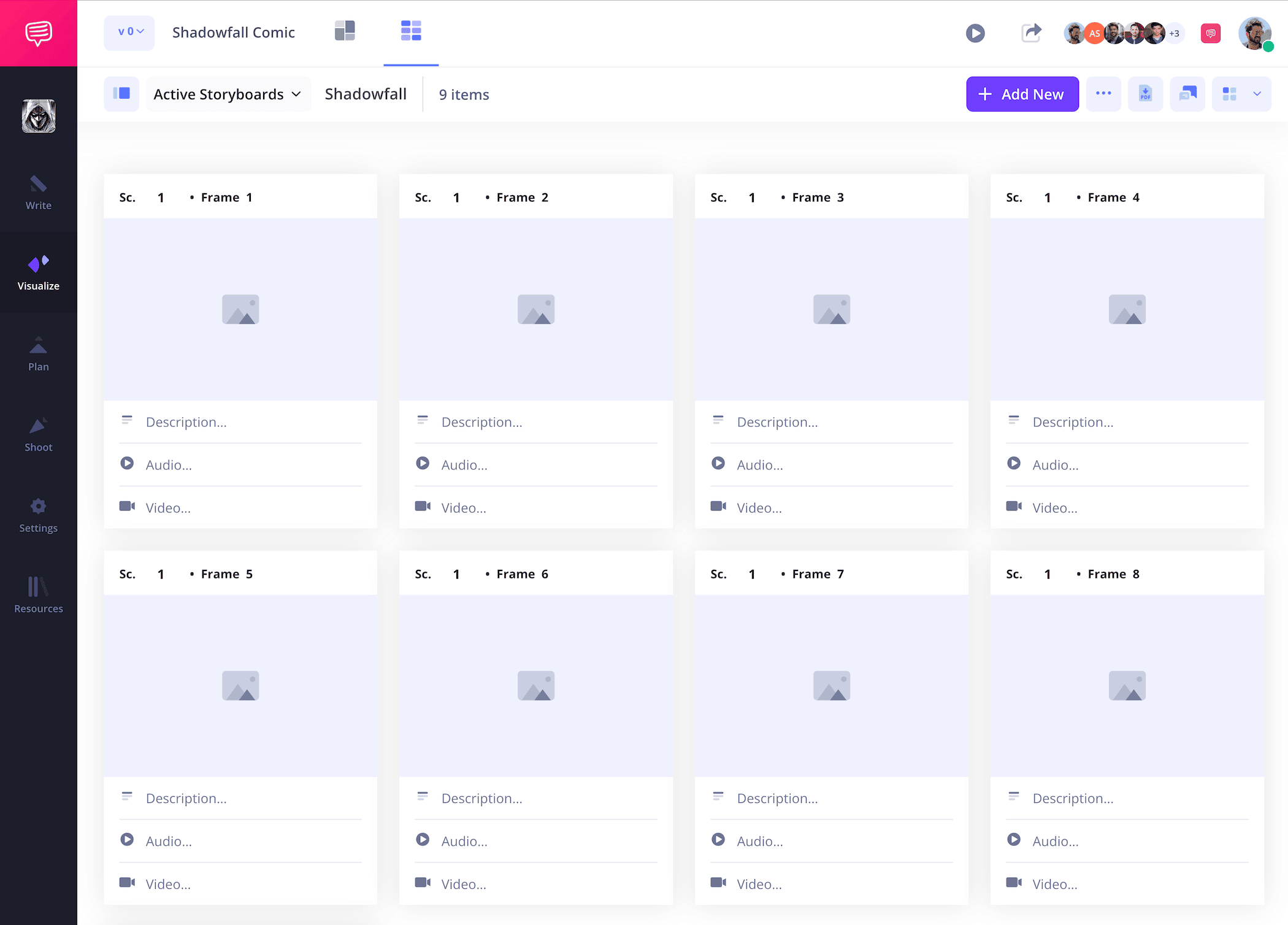
But worry not true believer, this layout can always be reconfigured in the settings as shown below:
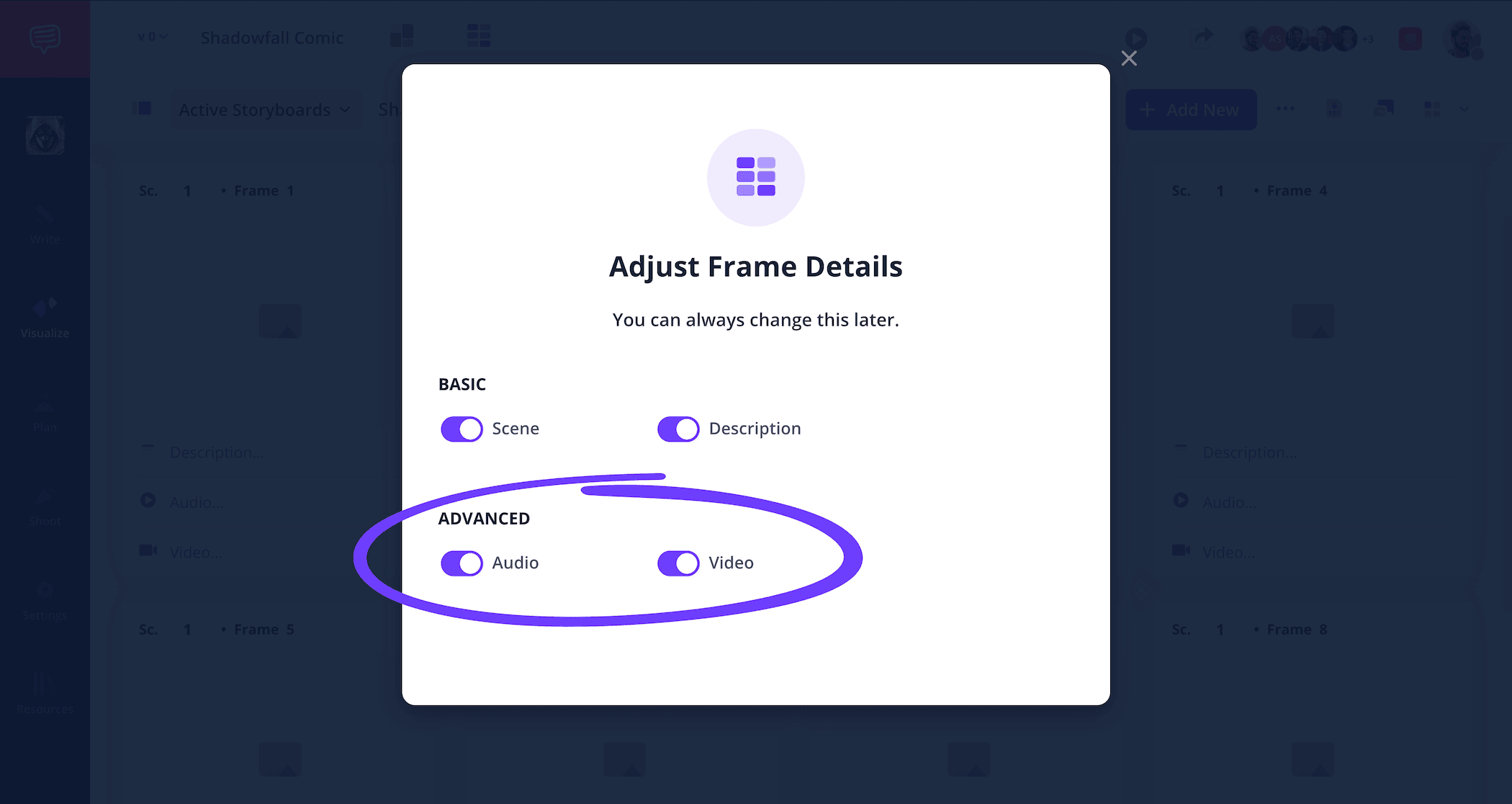
You can also customize the description fields under each of your panels depending on how much writing space you require. Then you can write out your panel description and dialogue into those fields.
If you have a finished AV script, you can easily reference this to create your storyboards more efficiently.
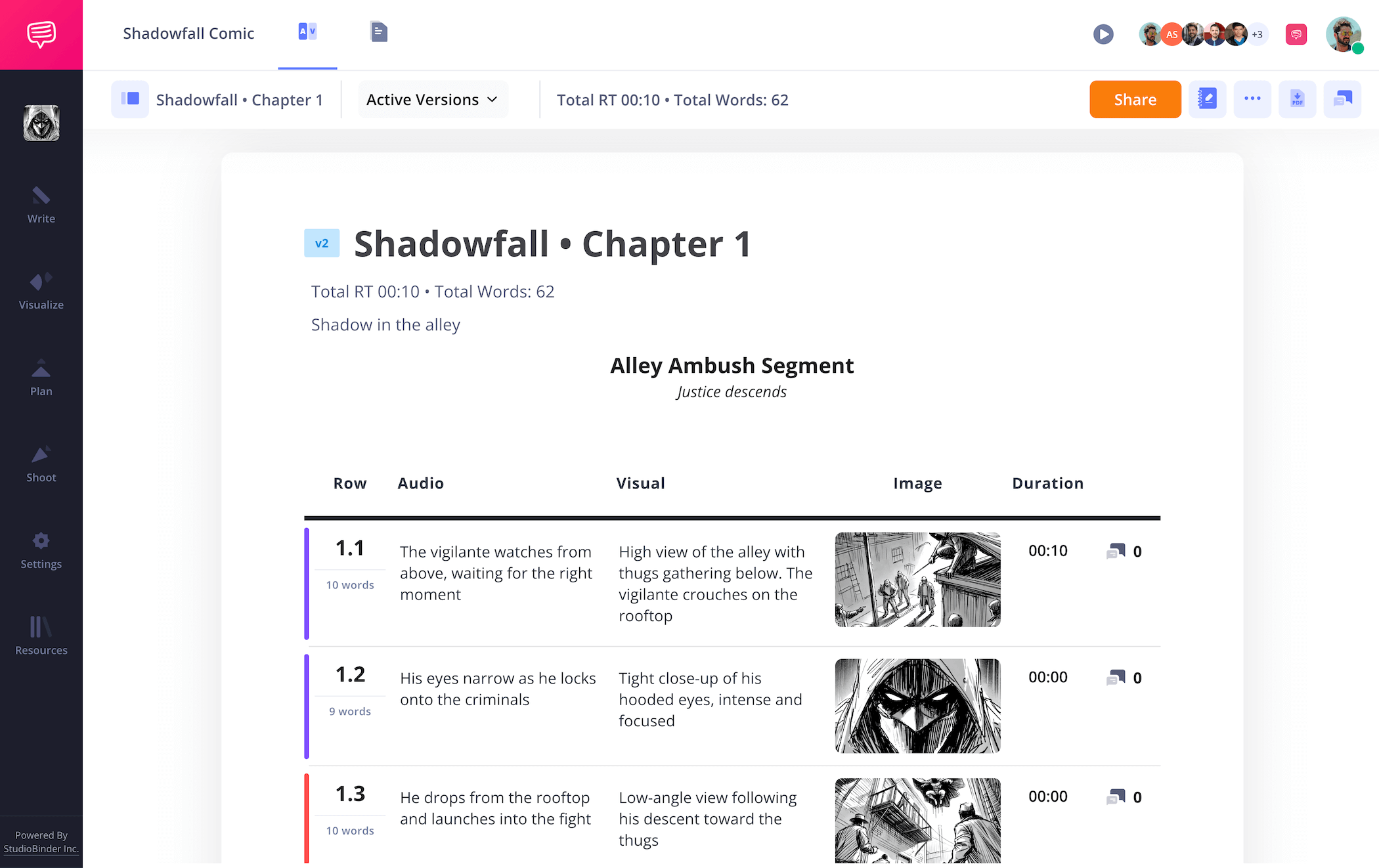
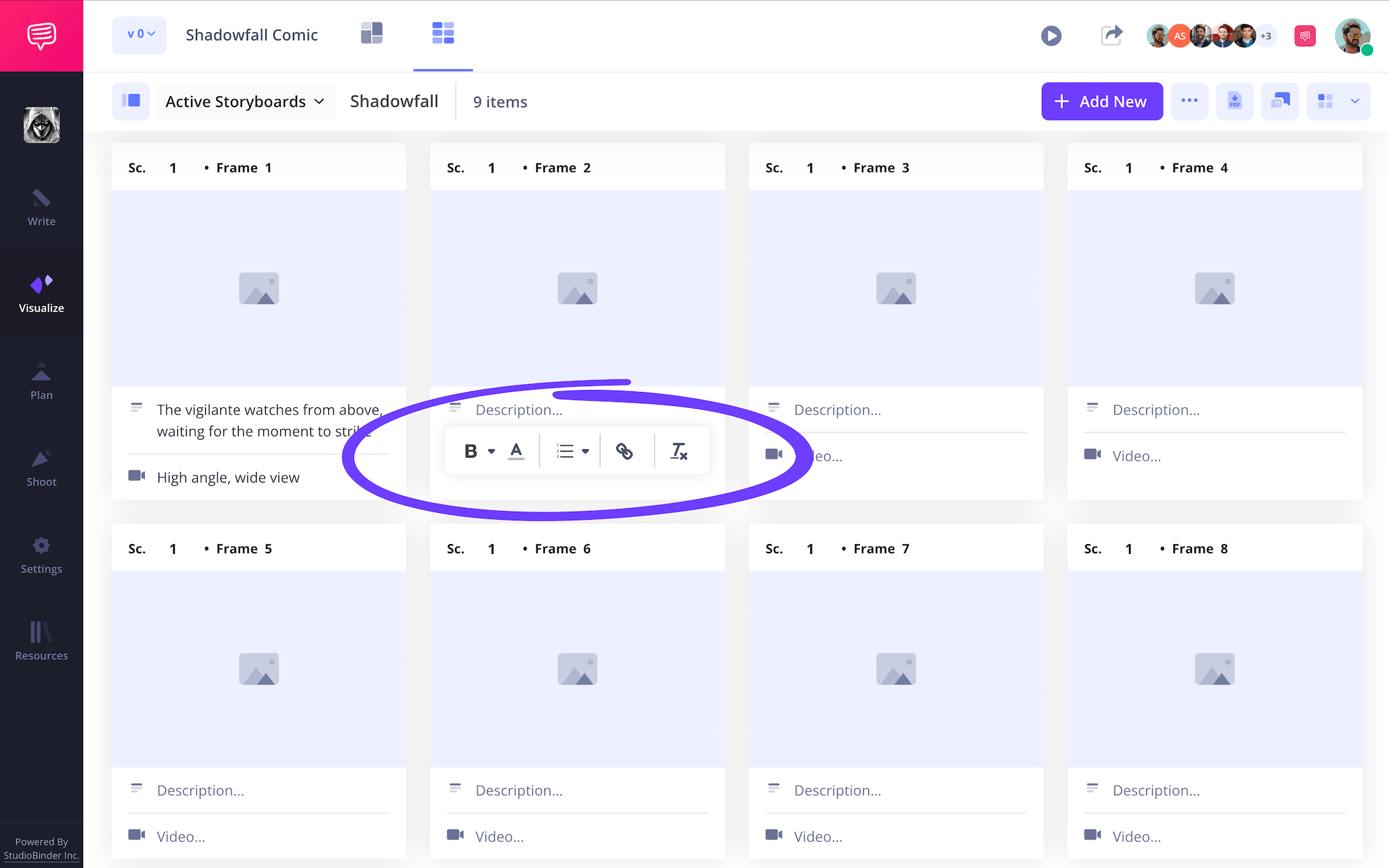
When you’re finished setting up the layout, you can begin filling out the descriptions on your comic book storyboard template like this:
Step 2
2. Add images
Images in a storyboard comic template can be approached in a handful of different ways. If you’re a comic book artist, this is where you’ll really start finding your environment and character style. And since this isn’t the final version of the comic book, you can really let your imagination loose. Upload any of your physical and digital drawings by simply clicking the upload button.
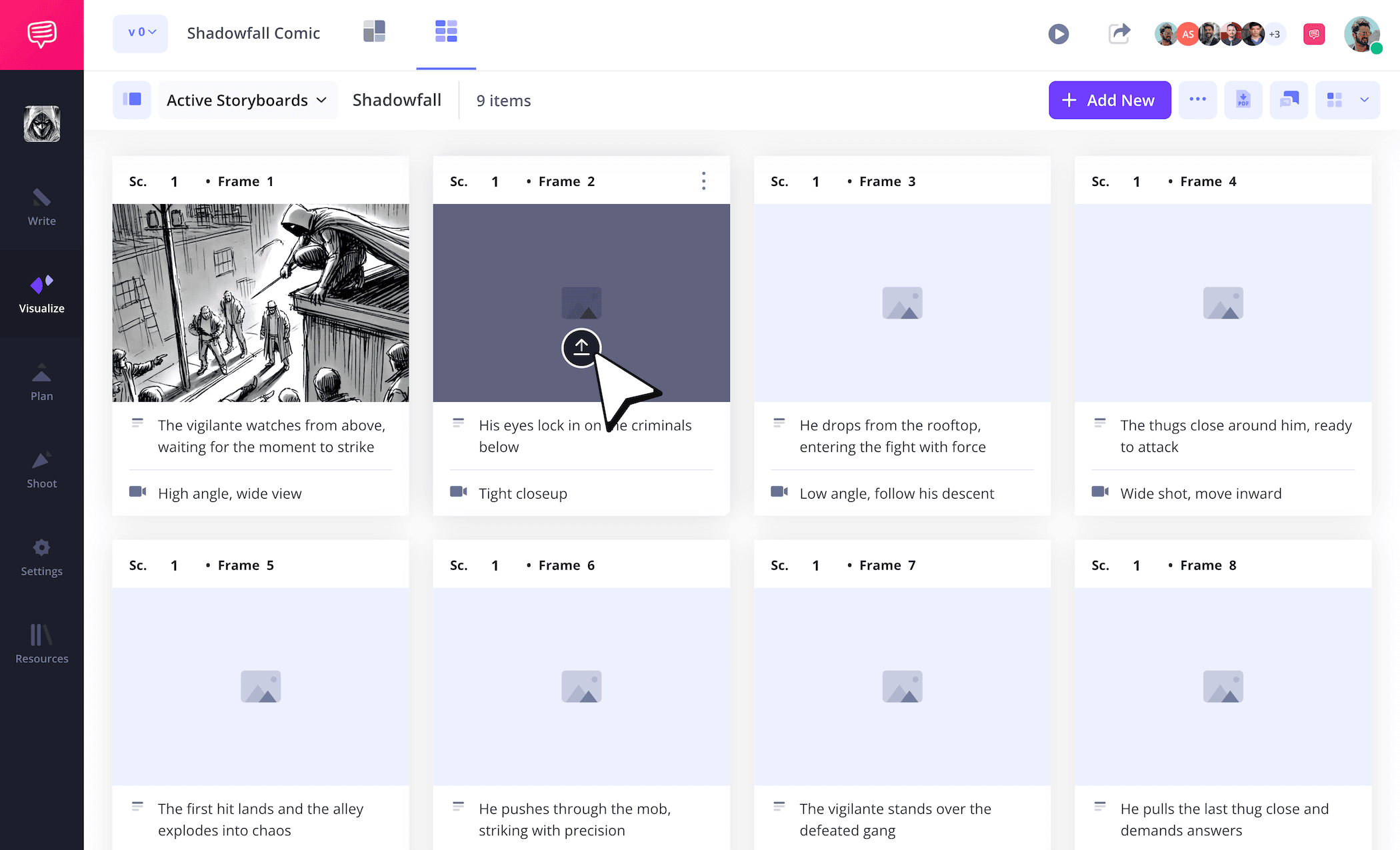
But maybe you’re a writer and you have some rough stick figure drawings that you sketched out onto some notepad paper so your artist understands the basic shot setup and character positioning for a particular panel. In a situation like this, you can snap a picture of your sketch, edit it, and upload it all within StudioBinder.
Step 3
3. Add comic book bubbles
Sometimes all you need is a ‘Bam!’, ‘Wham!’, 'Pow!', and ‘Zap!’ to spruce up the visuals and dynamics of a frame. Maybe your editor-in-chief looks over your comic strip storyboard and suggests you communicate the hero’s powerful punch a bit more in one of your sketches so the artist doesn’t get confused about how they need to capture the action in their drawing. With a situation like this, you don’t need to worry about sketching the image again.
By taking advantage of StudioBinder’s image editing software, you can add the exact bubble you need to make sure that superhero splash page delivers all the intended goosebumps. Adjust the shape and size of the arrow and even add text within it if necessary.
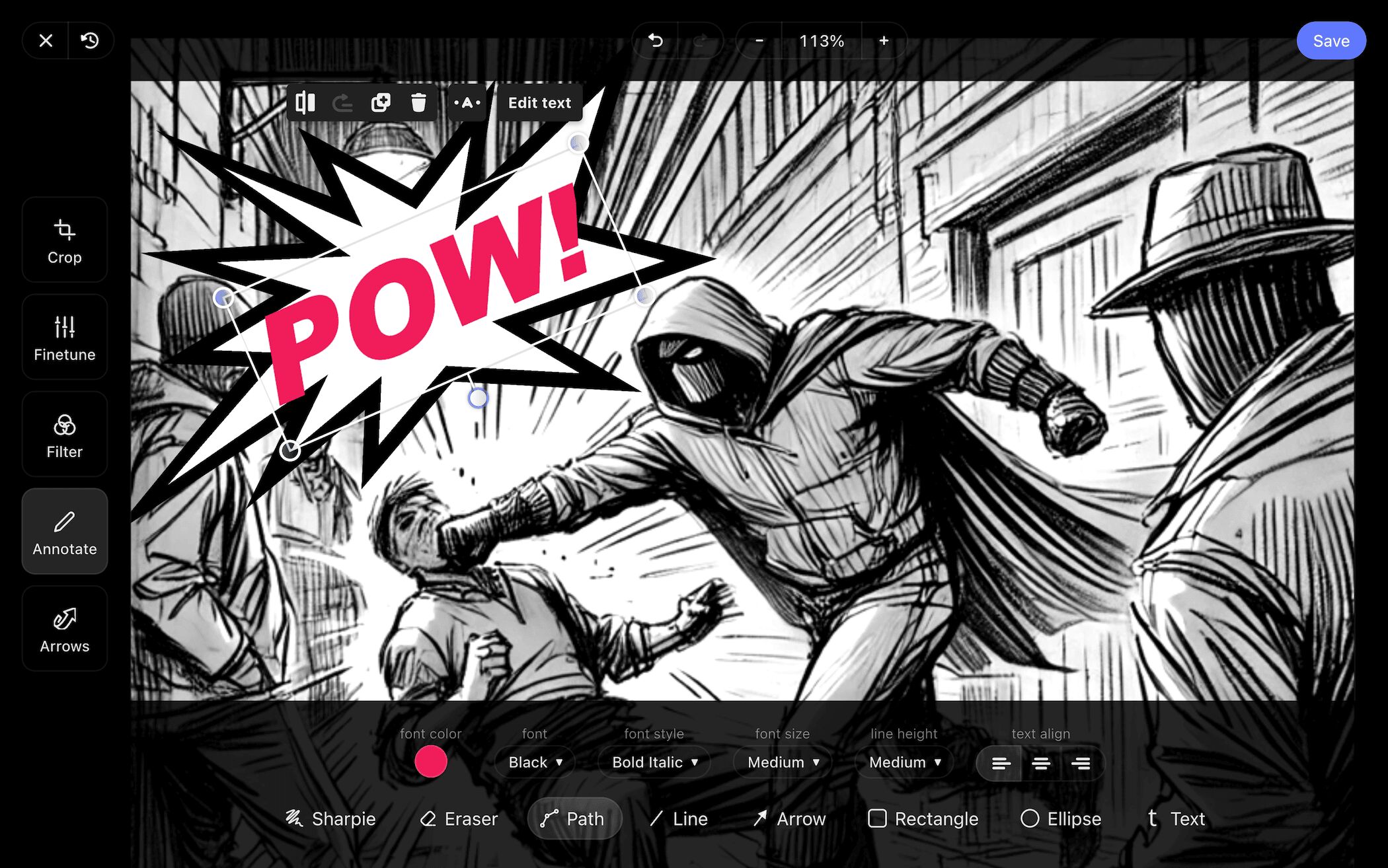
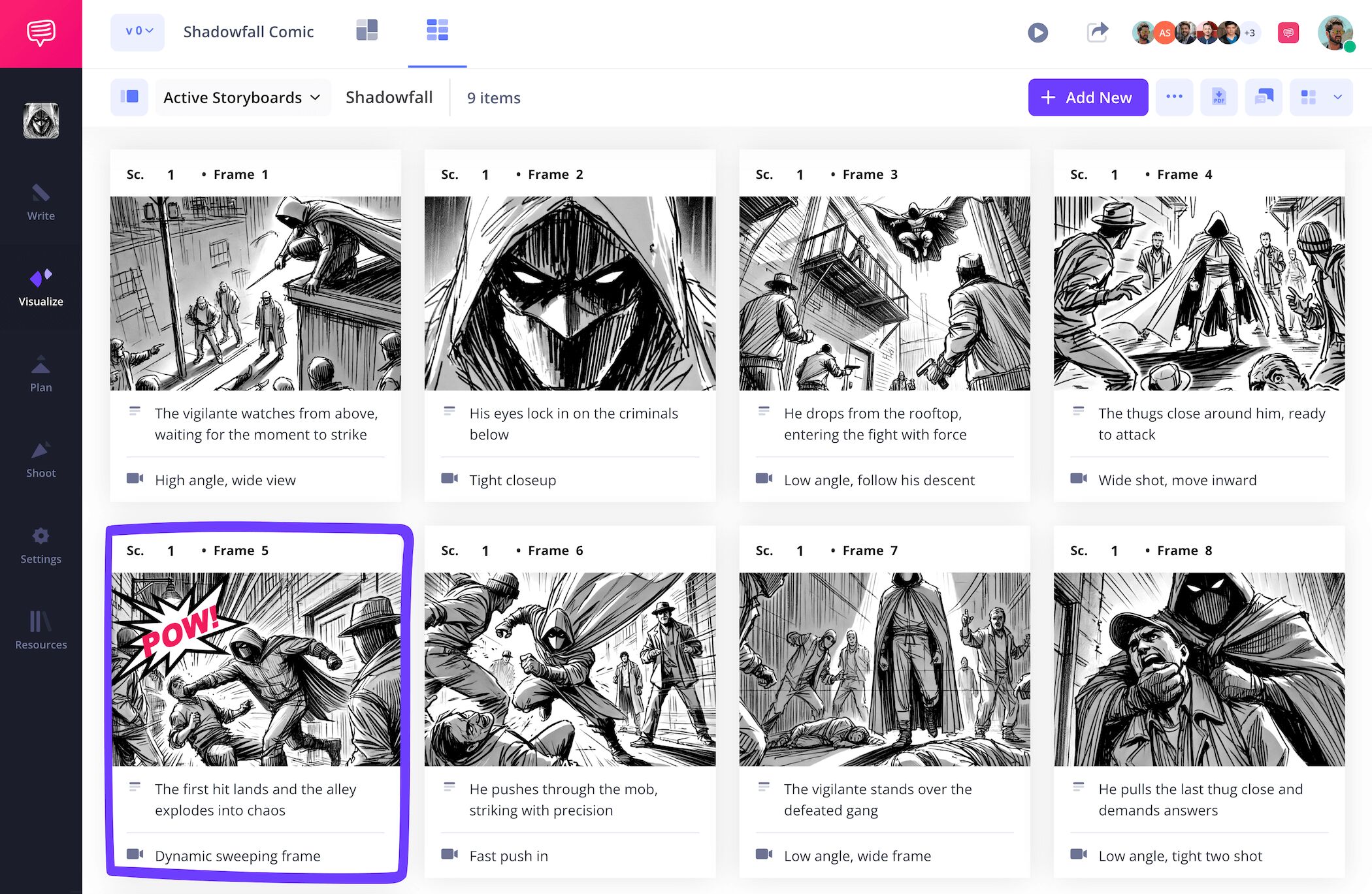
With the bubble placed exactly where it needs to be, you’ll just click save to add this more action oriented version of your image to your comic storyboard template.
Step 4
4. Share and get feedback
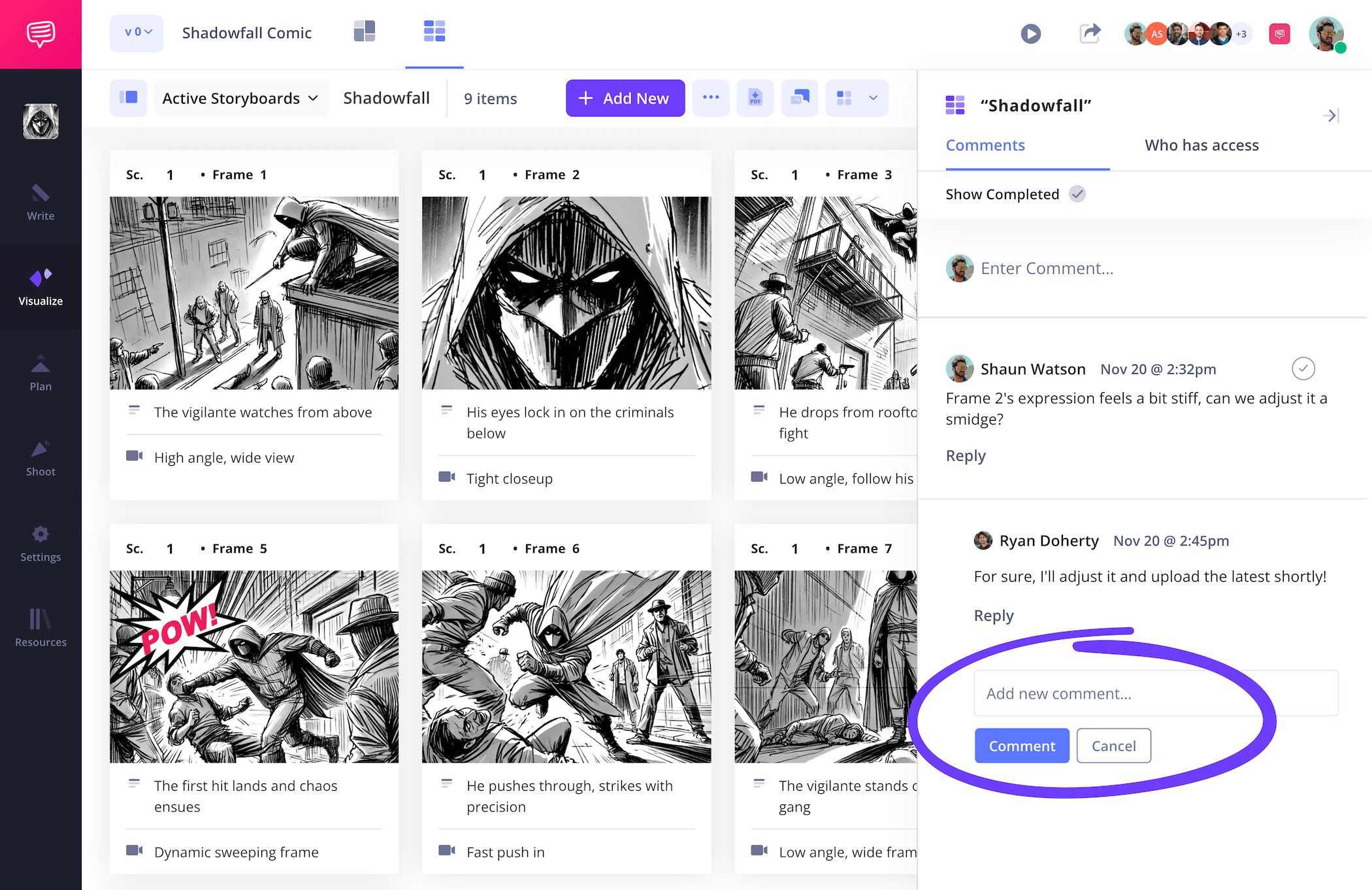
Being able to collaborate and get feedback from everyone you’re working with while building your comic storyboard template is essential. If you’re a writer working with an artist, or vice versa, it’s extremely helpful to keep in close communication so you both have a common understanding of every story beat. Not to mention that everyone from your editor-in-chief to your colorist will likely also want to be kept in the loop.
StudioBinder acts as a central hub where your entire comic team can view your storyboard comic and provide feedback. Send a view-only-link for quick peaks, or set your invitee’s permissions to either commenter or editor to enable collaborative features.

For any notes around what’s working, what’s not working, and what’s really popping off the page beautifully, enabling editor or commenter permissions allows you to communicate with your invited team in the comments tab.
Step 5
5. Create a storyboard PDF
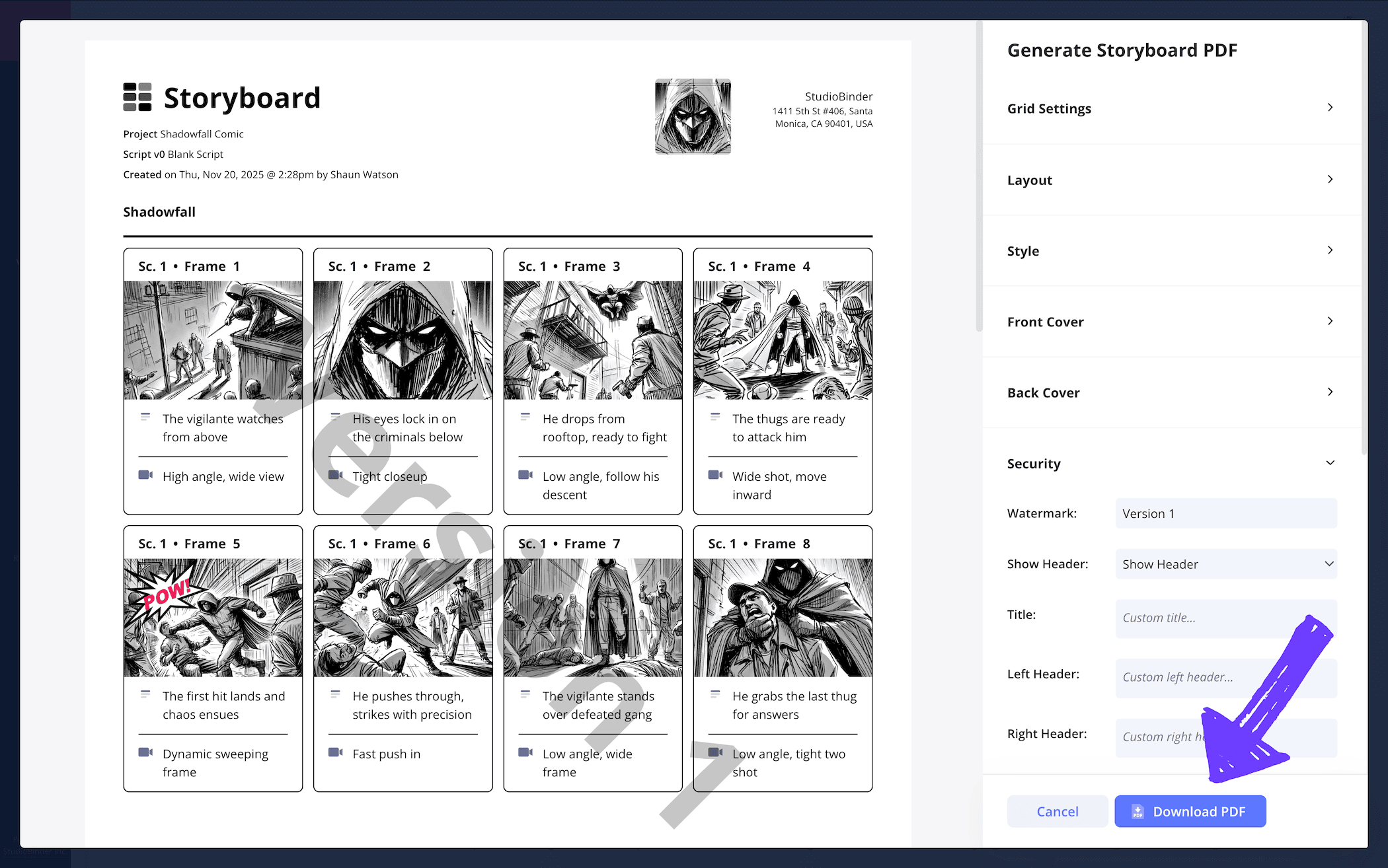
Now that you’ve made sure every panel conveys your characters, worlds and word balloons with the type of style and composition you had in mind, you may want to download and even print your storyboard comic strip so the entire comic editorial team can work from it as well.
With StudioBinder, you can customize as many different versions of your storyboard comic template for as many different collaborators as you need. With no shortage of PDF customization options, your imagination is the only limit to how you’ll tailor your document. Maybe you want to choose the tabloid paper size to emphasize the comic look and feel, or maybe you want the background color of your PDF to contrast well with your poppy comic book art.
If security is a concern, you can also add a watermark and custom title to keep any nefarious villains from stealing and leaking your hard work.
Conclusion
Fin fang finished!
Whether you’re the next Stan Lee or a comic book lover with a curiosity for creating your own comic storyboard template, these steps provide a broad and universal enough approach for you to make your comic book dreams the best they can be. But if comic books represent only one of many visual storytelling mediums that you have a passion for, be sure to take a look at the many more free storyboard templates StudioBinder has to offer!
Frequently Asked Questions
Your questions, answered
To make your own comic storyboard template, you have a number of options, and you may want to make your choice based on what format you’ll be creating your finished comic book in. For example, if you’re a comic artist and you illustrate all your panels on paper, then chances are you will benefit from creating your comic book storyboard on paper as well. If you’re a writer, you may lean toward preferring a digital storyboard platform where you can upload your script, and even your rough sketches directly into the storyboard itself.
There isn’t exactly anything unimportant about a comic book storyboard, but for the best storyboard outcome, we suggest keeping your entire storyboarding process collaborative. Whether you’re a writer or an artist, you’ll want to walk with each other through the whole process. If we’re comparing comic book creation with filmmaking, the artist and writer represent a meaningful chunk of the entire creative team. So, work together to create the best comic book vision possible.
If you’re looking for a pre-made template to start pre-planning your comic book story through a storyboard, you have plenty of options. The first and most obvious is to create a storyboard outline using a ruler, pencil, and paper. If you’re a comic artist, chances are you have the tools, talent and preference to make this kind of comic book template pretty quickly. However, there are also plenty of digitally created storyboard outlines you can find online and even print out if needed. Your choice in this area will depend entirely on the overall dimensions you want for your storyboard template, so choose wisely!
A comic book storyboard template is a pre-planning tool for creating your own comic book. This tool is great for finding the visual and narrative pacing of your comic. By laying out your story on a storyboard, the artist can really find their style groove and the writer can find the best amount of dialogue that can fit within a given word balloon. This is endlessly helpful because it helps empower both the writer and artist with optimal confidence before creating the final version of their comic book.
Create your free storyboard
Visualize your comic storyboard template or graphic novel.
Get started for free
