
home → TEMPLATES → Storyboard
Digital Storyboard Template

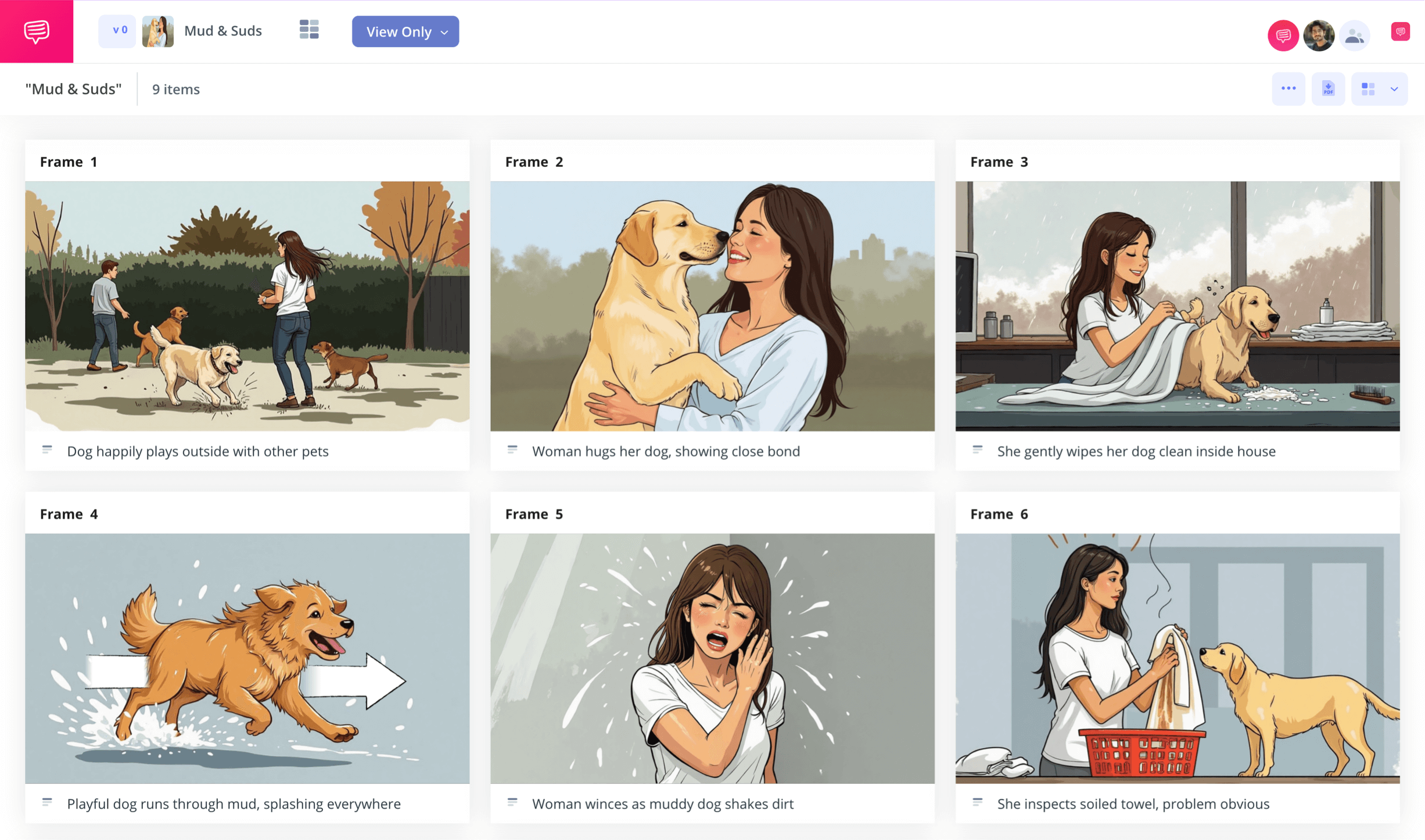
Digital storyboard template
If you want to keep up with the modern digital age of filmmaking, it’s time to learn how to use a digital storyboard template and put that pencil and paper down once and for all! While some filmmakers prefer the classic old school method of using a physical storyboard, most modern Hollywood filmmakers have adapted to digital storyboard templates at this point. So, if you want to make your own film, animated movie, or social media video, why not take advantage of what all the best industry artists are using and upgrade your storyboard form.
With this digital storyboard template breakdown, we’ll show you how to create a storyboard template using all the most essential steps in the business. We’ll be using StudioBinder’s digital storyboard creator to showcase each of these steps, but feel free to use whichever digital storyboard template you prefer as we go along.
Step 1
1. Format your template
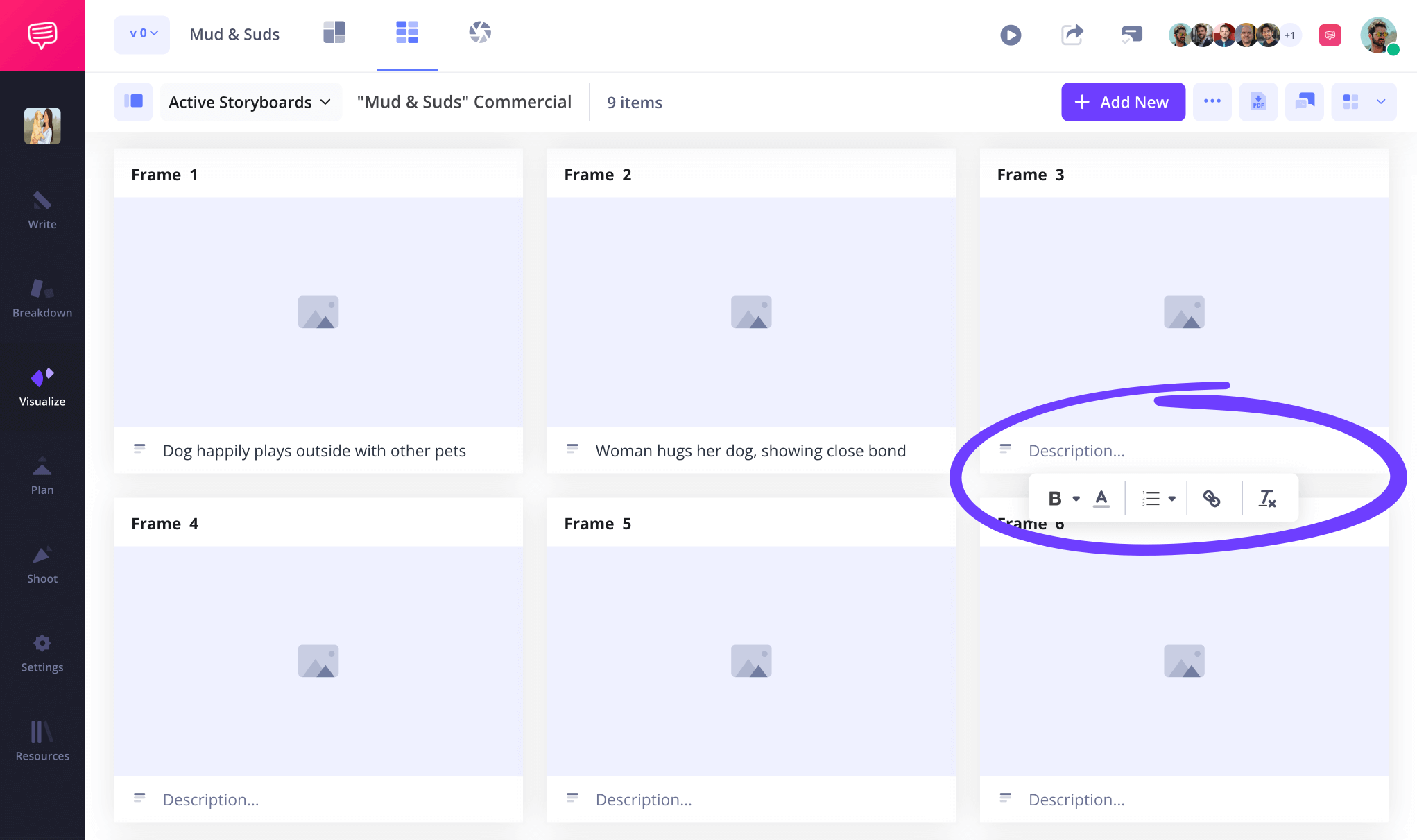
Start by making sure you have a structure for your storyboard digital template that you can work comfortably within. When it comes to the modern industry standard for your storyboard dimensions and layout, 16:9 aspect ratio panels are most often used in the film, television and animation industries. Even if you’re planning to make a reel on a social media platform like TikTok or Instagram, which sports a 9:16 aspect ratio, sticking with 16:9 for your storyboard frames is useful for maximum visual layout. It’s also best to keep it at 3 to 6 panels per storyboard page since more than that will look too visually crowded.
Beginning a new project in StudioBinder prompts you with some of these layout setup questions. When you're finished, your digital storytelling storyboard template will look similar to this:

When you have your storytelling vision aligned and you’re ready to start writing out the frame by frame descriptions on your electronic storyboard, you can just click and start typing.
Step 2
2. Add images
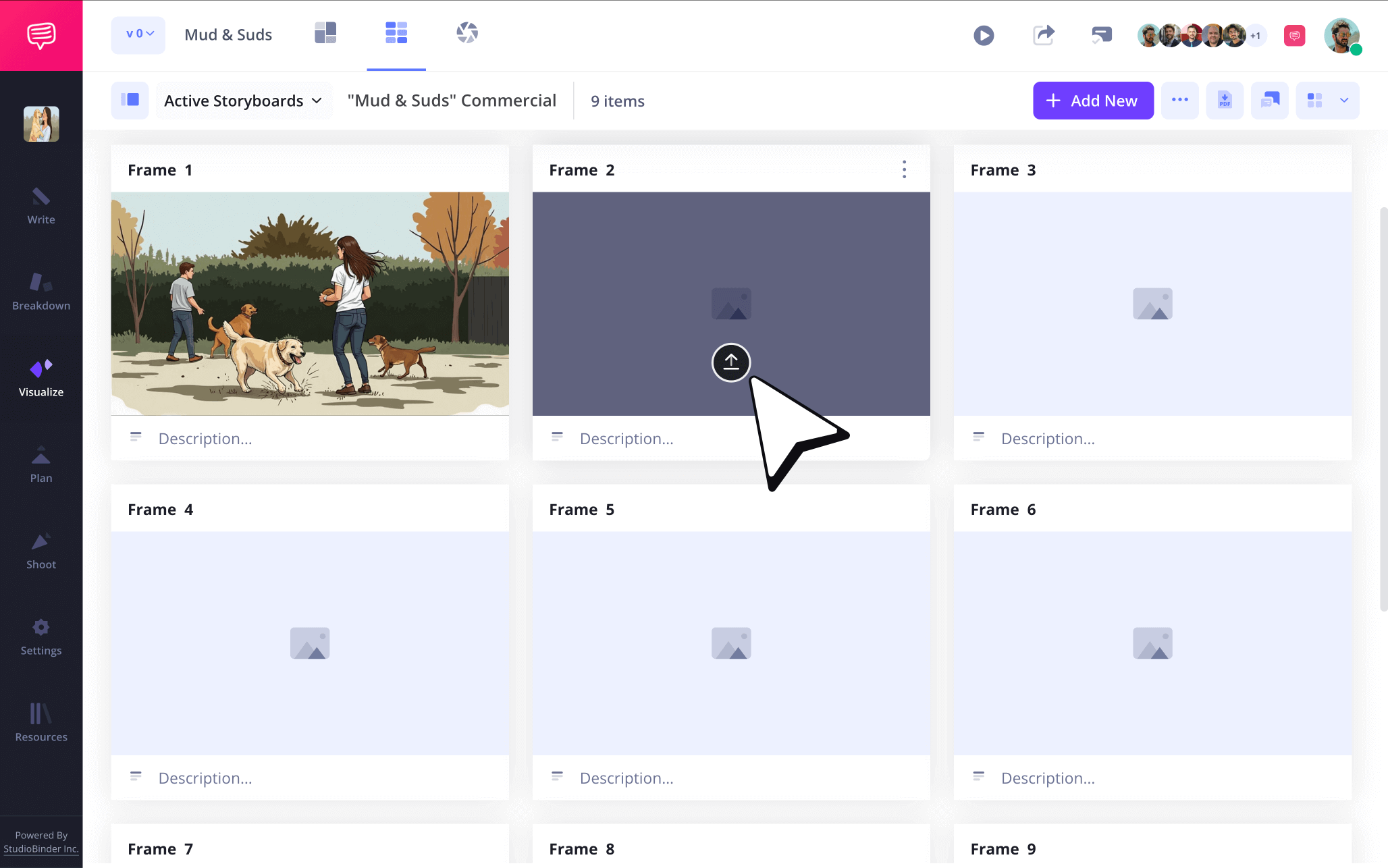
Now that you’ve completed the hard work of establishing a sense of pacing through your panel by panel story beats, you’re ready to visualize those beats with images on your digital storyboard template. You know what’s important in your scene, so now just imagine the best way to fit all that information comfortably within each camera shot. Consider where the camera is looking in each frame and why. Digital storyboard templates are only as creative as you make them, so take your time!
To upload images into a StudioBinder storyboard, just click the upload button on any frame.
Step 3
3. Include arrows
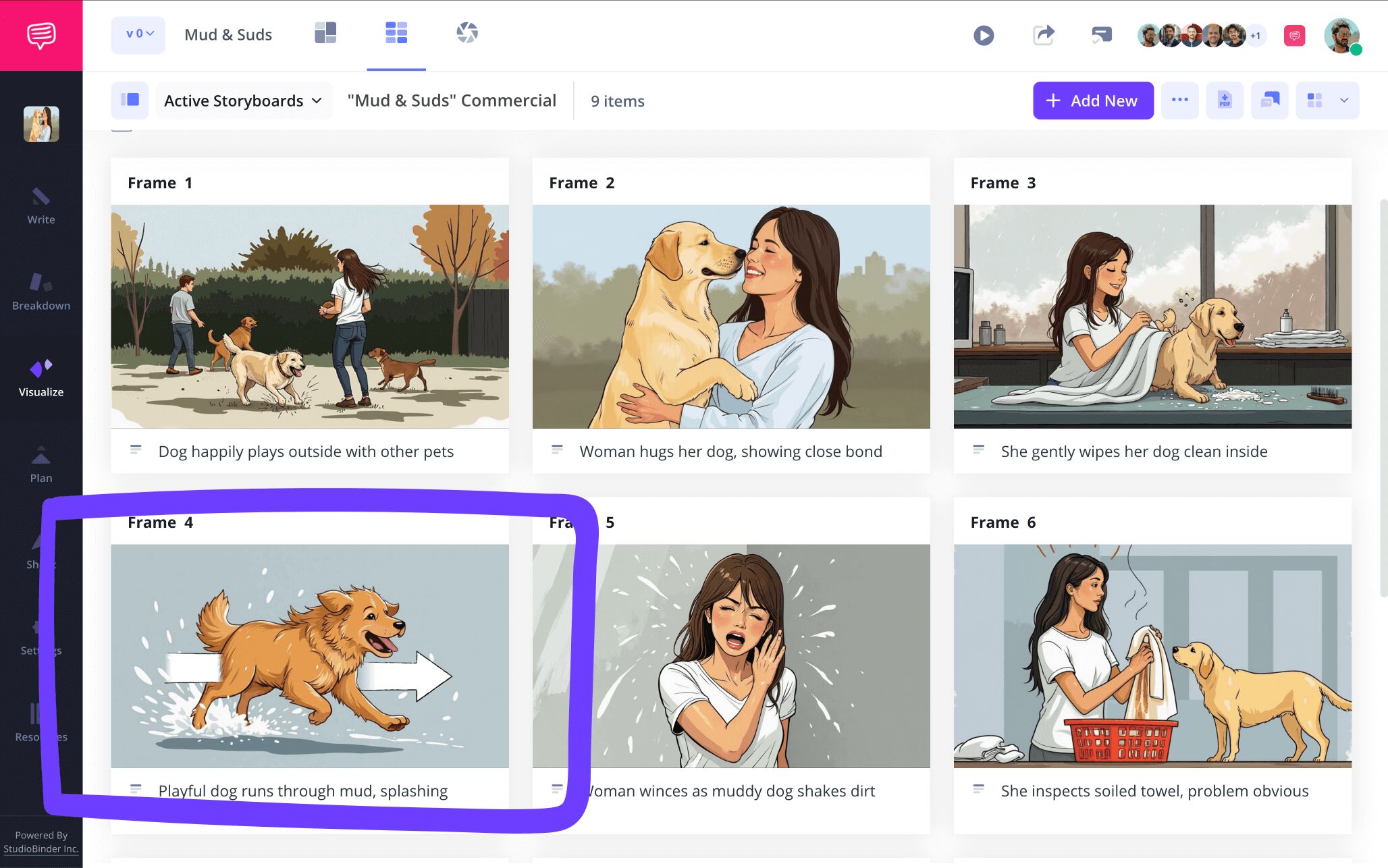
Storyboard arrows are an industry staple, and with a digital storyboard template, they’re easier to include than ever before. You may find yourself adding arrows while drawing your sketches to indicate any camera or character action that isn’t immediately apparent in the image alone. Or you may look at an image down the line and decide a directional arrow was more necessary than you thought.
In our digital storyboard template free example, we went into StudioBinder’s image editor and found an arrow that helps show off the kind of dog sprinting action we were hoping to capture.

Once we customized our fade arrow and placed it in just the right place to make it look seamless, all we needed to do was click Save and just like that, our dog’s speed can no longer go unnoticed on our storyboard digital template.
Step 4
4. Collaborate for feedback
Since using a digital storyboard template is typically done in solitude, as is the case with most modern digital tools, you’ll want a reliable digital hub to gather anyone and everyone you’re working with. Collaboration does define the filmmaking process afterall. Luckily, you have the option to make StudioBinder your own one stop shop for collaboration as you build any and all of your digital story storyboard templates.
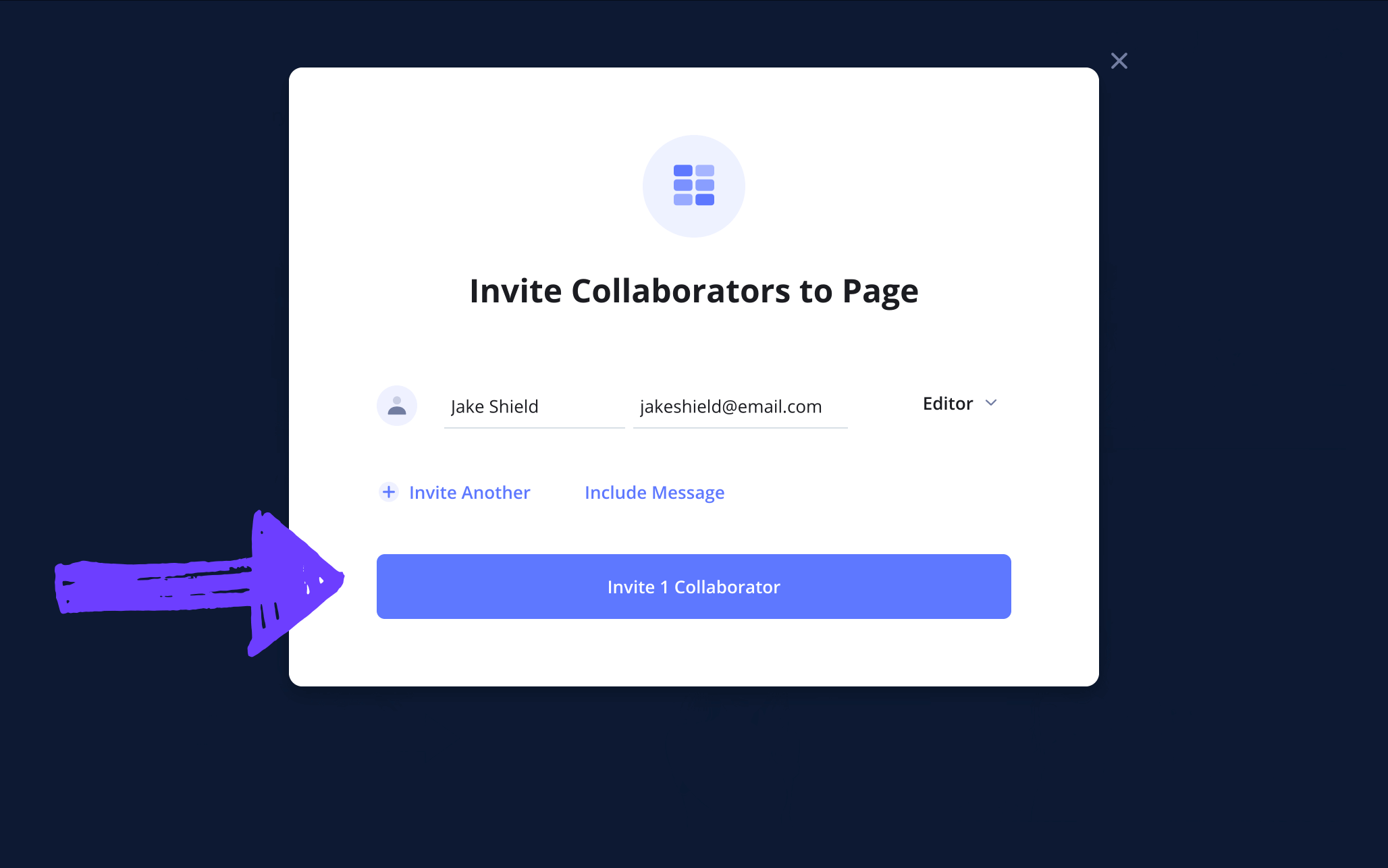
You can always send a view-only-link, but that’s far from your most collaborative option. Drop down the permissions options for whoever you’re sending an invite to and choose between letting them be an editor or commenter on your digital storyboard template free project.
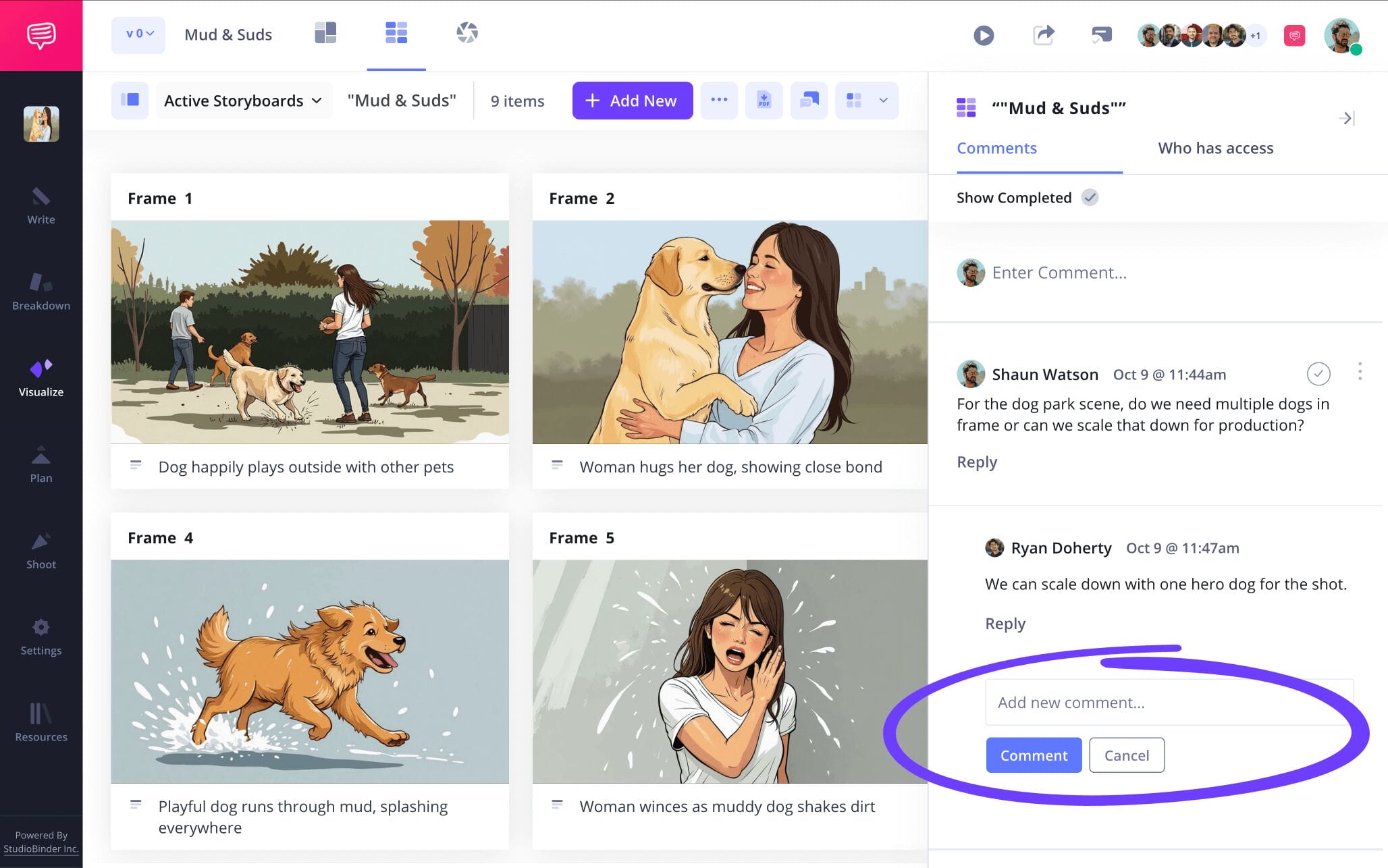
For those invitees you’ve enabled editor or commenter permissions on, be sure to let them know they can take to the Comments tab on the right to leave their notes or even start up a discussion over the edits they made on your storyboard for video template.
Step 5
5. Convert to storyboard PDF
Even though this is the digital age, protecting your digital storyboard template from any accidental deleting or editing after you finish is still an essential safety precaution. By converting your storyboard into a PDF, you’re not only indicating to yourself and your production team that the storyboarding process is complete, you’re also creating a document that can be saved, printed and brought to set, and even customized to satisfy any production department requests.
For our digital storytelling storyboard template example, we wanted to go the extra mile and make our storyboard PDF look as professional as possible with a front and back cover. So, we went into StudioBinder’s PDF editor and quickly customized those covers, before adding a custom title and watermark for extra safety. Now we’ll know which department will have to answer to TMZ leaking our top secret storyboard!

Conclusion
Mission complete!
You came, you saw, you finally left the old world behind and joined the rest of us in the digital age by learning how to build your own digital storyboard template! This is no small feat, so take a rest and be proud of your good work. Then, when you’re ready to take on the next digital storyboard templates challenge, be sure to come back and browse through all of StudioBinder’s free storyboard templates.
Frequently Asked Questions
Your questions, answered
The process of making a digital storyboard is very similar to making a physical storyboard, only the digital part makes it all the easier. With digital storyboard templates found on apps like Word or StudioBinder, you can simply enter in the storyboard dimensions you want instead of having to draw them out with a pencil and ruler. Once you’ve formatted your template to your liking, you’ll build it the same as you would a physical storyboard. Don’t worry if you don’t get the structure and dimensions for your storyboard right the first time, one of the benefits to digital storyboard templates is that you can reconfigure them in the settings at any time throughout the process.
Digital storyboards have become the Hollywood filmmaking standard in the modern age. However, that doesn’t mean some filmmakers don’t prefer the classic physical storyboard approach. It really comes down to preference. When deciding if you’d rather use a physical storyboard or digital storyboard, you’ll have to determine how each works for you visually. Regardless, the main benefit of using a digital storyboard is you can reconfigure your settings at any time throughout the process. For a physical storyboard, reconfiguring your storyboard structure has to be done by physically rebuilding it. That can get exhausting.
Using a digital storyboard instead of a classic physical storyboard has some undeniable benefits. First, you have the convenience of being able to change the settings of your storyboard dimensions and overall structure at any time with a few clicks of your mouse. With a physical storyboard, you’d have to rebuild from the ground up. Images are also much easier to sketch digitally and make edits on the fly. Some digital storyboarding software apps even allow you to customize your images within the storyboard app itself. Lastly, with a custom digital storyboard app like StudioBinder’s, you can invite any coworkers to work on your storyboard with you and even communicate with them in the comments tab in the storyboard layout.
Yes, storyboard templates made in Word are some of the most often searched for and used digital storyboard templates online. Instead of physically drawing out your storyboard structure, Word offers a seemingly endless amount of pre-made templates to fit any kind of storyboarding needs. To find a Word template structure that works for you, just google search the dimensions and overall format you prefer and you’ll more than likely find it.
Create your free storyboard
Visualize your digital storyboard with our free template.
Get started for free
