
home → TEMPLATES → Storyboard
Manga Storyboard Template

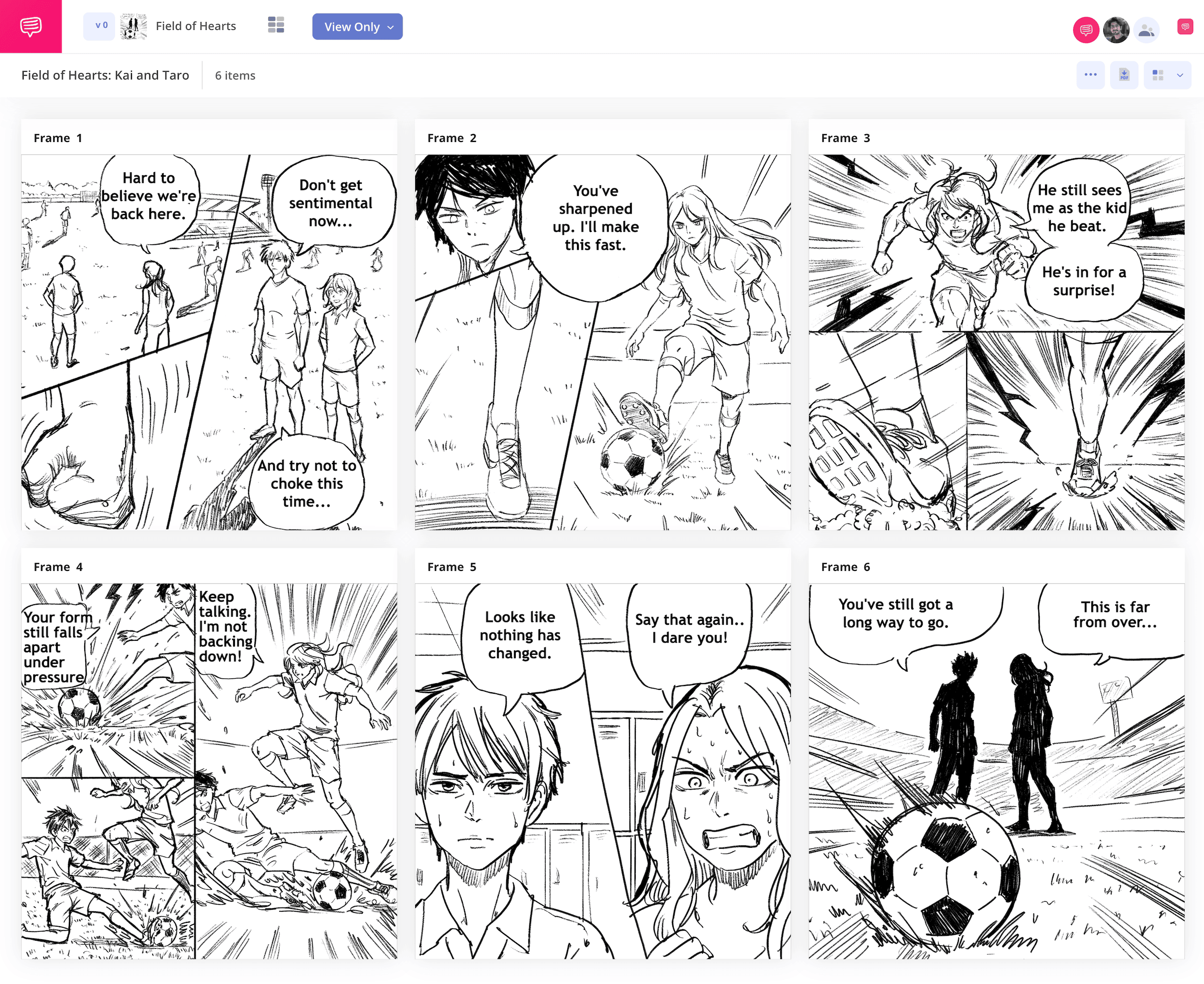
Manga storyboard template
If you’re looking to create your own manga from the ground up, you’ll want to include one of the most pivotal steps in the process and create a manga storyboard template (also known as a name in Japanese). Even some of the most legendary manga creators make a manga storyboard before creating the final printed version of their manga. With this timeless tool, you’ll essentially construct a blueprint of what your manga will look like, providing you with valuable insights around panel placement, character expression, and speech bubbles that you’ll then take with you while crafting in the final stages.
With this guide on how to approach your own storyboard manga project, we’ll take you through the broadest yet most important workflow steps in manga storyboard development. StudioBinder’s storyboard creator will be our anchoring guide through this step-by-step journey, but you can use whichever manga storyboard template that fits your preferences while following along. Let’s get started!
Step 1
1. Setup your template
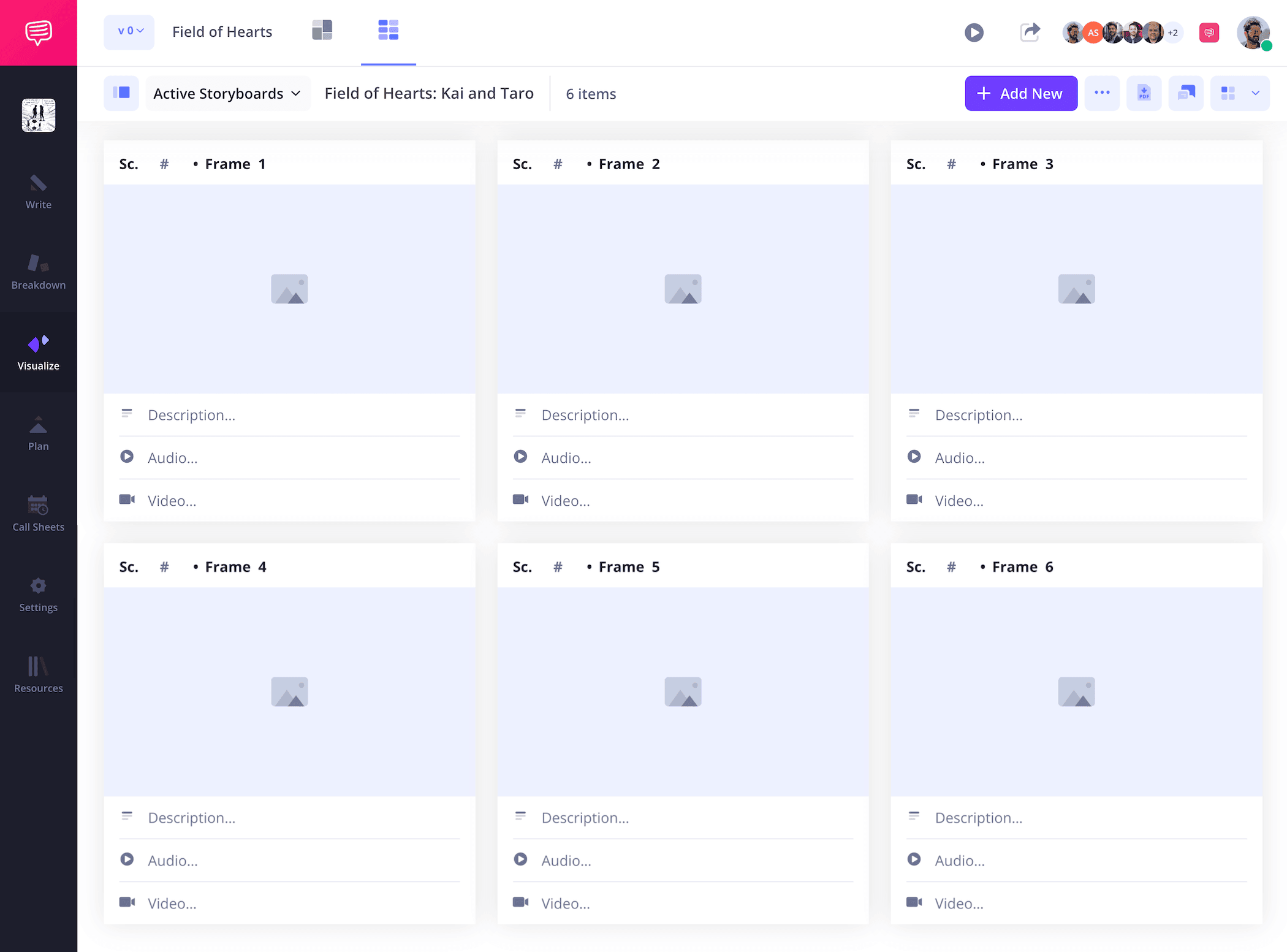
It’s common for manga creators to start working on a storyboard even before a detailed script has been created, with so much of the story’s emotional and narrative core being discovered through the storyboarding process itself. So, that means you’ll want to start by putting a lot of thought into how you want your panel composition laid out to match the kind of pacing and flow that feels right to you. You’ll begin with establishing some of these size and column options for your manga storyboard template when starting a new project in StudioBinder, which you can also readjust in the settings at any time.
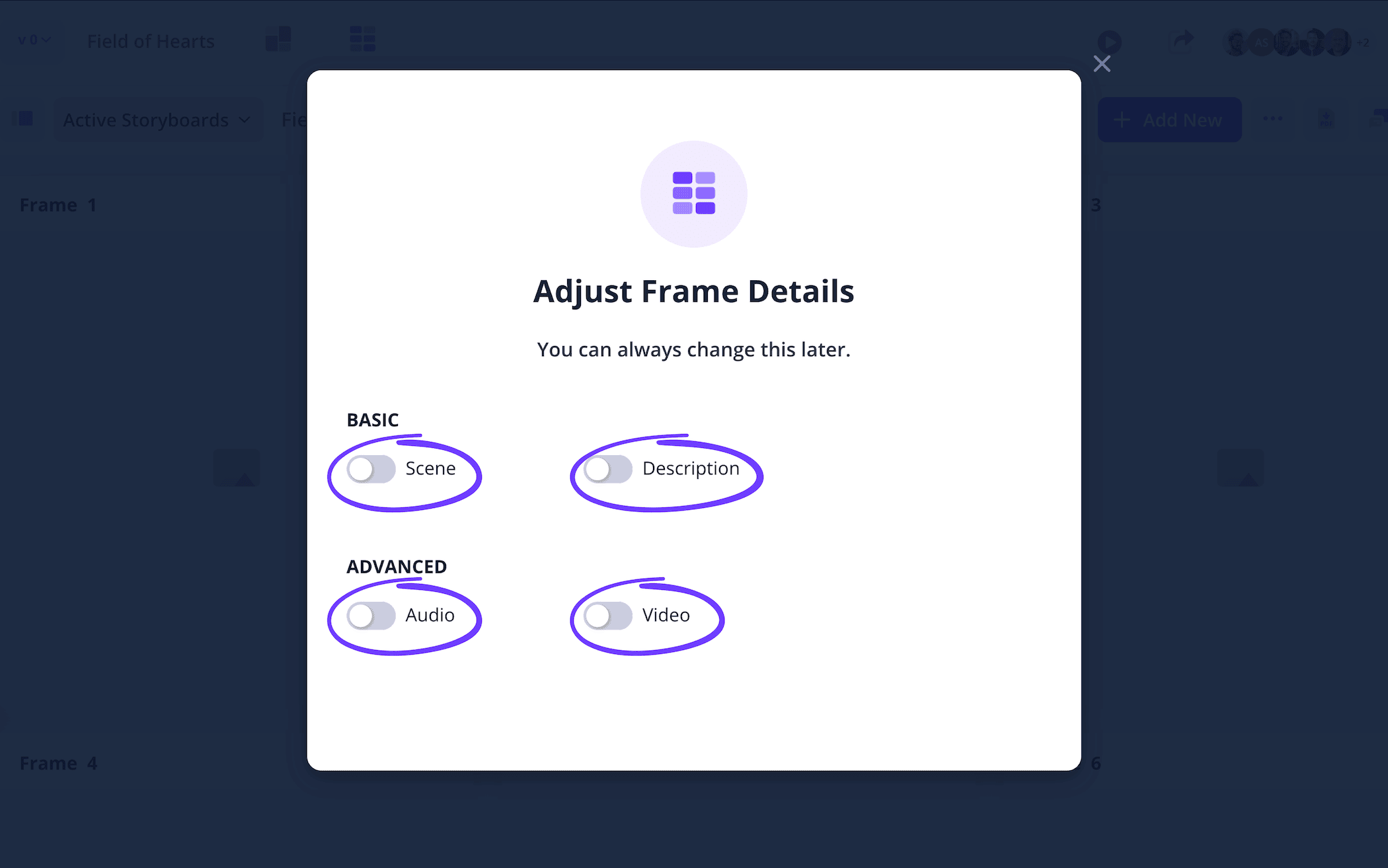
With manga storyboarding, you may find that you need little to no description space depending on how detailed your sketches are. So enable and disable description fields as you see fit.
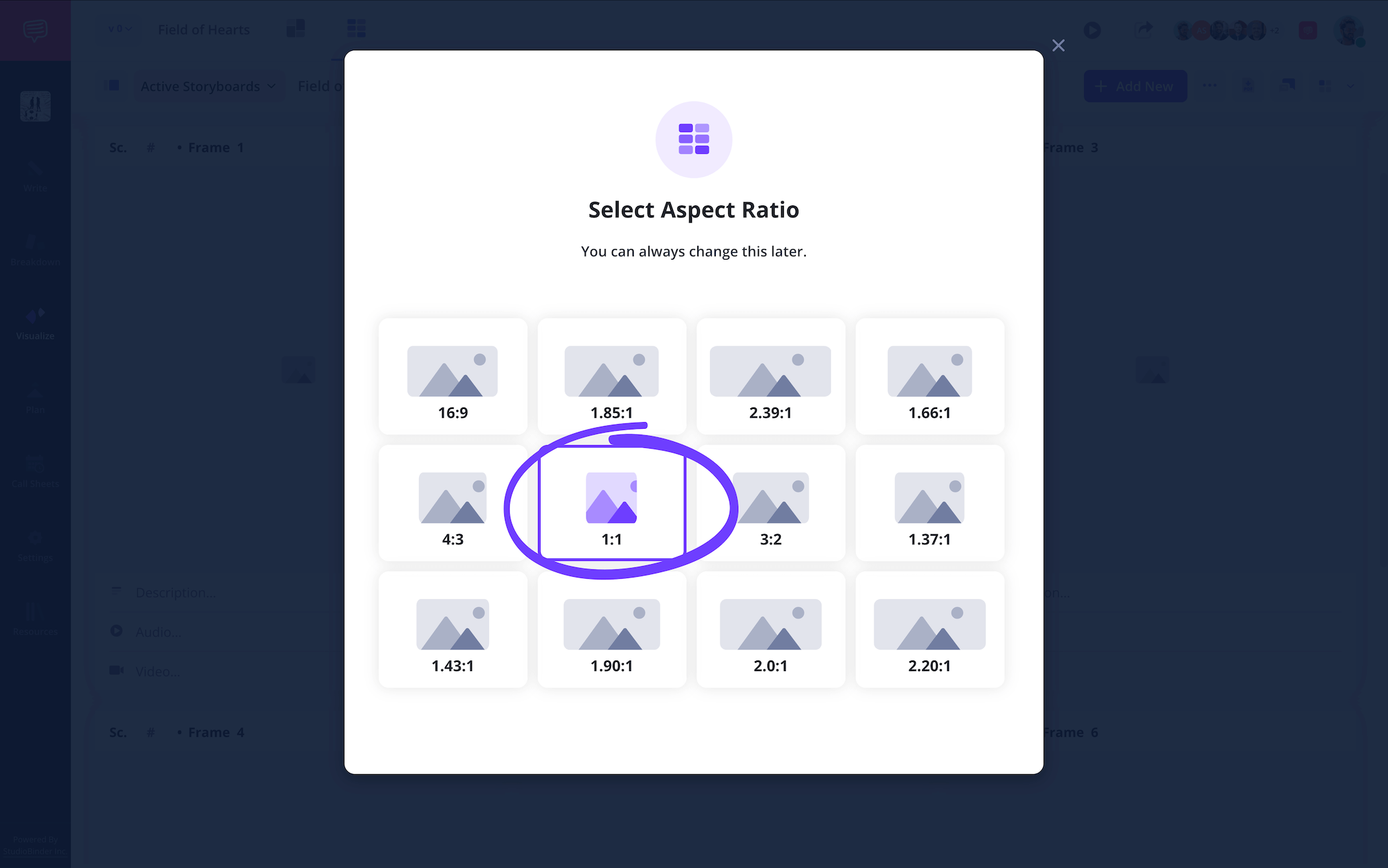
When it comes to the aspect ratio of your panels, the more space for detailed sketches the better. The 1:1 aspect ratio option in StudioBinder is closest to the traditional manga standard.
Step 2
2. Upload sketches
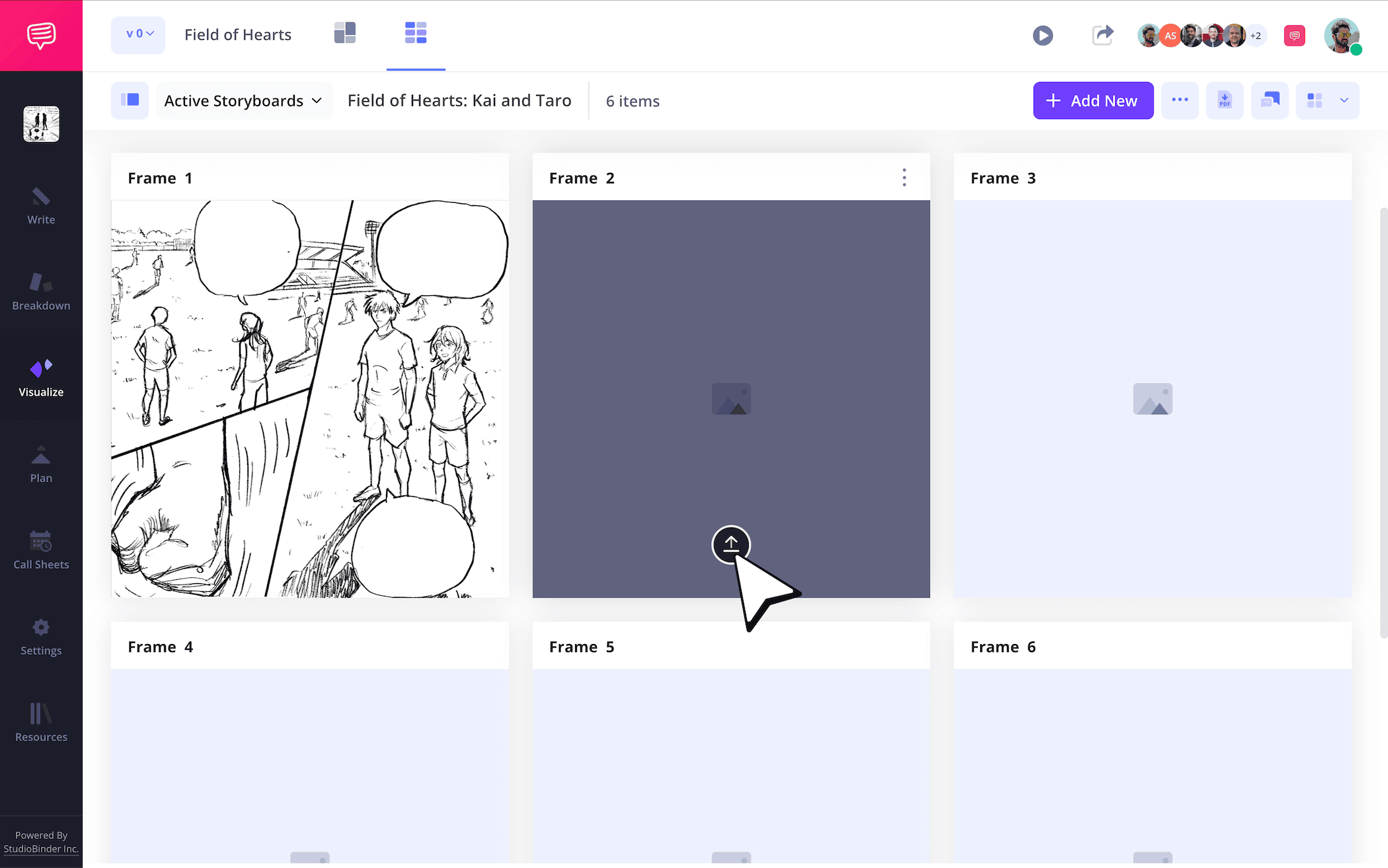
If you prefer to both write and draw your manga like the legendary Akira Toriyama or Masashi Kishimoto, then you’re certainly taking the most traditional approach to creating manga storyboards. But of course, there’s no right or wrong way to create a manga. Maybe you’re more of a writer and want to upload reference images before you outsource the Japanese style art. Whatever your preferred approach, just click the upload button on any panel in your manga storyboard template to upload your image.
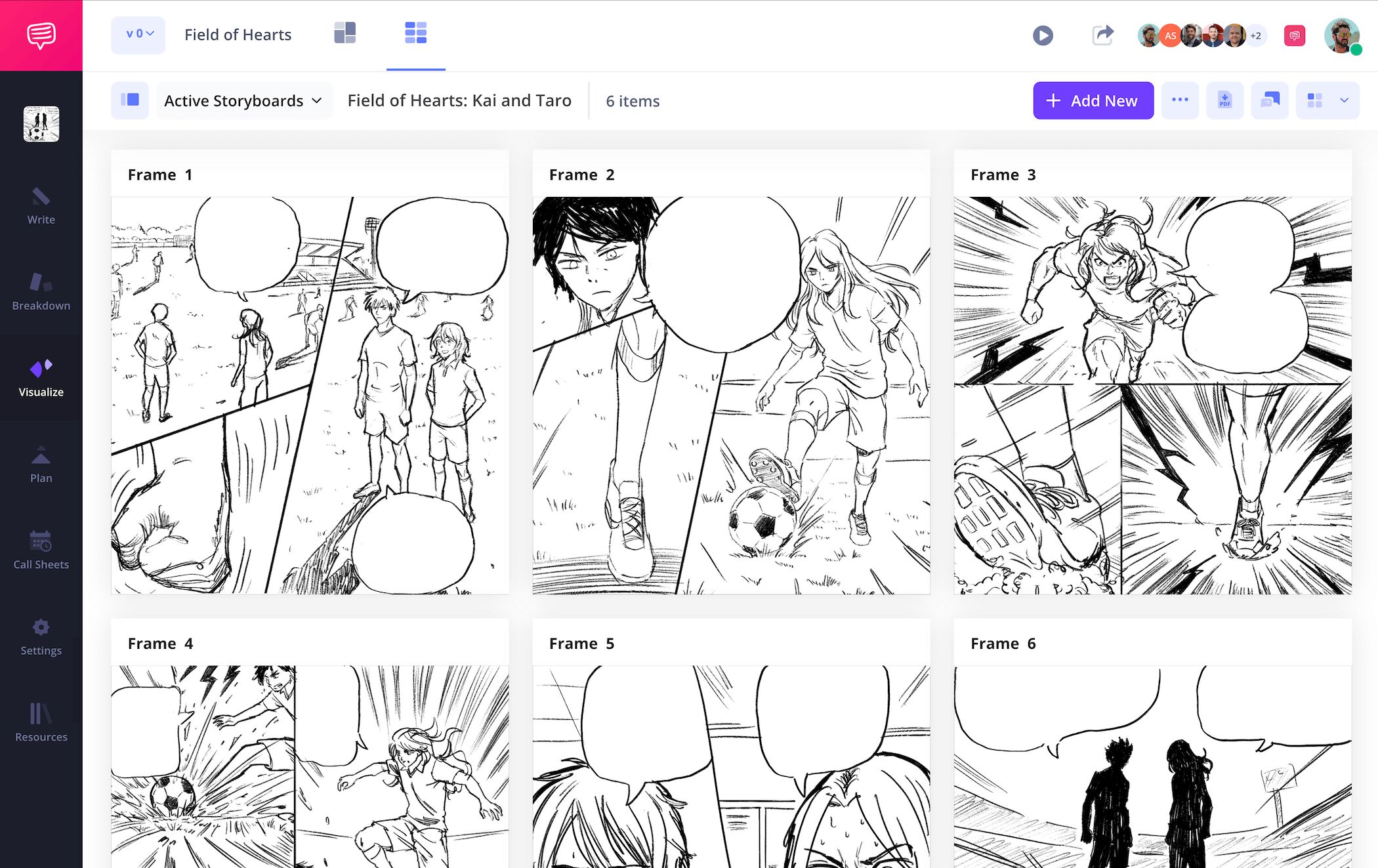
If you’re proficient at creating manga style art, and your personal method is to physically sketch out your images while building up your manga storyboard, you can take advantage of StudioBinder’s image uploader and easily snap a picture of your sketch, crop it, edit it, and apply it to your project. If digital illustration is your method, then just keep sketching and uploading that beautiful manga imagery!
Step 3
3. Fill speech bubbles
Building a Japanese manga storyboard can be very similar to building a western comic book storyboard when it comes to certain needs. One of those crossover needs is the addition of dialogue within speech bubbles. And with a manga storyboard template, you’ll want the freedom to change any of that dialogue on the fly.
In StudioBinder, you can add and customize your own character dialogue in empty speech bubbles. Just click on the editing option for any of your images and make all the adjustments you need, from the font type to the font sizing of your words.
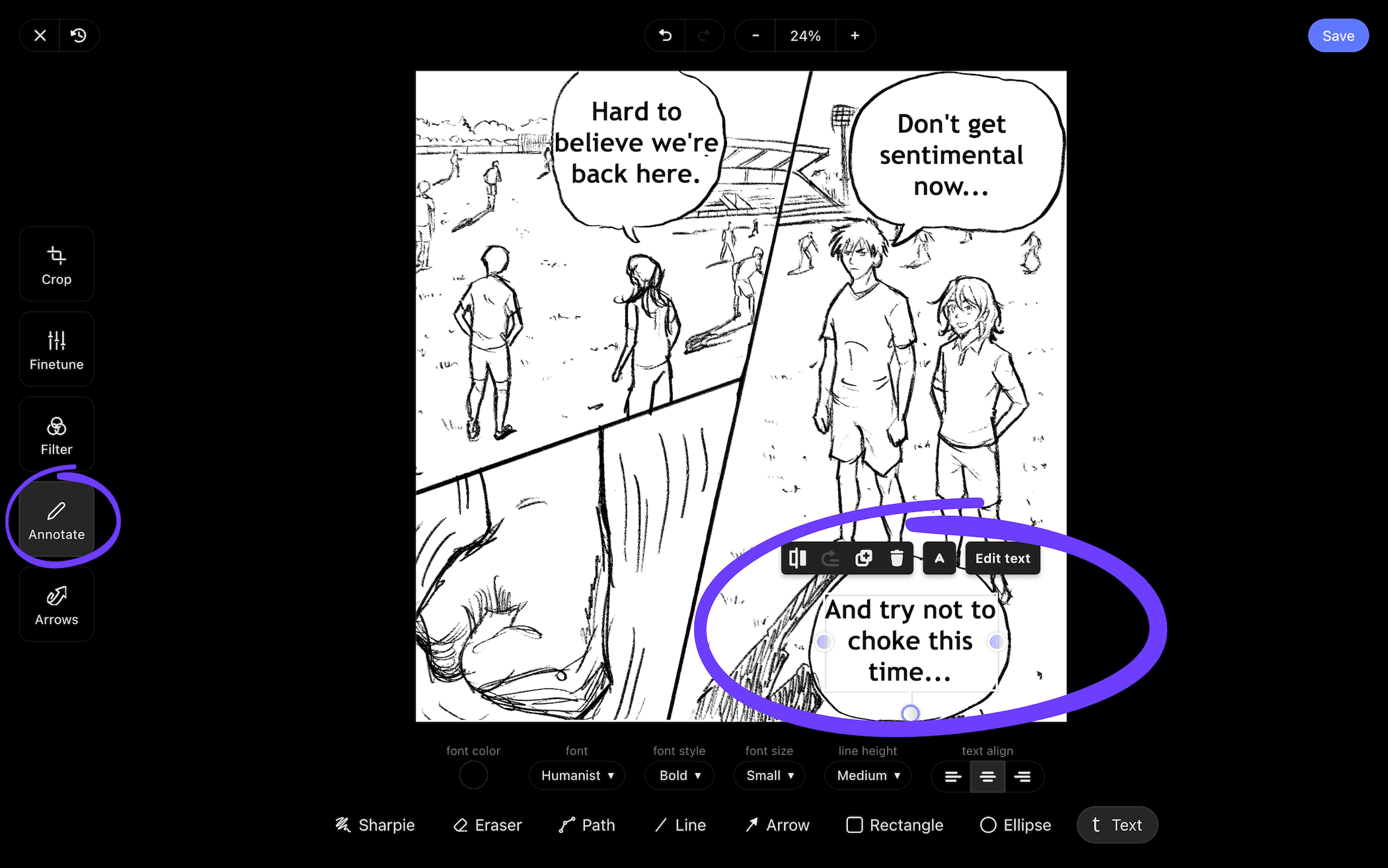
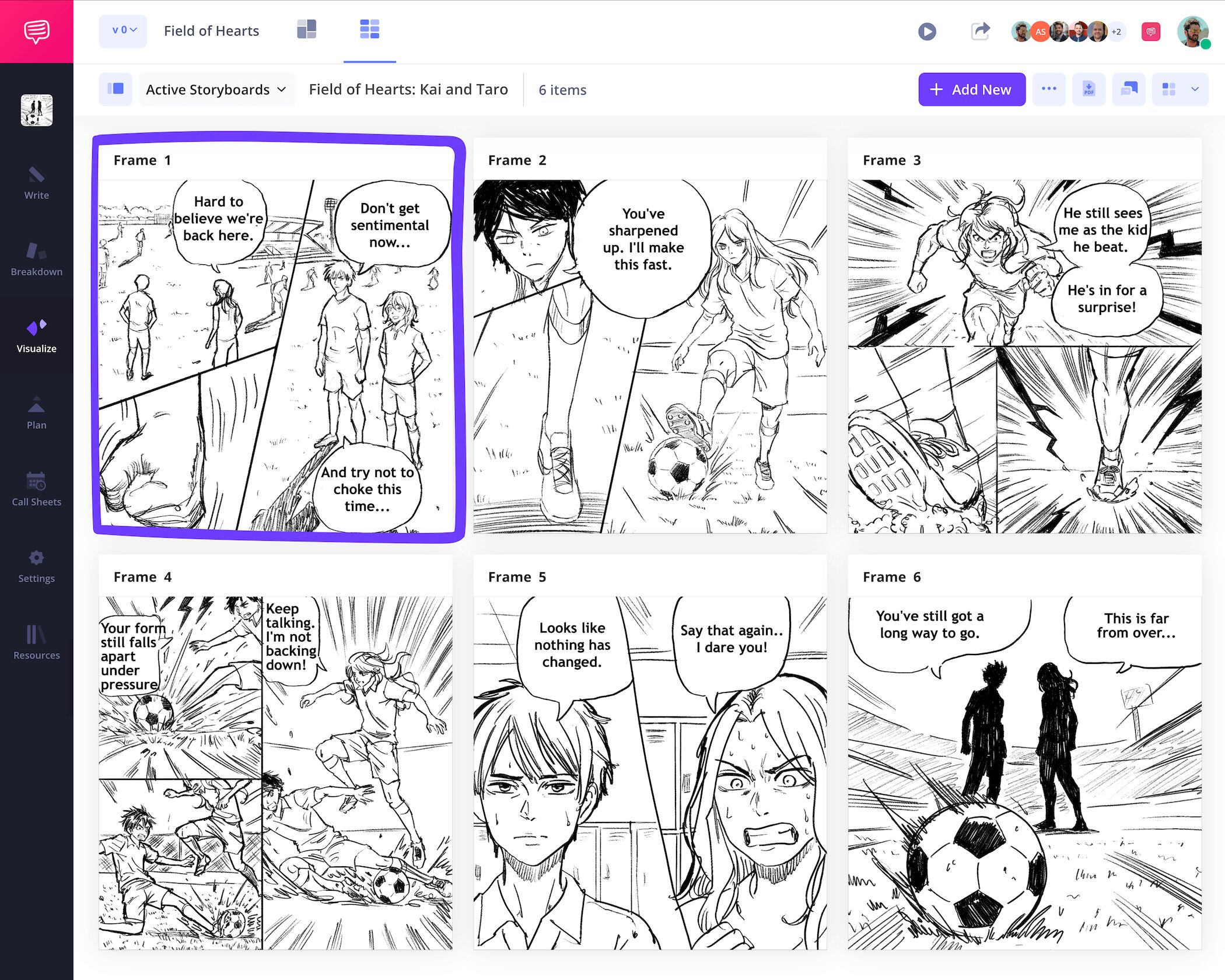
Once you’re satisfied with your dialogue placement, go ahead and click save and you’ll see your newly adjusted image in your storyboard manga project. Now there won’t be any confusion over what your protagonist is saying in that pivotal action scene!
Step 4
4. Share and receive feedback
Maybe you’re a writer, maybe you’re an artist, or maybe you’re both. Either way, chances are you’re working with a team consisting of editors, writer assistants, publishers and more. Even if you’re creating your own web manga all on your own, it’s always helpful to get some outside feedback so you know how fresh eyes will interpret your visual narrative.
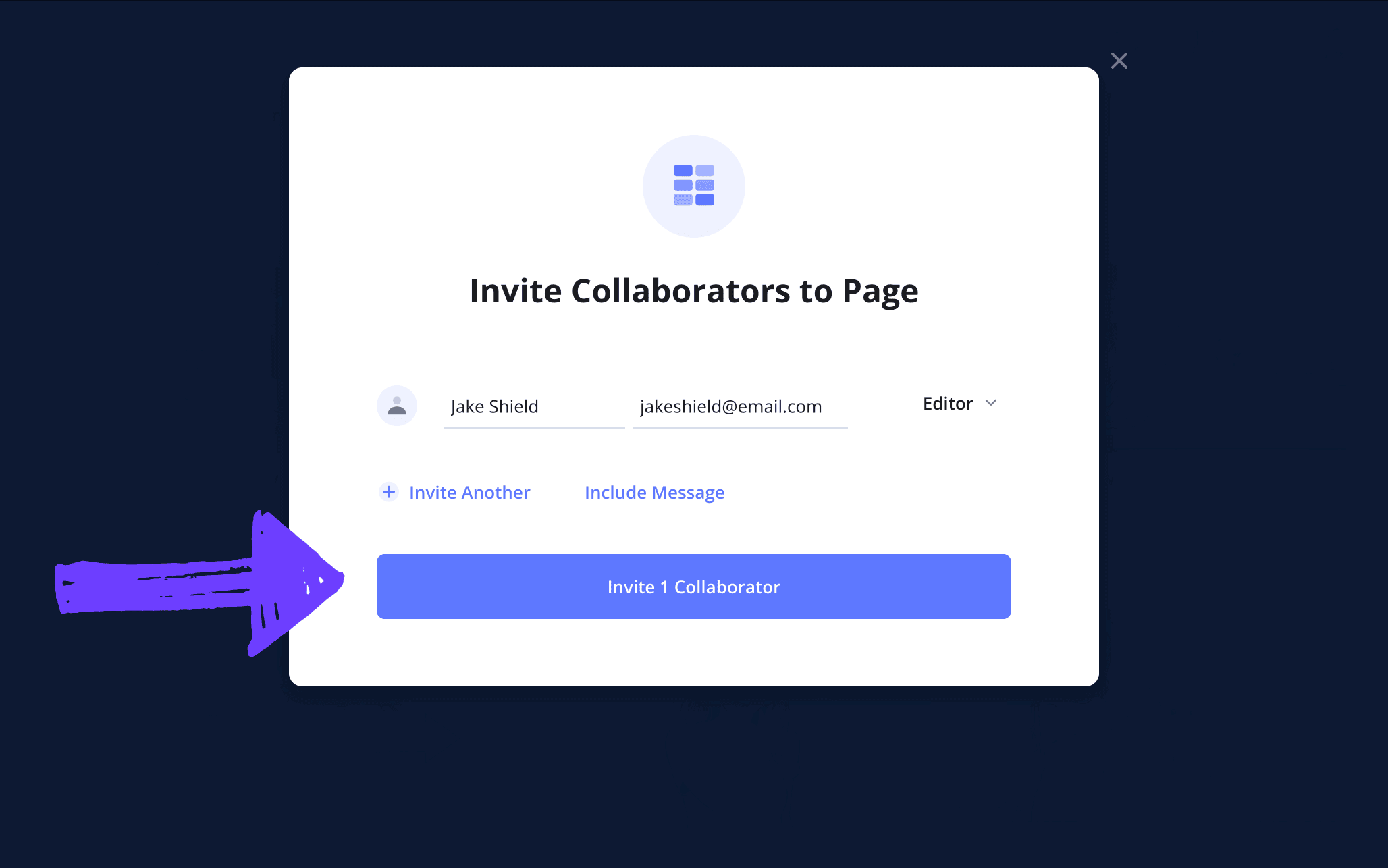
The quickest way to let someone have a look at your manga storyboard template in StudioBinder is to send them a view only link. But if you’d like to invite some more hands-on collaboration, whether that’s letting your invitee give you notes or make their own changes to your project, you can set their permissions to commenter or editor.
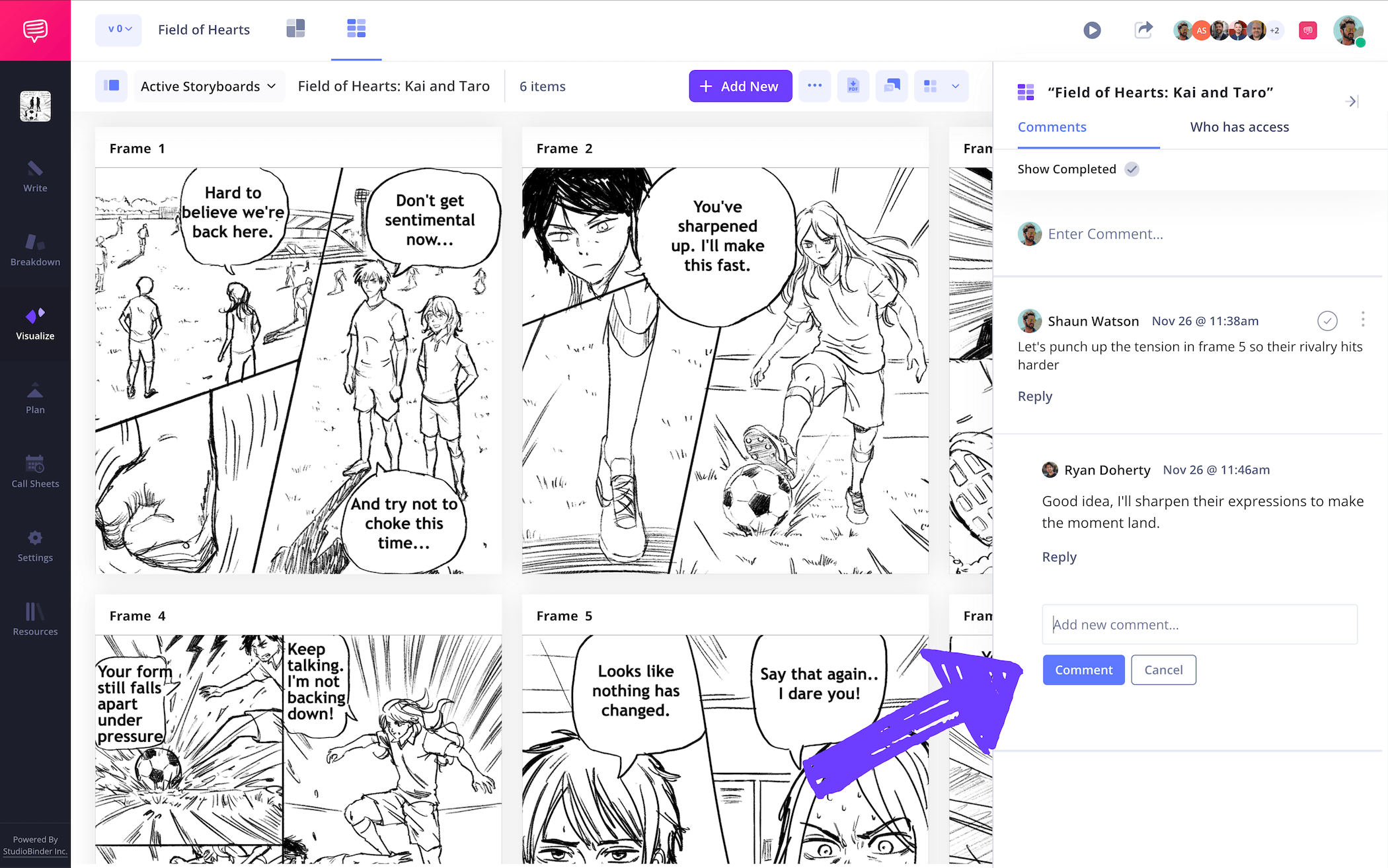
The comments tab is where you can strike up a conversation over what’s working or not working in your storyboard manga project. Or it can simply be used as a place for general thoughts or notes for commenter or editor invitees to drop in.
Step 5
5. Make a storyboard PDF
Your manga storyboard is one of the most essential documents you’ll have as you start work on the final version of your manga series. Which is why ensuring your storyboard is downloaded into a final and unchangeable PDF document is the last, but also most important step in your project. With StudioBinder, you have the option to customize as many PDF manga storyboards as you want. This can be particularly useful when you receive specific formatting requests from anyone who needs to work with your storyboard.
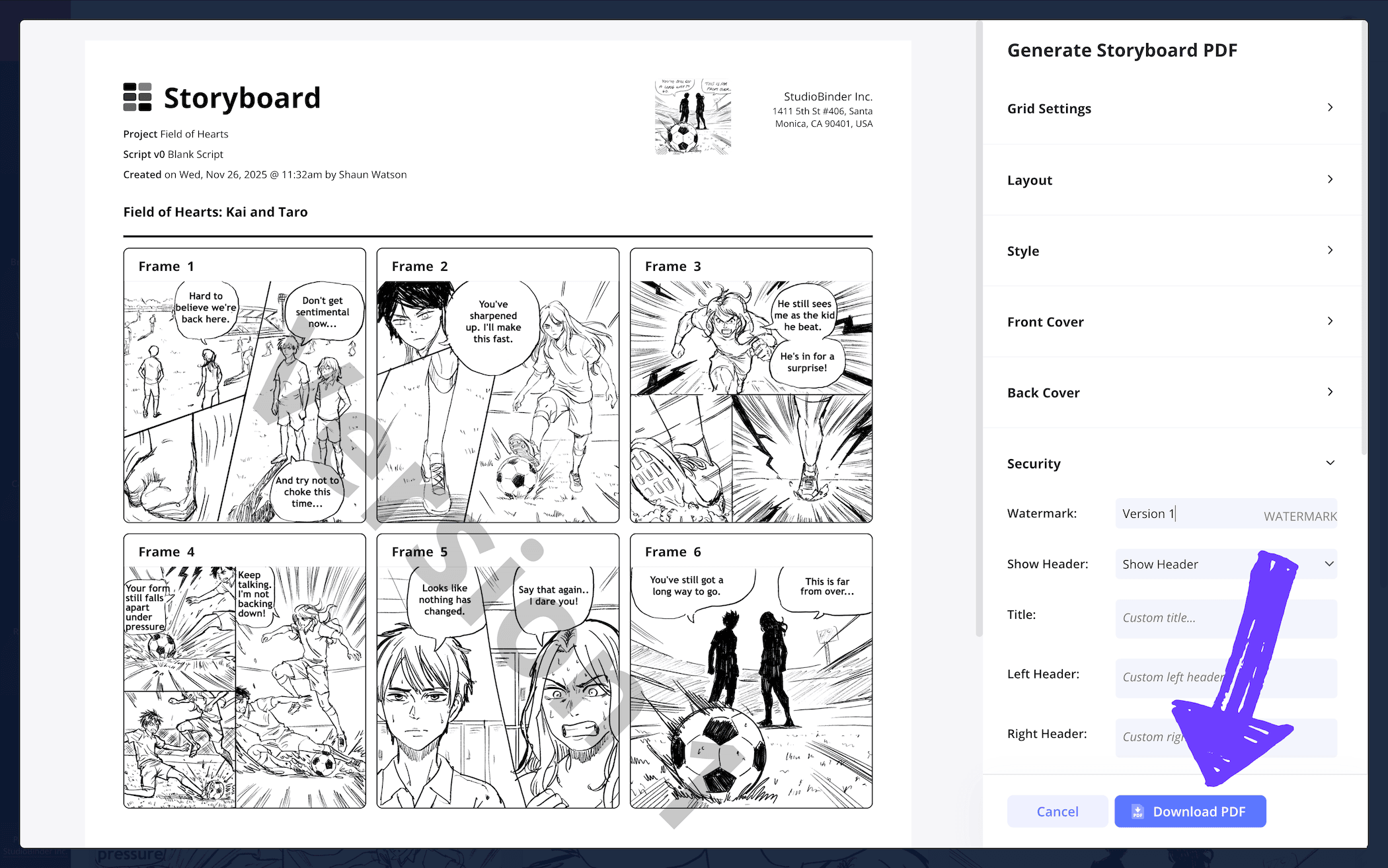
In the PDF customization page, you have plenty of customization options to tinker with, from the coloring of your document to its font size layout. With the security tab, you can include a custom title and watermark to make sure the PDF stays with who it was originally sent to.
Conclusion
All done!
With your journey on how to create the best version of your own manga storyboard template complete, you can now rest assured that the manga project you’ve been wanting to make happen will be created under the best conditions possible. But don’t forget, StudioBinder can help you with so much more than just manga storyboards, browse through all our free storyboard templates now to discover your next project!
Frequently Asked Questions
Your questions, answered
To create your own manga storyboard, you have plenty of options at your disposal. Since manga is a visual medium, you’ll want to start with a template that best fits the vision in your imagination. One of the most traditional ways to customize a manga storyboard template is to make your own measurements with pencil, paper, and a ruler. If this hand crafted approach doesn’t work for you, you can find plenty of printable storyboard templates online, or even a digital storyboard template with plenty of user-friendly features. From here, you’ll start writing out your action and dialogue descriptions underneath each panel. Then either sketch out each panel’s basic shot and environment setup, or upload temp images from the internet that match your vision.
Drawing a manga scene on your storyboard can first and foremost be done by using a pencil or pen and simply sketching the images. It’s often assumed that you have to be a professional artist to draw manga storyboard images, but this stage isn’t about reaching perfection, it’s about getting a rough sense of where your story will go and how it will be paced out. This is why it’s perfectly acceptable to even just draw stick figures, because the ‘camera angle’ of the shot, and the general staging is what matters most.
A manga storyboard isn’t too unlike an American comic storyboard. The most essential difference is that manga storyboarding is much more commonly used in Japan’s comic book creation business, while in America, this step is considered more of a personal preference. But the way a manga storyboard is created isn’t very different from any kind of storyboard. You have panels (read from right to left), as well as description boxes and scene labels near each of those panels.
You can create your own manga storyboard through many different sources. If you’d rather not create the template of your storyboard with pencil and paper, you can take to the internet and find plenty of Word, Photoshop, or PDF storyboard templates that have been pre-configured for you to use. If you want a storyboard template with more features, such as collaboration, printing options, and many more personalized customization options, you can find plenty of sites that offer digital templates to fit all your needs.
Create your free storyboard
Visualize your manga storyboard with our free template.
Get started for free
