
home → TEMPLATES → Storyboard
Storyboard Template PDF

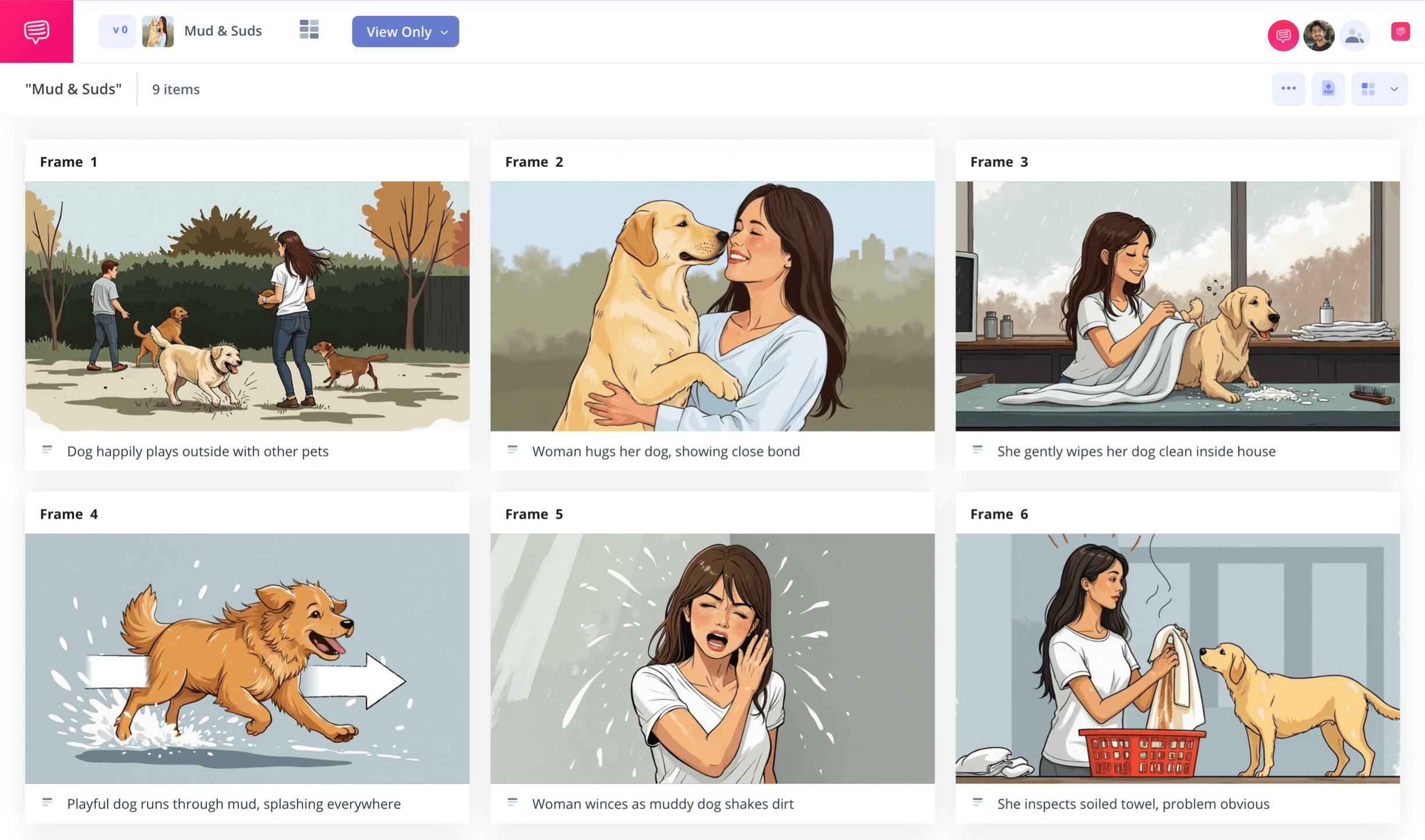
Storyboard Template PDF
Bringing your story vision to screen can be made all the easier with a storyboard template PDF. The storyboarding process itself is extremely valuable while in pre-production because it acts as the important middle step between writing a script with dual protagonists (or at least an outline of your ideas) and actually shooting or animating your narrative during production. With storyboarding, you illustrate and write key details such as shot setup and cinematography that you plan to use in a scene or sequence. Downloading a storyboard pdf once your storyboard is complete helps to preserve your visual layout and share it with your team professionally and with easy accessibility.
With this guide on how to make a storyboard template PDF, we’ll walk you through the process of how to easily create your own storyboard with storyboard rules and download it into a PDF. We’ll be using StudioBinder’s storyboard PDF template, but this process can be followed along with any PDF storyboard template you choose to use.
Step 1
1. Prepare your template
When you first begin the process of creating a storyboard template PDF, it’s best to ease in by customizing a format you’re most comfortable working in. This step depends entirely on your personal preference, so make the format choices that suit you. When you begin a new storyboard project in StudioBinder, you’ll be automatically walked through a series of setup choices, which can also be edited at any time in the settings. After you’ve finished the setup, your storyboard PDF template will look similar to this:
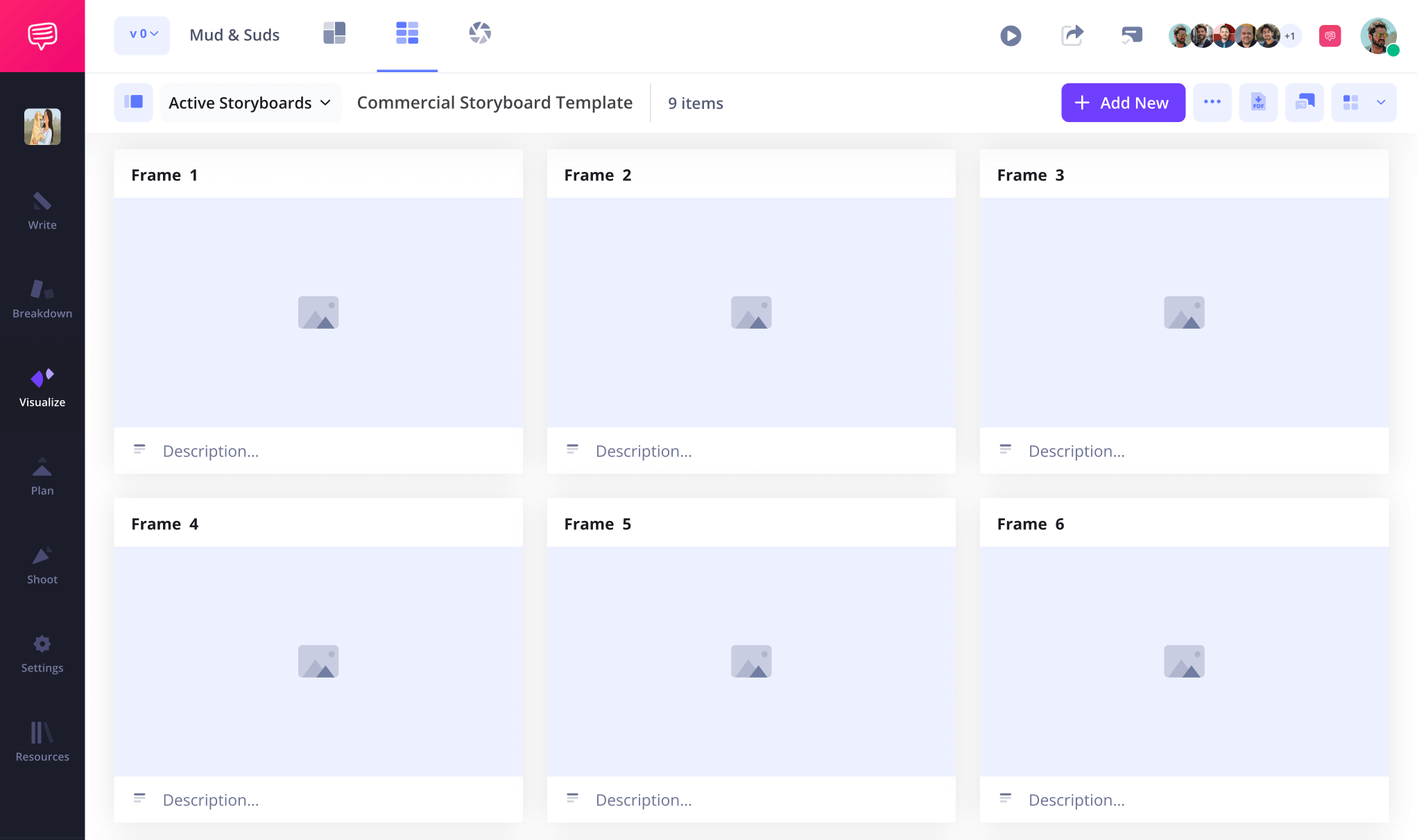
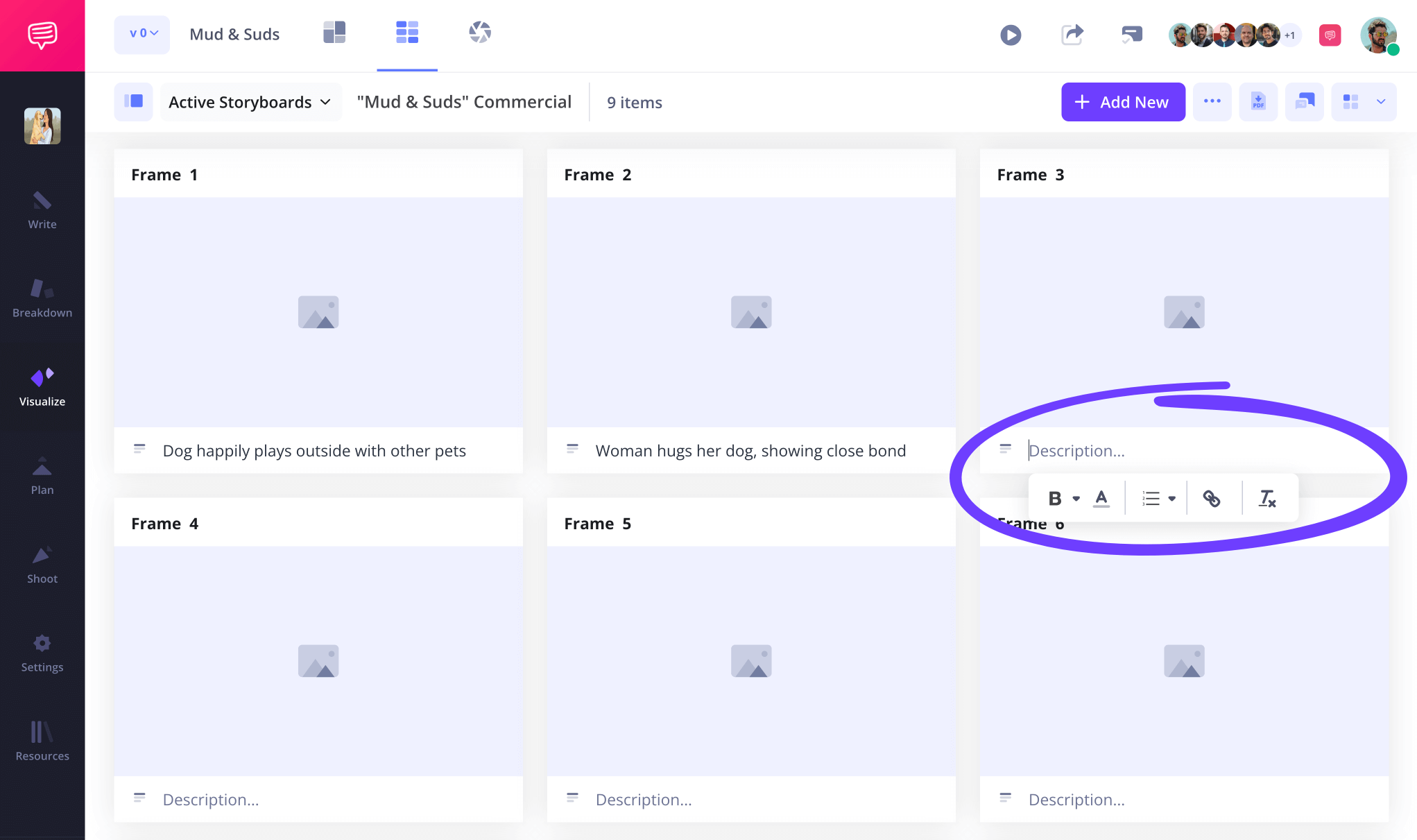
If you start your storyboarding project by adding shot descriptions before uploading images, you may find that you have too much, or don’t have enough space below each panel. Adjusting your description field space can be done in the settings, and when you’re ready to start writing, just click and type in your preferred field.
Step 2
2. Add images
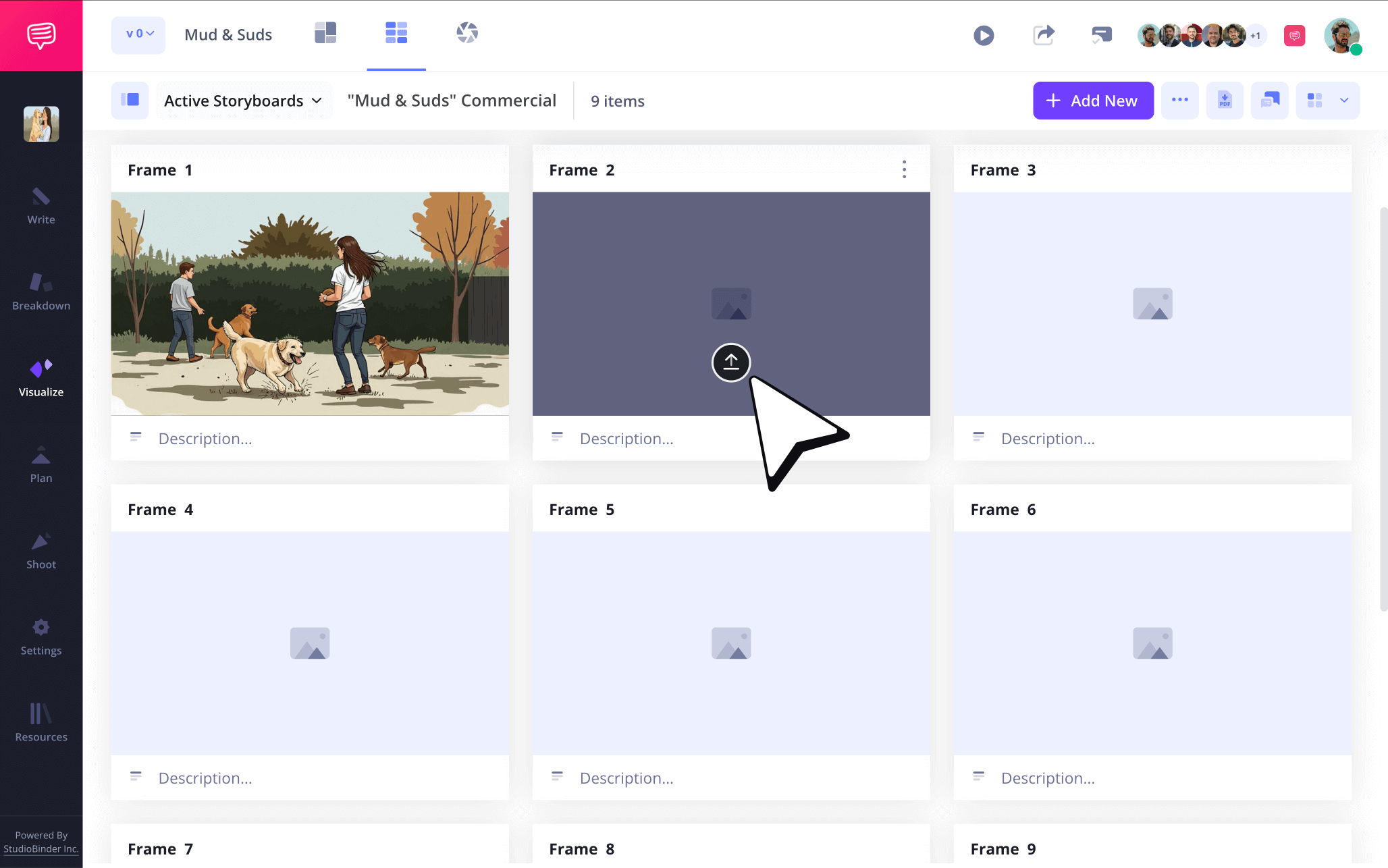
The goal of a storyboard PDF is to have all your storyboarded images and text locked down and finalized. But while you’re building your storyboard, nothing is permanent yet, so get creative and add or remove images whenever it feels right. Sketching your own images or finding artistic stills on the internet that convey the vision you’re going for are both popular options, but again, it’s your narrative vision, so include images your way.
When you’re ready to upload your images to your storyboard pdf template, click upload on any frame.
Step 3
3. Include arrows
Even when you have all the best images you could illustrate or find online laid out on your storyboard, it’s not uncommon to want a little more emphasis on action added into one or some of your images. Instead of having to redraw or find an external image editor, StudioBinder makes it easy to customize your already uploaded images.
StudioBinder’s image editing software gives you a number of image editing options, from cropping to inserting a filter over an image. But if you’re looking to emphasize camera or character action, you’ll want to take advantage of adding storyboard arrows.
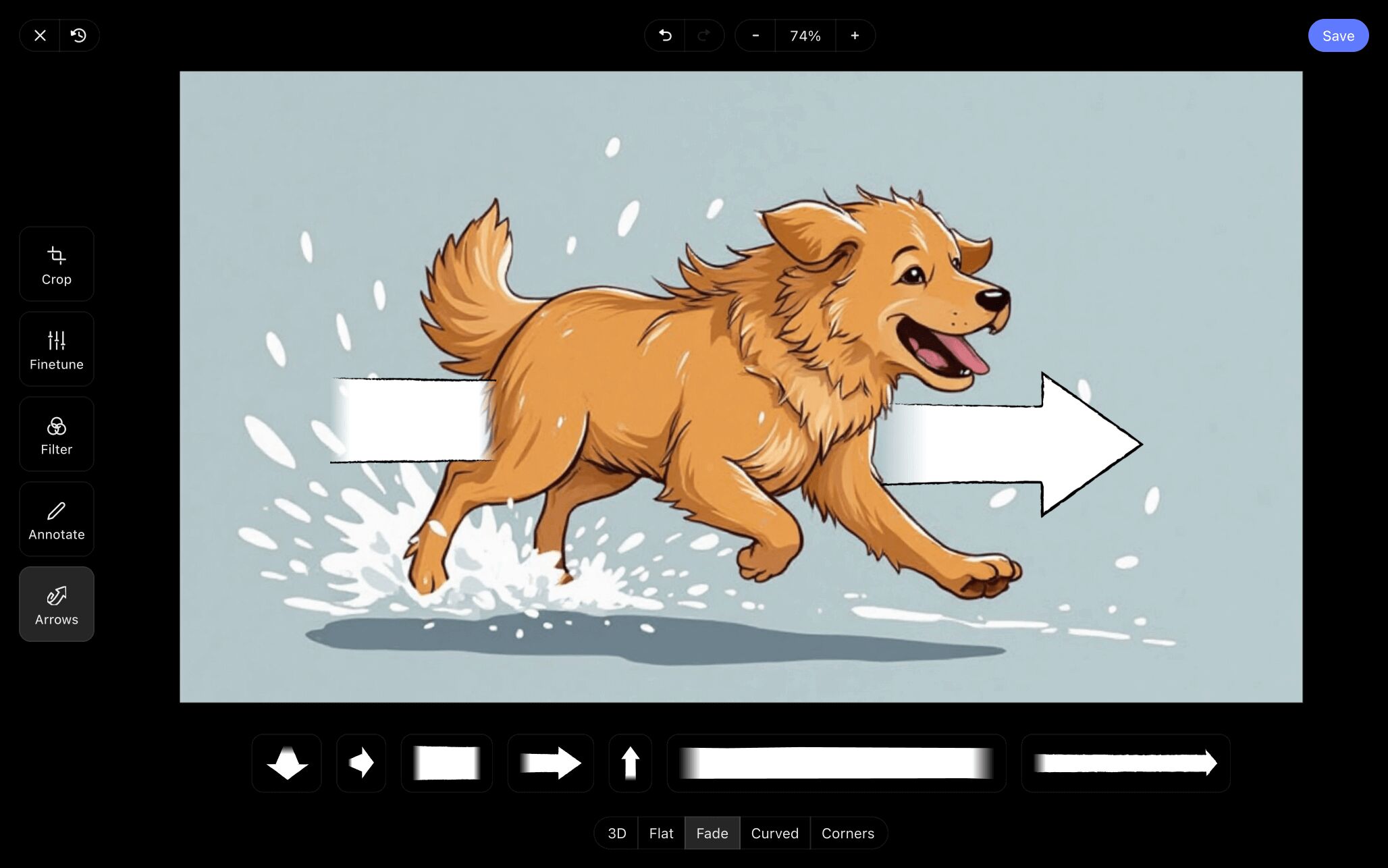
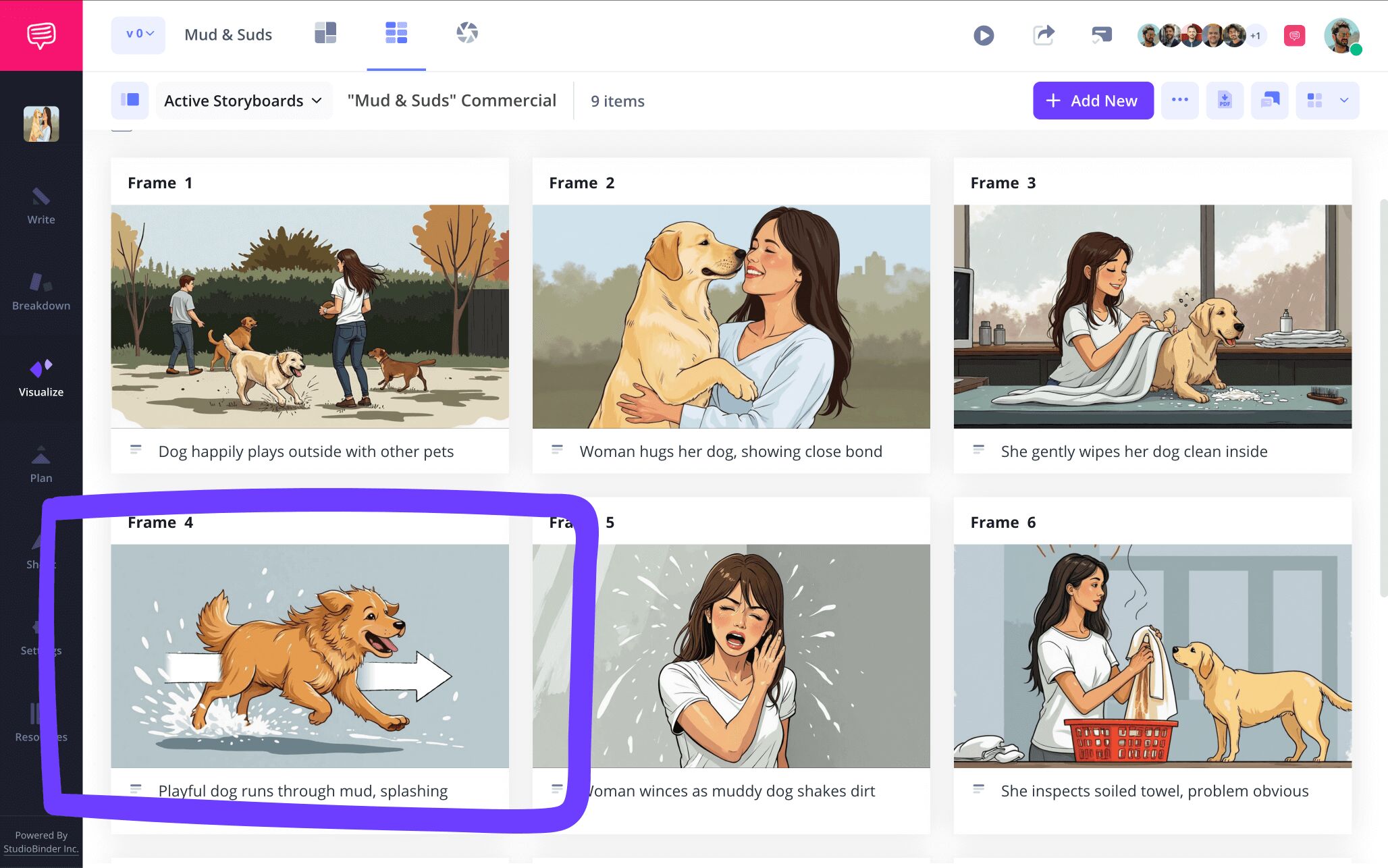
As you can see in our free storyboard template pdf example, we customized our arrow to emphasize a panning camera shot that will follow our speedy star pup throughout the shot. Once we finished editing our arrow to our satisfaction, we just clicked save and the freshly edited image uploaded to our PDF storyboard template.
Step 4
4. Share and collaborate
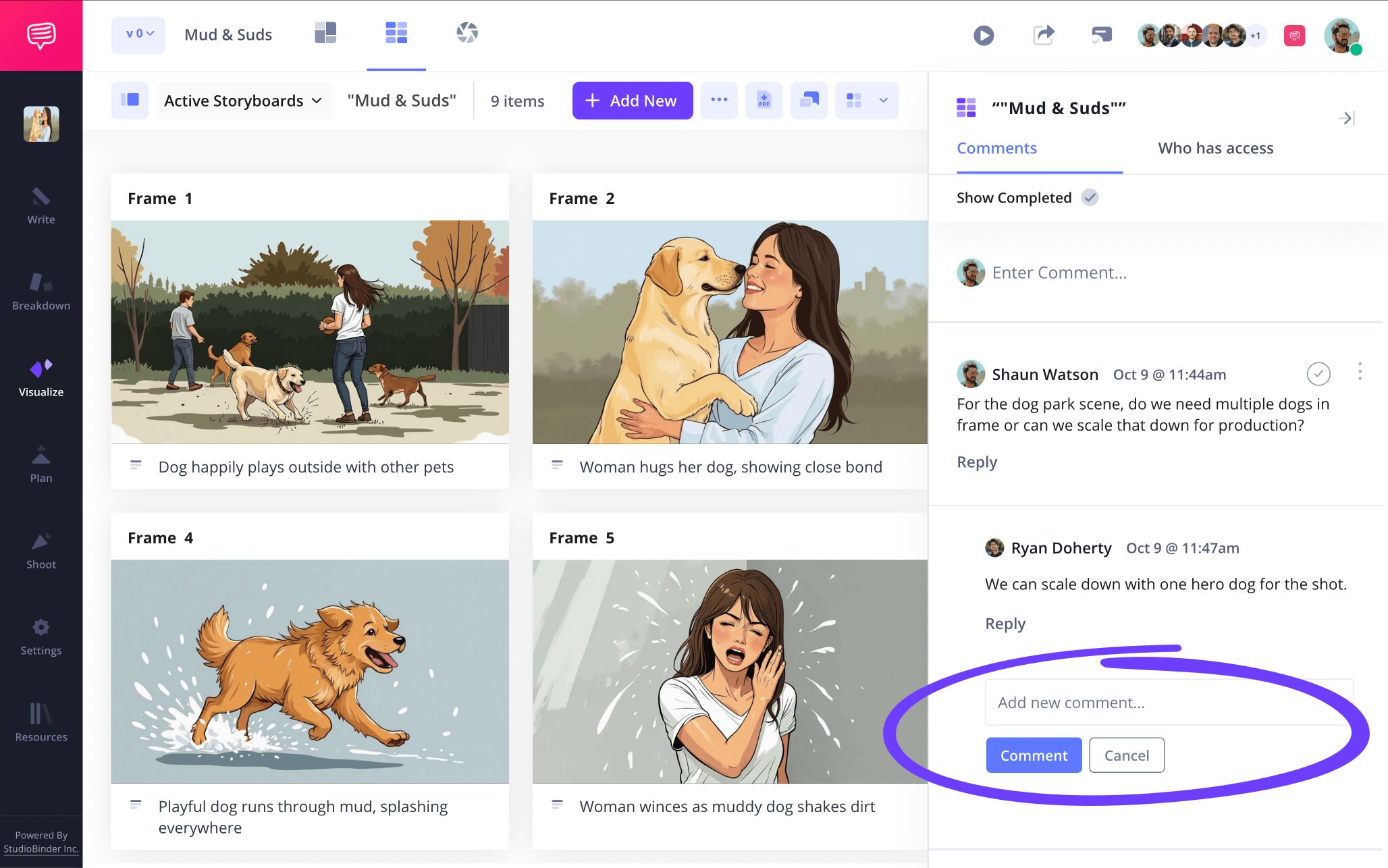
By creating a storyboard PDF, you’re essentially making a document that your coworkers and/or other film production departments can all take advantage of throughout the filmmaking process. Which is why you’ll want to get a lot of collaborative input before you lock in your PDF document, because your storyboard is made for more eyes than just your own.
StudioBinder provides you with a wealth of collaborative options on your storyboard template pdf. Beyond the standard view only link, you can up the synergy by editing your sendee’s permissions to either viewer, commenter, or editor.
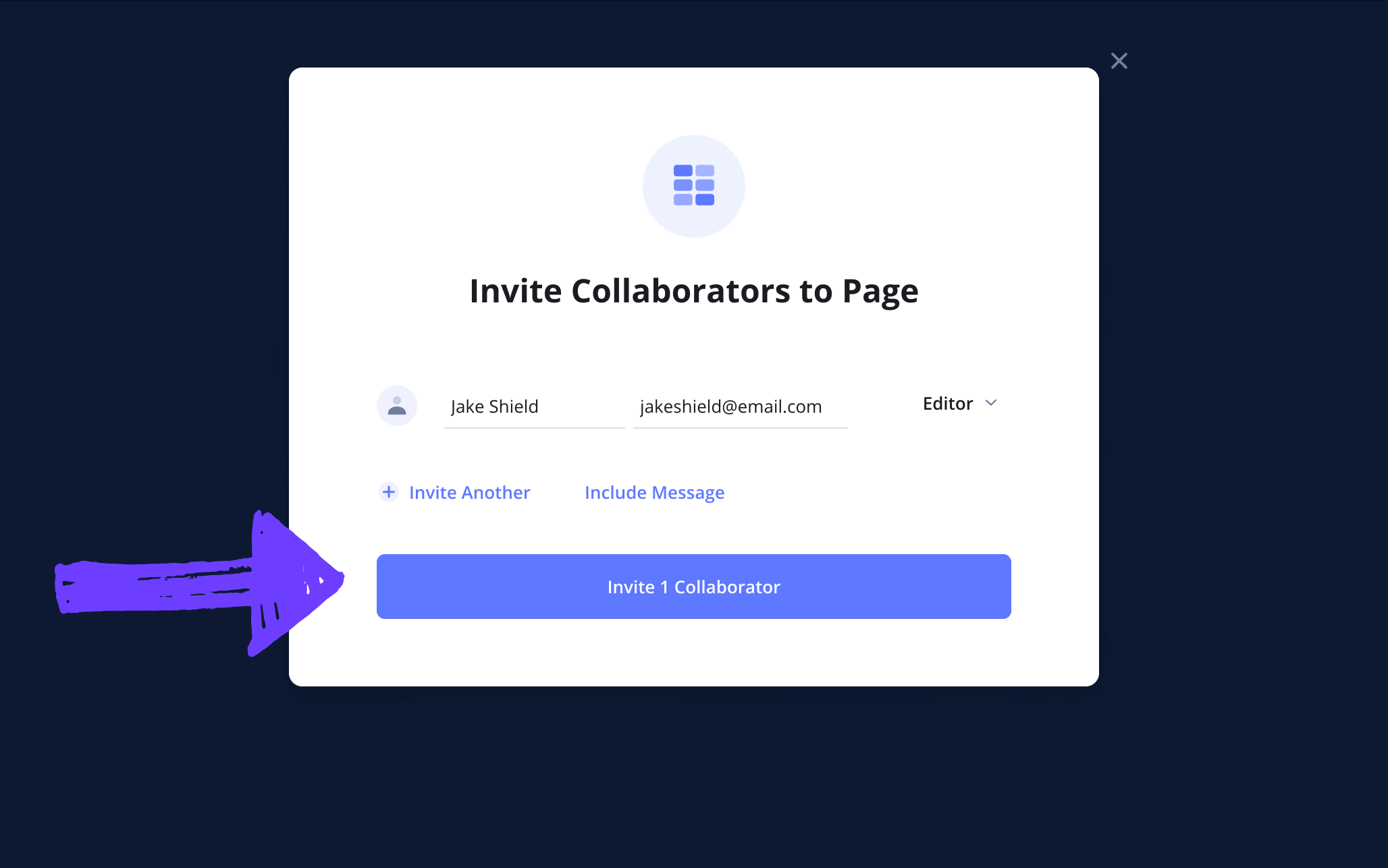
The editor permission allows your invitee to make any edits they need to your storyboard. And with both the commenter and editor permissions turned on, they can leave their notes in the comments tab where you can reply back and start a dialogue.
Step 5
5. Create your storyboard PDF
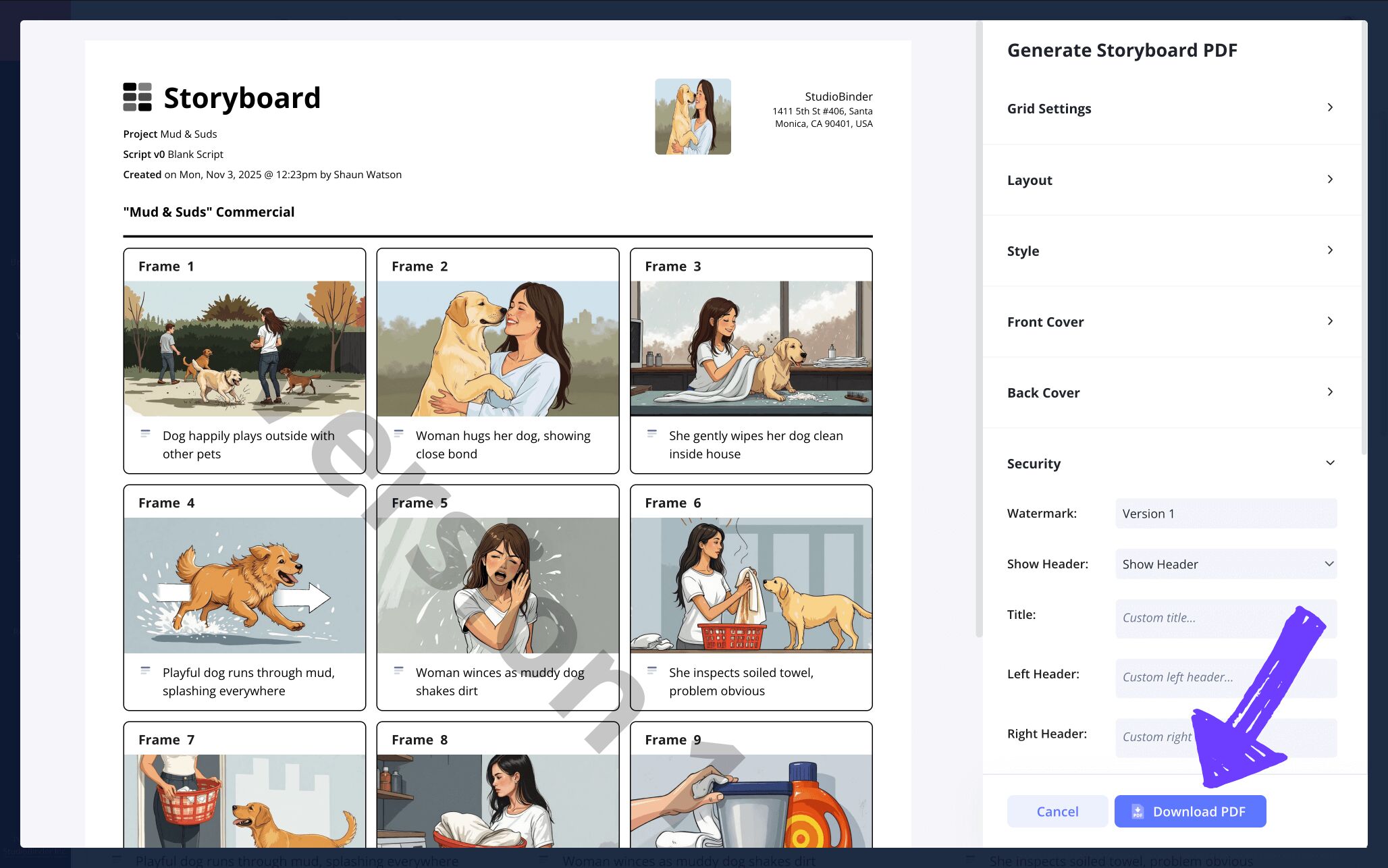
With your PDF storyboard template approved by your production team and conveying all the vital filming information you need, it’s time to finally convert your project into a PDF document. But this step may also require you to customize certain PDF copies to fit the specific needs of certain departments. No matter how many storyboard template PDF versions you require, StudioBinder has plenty of customization options for you to use.
The generate PDF page lets you customize specific details like your grid settings and style of presentation. But if you’re concerned about anyone other than your production team getting a look at your free storyboard template pdf, navigate to the security tab and add a custom title and watermark for extra safety.
Conclusion
All finished!
Now that you’re finished following along with each step, from formatting your storyboard to finishing and downloading your own storyboard sample PDF, you’re ready to jump into this important part of the pre-production process with full confidence. If you'd like to go beyond creating a storyboard template PDF, be sure to check out StudioBinder’s wealth of free storyboard template options.
Frequently Asked Questions
Your questions, answered
A storyboard has a very simple structure. At its most basic, a storyboard will consist of square panels laid out from left to right, much like comic book panels. There is often also a blank description field under each panel for any description text that needs to be further fleshed out. Other than that, some storyboards will also have scene numbers written out at the top of each panel.
Storyboarding a short film is of course easier than storyboarding a feature film, but all the basic steps of the process still apply. Regardless, here are some important tips to consider while approaching a storyboard for a short film:
- Always consider your budget for any pre-production needs, including storyboards.
- If you’re using professional storyboard software, make sure it has collaboration options so your entire crew can use it.
- The storyboard will reveal shots or even entire scenes that can be condensed or even discarded. For very low budget shorts, always keep this in mind.
- Don’t be afraid to add a lot of detail into each shot’s description fields, you’ll want to know everything by memory before shooting day.
- Downloading or printing your storyboard into a PDF makes it look clean, professional, and ready for a fast production shoot.
A storyboard template PDF is simply a storyboard template that is formatted with the purpose of converting it into a PDF once the process is complete. Having a template that offers customizable options for your PDF is a great advantage because it’s not uncommon for multiple film departments to require different types of storyboard formatting. The more options the better!
When you’ve finally finished the entirety of the storyboarding process, you’re ready to download your project into a PDF and possibly even print. But what are the most important aspects to consider before officializing your storyboard sample PDF?
- Make sure your paper size is formatted correctly if you’re printing.
- Your grid settings can go either way unless another production department has a specific request.
- If your images are collared, make sure the print color option is turned on.
- Front and back covers aren’t required, but it’s always good to add them to show optimal professionalism.
- If you’d like to keep your film project extra secure, add a watermark in case your storyboard PDF finds its way to the internet.
Generate your storyboard template PDF
Visualize your storyboard with our free storyboard template PDF.
Get started for free
