
home → TEMPLATES → Storyboard
Free Storyboard Template

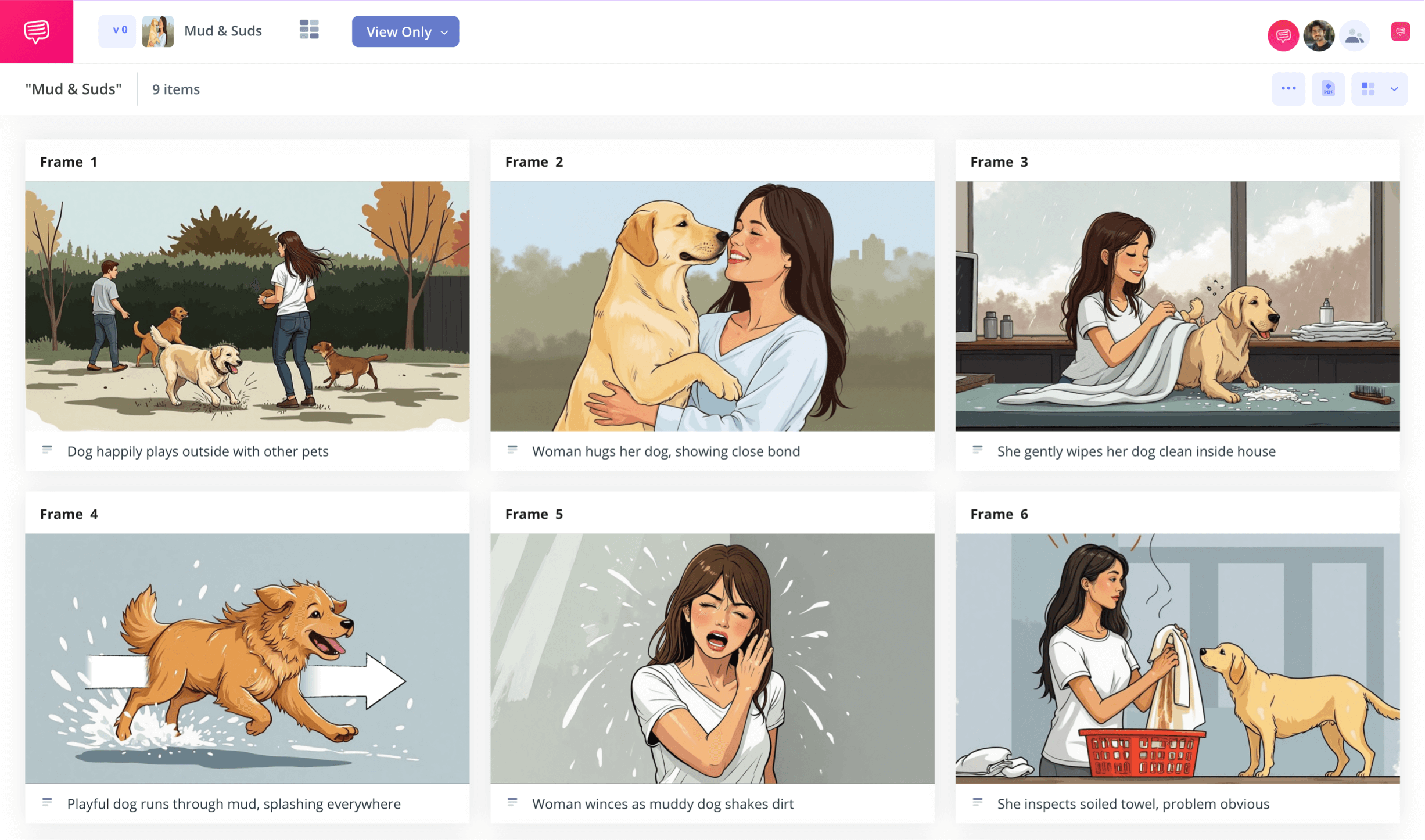
Free storyboard template
If you want your film or animation project to get brought to life in its best possible form, a free storyboard template is exactly what you’ll want to assist you. A storyboard is a tried and true tool used in the film industry to lay out and evaluate your visual narrative. With each panel of a storyboard representing a shot in your scene or sequence, you can see your planned vision from a perspective that will help you decide what is and isn’t essential to keep. With free storyboard templates that can be created or found online, there’s no reason not to at least take a peak at how a free storyboarding tutorial can help your creative process.
The following step-by-step process will show you all the broadest and most essential steps to writing, drawing and finalizing a free storyboard template project. We’ll use StudioBinder’s storyboard creator to guide you along the way, but whichever storyboarding tool works best for you really comes down to personal preference.
Step 1
1. Prepare your template
Finding a free storyboard template is one thing, but finding a storyboard template that is formatted toward your personal preference is a whole other thing. There’s really no right or wrong way to customize your storyboard dimensions and overall structure, it all comes down to what fits your visual style best. In StudioBinder, opening a new storyboard project starts with having you choose from some basic style and dimension options. But you don’t have to finalize these options yet, as they can be changed at any point in the settings.
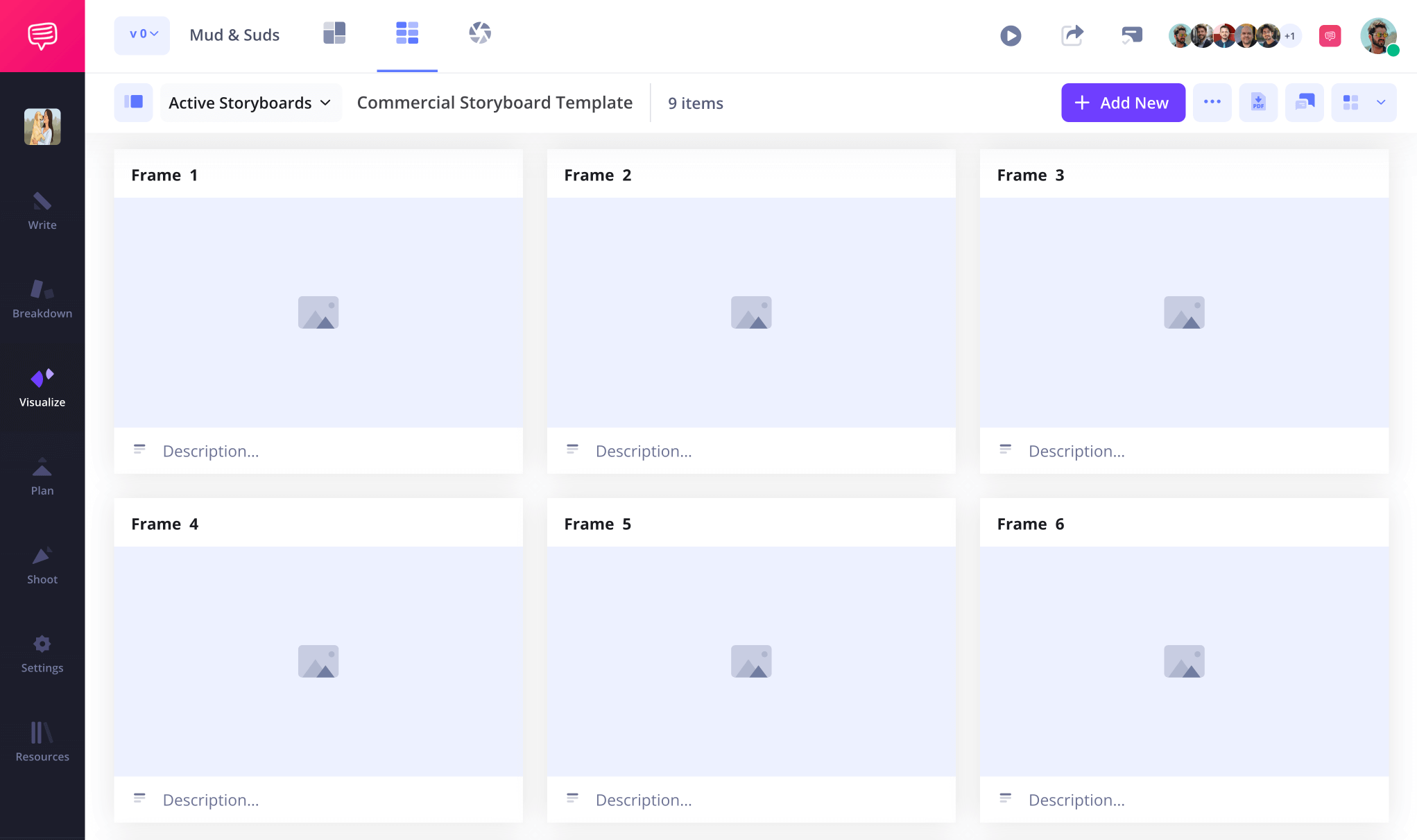
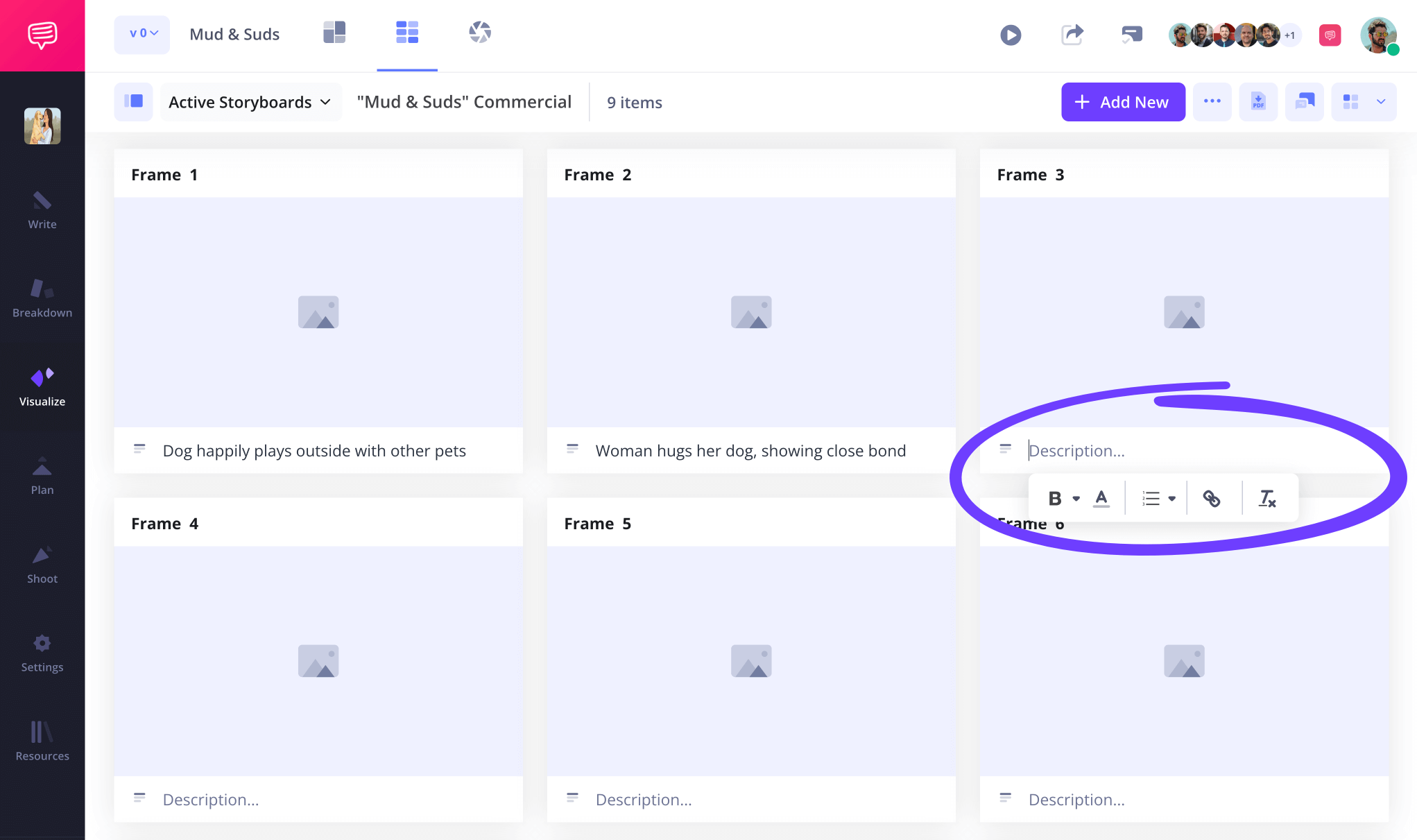
It’s common but not required to write out your shot descriptions before inserting images into a storyboard template free project, so if you start with this step, customize which fields you want displayed on your project, then type your information in the available space beneath each frame.
Step 2
2. Add images
Adding images to your free storyboarding template is the most well known, and frankly the funnest, part of building your pre-production vision.
This is where you take all that imagery you had in your mind while writing your script or jotting down story ideas, and visualize it shot for shot. Whether you’re a storyboard artist yourself, outsourcing image creation to other visual artists, or just pulling images from the internet that help express the look you’re aiming for, all you have to do is click the upload button on any panel and your image will be quickly applied to your storyboard template free project.

Step 3
3. Apply storyboard arrows
Maybe you’re looking at all the images on your free storyboard template with satisfaction, but then one keeps nagging at you with the thought that it’s great, but it’s also missing something. This is pretty common with any creative process, but when it comes to the storyboarding process, it’s often the case that the image just needs a little more emphasis on camera or character action. With free storyboard templates, you have the option to draw in or digitally insert some storyboard arrows or text into your storyboard.
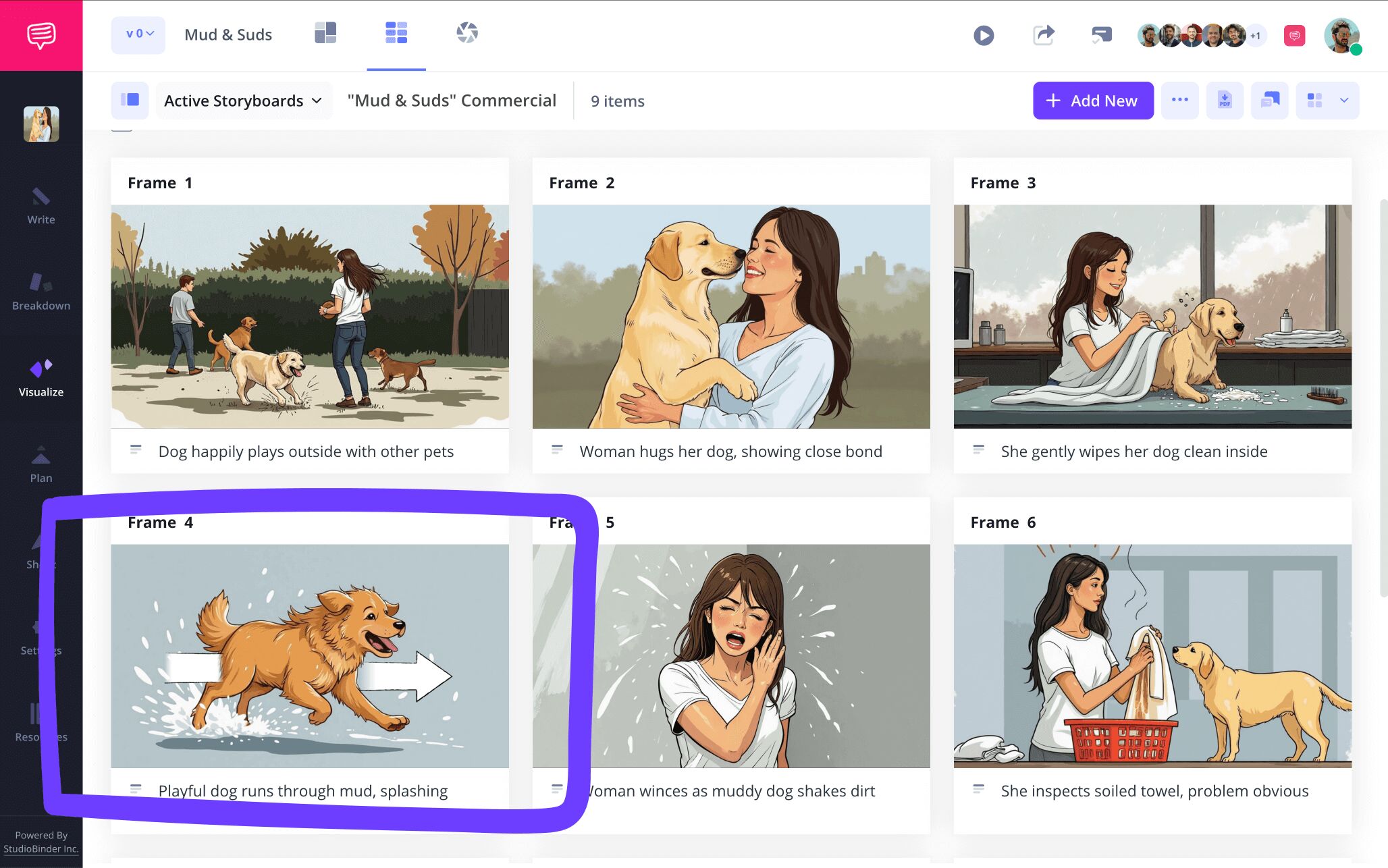
StudioBinder provides an entire image editing suite where you can find that touch up your image needs and more. For our free storyboarding example, we customized a fade arrow to our heroic dog in order to emphasize a high speed sprint that needed to be better communicated.
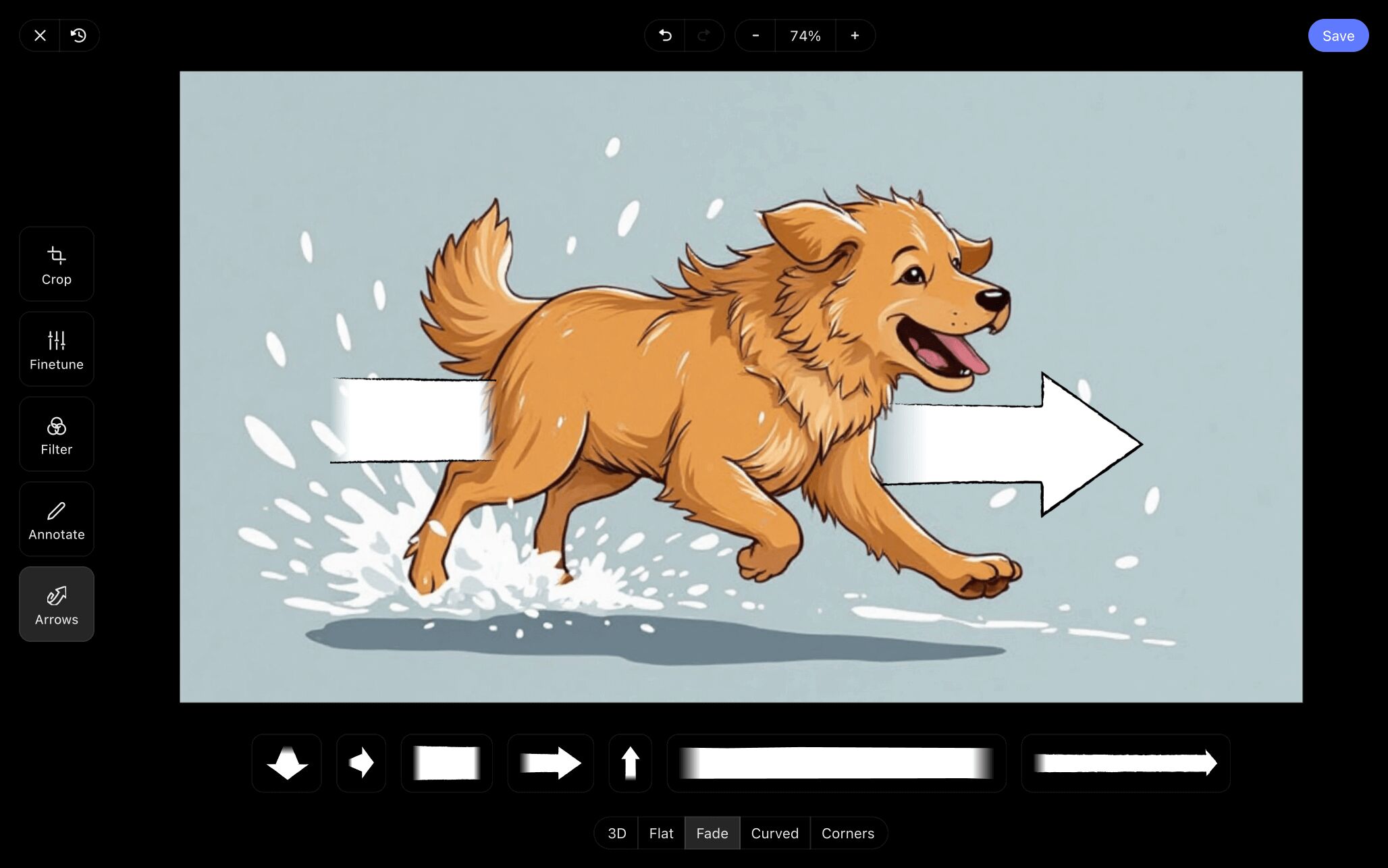
When we were done, applying our freshly edited image to our storyboard free template project was as easy as clicking save. When our creative director took a look, they told us it was exactly the touch up the image needed.
Step 4
4. Collaborate with your team
With a free storyboard template, you can detail a story that exists only in your imagination or on paper all by yourself. But if you’re using your storyboard for any filmmaking or animation needs, then you likely have a production team that will need to understand your storyboard just as well as you do. Not only that, their perspective will also be valuable for any necessary changes that you may have missed.
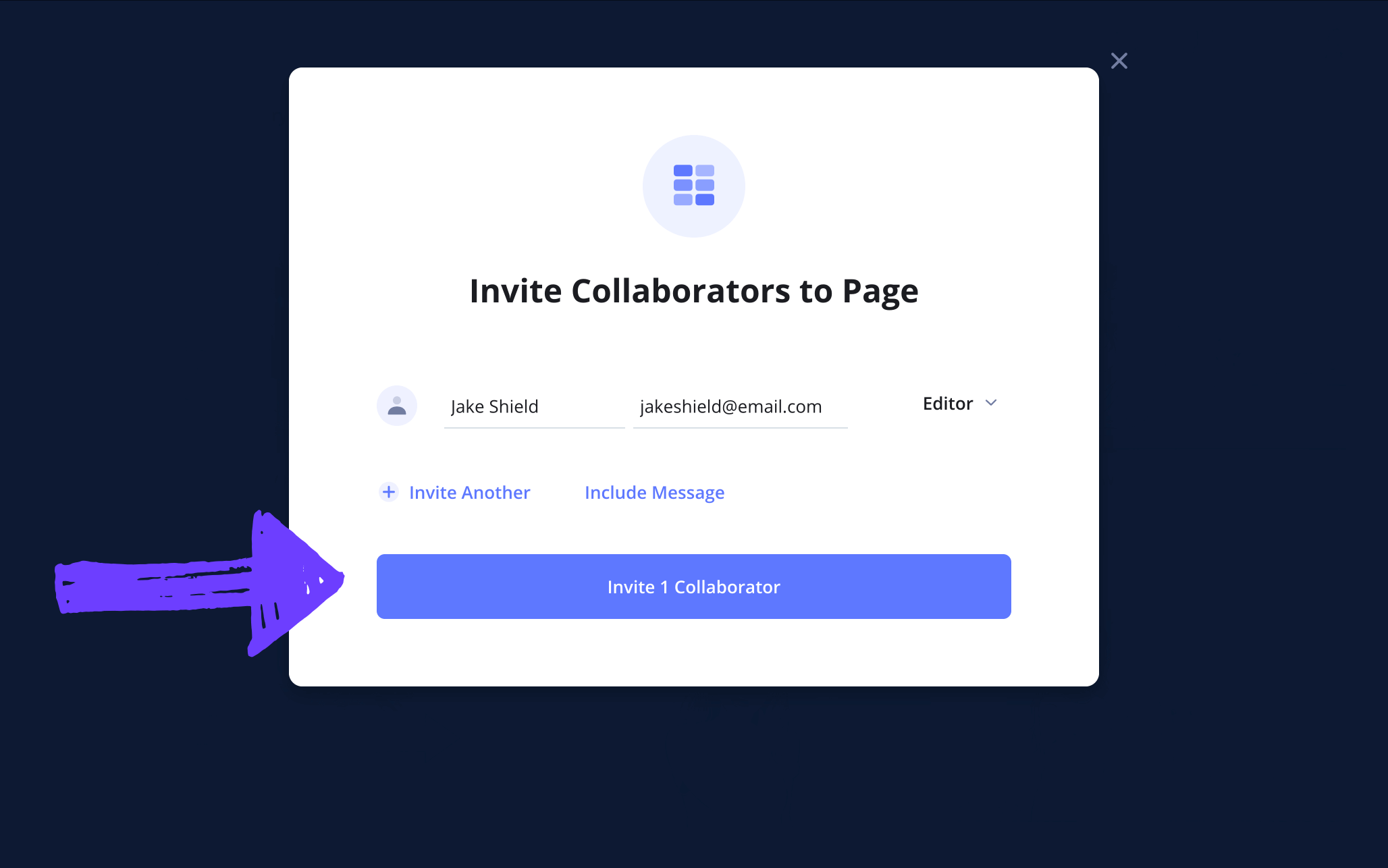
In StudioBinder, you can always send a view only link to anyone that simply wants to look at your work. But what if your sendee wants to comment or apply changes themselves? Just set their permissions to either viewer, commenter, or editor before sending them their invite.
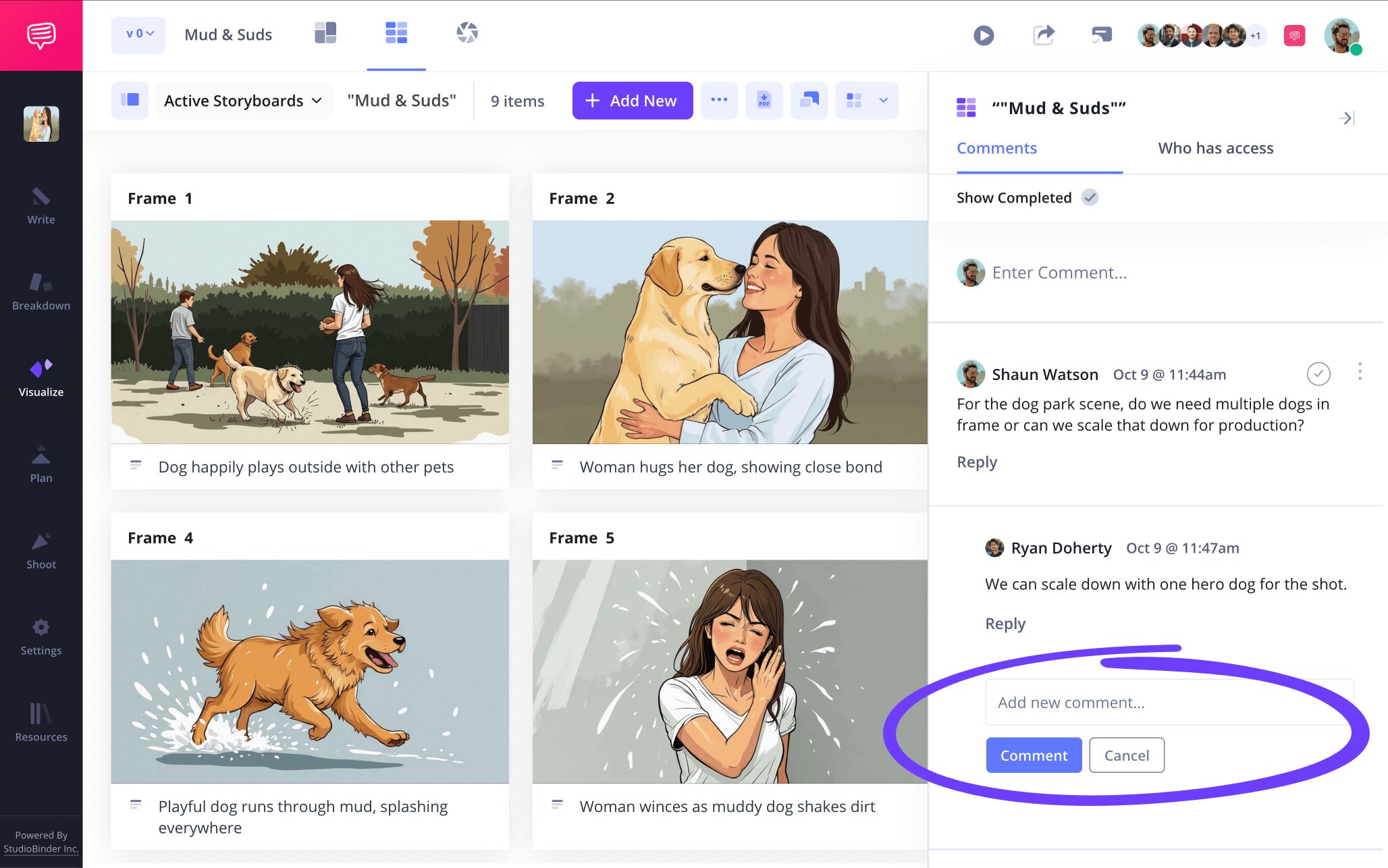
As your invited collaborator looks over, or even makes changes to your story board template free project, they may want to write out their thoughts along the way. With StudioBinder, both commenter or editor invitees can share their thoughts or start a dialogue with you in the comments section of your storyboard.
Step 5
5. Create a storyboard PDF
Now that you’ve collaborated with your production team and applied the edits that only made your storyboard all the creatively better, you’re ready to kick up your feet and relax. No wait, it’s not relaxation time just yet, because no storyboard template free project is complete without cementing it as a PDF download. And of course, if you’re going to create a PDF of your storyboard for yourself and everyone else on your production, you’ll want to have the option to customize.
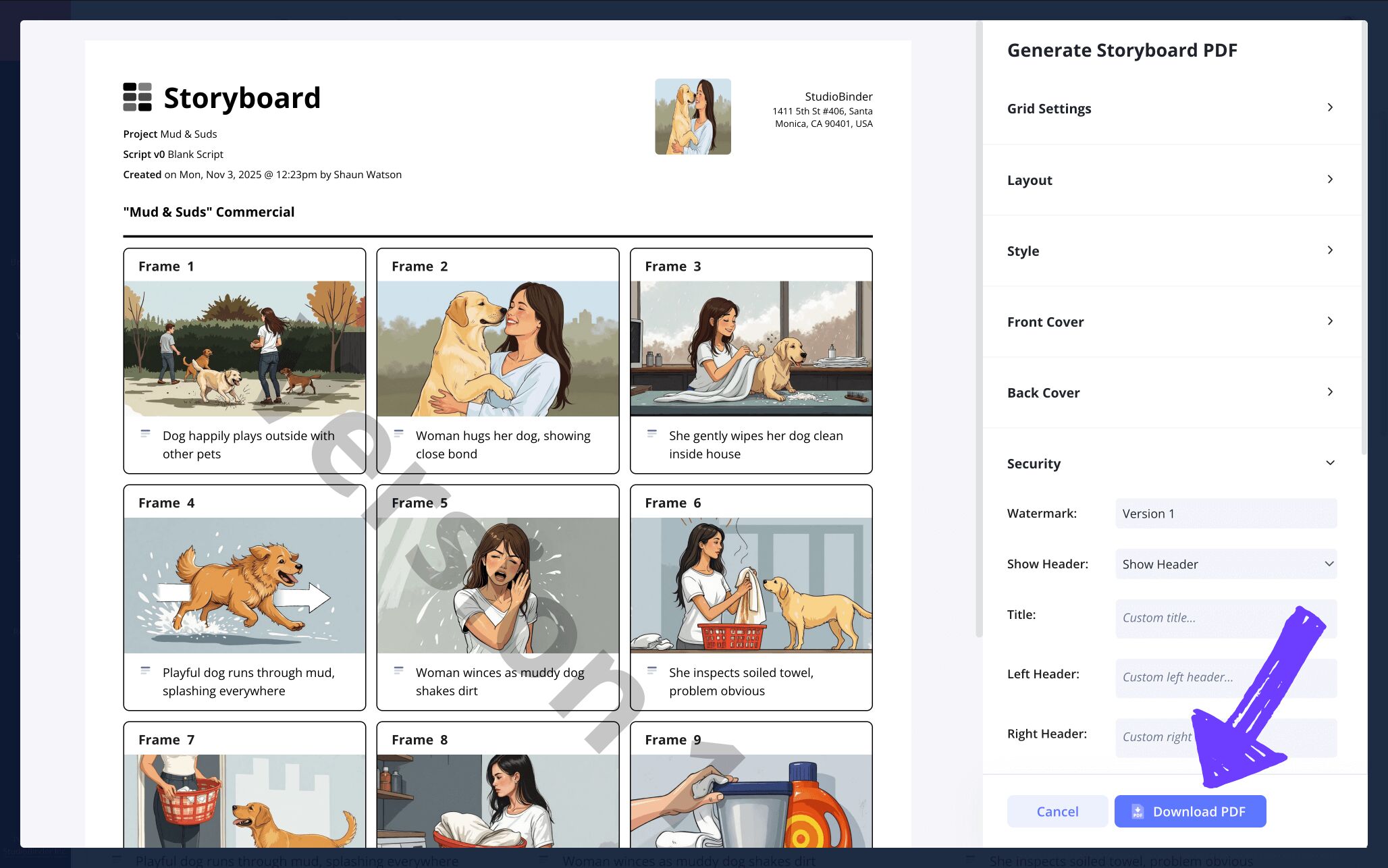
Customizing your free storyboard template PDF is a great tool for meeting the requests of different production departments. Maybe some will need a document that emphasizes imagery over description, and others a document with the exact opposite detail. StudioBinder gives you these PDF customization options and more.
After formatting our own PDF document to our standards, we also wanted to make sure there aren’t any leaks of our storyboard to the public. So to top off our formatting, we also added a custom title and watermark for extra security.
Conclusion
Done!
Now we can officially say that the process of building your free storyboard template is complete, and yes, now you can relax. But it’s also good to know that when you’re ready, free storyboard templates aren’t the only kind of storyboarding templates you can find with StudioBinder. Be sure to browse through all our free storyboard templates to begin your next project!
Frequently Asked Questions
Your questions, answered
You can create your own storyboard for free by taking advantage of the many options available to you. The first option is to simply draw your own personal free storyboard template using pencil, paper, and a ruler. The structure of a storyboard is pretty straightforward, so this shouldn’t be too challenging. If you prefer a digital template creation, you can customize your storyboard on a Word document. But there are also many free storyboard templates available online with many customization options. StudioBinder offers free storyboard templates where you can tinker with and see if their formatting options fit your needs.
A free storyboard template is simply a series of blank square boxes laid out in several rows on a page, typically also consisting of blank spaces for writing descriptions under each square frame. As you may imagine, this kind of storyboarding template can be created using pen and paper. But if you’re a seasoned storyboard artist and require more customization options, there are plenty of free storyboard templates available online, from sites like StudioBinder to word documents that can be quickly created.
If you want to take advantage of a step in the pre-production process that most professional filmmakers in the industry stand by, you’ll want to at least try out creating your own storyboard. Luckily, free storyboards are easy to come by online, or to even create yourself. The question of if you prefer a more customizable storyboard for a price, or a basic free storyboard template, is determined by your personal and budget needs. But no kind of storyboard holds more inherent value over any others, it’s all about what storyboard needs you want met.
After you’ve chosen your preferred storyboarding template, you may be faced with a nagging question: where do I start? Well, get over that decision paralysis by starting small. Take the dialogue and descriptions in your script, and apply them beneath each blank frame. This is where you’ll imagine how much of your story can be contained within one shot. Once you’ve detailed the descriptions, now you can let your creative imagination run free by sketching out those shot descriptions in each panel. Don’t worry about creating the Mona Lisa, even stick figures will do, as long as it’s clear where and at what angle your shots and characters are set up.
Create your free storyboard template
Visualize your free storyboard template using StudioBinder.
Get started for free
