
home → TEMPLATES → Storyboard
Photoshop Storyboard Template

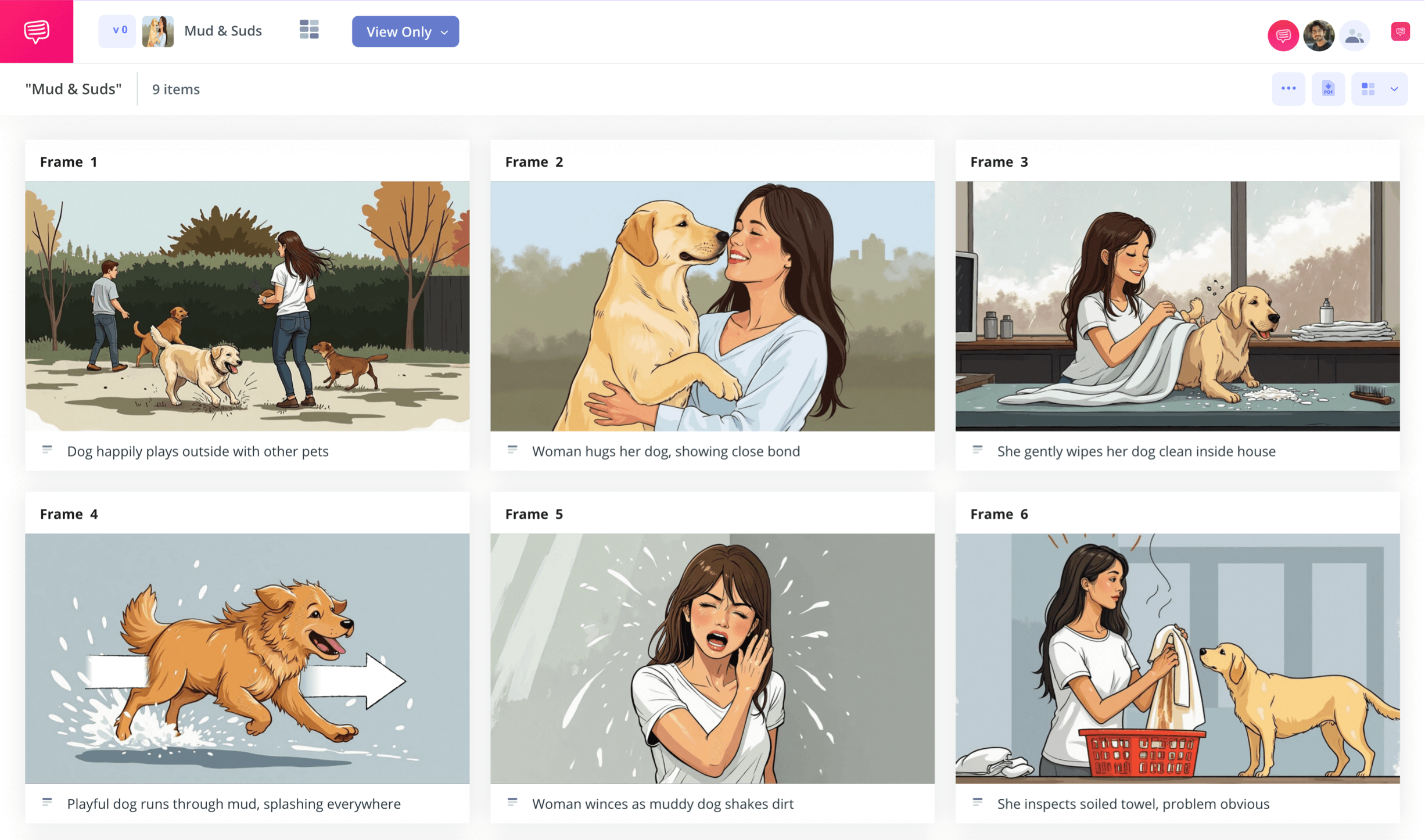
Photoshop storyboard template
If you’re starting any kind of visual story project, from film to animation, or even social media content, consider taking advantage of what a photoshop storyboard template has to offer you. With a pre-configured storyboard layout customized to fit your needs, you can create a rough visualization of what the final form of your project will look like. In a way, building a storyboard template for photoshop is like crafting a rough draft comic book of your visual narrative, laying out, beat for beat, exactly how you envision the final draft will look. Most notably, free photoshop storyboard templates are easily downloadable and printable, so you can share and create several drafts of your project in no time.
For this guide, we’ll walk through the most basic and essential steps to creating your own photoshop storyboard template. As our leading example, we’ll be using StudioBinder’s storyboard creator, but these steps can be easily applied to any storyboard of your choosing. And if you feel confident enough with how to storyboard already, you can skip to downloading your free photoshop storyboard templates now.
Step 1
1. Ready your template
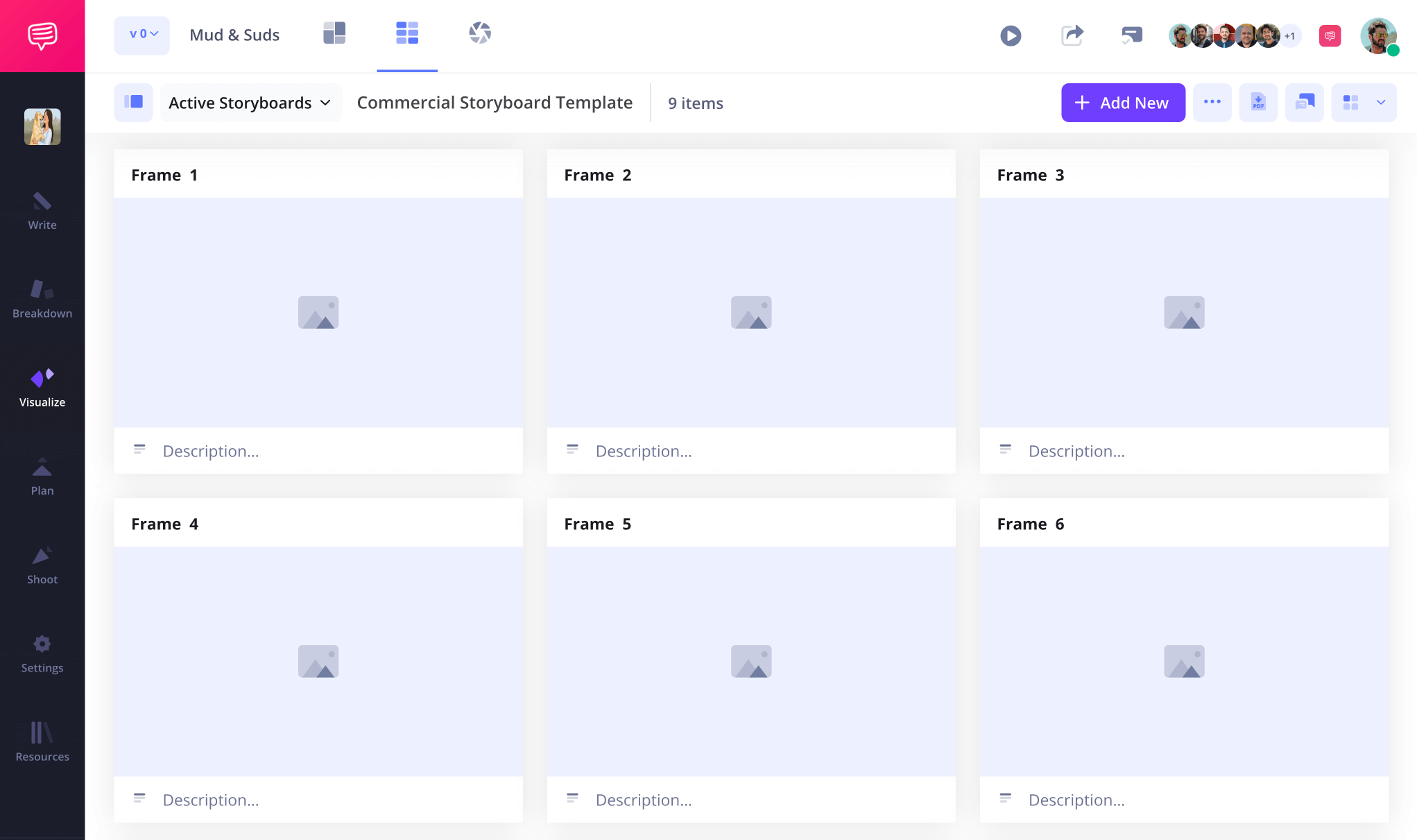
To begin, you’ll want to make sure your photoshop storyboard template is formatted in a way that fits your unique project. For example, formatting your panels to fit the needs of any social media platform content will differ in size and composition from a short film storyboard’s overall structure. Upon setting up a new storyboard project with StudioBinder, you’ll be prompted to make some basic formatting choices that can also be readjusted in the settings at any point. This is along the lines of how you’re storyboard photoshop template will look after completing the setup:
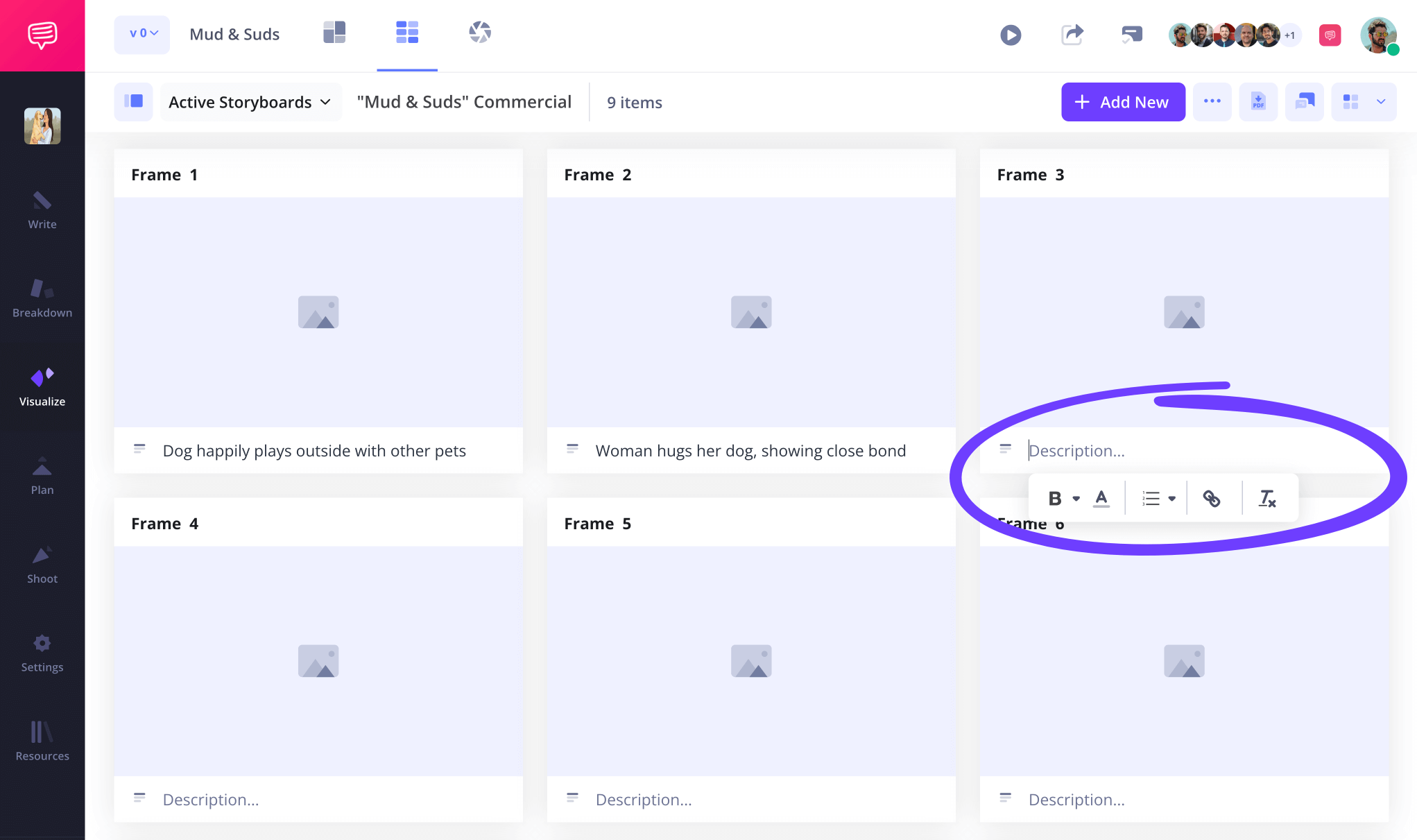
It’s common for character, setting, shot, and action descriptions to be the first step in building your storyboard photoshop template. So when you’re ready, you can simply type the appropriate information in the empty description boxes under each blank panel.
Step 2
2. Insert images
Now for the most essential (and in our opinion, fun) part of putting together your own storyboard template photoshop project. You’ve brainstormed what information or narrative beats will define each panel, so now the goal is to turn it all into visual information. This is where you’ll really let your creative flag fly, considering what the shot setup in each frame will be and why. Maybe you’ll upload temp images from the internet that match the vibe you’re aiming for, or maybe you’ll sketch your own images. The choice is all yours!
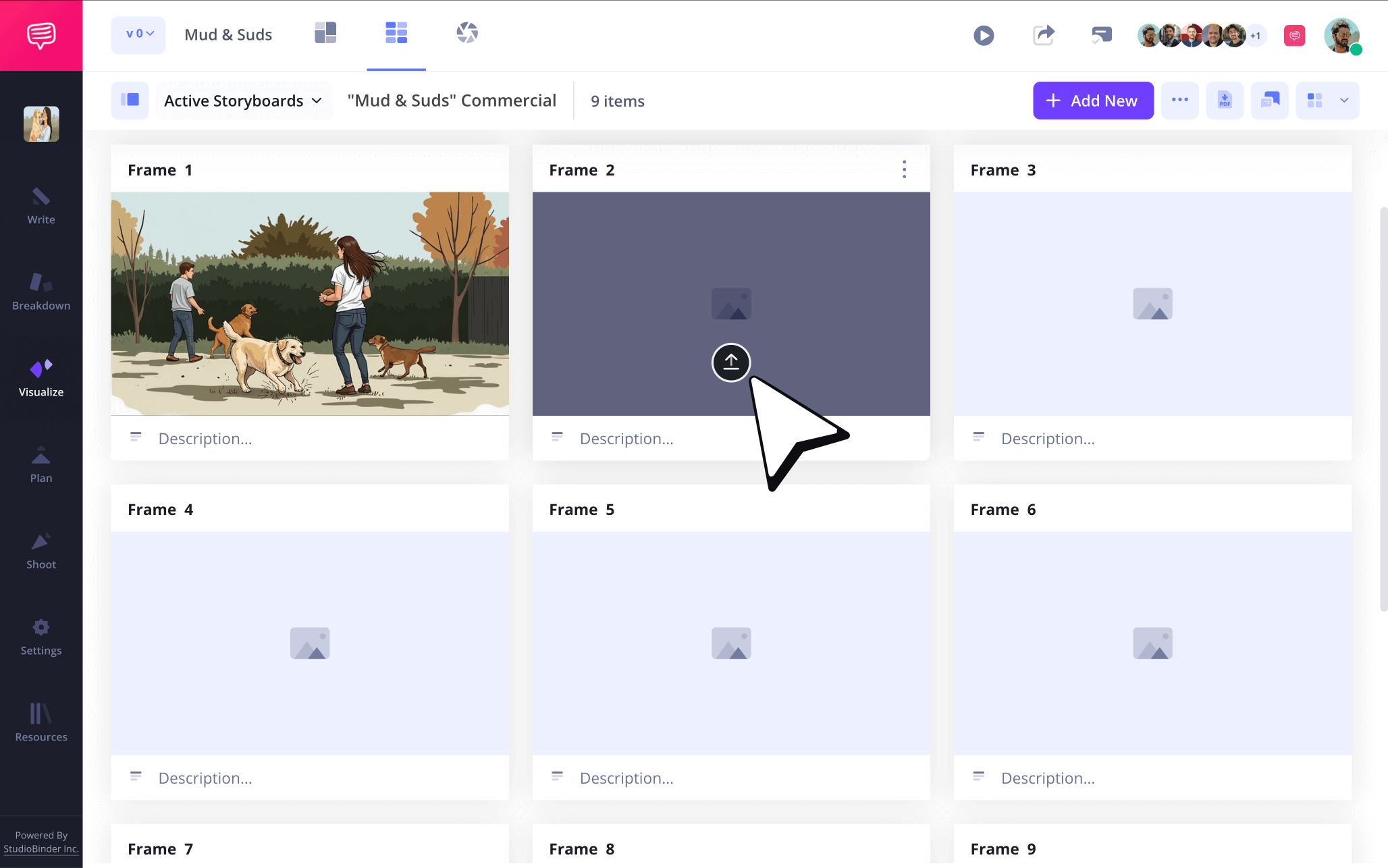
To upload images into your photoshop storyboard template, just click the upload icon in any blank frame.
Step 3
3. Include arrows
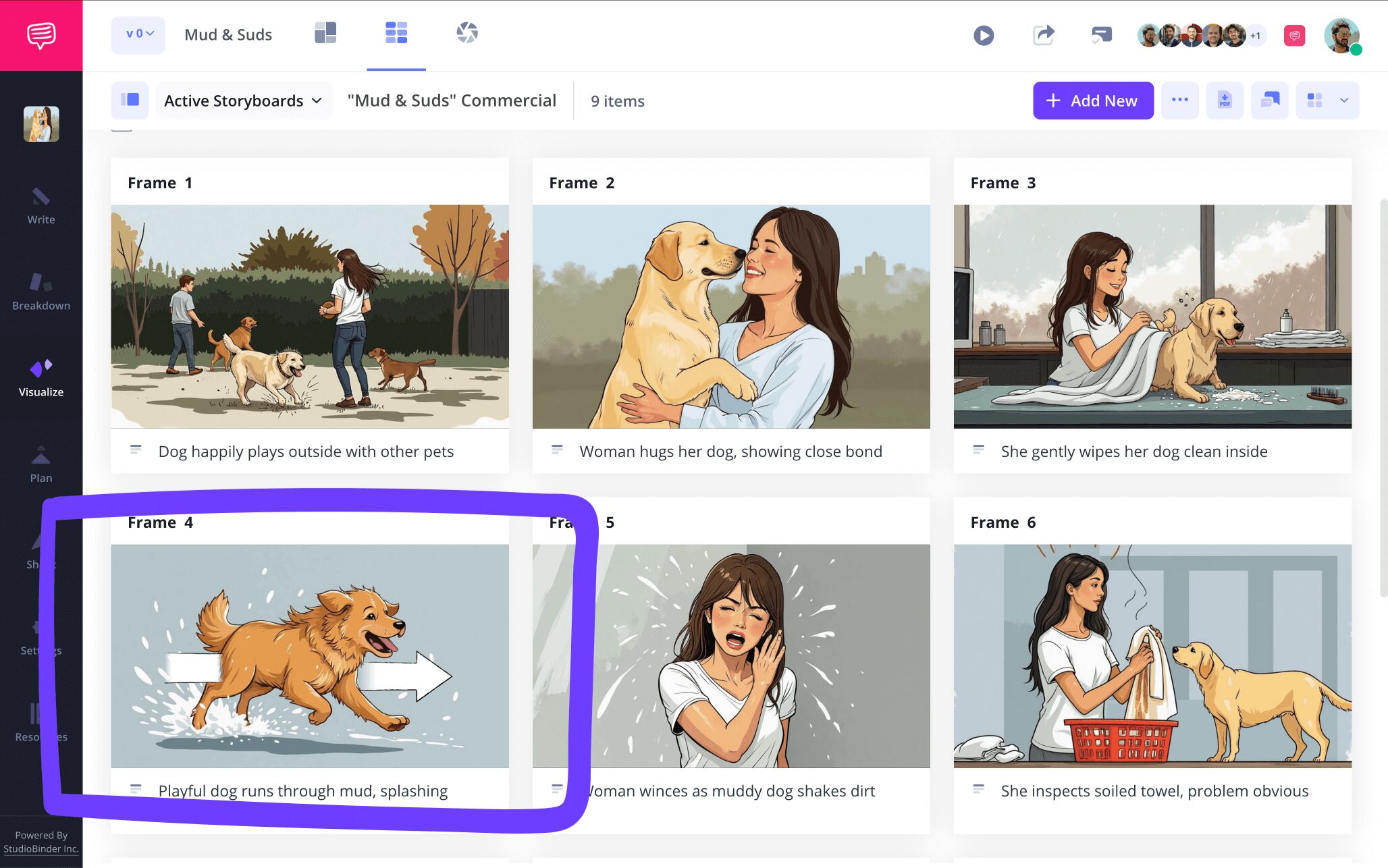
It’s a common storyboarding phenomenon to look at one or multiple images on your storyboard and get the sense that something important is missing. It could be that a better image can be found online, or that you need to redraw the image from scratch. But another common possibility is that your storyboard template for photoshop is missing a bit more emphasis on the action that’s supposed to be occurring in the shot. For this kind of sticky situation, you’ll want to bring in the common storyboard artist’s best buddy: storyboard arrows.
For images that are already in your storyboard with StudioBinder, you can choose from a large amount of customizable arrow options by just clicking the edit button on any image. Really take your time to choose the right arrow and adjust its size to make sure it keeps proportional with the rest of the image. Also, add text in the arrow if necessary!
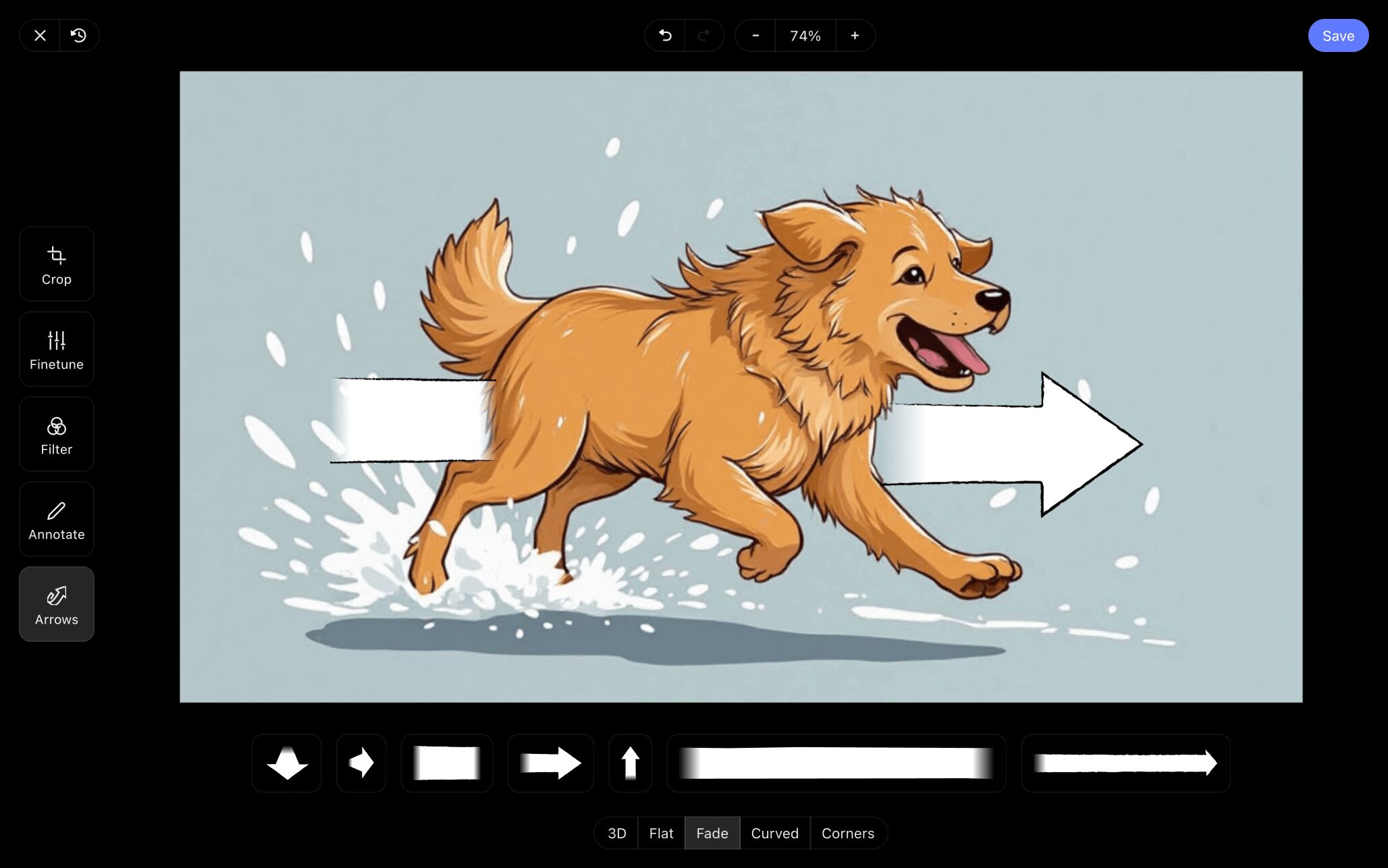
Once your arrow or arrows are looking proportional, go ahead and click save. Now your newly edited image has been added into your photoshop storyboard template.
Step 4
4. Collaborate and share
Depending on the type of photoshop storyboard template project you’re working on, it’s likely you have plenty of partners in crime that you’re collaborating with. But even if you’re working solo, it’s always helpful to get another perspective on how your storyboard is turning out as you build it.
In the event that you want to just shoot your project over to someone for a quick look, you can send them a view only link. But what if you want optimal feedback from your invitee? For this kind of situation, you have the option to make your invited collaborators a commenter or editor.
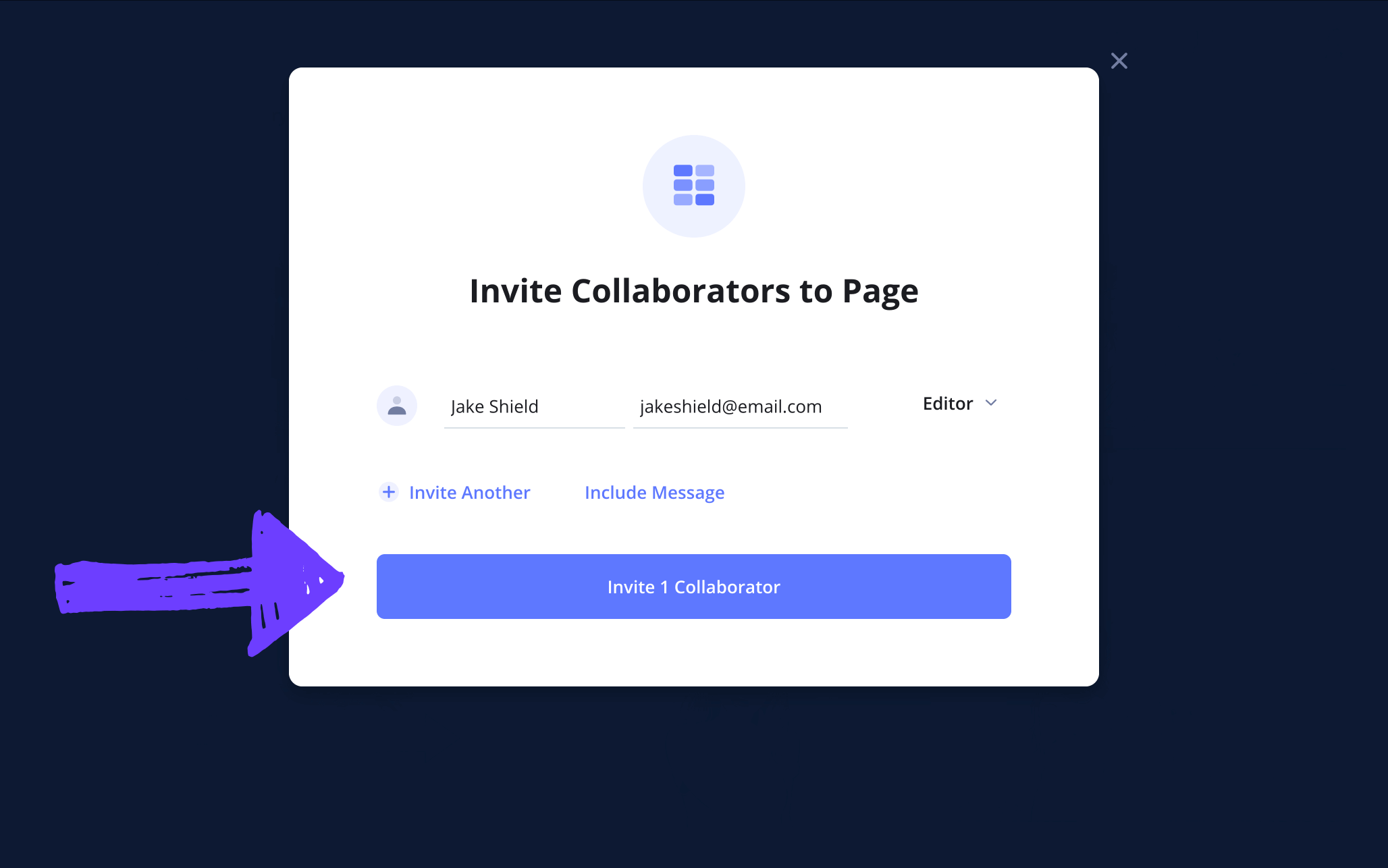
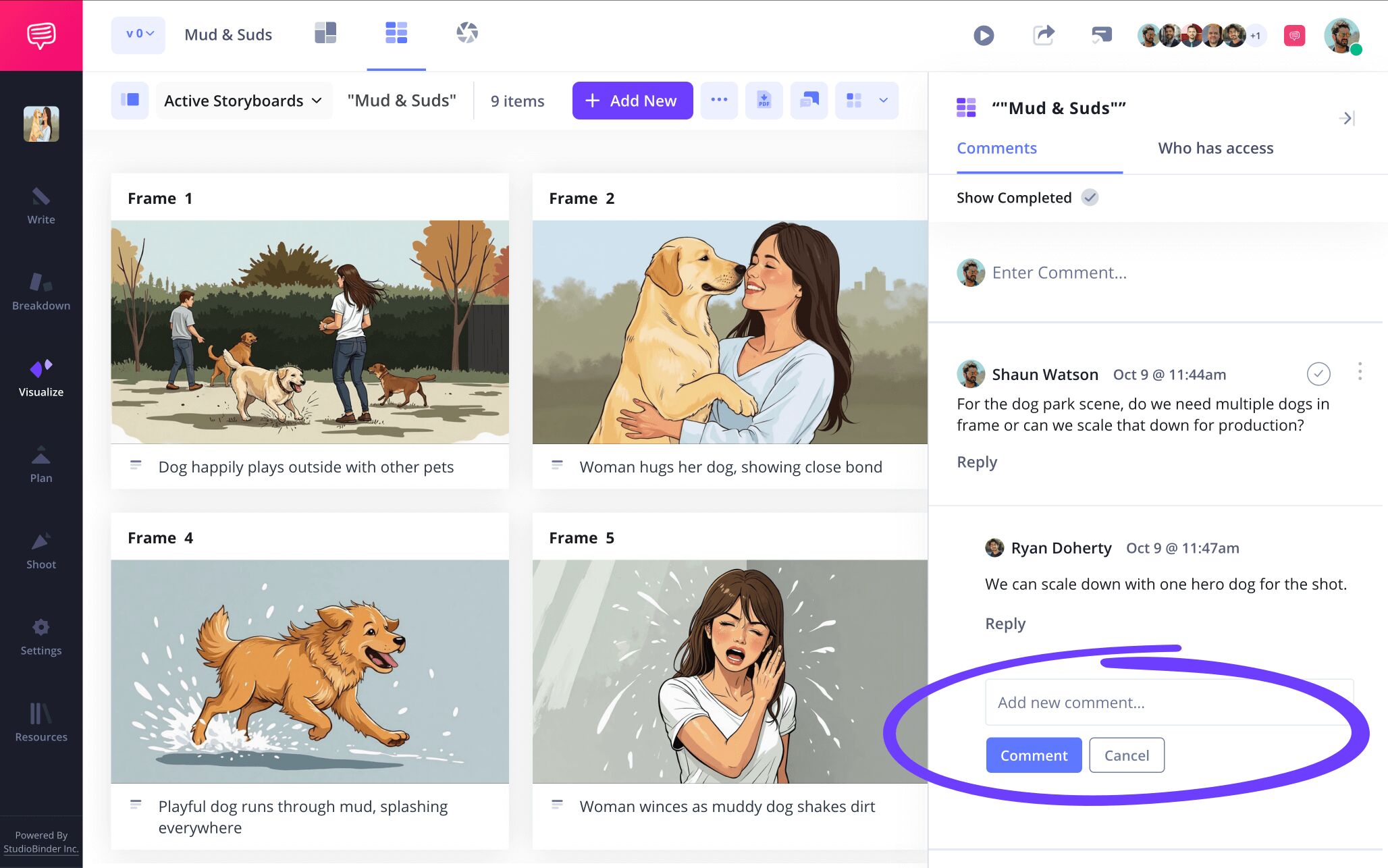
With the commenter or editor permissions selected when you send your invite, the invitee then has the option to leave their notes in the comments section of your storyboard. Then you can send them a reply and really get to the bottom of what is and isn’t working in your storyboard template photoshop project.
Step 5
5. Create a storyboard PDF
Whether you’re working in studiobinder or with your own downloaded storyboard template photoshop free pages, your best option is to save your project as a PDF when it’s complete. This is a vital step because it turns your editable storyboard into an unchangeable document that can be printed or sent to anyone you’re working on your visual narrative with. Here is a photoshop storyboard template PDF example:
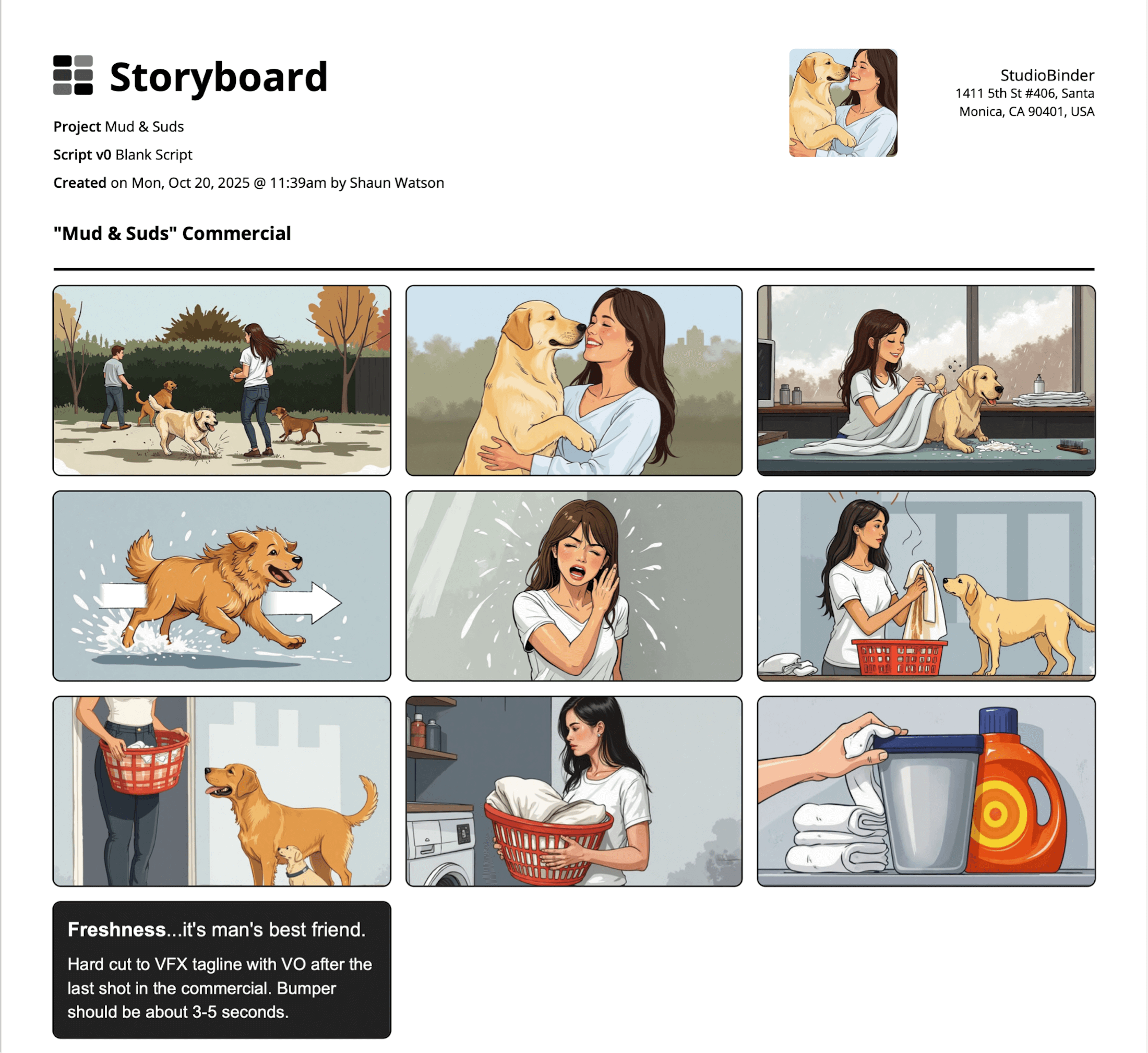
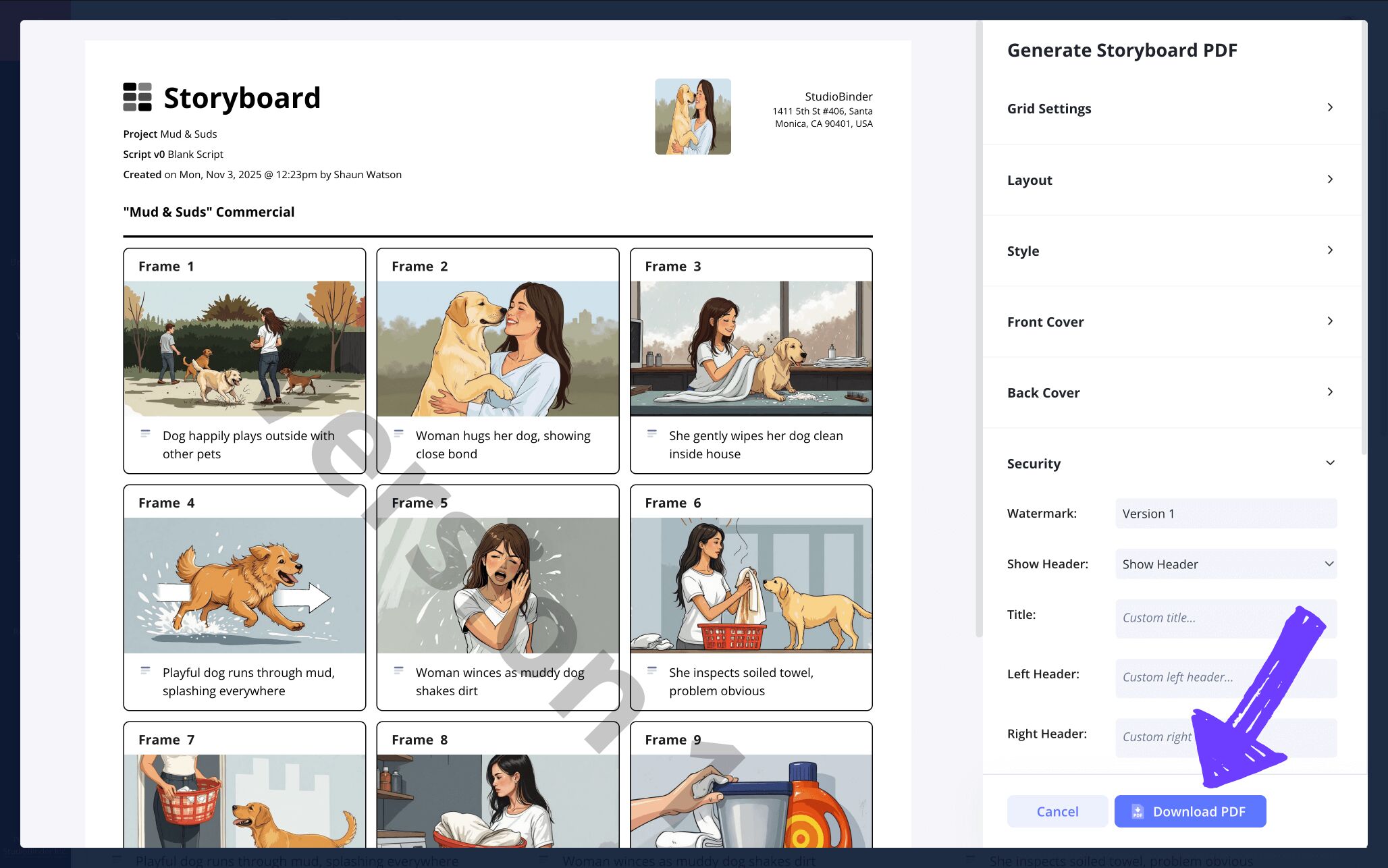
With StudioBinder, you have an array of options when it comes to customizing your photoshop storyboard templates. Maybe you get a request from a coworker to make the font size of your storyboard a bit larger for them, or maybe you want to customize the coloring of your document to give it some extra pop. One of our personal favorite options is the security tab, where you can add a customized title and a watermark.
Conclusion
Finished!
With all the steps to creating a photoshop storyboard template of your own behind you, you’re officially ready to make that project you’ve been dreaming to build a reality! But StudioBinder has so much more to offer in the storyboarding arena than just photoshop storyboard templates, so be sure to browse all the free storyboard templates we have to offer!
Frequently Asked Questions
Your questions, answered
To make your own photoshop storyboard template, you have plenty of options. The first and most obvious would be to build your template within photoshop itself. This is far more convenient than building your storyboard with a pencil and paper. However, some storyboard artists are more traditionalist and prefer to make their entire storyboard with pen and paper. For this situation, you can draw out your template, or browse the internet for photoshop storyboard templates that have been pre-made to accommodate any storyboarding needs.
A photoshop storyboard template is a pre-made PSD file that has the entire structure of a storyboard laid out for you. When you search for a photoshop storyboard template online, you’ll find countless templates all constructed for different storyboarding purposes. Perhaps you want to storyboard a video game or a social media content project. Whatever your need, chances are there’s a pre-formatted photoshop storyboard template waiting to be filled with your creativity.
A photoshop template for a storyboard is useful because it cuts out the time you’d otherwise spend creating the graph and structure of a storyboard template on your own. These templates are convenient because you can print out as many copies as you need and get straight to illustrating. But this is the digital age afterall, so you can also use these templates to build out your storyboard entirely with a computer.
A storyboard template for photoshop doesn’t necessarily have one single distinct look to it. This is because the idea of a storyboard template is to accommodate any storyboarding needs. So, let’s say you’re planning to storyboard your next social media video. You would of course want to find a template that not only meets the aspect ratio you’ll be filming in, but also excludes any of the basic storyboard elements that you don’t need. So, when you search for photoshop storyboard templates on the internet, you’ll find an endless amount of customized templates to fit any kind of imaginable need.
Photoshop storyboard template alternative
Visualize your project with our photoshop storyboard template alternative.
Get started for free
