
home → TEMPLATES → Storyboard
Sample Storyboard Template

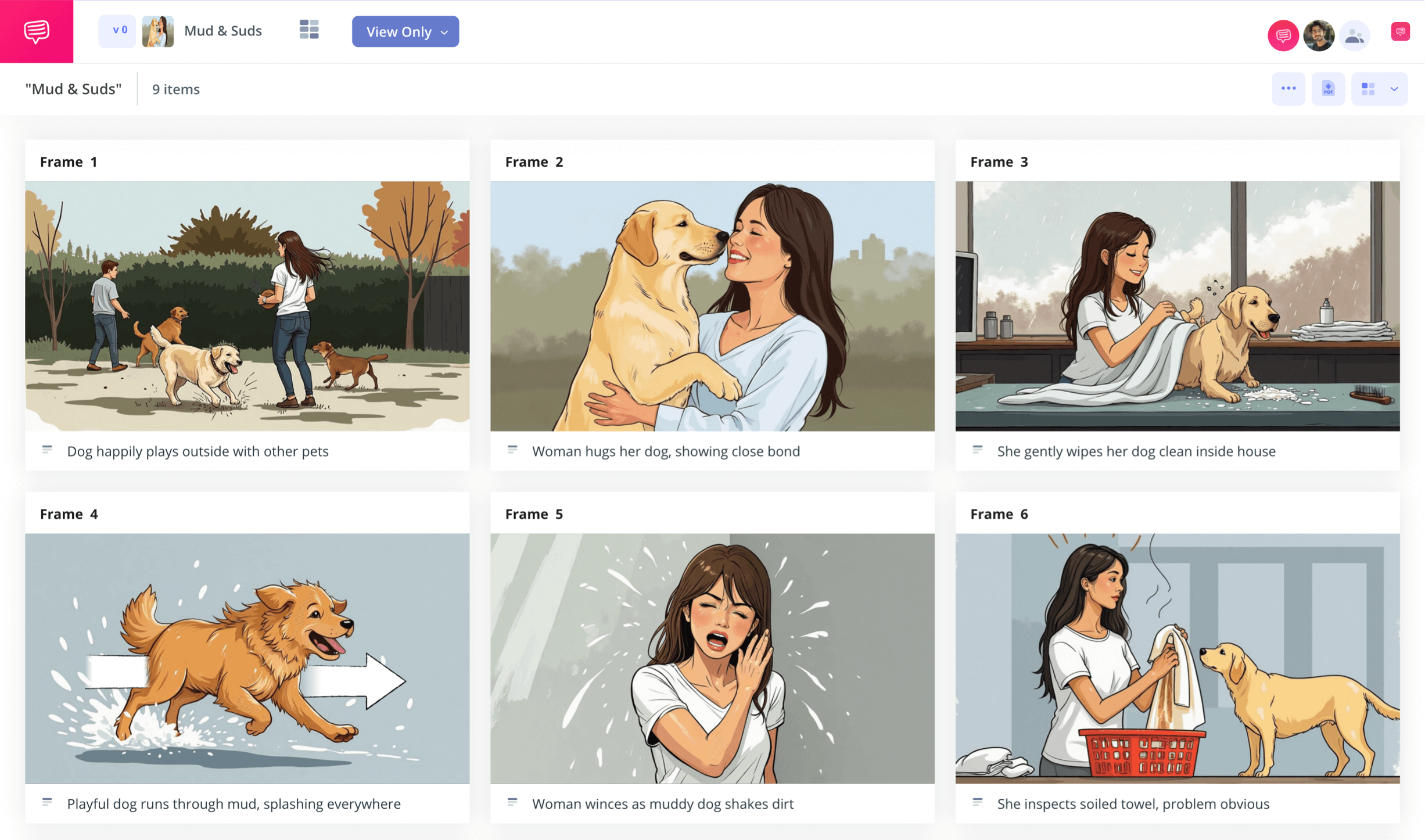
Sample storyboard template
If you have any interest in bringing your own visual narrative to life, consider using a sample storyboard template. With a sample storyboard, you can plan out every moment of your narrative, or just use it for select scenes or sequences that require some more attention to detail. Whatever your need, by laying out your ideas on a storyboard sample template, you gain a valuable perspective on your most important story beats and visual storytelling cues. In a way, a sample storyboard for video, film or a presentation is like putting together a rough draft of your sequence, leaving you confident as ever when you go on to create the final version of your visual narrative.
We’ve made the below steps on how to make best use of your sample storyboard template as broad as possible, so you can use whichever sample storyboard templates are available to you. But if you’d like to follow along with our example storyboard template beat for beat, you can use StudioBinder’s storyboard creator right alongside us.
Step 1
1. Prep your template
It’s always best to start with considering the structure and look of your sample storyboard template. If you’re working on a short film for example, it’s typical to go with a 16:9 aspect ratio for your panels and two to three panels per row. But if you’re working on a more personal project, or even one for social media, you can tinker around with customizing a sample storyboard that works best for your own creative preferences. As you start up a new project on StudioBinder, you’ll be taken through some customization prompts that can always be readjusted in the settings down the line. Your storyboard should look something like this when you’re ready to start:
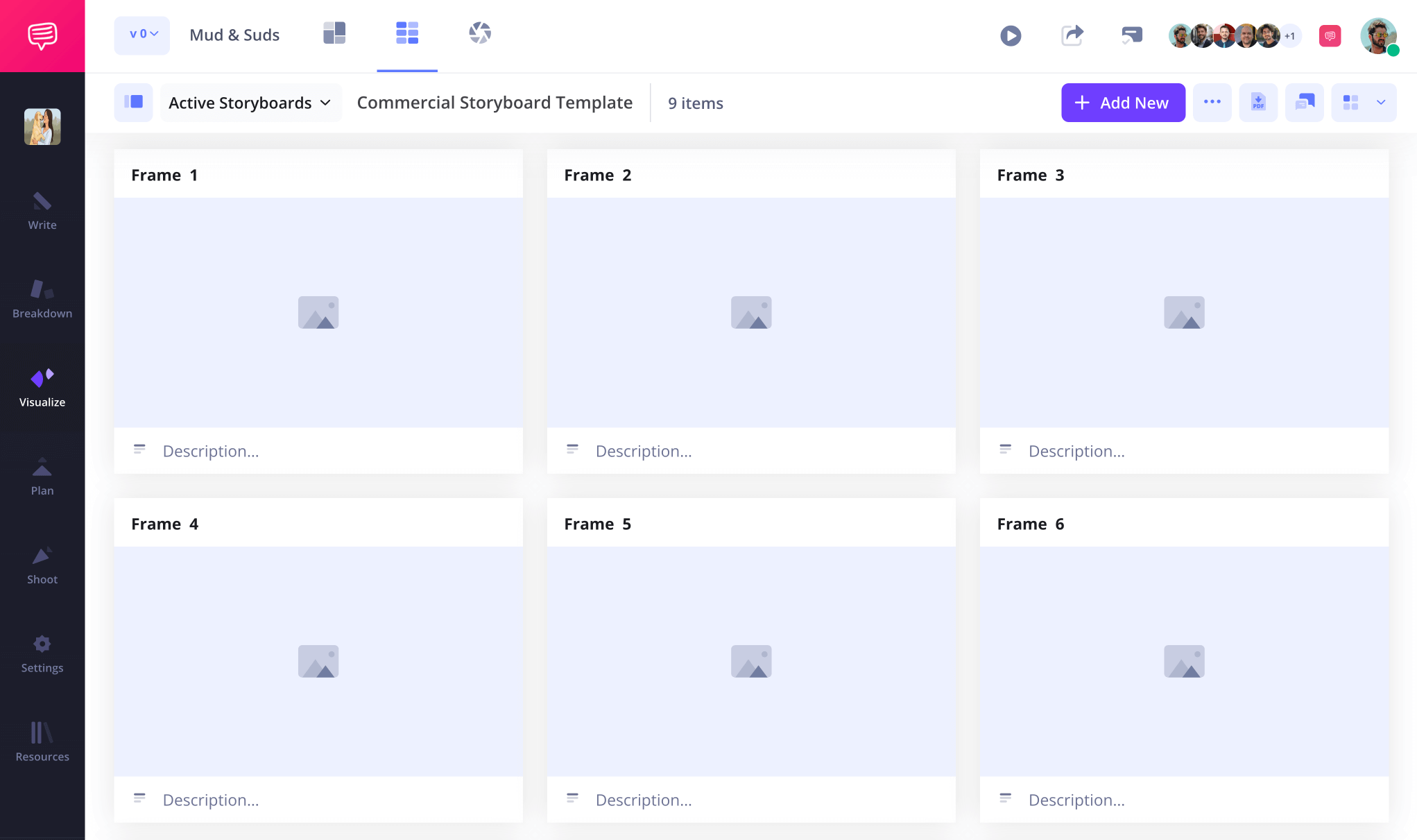
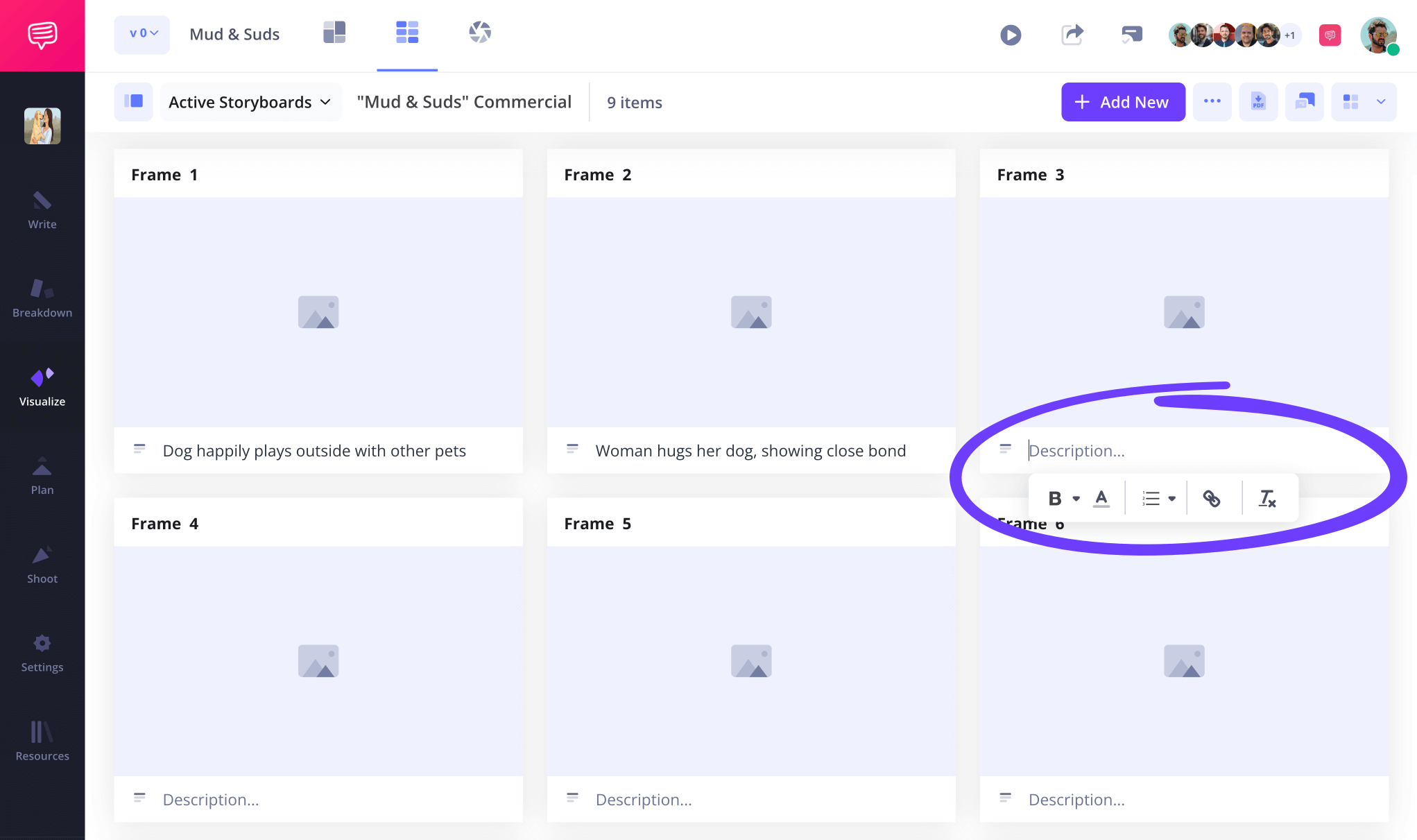
Next, consider the amount of space you want to leave open for your panel descriptions and then write those descriptions out. For example, the audio and video fields are often customary for film sample storyboard templates, but for something like an Instagram reel video they might not be as necessary.
Step 2
2. Upload images
Adding images to your sample storyboard template for video is all about communication. So many people make the mistake of wanting the image art to look visually alluring, but communication over art is always a healthy rule of thumb to remember. What kind of camera angle setup do I want? What kind of action is unfolding? Communicating the answers to these questions (even with the weirdest looking stick figures) is where the true value of a sample storyboard template comes in.
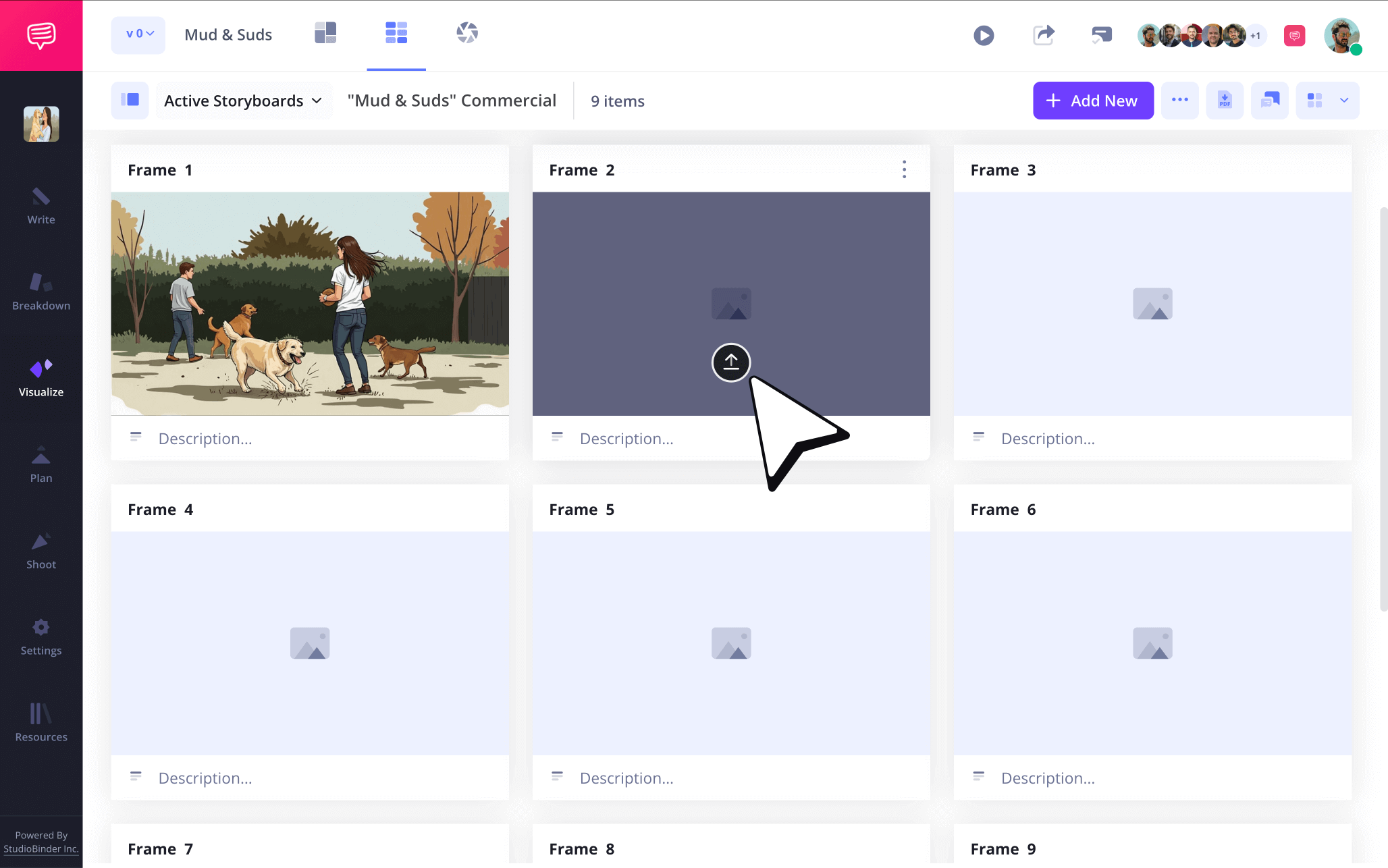
To upload images into your storyboard sample template, just click the upload button on any blank panel.
Step 3
3. Customize arrows
If you don’t want your sample storyboard images to be misinterpreted, then you may want to include some storyboard arrows to specify camera or character movements. The addition of arrows can be like adding some more clear instructions to an image, because they’re used to convey vital information you or anyone using your storyboard template sample will need to know.
Adding arrows to an image can be done through StudioBinder’s image editor. Here you can choose from a variety of arrow types and adjust their size based on your image needs. You can also add some text in your arrows if you need to be even more direct.
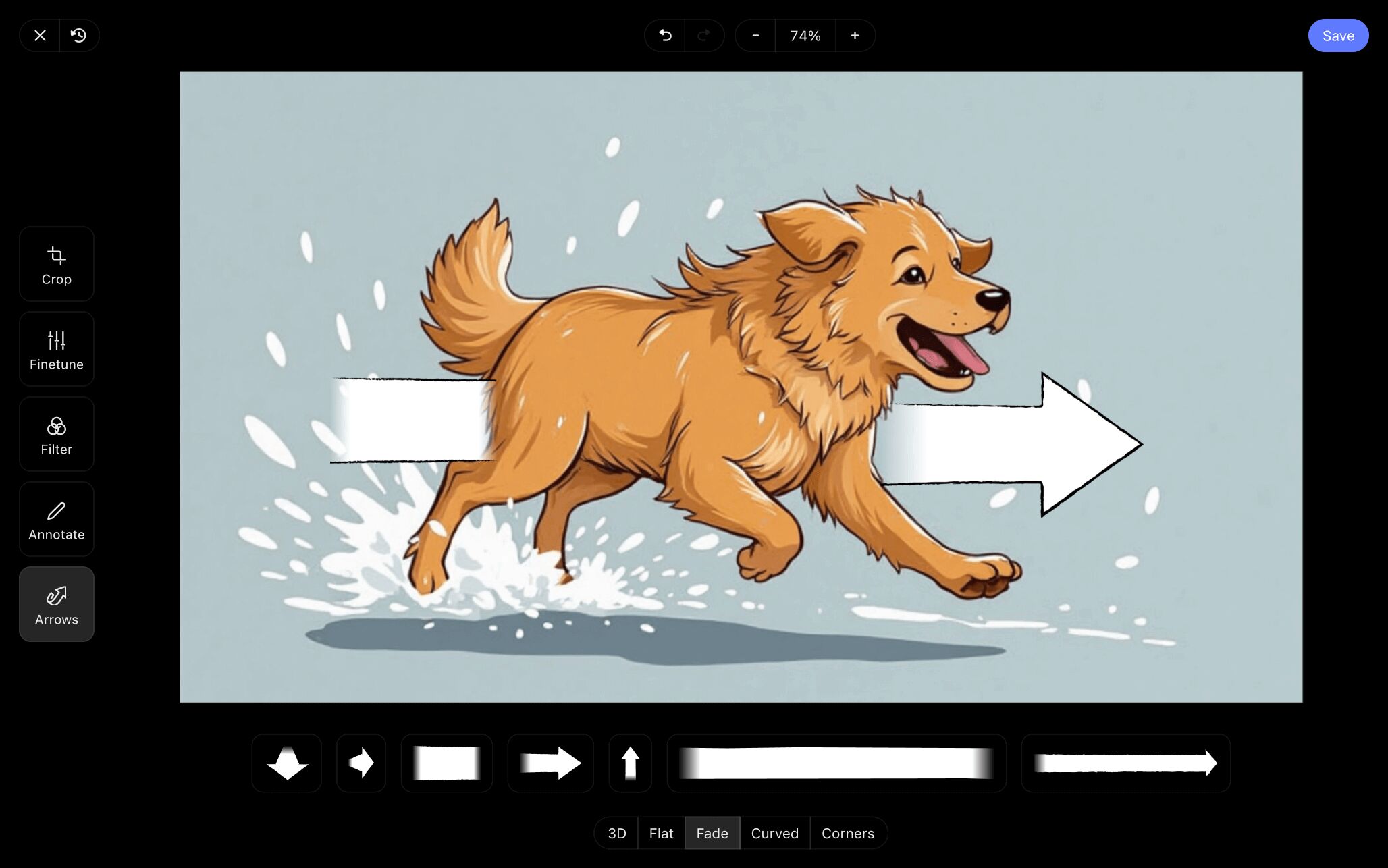
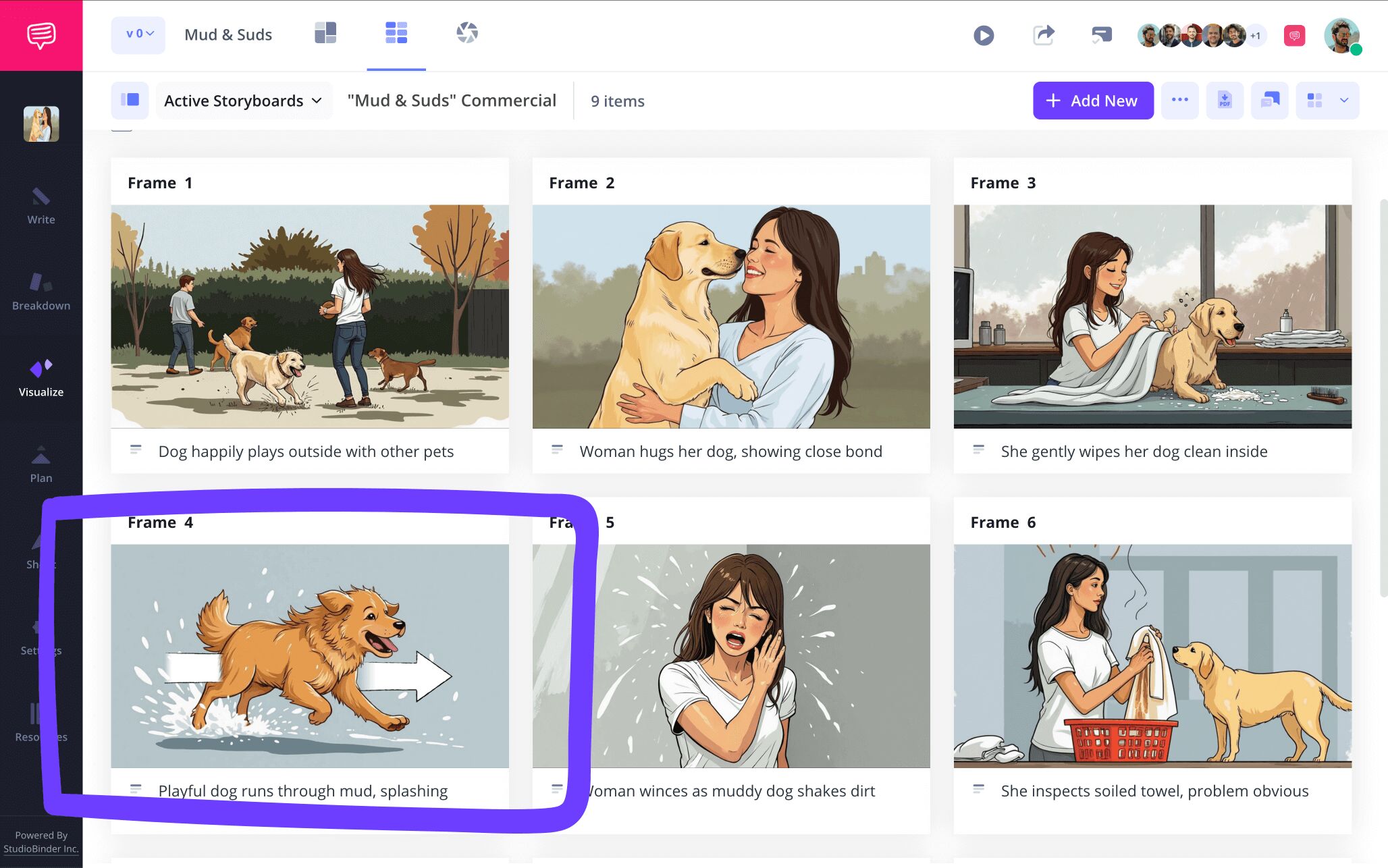
With the image editor, you can also crop, finetune or add text to any images that need some extra punching up. Once you’re finished making your edits, you’ll save your image and find it added to your sample storyboard for video.
Step 4
4. Collaborate and share
Anyone who's ever worked on a sample storyboard template knows that creative tunnel vision can be a very real thing. This is why sharing your sample storyboard with another set of eyes can be one of the best decisions you’ll make throughout the process. When you do, you’ll often notice the smallest continuity errors and little mistakes on your sample video storyboard template that somehow got past you.
Send a view-only-link to someone who can give a quick look at your sample video storyboard template and make sure it all makes basic sense. But if you’re working with any kind of production team, you’ll want to bring them in with invites that have commenter and editor permissions enabled.
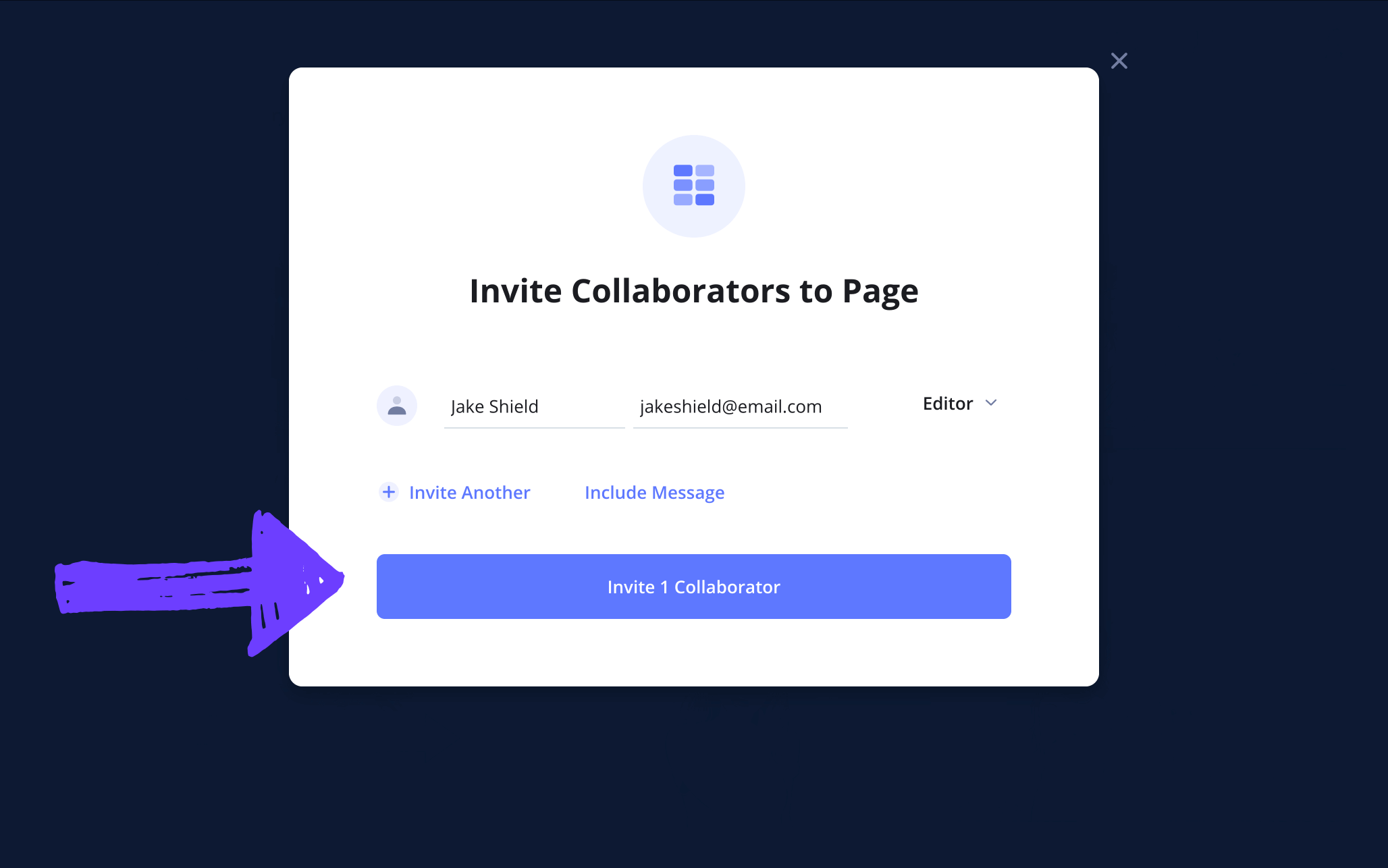
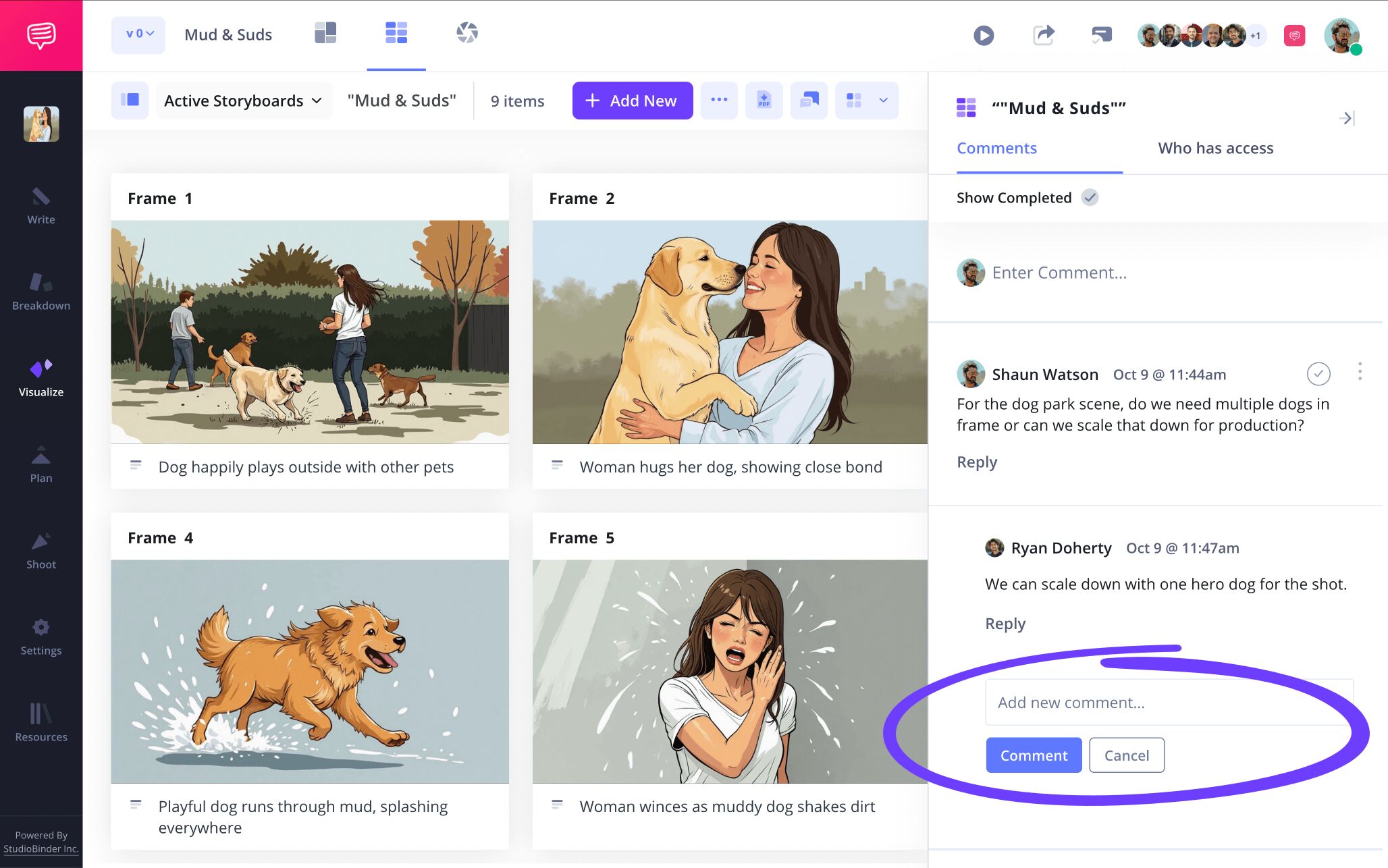
By selecting either commenter or editor permissions, you’re also giving your invitee the option to leave any thoughts or feedback they have in the comments tab of your sample storyboard for video. And once they send in their notes, you can reply back and get a productive discussion going.
Step 5
5. Make a storyboard PDF
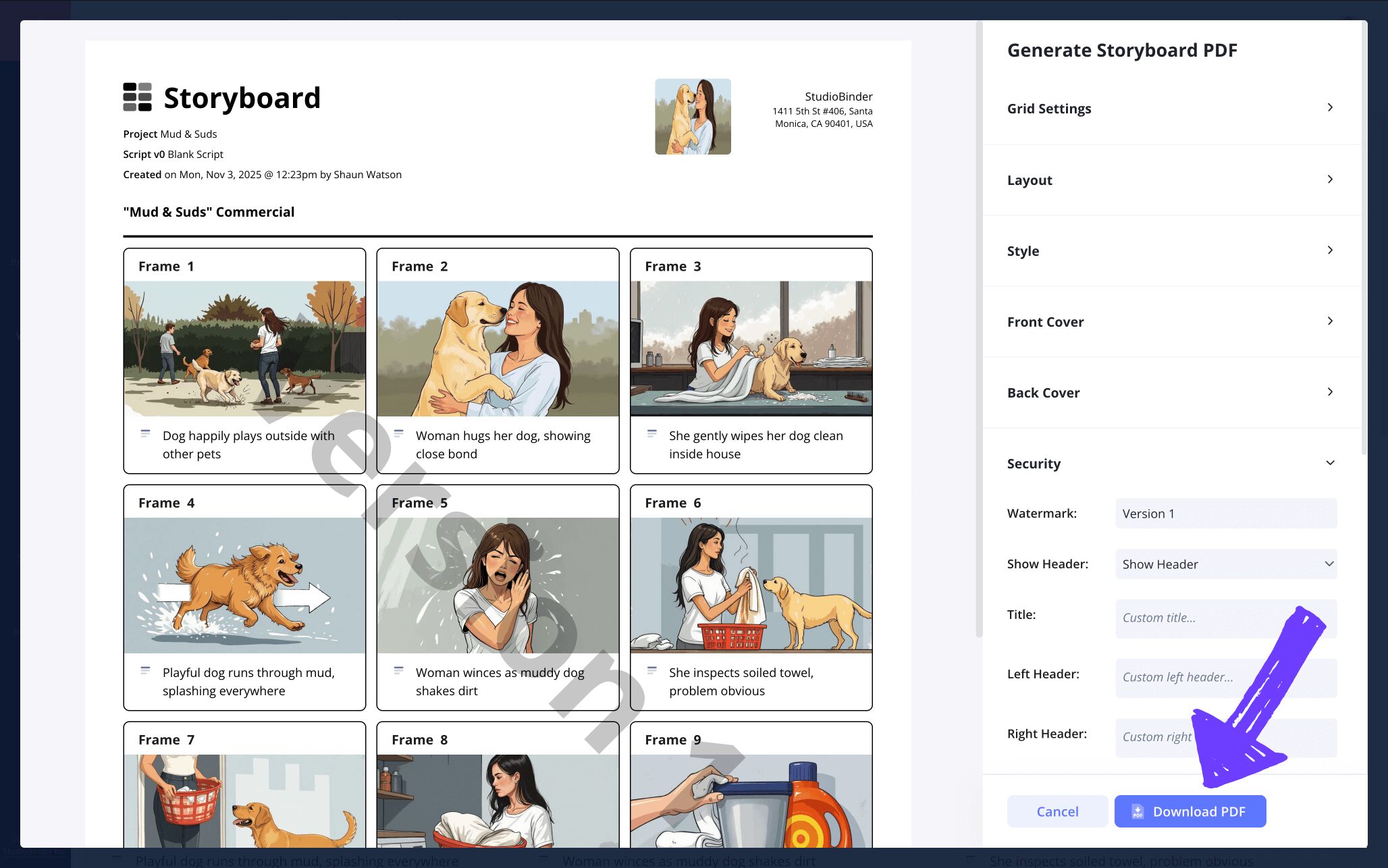
Now that you're done crafting your sample storyboard, you’ll want to make sure it’s safe, sendable and professional. In other words, you’ll want to download your storyboard into a PDF. Converting your storyboard into a PDF is like putting a padlock on your work, this way no details can be edited or deleted by any team members working off your storyboard sample template.
If you’re working on any kind of film production, big or small, you’ll find that some departments have specific requests around your storyboard PDF. With StudioBinder’s PDF editor, you can tailor your PDF storyboard to anyone’s preference. For top-notch professionalism, add a front and back cover to your storyboard template sample, then customize your own watermark and custom title. And just like that, you’re a storyboarding industry professional!
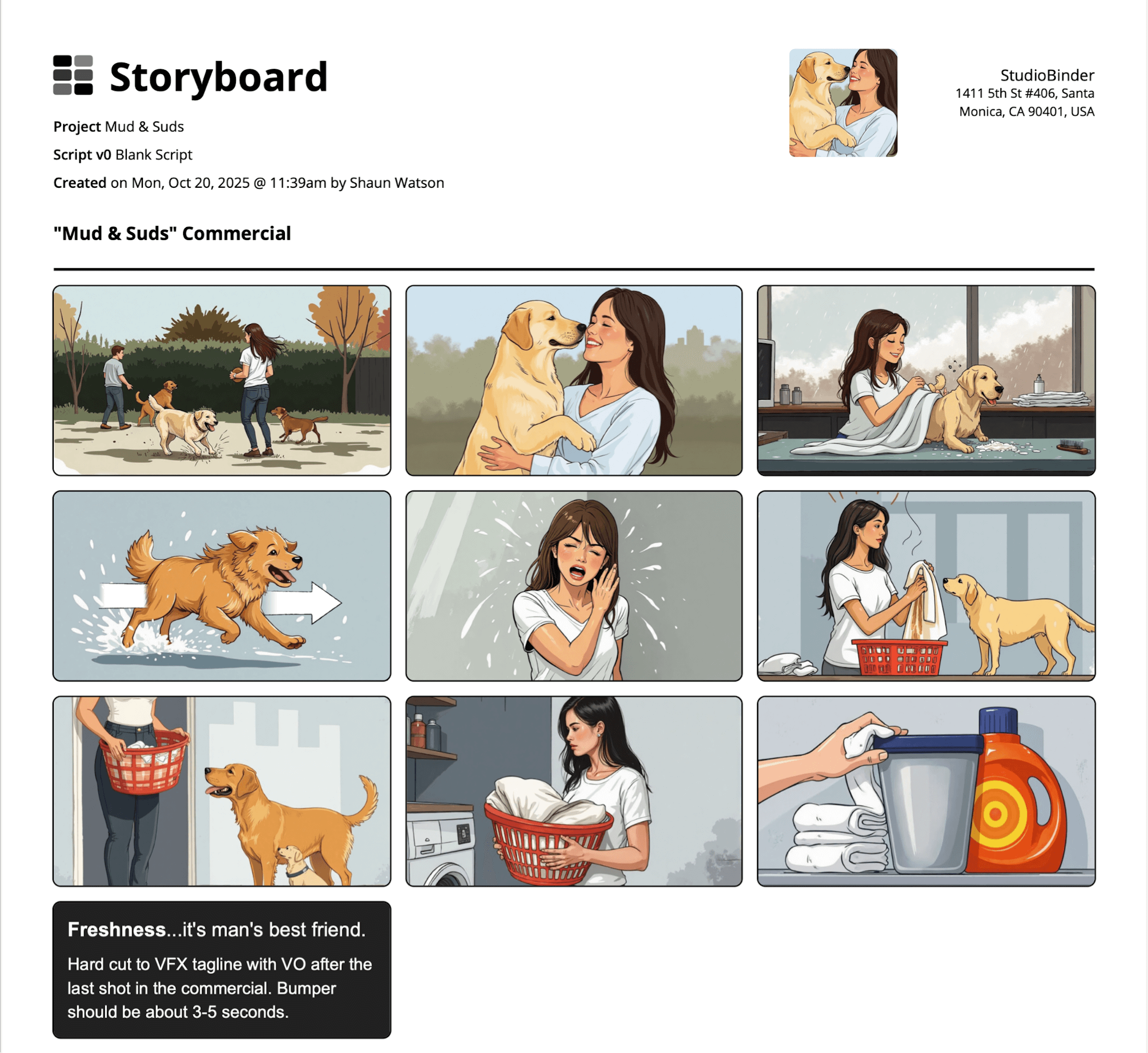
The PDF format of the storyboard will give your crew a stronger concept of what the pacing, structure and feeling of the scene should actually have.
Conclusion
You're finished!
Now that you officially graduated from the school of ‘how to make your own sample storyboard template,’ we’re happy to hand over your diploma and let you make as many sample templates for storyboards as you desire. But when you’re ready to take on the next challenge, like building a sample website storyboard template or a sample music video storyboard template for example, be sure to browse through all of StudioBinder’s free storyboard templates.
Frequently Asked Questions
Your questions, answered
Word does offer storyboard templates, and if you’re a beginner when it comes to building any sample storyboard templates, then it’s the perfect way to start. You can create your storyboard layout with customizable panel boxes directly on Word, or you can find a pre-made Word template online. This is one of the best free options when creating a sample storyboard because it allows you to choose your aspect ratio and panel column layout, as well as convert your storyboard to a PDF or print it.
A storyboard is essentially a sequence of illustrations that, much like a comic book, lays out a visual narrative from left to right. Each panel in the storyboard represents a shot, showcasing the exact shot angle and characters and environment that will be in that shot. Details like shot number and scene location are usually written at the top of the panel, while shot descriptions (like audio and character dialogue) are written beneath each panel. A storyboard is essential in film pre-production, where directors will plan out scenes and sequences on storyboards so they’re as prepared as they can be on shooting day.
Storyboarding an action scene can be like creating music, so needless to say, it’s one of the most challenging scenes to storyboard… but it’s also not impossible. Below are some broad but essential approaches to consider while planning out an action scene with a storyboard:
- Know the geography: creating a map or image of the scene’s entire environment will help greatly with continuity.
- Know the purpose: what does your protagonist and antagonist want here? Keep the action grounded in this knowledge.
- Use arrows: storyboarding arrows are mostly beneficial for showing action, don’t sleep on them.
- Show character reactions: your character is experiencing the action, let the audience know how they’re feeling.
- Consider timing: including notes that specify moment-to-moment beats will really help with tone.
- Cause equals effect: Make sure that every action has purpose. If your character makes a risky move, show the domino effect.
Using sample templates for storyboards can be very helpful, especially if you don’t consider yourself a professional storyboarder. Rather than creating the storyboard and all its structure from scratch, a sample storyboard gives you a ready template with a pre-constructed layout. When you’re just starting out in the storyboarding world, you’ll likely want to use a storyboard template with a film industry standard aspect ratio (16:9), and panels per row (typically 2 to 3). But once you get used to the storyboarding process, you can start mixing it up with other types of templates to fit your unique vision. There’s no shortage of sample storyboard templates you can find online, so let the storyboarding adventures begin!
Create your free storyboard
Visualize your sample storyboard with our free template.
Get started for free
