
home → Guides → StoryboaRD
How to Create a Manga Storyboard

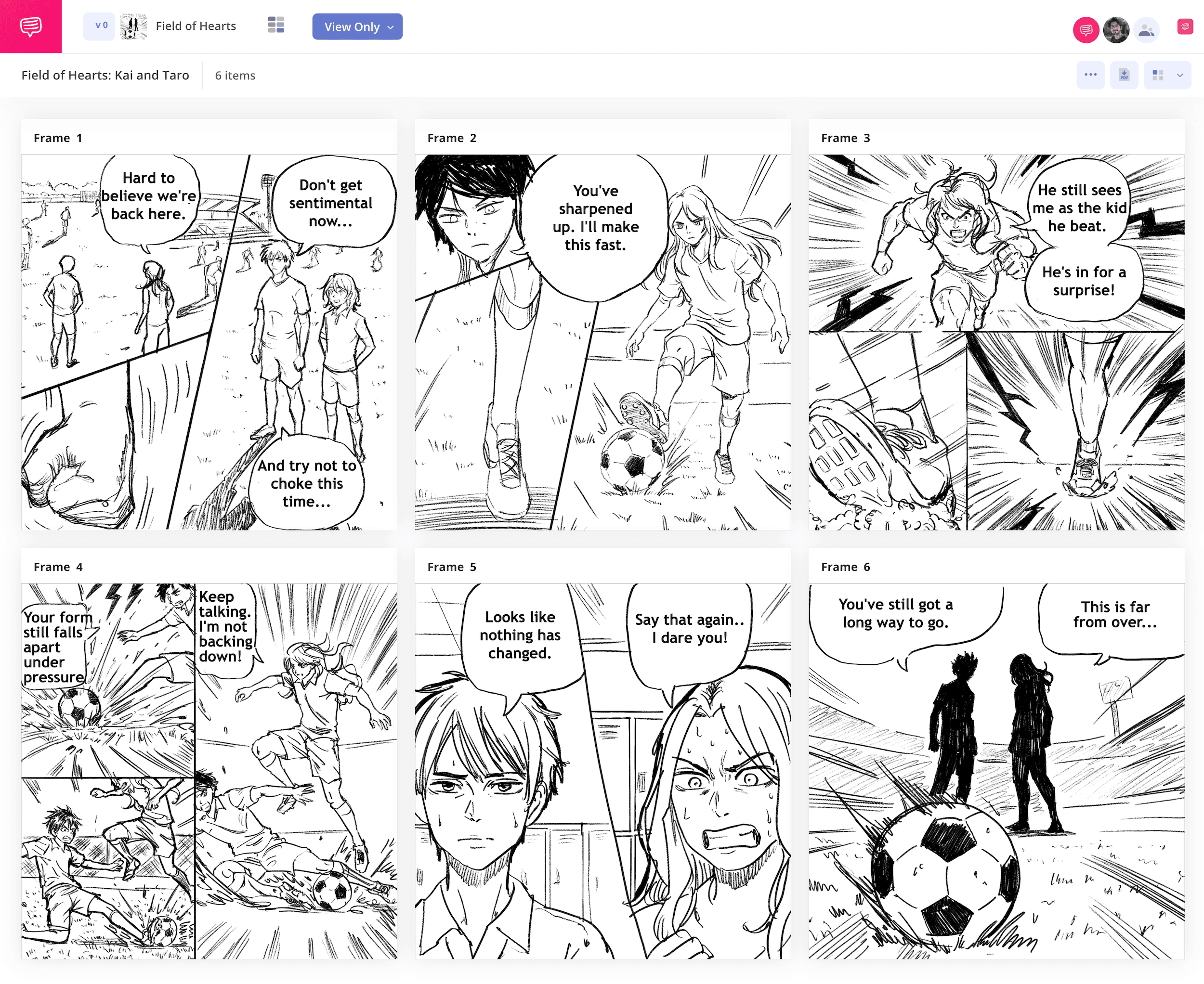
How to create a manga storyboard
If you have a passion for manga style and storytelling and want to see what it takes to make your own, it’s best to start with learning how to create a manga storyboard (also known as a name in Japanese). A manga storyboard is an important part of most professional manga storytellers’ process, because this is where the writer/artist finds the story they have a creative spark to tell, oftentimes even without a fully finished script yet. Manga storyboards themselves then become the soil where the story grows and comes into its own. So, it’s safe to say being a manga storyboard creator comes with a lot of responsibilities.
In this storyboard manga guide, we’ll walk you through all the broadest and most important steps to building a manga storyboard template. We’ll use StudioBinder’s storyboard creator to showcase all our manga storyboard examples, but you can use any kind of storyboard you’d like while following along, even your own manga storyboard sketchbook if that’s your preference!
Step 1
1. Format your template
Since you’re likely to discover a lot of your manga story’s script through storyboarding, you’ll want a well-structured manga storyboard template to work with. Your panels will of course vary in size in the final manga, so use a panel aspect ratio that can comfortably fit your illustrations and just keep note of how big each final panel size will be. And don’t worry about needing to know how to create a manga storyboard template in StudioBinder, once you begin a new storyboard project, you’ll be automatically prompted to choose all your storyboard dimensions.
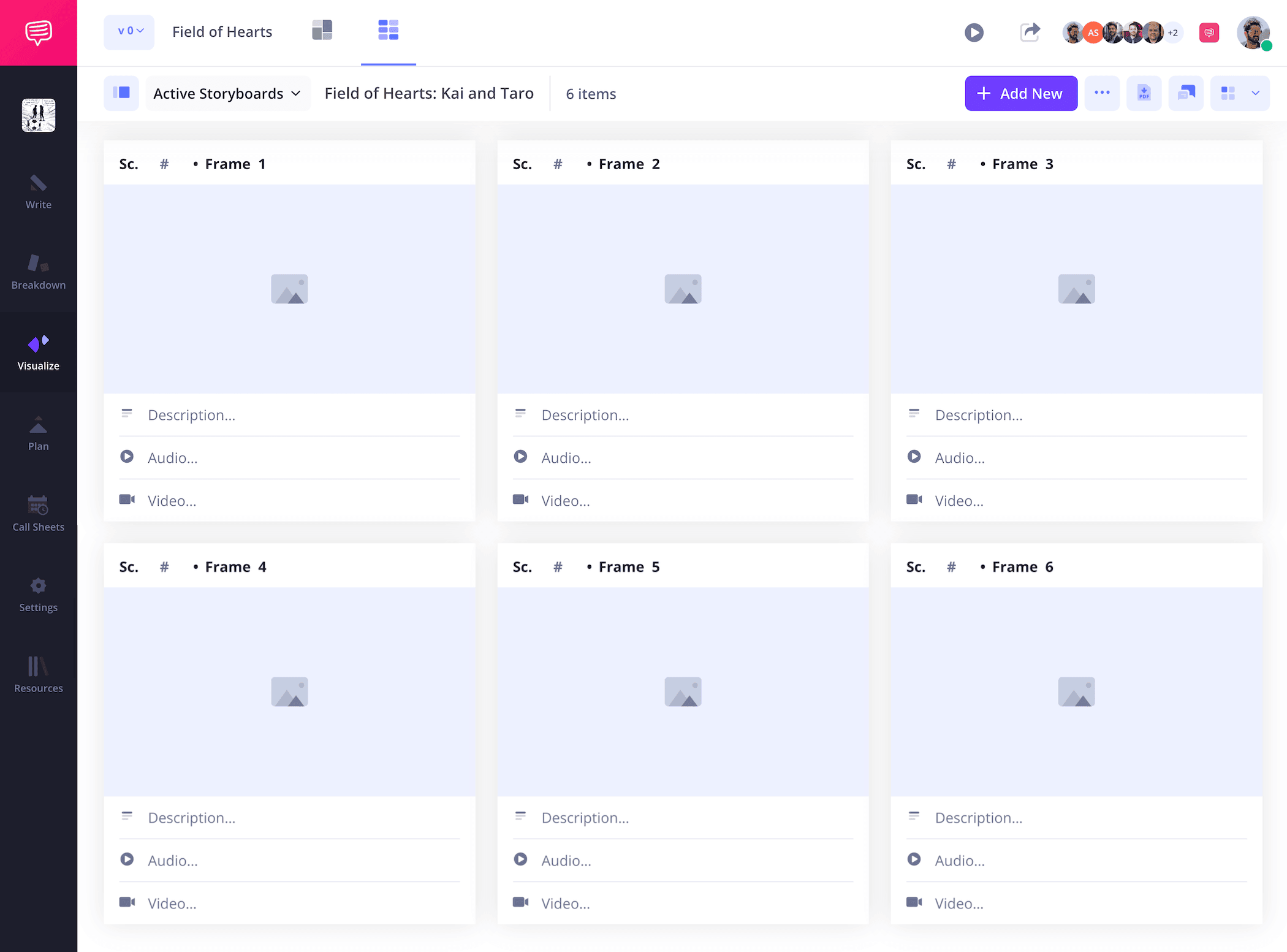
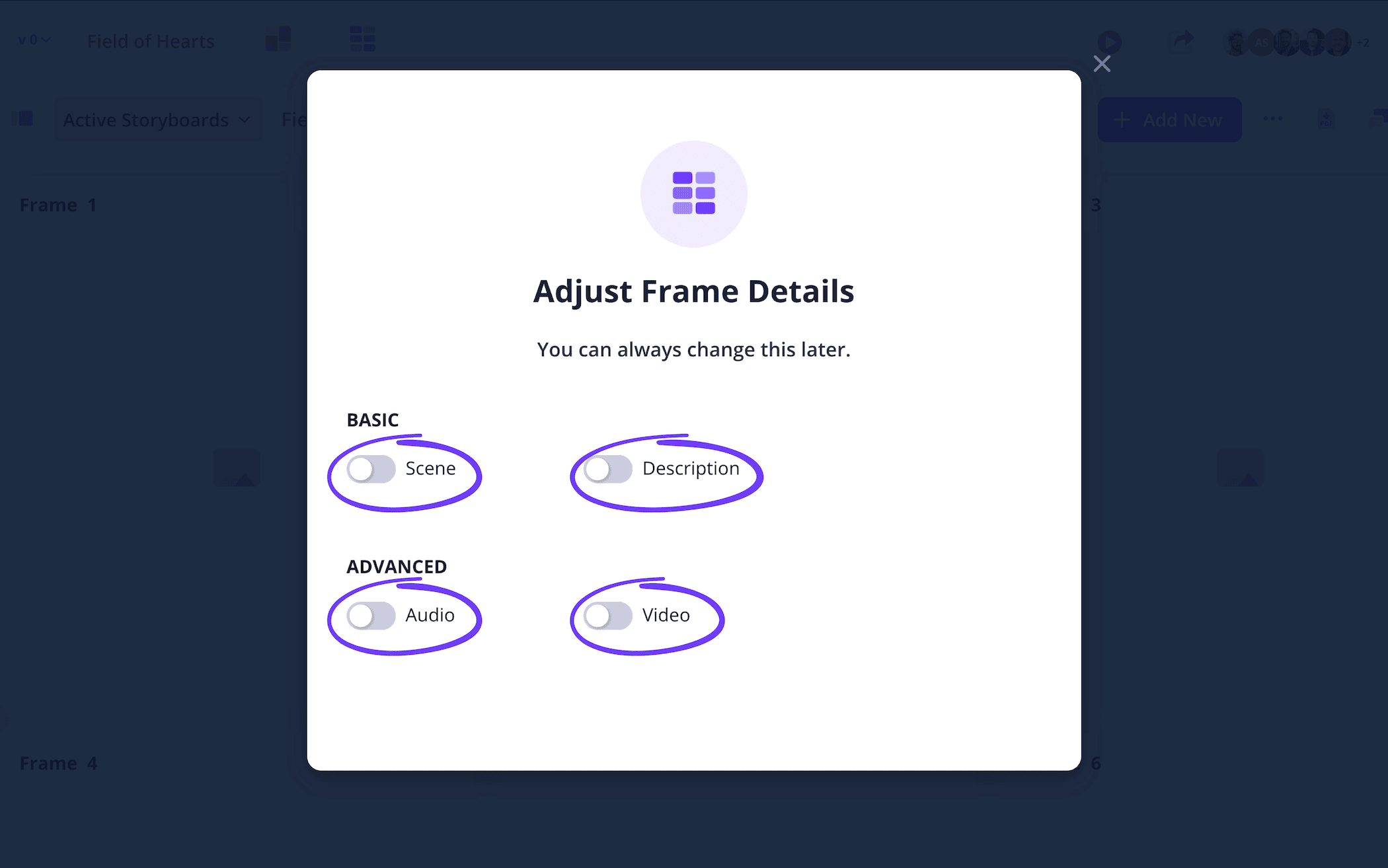
Manga storyboards usually won’t require much description space since dialogue can often be written into the panels. So, you can enable and disable your description fields in the settings.
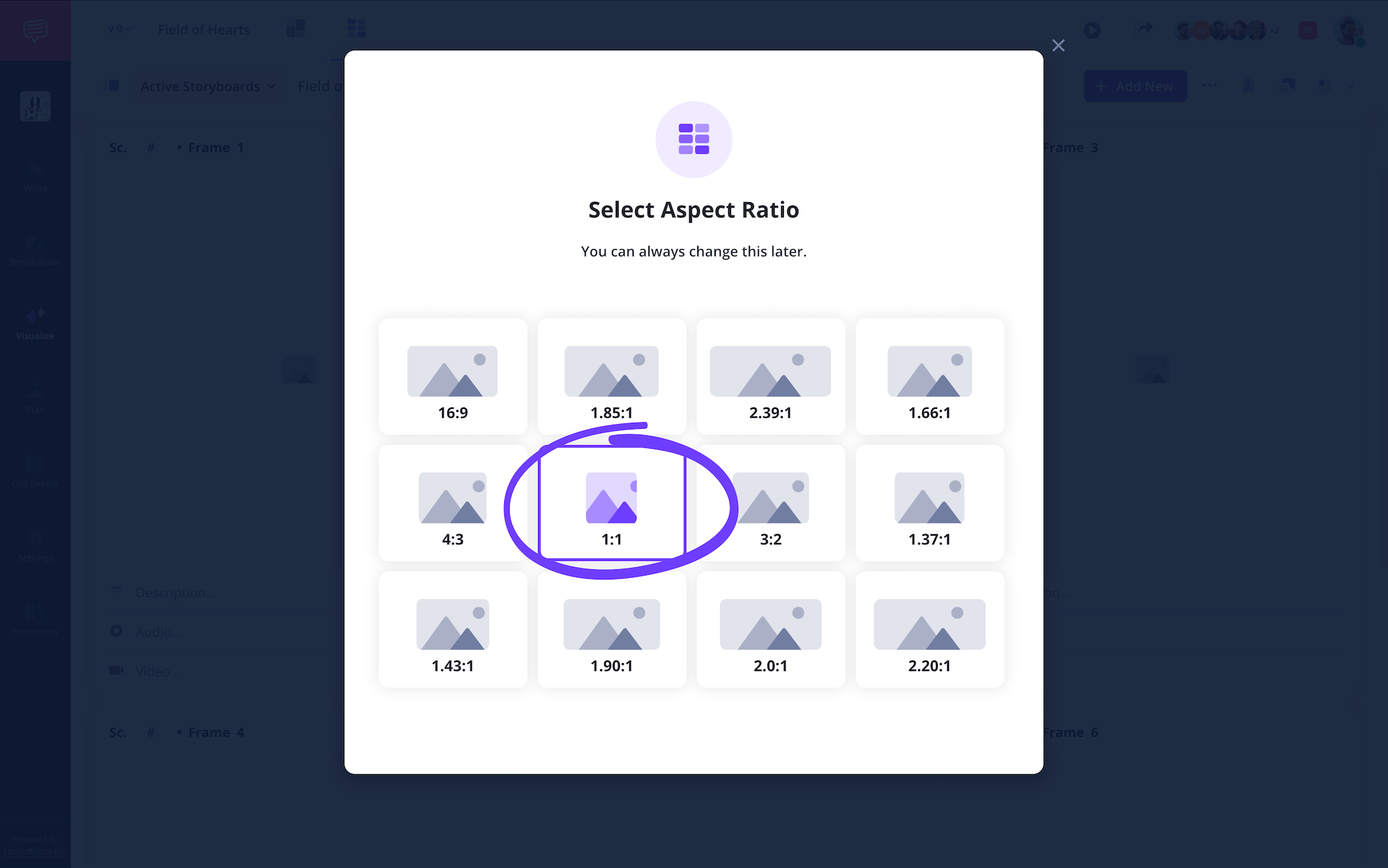
If you’d like to stick to a common manga industry standard, you can go with a 1:1 aspect ratio for your manga storyboard panels, which are square shaped and should provide you with enough illustration space.
Step 2
2. Upload art
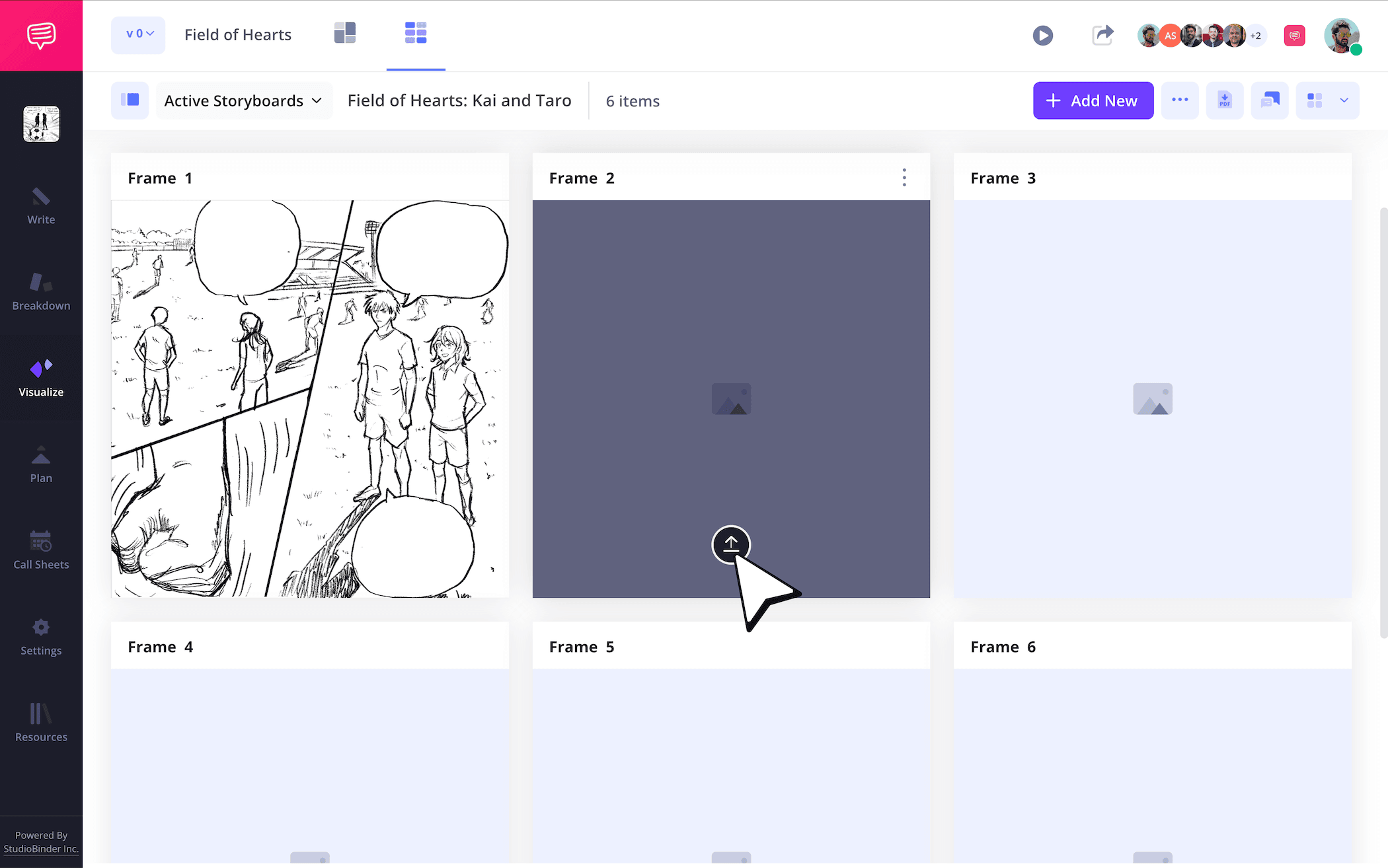
Maybe you’re like the legendary Akira Toriyama or Masashi Kishimoto and you’re ready to apply your beautiful illustration skills to the medium you love. But then again, you don’t necessarily need to know how to draw to know how to create a manga storyboard. If you’re more skilled with manga writing, you can work with an artist who’s more skilled in the classic Japanese art style, or even find temp images online that reflect your ideas while you practice your sketches.
To upload any images on StudioBinder, just click Upload on any frame.
Step 3
3. Fill speech bubbles
Since you’re essentially building your manga layout on your storyboard, knowing how to create a manga storyboard with the kind of professional speech bubble font you need is important. If you’ve sketched your images and left the proper amount of word balloon space near each of your characters, you can punch up the look of your storyboard manga project by inserting and sizing the right font for you.
In StudioBinder, you can jump into the image editor and select from an array of text font styles. Then you can readjust the size to fit each speech bubble and drop it right in.
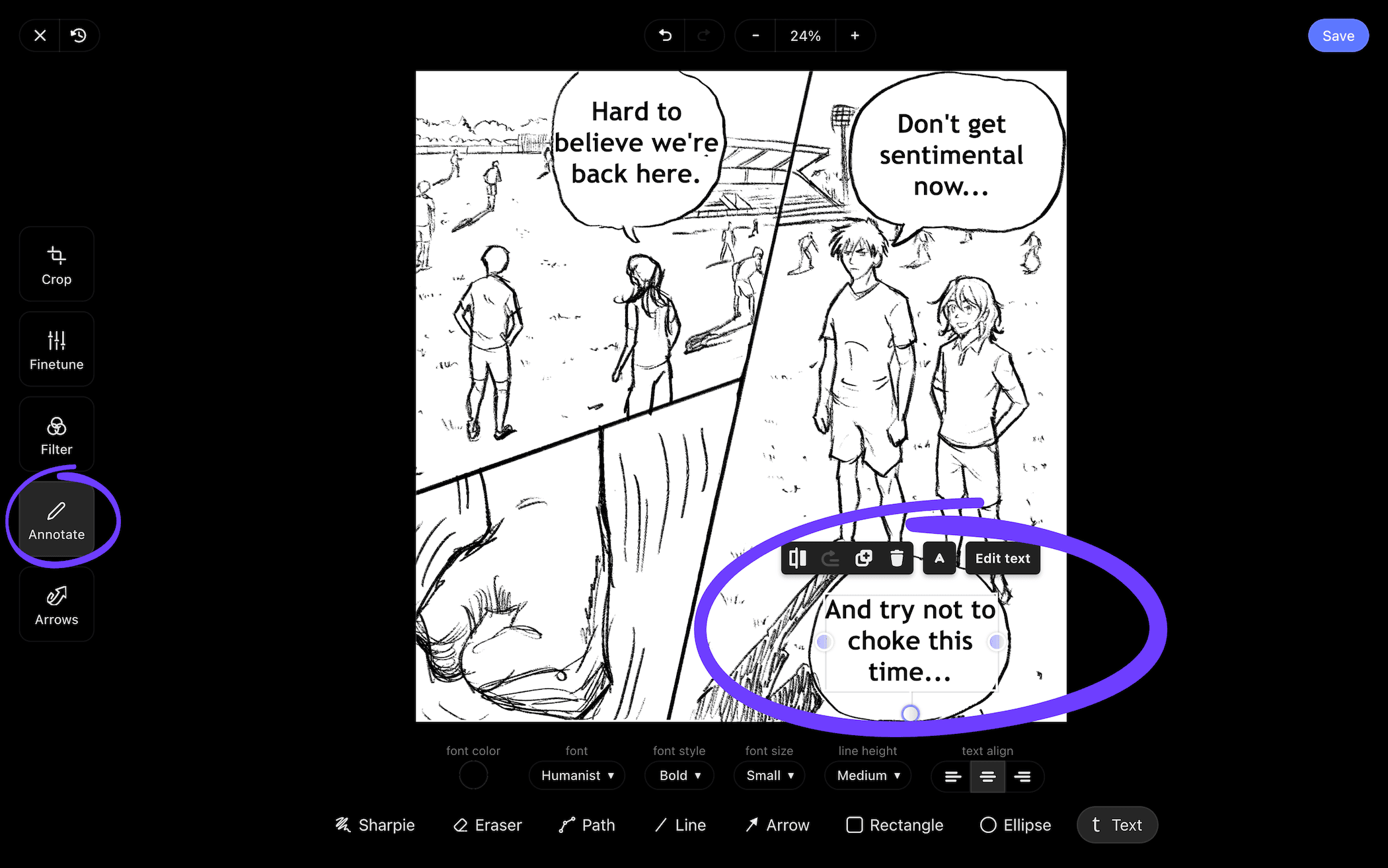
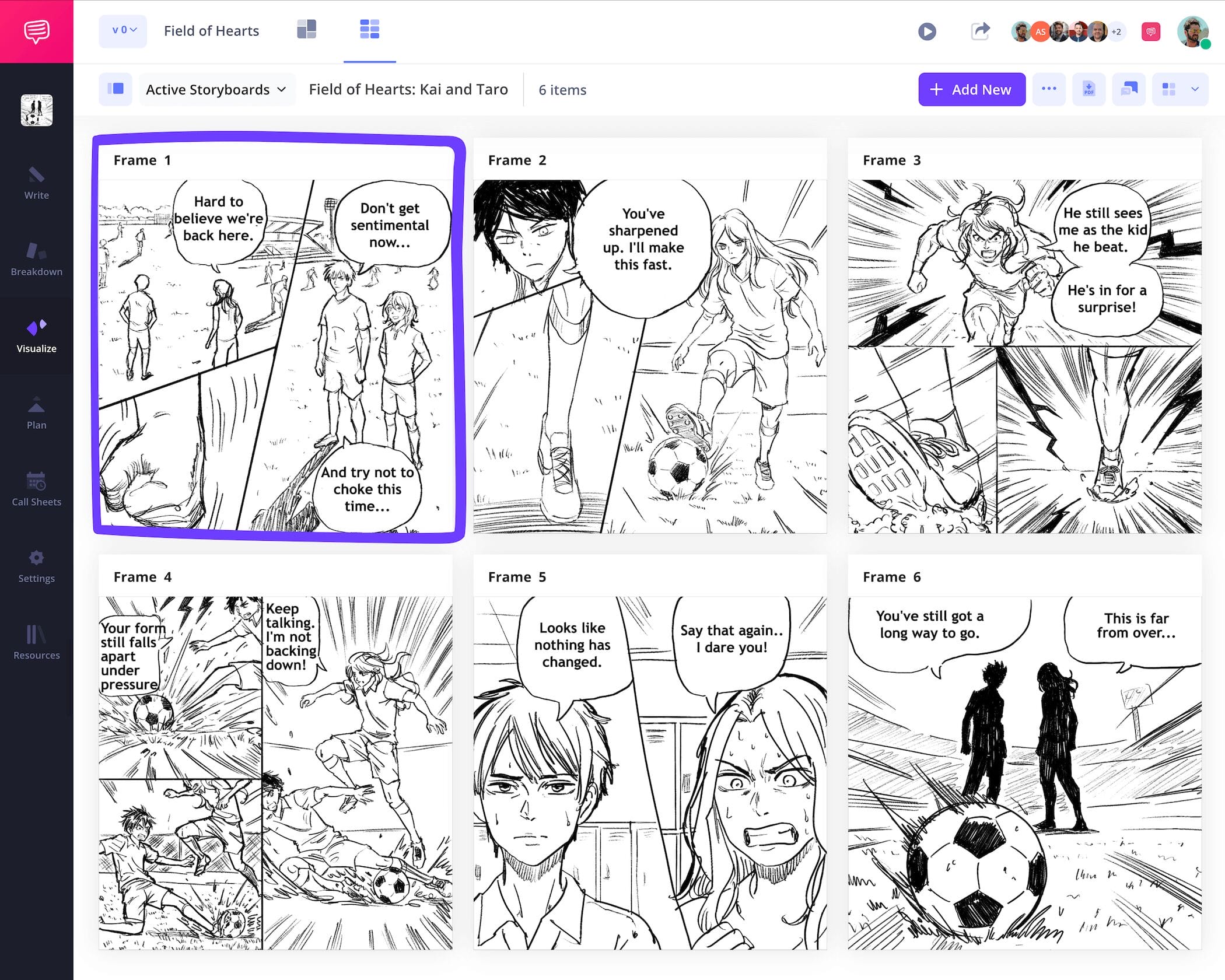
Once your speech bubbles have that manga way about them you were going for, just click Save and you’ll see your freshly edited image has been added into your manga storyboard template, dialogue and all!
Step 4
4. Share for feedback
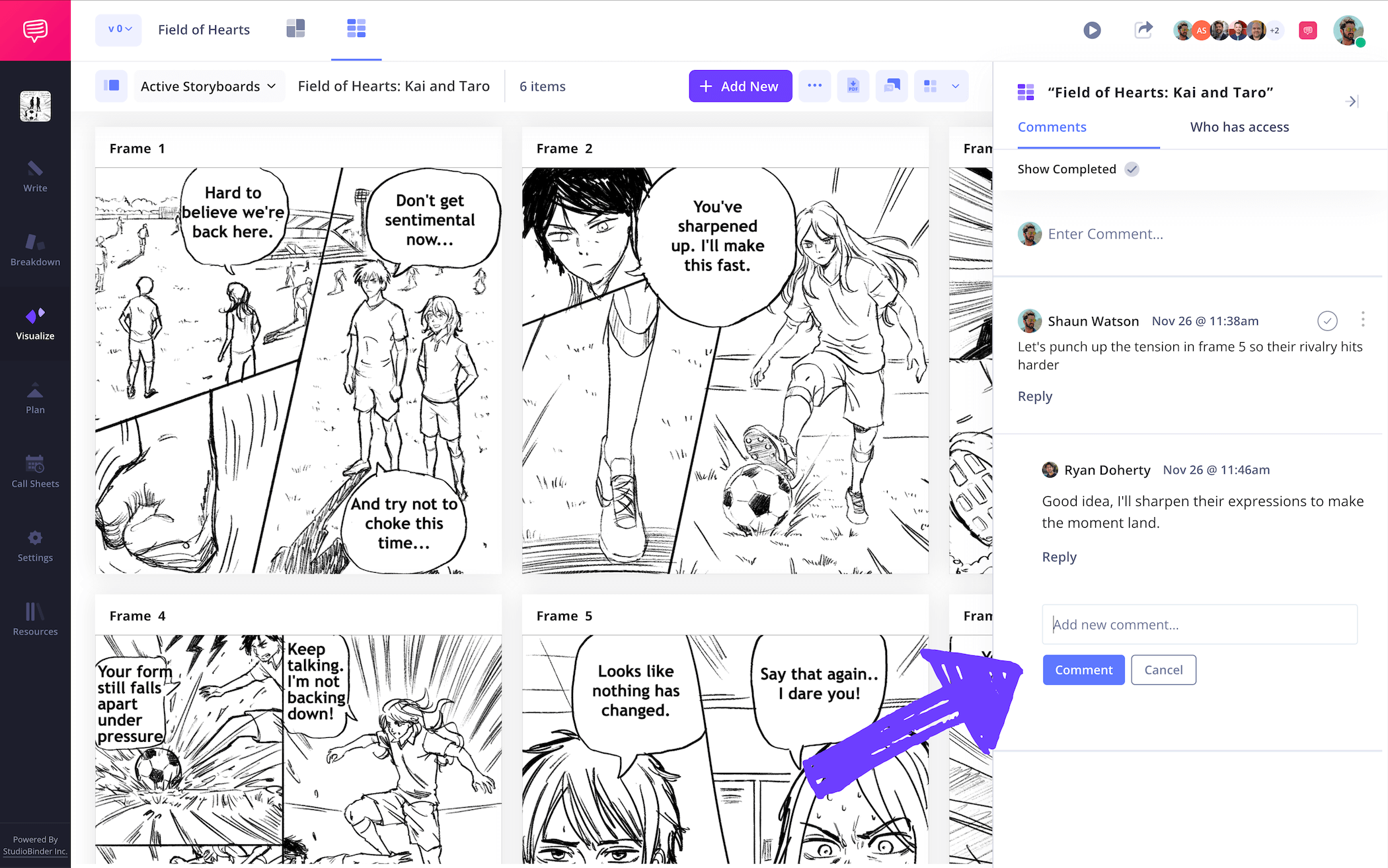
If you’re not collaborating to make your manga the best it can be, then you’re probably looking up, ‘how to create a manga storyboard without going crazy!’ Manga storyboards are a creative process made all the easier with other professionals, or even trusted friends, who can provide a perspective on what’s working and what’s not on your manga storyboard. Trust us, every great manga storyboard creator would second this wisdom. This is why it’s helpful to have one central hub for all your storyboard notes and feedback.
With StudioBinder, you can invite collaborators to make edits and give their feedback all on your manga storyboard itself. Just enable commenter or editor permissions for anyone you invite and they can take to the comments tab to lay out the strengths and weaknesses of your storyboard manga project.
Step 5
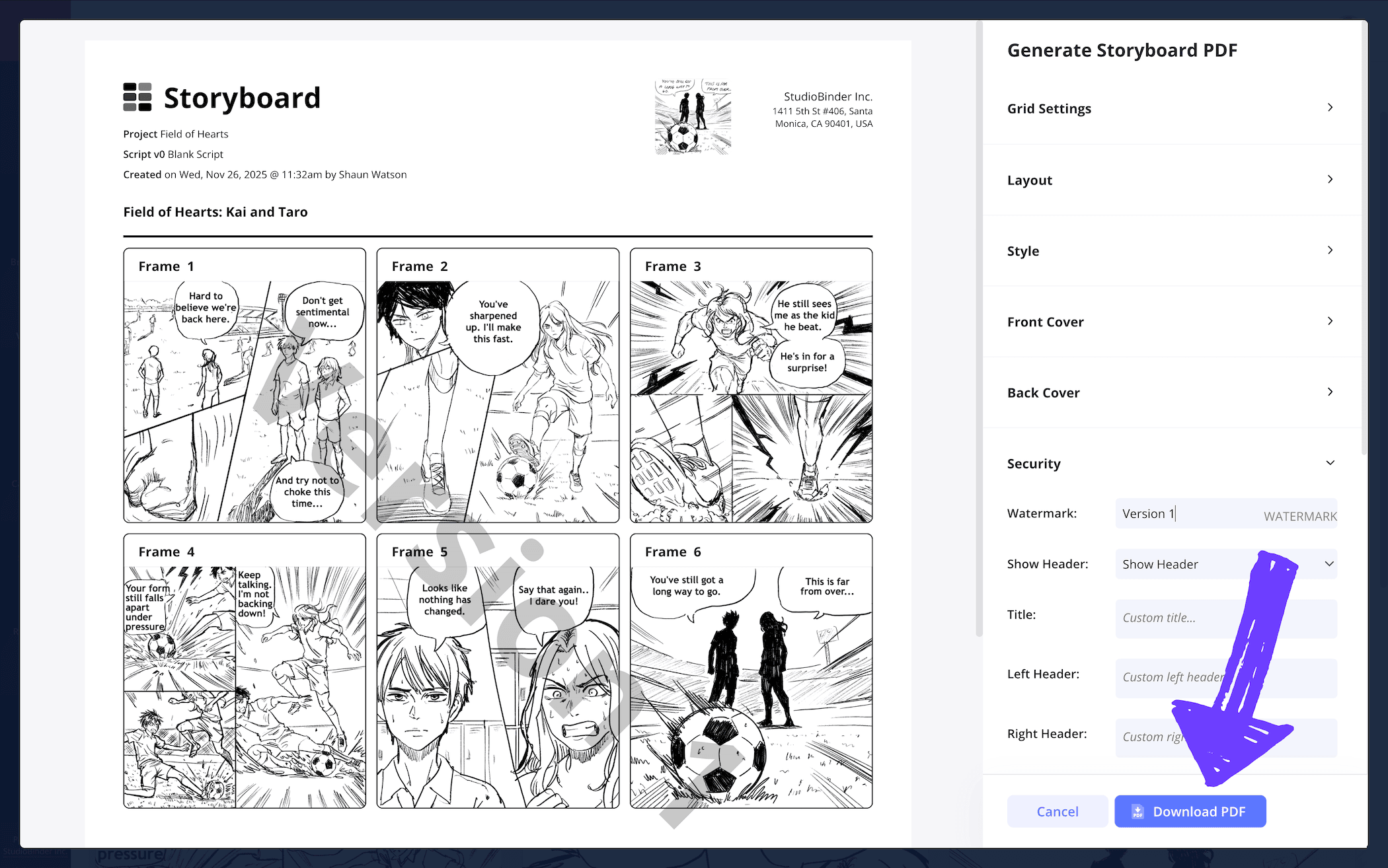
5. Make a storyboard PDF
Now that you know how to create a manga storyboard, you’ll want to make sure you also know how to save your work. We’ve seen many manga storyboard examples that ended in tragedy simply because the project wasn’t properly saved. So, your best bet is to convert each iteration of your manga storyboard into a PDF document, this way you have a cemented version of each storyboard version that can’t be accidentally changed or deleted.
With StudioBinder, you can take it a step further and customize each PDF storyboard you save. This is especially useful for any specific layout requests from coworkers who need to work off your storyboard. As you can see in our manga storyboard example, we made some essential edits to our PDF, and now we’re going to add a watermark as our final detail to finalize the process.
Conclusion
Finished!
You arrived wondering what it takes to learn how to create a manga storyboard, now you’re leaving with the confidence of the most professional manga storyboard creator! We hope our guide was helpful in making all your manga storyboarding dreams come true, and if you’d like to browse through more types of storyboards, check out all our free storyboard templates now!
Frequently Asked Questions
Your questions, answered
Manga storyboards are unique in that the narrative is usually found through the storyboarding process. So, you’ll traditionally start with some character, setting, and narrative details. You’ll then start sketching your characters and the situations and challenges you want to find them in. Be sure to make it easy to erase the dialogue from your speech bubbles, because remember, you’re finding the story and therefore will go through plenty of storyboard drafts. As narrative details start revealing themselves, you’ll write them in the descriptions near your panels. Once your storyboard is complete, you essentially have a rough draft of your manga with important details written and ready to be adapted into the final project.
Much like an American comic book storyboard, a manga storyboard helps plan and plot out your manga story and visuals. Unlike American comic creation though, the storyboarding process isn’t considered as important. In Japan, it’s rare to see a manga get created without storyboarding first. This is because the scripting process is often less detailed, or even skipped altogether, leaving the storyboard itself as the tool that shapes the manga story.
You can create a manga storyboard the traditional way, drawing a storyboard template with a pencil and ruler and building it from there. Or, you can find any of the many free templates available online, from Word to Photoshop to even your favorite AI tool. Using digital storyboard creator platforms such as StudioBinder allows you to customize your manga storyboard template, as well as build it entirely digitally.
Finding a balance in detail for a manga storyboard is essential. This is basically a rough draft of what your final manga will look like, so it doesn’t need to be perfect. However, this is also where you’re establishing your characters and your environments, so focus on anatomy, character quirks, and vibes from the surroundings more than everything else. But again, the extra detail and nuances will be in the final draft, so if things start feeling too crowded or even overly detailed you can tone it back down. A good general rule to go by is that a manga storyboard page should take only about 2 seconds to understand. If it takes longer than that, you may need to scale back the detail.
Create your free manga storyboard
Visualize your manga storyboard with our free template.
Get started for free
