
home → Guides → StoryboaRD
How to Make a Storyboard for Music Video

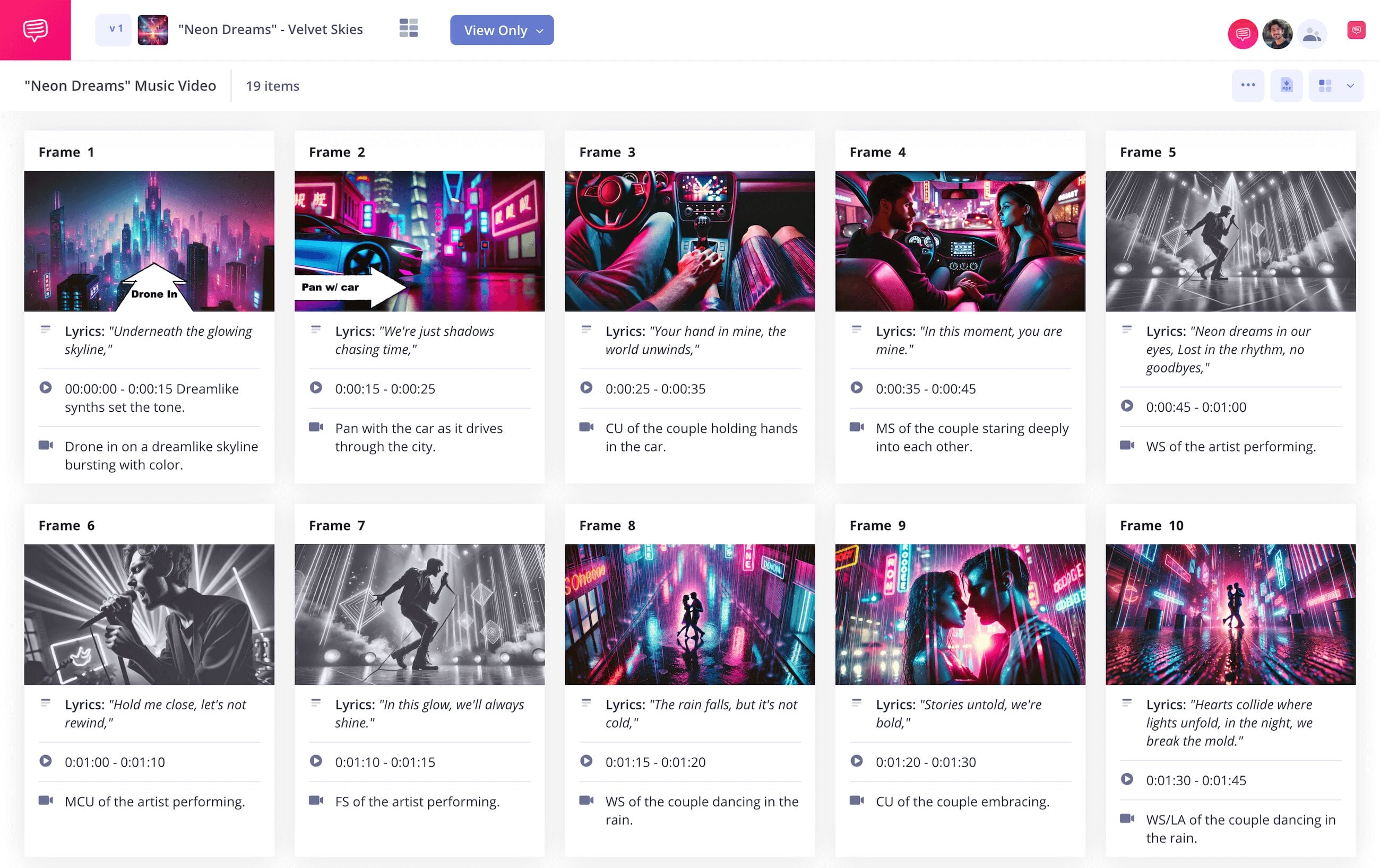
How to make a storyboard for music video
If you have a song and an idea for a video representing that song swirling around in your head, why not bring it to life the right way by learning how to make a storyboard for music video? Maybe your music video idea is more abstract, or maybe it’s more narrative based. Either way, there's a tremendous advantage in finding your video’s pacing and visual flair through a music video storyboard.
With your images sketched in frames and your lyrics written in descriptions, you’re basically reading a comic book draft of what your final video will look like, giving you a perspective that will help you tighten your shoot time and budget. The question of how to make a storyboard for a music video should become much easier to answer with our below music video storyboard sample guide.
We’ll be using StudioBinder’s storyboard creator to walk us through, but you can use any kind of storyboard you prefer since these steps will be broad enough and applicable to any kind of storyboard.
Step 1
1. Establish your template
We should start our ‘how to make a storyboard for music video’ course by setting up the basic dimensions and structure of our music video storyboard template. Most modern videos, including music videos, are shown on a 16:9 aspect ratio screen, so it’s safe to stick to those dimensions for your storyboard panels.
You’ll also want to keep it at the industry standard of about 4 to 6 panels per page, which will leave plenty of room for notes and to let your images really stand out. In StudioBinder, you’ll answer some of these structural questions when setting up a new project, with your template looking something like this:
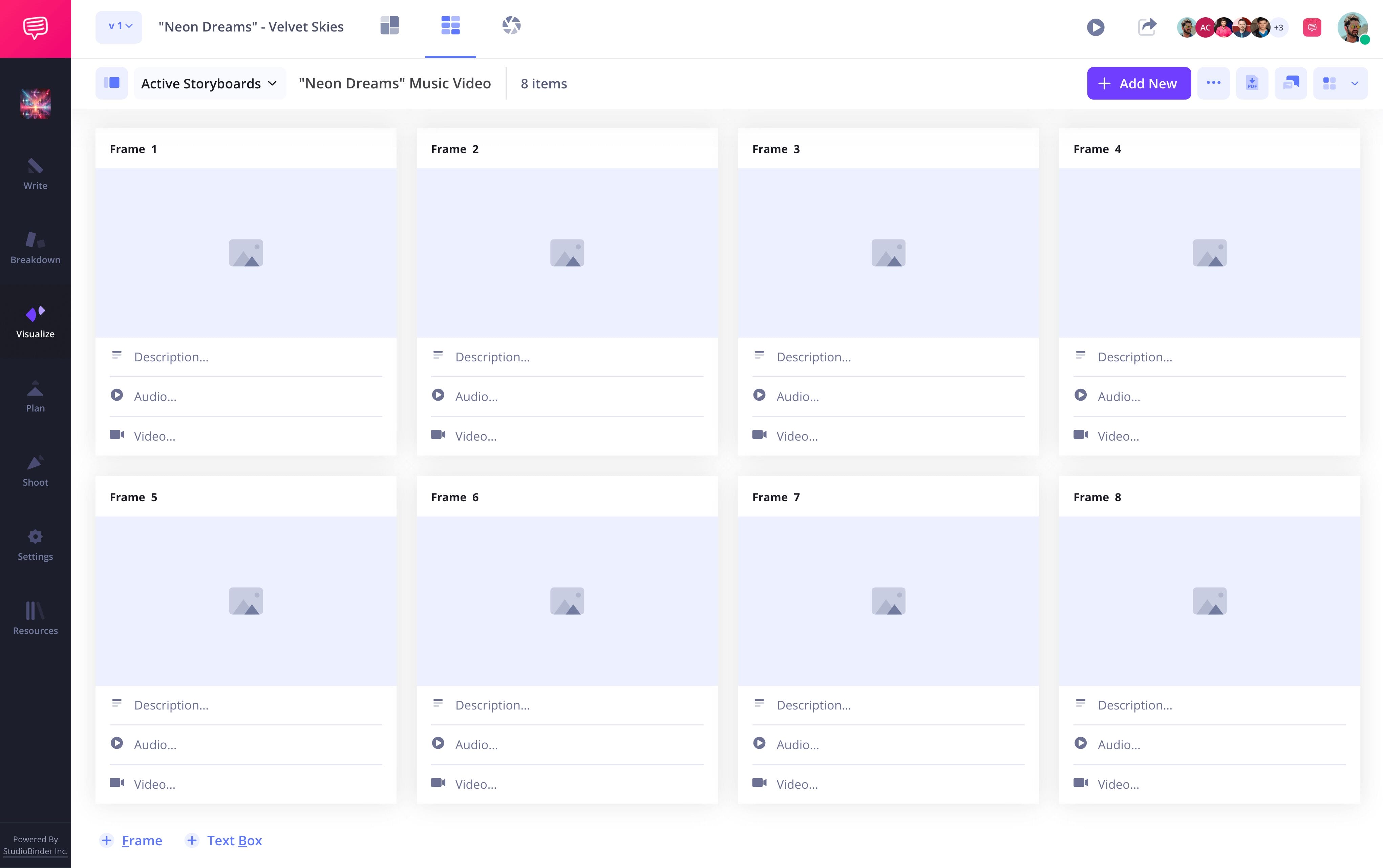
If you’re using your music video storyboard template to help find your video’s visuals, it’s useful to close your eyes and really absorb the song and its meaning as it plays. Write each lyric down into each of your panel’s description space, along with a short description of the visuals that come to mind with each lyric.
Step 2
2. Add images
Learning how to make a storyboard for music video projects gets a lot more fun when you start bringing visuals out to play. You’re past the music video storyboard template structuring, and you have an idea of pacing and what you want your images to convey, so now you’re finding the right look and the right shot angles that can capture that look.
You can illustrate your images if you’re something of a storyboard artist yourself, or you can search online for images that reflect the tone and ideas you’re going for. A vital rule for ‘how to make a storyboard for a music video’ is that any kind of image is fair game, as long as it works in your vision’s favor.
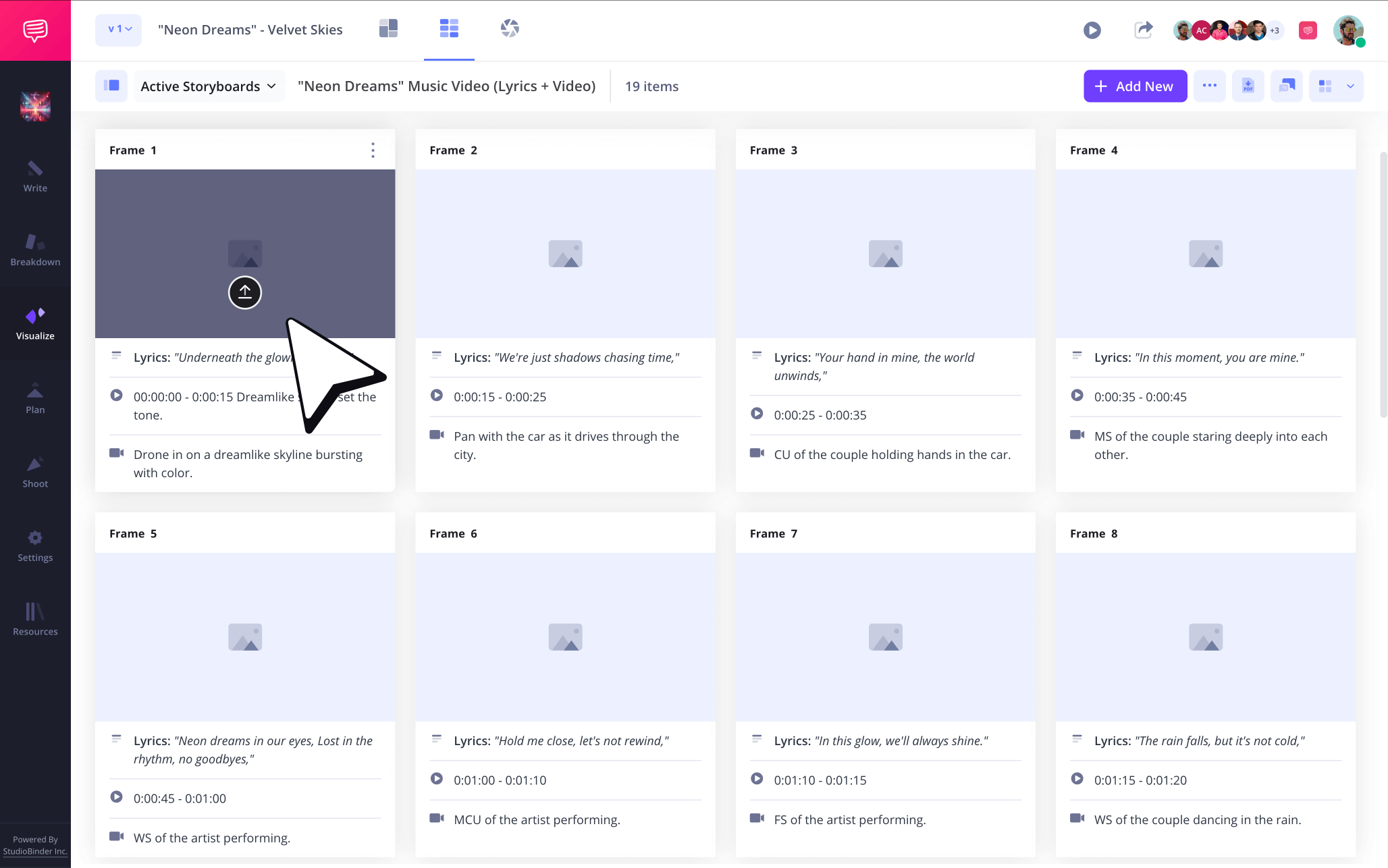
To add images in StudioBinder, just click Upload on any frame!
Step 3
3. Use storyboard arrows
You’ll know you have a healthy grasp on how to make a storyboard for music video projects when you can quickly spot which of your images could use a storyboard arrow or two. A storyboard arrow can take a stagnant shot of your lead singer sitting on a stool with their guitar in the distance and turn it into a slow and intimate zoom shot that reveals the singer’s passion and pain the closer we get.
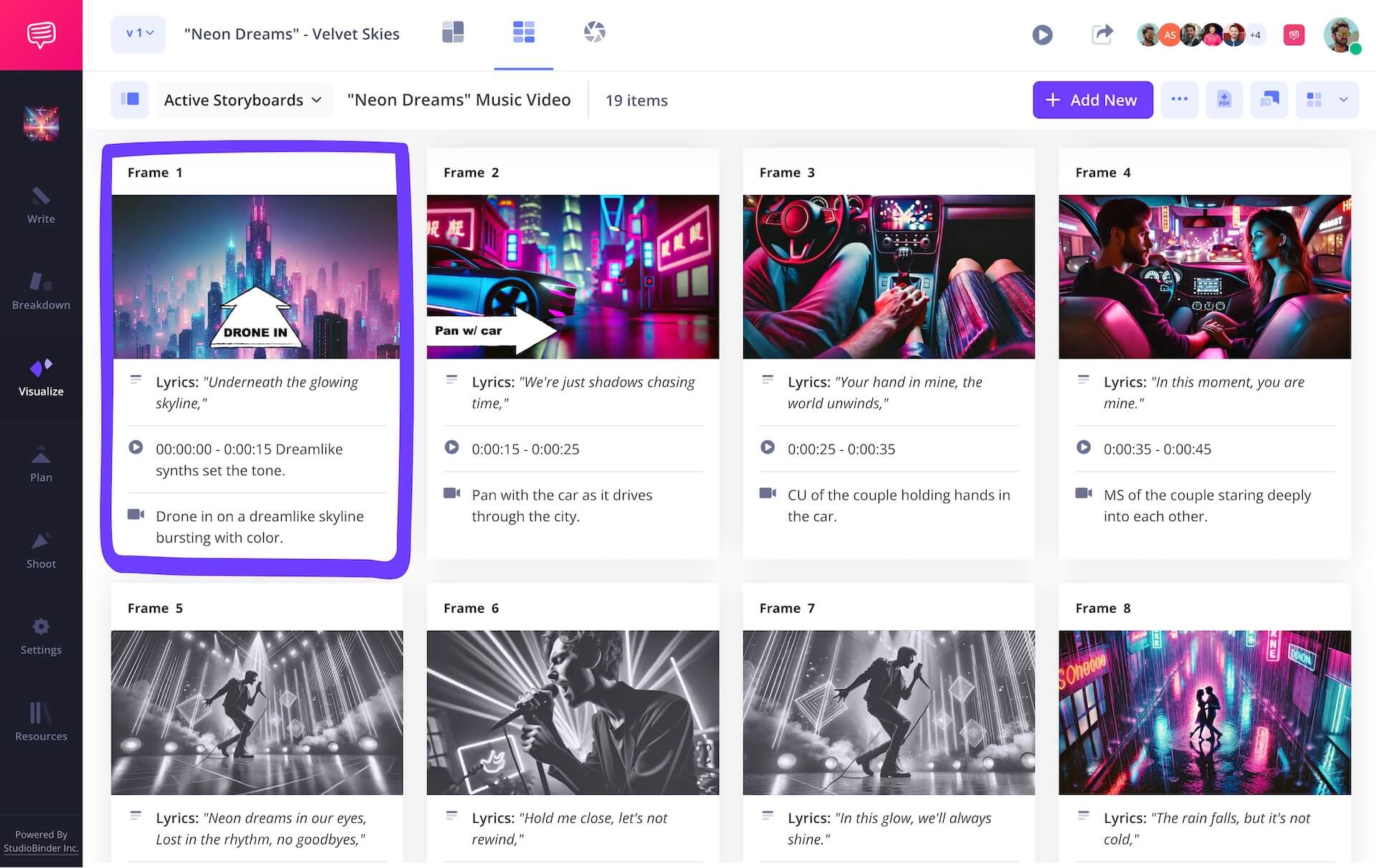
In other words, storyboard arrows help convey camera or character movement for whoever’s viewing your music video storyboard. As you can see in our music video storyboard sample, we needed to indicate a drone shot for one of our images. So, we went into StudioBinder’s image editor and found the perfect arrow.

Once we cropped our arrow and added in some text for extra emphasis, we were ready to apply it to our storyboard for music video project. So, we clicked Save and our edited image was immediately added to our music video storyboard.
Step 4
4. Collaborate and comment
If you’re planning to shoot a music video, then you most likely have teams of creative colleagues working alongside you on your storyboard. And learning how to collaborate well with them is just as important as learning all the technicalities around how to make a storyboard for music video projects.
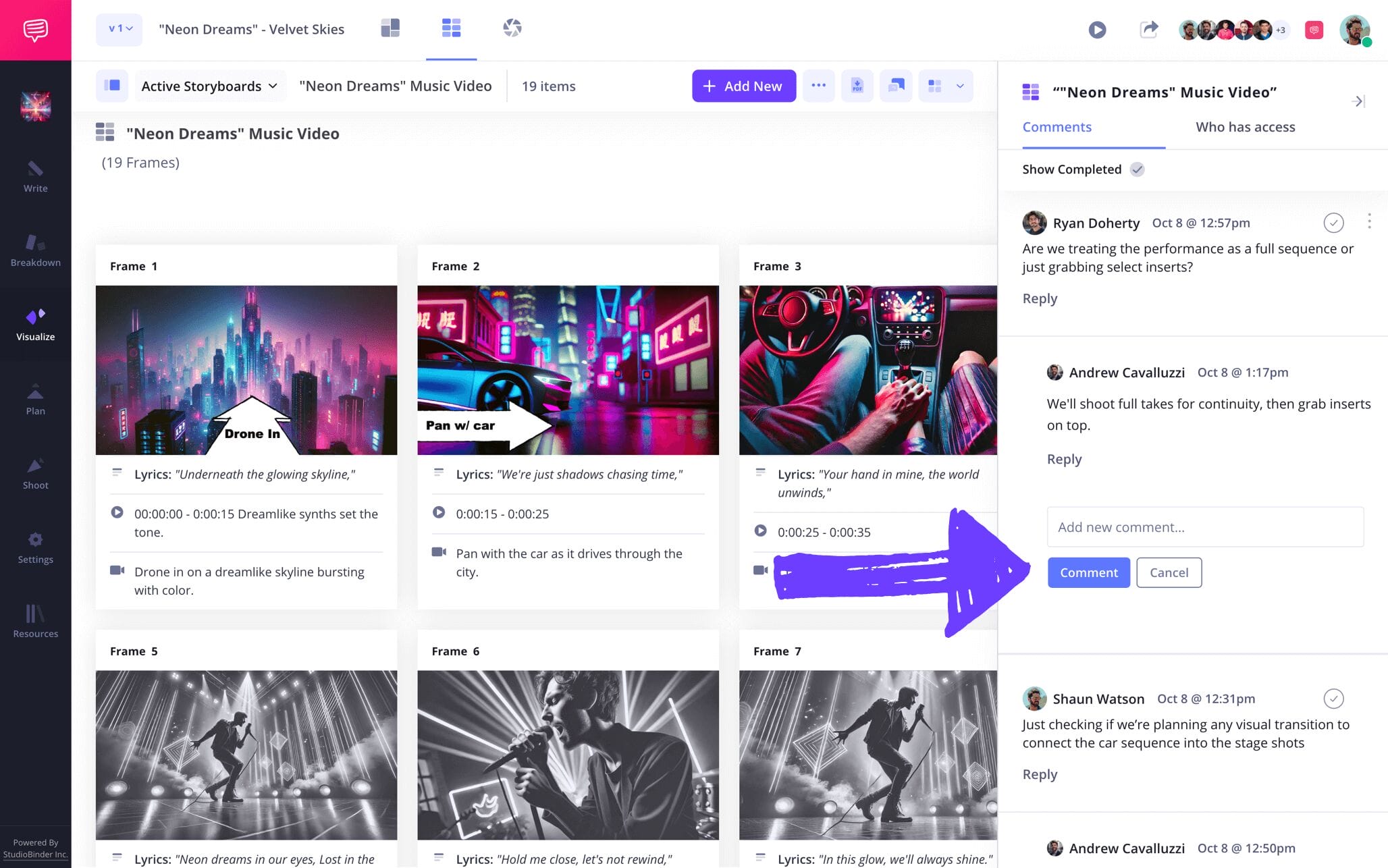
One thing that can give you a leg up in collaboration is making it as easy as possible for your creative colleagues to view, share and discuss feedback with you and your entire production crew. StudioBinder acts as a singular hub for all your storyboard for music video collaboration needs. Set any of your collaborator’s individual invite permissions to either viewer, commenter, or editor.
You invitees with editor or commenter permissions enabled can then take to the comments section to discuss, notes, feedback, or even how well your project is panning out.
Step 5
5. Convert to PDF
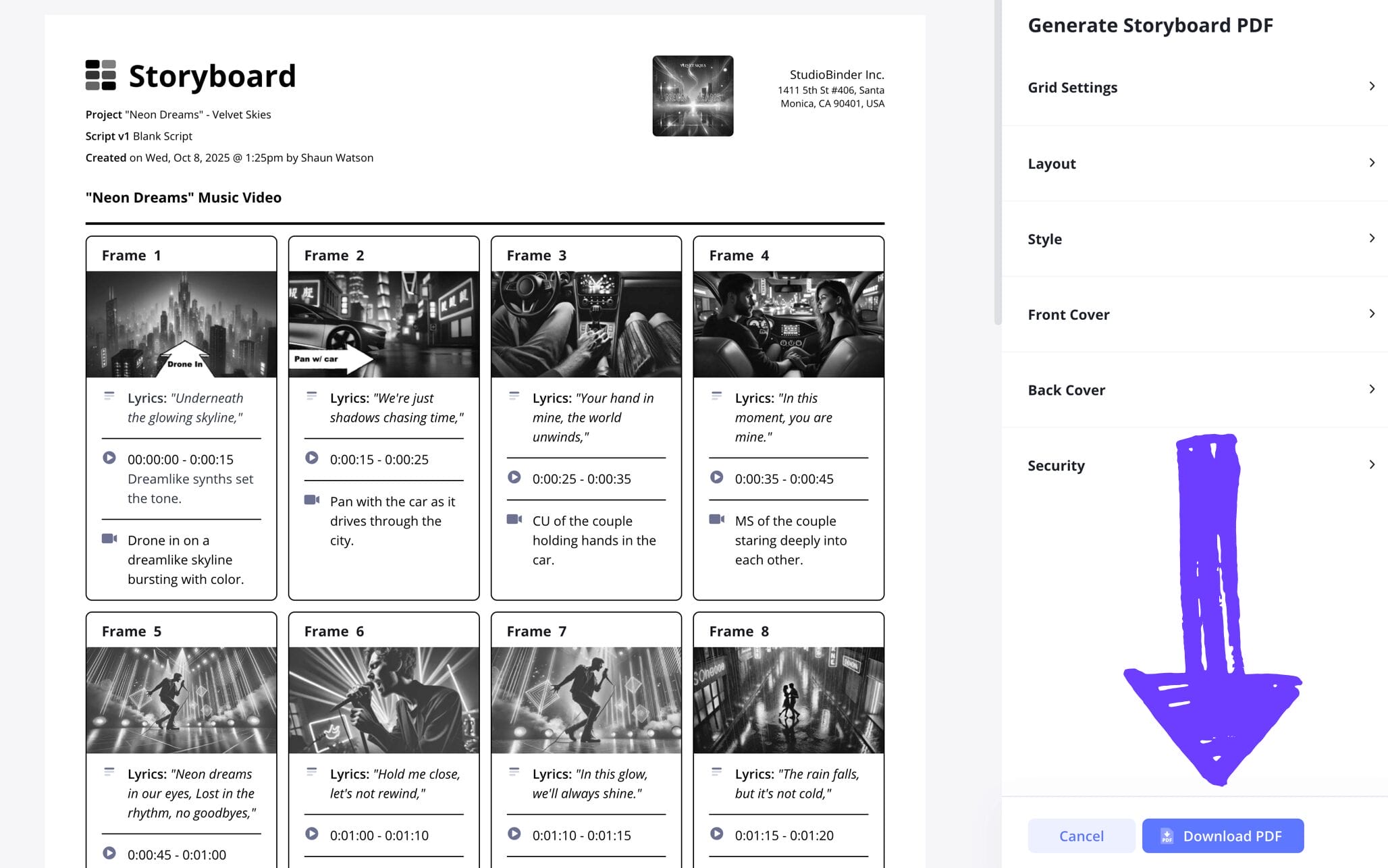
Even though you essentially know how to make a storyboard for a music video at this point, saving and downloading your project as a PDF document is still one of the most important steps. With your storyboard for music video PDF, you’re creating a cemented version of your project that can’t be changed or deleted.
This is great for any production department requests for a copy, and for your own music video storyboard sample files as well. In fact, saving as a PDF every time a major change is made to your project is a healthy and organized habit to get into. But what if multiple colleagues have multiple different requests for how they want their PDF storyboard formatted?
Just hop into StudioBinder’s PDF editor to meet any and all of their customization needs. And don’t forget to add a watermark to each copy, it would be a real shame for that amazing music video to get leaked early!
Conclusion
Finished!
Now that you know exactly how to make a storyboard for music video projects, it’s time to put your new craft to practice! Just remember to give us a shout out when you accept the award for best new music video.
If you haven’t fully scratched your storyboarding itch just yet, be sure to check out all of our free storyboard templates.
Frequently Asked Questions
Your questions, answered
Mistakes are a part of any learning process. That’s why, for new storyboarders looking for some useful tips to go by, we’ve gathered a handful of common storyboarding mistakes worth keeping an eye out for as you take on the process:
- Don’t overdraw, just communicate the essential information.
- Make sure your descriptions reaffirm essential image movements.
- Consider who the storyboard is for and what the most important information they need to know is.
- Make sure your arrows make sense, add text on them for extra clarity if necessary.
- Don’t just draw a group of people, draw the character the scene is about with more detail so the focus is kept on them.
- Don’t call your storyboard complete until you’ve received and incorporated lots of feedback.
First you’ll listen to and digest the music. We recommend doing this with your eyes closed. As visuals come to mind with each beat and lyric, make sure to take notes, these are the first remnants of your storyboard’s images. Then start finding the pace from frame to frame by writing each set of lyrics into each frame’s description box, also jotting down visual and framing ideas. Now you’re ready to bring those images to life by drawing them or finding images online that match the mood and shot you’re aiming for. This is only the first draft, so keep refining and tightening from here.
A storyboard for a music video is particularly useful because it helps you develop and locate a song’s visual identity. Since music is so abstract, sometimes with no narrative attached at all, it’s all about finding the look that reflects the feeling the song extends to the listener. If you jump straight into the production process for the music video, you’ll have a much less detailed plan on how you’re going to capture all those abstract visuals.
Planning a music video storyboard begins with immersing yourself in the song, not just by memory, but by heart. Then you’ll collaborate with the director, the artist, and the production crew to discuss the abstract visuals you think are worth exploring throughout the storyboarding process. Once everyone feels like they’re on the same creative page, you’ll start constructing your music video storyboard template with a layout and dimensions that fit your creative needs and reflect the production’s shooting plans. Now you’re ready to start filling your music video storyboard with all those creative ideas!
Create your free storyboard
Visualize your storyboard with our free template.
Get started for free
