
home → TEMPLATES → Storyboard
Storyboard Panels Template

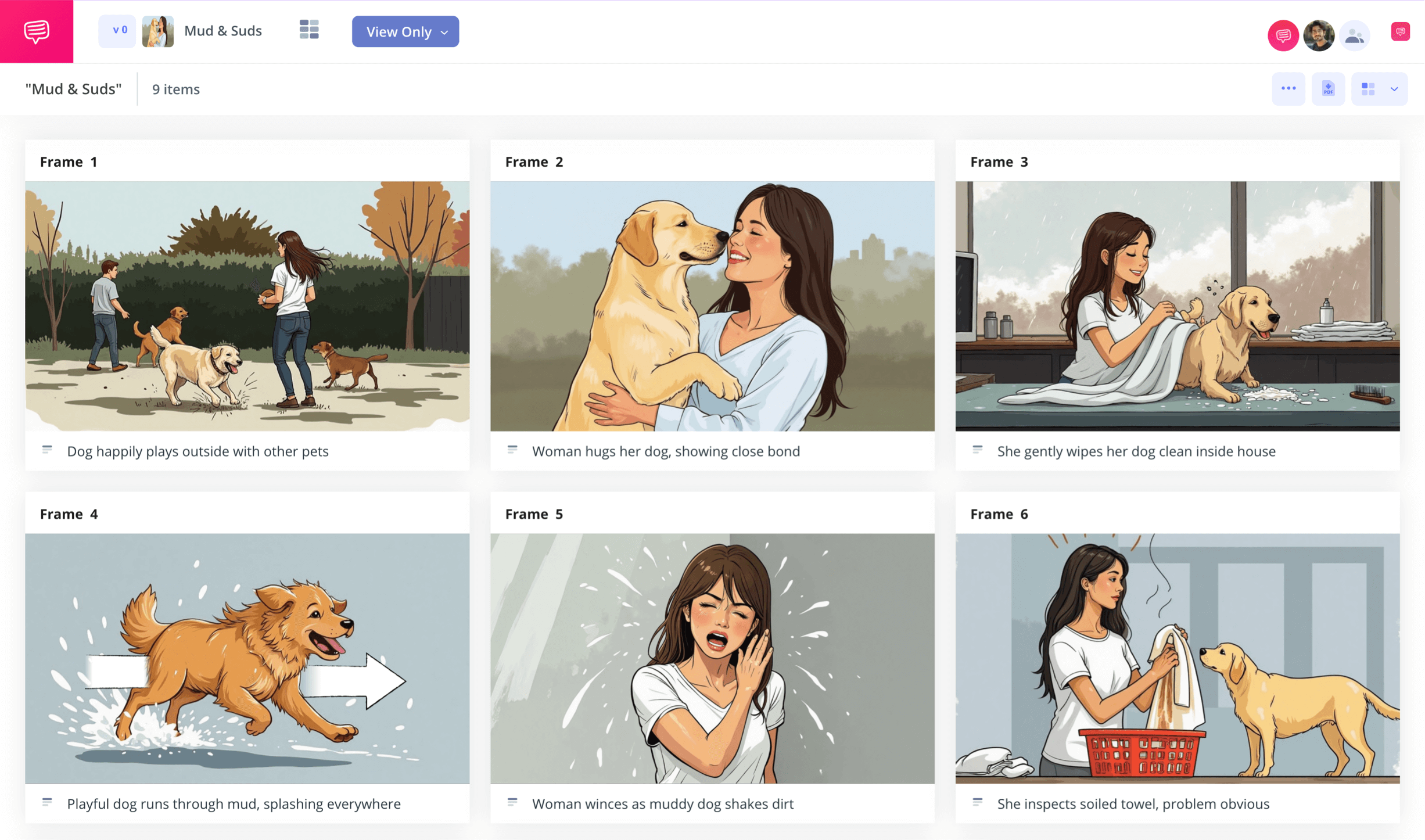
Storyboard panels template
Planning and creating your own visual narrative can be difficult, which is why making a storyboard panels template during the pre-planning phase is your safest bet. With your own storyboard layout, you can see and edit your vision, from how it flows to what’s narratively working or not working, all before creating the final version of your film, social media, or presentation project.
In this storyboard panel breakdown, we’ll help you figure out the number of storyboard panels that will work best for your storyboard layout project, as well as give you a step-by-step guide on how to approach building your own storyboard free template. We’ll be using StudioBinder’s storyboard creator as our visual example, but feel free to use whatever kind of storyboard sheet that works for you.
Overview
How many panels should you use?
You’ll want to start with considering how many storyboarding panels you want displayed on your storyboard panels template project. A 3 panel storyboard and a 6 panel storyboard are considered industry standard for any film or animation projects. With just 3 or 6 panels per storyboard sheet, you’re leaving enough room for the panels to really showcase detailed illustrations, with a comfortable amount of space for panel descriptions as well.
It’s also not out of question to use more panels per storyboard page. A 10 panel storyboard or 12 panel storyboard may be rarer, but aren’t that uncommon for advertising campaign needs, where showcasing broader narrative beats can be more necessary than displaying hyper specific details in each panel.
A 4 panel storyboard and an 8 panel storyboard are the rarest, but 4 panels might be used as a quick director’s summary to detail important moments in an upcoming shoot, and 8 panels are a kind of sweet spot between conveying broad story beats and detailed shots.
Step 1
1. Setup your template
Once you’ve decided on the storyboard panel layout that works best for you and your project, lay out your storyboard panels template in front of you and make sure it contains the best structure for your vision. When you begin a new storyboard free template project in StudioBinder, you’ll be taken through some panel customization prompts that can be rearranged in the settings at any time. When you’re ready, your project will look similar to this:
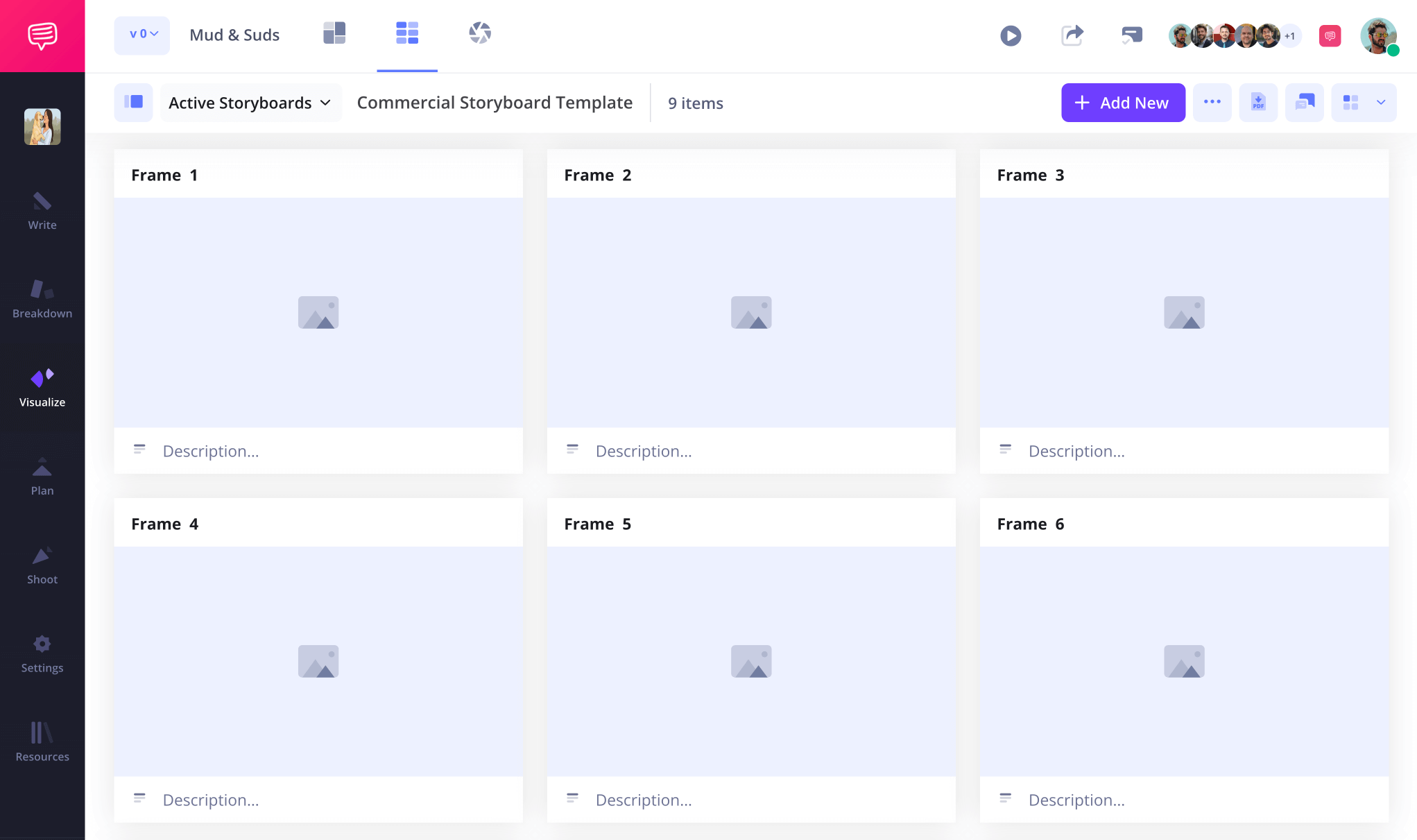
Next, you can upload your script to StudioBinder where your script lines can be quickly uploaded into your description fields. But if you don’t have a script yet, or want to start writing out your narrative in real time, just type them into the description box when you’re ready.
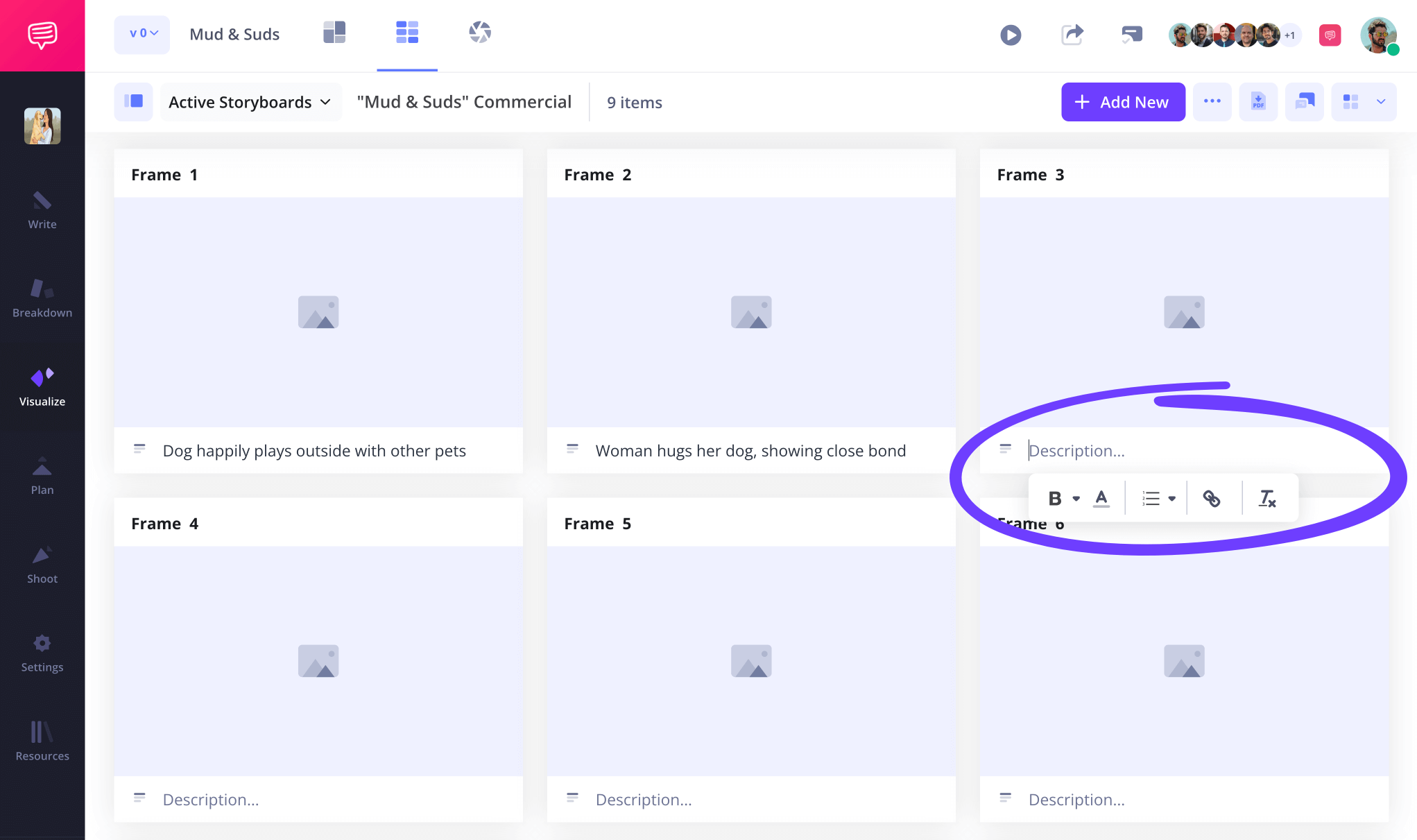
Step 2
2. Upload images
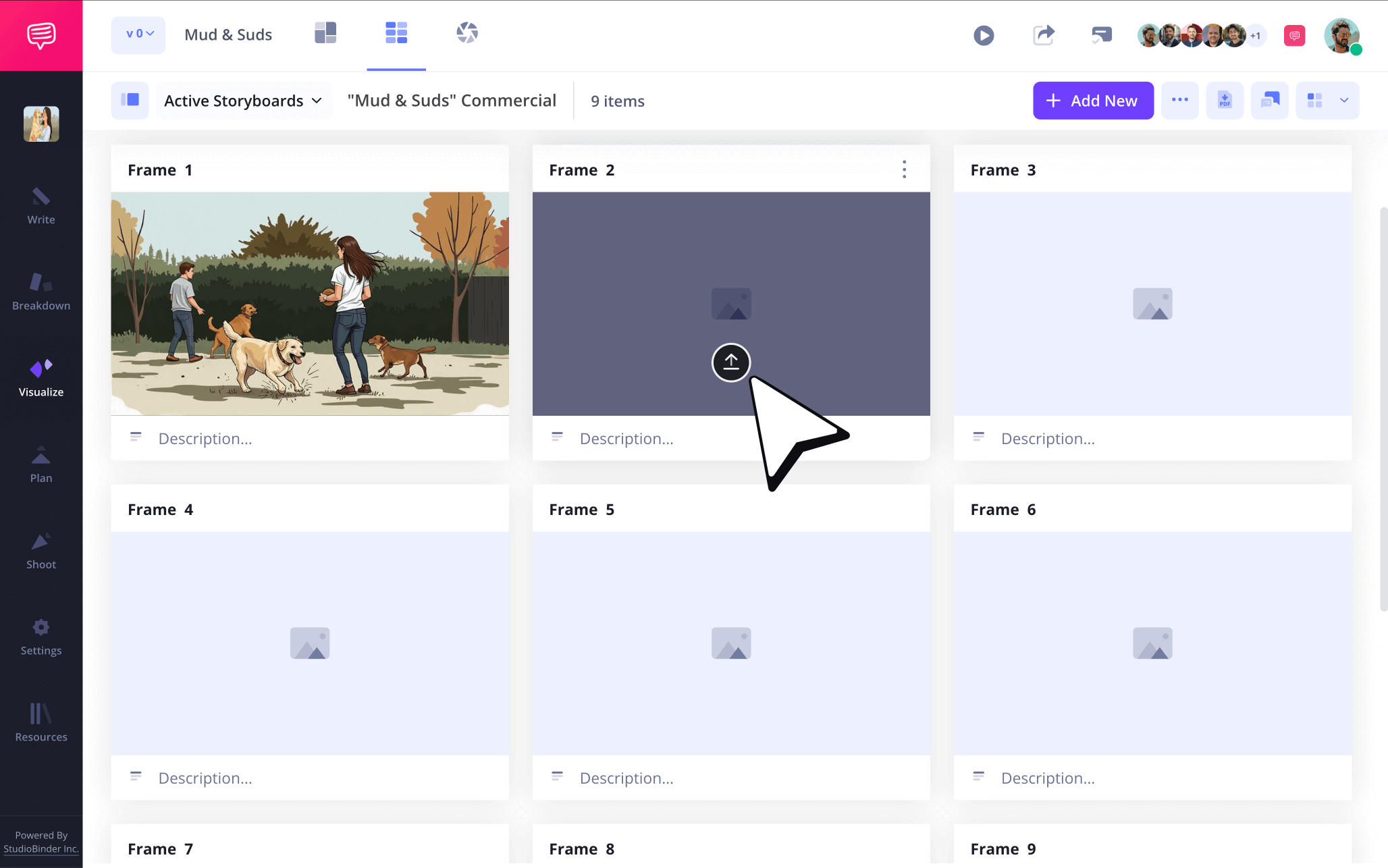
Now that you have your descriptions filled out on your storyboard panels template, you’re halfway to establishing your visual narrative flow. Consider the essentials of the description beneath your panels and don’t worry about making each illustration fancy if you’re not a professional artist. Images are mostly about conveying position and environment markers, not winning the prize for best storyboard artist.
You can upload your storyboard panel project images by clicking the upload button on any panel.
Step 3
3. Direct action with arrows
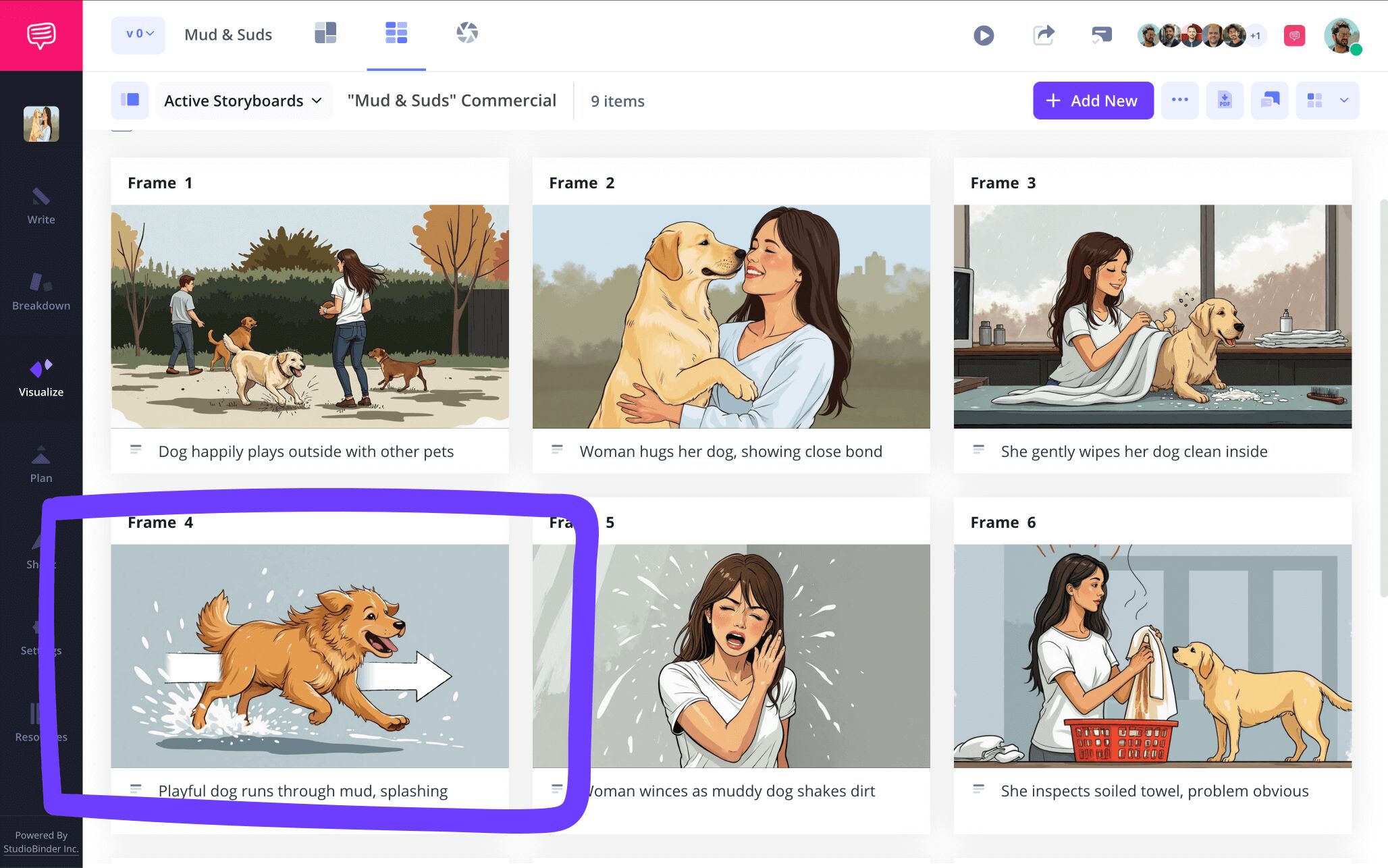
As you continue adding images to your storyboard template free project, you may find yourself noticing that the drawings you sketched or the temp images you pulled from the internet don’t convey a specific character or camera action you wanted included. This is where storyboarding arrows become your best friend, because instead of scouring for a new image or completely redrawing a sketch, you can add a directional arrow to any image you’re already using.
In our storyboard panels template, we went into StudioBinder’s image editor and chose from a variety of customizable arrows to emphasize a swift pan right movement.

And arrows aren’t the only useful tool in this image editing box. You can also edit the color of your image, crop it, and more. Once we were satisfied with our edited image, we saved it to our storyboard layout.
Step 4
4. Collaborate and comment
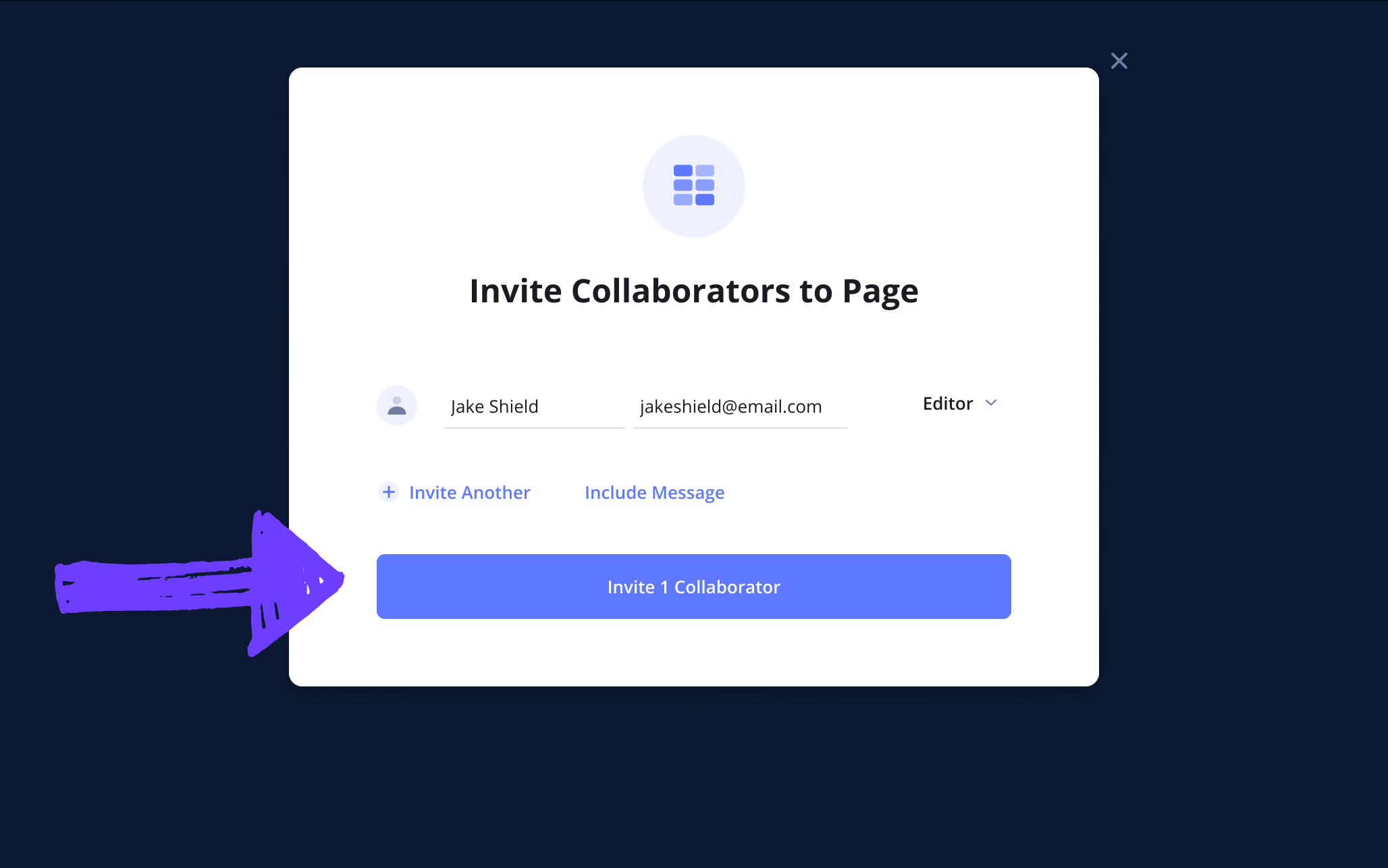
If you’re working on your storyboard panels template with a larger team, you’ll probably want to invite some edits and client feedback. Even if you’re working on something like an Instagram reel project in solitude, we suggest getting any outside opinions you can to help break you through any creative blocks along the way. Just send a view-only-link of your storyboarding panels project to anyone curious about your progress. And for a more collaborative experience, be sure to set your invite permissions to either commenter or editor.
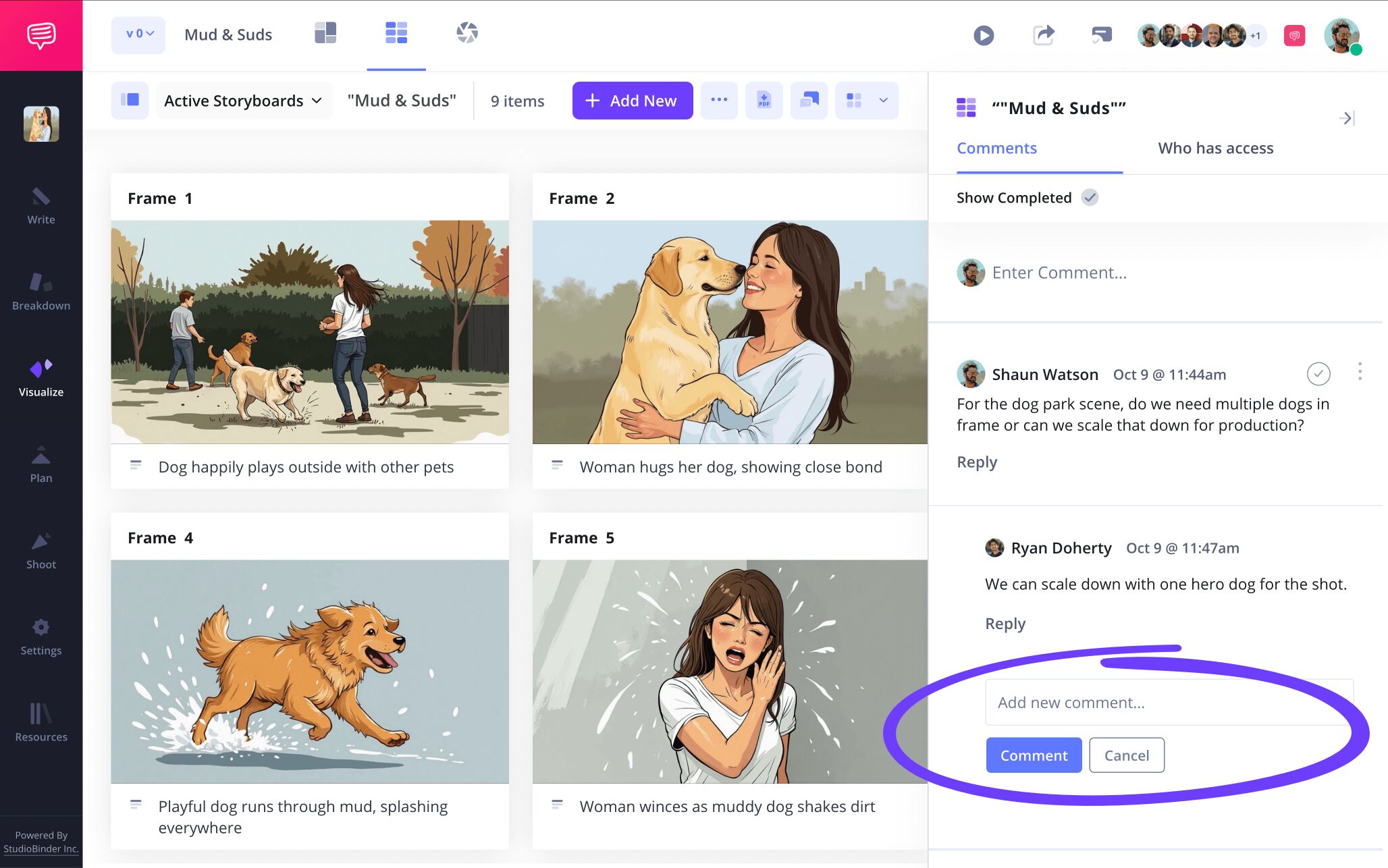
With commenter or editor permissions enabled, your collaborators have the option to send any kind of notes they have for you in the comments tab, which is also a great place for striking up a detailed back and forth to make your storyboard template free project the best it can be.
Step 5
5. Create storyboard PDF
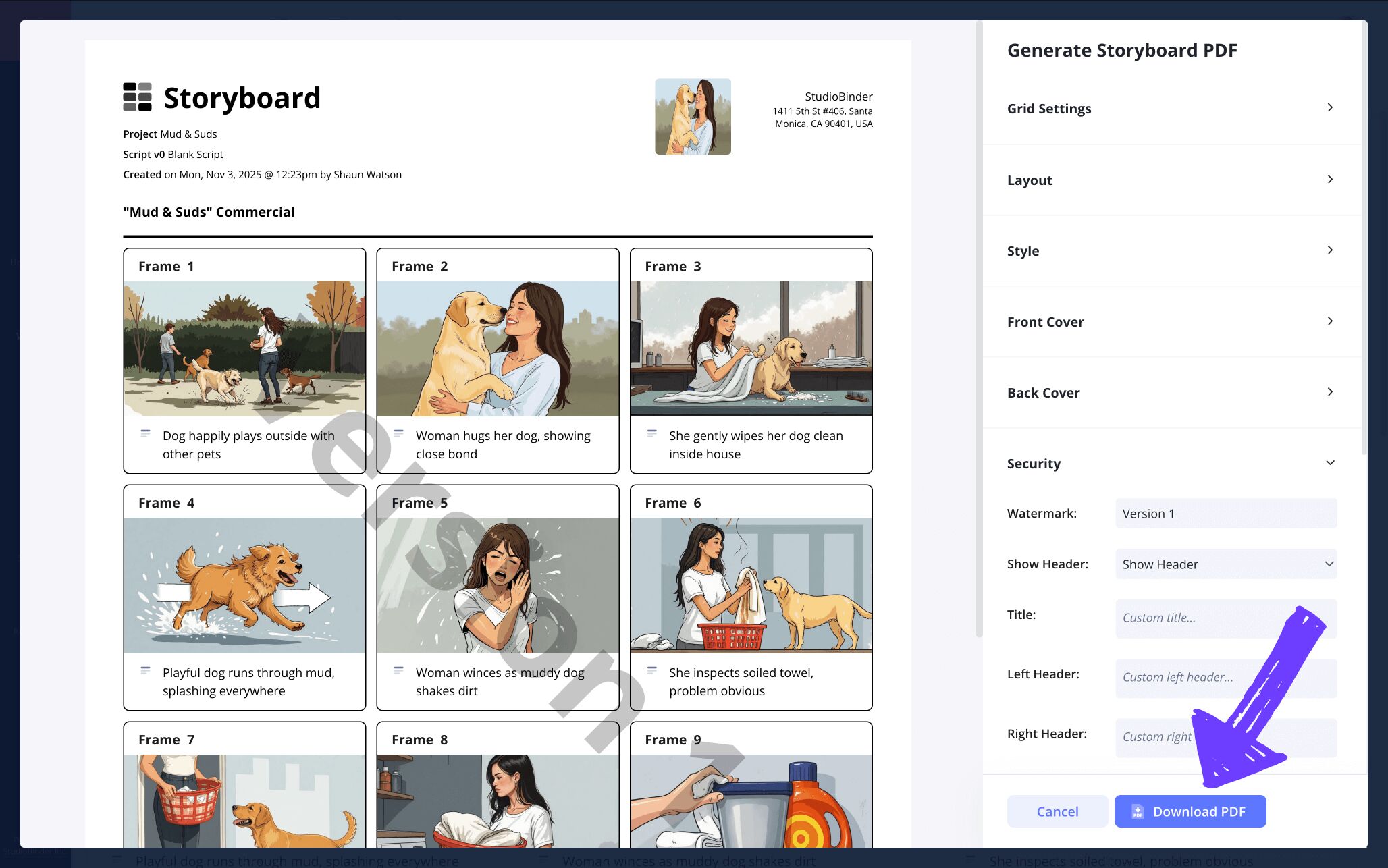
Converting all your storyboarding sheets into a palatable story board PDF is one of the most essential and often overlooked steps. This is where you put an official and professional lock on your storyboard panels template, converting it into a clean, uneditable document for yourself and anyone else who needs to use it as reference.
After looking at this layout for a while, we decided our storyboard project would benefit more from a 3-column layout to showcase a broader set of narrative beats. So we changed this in the settings, added a watermark for extra security, and then clicked download to finish.
Conclusion
You're done!
By making it through this storyboard panels template guide, we hope you have a better understanding of storyboarding panels, along with a better understanding of how to approach constructing your own set of storyboarding sheets. Be sure to also check out StudioBinder’s free storyboard templates page, where you can find any kind of storyboard sheet template for any kind of storyboard project.
Frequently Asked Questions
Your questions, answered
The number of panels in a storyboard depends on the kind of storyboard panel project you’re working on. A 3 panel storyboard or 6 panel storyboard are considered standard within the film, television and animation industries. This is because a smaller amount of panels per page means more emphasis on the illustrations and descriptions, immersing the viewer in the story’s flow, rather than just showing basic narrative beats. However, for something like an advertising pitch, a 10 panel storyboard or 12 panel storyboard might be used for the purpose of directing attention to the broader story beats, this way the bigger narrative picture can be more efficiently communicated to the viewer.
A panel in a storyboard isn’t unlike a panel in a comic book. Each illustrated panel in a storyboard represents a specific frame, moment or movement that will be captured through the camera on shooting day. The drawings in the panel are represented from the camera’s point of view, showcasing the camera angle and setup for that shot. Below each panel is space for descriptions that annotate what’s occurring in the shot, as well as any other relevant details, from dialogue to set design notes.
A three panel storyboard is typically used for film and television storyboarding. When storyboarding a film, filmmakers prefer to keep the storyboard panels per page as large and minimal as possible. This is because everyone working on a film is already immersed and familiar with the story, so the purpose of the storyboard is to showcase the visual flow and descriptive information of each shot, rather than showcasing all the broadest narrative beats, which would be achieved with a larger set of panels.
If you’re looking to build your own storyboard panels template, the best panels will depend on the kind of visual narrative project you’re working on. The film and television aspect ratio standard for panels is 16:9, and will most likely be your best choice if this is the realm you’re working within. Just as well, the film industry standard for panels per page is 3 to 6, keeping the visual flow tight and emphasizing the important visual and descriptive information in each panel. If you’re looking to pitch with your storyboard, consider a 10 to 12 panel layout per storyboard page. You’ll want to showcase more panels in this instance to communicate your entire narrative concept in the broadest, most efficient way possible.
Create your free storyboard
Visualize your storyboard panels template with our free software.
Get started for free
