
Two Column Script Template
Two column script template
If you’re looking for the best script format for creating personal or professional videos, a two column script template (or AV script template) is your best option.
With a two column video script template, you’re planning both what will be seen and heard throughout your video.
According to the State of Video Marketing report, 91% of businesses now use video as a marketing tool, showing how widely video content has been adopted across industries. So, you won’t want to use anything but the best video script formatting tools available.
With this step-by-step guide, we’ll walk you through the proper format for video script streamlining using StudioBinder’s AV script writing software. Let’s dive in!
1. Set up your template
You’ll start with creating a new two column script template project in StudioBinder. Once you enter in a project title, you’ll automatically generate your own customizable template. Then just enter in a title for your first segment and you’re ready to go.
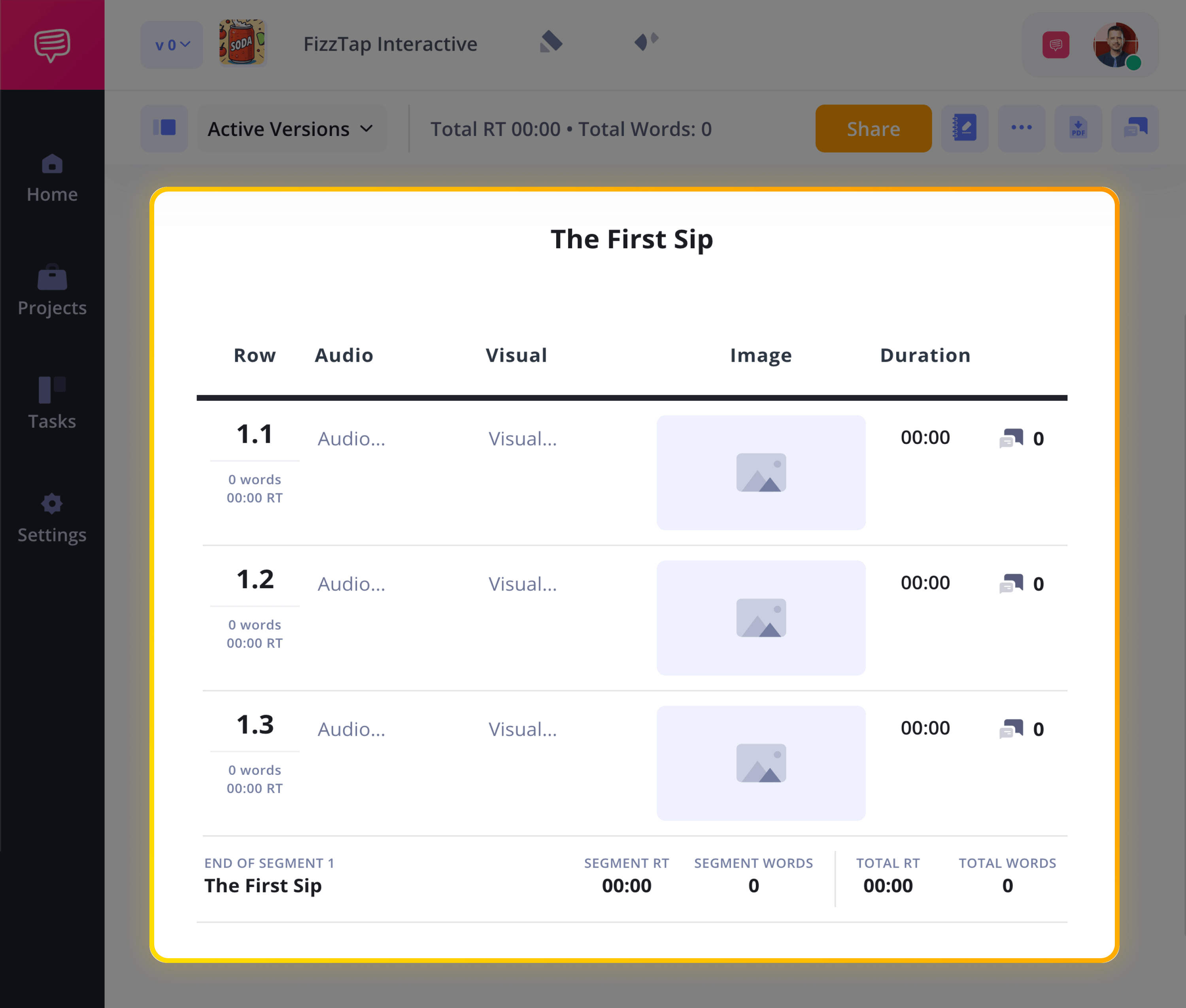
From there, you can customize your first segment and begin adding rows for audio and visual storytelling beats. Add or remove segments as needed based on your project’s unique needs.
2. Create a script outline
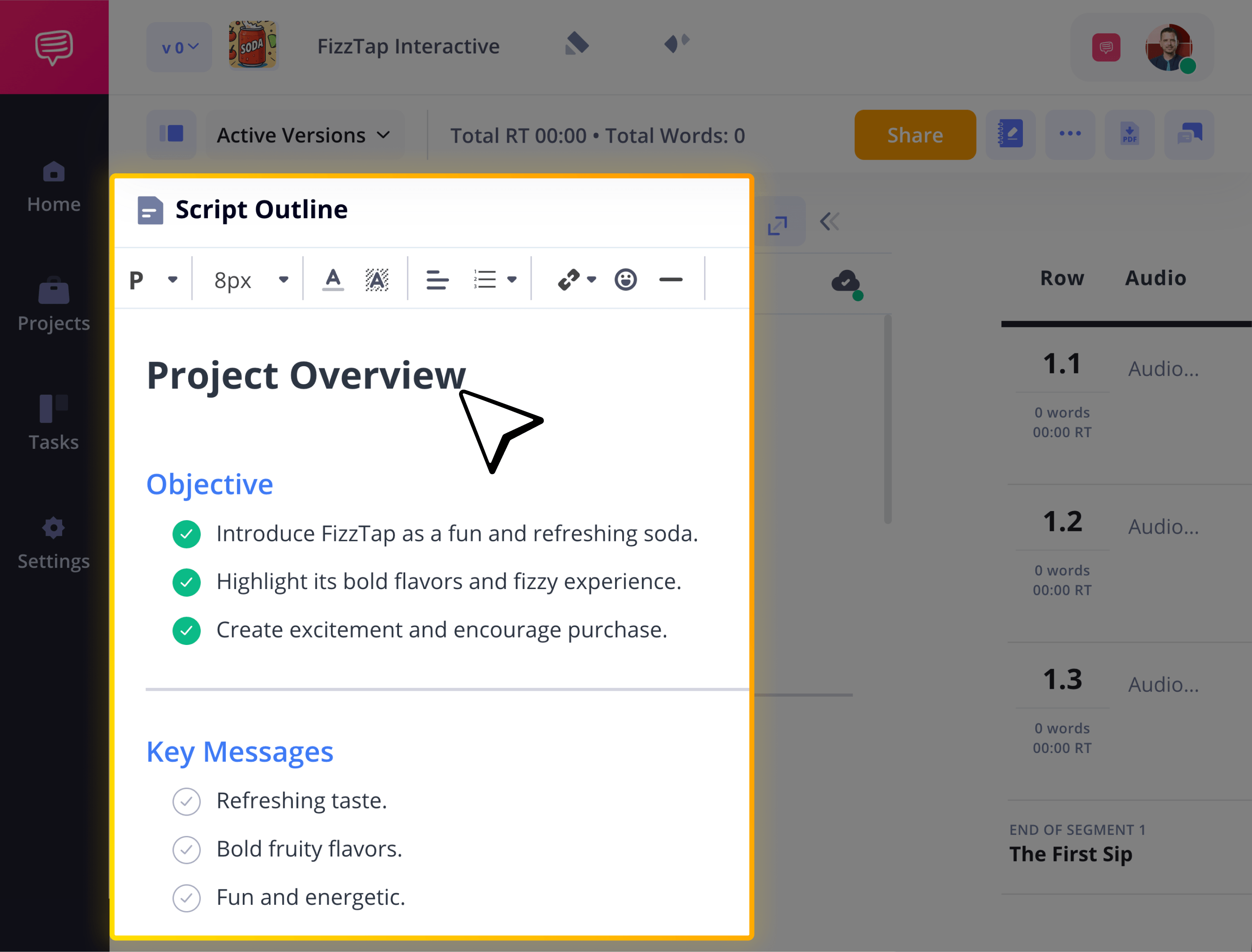
Before filling in your two column script template, start by outlining your video’s structure. A clear outline helps organize your hook, key points, and call to action so your messaging stays focused and intentional.
Click the Script Outline tab to draft or paste your outline directly into the project. Now you can move from planning to writing without switching between documents.
3. Write audio column
With your two column script template set up, start by building out the audio side of your A/V script. Write in all your voiceover, dialogue, music cues, and sound effects for this row. Starting with audio will help you capture pacing, tone, and emotional beats before locking visuals.
Inside your 2 column script template, simply type your script copy into the Audio column for each segment.
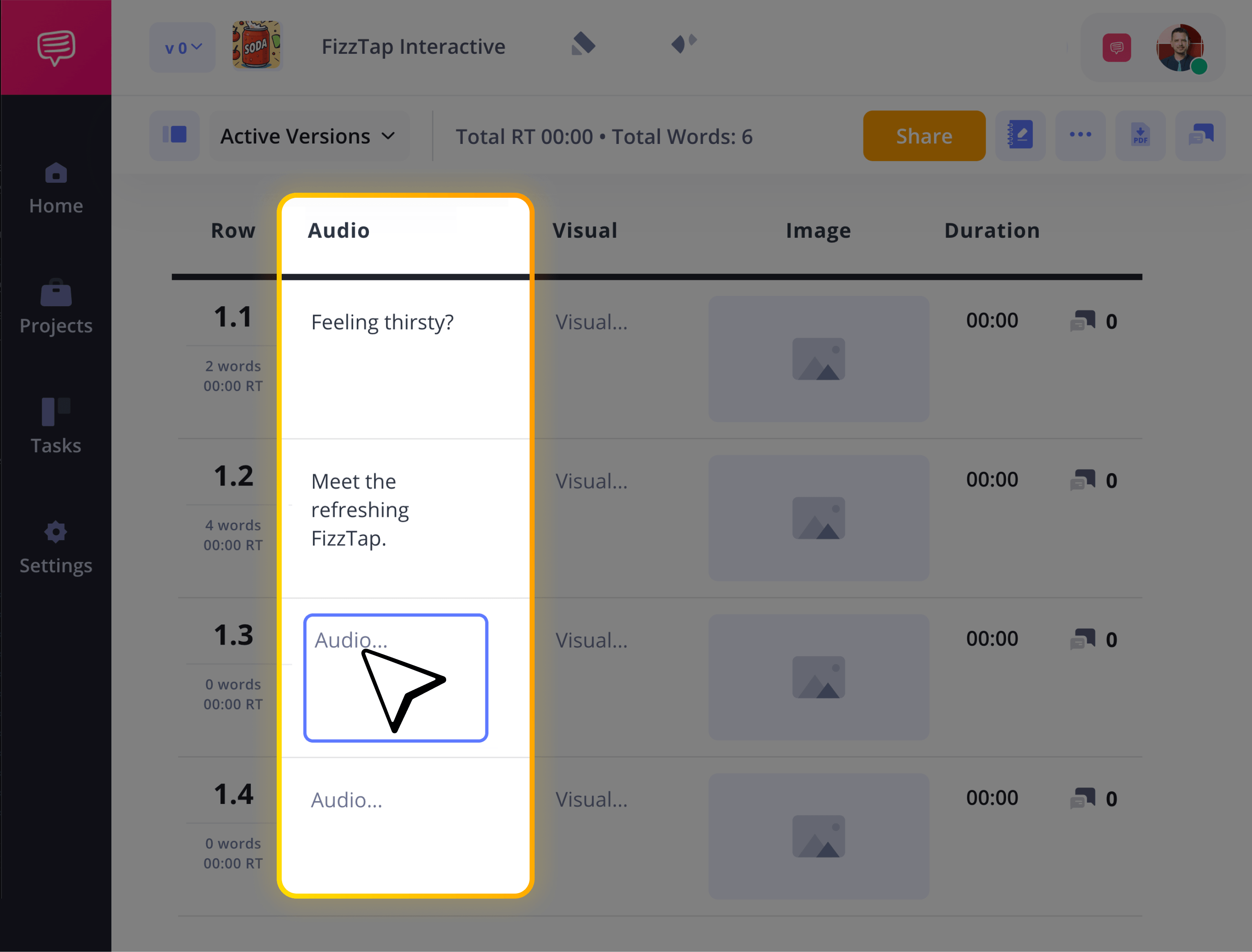
Whether you're drafting a marketing video, commercial, or training piece, this step ensures your messaging is clear before expanding into the visual side of the two column video script template.
If you're used to drafting in a two column script template Microsoft Word or Google Docs, this will provide you with a more structured and production-ready format.
4. Add visual column details
Once your audio is in place, move to the Visual column of your two column script template. Here you’ll describe what appears on screen, like camera direction or text overlays. This is where your a/v script gets fully aligned, pairing every line of dialogue or voiceover with a clear visual cue.
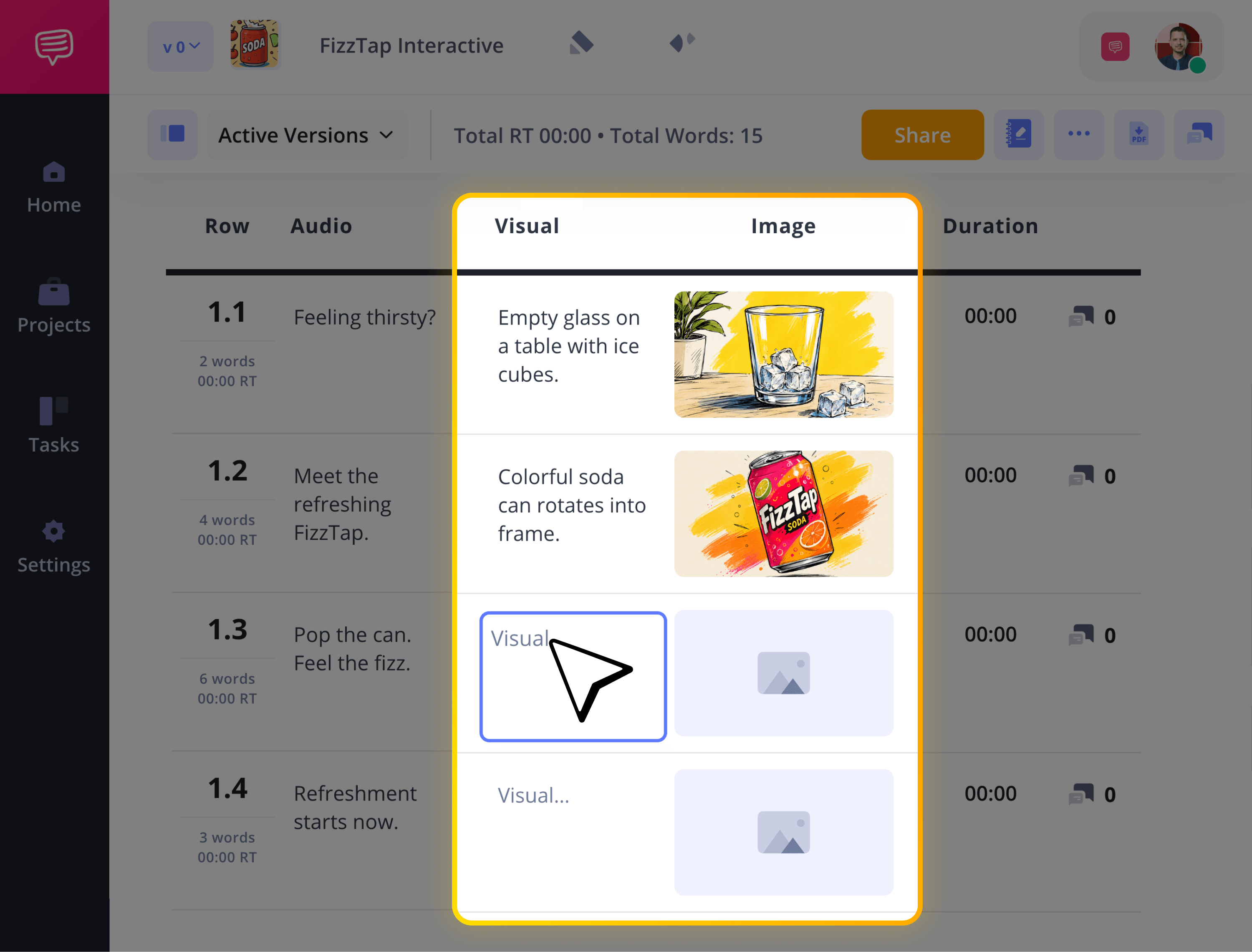
You can also upload reference images directly into the image row to help build your vision.
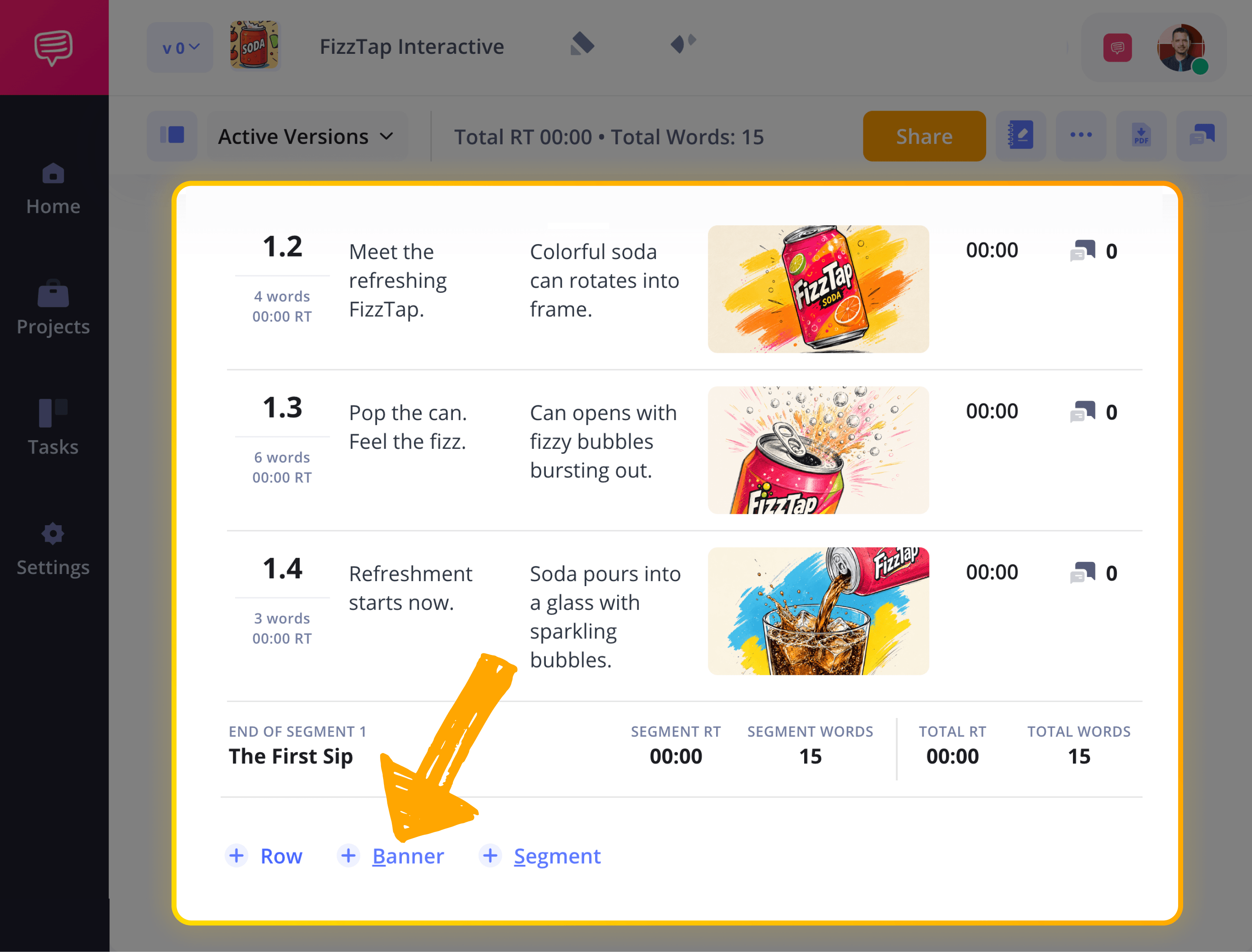
If you need to divide your segments with location changes or meal breaks, just click +Banner to create a clear, titled separation. This will really help turn your 2 column script template into a production-ready blueprint!
5. Set time durations
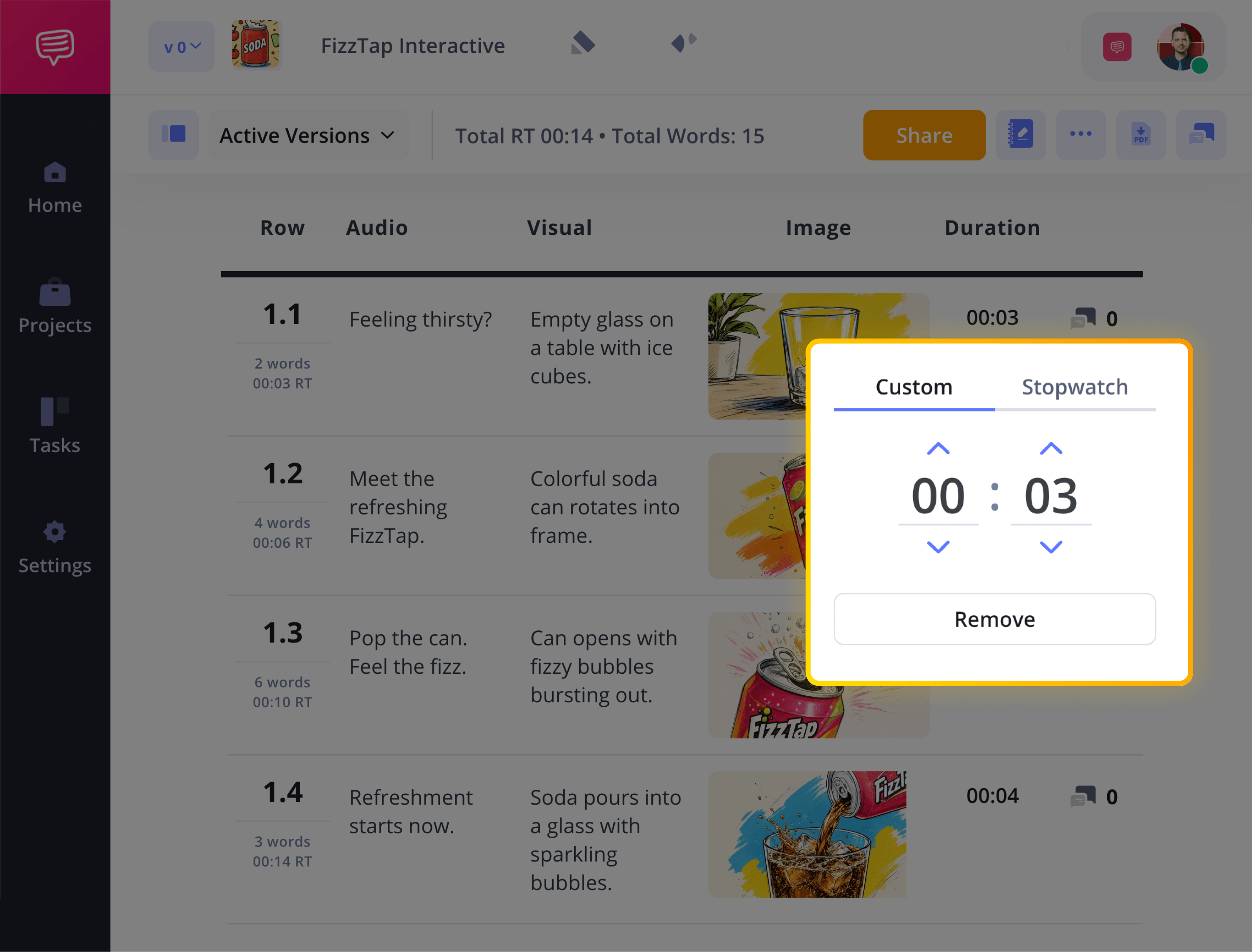
Timing is critical in any two column video script template, whether you're creating a commercial, corporate video, or branded content. Each row in your 2 column script includes a duration field, allowing you to assign a specific runtime to every beat.
Click any time slot in the Duration column to manually set the time, or use the built-in stopwatch to test your read out loud.
This helps you match pacing to your script and ensures your a v script template stays aligned with a clean runtime.
6. Collaborate on your video script
Once your two column script template is drafted, share it with your team for feedback. Click Share to invite collaborators as viewers, commenters, or editors, depending on the level of access you want to grant. This makes it easy for creative partners or colleagues to review your a/v script directly inside the platform.
With commenting enabled, teammates can leave feedback on specific rows in your 2 column script, helping you tighten dialogue or clarify visuals.
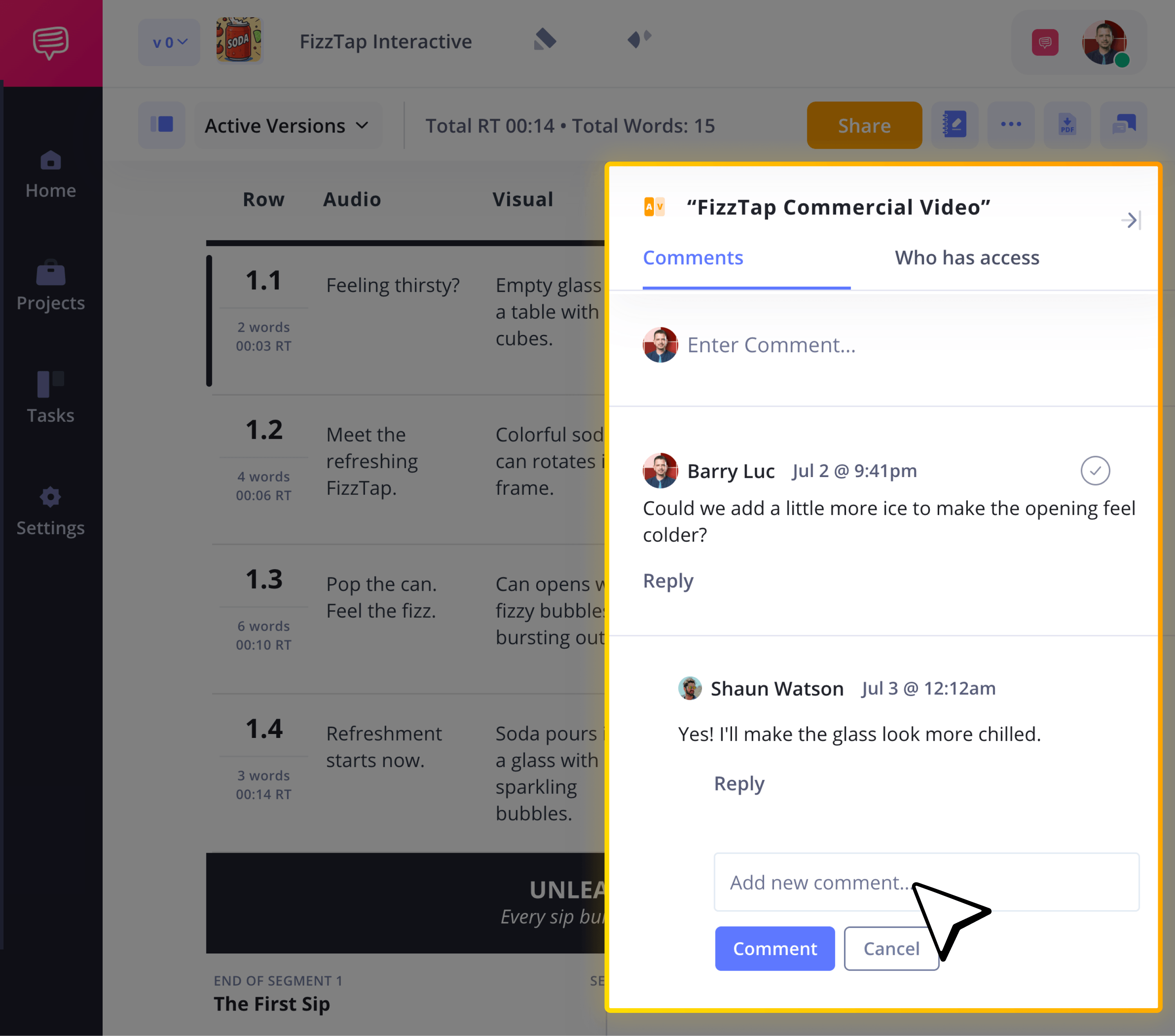
StudioBinder also tracks versions, so you can duplicate drafts and manage revisions without losing previous iterations. This would be much harder to control in a basic two column script template Google Docs or Word file.
Done!
Now you know all the important steps to building your own two column video script template! With this skill, you’ll be able to create content that matters on all levels, whether that’s with a team or all on your own. If you’re looking for a different kind of 2 column script example, check out all of StudioBinder’s AV Script Templates!
Two column script template FAQs
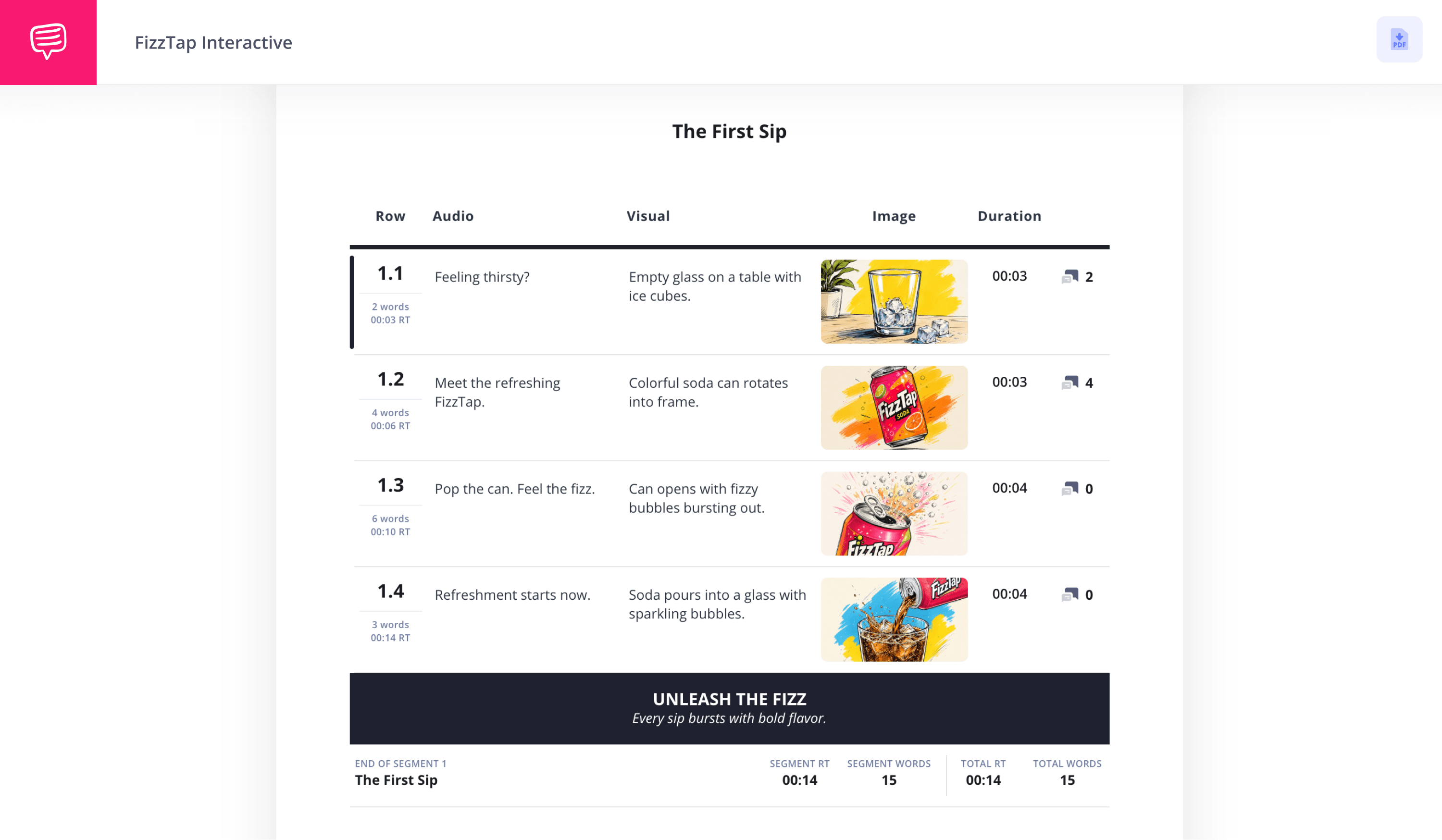
A two column script template is a structured format that separates visuals and audio into two side-by-side columns. Also known as an A/V script template or 2 column script template, it helps production teams clearly align what appears on screen with what is heard.
To format a two column video script, divide the page into a visual column and an audio column. List on-screen actions, graphics, and camera direction on one side, then place dialogue, voiceover, music, and sound cues on the other.
You can create a two column script template in Google Docs or Microsoft Word by inserting a two-column table and labeling one side Visual and the other Audio. Two column script template word or google doc formats are both fairly reliable to use. However, dedicated production tools like StudioBinder also provide built-in two column video script templates designed specifically for A/V workflows.
A two column script separates visuals and audio for production-focused projects like marketing, corporate, and commercial videos. A screenplay format uses a single-column, industry-standard layout with scene headings, action lines, and dialogue for narrative film and television.
You should use a two column script template when your project requires precise coordination between visuals and audio. It’s especially effective for commercials, explainer videos, corporate content, and any production involving collaboration across teams.
What is a two column script template?
A two column script template is a structured layout that separates a video script into two vertical sections: one for visuals and one for audio. Also known as an A/V script or 2 column script template, this format clearly distinguishes what appears on screen from what is spoken or heard. It’s most commonly used for marketing videos, corporate presentations, product demos, training content, and branded campaigns where clarity and alignment are essential.
Unlike a basic document in Google Docs or two column script template Microsoft Word doc, a purpose-built two column video script template is designed specifically for production. It ensures that dialogue, voiceover, graphics, on-screen text, and timing cues are organized in a way that editors, producers, and stakeholders can quickly understand. Whether you’re using a two column script template Google Docs, a two column script template Word or a dedicated platform, the structure helps streamline collaboration and reduce confusion during production.
Audio / Script Copy | Visual / On-Screen Direction |
|---|---|
VO: “Ever feel like your projects are all over the place?” | Opening shot: Entrepreneur reviewing messy whiteboard |
VO: “Deadlines slip. Emails pile up. Communication breaks down.” | Quick cuts of missed deadlines and crowded inbox |
VO: “There’s a better way to organize your production.” | Software dashboard animates onto screen |
VO: “Plan your shoots, manage your team, and track progress — all in one place.” | Feature highlights: scheduling, task tracking, collaboration |
VO: “Start building smarter video projects today.” | Clean brand logo animation |
VO: “Sign up now and streamline your workflow.” | End card with URL and call-to-action button |
When to use a two-column script template
Marketing & Promotional Videos
A two-column script template is ideal for marketing and promotional videos where the alignment between visuals and messaging directly affects engagement and conversion. Since nearly 91% of businesses now use video as a marketing tool, having a structured two column video script template helps you plan not only what to say, but how the audience experiences it viscerally. This clarity is especially important when your goal is to influence action or branded content perception.
Corporate & Training Videos
For internal or corporate video content, a 2 column script template keeps your audio (narration, explanations, instructions) tightly paired with visuals that demonstrate key steps or concepts. This format makes it easier for viewers to follow along and retain information, and it streamlines feedback from stakeholders who often need to approve both messaging and presentation.
Explainer Videos
Explainer videos benefit significantly from a two column script template Microsoft Word or otherwise, because they rely on precision between what’s said and what’s shown to simplify complex ideas. Whether you’re breaking down a product feature, outlining a process, or teaching a concept, having visual direction beside your audio script ensures your message is both clear and compelling.
Commercial Production
When producing commercial content, especially for ads that run on TV or digital platforms, precision is everything. A two column script template lets you cue every shot, transition, and sound cue alongside your voice over or dialogue. This level of detail not only helps the creative team visualize the final piece, but also keeps editors, directors, and clients aligned from pitch through post-production.
Two-column script examples
It’ll help to see exactly how a two column script template should look when filled out. Below is a short, properly formatted two column script example to guide your structure. Notice how each visual beat is directly paired with its corresponding audio, displaying the core advantage of a strong two column video script template:
Audio / Script Copy | Visual / On-Screen Direction |
|---|---|
VO: “Feeling overwhelmed by scattered production notes?” | Close-up of frustrated team staring at messy project board |
VO: “Deadlines slip. Messages get lost. Projects stall.” | Quick cuts of missed emails and delayed shoot schedules |
VO: “There’s a smarter way to organize your video workflow.” | Clean dashboard interface animates onto screen |
VO: “Plan your script, align your team, and track every detail in one place.”” | Feature highlights: scheduling, script collaboration, approvals |
VO: “Stay on time. Stay aligned.” | Team reviewing project confidently on laptop |
VO: “Start building better productions today.” | Logo animation with bold on-screen CTA |
Two Column Script vs Single Column Script
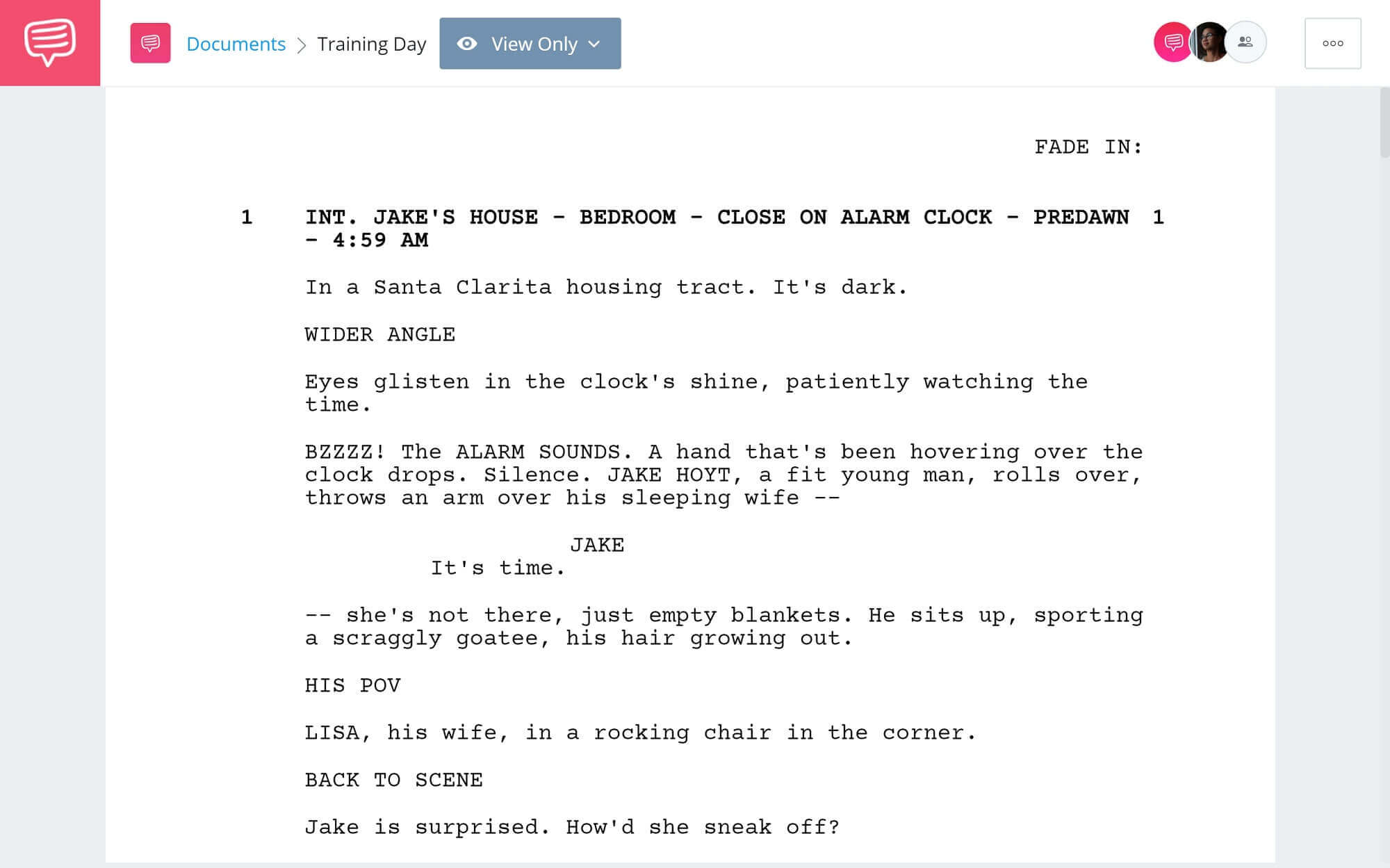
Choosing between a two column script template and a single-column format depends on the type of project. A two column script (also known as an a/v script) is built for structured video production, where visuals and audio must be clearly aligned. A single-column script, by contrast, follows a more traditional narrative layout, similar to screenplay formatting, and is typically used for story-driven film and television projects.
If your video requires tight coordination between voiceover, graphics, on-screen action, and timing, the two column video script template offers more clarity and control. If you’re writing a short film, feature, or scripted series, a single-column screenplay format is the industry standard.
Two Column Script | Single Column Script |
|---|---|
Production-focused | Narrative-focused |
Separates visuals and audio into two distinct columns | Combines action and dialogue into one continuous script |
Commonly used in corporate videos, commercials, ads, and training content | Used in short films, features, and scripted television |
Ideal for team collaboration and production planning | Follows industry-standard screenplay formatting |
Structured as a formal 2 column script template | Structured with scene headings, action lines, and dialogue blocks |
Start your AV Script
Start writing a winning commercial with StudioBinder.
