
Video Script Format Template
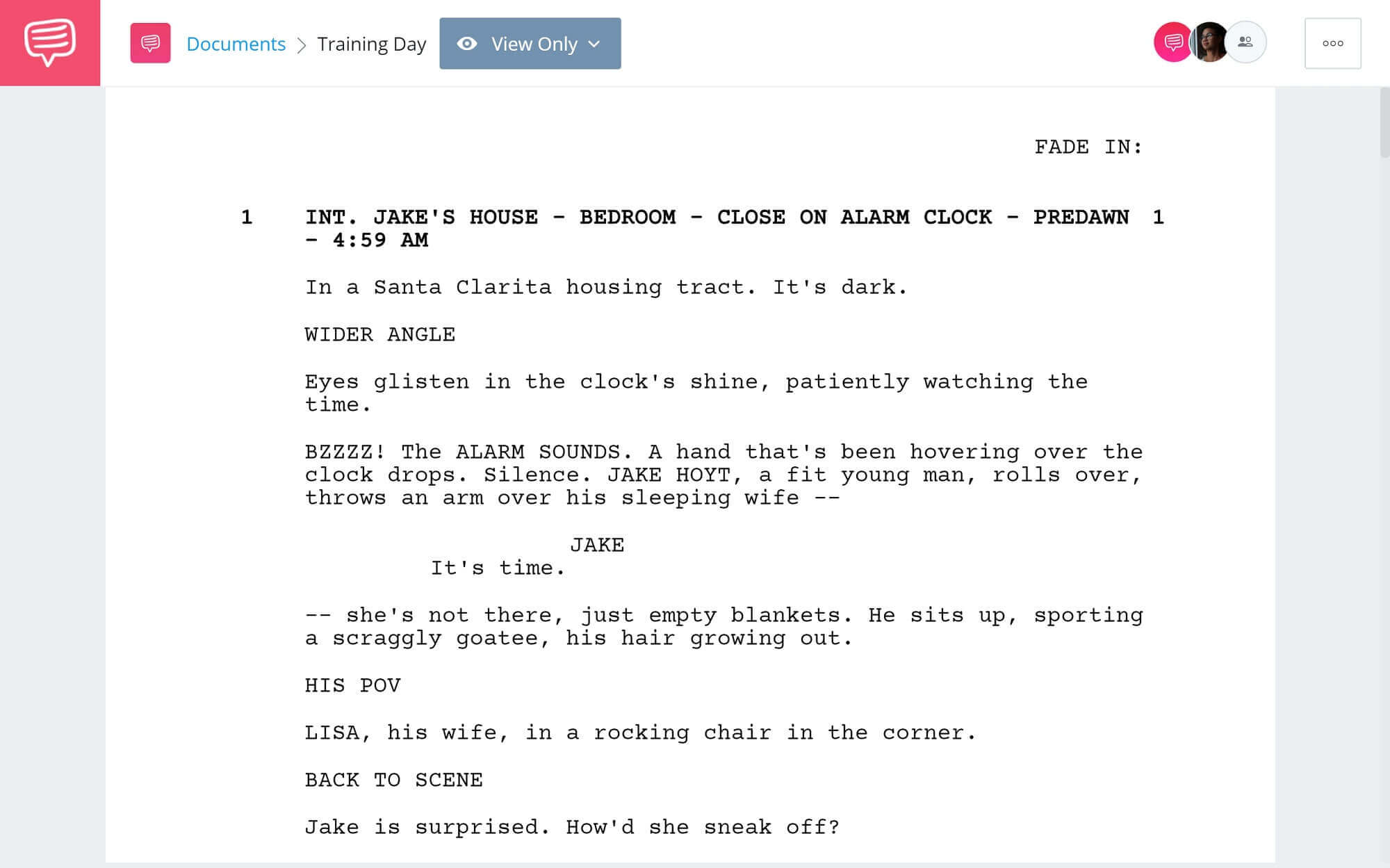
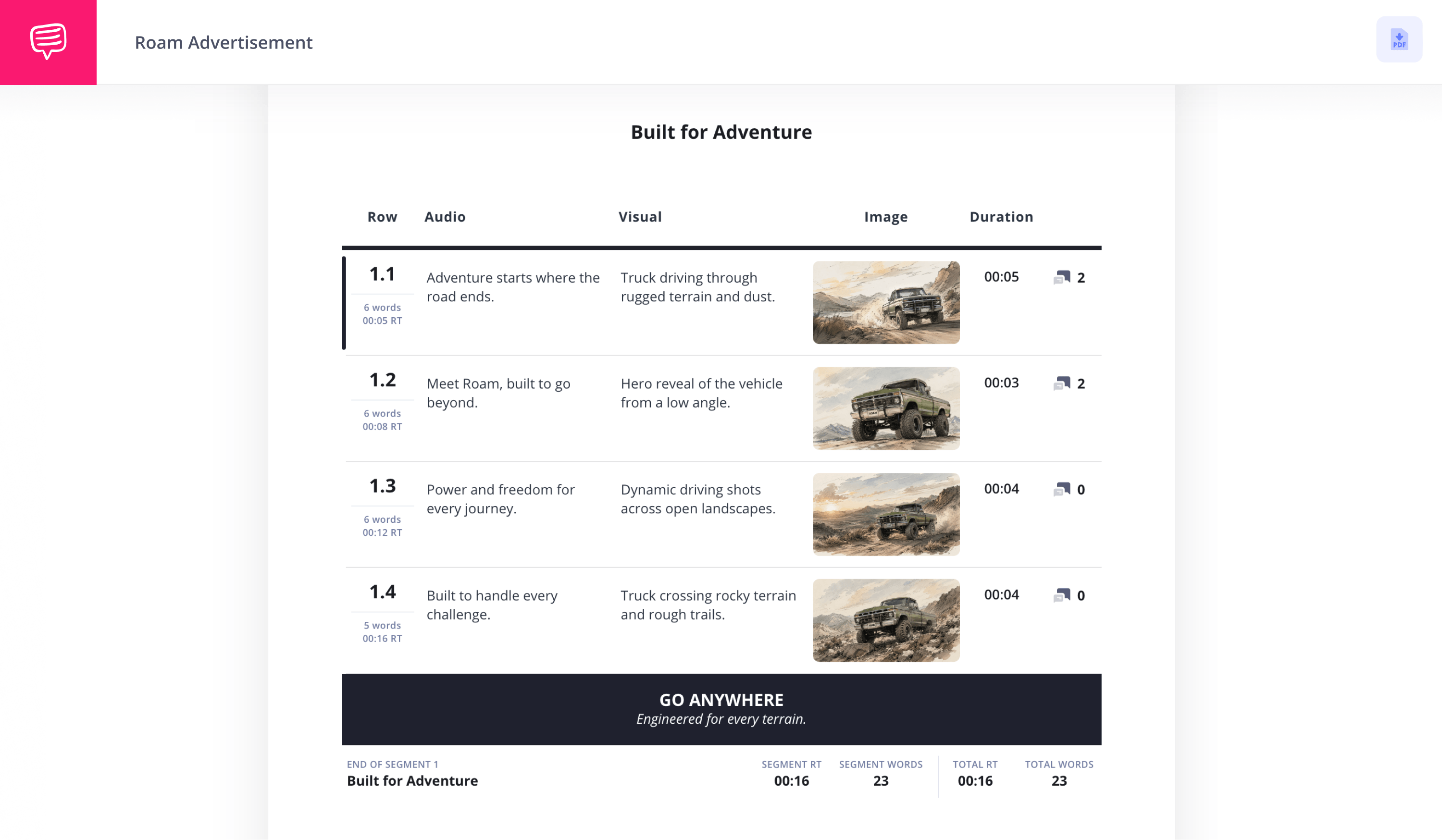
Video script format template
Whether you’re producing social media content, corporate videos, music videos or commercials, an AV script template with a proper video script format is the best way to plan your vision.
A well-organized and formatted audio-visual script template helps streamline your production by ensuring all visual and audio elements are clearly communicated.
According to Wyzowl’s State of Video Marketing survey, 89% of consumers said they want to see more videos from brands, underscoring how vital it is to use the best video scripting tools at your disposal.
In this guide, we’ll walk you through the proper format for video script streamlining using StudioBinder's AV script writing software.
What does a video script format look like?
AV scripts come in all shapes and sizes, but at its core, you'll have one column that is specified with the Audio details and another column for Video details.
Watch the video to learn about the video script format:

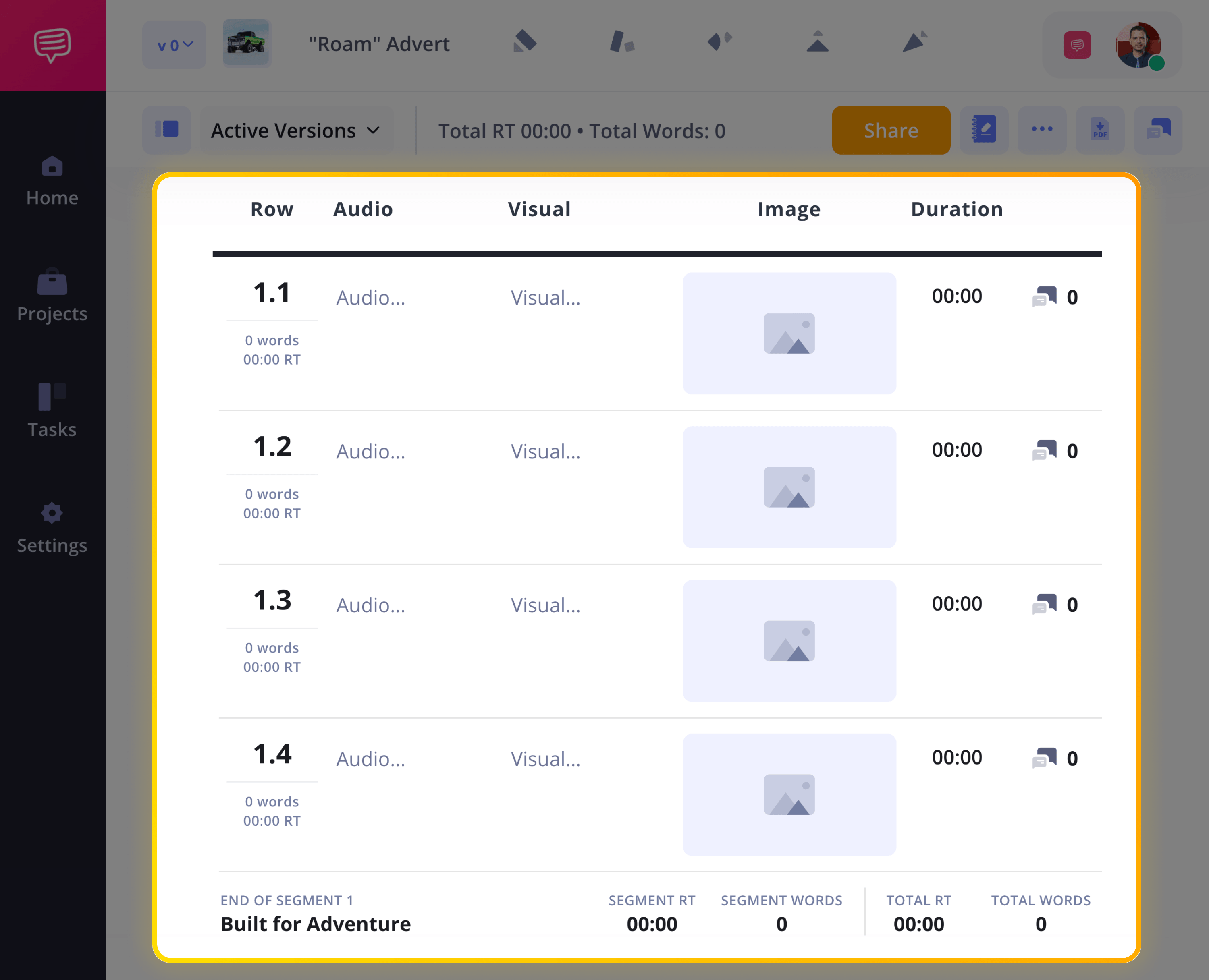
1. Start with a blank video script template
When you begin a new AV script project inside StudioBinder, you can customize your audio video script format to fit your specific project needs, like entering a title for your first segment at the top.
You can customize your segments by adding or removing new rows. And you can also add as many segments to your video script format project as you need, so don’t hesitate to experiment with length!
2. Write your script outline
Whether you’re planning a video for social media or prepping an idea for a commercial shoot, you’ll greatly benefit from creating video script outlines to help organize your ideas before officially diving into the script writing.
To access your outline tab, click Script Outline and either copy and paste your pre-written outline or begin outlining your ideas from scratch.
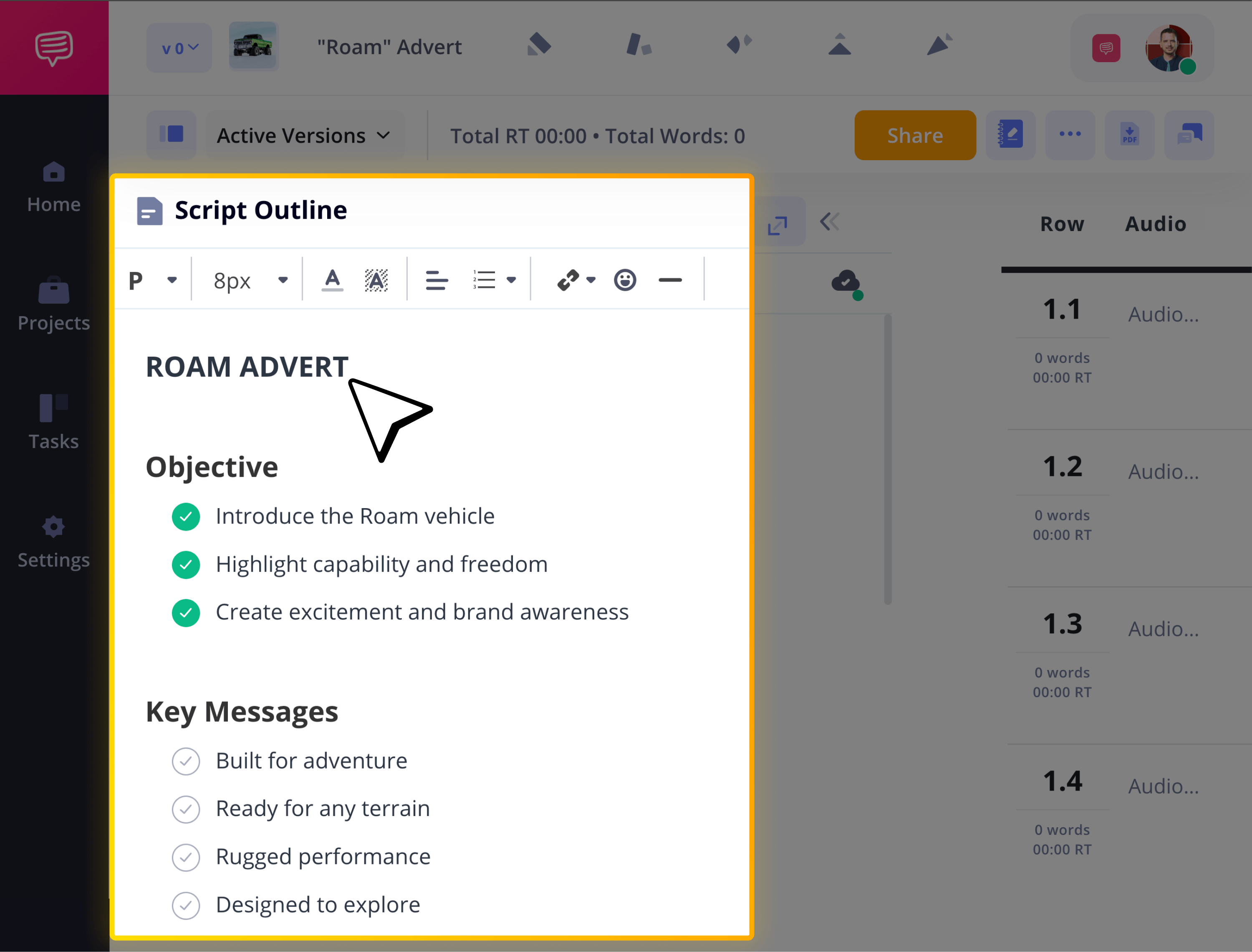
Keeping an outline in the script outline section will help clarify the structure of your video and keep the pacing tight, particularly if you’re working solo on content creation. But even with something like a team-based advertising video, you’ll want to keep coworkers and clients in the loop with an outline they can review and even contribute to.
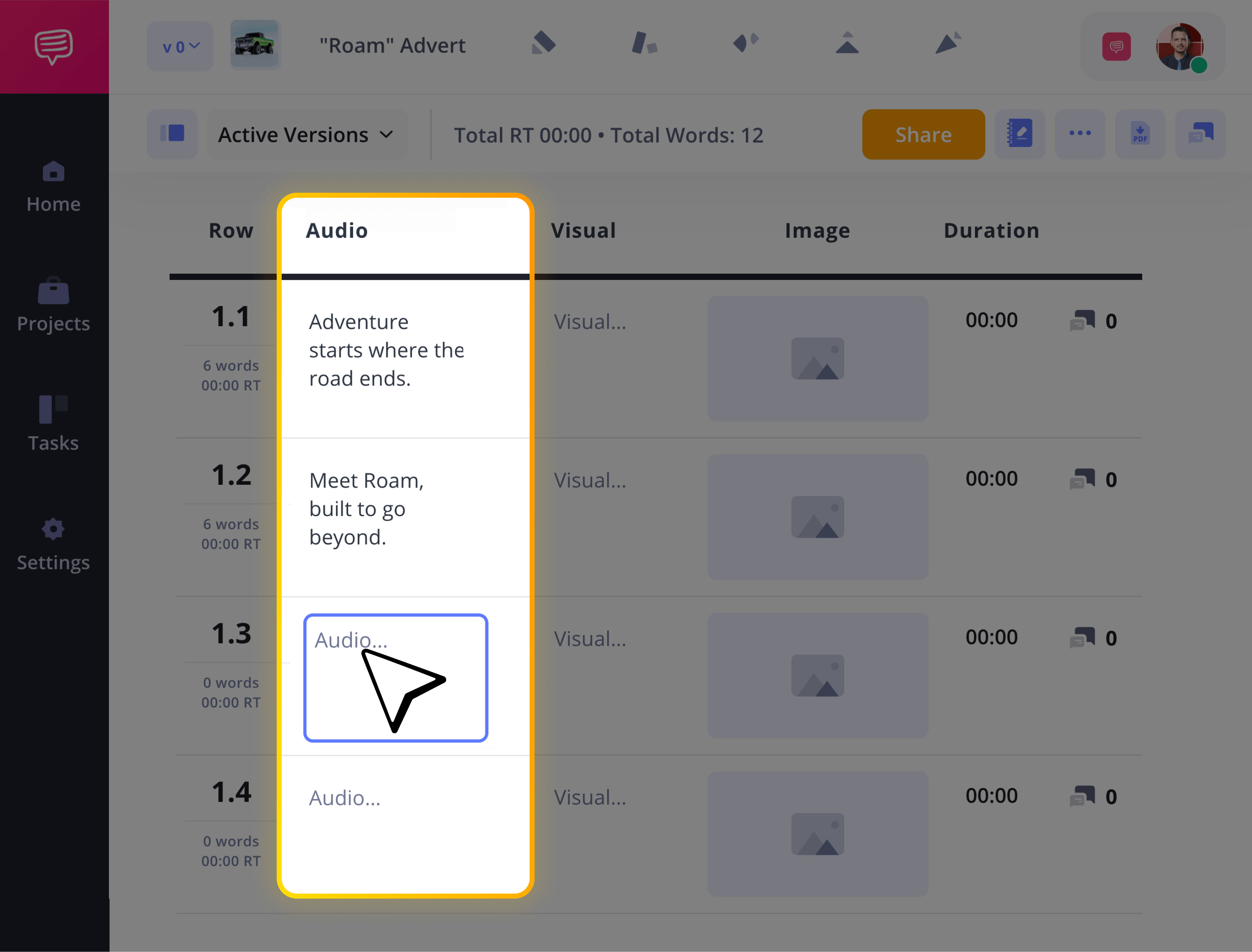
3. Fill in the audio column
The advantage of writing in audio video script format is that you’re prepping all sensory output that will come through on screen. A good place to start is first imagining the audio elements of your project.
Here, you’ll formulate all your music, diegetic sound, voiceover, and dialogue ideas for each important moment in your segment. As the ideas come, just type them out in each space under the audio column.
4. Add details to the visual column
When it comes to the visuals on your video script format, you’ll write out the details of what’s occurring on screen in the visual column, but it’ll also be helpful to take advantage of the image row for optimal creative alignment.
Here, you can use your own sketched art, reference images found online, or even AI mockup images that capture the kind of visual setup and style you’re aiming for.
To add an image into your AV script format template, click Upload while hovering over the image slot.
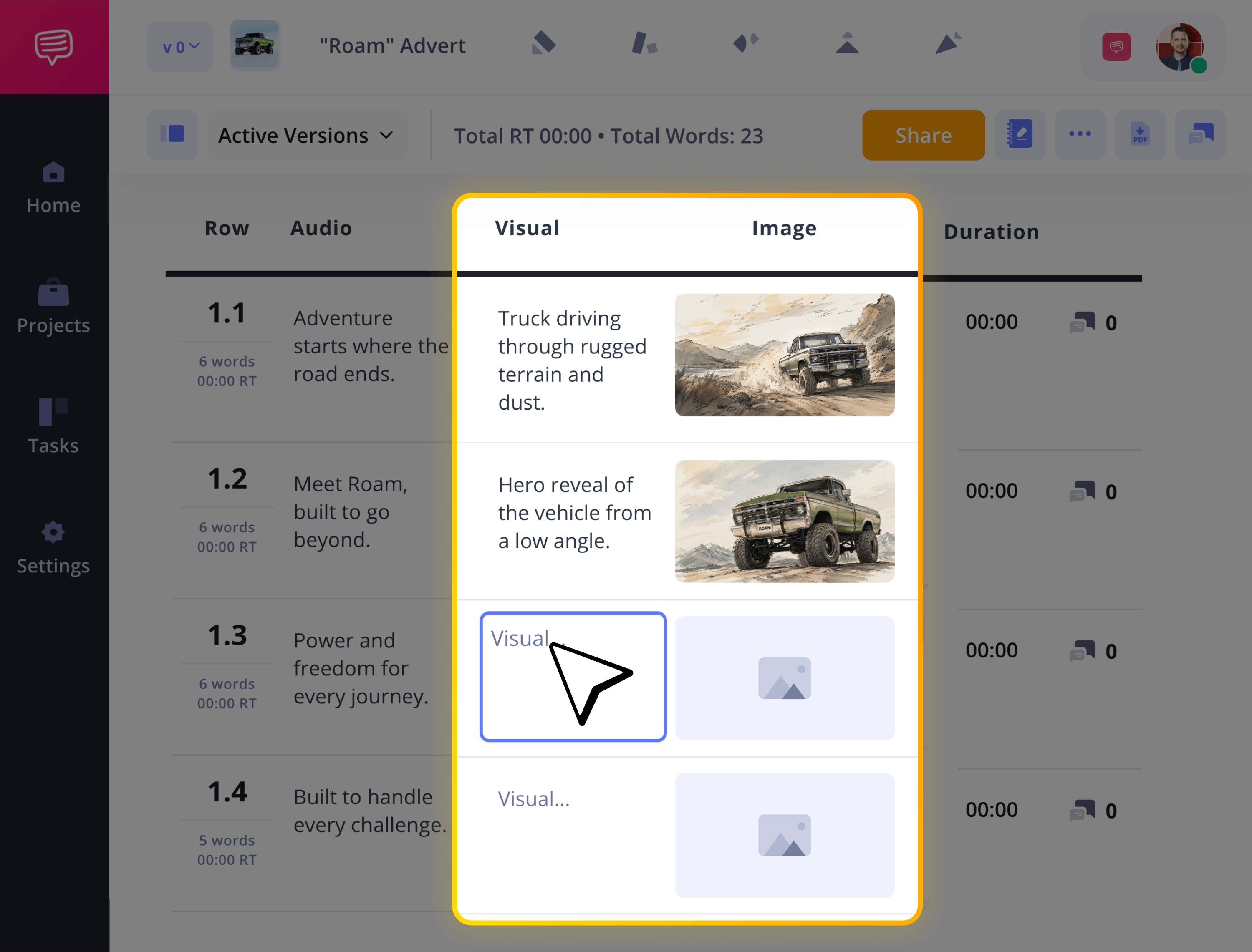
After you complete your AV columns, you can add Banners which helps organize your segments. Whether you're marking scene changes, production notes, location switches, or scheduled breaks, banners make your script easier to scan and manage during production.
5. Set time durations for precision
Whether you’re using your video script format for corporate videos, film production or commercials, timing is always critical. Let’s say you’re making a YouTube video. According to YouTube’s own Audience Retention reports, the percentage of viewers still watching after the first 30 seconds is a primary metric for evaluating how effectively a video captures attention.
Setting a strict time length, not only for the opening of your video, but for each beat in your video’s segment will be greatly helpful.
Just click the time slot in the duration column to either customize your time frame or test out your written length using the stopwatch feature.
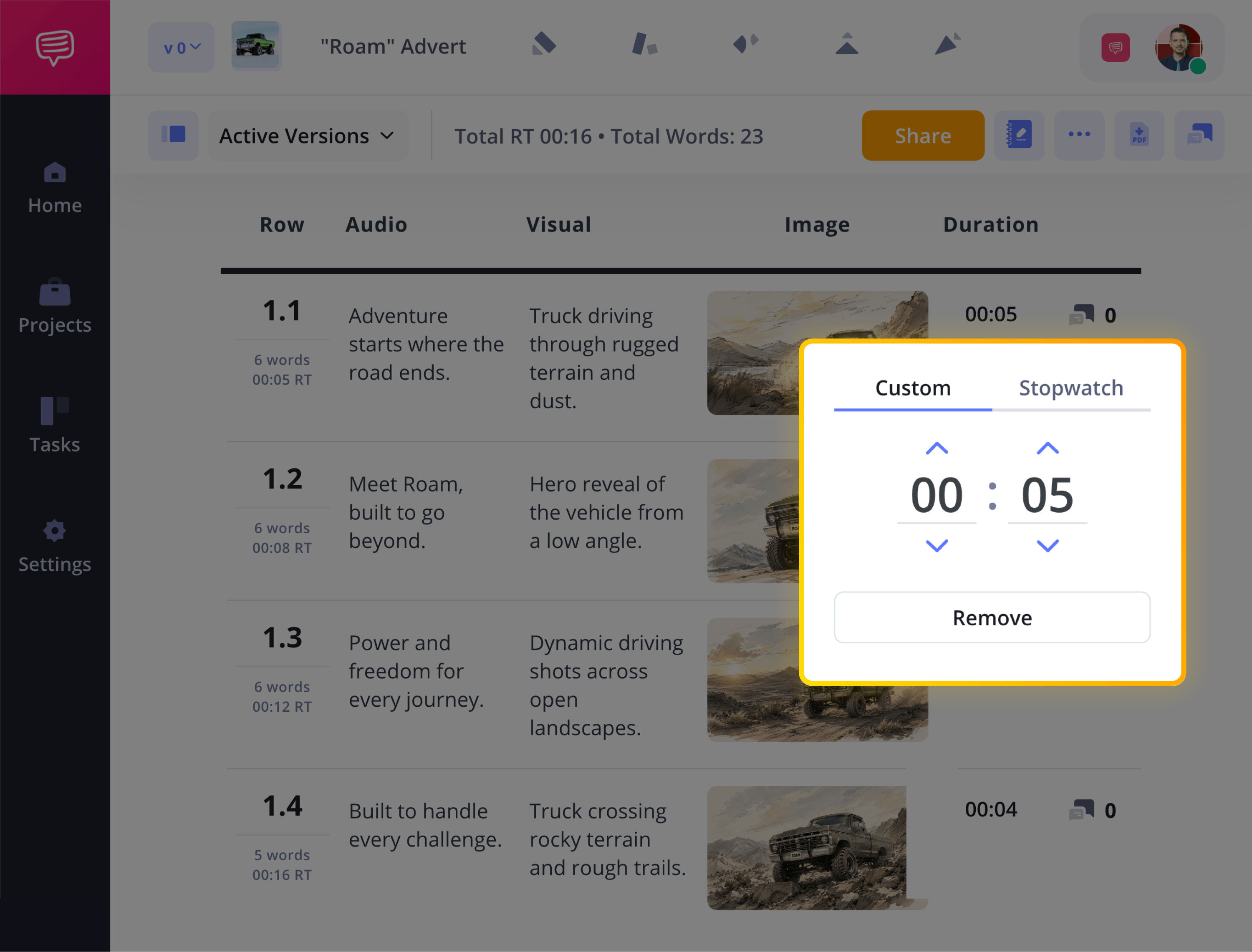
With the stopwatch feature, you can measure the time it takes to read your description out loud, then apply it to your project, making your video script format precise as can be.
6. Collaborate on your video script
As your video script format AV project comes to a close, it’s always helpful to get a second set of eyes on your project from your creative team.
Just click Share to choose between granting viewer, commenter, or editor permissions to as many collaborators as you want.
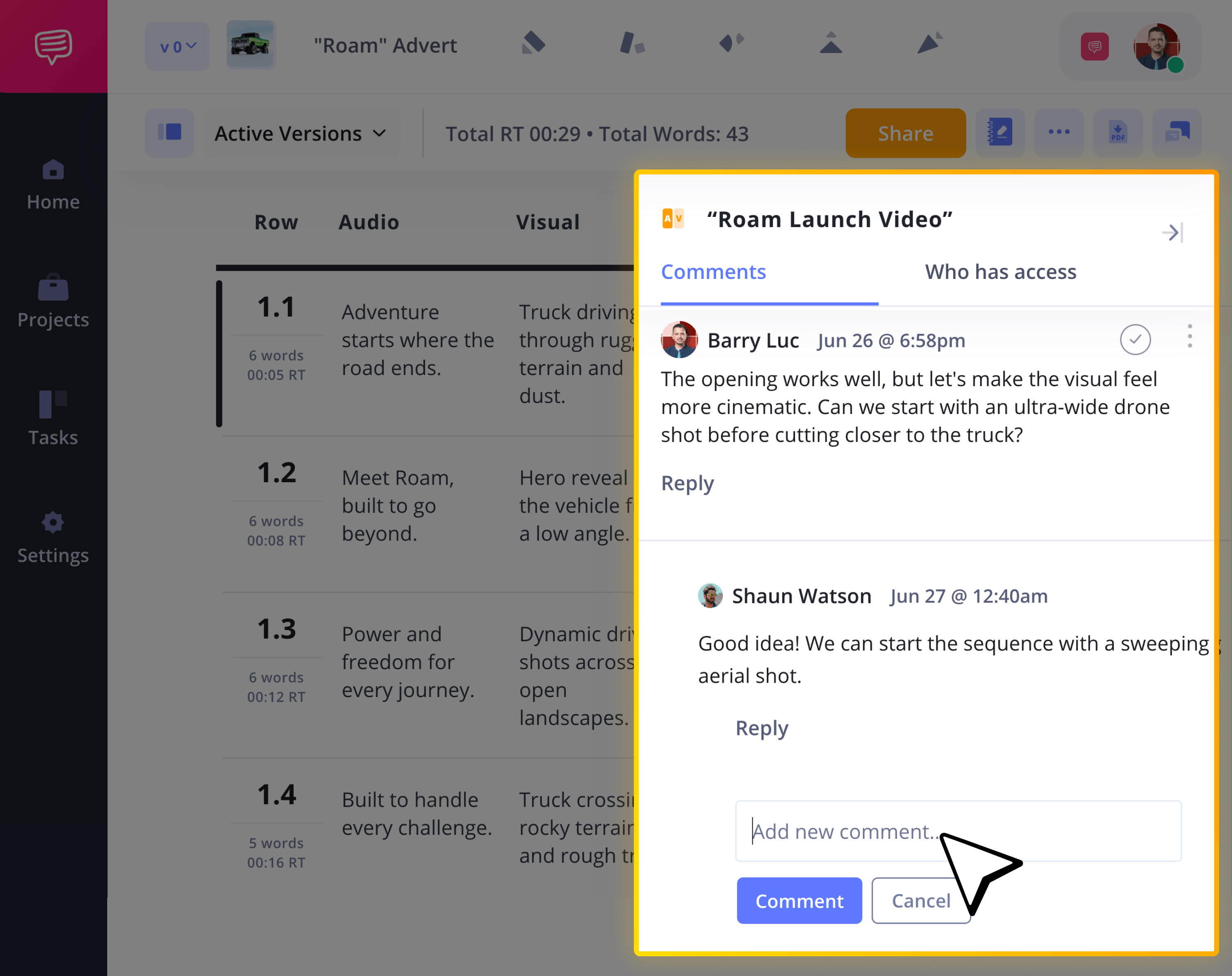
With commenter or editor permissions enabled, your invitee can then take to the comments tab to leave their feedback for you.
Your team can also make their feedback even more precise with the line-by-line commenting feature. Maybe they have an idea to tighten or punch up a line, so they’ll simply leave it in that line’s designated comments section.
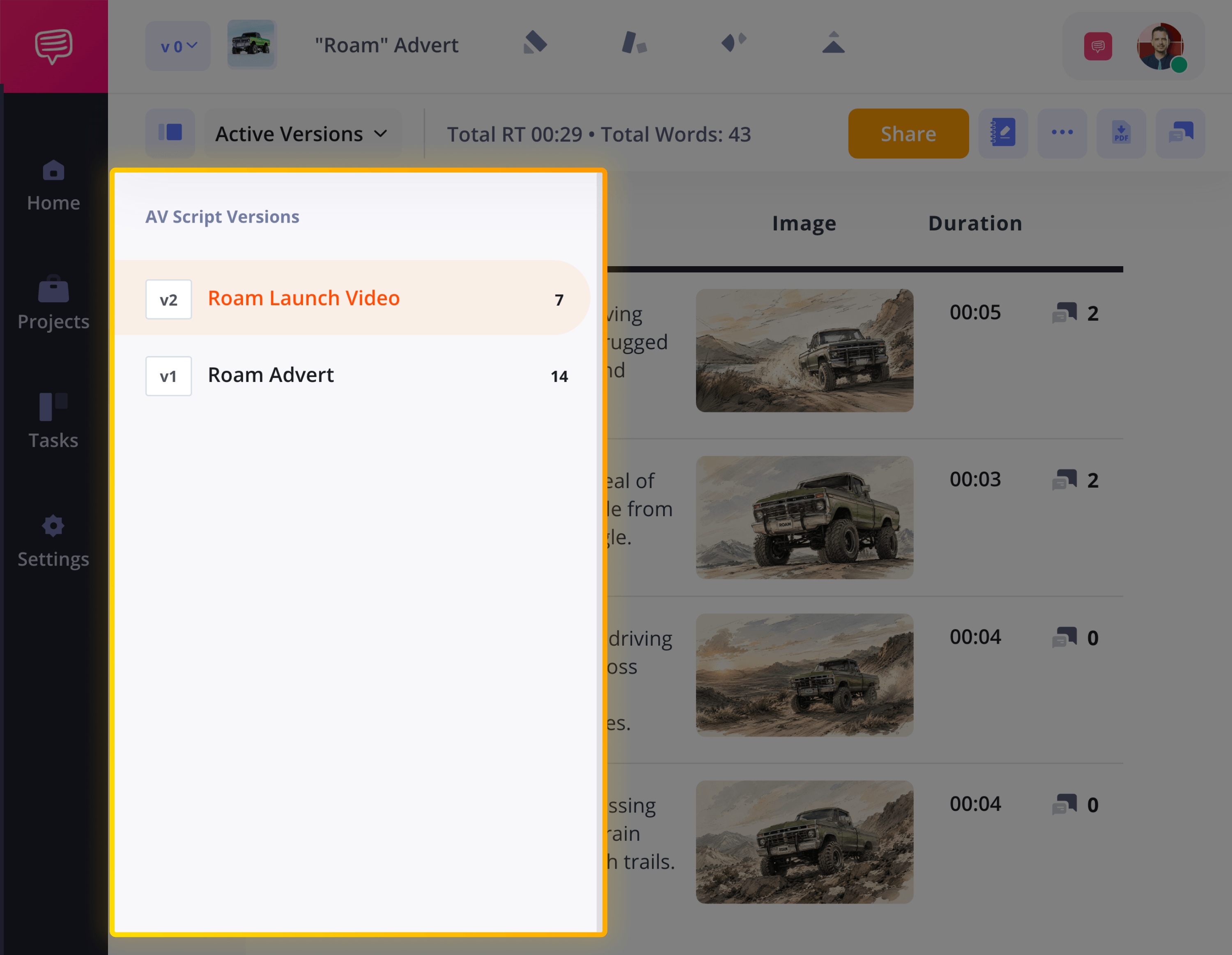
When sharing your video script format project amongst clients and your team, you may have several different drafts of your work based on their notes. Keeping track of all versions of your work is easy in StudioBinder.
Just open the toggle Versions sidebar, then you can organize, duplicate, and create brand new versions of your project at any time!
That's it!
Now you’ve successfully set up your AV video script format! Just remember, AV scripts should be clear, straightforward and effectively communicate all aspects of a video concept to any collaborators or clients.
If the AV video script format is a regular part of your video production workflow, don't hesitate to check out all of our AV Script Templates!
FAQs about video script formats
A video script format is the structured layout used to organize dialogue, visuals, and production notes for a video project. It ensures clarity between what the audience sees and hears, helping teams move efficiently from script to production.
Format a video script by structuring it with a hook, clear message, and strong call to action. Use the format that fits your project, such as AV for marketing or screenplay format for narrative work.
Format a two-column video script by dividing the page into a visual column and an audio column. List on-screen actions and graphics on one side, and place dialogue, voiceover, music, and sound cues on the other.
The best format for a video script depends on the type of project you’re creating. Two-column AV format works best for marketing and corporate videos, while screenplay format is ideal for narrative film and television.
Use a two-column format if you need to clearly separate visuals and audio for marketing, corporate, or production-heavy videos. Choose a single-column format for YouTube, short-form, or more conversational, narrative-driven content.
A video script should be as long as it needs to clearly deliver the message without losing attention. As a general rule, one minute of video equals roughly 150–160 words of script.
A one-minute video script is typically 150 to 160 words, depending on pacing and delivery speed. Faster reads may reach 170 words, while conversational or dramatic pacing may be closer to 130–150 words.
YouTube videos don’t require a strict script format, but having a structured outline or script improves clarity and retention. Even creator-led or conversational videos benefit from a planned hook, key points, and clear ending.
A screenplay follows industry-standard formatting for narrative film and television, including scene headings, action lines, and dialogue. A video script is broader and can include formats like two-column AV, often used for marketing, corporate, or online content.
Yes, you can write a video script without a template, especially for simple or short-form content. However, using a structured format helps improve clarity and organization while writing.
What is a video script format?
A video script format refers to the structure and layout used to organize a script for video content production. Rather than being just words on a page, the video script format determines how information is arranged so production teams can clearly understand what happens on screen and what is heard in the audio. Whether you're writing a marketing video, explainer video, product demo, or corporate presentation, the script format directly affects clarity, collaboration, and execution.
There are several common formats used in professional video production. The most widely used is the AV (audio/visual) script format, which separates visuals and audio into two columns. Other approaches include a single-column format, often used in Google Docs for simple content creation, and screenplay style formatting, typically reserved for narrative filmmaking. Choosing the right format matters because it impacts how efficiently your team can move from script to production.
A strong format for video script clearly distinguishes dialogue, voiceover, on-screen action, graphics, and timing cues. While many creators draft scripts in Google Docs using basic text formatting, advanced tools like StudioBinder provide purpose-built layouts that streamline revisions, version control, and production alignment. The result is a more professional video workflow from concept to final cut.
Audio / Script Copy | Visual / On-Screen Direction |
|---|---|
VO: “Ever feel like your projects are all over the place?” | Opening shot: Entrepreneur staring at messy whiteboard |
VO: “Deadlines slip. Emails pile up. Communication breaks down.” | Quick cuts of missed deadlines and overflowing inbox |
VO: “There’s a better way to organize your production.” | Dashboard interface animates onto screen |
VO: “Plan your shoots, manage your team, and track progress — all in one place.” | Feature highlights: scheduling, task tracking, collaboration |
VO: “Start building smarter video projects today.” | Clean brand logo animation |
VO: “Sign up now and streamline your workflow.” | End card with URL and button graphic |
What are the most common video script formats?
Two-Column (Audio/Visual) Script Format
Two-column divides a script into two sections: one for what the audience sees and one for what they hear. The visual column lists on-screen action, graphics, or product shots. The audio column includes dialogue, voiceover, music, and the call to action.
This format is most common for marketing videos, corporate videos, explainer videos, and product demos. It keeps messaging clear and makes collaboration easier for teams and stakeholders.
Single-Column Script Format
Single-column presents the entire script in one continuous block of text. Visual cues, dialogue, and direction are written together in a linear, narrative flow. Instead of separating audio and visual elements, the script reads more like a story or spoken outline.
This format is commonly used for YouTube videos, short-form content, and internal videos. It works well for creator-led or personality-driven content where the script is more conversational and narrative-focused.
Screenplay Format (When to Use It)
Screenplay format follows the industry-standard structure used for narrative film and television projects. It includes formatted scene headings (sluglines), action lines, character names, and properly indented dialogue. This layout is designed for storytelling, with clear rules that production crews and actors immediately recognize.
This format is best used for short films, feature films, scripted series, and narrative-driven projects. It ensures consistency across departments and aligns with professional filmmaking standards.
Types of video scripts
Educational Video Scripts
Educational video scripts are designed to teach, train, or inform a specific audience. It’s a type of video script that prioritizes clarity, logical structure, and step-by-step explanations to ensure viewers understand and retain the material. These scripts are commonly used for e-learning courses, online tutorials, academic lessons, and corporate video script format training programs. The tone is typically instructional and structured, with clearly defined learning objectives.
Commercial Video Scripts
Commercial video script format is created to sell a product or service within a defined timeframe, often 15 to 60 seconds. They focus on persuasive messaging, emotional appeal, and a strong call to action (CTA). Every line has tight pacing to maximize engagement and brand recall. These scripts are commonly used for television advertising, digital advertising, and paid social campaigns.
Explainer Video Scripts
Explainer video scripts break down complex ideas into clear, easy-to-understand messaging. They typically follow a problem–solution structure and use concise language to guide viewers through a concept, product, or service. Explainers are popular for startups, SaaS products, and tech companies that need to simplify abstract features. Content explainers can also be found on YouTube, TikTok, and other social media sites. TikTok video script format examples include both short and long form.
Promotional Video Scripts
Promotional video scripts are designed to generate awareness and excitement around a brand, event, or launch. They focus on storytelling, emotional resonance, and high-impact visuals to capture attention quickly. Unlike traditional commercials, promo scripts may emphasize brand identity or lifestyle rather than direct selling. These are often used for social campaigns, brand launches, and marketing initiatives.
Additional Types of Video Scripts
- Animation scripts for animated video: Scripts written with detailed visual descriptions to guide animators.
- Brand awareness video scripts for brand-building: Scripts focused on strengthening brand identity, values, and recognition over immediate sales. TikTok video script format examples can apply.
- Documentary-style scripts with precise scene descriptions: Structured scripts that outline narration, interviews, and detailed scene direction for factual storytelling.
- Interview scripts for different Q&A formats: Guided question-and-answer scripts used to structure conversations with natural responses.
- Product demo scripts for show-and-tell instructionals: A sample of a video script that walks viewers through product features and functionality as a step by step guide.
- Social media outreach scripts for social promotions: Short-form scripts crafted for platforms like Instagram, TikTok, and LinkedIn to drive engagement and shares.
- Testimonial scripts for client and customer feedback: Lightly structured scripts that highlight authentic customer experiences and success stories.
- Training video scripts for in-house team building: Instructional scripts designed to onboard employees and reinforce internal processes or skills. Acts as an extension of reading your video script.
How to format a video script?
1. Start Your Video with a Hook
The first few seconds of your video determine whether viewers keep watching or scroll away. Start with a hook in your video script format that immediately captures attention. Consider a bold statement, a surprising statistic, or a relatable pain point. If you’re creating a marketing or explainer video, that means writing your video script opening to clearly signal value within seconds. Don’t ease into it. Give your target audience a reason to care right away. That's the best video script format you can implement.
2. Present the Problem or Context
Once you have their attention, define the problem or context that frames the rest of the video. This is where you show your audience that you understand their challenge, goal, or curiosity. Whether you're producing a product demo, educational video, a basic sample of an effective video script or promotional campaign, this section builds relevance. If viewers see themselves in the problem, they’re far more likely to stay engaged.
3. Deliver the Core Message
Now it’s time to present the solution, insight, or main takeaway. This is the heart of your video script, so keep it focused and intentional. Support your message with clear visuals, concise dialogue, and structured pacing. If you’re formatting your script properly (especially in an AV or structured layout), this section should feel tight and easy to follow.
4. End With a Call to Action
A strong video both informs and directs. Close your script with a clear and confident call to action (CTA), whether that’s signing up, booking a demo, subscribing, or learning more. The CTA should feel like the natural conclusion of everything that came before it. Never leave your audience wondering what to do next.
Video Script Examples
If you’re looking for a more broad range of AV scripting examples, these below examples might be of better help:
What are the top tools for formatting video scripts?
Choosing the right sample video script tool for formatting your structure can directly impact how efficiently you move from idea to production. Some platforms are built for narrative screenplays, others for quick drafting, and a few are designed specifically for structured AV workflows. Here are four of the most widely used tools for formatting video scripts, when to use each one, and how to include a free video script template.
StudioBinder
StudioBinder is built specifically for video production, combining scriptwriting with built-in production tools. The AV format support makes it easy to structure audio and visual elements side by side, which is essential for marketing videos, corporate content, product demos, and branded campaigns.
Unlike basic writing platforms, StudioBinder integrates your script directly with scheduling, shot lists, storyboards, and call sheets. That means your script becomes part of a connected production workflow.
It also includes collaboration features, allowing teams to comment, revise, and version scripts in real time. If you want a system that supports the entire production pipeline, this is the most comprehensive option.
Final Draft
Final Draft is commonly used for screenplay formatting. It automatically formats a sample video script with scene headings, dialogue, action lines, and transitions according to professional film and television standards.
If you're writing a short film, feature screenplay, or scripted series, this is a go-to platform. However, it’s designed mostly for narrative projects rather than the two-column AV script format used in marketing and corporate video script format production.
Google Docs
Google Docs is a popular option because it’s simple, free, and easy to share. Many creators use it for drafting single-column video scripts, especially for YouTube, internal videos, or short-form content.
However, formatting AV scripts in Google Docs, like music video script format, requires manual tables and styling. It lacks built-in production tools, version tracking tailored to filmmaking, and structured AV templates. While it remains accessible, it’s less production-specific.
AI Script Generators
AI script generators can be most helpful for generating a sample video script, rough drafts, brainstorming hooks, or outlining content. They’re useful when you need to move quickly or need to overcome writer’s block.
That said, AI-generated scripts typically require editing and refinement. They don’t automatically structure content into professional AV formats, and they lack production-aware formatting tools.
Find the perfect template for your video project
For TV commercials, digital ads, and branded content
Explainer Video Script Template
For explainer videos, tutorials, and educational content
For YouTube videos, vlogs, and creator content
Corporate Video Script Template
For training videos, internal comms, and company content
Start your AV Script
Start writing a winning commercial with StudioBinder.
