YouTube Creators often obsess over cameras and thumbnails, but the script is what drives audience retention, watch time, and, ultimately, monetization. And if you want consistent growth on YouTube, you need more than good ideas. You need structure, clarity, and above all, you need intentional script writing on YouTube. This guide breaks down YouTube script writing basics, practical frameworks, and proven techniques for writing scripts that perform.
Script Writing on YouTube
What is script writing on YouTube?
Writing a screenplay for a movie and writing a script for YouTube are two very different things. Let’s look at how and why.
YouTube Script Writing Definition
What is YouTube script writing?
Script writing on YouTube is the structured planning and writing of what will be said and shown in a video to maximize clarity, engagement, and retention.
A script differs from an outline, which is typically a bullet pointed overview, while a script is more detailed and specific. For beginners, writing a full YouTube video script often produces stronger results because it reduces filler and improves clarity.
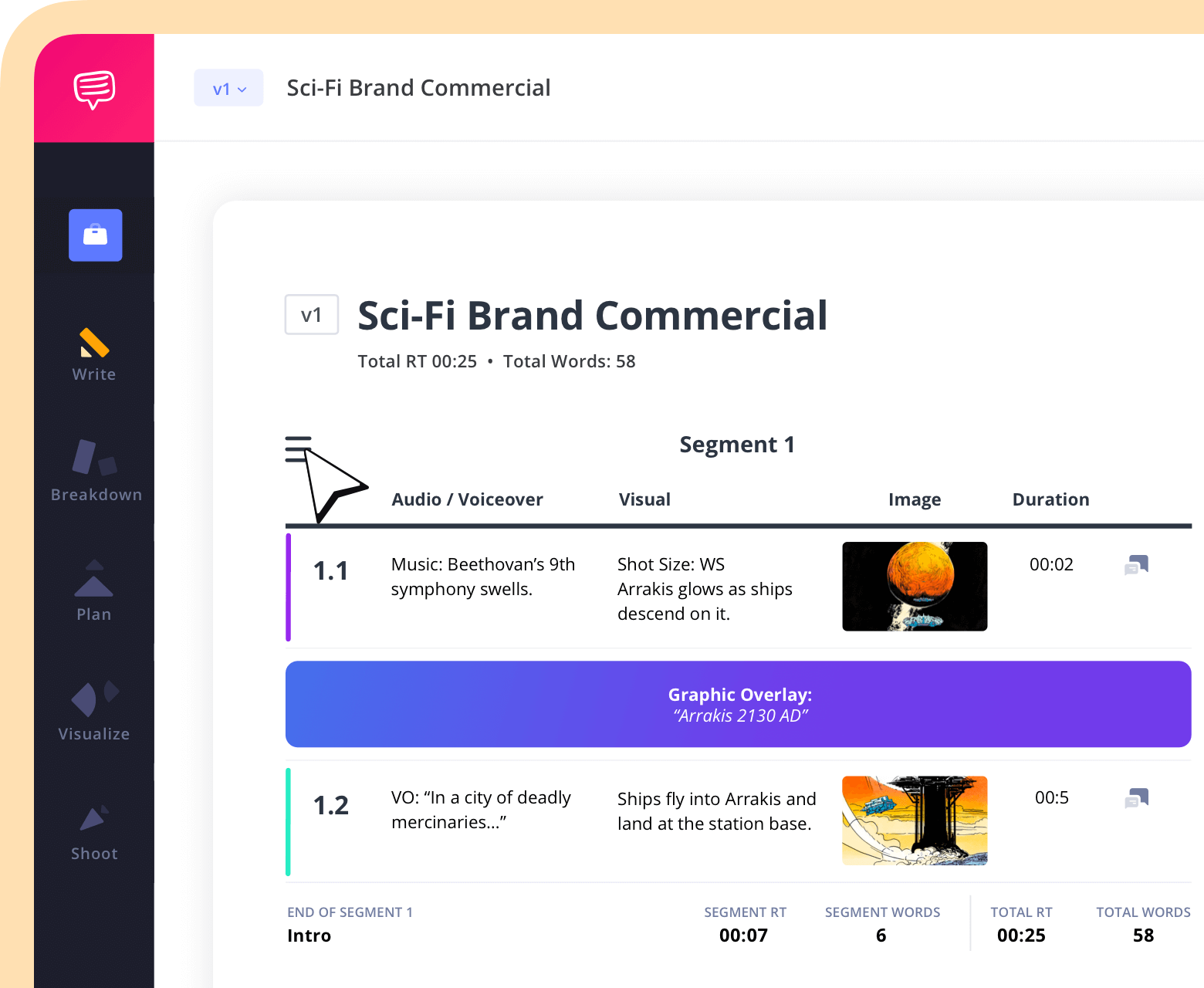
What goes into a YouTube script?
- Voiceover text
- Potential graphics
- Descriptions of visuals
Here’s a quick example of what a script might look like. By using a software like StudioBinder, you can create a detailed and clear plan for your video:
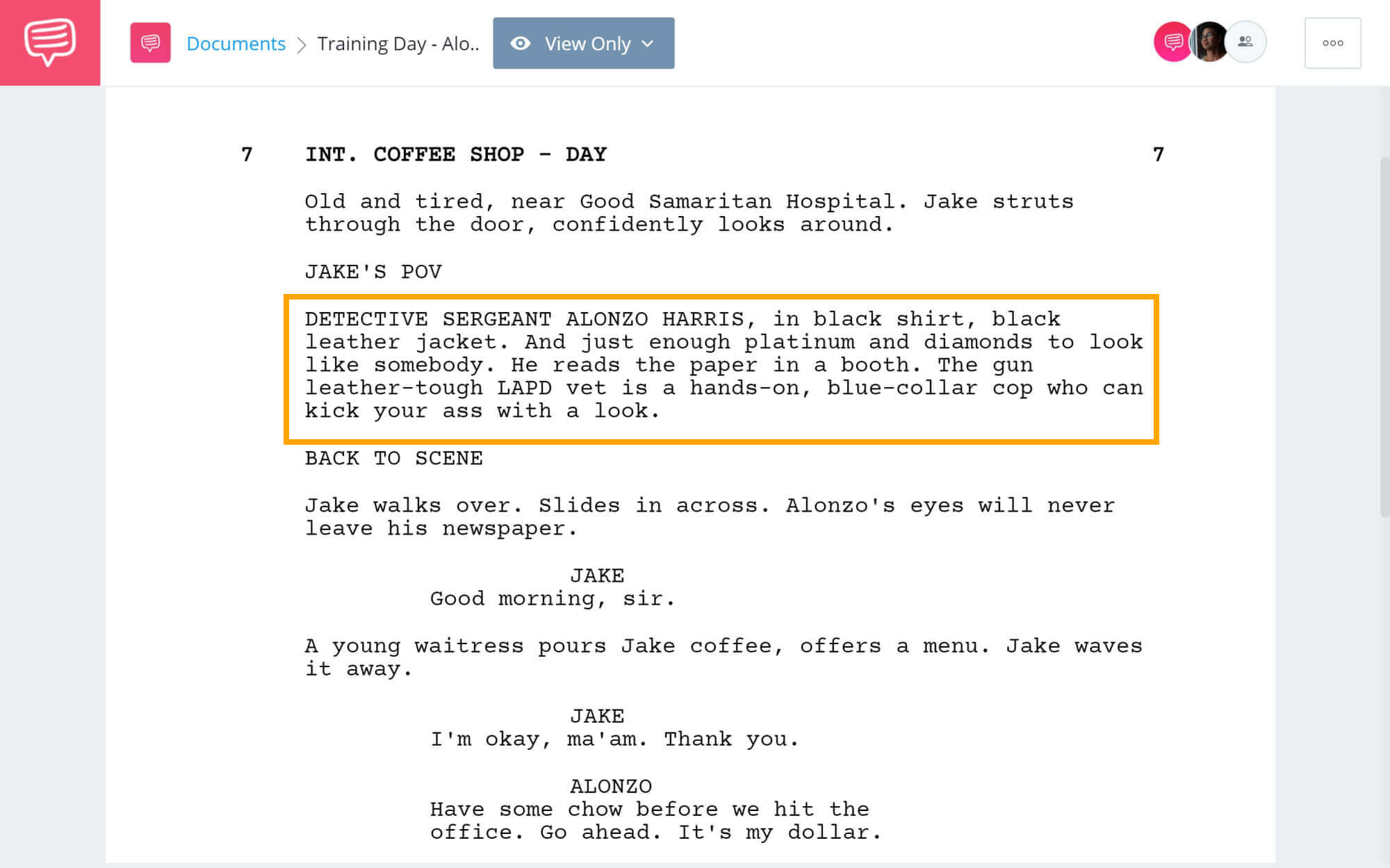
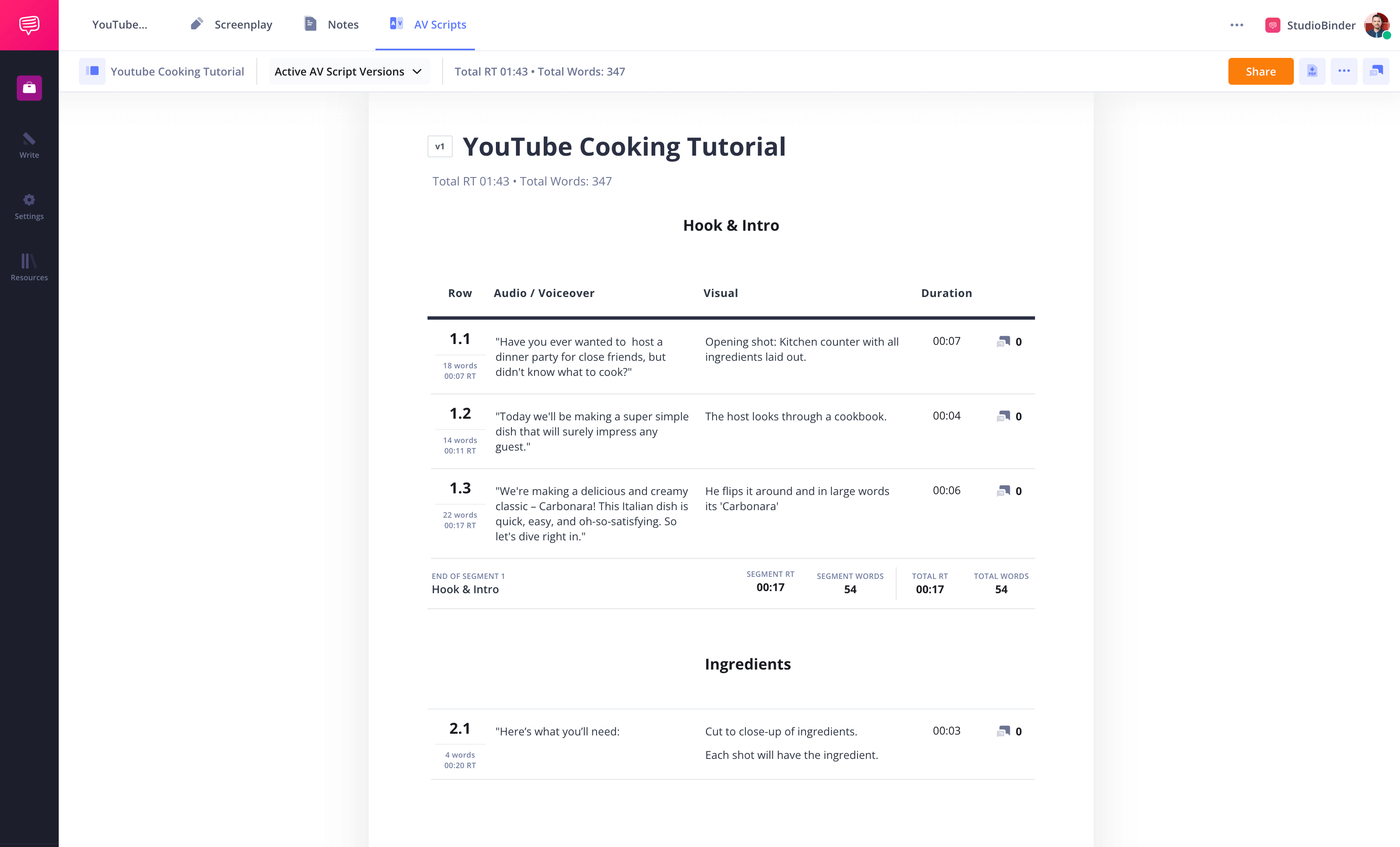
This is writing a YouTube script strategically — not casually talking to a camera. Let’s review additional tips for writing effective YouTube video scripts, focusing on structure, tone, pacing, and strategies that keep viewers engaged from start to finish.
Related Posts
Script Writing on YouTube
Why script writing on YouTube matters for growth
Strong YouTube script writing directly impacts the most important performance metrics.
1. Audience Retention
YouTube’s algorithm prioritizes retention. Videos that maintain 50-60% average view duration are more likely to be recommended.
2. Watch Time
YouTube pays creators from the Partner Program based on:
- 1,000 subscribers
- 4,000 public watch hours in 12 months (long-form)
- OR 10 million Shorts views in 90 days
Effective script writing for YouTube increases watch time by structuring information so viewers stay longer.
3. Monetization and Professionalism
Scripted videos:
- Minimize filler words
- Improve pacing
- Increase clarity
- Feel more authoritative
Unscripted videos, meanwhile, often:
- Wander
- Repeat ideas
- Lose momentum
That difference directly affects engagement rate and monetization potential, making script writing on youtube endlessly valuable.
Trusted by Over 1M Creatives
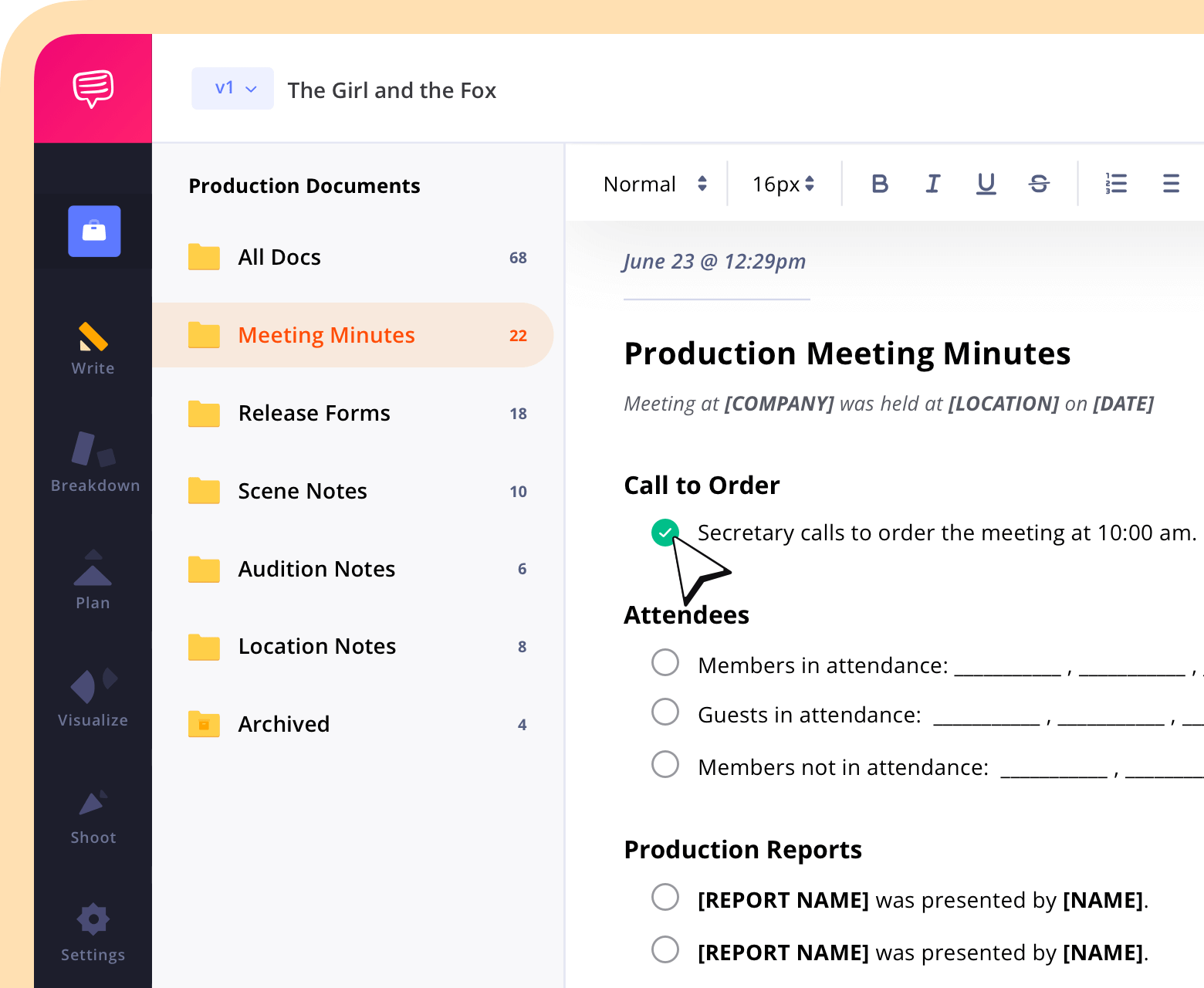
All your production docs, in one place
Give your team a workspace to write and share production notes, templates, and docs.
Script Writing on YouTube
The anatomy of a high-performing YouTube script
A strong script for YouTube follows a clear structure.
The Hook (First 10–15 Seconds)
The hook prevents scrolling.
YouTube analytics consistently show the largest viewer drop-off happens in the first 15–30 seconds.
3 Hook Examples:
- “I tested 10 viral YouTube script formats. Only one doubled my retention.”
- “If your YouTube videos aren’t growing, it’s probably your script.”
- “This one mistake is killing your watch time.”
Techniques:
- Specific promise
- Curiosity gap
- Immediate value
- Bold claim
The Setup
Clarify:
- The problem
- The promise
- The outcome
Example: “By the end of this video, you’ll have a repeatable YouTube script template you can use immediately.”
The Value Delivery
This is where structured storytelling or teaching happens.
Use:
- Clear sections
- Pattern interrupts
- Examples
- Transitions
Avoid:
- Rambling
- Repetition
- Over-explaining
The Payoff
Deliver the original promise. If you promise a template, give it. If you promised 5 strategies, recap them clearly at end.
The Call to Action
Strategic call to action placement matters. Best placements:
- Mid-roll (soft CTA)
- End of video (strong CTA)
Example: “If this helped, download the free script template below.”
Trusted by Over 1M Creatives
AV scripts with built-in timing
Write in two-column format, track runtime, and share with version control.
Script Writing on YouTube
How to write a YouTube script in 7 steps
Here is a practical YouTube scripting guide for your script.
1. Define Your Goal
Is the goal:
- Subscribers?
- Leads?
- Watch time?
- Affiliate clicks?
Your script writing on YouTube should align with your overall content strategy.
2. Create your initial outline
In StudioBinder, you can build out a plan for your script using the script outline feature.
A good structure is paramount: Hook, Setup, Sections, Payoff, CTA.
3. Research Keywords & Intent
Use tools for:
- YouTube SEO
- Keyword research
- Search intent
If people search “how to write scripts for YouTube videos,” your video should directly answer that phrase.
4. Build Out Your AV Script
With StudioBinder, you can customize your script format based on the type of video you want to create. Use a column for visuals and images, add a space to note runtime, and more.
5. Write Conversationally
Write how you speak. Short sentences. Natural rhythm. In other words, aim for writing that is punchy and relatable.
6. Get notes
It’s important to get other people’s thoughts on your script. In StudioBinder, you can add collaborators so that they can add notes directly to your AV doc.
7. Read Aloud & Refine
If it sounds robotic, best to rewrite it.
Script Writing on YouTube
Script frameworks that work on YouTube
Frameworks simplify writing scripts for YouTube videos.
1. AIDA Formula
This stands for Attention Interest Desire Action.
Here’s an example:
Struggling with retention? (Attention)
Here’s why viewers leave. (Interest)
Fix this and double watch time. (Desire)
Subscribe for more strategies. (Action)
2. PAS Formula
Next we have problem, agitate and finally solution.
“Your videos aren’t growing.
It’s frustrating watching others succeed and you not.
Here’s the script structure that fixes it in 5 easy steps.”
3. Problem–Solution–Benefit
Problem: Low retention
Solution: Structured scripting
Benefit: Higher algorithm reach
4. Storytelling Arc
This model is great for video essays and documentaries.
The general arc looks like: Hook, Conflict, Resolution, Lesson.
Script Writing on YouTube
The 3-Level Script Model
Level 1: Structural Clarity
Clear sections and promise.
Level 2: Psychological Triggers
Open loops, curiosity gaps and pattern interrupts.
Level 3: Performance Layer
Tone, pacing, emphasis.
A quick example:
Level 1: “3 ways to improve retention.”
Level 2: “Number two is counterintuitive.”
Level 3: A pause before reveal.
Performing a YouTube Script
Before you hit record, bold or highlight the single most important sentence in your script: the core promise of the video. If that line isn’t crystal clear, compelling, and outcome-focused, rewrite it. A strong central promise keeps your delivery tight and prevents you from drifting off-topic mid-recording.
Script Writing on YouTube
Script writing for different YouTube formats
Your script writing on YouTube will look different depending on the type of video you want to create. Each format requires its own structure, tone, and pacing.
Tutorials
- Step-by-step clarity
- Fewer tangents
- Direct instruction
Commentary
- Strong opinions
- Clear thesis
- Structured argument
Documentary / Essay
- Storytelling arc
- Emotional pacing
- Research-backed claims
Faceless Channels
- Tight scripting
- Voiceover rhythm
- Visual cues built into script
YouTube Shorts vs Long-Form
Shorts:
- 120–180 words
- Immediate hook
- No intro fluff
Long-form (10 minutes):
- ~1,300–1,600 words
- Deeper storytelling
- Multiple open loops
Average speaking pace? 130–160 words per minute.
Trusted by Over 1M Creatives
AV scripts with built-in timing
Write in two-column format, track runtime, and share with version control.
Script Writing on YouTube
Writing for retention and watch time
To increase watch time, use:
Open Loops
“Later, I’ll show you the template I use…”
Pattern Interrupts
- Visual change
- Music shift
- On-screen graphic
Curiosity Gaps
Tease future value without revealing everything.
Transition Pacing
Move quickly between sections.
Avoid Fluff
Every sentence should earn its place. Use retention graphs in YouTube Studio:
- Identify drop-offs
- Cross-reference script section
- Rewrite weak segments
Did You Know?
YouTube reports that the biggest viewer drop-off typically happens in the first 30 seconds of a video. If you can retain 70% or more of viewers past the 30-second mark, your chances of stronger distribution increase dramatically. It’s not as easy as you may think—be thoughtful and creative.
Script Writing on YouTube
Script length and word count benchmarks
There are no hard and fast rules on a script for YouTube video, but some good rules of thumb, going off a typical 150 words per minute average.
Video Length | Word Count |
|---|---|
5 minutes | 750 words |
10 minutes | 1500 words |
YouTube Shorts | 120-200 words |
These benchmarks help when writing a YouTube script efficiently.
Script Writing on YouTube
Using analytics to improve your script
It’s a science. Open YouTube Studio, and navigate to Audience Retention.
Look for:
- Sharp dips (weak hook?)
- Gradual decline (slow pacing?)
- Spikes (strong moment?)
Adjust upcoming scripts based on what the data reveals. That’s how YouTube script writing evolves into a data-informed process.
Related Posts
Script Writing on YouTube
YouTube script template (free framework)
Copy and paste this script template to get yourself started:
HOOK:
Big promise or bold statement.
SETUP:
What they’ll learn + timeframe.
SECTION 1:
Main teaching point.
SECTION 2:
Supporting insight.
SECTION 3:
Advanced or unexpected point.
PAYOFF:
Recap promise.
CTA:
Specific next action.
For more advanced formatting, many creators use StudioBinder’s AV Script Template for visual and dialogue alignment.

AV Script Writing Software
Script Writing on YouTube
Tools for Writing YouTube Scripts
Here are some great softwares to create and house your script writing on YouTube:
StudioBinder’s AV Script Template — Designed for YouTube scripts. Intuitive to use so you can focus on the script’s content.
Google Docs — Simple, straightforward.
Notion — AI powered software that isn’t perfected yet, but is the best AI for youtube script writing currently.

StudioBinder AV Script Writing Software
Related Posts
Script Writing on YouTube
Common mistakes to avoid
We all make mistakes. Here are ones that you’ll see most often.
- Weak hooks
- Overlong intros
- Robotic tone
- No payoff
- No call to action
- Ignoring YouTube SEO
- No keyword research
If you’re wondering what is good in a YouTube script examples, the answer is simple: clarity, structure, and payoff. Do we sound like a broken record yet?
Frequently Asked Questions
YouTube Script Writing FAQs
For tips on writing youtube scripts for beginners, start with a simple script writing YouTube outline. Then expand into a full script. Focus on clarity and answering one core question. Use proven frameworks like PAS or AIDA.
Most growing creators benefit from scripting. It improves retention, reduces fluff, and strengthens structure.
Multiply video length by ~150 words per minute. 5 minutes = ~750 words. 10 minutes = ~1,500 words.
- Research skills
- Understanding of audience psychology
- Knowledge of the YouTube algorithm
- Strong storytelling ability
- Clear video structure
- Script writing software
Most follow this process:
- Idea
- Keyword research
- Outline
- Draft
- Edit
- Record
- Analyze retention
- Improve
There’s no one way, but here are some good places to start.
- Build a portfolio.
- Study high-performing videos.
- Understand audience retention.
- Offer freelance services to creators.
They:
- Structure videos
- Improve engagement rate
- Optimize for watch time
- Align scripts with content strategy
- Craft hooks and CTAs
- Practice consistently.
- Analyze retention graphs.
- Study top creators.
- Rewrite scripts after reviewing analytics.
UP NEXT
YouTube Ideas to Grow Your Audience
Script writing on YouTube is not about sounding scripted; it’s about building a scalable system. Ready to start writing? Start with some of these ideas.