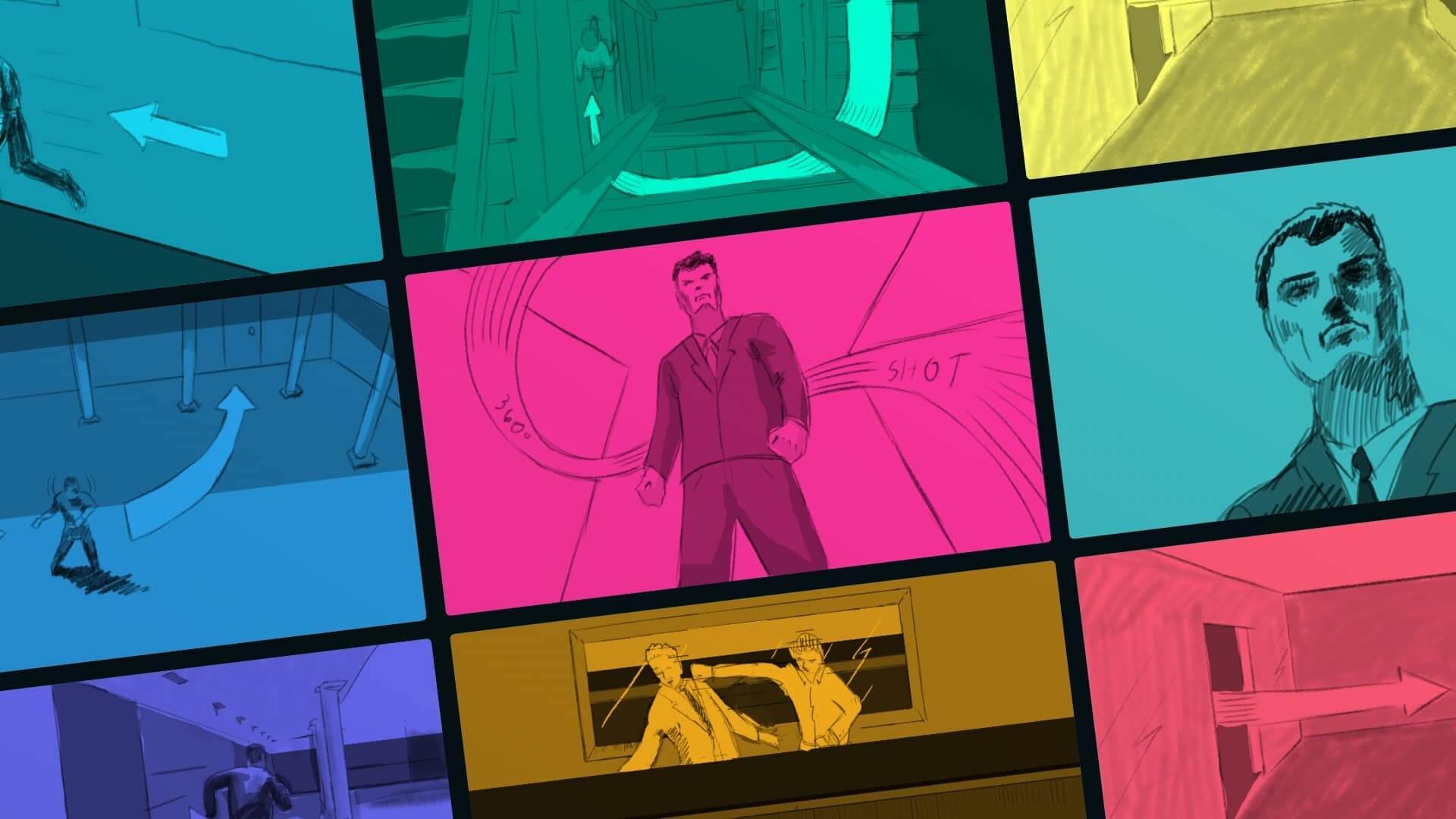
Quick Summary
Reviewed by experienced screenwriters and filmmakers with 10+ years of industry experience, this guide evaluates the best storyboard software using real production workflows. With 37% of filmmakers now collaborating digitally on storyboards, below is a curated list of the 23 most popular tools, followed by a deeper breakdown.
Best Storyboard Software Shortlist:
1. StudioBinder - Best for film and video productions
2. Toon Boom Storyboard Pro - Best for drawing storyboards
3. Wonder Unit Storyboarder - Good for drawings and exports
4. StoryboardHero - Good for AI-assisted workflow
5. Storyboard That - Best for classroom teaching
6. MakeStoryboard - Helpful with animatic storyboarding
7. Clip Studio Paint - Best for experienced illustrators
8. Plotagon - Good for quick character animations
9. Boords - Good for animatics
10. Katalist - Best for AI visual structure
Technology has only improved the story development and pre-production process, making pre-visualizing your ideas more efficient and accessible than ever before. If you’re looking for storyboarding software that fits your budget and project type, we’ve put together a list of the best options available for all budgets and project scales.
Storyboarding remains a core part of professional filmmaking, helping teams translate ideas into clear visual plans before production begins.
As Saul Bass famously said, “Design is thinking made visual,” and that principle shows up in practice. Over 72% of filmmakers create detailed storyboards, with more than 40% using them to shape story structure early on.
Director John Boorman has emphasized their practical value, noting that he storyboards scenes “where it is necessary to communicate through pictures,” a need that nearly 70% of filmmakers say helps reduce production time and costly mistakes through clearer visual communication.
Modern storyboard software builds on this foundation by making the process faster, more collaborative, and directly connected to production workflows.
Best Storyboard Software
What makes the best free storyboard software?
There are several factors to consider when picking the best free software for storyboarding your narrative ideas. Even if you decide on a storyboard software with a subscription fee, you’ll want to make sure it’s capable of meeting all your pre-planning needs. Here are a few key notes to think about when picking the best option for your storyboarding process:
- Easy to use: The best storyboard software is simple and intuitive, even for inexperienced filmmakers.
- Customization options: This includes collaboration and a customizable layout.
- Feedback & Commenting features: A space for team notes/feedback is crucial for pre-production.
- Integration with other software: Ability to streamline with any alternate editing or design software.
- Affordability: Find a storyboarding software that fits your budget without compromising features.
Summary of the Best Storyboard Software:
Below you’ll find a structured summary of the best storyboarding software to create storyboards with and their price listings. Be sure to consider your overall budget and needs as you browse through all these options:
Software | Best Used for | Trial / Free Access | Price | |
|---|---|---|---|---|
1 | Film and video production workflows with collaboration | Free plan available + product demo | From $42/month (annual billing) | |
2 | Professional animation storyboarding | Free trial available | From $67.50/month (annual billing) | |
3 | Free hand-drawn storyboarding | Completely free | Free | |
4 | AI-generated storyboard creation | Free trial available | From $19/month | |
5 | Educational storyboarding platform | Free trial available | From $9.99/month | |
6 | Simple, speed-focused storyboarding | Free plan available | From $9.99/month | |
7 | Detailed illustrated storyboards | Free trial available | From $4.49/month | |
8 | Converting dialogue into visual scenes | Free trial available | From $0.99/month | |
9 | Collaborative storyboard creation | Free trial available | From $19.99/month | |
10 | AI script-to-storyboard generation | Free trial available | From $29.99/month |
What is the best storyboard software listed in order?
Now we’ll break down all the best storyboard software options. For your convenience, we’re listing out pricing availability, the features that are and aren’t available with each option, and the pros and cons found in each. The best software for storyboarding won’t be the same for every project, so be sure to weigh your options wisely.

Best Storyboard Software
1. StudioBinder
Best for professionals and nonprofessionals alike.
- Try it free, or subscribe starting at $42 a month (annual)
Best storyboard tool for creators at any level.
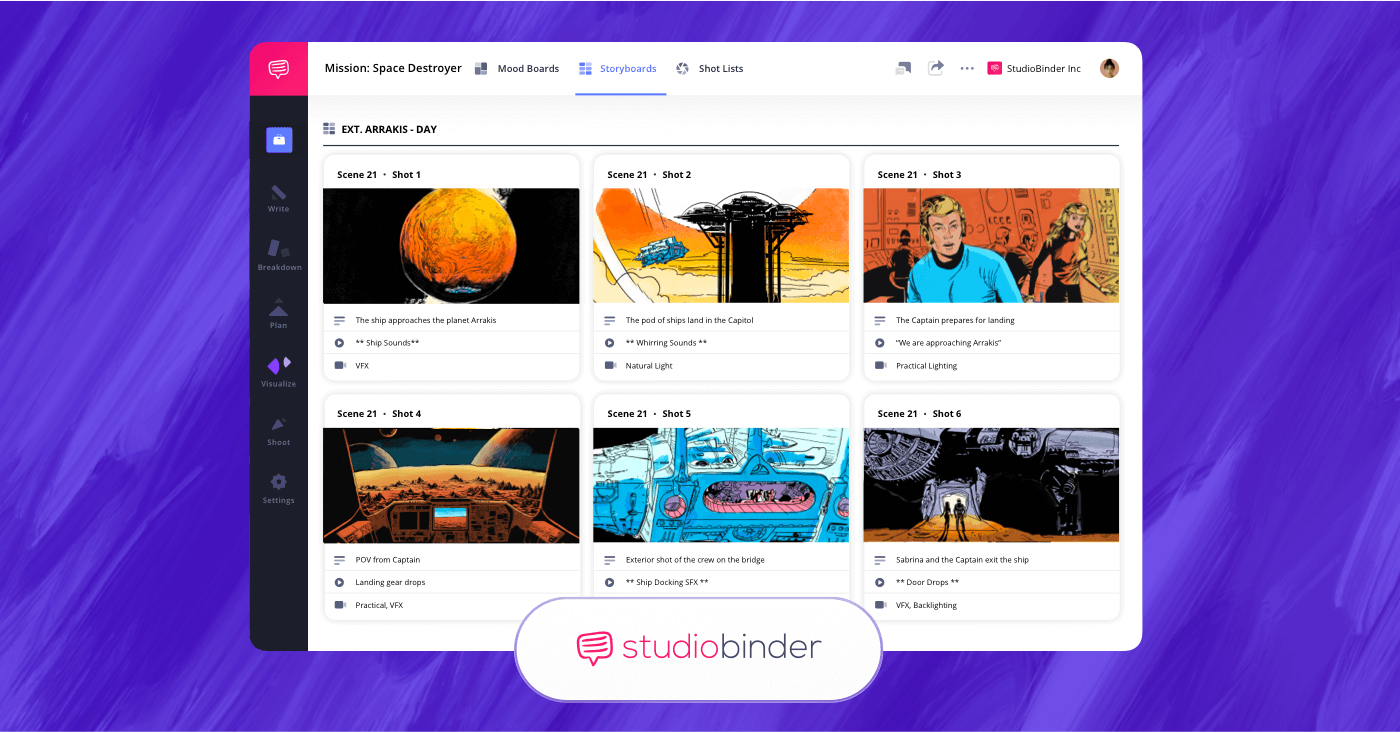
StudioBinder provides the best free storyboard software, whether you’re a beginner or an industry professional.
Advantages:
StudioBinder is a powerful storyboarding software for any creative that wants to simplify their pre-production process. This is the best storyboard software for filmmakers, animators, and content creators because it allows you to upload both physical and digital illustrations, and has a cloud-based system that makes accessibility and collaboration a breeze.

Key features:
- Intuitive storyboard interface.
- Integrated script-to-storyboard functionality.
- Ability to import physically drawn storyboards.
- Collaboration tools.
- Export options for storyboard PDFs.
- Image editing tools.
Pros and Cons:
Pros:
- Strong collaboration features
- Seamless script integration
- Reliable cloud system
Cons:
- If storyboarding basics is your aim, then the pe-production-based additions can feel like excess.
- Solo creators won’t find much use for the included collaborative tools.
Best Storyboard Software Animation
2. Toon Boom Storyboard Pro
Toon Boom’s storyboard software is best for animation storyboarding that integrates well with studio-level productions.
- Free trial for 21 days
- Subscription starts at $67.50 per month
Top-tier tool for studio-grade animation storyboarding.
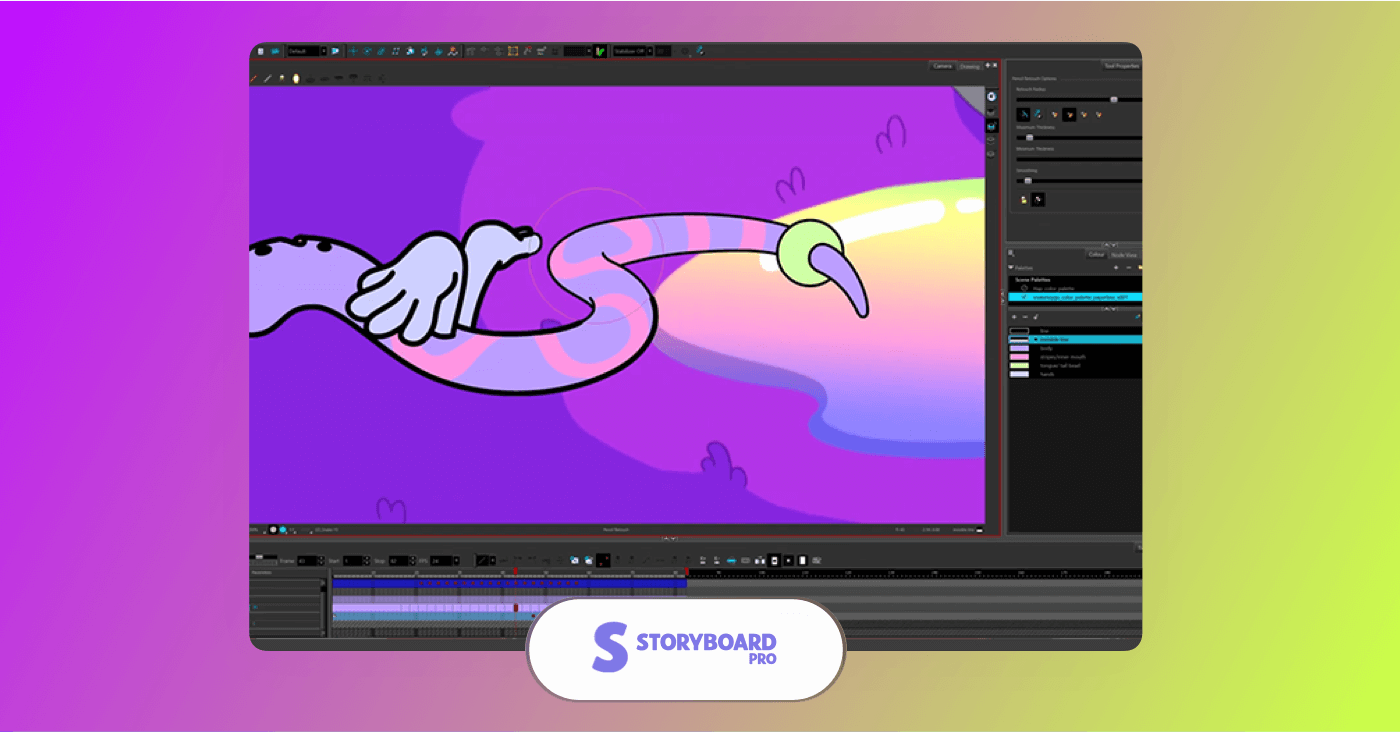
Toon Boom Storyboards are best in class for animation studio-level storyboarding.
Advantages:
Toon Boom Storyboard Pro is an industry-respected platform used by professional animation production companies. This program integrates drawing tools, camera placement and timeline controls that assist in animation storyboard creation meant to be prepped for the animatics stage. This one is best for those storyboard seekers in need of advanced control panels and specific high-end animation tools.
Key features:
- Advanced layered frame control for sketching.
- Cinematic effects and advanced transitions available.
- Timeline and audio integration.
- Professional file management and production-ready output.
Pros and Cons:
Pros:
- Excellent camera movement and audio controls.
- Powerful production suite.
- Exceeds with professional animatic workflow.
Cons:
- Not new-user friendly.
- Studio-level features make it highly priced.
- Great for all animation needs, but not the best storyboard software for filmmakers.
Related Posts
Free Best Storyboard Software
3. Storyboarder by Wonder Unit
Ideal for hand-drawing artists looking to work digitally.
- Free software
- No subscription available
Strong choice for free, creator-focused storyboarding.
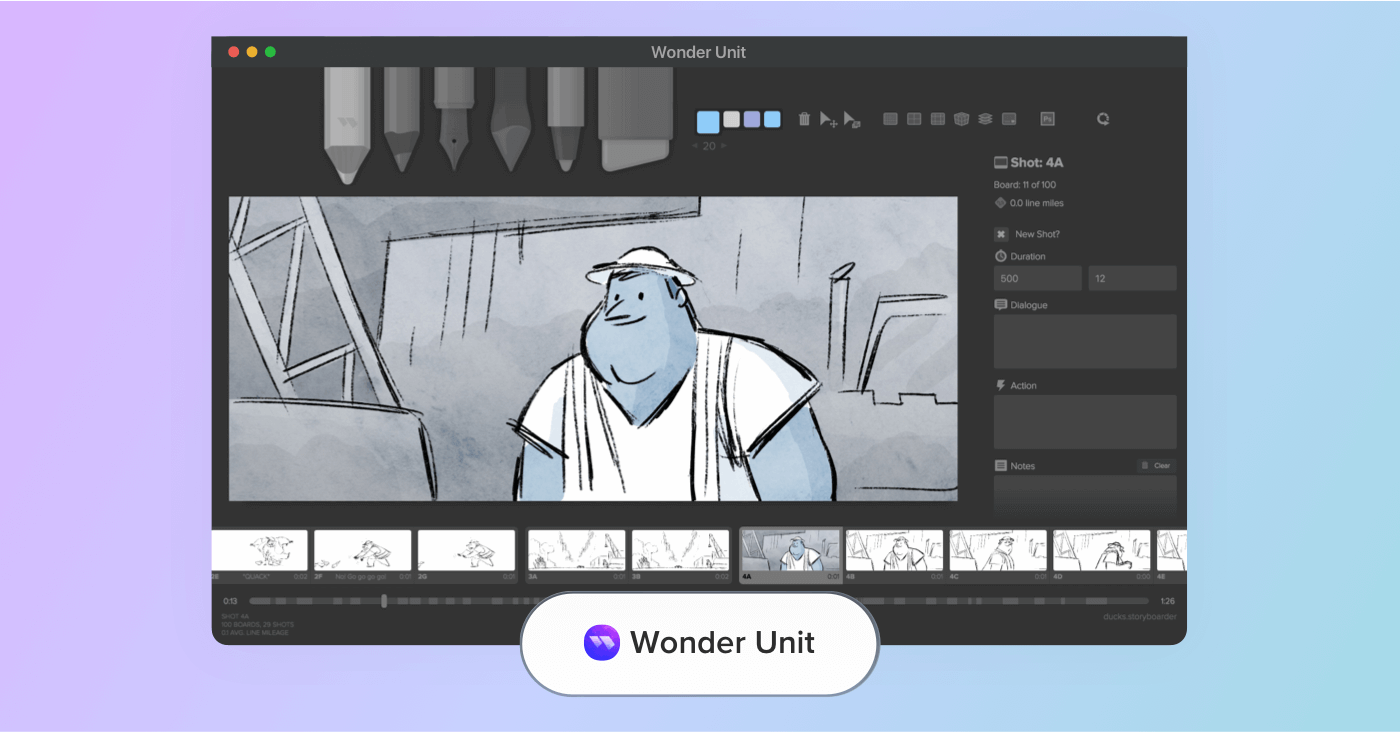
Wonder Unit provides free, artist-friendly storyboard tools designed for the modern pre-production workspace.
Advantages:
Wonder Unit offers some of the best software for storyboarding when it comes to digital hand sketches. Though its main focus is on simple frame-by-frame drawing, it provides a well-structured and free platform for both professional and aspiring storyboard artists. Given its free access, this is a great professional storyboarding tool for small indie productions.
Key features:
- Reliable shot and scene organization.
- Drawing tools that allow for fast sketching.
- Compatible with Photoshop.
- Supports camera shot guides and reference images.
- Export options for PDF storyboards and images.
Pros and Cons:
Pros:
- Great for anyone who prefers to draw by hand.
- No subscription required.
- Photoshop integration is strong and reliable.
Cons:
- Not a cloud-based platform.
- Storyboard tools vary outside of sketch-focused features.
Related Posts
Best AI Storyboard Software
4. StoryboardHero
One of the best storyboard software on the market when it comes to AI-assisted storyboard creation.
- Free trial
- Subscription starts at $19 per month.
Ideal for generating storyboard panels from written ideas.
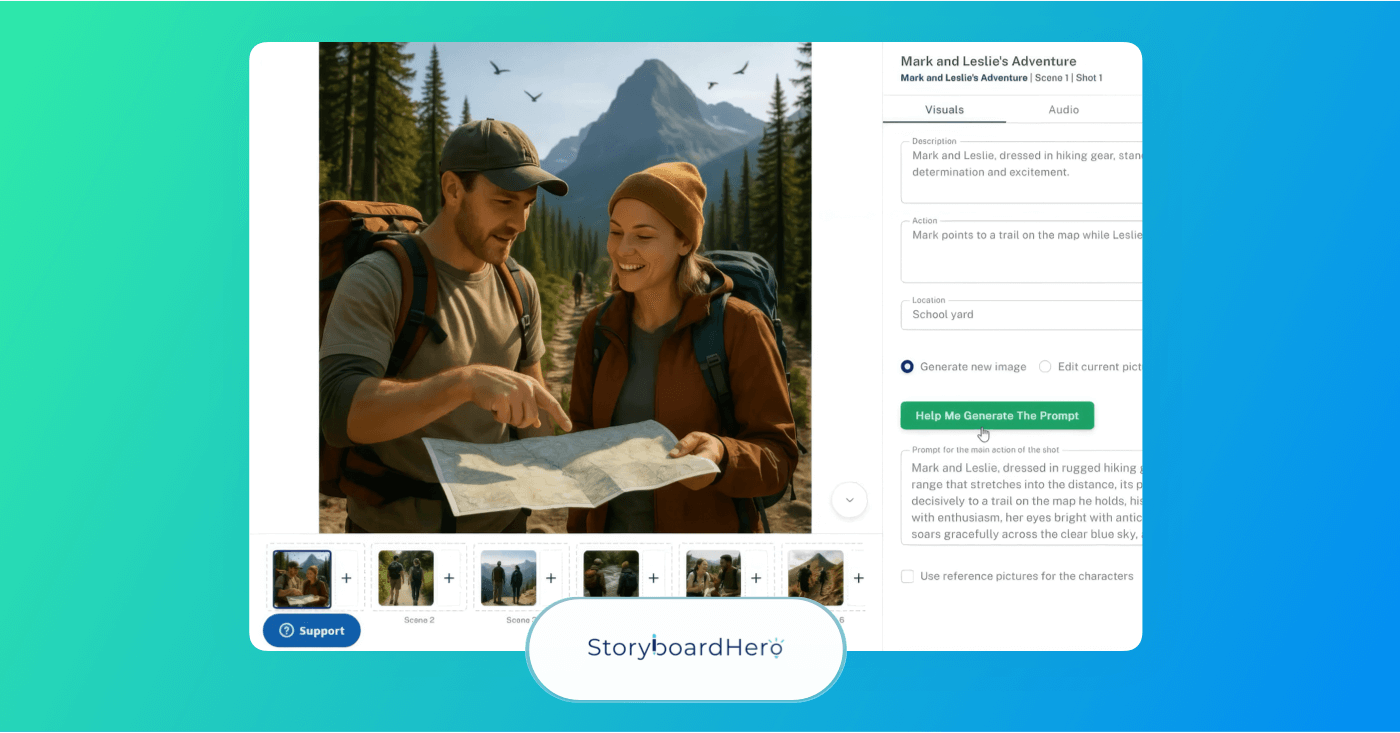
Storyboard Hero works by turning your written ideas or script into professional-looking storyboard panels.
Advantages:
StoryboardHero is an AI storyboarding platform that focuses on speedy storyboard turnarounds without drawing frames manually making it a great tool for storyboarding if you can't draw. It works by inputting a script or concept as a prompt so it can then create storyboard frames based on your ideas automatically. This platform is especially useful for agencies, video creators, and pitch decks for entrepreneurs.
Key features:
- Provides hand drawn emulated images by request.
- Can export branded PDF storyboards.
- Team collaboration tools, including comments section.
- Includes a frame-by-frame control feature.
Pros and Cons:
Pros:
- Some of the best AI-supported storyboard generation tools.
- Perfect for independent creators and agencies.
Cons:
- No manual drawing control.
- AI-generated images often require refinement.
- No permanently free trials right now available.
Related Posts
Educational Storyboarding Apps
5. Storyboard That
Best for education and template-based storyboarding.
- Free version available.
- Subscription starting at $5.99 per month.
Beginner-friendly approach focused on educational storyboards.
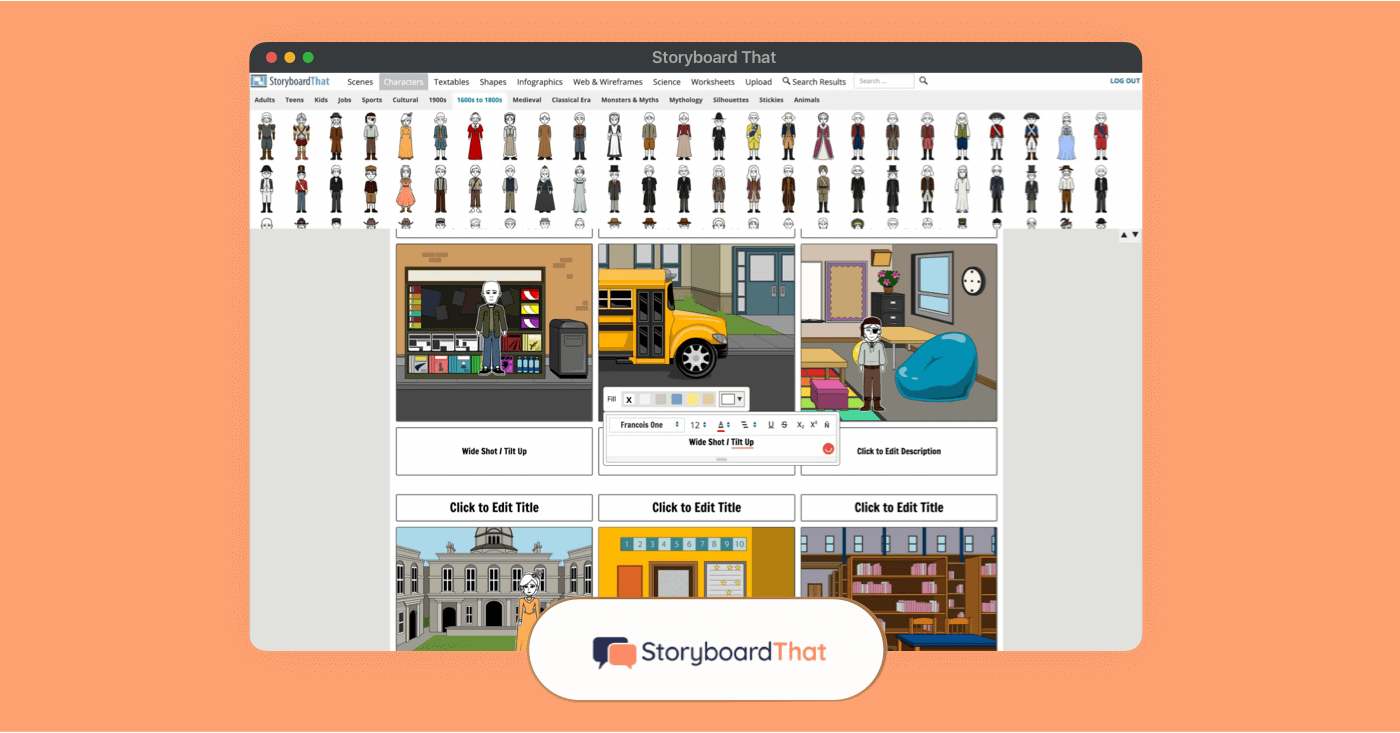
Storyboard That is a beginner-friendly storyboard approach that makes storyboarding educational.
Advantages:
Storyboard That is considered one of the best storyboard software for classrooms, students, and straightforward creative projects. You can create comics, storyboards, and graphic organizers using a large library of characters, scenes, props, and customizable layouts. It’s a great choice for beginners, who are approaching storyboarding with no film or video production experience.
Key features:
- Comes with customizable characters, scenes, and props.
- Includes comics and graphic organizers.
- Extensive built-in art library for quick image creation.
- Premium plans come with more cells, uploads, and privacy controls.
- Useful for teachers looking for creative education methods.
Pros and Cons:
Pros:
- Full spectrum of visual assets
- Classroom-friendly
- Easy to use for beginners
Cons:
- Free plan offers reduced collection of storyboards
- Not ideal for professionals
- Does not feature advanced shot planning tools.
Trusted by over 1M creatives
Storyboards that make vision visible
Turn scripts or ideas into storyboards, collaborate, and share with ease
Best Free Storyboarding Software
6. MakeStoryboard
Best storyboard software for quick online storyboard creation with very little learning curve.
- Free plan available
- Subscription starts at $9.99 per month
Ideal for newcomers who want speed and simplicity.
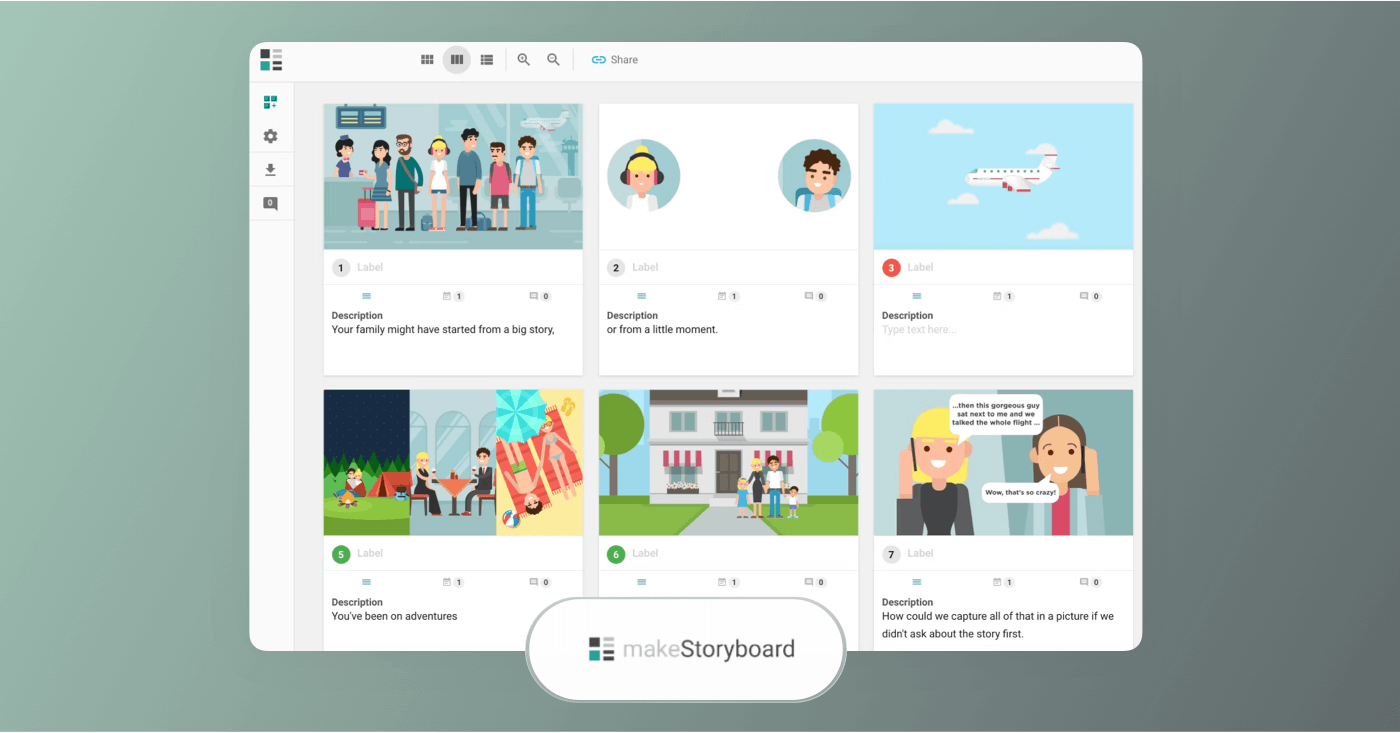
With production tools designed for newcomers, MakeStoryboard can help you whip up fresh storyboards quickly and efficiently.
Advantages:
If you want a very straightforward approach to a storyboard creator, then MakeStoryboard is the tool for you. This platform focuses on simplicity, particularly in panel creation, scene organization, and a clean, user-friendly interface. This option is among the best software for storyboarding when it comes to tighter production teams and anyone who doesn’t require a full production management suite.
Key features:
- Easy drag and drop workflow.
- Storyboard editing available across devices.
- Built-in organization features.
- Bypasses an advanced setup in favor of much quicker storyboarding.
- Clean export options for image files and PDFs.
Pros and Cons:
Pros:
- Simple sharing and exporting file options
- Affordable pricing compared to more advanced competitors.
Cons:
- Not useful for animatics or shot list integration.
- Not made for professional filmmaking productions.
- Small overall set of features.
Best Storyboard Software For Drawing
7. Clip Studio Paint
Clip Studio Paint provides some of the best free software for storyboarding when it comes to hand-drawn illustrations.
- Free trial offered
- Subscriptions start at $4.49 per month
Well-suited for detailed, hand-drawn storyboard work.
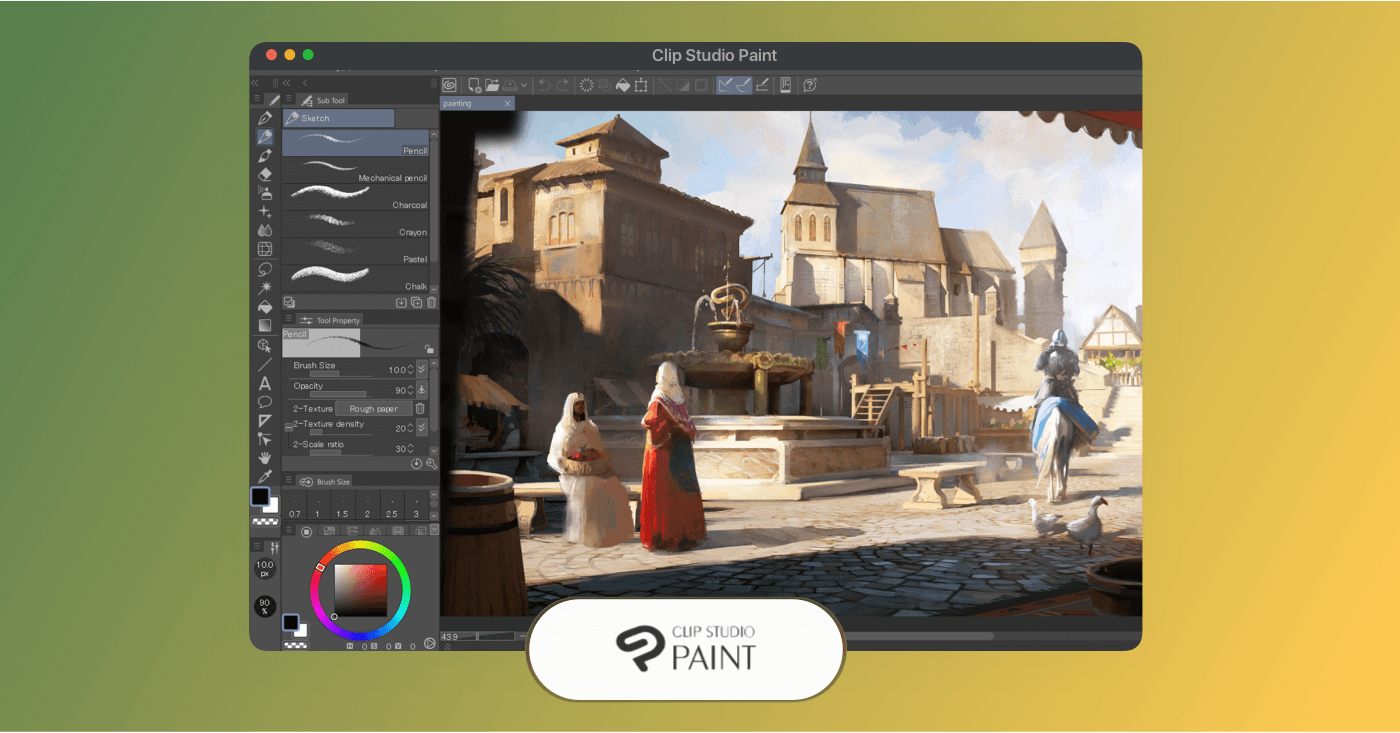
Clip Studio Paint offers industry-leading digital illustration tools, perfect for hand-drawn storyboards.
Advantages:
Clip Studio paint stands out amongst the other storyboarding platforms with its advanced and professional hand-drawing software. With this program you’ll find advanced storyboarding tools such as a user-friendly customizable workspace, and a highly advanced brush engine. This one is great for a drawing-first approach and full artistic control around each panel.
Key features:
- Highly professional drawing and painting tools.
- Great for cinematic frame creation.
- Helpful guides on perspective measurements and shot framing.
- Exports to most professional formats (PDF, PNG, PSD).
Pros and Cons:
Pros:
- Perfect for artists who prefer to draw by hand.
- Integrates well into comic panels and animation.
- Brush, layering, and composition controls are top-notch.
Cons:
- Doesn’t offer much in other production workflows.
- Limited collaboration features.
- High difficulty level.

Best storyboard Software for speedy animations
8. Plotagon
Good with scripted animation storyboarding.
- Free plan available
- No subscription available
Solid choice for quickly generating animations from ideas.
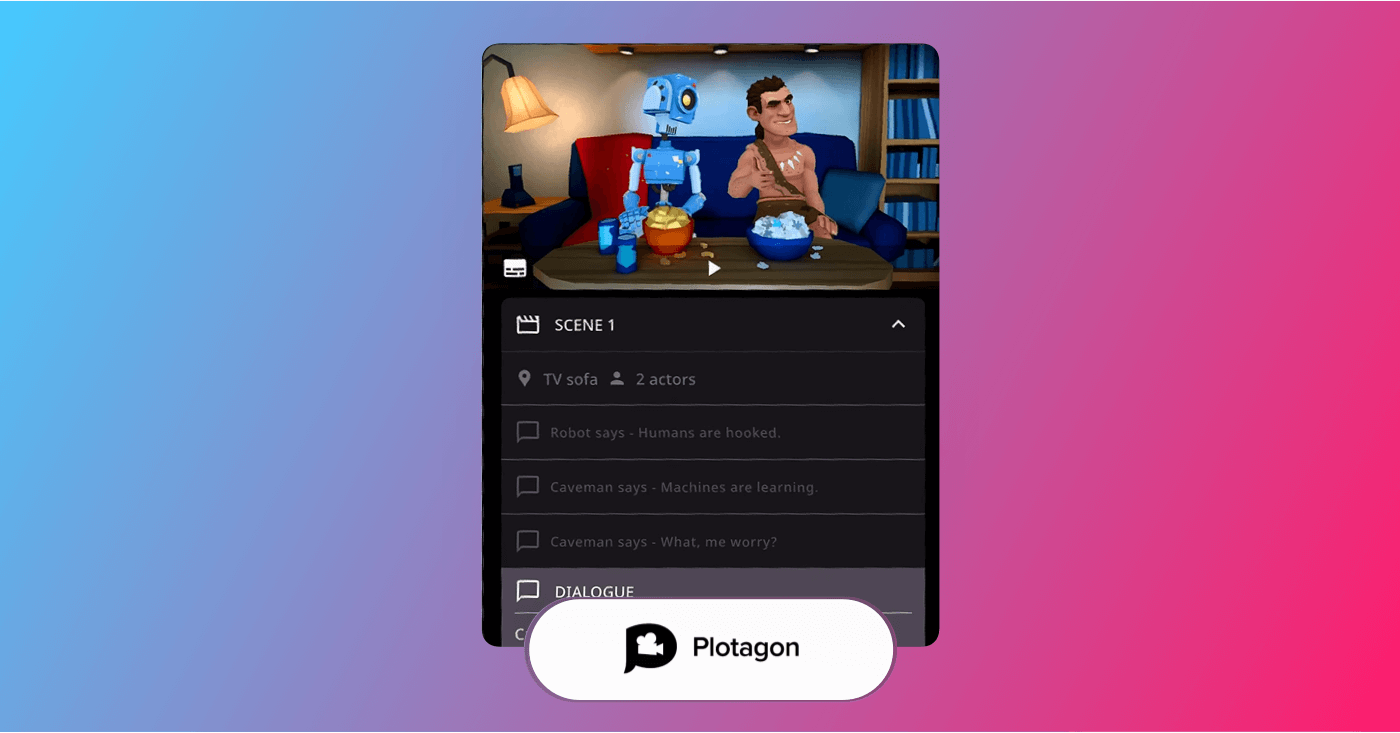
Plotagon is useful for visualizing story structure and pacing without manual drawing.
Advantages:
Plotagon works by uploading your script into their app-based software and turning dialogue and scenes into animated visuals. It doesn’t allow for much creator freedom when it comes to storyboard editing features, but it is useful as a side tool to help visualize characters, scene setup, and flow with straightforward animated sequences. If you’re a creator who needs to quickly visualize how a scene or moment will theoretically play out, this is a helpful enough tool for that.
KEY features:
- Converts written dialogue into visual scenes.
- Pre-built characters and environments to apply to your scenes.
- Timeline-based scene editing for pacing and story flow visualization.
- Automatic character animation and lip-syncing for your character dialogue.
- Cloud-based platform.
Pros and Cons:
Pros:
- Reliable for quick visualization.
- No drawing skills required.
- Useful as a narrative testing tool.
Cons:
- Limited control over shot composition compared to traditional storyboard tools.
- Works best as a side-tool next to a more storyboard-focused platform.
- Frame-by-frame cinematic planning is less reliable.
- Not designed for professionals.
Trusted by over 1M creatives
Storyboards that make vision visible
Turn scripts or ideas into storyboards, collaborate, and share with ease
Storyboard Software
9. Boords
Useful for building animatics.
- Free plan available
- Subscriptions start at $25 per month
Includes AI storyboard features
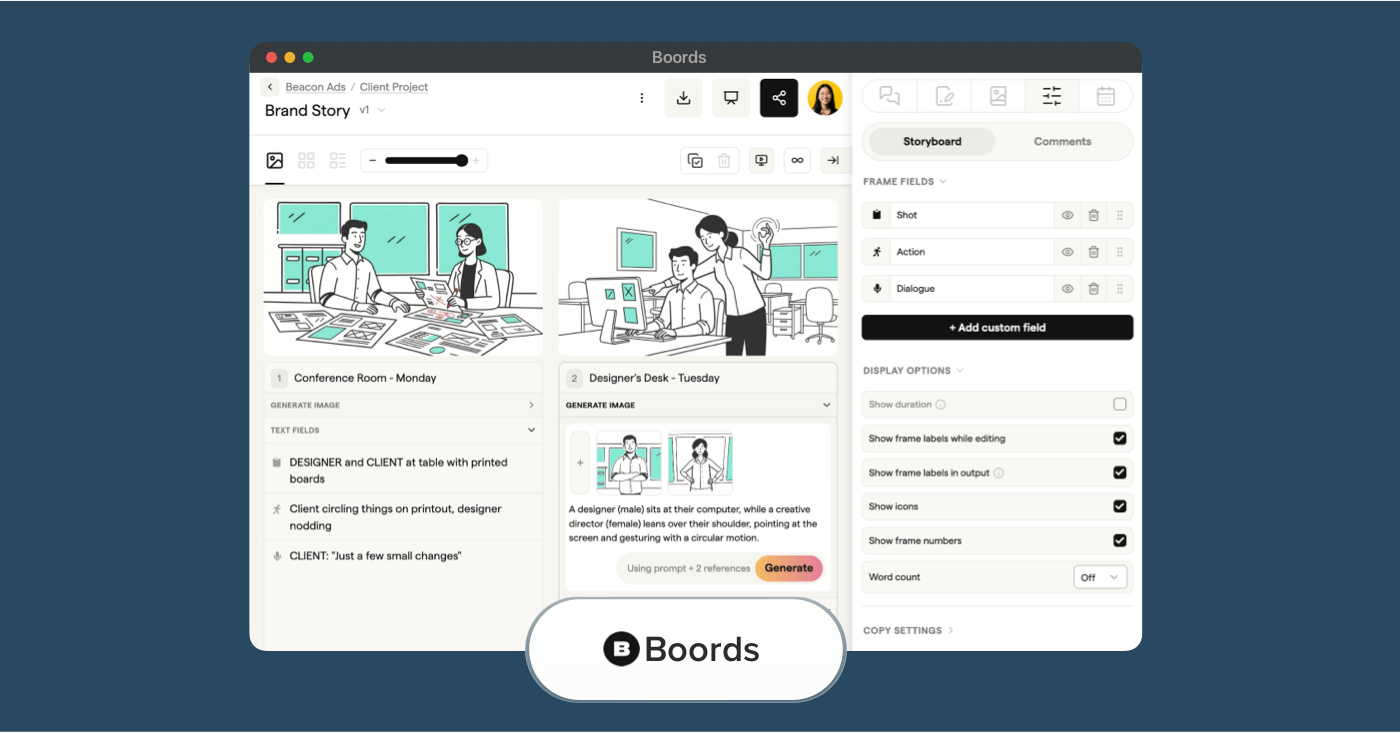
Boords is good to visualize a project with storyboards.
Advantages:
Boords is a cloud-based storyboarding software designed for professionals in film, TV, and advertising. With its drag-and-drop interface and built-in storyboard templates you can visualize your project. Its collaboration tools allow for sharing and commenting on projects with team members, making it good for remote teams.
KEY features:
- Storyboard tools with image library
- Collaboration for your team
- AI-powered storyboarding features
- Exportable in formats including PDFs or MP4s
Pros and Cons:
Pros:
- Good for animatics
- Web-based workflow
- Good collaboration tools
Cons:
- Not suitable for hand-drawing
- Basic features on paid plans
Best AI Storyboard Software
10. Katalist
Good with AI script-to-storyboard generation.
- Free trial available
- Subscriptions start at $29
Solid choice for AI image generation.
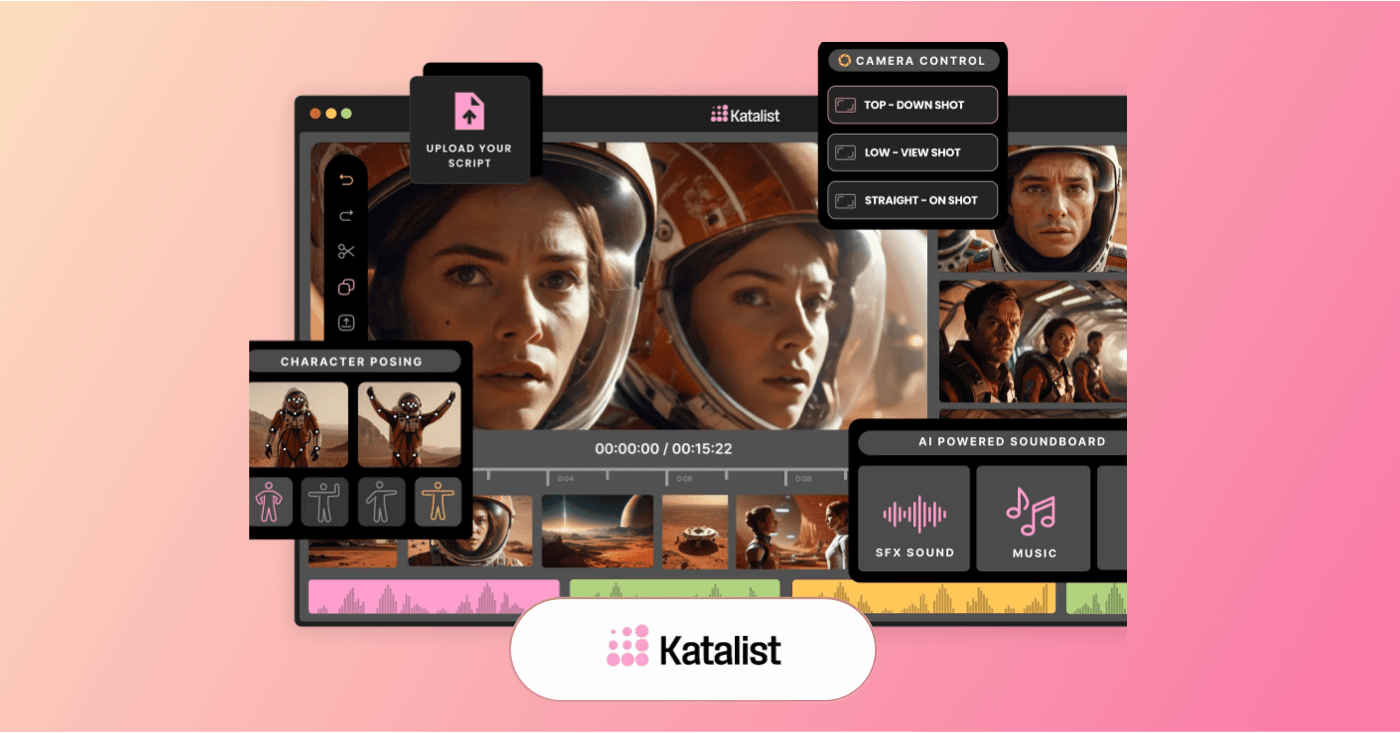
Katalist uses AI for a script-to-storyboard workflow.
Advantages:
Though its AI visual quality is known to be inconsistent, Katalist still works as a helpful assistant that can take your script and quickly generate enough visual continuity to further incite your own creative ideas. This platform also allows you to customize characters, collaborate with your team, and edit sequences on the fly. If you’re a filmmaker or content creator, this can likely be a helpful tool for you.
KEY features:
- Automatically converts scripts into visual boards.
- Custom character generation with uploaded images and built-in art styles.
- Features that allow you to adjust angles, poses, and compositions.
- Collaboration tools for sharing and editing storyboards.
Pros and Cons:
Pros:
- Meant to speed up storyboard creation with AI automation.
- Useful for pitching ideas and pre-production idea planning.
Cons:
- Can’t capture the same fine cinematic detail that manual tools can.
- Some advanced features and credits are locked behind higher-end tiers.
- Characters and expressions are limited, lacking nuance.
- Comes with a learning curve.
More Storyboard Software Alternatives:
Below are 15 more of the best storyboard software options that didn’t make the top 10 cut. These are listed in order of usefulness and are all worth looking into if the initial 10 don’t meet your best storyboarding software needs.
13
Plot
For visualizing story structure and narrative flow
14
Adobe Photoshop
For image editing and visual concept development
15
FrameForge Studio
For 3D previsualization of shots and camera blocking
16
LTX Studio
For AI-assisted visualization and preproduction
17
Previs Pro
For camera blocking and shot previsualization
18
Storyboarder.ai
For AI-generated storyboards and shot concepts
19
Moviestorm
For 3D previsualization of scenes and performances
20
ShotPro HQ
For planning camera shots, angles, and shot lists
23
Blender
For animation and cinematic previsualization
24
MakeBeliefsComix
For educational visual storytelling
25
TVPaint Animation
For professional 2-D animation projects
26
Imagine.art
For AI storyboard generator options
Best Software for Storyboarding
What is the best storyboard software?
The best storyboard software available today lives inside StudioBinder. Not only is it free to try, but it’s built as part of a complete production ecosystem which makes it far more powerful than standalone storyboard tools. Whether you’re a filmmaker, content creator, or creative professional, StudioBinder helps you move seamlessly from idea to execution.
With script importing, version control, and full production management baked in, your storyboards don’t live in isolation. Not to mention, it automatically connects to your shooting schedule, breakdowns, and other production assets, keeping everything aligned as your project evolves.
Add in customizable templates and real-time collaboration, and you get more than a storyboard tool. You get a centralized command center for pre-visualization and production planning.
Choosing the Best Storyboard
How to select the best storyboard software
The best storyboard software should help you plan visual sequences clearly, stay organized, and collaborate efficiently from early concepts through production-ready storyboards. That is why this list highlights dedicated storyboarding tools designed specifically to support visual planning and streamline production workflows.
While general design platforms offer basic templates, they often lack essential features like shot tagging, aspect ratio controls, version control, and production syncing. This is the same reason tools such as Canva and Milanote were not included. When comparing tools, focus on the features that truly support a real storyboarding workflow.
Here are the main factors to consider when choosing the right platform.
Core Storyboarding Features
A strong storyboard platform should cover the essentials, including:
- Create and edit storyboard frames
- Arrange scenes and shot order easily
- Add notes, dialogue, and shot details
- Export boards in multiple formats
- Support team sharing and feedback
- Offer templates for faster setup
- Provide basic layout or timeline controls
Extra Features That Set Tools Apart
Some platforms offer added capabilities that improve speed and flexibility, such as:
- Animatic playback with timing and audio
- Integration with production planning tools
- AI-assisted storyboard generation
- Advanced drawing and illustration options
- Versioning support for revisions
- Client-friendly presentation and approval tools
Usability and Workflow Fit
The right software should match your experience level and project needs:
- Easy for beginners to start quickly
- Flexible enough for creative customization
- Efficient for teams or solo creators
- Designed for film, animation, or marketing use cases
Evaluating storyboard platforms using the above criteria helps you choose a tool that supports better planning, clearer communication, and smoother production workflows. Consider using a StudioBinder’s all-in-one app, which offers a wide range of features that accommodate both beginners and industry professionals alike.
Trusted by over 1M creatives
Storyboards that make vision visible
Turn scripts or ideas into storyboards, collaborate, and share with ease
Choosing Best Storyboard Software
How to choose the best storyboard software
With so many storyboard platforms available, it’s easy to get distracted by long feature lists or pricing tiers that don’t reflect what you actually need. The best approach is to focus step by step on the tools that support your creative process, match your production workflow, and scale with the type of projects you work on. That’s how you determine the best storyboarding software free from distraction.
Use the checklist below to evaluate the best storyboard software more clearly and narrow down the right option for your team or personal workflow.
Factor | What to Consider |
|---|---|
Workflow Fit | Choose a tool that matches how you plan projects — whether you need simple frame layouts or full production-ready storyboards. |
Collaboration Tools | If you work with teams or clients, look for commenting, sharing, and approval features built into the platform. |
Ease of Use | The software should feel intuitive, with minimal setup time and a clean interface. |
Export Options | Make sure you can export boards into formats your workflow requires, such as PDF, image files, or animatics. |
Customization | Look for flexible layouts, editable templates, and tools that let you adjust boards to your creative style. |
Drawing vs Templates | Decide whether you want freehand sketch tools for artists or drag-and-drop templates for faster planning. |
Integrations | Some platforms connect with editing, scheduling, or production tools. |
Pricing and Scaling | Consider whether the free plan is enough, and whether paid tiers make sense as your projects or team grow. |
Version Control | For fast-moving productions, it helps to have the ability to manage multiple storyboard drafts. |
Project Type Support | Certain tools are better for film shoots, animation pipelines, marketing videos, or classroom use. |
What to Look for In Storyboard Software?
What are common trends in the best storyboard software?
The best storyboard tools are evolving quickly as more filmmakers, animators, marketers, and content teams rely on digital pre-production workflows. Today’s leading platforms go beyond simple frame layouts, offering smarter features that improve speed, collaboration, and visual planning across projects.
Below are some of the biggest trends shaping the future of storyboard software.
- AI-Powered Storyboard Creation: More platforms are introducing AI tools that help generate frames, suggest visual compositions, or speed up early concept development. This makes it easier to translate scripts and ideas into storyboard form with less manual effort. Be sure to always consider the best AI storyboard software available.
- 3D Previsualization Features: Storyboarding is becoming more dimensional, with many tools adding 3D blocking, camera simulation, and spatial planning options. This helps creators preview movement, staging, and shot design more realistically before production.
- Richer Multimedia Storyboards: Modern storyboards are increasingly interactive, allowing users to embed audio, video clips, GIFs, and links directly into frames. These features make storyboards more useful for pitching, client reviews, and animatic-style planning.
- Improved Remote Collaboration: Real-time editing, commenting, and approval workflows are now standard across many storyboard platforms. These tools are especially valuable for distributed teams who need to stay aligned across creative decisions.
- Cloud-First Storyboarding Workflows: Many storyboard solutions are shifting toward browser-based platforms with automatic saving, shared access, and cross-device usability. Cloud-based systems make it easier to manage updates and keep projects accessible from anywhere.
Storyboard Software Features
What features do the best storyboard software have?
The best storyboard software both organizes drawings into frames and helps you communicate your ideas clearly throughout the pre-planning process. As you compare different tools, keep an eye out for features that support creative flexibility and practical workflow needs.
As you can find with StudioBinder, expansive features such as customizing the size of your frames make all the difference for unique projects that aren’t supported by traditional filmmaking storyboard dimensions.
Below are some of the most valuable storyboard software features to look for.
- Easy frame and layout tools: A strong storyboard platform should let you arrange panels quickly, adjust shot order, and build sequences without slowing down your creative process.
- Ready-to-use templates: Many tools include a blank storyboard template for film scenes, commercials, animations, or pitch decks, helping you get started faster and stay organized from the beginning.
- Built-in collaboration features: If you’re working with a team or presenting to clients, real-time commenting, sharing, and approval tools can make feedback and revisions much more efficient.
- Script and shot detail support: The best software allows you to pair visuals with dialogue, scene descriptions, camera notes, or shot numbers so everything stays connected in one place.
- Flexible export and presentation options: Look for platforms that let you export storyboards as PDFs, image files, slides, or animatics, making it easier to share your work across production stages.
- Revision and version management: Storyboards often go through multiple drafts, so tools with revision tracking or duplicate-version workflows can help you stay organized as ideas evolve.
- Multimedia and animatic capabilities: Some platforms support video clips, sound, timing controls, or playback features — especially useful if you want to turn your storyboard into an animatic.
More resources on the best storyboard software
If you find our list doesn’t provide the best software to create storyboards that meet your unique vision, then be sure to browse through these alternative listings for storyboard software.
Advantage of Storyboard Software
What are the core benefits of storyboard software?
Using storyboard software can significantly improve how you develop your ideas, as well as how they’re, shared, and executed throughout a project. Instead of relying on loose sketches or disconnected documents, digital storyboards can give you a structured way to visualize concepts and align everyone involved.
With StudioBinder for example, you can easily control your team’s viewing, commenting, or editing privileges on your storyboard. And even if you're partial to physical sketches, StudioBinder's digital image suite lets you easily snap, upload and edit your illustrations.
Here are some of the key benefits you can expect from using the best storyboard software:
- Clearer creative direction: Storyboards turn abstract ideas into concrete visuals, helping you define shot composition, pacing, and visual flow before production begins.
- Improved collaboration: Built-in sharing and commenting tools make it easier for teams, clients, and stakeholders to give feedback and stay aligned throughout the planning process.
- Faster planning and iteration: Drag-and-drop templates and reusable layouts reduce setup time and make revisions easier when ideas change.
- Stronger communication across teams: Visual storyboards help bridge gaps between creative, technical, and production roles by giving everyone a shared reference point.
- Support for remote workflows: Cloud-based platforms allow teams to access, update, and review storyboards from anywhere, which is especially valuable for distributed productions.
- Better preparation for production: Storyboards help identify potential issues early, allowing you to plan shots, transitions, and sequences more efficiently before filming or animation begins.
- Flexible sharing and presentation: With multiple export formats and presentation options, storyboards can be shared easily with collaborators, clients, or crew members at any stage.
ai storyboard software
Features in AI storyboard software
In addition to standard storyboarding tools, many modern platforms are now incorporating AI to help speed up planning, spark ideas, and reduce repetitive work. These features are designed to support early concept development while giving creators more flexibility during pre-production.
Below are some of the most common AI-powered features found in today’s best AI storyboard software.
- Text-to-storyboard assistance: Some tools can turn written prompts or scene descriptions into structured storyboard notes.
- AI-generated visual frames: AI image generation makes it easier to visualize scenes without manual drawing.
- Shot and scene recommendations: AI systems can suggest camera angles, shot types, or scene progressions based on context, maintaining pacing and visual continuity.
- Dialogue and script support: Certain platforms use AI to review dialogue or scene text, offering suggestions for tone and overall flow.
- Narrative and pacing insights: Advanced tools analyze your storyboard structure to identify potential gaps and missing transitions.
![The Pre-Production Process in Film Explained [Stages of Filmmaking, Ep 2]](https://i.ytimg.com/vi/U6I1tMgjW-I/hqdefault.jpg)
Storyboard Software Pricing
The best storyboard software pricing
Before choosing the best storyboard software for your project, you’ll want to make sure you consider the full spectrum of pricing options. Our table below will help you break down pricing plans and the features they typically include.
Pricing and Plans for Storyboard Software
Plan Category | Typical Cost Range | What’s Usually Included |
|---|---|---|
Free Tier | $0 | Basic storyboard creation tools, limited templates or frames, and simple export or sharing options. |
Individual Plan | $5–$25 per user/month | Expanded templates, drag-and-drop editing, cloud access, and customization for solo creators. |
Team Plan | $25–$75 per user/month | Collaboration features, real-time commenting, advanced layout tools, and improved export formats. |
Enterprise Plan | $75+ per user/month | AI-powered features, 3D or animatic tools, enhanced security, priority support. |
Frequently Asked Questions
Storyboard software FAQs
The best and most used software for storyboarding in adobe is Adobe Photoshop. This is often cited as the best for storyboarding within the adobe suite because it allows you to organize layers, sketch frames and create detailed visual sequences. It’s also possible to storyboard in Adobe Illustrator and Adobe InDesign, but these options offer less production-friendly features.
The features you should most focus on looking for with any free storyboard software you find online are:
- Shot-by-shot layouts
- Free PDF exporting options
- Collaboration capabilities
- Script ingestion
- Image uploading
With these tools, you’ll ensure that your planning process is covered by the most up to date digital tools in pre-production storyboarding.
Free storyboard software is perfect for video and film production. In fact, storyboarding was literally made for pre-visualizing anything you plan to take from the written idea stage to the capturing on camera stage. Any digital storyboarding platform you use to storyboard your ideas has been calibrated with filmmakers, animators, and content creators in mind.
The types of projects that typically use storyboards are filmmaking or animation based. But storyboarding doesn’t just stop there, it can also be used for:
- Video games
- Commercials and advertising videos
- Social media content
- Presentations
Essentially any project that requires some sort of visual storytelling can be pre-planned with a storyboard.
You should use storyboarding software because it helps you visualize your narrative ideas before putting them to screen or presenting them. With online storyboarding software, you’ll organize all your ideas digitally, which allows you to either upload your physical sketches, or use temp images online. With storyboard software, you also have the option to collaborate with your team through the storyboard itself, making communication and providing creative notes easier than ever.
Up Next
How to make a storyboard
With all the best storyboarding software in mind, let’s dive into the process and details of storyboarding to fully paint the picture of the story you want to tell. Hit the link below for the ultimate guide on how to make a storyboard!
Up Next: How to Make a Storyboard →
Share your vision with elegant shot lists and storyboards.
Create robust and customizable shot lists. Upload images to make storyboards and slideshows.