When it comes to creative projects, a mood board is essential. It’s a visual way to collect and organize your ideas, inspiration, and thoughts on a project. But what exactly is a mood board? And how do you create one? We’ve got the answers along with a selection of ready-made moodboard templates.
Read on for everything you need to know about how to make a mood board, plus some tips and tricks for finding your aesthetic direction.
How to Make a Mood Board
How do we define mood board?
Mood boards can be used as visual inspiration for any kind of creative project, from art direction for a movie to creating a work of art. Even web designers rely on mood boards when developing a project.
If your goal is visual storytelling, this is the first step along your path. To understand their value, let’s take a look at the definition.
MOOD BOARD DEFINITION
What is a mood board?
A mood board is an arrangement of images that evoke certain feelings or emotions. They can include anything from photographs and illustrations to textures, color swatches, typography, or other visual elements that communicate the mood, tone, or overall aesthetic.
The mood board definition should be clear enough but what about their utility? You might think mood boards are simply an "arts & crafts project" done for personal amusement, but they are used throughout multiple industries. Consider this quote from an academic article written for The Design Society.
The Purpose of Mood Boards
"The purpose of the mood board is to overcome linguistic restrictions when trying to communicate the setting from a brief by using imagery to establish joint visual connotations." — from "Visual Boards: Mood Board, Style Board, or Concept Board?" by Munk, Sørensen and Laursen
Words can only say so much, and when you're collaborating on visual work, it makes complete sense that you would use visuals to communicate with your collaborators. Now, let's get into how to make a mood board, step by step.
Related Posts
The Process Explained
How to make a mood board
A mood board (sometimes called a lookbook) is a platform where professionals can collect and curate inspiring visuals for creative visualization. These boards allow them to communicate ideas with stakeholders in an efficient, visually appealing way.
Click the image below to see what a finished mood board should look like.
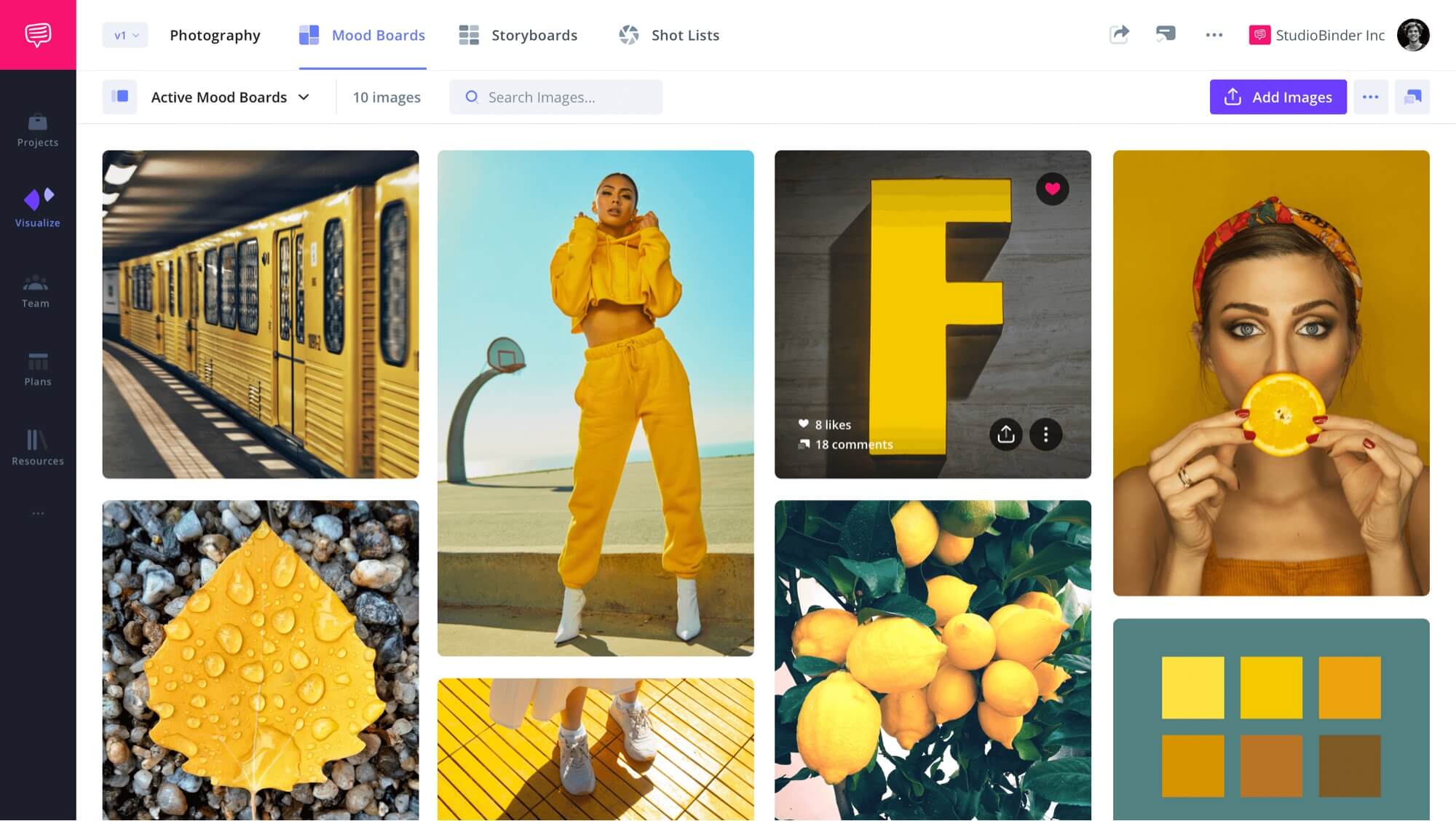
Photography Mood Board
We’ll walk you through how to create a professional-looking mood board using StudioBinder’s mood boarding software. However, when learning how to make a mood board, remember that these steps are universal.
Trusted by over 1M creatives
Lookbooks that bring ideas to life
Design lookbooks with images and text, collaborate, and present online.
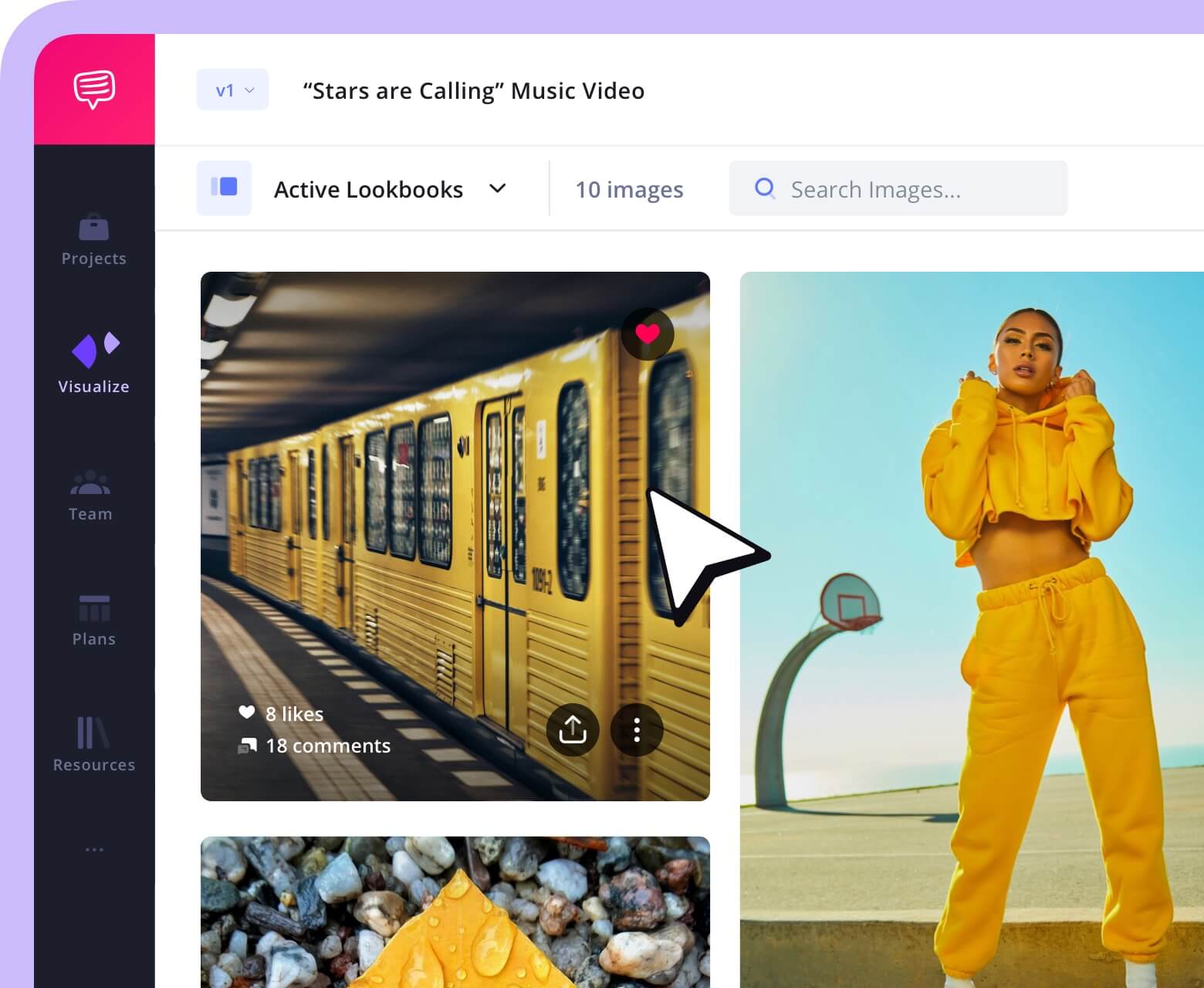
What's The Goal of Your Moodboard?
1. Define your creative goal
The first step is deciding on the approach you want to take for your mood board. A board for a wedding, a board for a feature film, and a board for a website will all look very different, from their color palettes to their intricate design elements.
Take a look at comparable mood boards out there for the medium and genre you want to work in. Essentially, put together a mood board of mood boards. See how other creatives are assembling and presenting their ideas.
How Mood Boards Inspire
“I love clipping and saving images of furniture, fabrics, and textures … it’s the craft of starting to paint a picture, a sketch of a room.” — Gina Cromwell (set decorator for Netflix’s Bridgerton) on mood boarding and tactile visual planning from an interview in Architectural Digest
How Can I Find Mood Board Inspirations?
2. Gather visual inspiration
The next step in how to make a mood board is selecting visuals. This includes gathering images, text, quotes, videos, and other visual elements that help to illustrate the objectives.
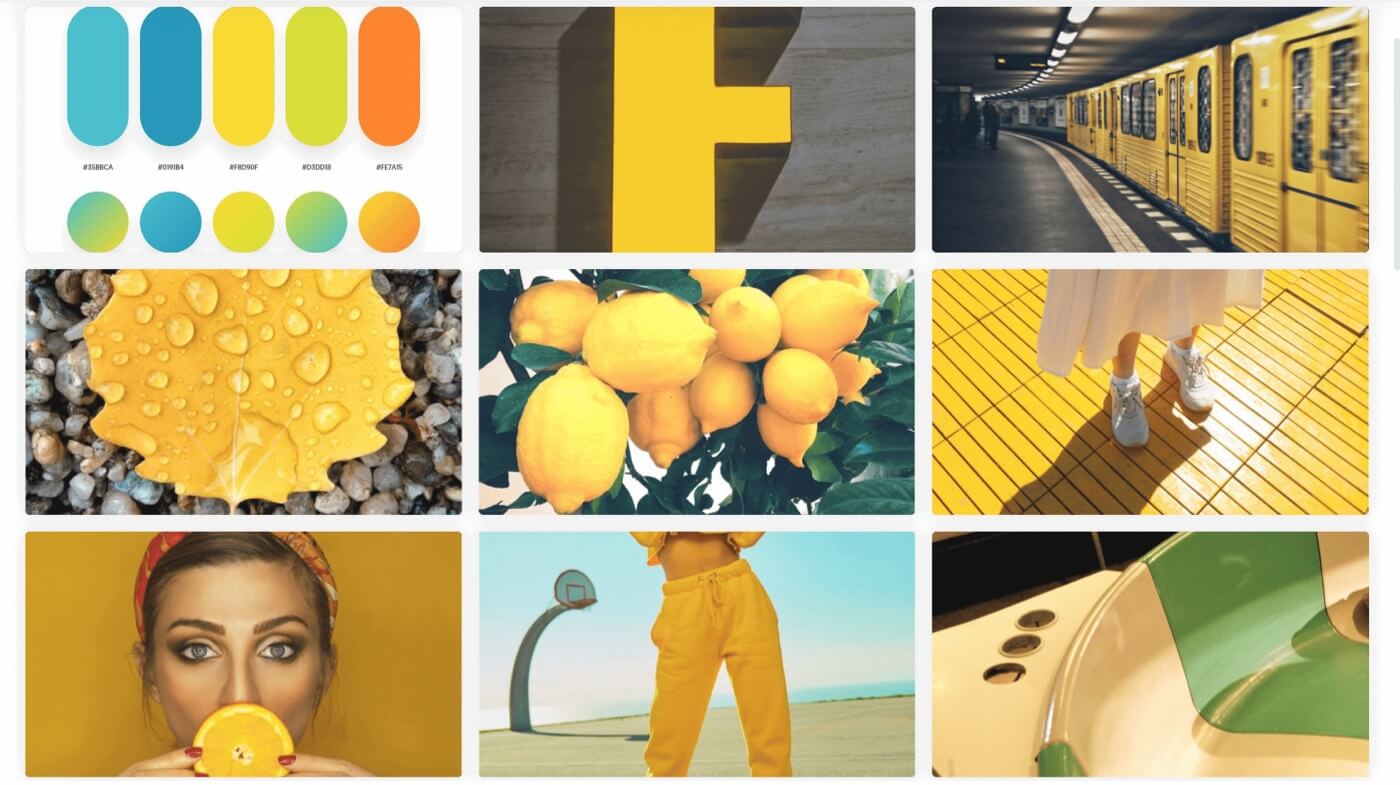
Images for a photography mood board
When searching for visuals, it’s essential to consider how their aesthetic and color schemes will interact with each other as well as how they represent the project’s overall vision. It can be helpful to begin with the list of keywords you developed from the project brief, and then use those terms to search for visuals that align with the intended concept and direction.
This is especially helpful for incorporating more abstract concepts like the idea of "melancholy." There are various ways melancholy can be expressed, but through visuals, creative alignment is more easily achieved.
How to Make a Mood Board | PRO TIP
When selecting images, don’t constrain yourself to inspirations that look exactly how you want your project to look. You can also choose a visual identity that has specific elements you want to use, like lighting, costuming, or production design.
What Other Elements Can I Add?
3. Add details and text
Now that you’ve assembled your inspiration board looks, you may want to include notes on some of your selections. For example, what is it about a certain image you want to emulate?
Text can also tie images together. For example, you can delineate which images are more relevant for a costume designer versus for a production designer.
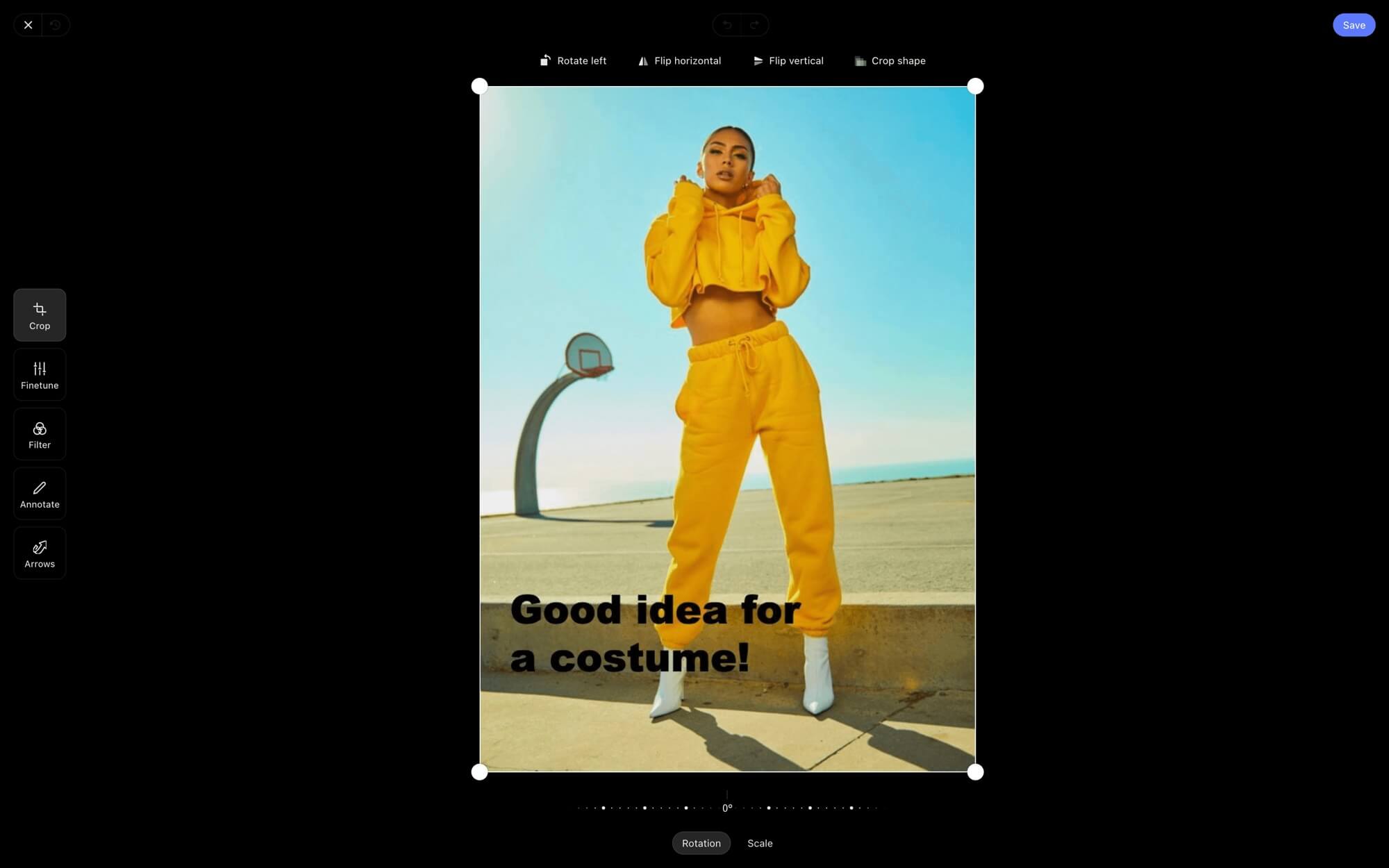
How to make a mood board with details
If it isn't clear by now, mood boards should be created to fit you, your style, and be the most efficient way to communicate ideas. No two mood boards are the same. But what are some details that you might include in a mood board?
- Annotations to highlight specific elements
- Text boxes to help group imagery
- Filters to dial in your vision even more
With your imagery set, it's time to dive into the next step: arrangement.
Related Posts
How Should I Assemble My Mood Board?
4. Arrange your mood board
Once you’ve gathered all the necessary visuals, it’s time to start organizing them into a cohesive board. While mood boards can certainly be assembled physically, creating them digitally is often more efficient and practical, offering advantages such as easier organization, quicker revisions, streamlined sharing, and simplified collaboration.
It can be helpful to first group similar visuals together, then arrange them in a manner that best conveys the project’s objectives. This is also an opportunity to experiment with different layout options and see which one works best.
It’s important to keep in mind that they should be flexible — if something doesn't fit your design style, don't be afraid to rearrange the visuals or start from scratch.
Mood Board Assembled
How to Make a Mood Board | PRO TIP
When learning how to make a mood board, it is important to experiment with different layout options. This allows the user to try out different ways of organizing their visuals and see which one works best for their project's objectives.
Who Should I Share My Mood Board With?
5. Finalize & share
Once you have completed putting together all aspects of the mood board onto one big surface area then it's time to finalize it. Export your moodboard's final design so that others can see what goes into creating your unique vision. After all, one of its primary purposes is to clearly communicate ideas, direction, and creative intent to others.
Mood boards are often shared with any of the following:
- Friends or colleagues outside the project for objective feedback
- Collaborators on the project to get them creatively aligned
- Clients who expect to see your creative direction
Getting approval or notes from your clients and gathering additional thoughts should be a major part of your collaborative planning. You can then go back into your board and make updates, or you can use the conversations it’s prompted to inform your next steps in the project, such as storyboards.
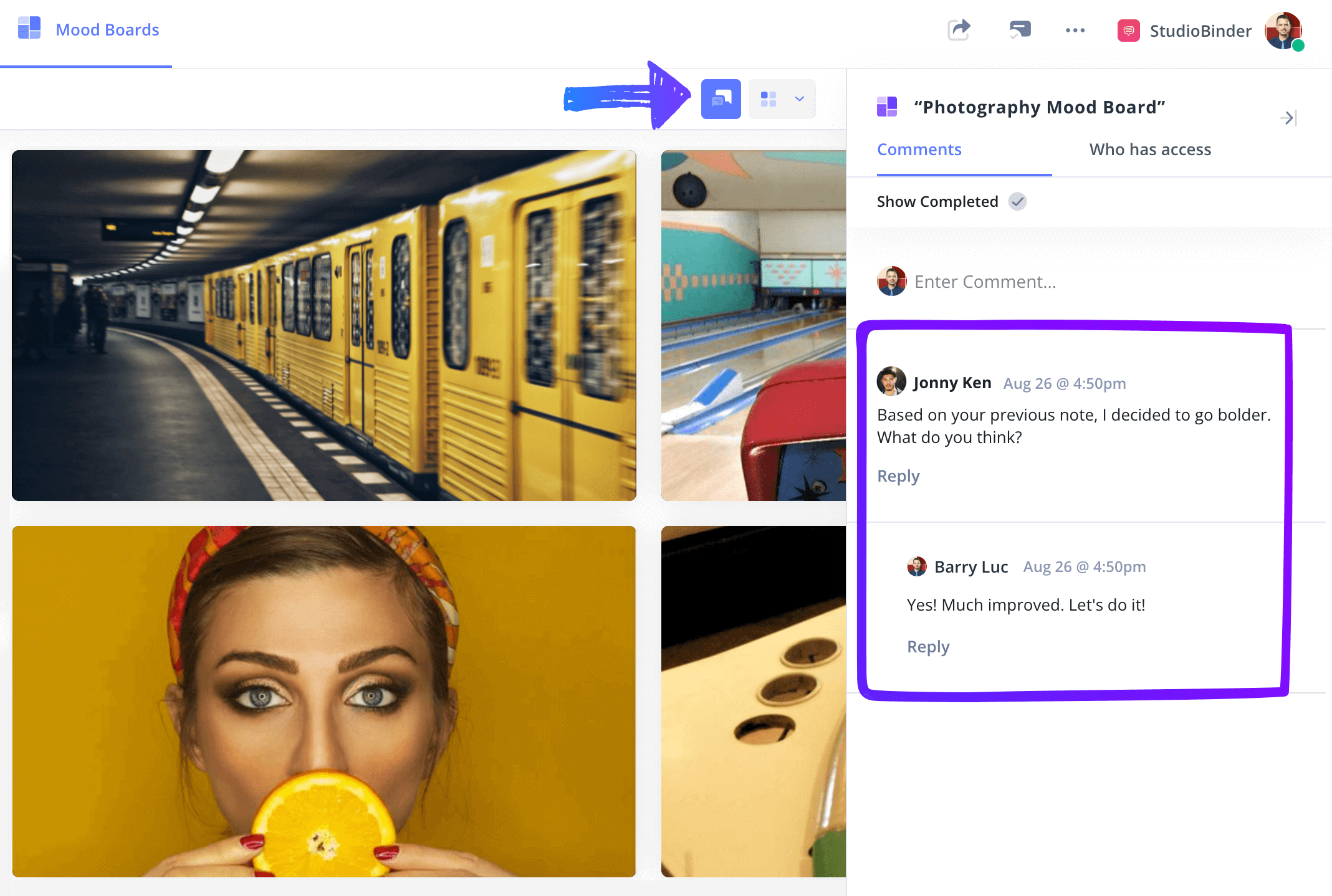
Collaborative planning in action
Mood boards are an incredible tool to express and communicate your creative direction while also providing stylistic references for all team members involved in the project. Once you've mastered these steps, the question of "how to make a mood board" will no longer be so daunting.
Trusted by over 1M creatives
Lookbooks that bring ideas to life
Design lookbooks with images and text, collaborate, and present online.
Are There Mood Board Templates?
Create mood boards with a template
If you’re looking for more free mood board templates look no further.
No matter what creative project you're working on, we have mood board templates for photography, film, branded content, and more. See the entire collection in our template library, where you'll also find templates for shot lists, storyboards, and AV scripts.
Related Posts
Frequently Asked Questions
How to make a mood board FAQs
Mood boards are most effective early in the process (ideally during project kickoff or discovery) because they help clarify visual direction before detailed work begins. Starting with a mood board facilitates creative alignment, goals, and expectations with clients or collaborators and reduce revisions later.
Just about every creative project could benefit from a mood board. Logos and branding on the corporate side; web design and UX/UI workflows on the tech side; photography and film on the media side; weddings and speaking engagements on the events side.
Mood boards often focus on visual references to help guide the project, including movie stills, text or font samples, color palettes, and quotes that guide the tone and aesthetic.
Mood boards are most effective early in the process (ideally during project kickoff or discovery) because they help clarify visual direction before detailed work begins. Starting with a mood board facilitates creative alignment, goals, and expectations with clients or collaborators and reduce revisions later.
Every mood board is different so there is no ideal number. But the guiding principle should be to prioritize quality over quantity. With too few images, there might be gaps in the overall vision; with too many images, the vision might lose focus.
No, mood boards are for anyone. In fact, they can be really helpful for non-designers to get their vision across to collaborators. Filmmakers, photographers, fashion designers, architects, and web designers can all use mood boards for their creative endeavors.
Up Next
Create your own mood board now
Now that prepped on how to make a mood board, let's make a digital mood board! Dive into StudioBinder's mood board software and see for yourself just how useful and motivating it is to have a well-made mood board. Collect your images, highlight your favorites, share your work, get feedback, and more.
Up Next: Start Mood Boarding →
Share your vision with elegant shot lists and storyboards.
Create robust and customizable shot lists. Upload images to make storyboards and slideshows.