Acorporate video isn’t a generic one-size-fits-all item in a video marketing budget. Nor is it a boring informational slog. The wrong types of corporate videos waste funds. They never reach their audience or achieve their goals.
This guide breaks down the 10 essential types of business videos. You’ll learn when to use each one and how their production workflows differ.
Read on to find the right types of corporate videos for your goals.
Production Strategy
Why the type of video matters before you start
Your video type determines all the major factors before you start production:
Audience
Length
Crew size
Distribution channel
A simple training video and a high-end brand film have almost nothing in common when it comes to production needs. These corporate video examples illustrate just how wide that spectrum can be.
Use these ten types of corporate videos to find your perfect blueprint:
Corporate Formats
10 types of corporate videos
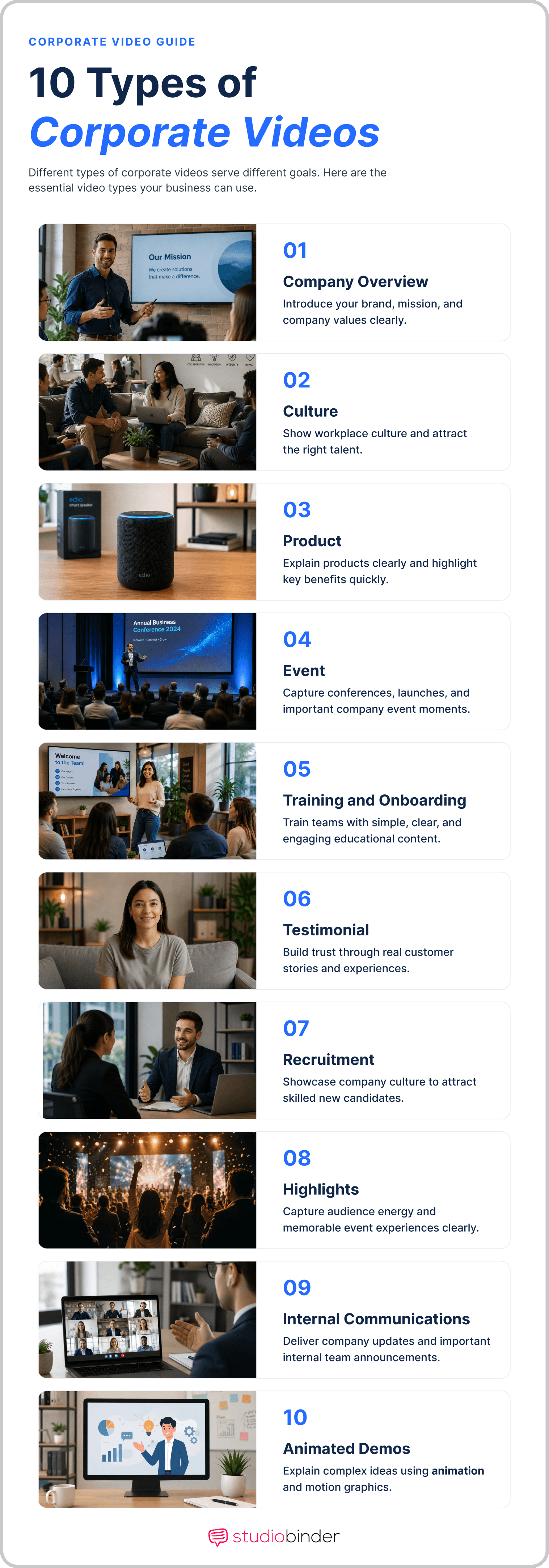
Corporate Videos Guide • Types of Corporate Videos
1. Brand and culture videos
Brand or culture videos define your marketing identity, mission, and core values. You'll use them as the homepage hero. They are also great for PR, earned media, and investor relations. This goes for all types of corporate videos.
You should always aim for 60 to 120 seconds. Their script writing and cinematography require high production skill. This usually is the first impression to your audience, so make it count. A tight script and deliberate film lighting choices separate professional brand films from forgettable ones.
2. Product demo and explainer videos
Explainer videos show how your product works or explain how your services solve problems. You can put these on product pages or use them in paid ads.
They typically run up to two minutes but can go up to five minutes depending on the complexity of the subject. You can choose live-action or use an animated corporate video style.
3. Customer testimonial videos
Testimonials show real customers sharing their experiences. They are a strong way to turn viewers into buyers. These types of corporate videos usually last one to three minutes.
You do not need fancy video, but you do need clear audio. Their low production cost and strong social proof make them effective for any product or service.
4. Training and onboarding videos
Training videos share information within your team. They save time by replacing meetings with content employees can watch anytime.
Length varies by topic, but five to ten minutes is best for these types of corporate videos. They often work best as a series. Keep production simple and straightforward. These focus on facts over flashy visuals. Even a basic shot list ensures your segments flow logically from one topic to the next.
5. Recruitment videos
Recruitment videos show potential hires what it's like to work. These types of corporate videos work better than text because they show real faces and reflect true culture.
You'll want to keep them under 90 seconds for the best results. Focus on your staff's true experiences instead of a generic script. A mood board helps lock in the visual tone before you brief your crew.
6. Event recap videos
Event recap videos showcase the energy of your latest launch, conference, or social event. You make them for PR and social media to show audiences what they missed.
Most run two to five minutes long. Capturing quality B-roll is the backbone of any event recap video. The shoot is complex and organic during the live event. The post-production process is usually easier.
7. Investor and stakeholder videos
These types of corporate videos communicate vital information about a business. Create these videos for company news or CEO messages. They feel more personal than email and help your team stay in touch.
At two to five minutes, being clear and accurate matters most. Think of this as a polished EPK for your company's most important stakeholders.
8. Internal communications videos
These types of corporate videos share information within a company. Make internal communication videos for company news or CEO messages.
You'll notice they're more personal than email and keep your team connected. At two to five minutes, authenticity matters most.
9. Social media videos
These films are made for social media to market your brand. Your audience will most likely view them from phone screens while scrolling.
You should keep them between 15 and 60 seconds to fit apps. You can often make these by cutting down your longer types of corporate videos into clips. Match cuts and tight narrative pacing keep even 15-second clips feeling deliberate.
10. Animated corporate videos
An animated corporate video is made up only of animation. You will want to use these to help show big ideas, data, or difficult topics. You can also make these if shooting your topic in real life is more difficult and costly than animation.
Related Posts
Video ROI
How to choose the right corporate video for your project
Always make sure to pick the right types of corporate videos for the job. Use this logic to ensure your budget and time are well spent:
Once you pick a type, your shot list and will fall into place. Each type has a standard path to follow. works wonders here. You can quickly create these elements with intuitive tools. And everything stays organized within the software, making it easy to share with your team.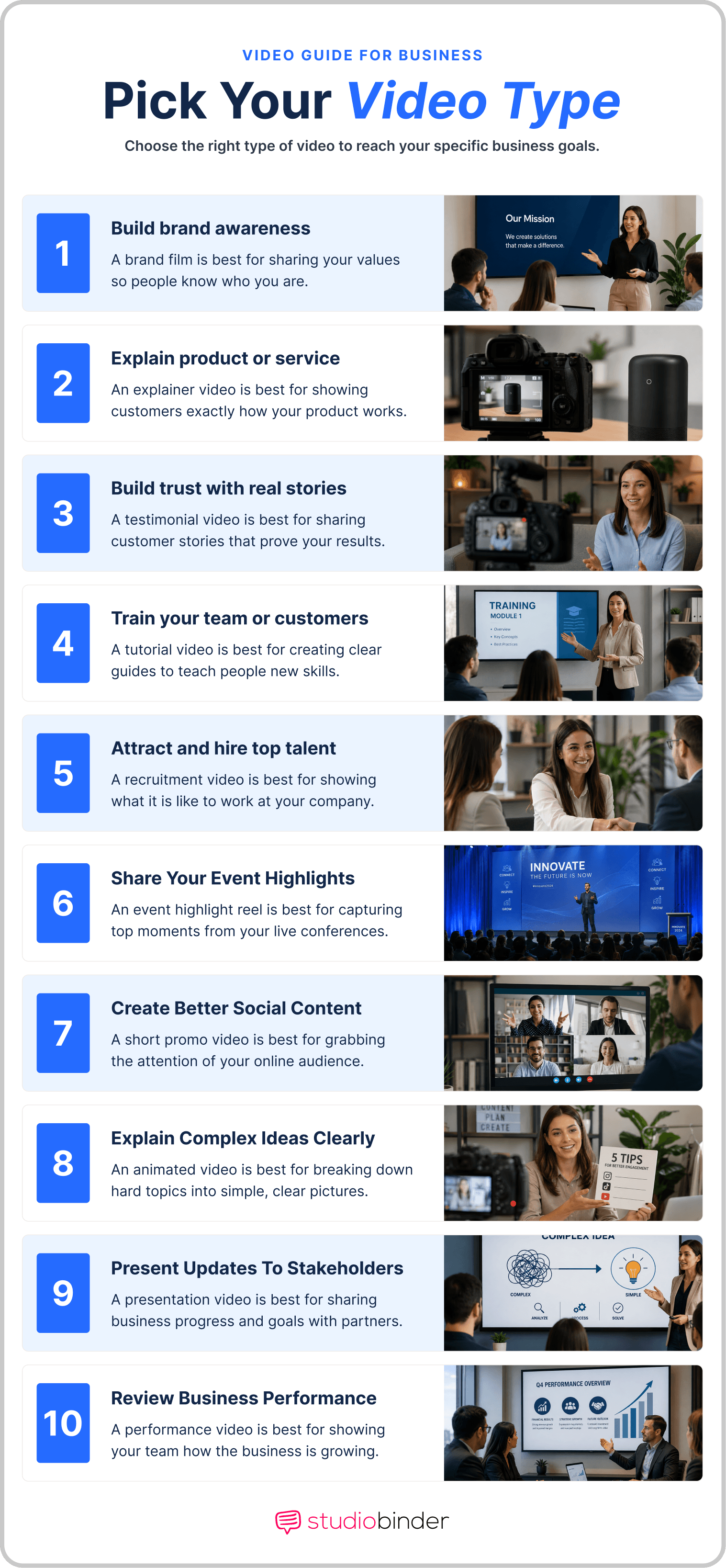
Pick Your Corporate Video Style • Types of Corporate Videos
- Start with your goal: Do you need to build awareness, drive a sale, or teach a skill? A brand film builds a name, while a testimonial closes a deal.
- Know your audience: Decide if you are talking to people outside your company or inside your team. This choice alone helps narrow your list of different types of videos.
- Pick your platform: Think about where the video will live. A clip for social media needs a different style than a video for a sales deck or your website.
- Check your wallet and clock: Be honest about your budget and your deadline. A quick testimonial is fast and cheap, but a high-end brand film takes time and more money.
Content Selection
From concept to planning
Once you pick from the different types of corporate videos, you must move into the planning stage. Each corporate video type uses filmmaking tools in different ways. You can find everything you need in the StudioBinder production software.
Script
A brand film needs a tight script. Every line should serve the story. No filler, no corporate speak. Define the emotional arc first: what should the viewer feel at the end? Then write to that. Keep it short. Most brand films run 60-90 seconds, which means roughly 150-225 words of VO or dialogue.
In StudioBinder's AV Scripting Software, you can add the VO in the audio column along with the visuals, image references, durations, and comments per row.
Add audio column • StudioBinder's Free AV Script Software
Storyboard
It also needs a visual storyboard to guide the camera. StudioBinder’s software lets you write the script and directly link scenes to storyboard frames or shot list items.
Add new storyboard panel • StudioBinder's Free Storyboard Software
Shot List
Event recap videos need a simple, organic shot list template. It should capture the crowd and the speakers.
In StudioBinder's Shot List Software, you can build and rearrange shot lists while tagging shots by the shot size, camera movement, subject and more quickly plan event coverage.
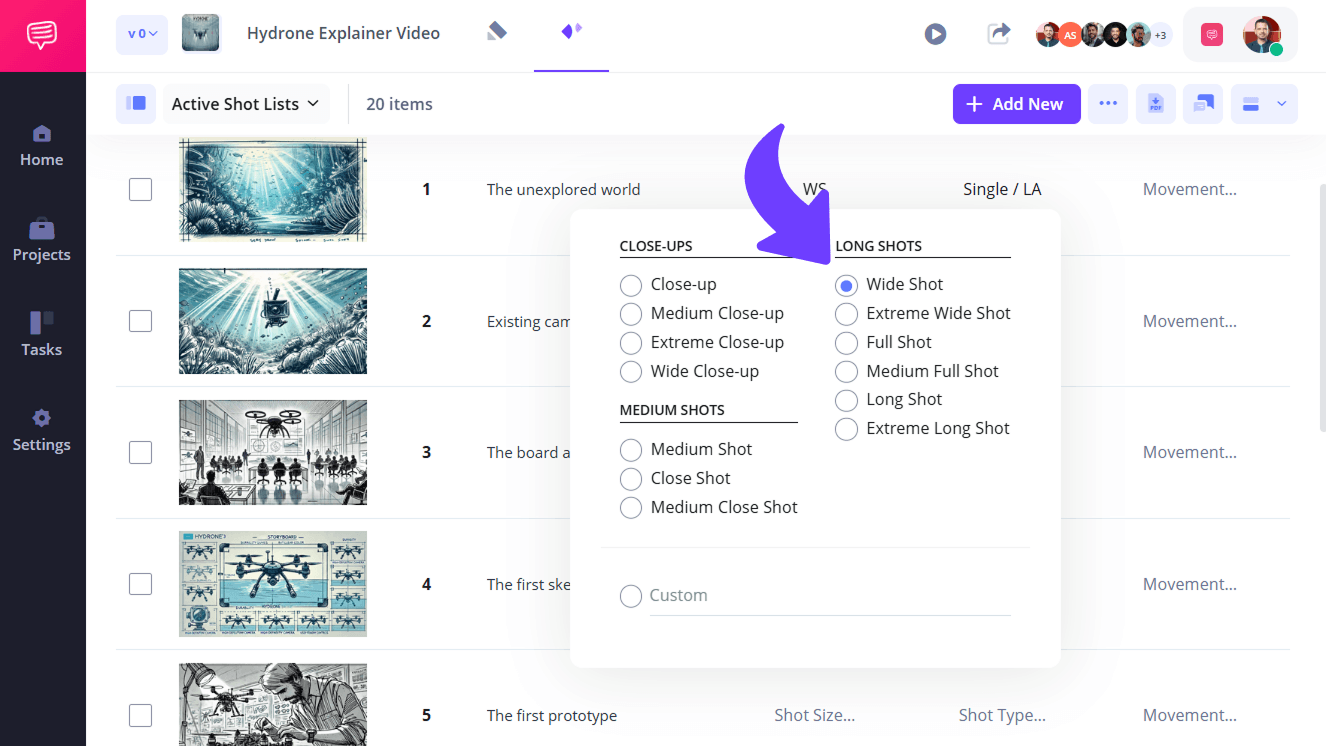
Shot List • Types of Corporate Videos
Call Sheets
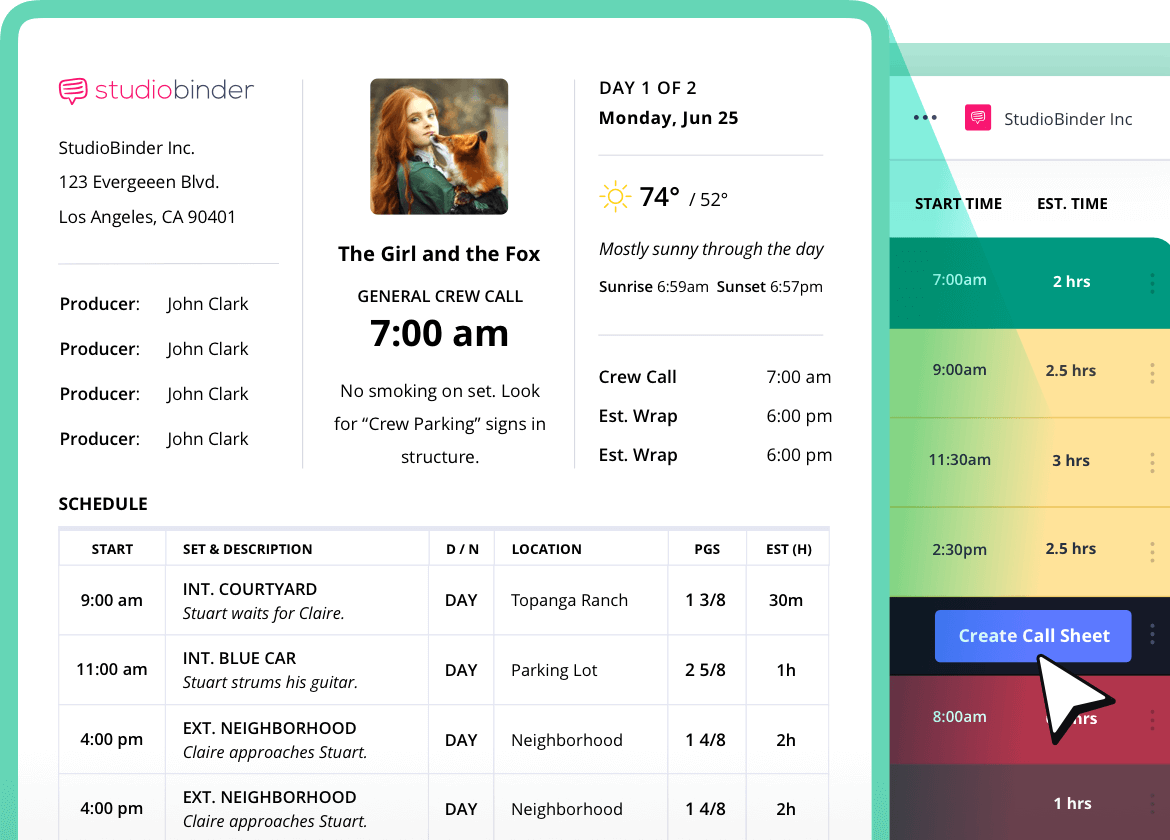
A testimonial video usually needs only one person. An animated corporate video needs a team of animators. For every shoot, a call sheet keeps your crew and talent aligned on call times, locations, and scene order.
When call sheets are sent inside StudioBinder, you can reach your cast and crew via SMS message or email -- and they can confirm on the fly.
Send call sheets via SMS or email • Try StudioBinder's Free Call Sheet Software
No-show on shoot day kills your schedule. Call sheets sent through StudioBinder log every confirmation, so you know exactly who's coming before the crew shows up.
Trusted by over 1M creatives
Call sheets that save you time
Create personalized call sheets, send via email and text, and track confirmations.
Pre-Production Planning
4 corporate video trends
The world of videography moves fast. Corporate video types are evolving just as quickly. To stay ahead, you must know the latest trends in corporate video production. New tools and cultural habits change how your audience watches content. Keep these shifts in mind for your next project.
1. The Rise of AI and Animation
Artificial intelligence is changing how we make an animated corporate video. You can now create high-quality VFX graphics faster than ever before. This lowers the cost and helps you show complex data with ease. Using AI tools allows your team to focus on the story and aesthetics. These types of corporate videos are the future.
2. Vertical Video for a Mobile World
Most people will view your content on a phone screen. This makes vertical social media videos a requirement. You should frame these types of corporate videos for a 9:16 aspect ratio for this format. This ensures your brand looks professional on apps like YouTube Shorts.
3. Interactive and Personalized Content
Modern viewers want to be part of the story. Types of corporate videos that allow users to click on products or choose their own path are becoming more popular. This is great for detailed demos or training series. Personalizing a corporate video for a specific client can also lead to higher sales.
4. Short-Form Is King
Attention spans are shorter than ever. Even a formal brand film now needs a 15-second version for quick viewing. You must hook your viewer in the first three seconds. Your thumbnail must also be attention-grabbing. If not, you risk viewers scrolling past it.
By following these types of corporate videos trends, your brand will stay fresh. You will reach more people and get better results from every dollar you spend.Industry Trends
How to track the success of your corporate video
You should not just post a corporate video and forget it. Different corporate video types call for different success metrics. You need to know if your types of business videos are working. Use these metrics to track your results:
Click-Through Rate (CTR)
This measures how many viewers clicked your video to play it. This is important for product video, demo reel and explainer videos. If people see the video but do not click your link, the message may be off.
Engagement Rate
For social media videos, this refers to the number of likes, shares, and comments. This shows if you are reaching audiences and how they are reacting to it. It’s also important to see if your content is being shared organically.
Completion Rate
Similar to the CTR, you want to check if audiences are watching your videos from start to finish. For training videos, you want this to be 100%. If people stop halfway and never finish watching, you need to understand why. Your content may be too long or not engaging enough.
Conversion Rate
After watching your video, the conversion rate is the percentage of people who take a desired action. You might count if your product is bought, a form is filled out, or a certain link is clicked. This is the key metric for customer testimonial videos. It tracks how many viewers become leads after watching.
By tracking these numbers, you’ll know how successful your brand content is. You can also adjust your production process and strategies as you see fit.
Use this quick-reference guide to match each corporate video type to the metric that matters most.
Metric | Best Used For | What to Watch |
|---|---|---|
Click-Through Rate (CTR) | Product demos, explainer videos | % of viewers who click play vs. impressions |
Engagement Rate | Social media videos | Likes, shares, comments, saves |
Completion Rate | Training and onboarding videos | % of viewers who watch to the end |
Conversion Rate | Customer testimonial videos | Leads or purchases generated after viewing |
Frequently Asked Questions
Corporate video FAQs
Most people say there are four main corporate video types. They are brand videos, product demos, testimonials, and training videos. These cover most business video needs. We show ten kinds here to give you more options. New ones like social media clips and hiring videos also matter.
You must follow a few core rules to make any corporate video work. Start with one clear goal so you do not confuse your viewers. You need a human touch like a real face or voice to build a true bond. Always end with a clear call to action so people know the next step to take. Keep your video short because most viewers will stop watching if it drags on too long. Finally, you must use high-quality audio or you will lose the audience's trust.
Testimonial and customer story videos usually win on engagement and sales because they use social proof. Short social clips get the most views, but people often stop watching them quickly. A brand film is best if you want people to share your story with others. You should match your format to your goal since there is no single best type for every job.
Length depends on the type of corporate video and where it will be distributed. Brand films work best at 60 to 120 seconds, while social media clips should stay under 60. Training videos can run 5 to 10 minutes when the subject demands it. As a general rule: use exactly as much time as the content needs, because audiences drop off when videos drag.
Corporate video production costs depend heavily on the type you choose. A simple testimonial shot in-house can run a few hundred dollars, while a full brand film with professional crew can cost $10,000 or more. Animated corporate videos scale on animator time rather than crew size, which often makes budgets more predictable. Define your type and goals first, then build your budget from there.
UP NEXT
How to write a logline
Now that you know which types of corporate videos work best for your goals, you are ready to go. Bookmark these corporate video examples as a reference for your next production. Follow our step-by-step guide to learn how to manage your project from the first script to the final edit.

Showcase your vision with elegant shot lists and storyboards.
Create robust and customizable shot lists. Upload images to make storyboards and slideshows.