If you’re looking for the best mood board app to help your visual creativity flourish, then you have a lot of options to consider. And since more options tends to lead to more overthinking, we’re here to help by providing you with a curated list of the best mood board apps currently available.
According to a recent study, The global mobile application market is projected to continue expanding steadily through 2031, reflecting sustained growth in how users rely on apps for productivity and creative work. This broader surge in mobile and web-based app usage supports increasing engagement with visual planning tools like digital mood board platforms, so you’ll want to make sure you have the best mood board apps locked down.
We’ll dive into what each of these top-tier mood board apps has to offer, their pricing plans, and their overall pros and cons. Now let’s jump into it!
MOOD BOARD DEFINITION
What is a mood board app?
While a mood board is at its simplest definition a collection of images and materials laid out together to evoke a visual style or aesthetic for a project, a mood board app is a tool that lets you collect, organize, and arrange all these visual elements digitally. A mood board is typically used in the earliest stages of a creative project, and will help to explore ideas, define a visual direction, and communicate creative intuition more clearly.
Summary of the Best Mood Board Apps:
Be sure to browse through this chart of the best mood board apps and their price comparisons. As you do, consider the kinds of needs versus the kind of budget you’re working with.
Software | Best Used for | Trial / Free Access | Price | |
|---|---|---|---|---|
1 | Professional visual planning with workflow integration | Free plan available + product demo | From $42/month (annual billing) | |
2 | AI-assisted mood board creation within Adobe ecosystem | Free plan available | From $9.99/month | |
3 | Flexible collaborative whiteboard-style mood boards | Free plan available | From $4/user/month | |
4 | Mobile-first aesthetic photo & video collages | Free to download | From $3.99/month (Pro) | |
5 | Marketing and presentation-ready mood boards | Free plan available | From $12.25/month (annual billing) | |
6 | Interior design and material-based mood boards | Free to download | From $4.99/month | |
7 | AI-powered idea mapping and structured mood boards | Free plan available | From ~$10/month | |
8 | Simple browser-based collage mood boards | Free plan available | From $6.99/month (annual billing) | |
9 | Template-based branded mood boards | Free plan available | From $9.99/month | |
10 | Online mood boards with built-in photo editing | Free plan available | From $8.99/month (annual billing) | |
11 | 3D material and spatial mood boards | Free plan available | From $15/month | |
12 | Social-first aesthetic collage mood boards | Completely free | Free |
BEST APPS TO MAKE MOOD BOARDS
1. StudioBinder
StudioBinder offers a dedicated mood board app built for visual planning and collaboration. While many mood board apps focus only on creating digital collages, StudioBinder connects mood boards directly to larger creative workflows. This makes it the strongest all-around option among the best mood board apps available today. Instead of a disconnected app mood board, you get a structured environment that supports collaboration and real project development.
- Free plan available
- Subscription starts at $49 a month
Best for mood boarding with built-in production workflows.
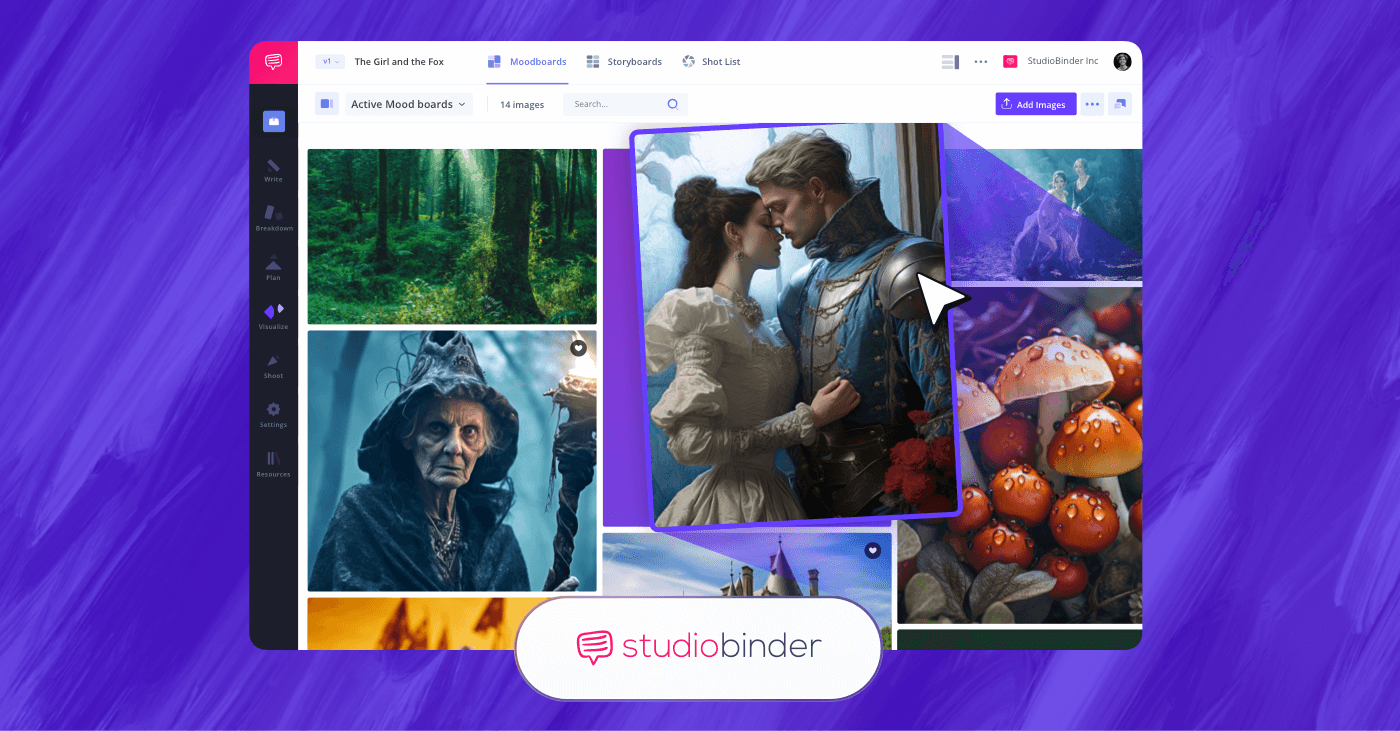
StudioBinder is the best mood boarding software with built-in production workflows.
Advantages:
StudioBinder’s primary advantage over other mood board apps is integration. Instead of acting as a standalone free mood board app, it allows your visual boards to live inside a larger creative workspace.
For content creators, filmmakers, marketing teams, and production designers, that means your mood board app connects directly to storyboards, shot lists, and planning documents. The transition from creative concept to execution is seamless. Structured organization is also a core advantage, allowing users to create multiple boards for different departments (costume, lighting, location, branding, etc.), keeping complex projects organized without relying on multiple disconnected tools.
Key features:
- Drag-and-drop image organization
- Cloud-based access
- Team collaboration tools
- Commenting and approvals
- Project-based organization
- Integration with storyboards and production documents
StudioBinder focuses on depth over simplicity. It’s designed for users who want their app mood board to support real creative output, rather than just as visual reference storage.
Pros and Cons:
Pros:
- Strongest overall workflow integration.
- Suitable for film, video, commercial, branded content planning, and more.
- Collaboration features are abundant.
- Scales from solo use to production teams.
- Free tier available for testing.
Cons:
- More robust than a simple free mood board app.
- May feel feature-heavy if you only need a basic collage tool.
Why StudioBinder Wins:
StudioBinder helps you seamlessly turn inspiration into action. While many mood board apps stop at visual collection, StudioBinder connects your mood board directly to storyboards, shot lists, and production planning tools.
If you're comparing the best mood board apps and want something that supports real creative execution alongside brainstorming, StudioBinder truly stands apart.
Start building your mood board in StudioBinder and move seamlessly from concept to production.
Trusted by over 1M creatives
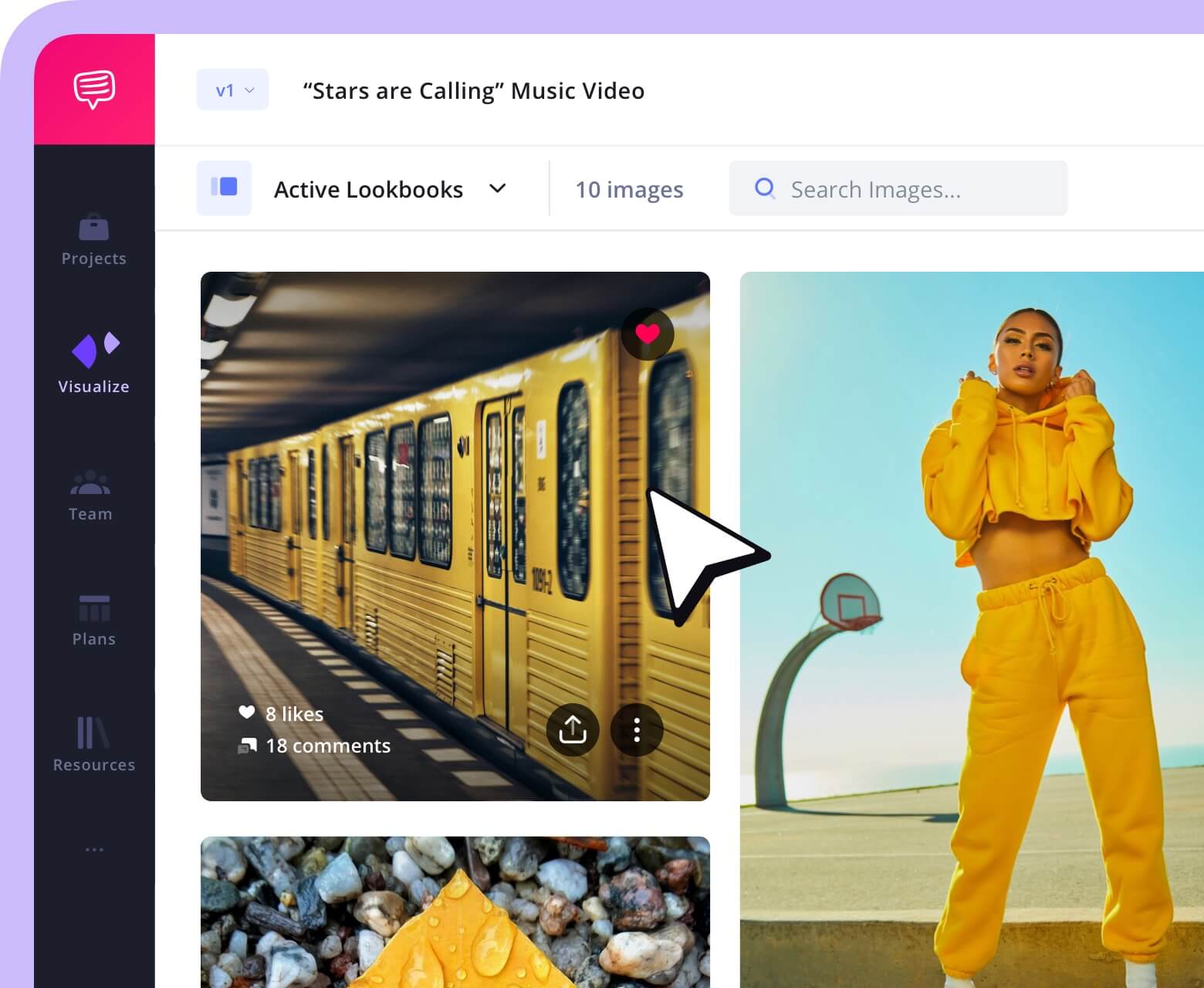
Lookbooks that bring ideas to life
Design lookbooks with images and text, collaborate, and present online.
Mood Board App
2. Adobe Firefly
Adobe Firefly Boards is Adobe’s AI-powered mood board maker built into the broader Firefly creative platform. It lets you gather, generate, remix, and organize visual ideas on an infinite digital canvas, blending stock imagery and AI-generated visuals. While not focused on traditional production workflows like some of the other best mood board apps, Firefly Boards still works as an option for visual thinkers mostly aimed at branding, advertising, and content creation.
- Free plan available
- Subscription starts at $9.99 a month
Best used for AI-powered image and video generation.
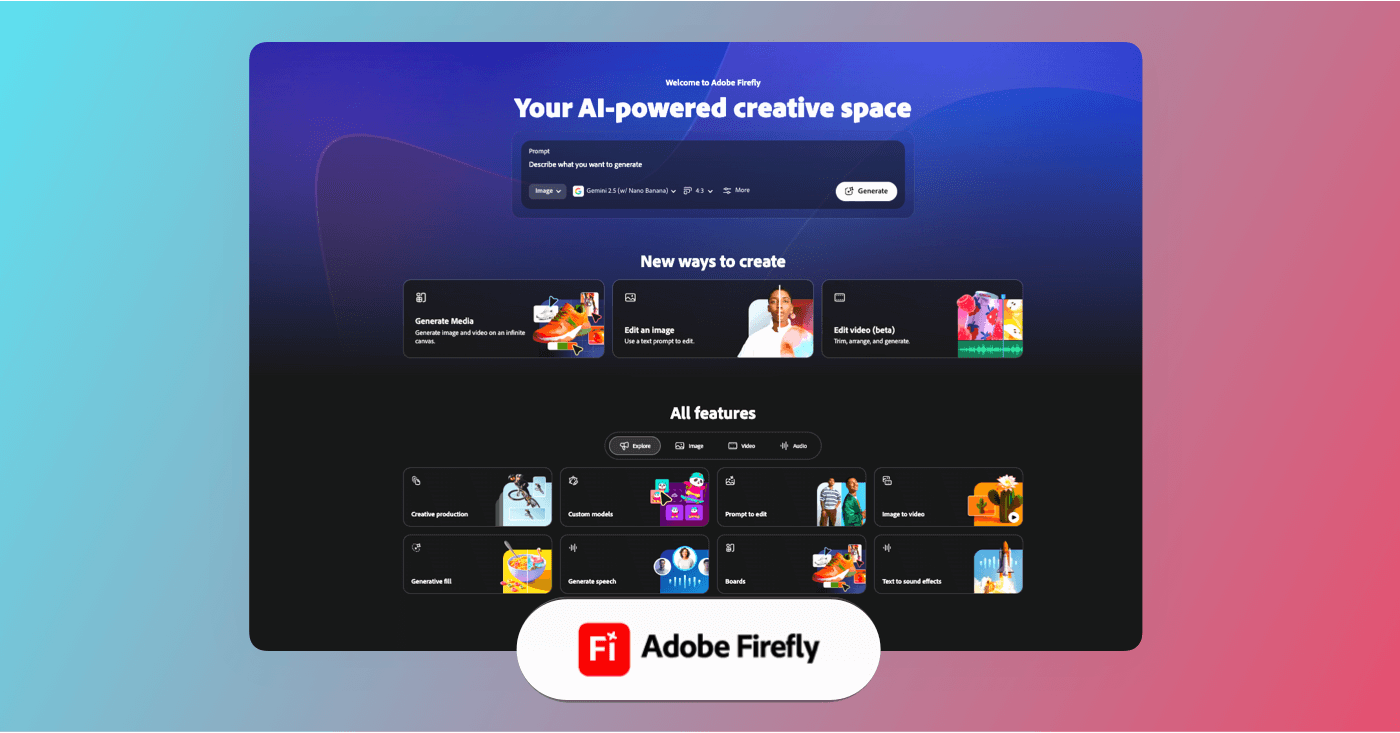
Adobe Firefly is generative AI software built for professional image and video creation.
Advantages:
Firefly Boards brings AI into t digital mood boards, helping creatives generate inspiration with contemporary methods. Since Firefly Boards is part of the Adobe ecosystem, mood boards can stay connected with tools like Photoshop, Illustrator, and Adobe Express.
Firefly Boards also supports collaboration, letting teams and clients view, comment on, and contribute to mood boards in real time.
Key features:
Adobe Firefly Boards centers around its generative-first approach, letting you blend your own assets with AI-generated imagery. These boards can seamlessly integrate with other Creative Cloud-connected apps and workflows, giving you more room to refine and build on your mood board assets inside tools like Photoshop or Adobe Express.
Pros and Cons:
Pros:
- AI-assisted mood board creation accelerating inspiration in contemporary fashion.
- Flexible, infinite canvas ideal for brainstorming and visual exploration.
- Collaboration features for sharing and feedback.
Cons:
- Not a standalone “best apps for mood boards” tool — tied to the Adobe ecosystem.
- Generative credits are consumed for image creation and premium functions.
Related Posts
Best Mood Board Apps
3. Weje
Weje is a cloud-based visual collaboration tool built around an infinite, zoomable digital canvas where you can brainstorm, organize ideas, and create visuals like mood boards alongside sticky notes, mind maps, and other content types. While it isn’t solely focused on mood boards the way some specialized tools are, it's still a useful mood board app for teams and individual creators who want a flexible visual workspace.
- Free plan available
- Subscription starts at $4 a month
Best used for visual brainstorming and online whiteboarding.
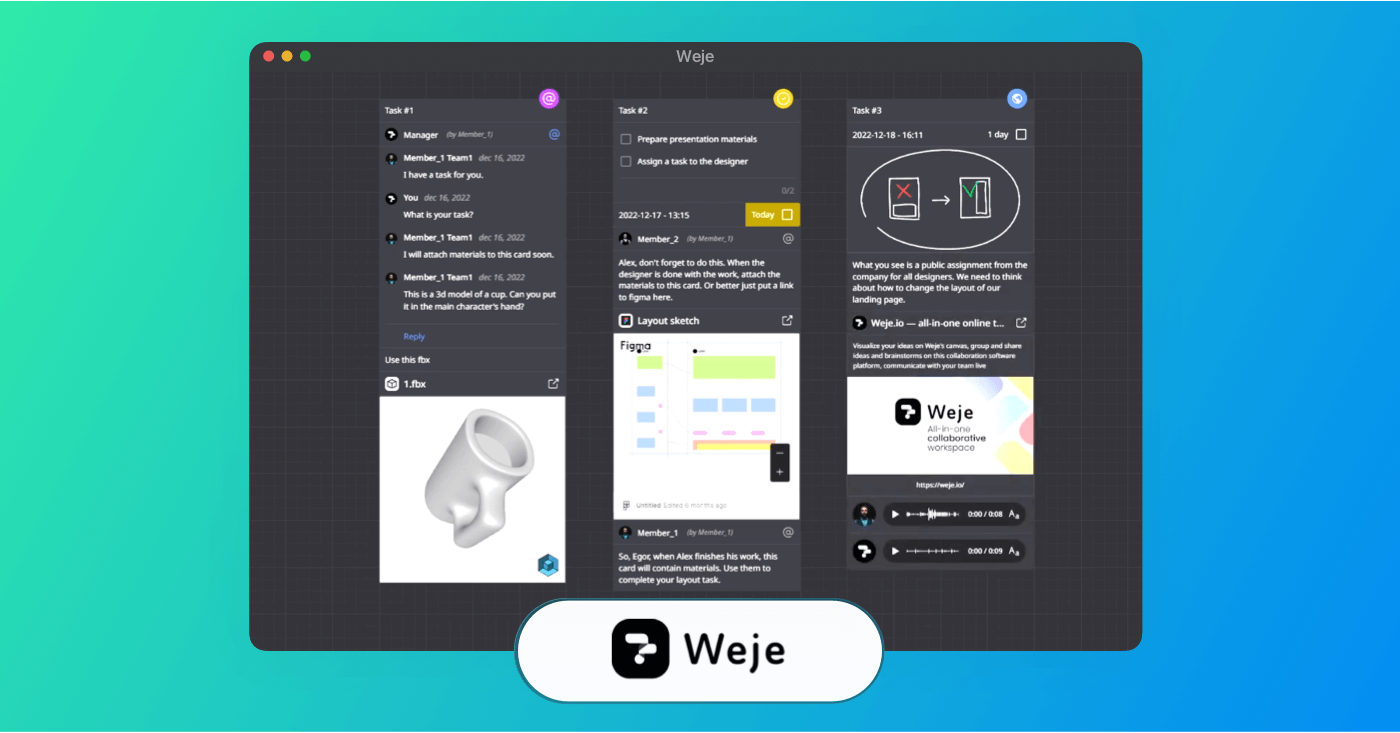
Weje is collaborative whiteboard software built for organizing ideas, mood boards, and creative workflows.
Advantages:
Weje’s strongest advantage is its adaptable infinite whiteboard canvas that allows you to blend different content types into a single visual workspace. This makes it especially helpful when you want to create mood boards that also include annotations and brainstorming outputs instead of just static visual references.
Key features:
Weje provides an unlimited collaborative canvas where you can drag and drop images, files, and embeds alongside visual elements like mind maps and sticky notes. It isn’t built specifically as a dedicated mood board app, but its visual flexibility means you can easily craft multi-purpose spaces that function as mood boards, planning boards, or brainstorming walls.
Pros and Cons:
Pros:
- Flexible infinite canvas that supports a wide range of visual content.
- Real-time collaboration with co-editing for teams.
- Good choice for mixed workflows (mood boarding + mind mapping + planning).
Cons:
- May feel broad if you just want a traditional mood board app.
- Features and templates are generally lighter than dedicated mood board tools.
Trusted by over 1M creatives
Lookbooks that bring ideas to life
Design lookbooks with images and text, collaborate, and present online.
Best Mood Board Apps
4. Moodboard
Moodboard is an iOS app that focuses on letting users craft freeform photo and video mood boards directly on mobile devices. It’s an approachable mood board app if you want to build aesthetic boards quickly using your own media, templates, and social-friendly export options without tying into a larger desktop or production ecosystem.
- Optional in-app purchase
- Subscription starts at $3.99 a month
Best used for quick visual idea collection on iPhone/iPad.
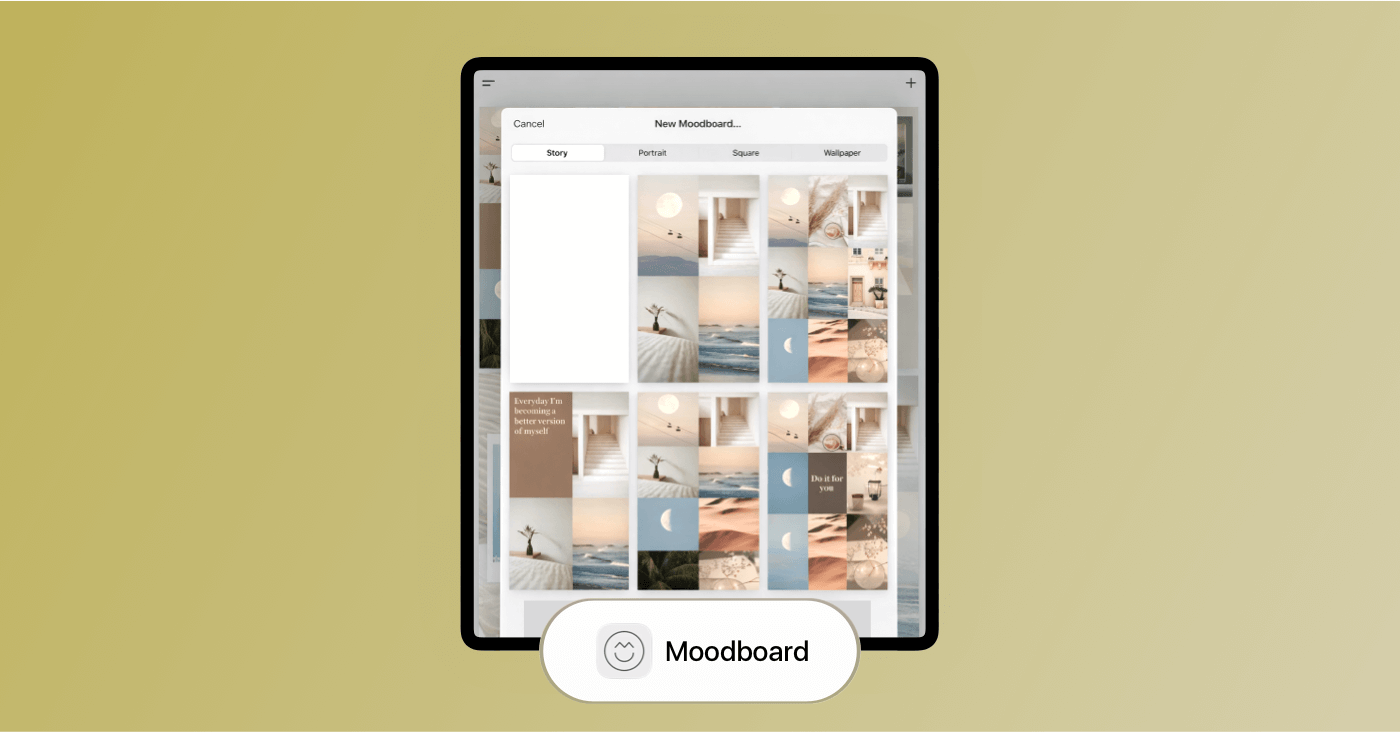
Moodboard is an iOS app built for arranging images and inspiration into shareable visual boards.
Advantages:
Moodboard separated itself from other mood board apps because it blends both photo and video support on a freeform canvas that’s easy to control with touch. You can mix photos and short clips with stylish text, choose from dozens of templates, and quickly erase image backgrounds to isolate subjects. The app also supports sharing directly to platforms like Instagram and TikTok, making it a handy tool for mood boarding and visual storytelling on the go.
Key Features:
Moodboard’s mood board creator provides a freeform workspace where you can build layouts in multiple aspect ratios. The inclusion of their Unsplash stock photo library lets you pull inspiration straight into your boards, and integrated export options make it easy to share your creations with followers or collaborators.
Pros and Cons:
Pros:
- Supports photo and video mood boards.
- Templates and background removal make creative layouts faster.
- Free with optional Pro upgrades for more tools.
Cons:
- iOS-only, not available as a full web or desktop mood board app.
- Less suited for team collaboration or production-level planning compared to other tools on this list.
Related Posts
Best Mood Board App
5. Visme
Visme is a cloud-based visual communication and design platform that primarily focuses on visual content, like presentations and infographics. While it isn’t a dedicated mood board maker in the purest sense (the digital mood boards feature was recently added), Visme’s drag-and-drop editor, templates, and collaborative features make it a solid choice for designers and creatives who want mood boarding integrated into a broader visual workflow.
- Free plan available
- Subscription starts at $12.25 a month
Best used for visual content creation and data-driven design.
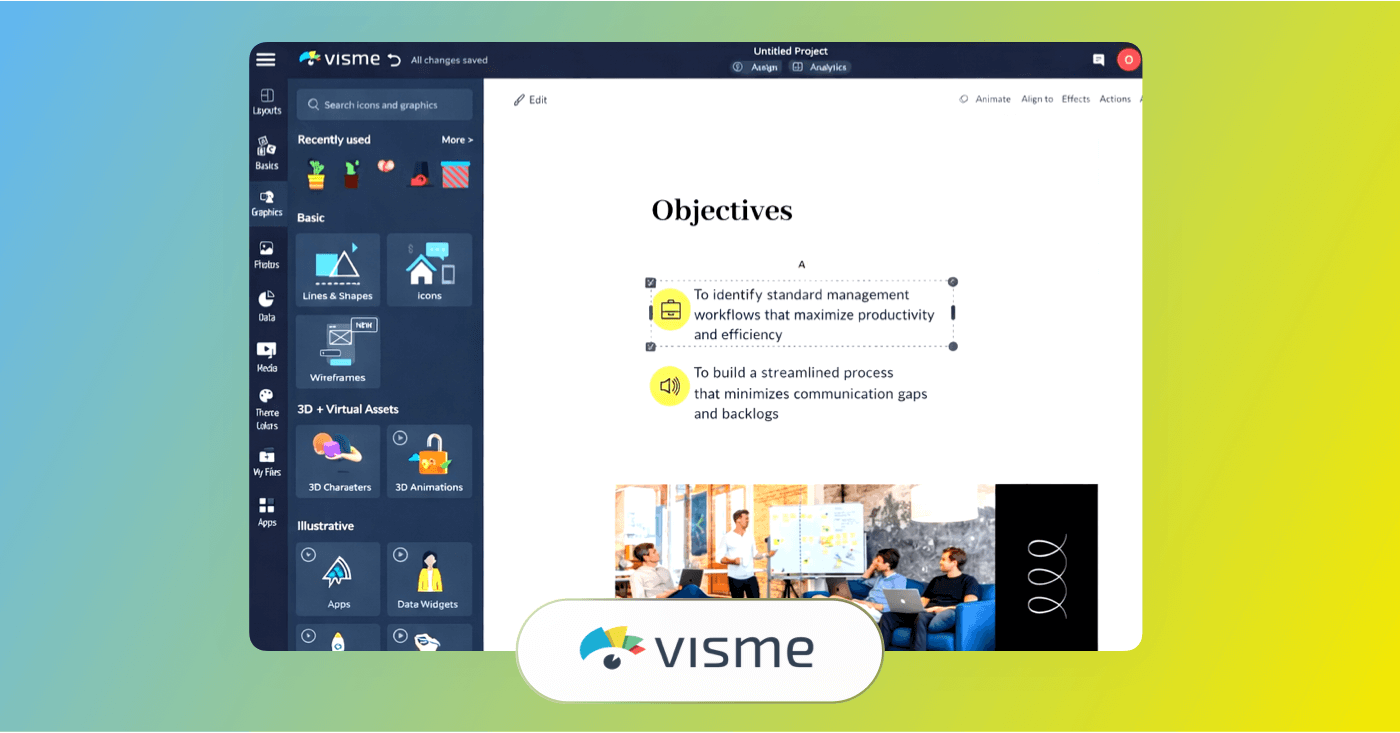
Visme is design software built to make mood boards, infographics, and branded visuals.
Advantages:
Visme’s biggest advantage is its bundle of creative capabilities. Instead of being just a mood board tool, it combines visual design, templates, collaboration, and interactivity on a single cloud-based canvas. This is useful if you want to take mood boards and turn them into presentations or infographics. Real-time feedback, drag-and-drop editing, and a large template library also help collaborative teams.
Key Features:
Visme offers an intuitive editor that lets you upload your own images, adjust layouts, add text and colors, and customize your board to reflect any creative vision. Its template library includes pre-made layouts that can jumpstart mood board creation. And since Visme also powers presentations, reports, and graphics, you can easily transition from a mood board to other visual content without switching tools.
Pros and Cons:
Pros:
- Combines mood board creation with broader visual design and collaboration features.
- Intuitive drag-and-drop interface.
- Template and asset library supports varied creative projects.
Cons:
- Not focused purely on mood boards.
- Many advanced features and export options require paid plans.
- Mood board features may lack the specialized tools found in dedicated mood board apps.
Best Mood Board Apps
6. Morpholio Board
Morpholio Board is a visual design and mood board app built primarily for interior designers, decorators, and creative professionals looking to curate inspiration. It’s a good app if your workflow revolves around physical spaces, color schemes, and product libraries. Morpholio Board combines collage-style boards with tools for presentations, sourcing, furniture lists, and material boards.
- Free to download
- Subscription starts at $4.99 a month
Best used for mood boards and interior design concepts.
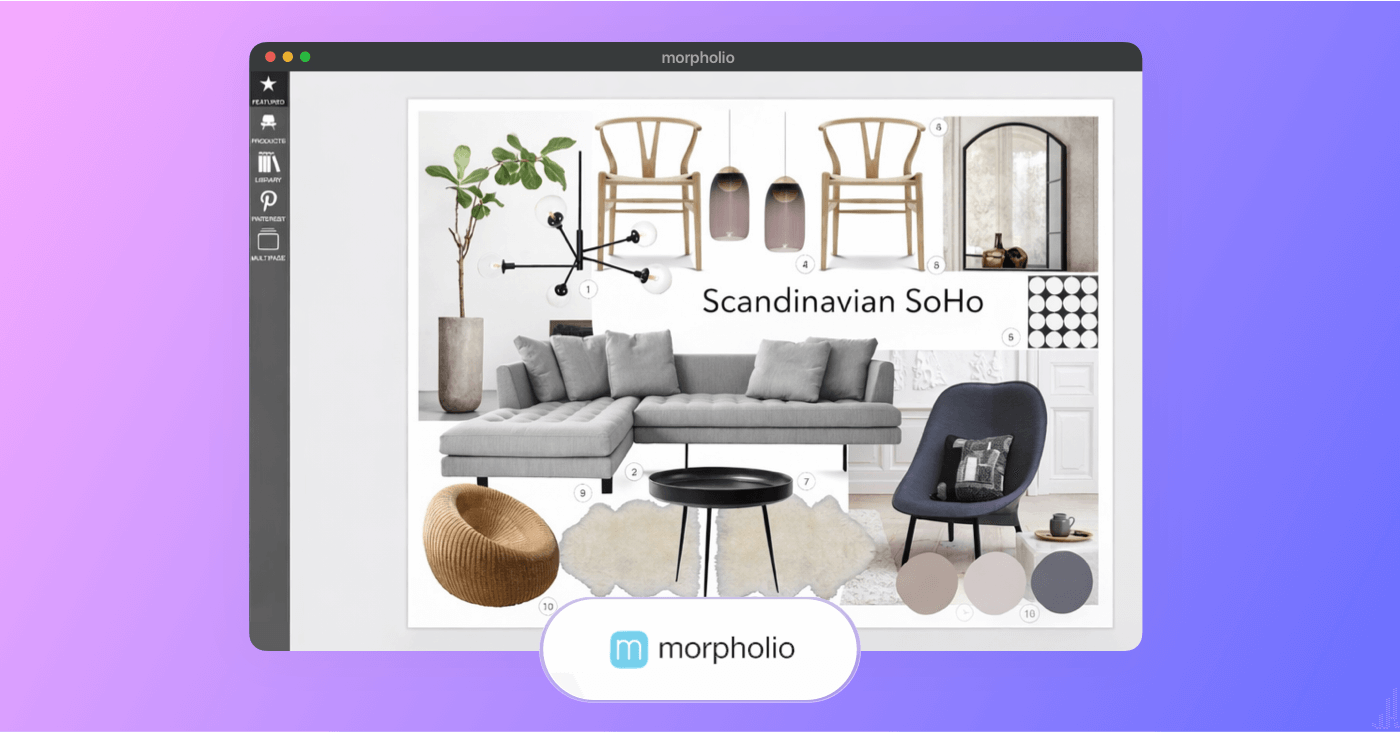
Morpholio Board is visual planning software built for curated mood boards and spatial design inspiration.
Advantages:
Morpholio Board’s advantage is its interior design feature set. Beyond creating simple mood boards, it helps users build professional-grade design presentations, source real materials, and generate furniture or color lists directly from their boards. The app integrates drag-and-drop storytelling and a curated product library into one flexible interface. It’s mostly valuable for designers who need both inspiration and project documentation in one place.
Key Features:
Morpholio Board blends traditional mood board creation with professional design software functions. Its tools let you clip images, build tear sheets, and automatically generate design artifacts like spec lists and product sheets. The app’s ability to source real products and link them to professional catalogs makes it a solid choice, specifically for designers who want mood boards that reflect real-world concepts.
Pros and Cons:
Pros:
- Tools tailored to interior design, décor, and presentations.
- Drag-and-drop design layout.
- Sync across Apple devices.
Cons:
- More specialized than general-purpose app mood board tools.
- Primarily iOS / Apple ecosystem focused.
Best Mood Board App
7. MyMap.AI
MyMap.AI is an AI-driven visual mapping platform designed to turn prompts, documents, and ideas into structured visual outputs, including mood-style boards. While it isn’t a traditional collage-based mood board app, its AI generation tools make it an interesting addition to mood board options for users who want structured ideation alongside visual inspiration.
- Free plan available
- Subscription starts at $10 a month
Best used for AI-powered visual mind mapping.
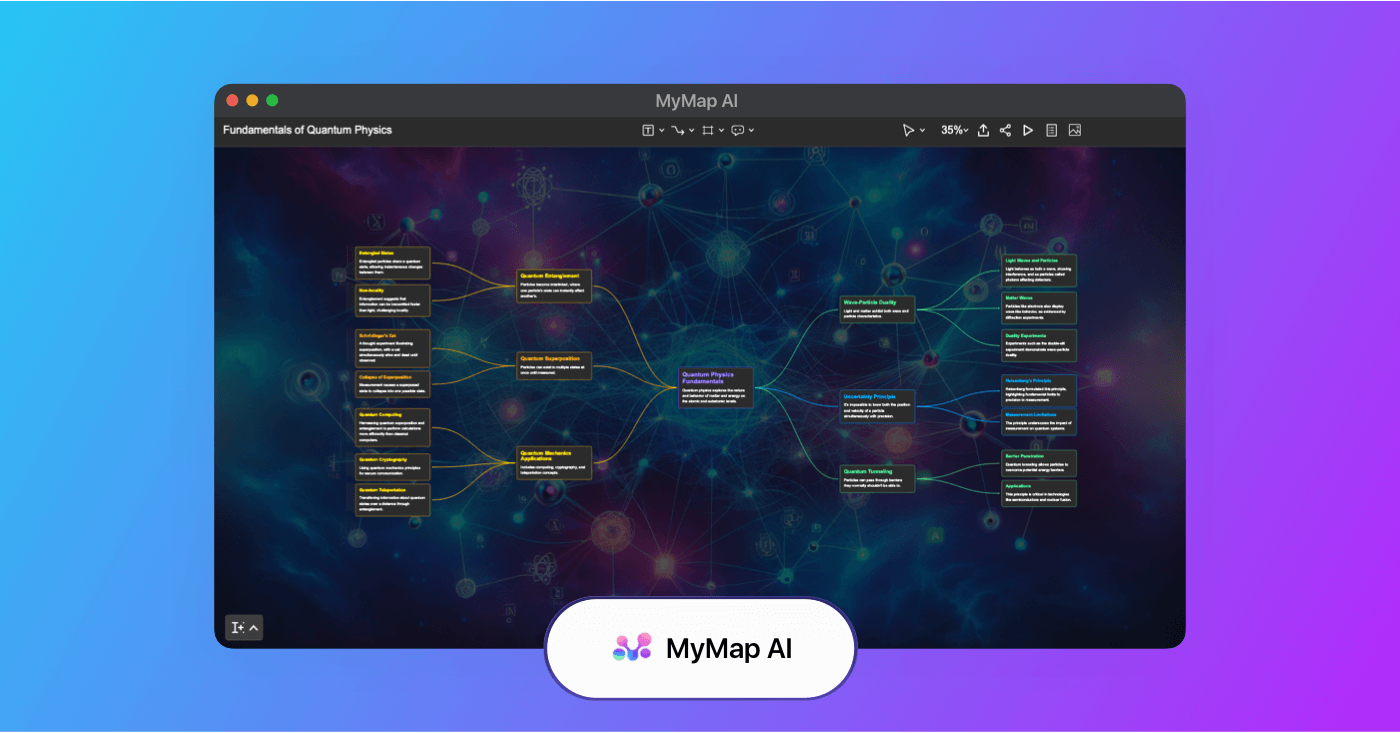
MyMap.ai is AI mind-mapping software built to turn ideas and content into structured visual diagrams and flowcharts.
Advantages:
MyMap.AI’s advantage is its ability to generate visual structures automatically. Instead of starting with a blank canvas, you can input prompts and let the AI suggest organized layouts, themes, and conceptual groupings. This can speed up early creative exploration for marketing teams, content strategists, YouTubers, filmmakers, and designers who are shaping ideas before refining visual direction.
Key Features:
MyMap.AI centers around AI-generated visual outputs, allowing users to create maps and structured boards from text prompts, uploaded files, or links. The platform converts unstructured ideas into organized visual clusters, helping users identify themes and creative directions. Because it functions more like an intelligent whiteboard than a static collage tool, it’s mostly appealing if you want mood boards connected to strategic planning and concept mapping rather than purely aesthetic layouts.
Pros and Cons:
Pros:
- AI-assisted idea generation for faster concept development.
- Helpful for brainstorming content ideation.
- Browser-based and collaboration-friendly
Cons:
- Not a traditional image-first mood board app.
- More structured and idea-driven than visually aesthetic.
- Built more for speed than beauty or creative contemplation.
Trusted by over 1M creatives
Lookbooks that bring ideas to life
Design lookbooks with images and text, collaborate, and present online.
Best Mood Board Apps
8. BeFunky
BeFunky is a web-based design platform that includes a dedicated mood board maker built around its drag-and-drop collage and graphic design tools. While it’s not a specialized production platform, it’s helpful if you want something simple, visual, and browser-based without a steep learning curve. This one is most useful for branding, social content, marketing campaigns, or visual inspiration boards.
- Free plan available
- Subscription starts at $6.99 a month
Best used for easy online photo editing and graphic design.
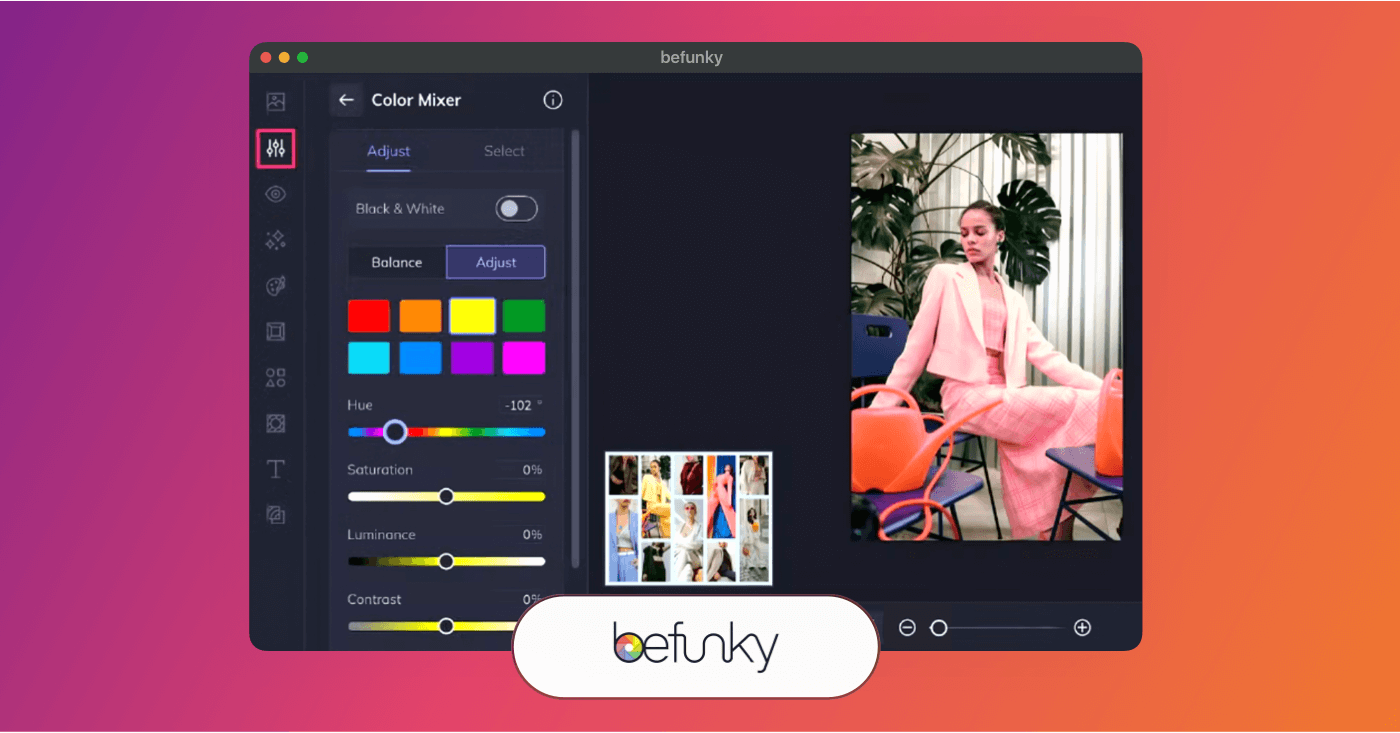
BeFunky is creative software built for quick image editing, collages, and simple design projects.
Advantages:
BeFunky provides pre-built collage layouts, customizable grids, and simple editing controls. If you’re comparing mood board apps and want something that works immediately in your browser without downloading software, this app keeps things frictionless. It also includes built-in photo editing tools, so you can crop, adjust colors, remove backgrounds and enhance images directly inside your board.
Key Features:
BeFunky’s mood board maker operates within its larger graphic design suite, giving you access to drag-and-drop collage layouts, stock photos, icons, customizable text, and layered editing tools. Because it’s browser-based, you can access your projects from different devices without installing software.
Pros and Cons:
Pros:
- Beginner-friendly interface.
- Built-in photo editing tools.
- Works well for social and branding mood boards.
Cons:
- Best features require a Pro subscription.
- Not built specifically for collaborative production workflows.
- More template-driven compared to open-canvas mood board apps.
Best Mood Board App
9. Adobe Express
Adobe Express is Adobe’s streamlined, browser-based design platform built for quick content creation, which includes digital mood boards. While it’s not a dedicated mood board-only tool, it’s worth looking into because it combines templates, stock assets, AI tools, and simple drag-and-drop editing in one accessible interface. This one can especially be useful for branding, marketing, YouTube, or commercial concept work.
- Free plan available
- Subscription starting at 9.99 a month
Best used for quick graphic design and social content creation.
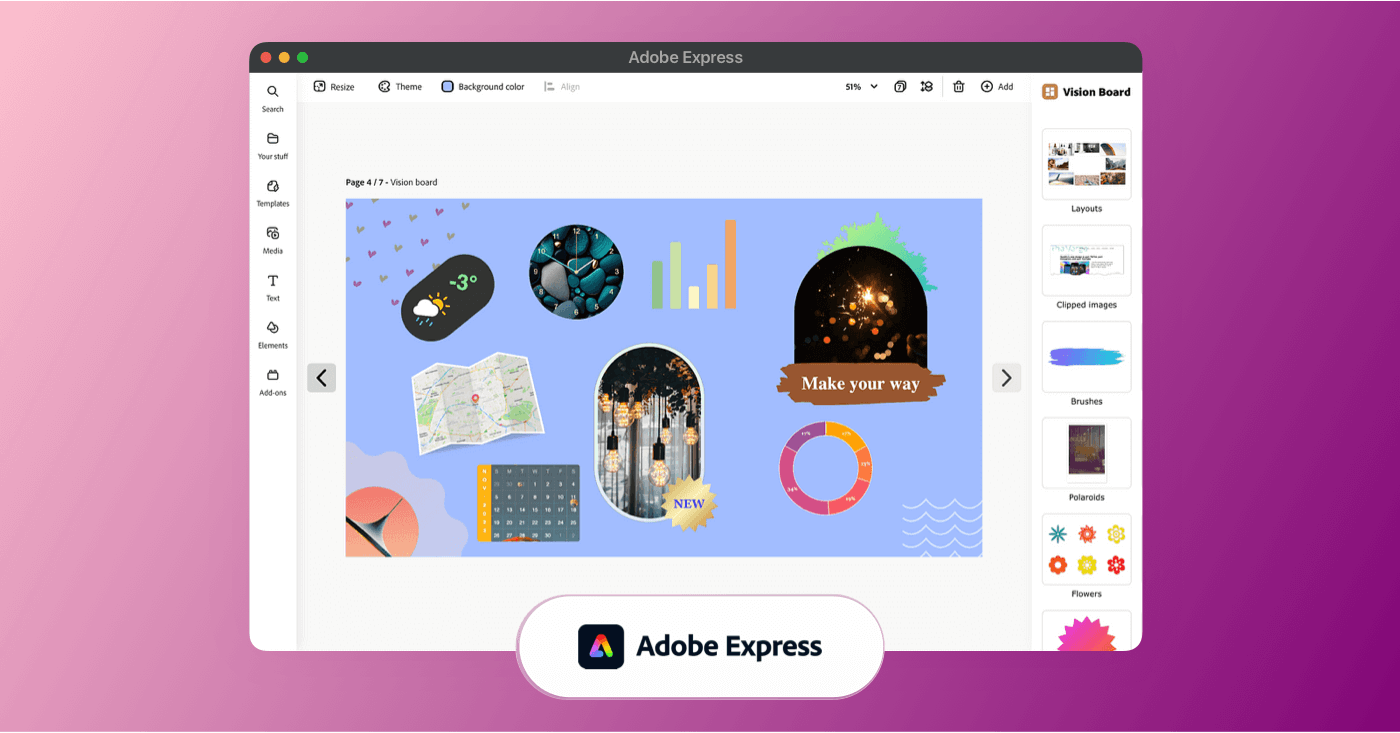
Adobe Express is creative design software built for making branded graphics, layouts, and shareable visuals.
Advantages:
Adobe Express makes mood board creation mostly straightforward. You can upload your own images, pull from Adobe Stock, and customize typography and colors with brand controls. This app is mostly useful if you're already working inside the Adobe ecosystem. Consider this as an option if you're creating mood boards for marketing campaigns, branded content, pitch decks, or social visuals.
Key Features:
Adobe Express includes a template library that can be adapted into structured mood boards, along with drag-and-drop editing, background removal tools, and brand kits. AI tools allow you to create images from prompts or expand visuals when needed, and because it's browser-based and available on mobile, you can work across devices without installing heavy desktop software. While it doesn’t offer the open infinite canvas of some other mood board apps, it’s good for structured, presentation-ready layouts that are generally easy to share.
Pros and Cons:
Pros:
- Easy-to-use interface with professional templates.
- Built-in AI tools and background removal.
- Works across desktop and mobile.
Cons:
- Premium features require subscription.
- More template-driven than freeform canvas tools.
- Not built specifically as a dedicated mood board platform.
Best Mood Board Apps
10. Fotor
Fotor is a browser-based design and photo editing platform that includes a dedicated mood board maker built around collage layouts and customizable templates. It’s accessible if you want to quickly assemble visual inspiration without learning complex design software. This one also works directly in your browser and combines layout tools with built-in photo editing.
- Free plan available
- Subscription starts at $8.99 a month
Best used for simple online photo editing and design.
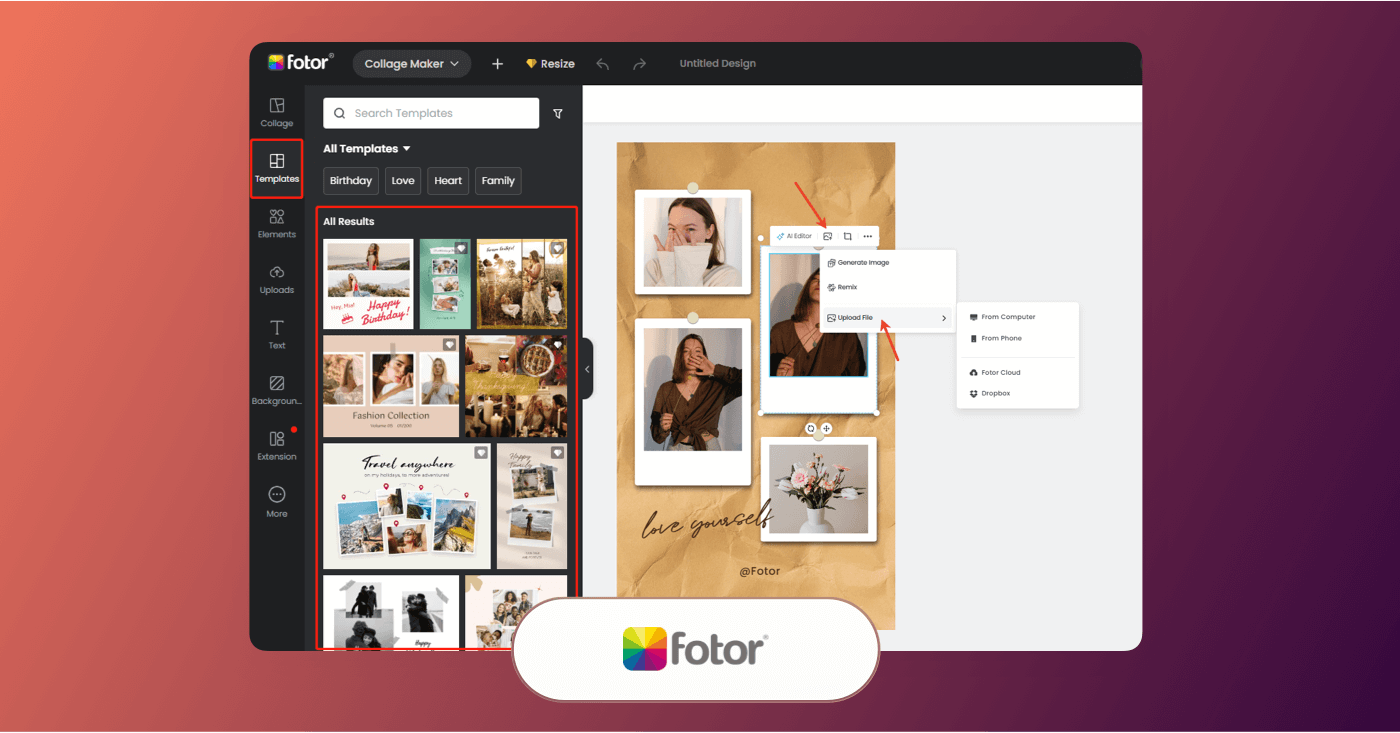
Fotor is creative software built for quick image edits, collages, and visual content creation.
Advantages:
Fotor’s biggest advantage is its simplicity. You can start from a mood board template or build a collage-style layout using drag-and-drop controls. The interface is beginner-friendly, making it approachable if you’re creating mood boards for YouTube thumbnails, branding inspiration, or visual direction for client work. Fotor includes built-in photo editing tools, so you can adjust lighting, apply filters, remove backgrounds (premium feature), and add text or design elements directly within your board.
Key Features:
Fotor’s mood board maker combines customizable collage templates, drag-and-drop editing, text overlays, stock photo access, and AI-powered tools like background removal and image enhancement. You can adjust spacing, borders, colors, and layout structure to match your creative vision. While it doesn’t offer deep collaboration workflows like some other tools on this list, it provides enough design flexibility for individual creators and small teams building general visual boards.
Pros and Cons:
Pros:
- Easy-to-use drag-and-drop editor.
- Built-in photo editing and AI enhancement tools.
- Suitable for social, marketing, and branding mood boards
Cons:
- Watermarks and limited assets on free plan.
- Advanced tools require Pro subscription.
- More template-based than open-canvas mood board apps.
Related Posts
Best Mood Board App
11. Mattoboard
Mattoboard is a web-based mood board app designed specifically for creating realistic material and product-based boards in 3D space. Unlike most collage-style tools, Mattoboard allows you to arrange surfaces, textures, and products in a realistic environment rather than a flat grid. If you're creating mood boards for interior design, product design, architecture, or physical space concepts, this one is worth considering.
- Free plan available
- Subscription starts at $15 a month
Best used for visual mood boards and idea organization.
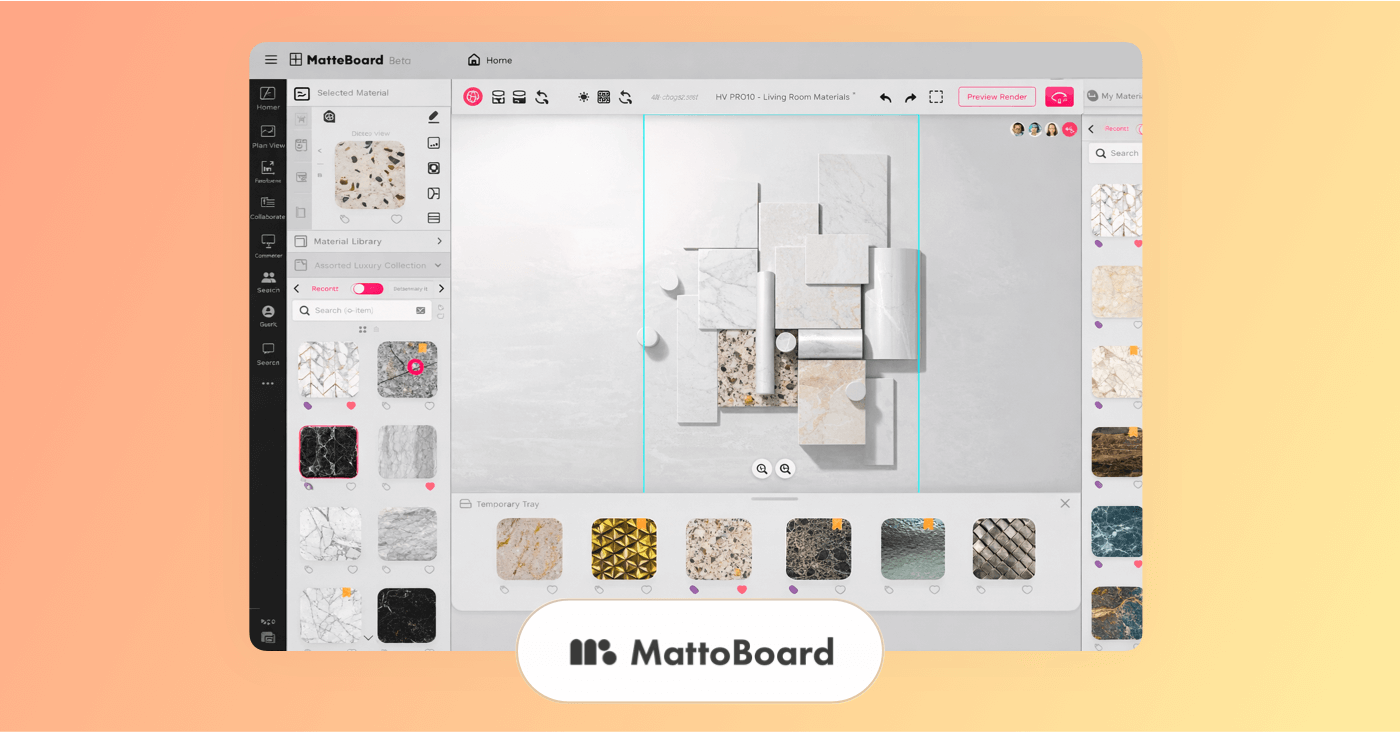
Mattoboard is mood-boarding software built for arranging images and inspiration into creative boards.
Advantages:
Mattoboard’s biggest advantage is realism. Instead of dragging images into a flat canvas, you can place materials like wood, tile, fabric, stone, and product cutouts onto a 3D surface. This makes it especially useful if you're presenting physical design concepts to clients and want something more immersive than a standard collage. This one’s most optimal if you’re working in set design, retail environments, or branded spaces. It’s less focused on decorative layouts and more about visualizing how materials work together.
Key Features:
Mattoboard provides a 3D mood board environment where users can layer materials, adjust lighting, and experiment with scale and spacing. The platform allows you to upload custom textures and product images. Boards can be exported in high resolution for client presentations, and the realistic rendering helps communicate how finishes and surfaces interact. While it doesn’t offer the broader creative toolsets of some other mood board apps, its niche focus on material realism makes it worth consideration.
Pros and Cons:
Pros:
- Realistic 3D material visualization.
- Good for interior and spatial design projects.
- Can upload custom materials and products
Cons:
- Not ideal for marketing or social-media-focused mood boards.
- More specialized than general-purpose mood board apps.
- Advanced features limited to paid plans.
Trusted by over 1M creatives
Lookbooks that bring ideas to life
Design lookbooks with images and text, collaborate, and present online.
Best Mood Board Apps
12. Shuffles by Pinterest
Shuffles by Pinterest is a mobile collage app designed for creating aesthetic, cut-out style mood boards using Pinterest content and your own images. If you're building fashion inspiration boards, aesthetic collages, brand vibes, or concept visuals for TikTok, YouTube, or creative projects, this app leans heavily into visual experimentation and sharing.
- Free to use, no paid subscription required
Best used for visual collages and creative inspiration.
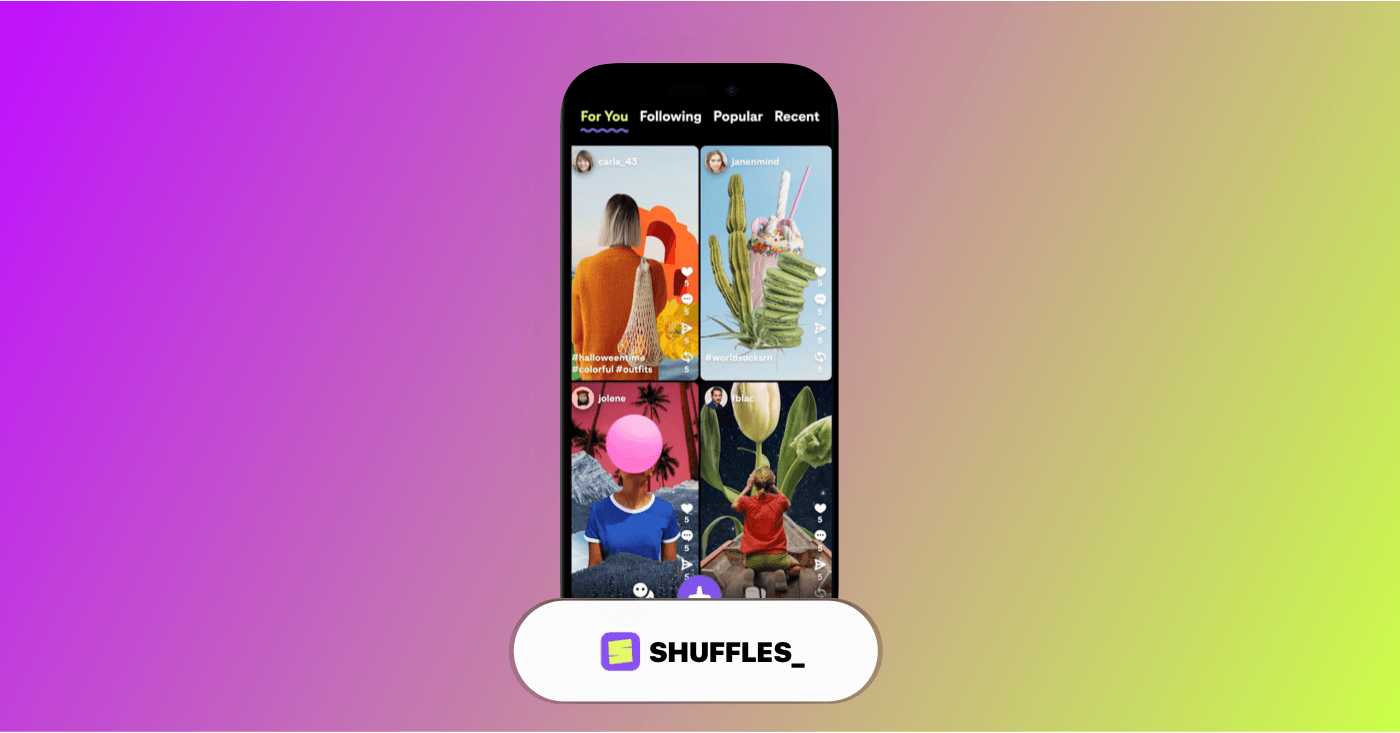
Shuffles by Pinterest is mood-boarding software built for remixing images and ideas into expressive visual boards.
Advantages:
Shuffles is worth considering because it connects directly to Pinterest’s massive image ecosystem. This app is best if you want something casual, visual, and trend-driven rather than a structured production tool. It’s especially popular for fashion, pop culture, branding aesthetics, and social mood boards.
Key Features:
Shuffles lets you cut out elements from Pinterest Pins or personal photos and layer them on a customizable digital canvas. You can add movement, text, stickers, and effects to build dynamic collage-style boards. While it doesn’t offer professional workflow integrations like some other mood board apps, its social remix culture and intuitive mobile interface make it a fun, creative, and free option.
Pros and Cons:
Pros:
- Direct integration with Pinterest.
- Easy background removal and layering.
- Built-in sharing and remix features.
Cons:
- iOS-only (at the time of writing).
- Not designed for professional collaboration workflows.
- More social and trend-driven than production-focused.
Extra resources on the best mood board apps:
If it turns out our list doesn’t have what you need in terms of mood board features and functionality for your project, maybe these alternative listings for mood board apps will be of better help.
Choosing the Best Mood Board
Criteria for selecting the best mood board app
The best mood board apps should let you collect images, help you clarify direction, stay organized, and present ideas confidently. Whether you’re building visual concepts for a brand, filmmaking, interior design, marketing campaigns, or social content, the right mood board app should match both your creative process and your project goals.
While some mood board apps focus on aesthetic and simplicity, others emphasize AI tools, collaboration, or workflow integration. As you compare options, focus on the features that truly support how you work.
Here are the key criteria to consider when choosing the best mood board app for your needs:
Core Functionality
A strong mood board app should cover the essentials, including:
- Create and arrange boards with drag-and-drop controls
- Upload and organize your own images
- Resize, layer, and position elements freely
- Customize backgrounds, spacing, and layout
- Export boards in high resolution
At minimum, even a free mood board app should allow you to build and export a clean, usable board without unnecessary restrictions.
Standout Features
Beyond the basics, some of the best mood board apps include added tools that improve speed and flexibility, such as:
- Built-in stock image libraries
- AI-powered image generation or background removal
- Real-time collaboration and commenting
- Brand kits and color palettes
- 3D or material visualization (for spatial design)
- Integration with design or production software
These features aren’t always necessary, but they can make a significant difference depending on your workflow.
Usability
The right mood board app should feel intuitive and efficient:
- Easy for beginners to start quickly
- Flexible enough for creative customization
- Clean interface that doesn’t overwhelm
- Works across desktop, tablet, or mobile
If an app slows down your idea brainstorming process, it may not be the best fit, even with its large selection of advanced tools.
Customer Support
Support can become important if you’re using mood boards for professional or client-facing projects. Consider whether the platform offers:
- Help documentation and tutorials
- Responsive customer service
- Active updates and feature improvements
- Community forums or learning resources
Reliable support is especially valuable if you’re part of a team or using paid plans.
Budget
Pricing varies widely across the best apps for mood boards. Some platforms are completely free, while others require subscriptions for advanced tools or higher-resolution exports.
When evaluating cost, consider:
- Whether the free plan includes enough features
- What’s locked behind paid tiers
- Monthly vs. annual billing discounts
- Whether team plans are necessary
The best mood board app for you isn’t necessarily the most expensive one. You really just want to make sure it offers the right balance between functionality, collaboration, and cost.

Mood vs Tone vs Atmosphere Explained • Subscribe on YouTube
Choosing Best Mood Board Software
How to choose the best mood board app
With so many mood board apps available, it’s easy to get distracted by all the bells and whistles. It’s always good to ask yourself some core questions:
Are you building aesthetic inspiration boards for social media? Organizing design concepts for clients? Planning visuals for a film, commercial, or a YouTube project? The absolute best mood board app for you should support your workflow, not complicate it.
The checklist below can help you evaluate mood board apps more clearly and narrow down which platform makes the most sense for your creative needs:
Factor | What to Consider |
|---|---|
Workflow Fit | Choose a mood board app that matches how you work. Do you need a simple collage tool, an AI-assisted idea generator, or something that connects to production workflows? |
Canvas Style | Some apps to make mood boards use structured templates, while others offer an infinite freeform canvas. Decide whether you prefer guided layouts or open creative space. |
Collaboration Tools | If you’re working with clients or teammates, look for commenting, sharing permissions, and real-time editing so feedback stays organized. |
Asset Access | Consider whether the platform includes stock images, AI generation, product libraries, or if you’ll rely entirely on your own uploads. |
Editing Capabilities | Some mood board apps include built-in photo editing, background removal, or AI enhancements. Others focus purely on layout. |
Export & Sharing Options | Make sure your app mood board can export in high resolution, presentation format, or social-ready dimensions depending on your end use. |
Device Compatibility | If you build boards on the go, check whether the platform works on desktop, mobile, tablet, or across all three. |
Integration With Other Tools | Some of the best apps for mood boards connect with design suites, production tools, or brand kits. Consider whether integration matters for your workflow. |
Pricing & Free Plan | Many platforms offer a free mood board app tier. Make sure the free version includes enough features, and review what’s locked behind paid plans. |
Scalability | If your projects or team grow, ensure the platform can scale with additional users, boards, or advanced features. |
What to Look for In Mood Board Software?
What features do the best mood board apps come with?
The most useful mood board apps should have more features than just dragging images onto a canvas. They should also help you organize inspiration, refine visual direction, and communicate ideas clearly — whether you're building a fashion concept, planning a commercial shoot, designing a brand identity, or outlining a YouTube series aesthetic.
As you compare different mood board apps, look for features that support both creativity and clarity. Some apps to make mood boards focus purely on visual layouts, while others include collaboration tools, AI generation, or workflow integrations that take your ideas further.
Below are some of the most valuable features to look for when choosing a mood board app:
- Flexible canvas and layout tools: The best mood board apps allow you to arrange images freely, resize elements, layer visuals, and adjust spacing without feeling restricted by rigid templates.
- Templates and starting points: Many mood board apps include ready-made layouts or theme-based templates that help you get started quickly. This is especially useful if you're creating boards for branding, marketing, or client presentations.
- Collaboration and sharing tools: If you’re working with clients or a creative team, built-in commenting, live editing, and sharing permissions make it easier to gather feedback and refine your boards.
- Built-in editing features: Some platforms include background removal, image cropping, color adjustments, or AI enhancements directly inside the mood board app, so you don’t need to switch between tools.
- Stock image or asset libraries: Access to built-in image libraries, design elements, or AI-generated visuals can speed up the brainstorming process, particularly if you’re building boards for concept development.
- Export and presentation options: Look for platforms that let you export your app mood board as high-resolution images, PDFs, or presentation files, depending on how you plan to share your work.
- Cross-device accessibility: The best apps for mood boards work seamlessly across desktop, tablet, and mobile, allowing you to build and edit boards wherever inspiration strikes.
- Organization and project structure: If you manage multiple clients or creative directions, features like folders, board grouping, or project-based organization help keep your visual references tidy.
- Integration with other creative tools: Some mood board apps connect with design software, production tools, or brand kits. This can streamline the transition from inspiration to execution.
- Free plan or trial availability: Many platforms offer a free mood board app tier. Make sure the free version includes enough features to test the workflow before upgrading.
Mood Board Software Features
What are the important benefits of mood board apps?
Using mood board apps can significantly improve how you develop, organize, and present your creative ideas. Instead of saving images across folders, screenshots, or scattered Pinterest boards, a dedicated mood board app gives you a structured visual workspace to shape direction and communicate intent clearly.
Whether you're planning out your brand identity, outlining the visual tone of a commercial, designing a set, or mapping out YouTube content aesthetics, digital mood board apps help centralize inspiration and keep everyone aligned from the start.
Here are some of the key benefits you can expect when using a mood board app:
- Clearer visual direction: Mood boards turn abstract ideas into concrete visuals. Instead of describing a “warm, cinematic look” or a “minimalist brand vibe,” you can visualize exactly what you mean.
- Stronger creative alignment: When working with clients or collaborators, a shared app mood board gives everyone a single reference point, reducing miscommunication and subjective guesswork.
- Faster brainstorming and iteration: The best mood board apps make it easy to drag, drop, rearrange, and swap visuals quickly, allowing you to test different creative directions without starting from scratch.
- More organized inspiration: Instead of scattered screenshots and saved posts, mood board apps let you group visuals into structured boards, folders, or projects.
- Improved collaboration: Many platforms include commenting and sharing tools so teammates and stakeholders can provide feedback directly within the board.
- Better presentation quality: Compared to informal collections of images, digital boards created in a mood board app are cleaner and easier to present in meetings, pitches, or client reviews.
- Cross-device accessibility: Cloud-based tools allow you to access and update your boards from desktop, tablet, or mobile — useful when inspiration strikes unexpectedly.
- Smooth transition from idea to execution: Some of the best apps for mood boards integrate with design, branding, or production tools, helping you move from inspiration into practical creation more efficiently.
Mood Board Software Pricing
Pricing for the best mood board apps
Before choosing from any of the best mood board apps, it’s important to understand how pricing typically works.
If you’re deciding which mood board app fits your budget, the table below outlines the most common pricing tiers and what you can realistically expect at each level.
Keep in mind: pricing varies by platform, billing cycle (monthly vs. annual), and feature access.
Plan Category | Typical Cost Range | What’s Usually Included |
|---|---|---|
Free Tier | $0 | Basic mood board creation tools, limited templates or canvas access, capped exports, watermarks (in some apps), and restricted collaboration. Many offer this as a free mood board app option to test the platform. |
Individual Plan | $5–$15 per user/month | Full canvas access, higher-resolution exports, premium templates, expanded asset libraries, background removal or AI tools (depending on the app), and basic cloud storage. Ideal for solo creators. |
Pro / Creative Plan | ~$9.99–$25 per month | Advanced design tools, AI-assisted features, stock image access, export flexibility, brand kits, and expanded organization features. Often the sweet spot for freelancers and content creators. |
Team Plan | ~$15–$50 per user/month | Real-time collaboration, commenting, shared libraries, role permissions, multiple boards per project, and improved administrative controls. Designed for agencies and creative teams. |
Enterprise Plan | Custom pricing | Advanced security controls, priority support, unlimited collaboration, dedicated account management, and integration with other business tools. Typically used by larger organizations. |
Frequently Asked Questions
Common questions about moodboards
A synonym is a word or phrase that shares the same meaning as another word or phrase. For example, "beautiful" is a synonym of "pretty."
You can build mood boards on your iPhone using apps like Shuffles by Pinterest and Moodboard for quick, collage-style creation. If you prefer templates and built-in editing tools, Adobe Express, Fotor, the Canva mood board app, and BeFunky offer mobile apps with flexible design controls. The best mood board apps for iPhone ultimately depend on whether you want something casual, design-focused, or built for professional collaboration.
The best way to create a mood board is to start with a clear goal. Gather images, colors, textures, typography, and references that align with that direction rather than adding visuals randomly. Use one of the best mood board apps to arrange your elements intentionally, grouping similar ideas and leaving space so the board doesn’t feel cluttered. Focus on consistency in tone and style to make the overall concept clear. Lastly, refine and edit your board by removing anything that doesn’t strengthen the core vision.
A mood board is a visual collection of images, colors, textures, typography, and other design elements arranged together to communicate a specific style, feeling, or concept. It helps turn abstract ideas into something tangible and easier to understand. Whether created physically or with a digital mood board app, the purpose is the same: to align inspiration and clarify creative intent before execution begins.
To create a mood board, start by defining the goal of your project. Then gather visual references that match the tone you’re aiming for, including images, colors, textures, typography, and even short video clips if relevant. You can use a mood board app to arrange your elements on a digital canvas, grouping similar ideas and adjusting spacing for clarity. Keep the layout clean and cohesive so the overall direction is easy to understand at a glance. Finally, refine your board by removing anything that doesn’t support the core theme or message.
Start by choosing one of the best mood board apps that fits your needs. Create a new board, upload your images or pull from built-in libraries, and arrange your visuals on the canvas. Add text, colors, and layout adjustments to reinforce the overall theme. Keep your board organized and visually consistent, then export or share it once the concept feels cohesive.
Up next
Start your moodboard
We know we just gave you a plethora of options, but if you’re looking to get started on a mood board right here right now, we’ve got you covered. With StudioBinder, your mood board will look professional and inspiring.
StudioBinder Mood Board Software →
Share your vision with elegant shot lists and storyboards.
Create robust and customizable shot lists. Upload images to make storyboards and slideshows.